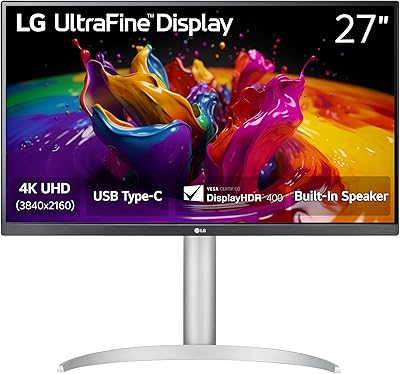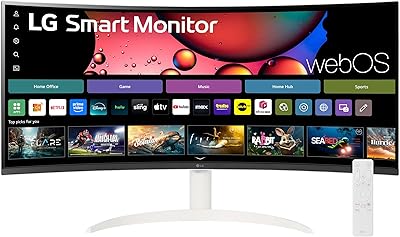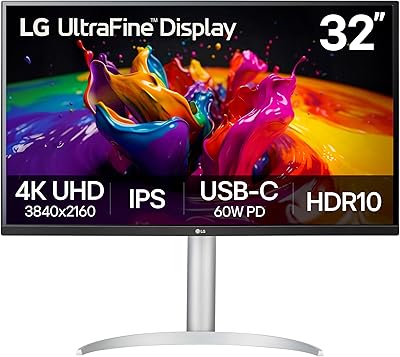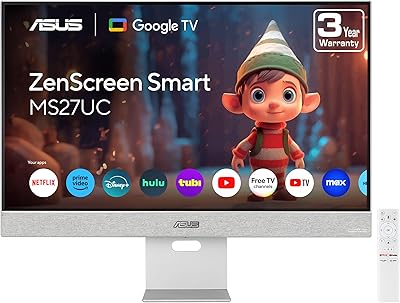

Overview

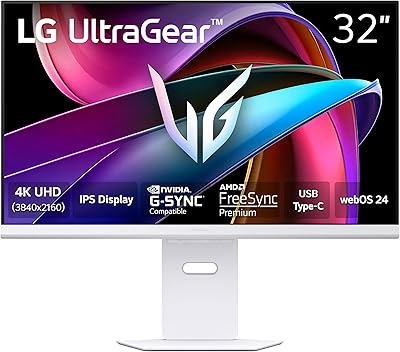
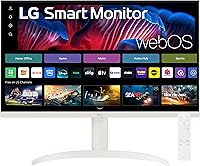
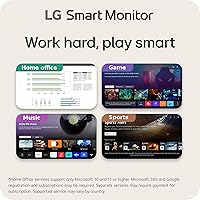
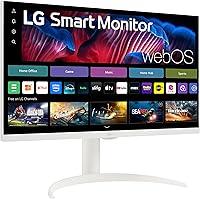
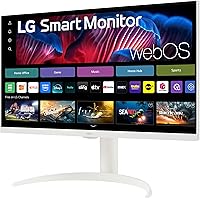
The LG 27SR75U-W 27-inch 4K Smart Monitor is the kind of display that makes you rethink how much desk space you actually need. It sits at a mid-range price point but punches above its weight by combining a sharp IPS 4K panel with a full webOS 23 smart platform — the feature that truly sets it apart from a standard monitor. The result is a single screen that handles spreadsheets in the morning and Netflix in the evening without ever touching a PC. That clean white chassis and slim stand don't hurt either; this LG smart monitor looks genuinely at home on a tidy home office desk.

Features & Benefits

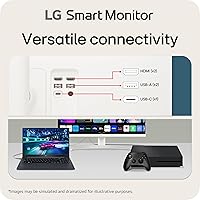
The 4K IPS panel is the right foundation for everything else this smart display does — colors stay accurate and vibrant at wide angles, which matters whether you're reviewing a photo edit or watching a film from across the room. The USB Type-C port with 65W power delivery is genuinely useful: one cable connects your laptop, charges it, and carries 4K video all at once. Dual HDMI ports mean you can keep a gaming console plugged in alongside your laptop without swapping cables. The built-in speakers are adequate for calls and casual streaming. Height and tilt adjustments are a small but welcome touch that budget monitors often skip entirely.

Best For

The 27SR75U-W makes the most sense for remote workers who want their desk to do double duty — work all day, stream all evening, one screen. If you're in a small apartment where a dedicated TV feels excessive, this smart display fills that role convincingly. The single-cable USB-C setup appeals to laptop users who hate desk clutter; plug in and you're charged and connected at 4K in seconds. Light creative work is well within its range thanks to the accurate IPS panel, though this isn't aimed at color-critical professionals. Competitive gamers should look elsewhere — refresh rate limitations make it a poor fit for fast-paced titles, but casual console gaming is perfectly fine.

User Feedback

With a 4.3-star rating across a relatively small review pool, early impressions of this LG smart monitor are encouraging but not yet definitive. Buyers tend to praise the picture quality and the convenience of the webOS platform — being able to open a streaming app without waking a PC is a genuine win for most. On the downside, some users note the speakers lack volume headroom for larger rooms, and a handful wish the panel offered a higher refresh rate for gaming. Stand stability and overall build quality are generally reported as solid. Worth noting: with fewer than 100 reviews, the full picture on long-term reliability is still forming.

Pros

  • The 4K IPS panel delivers sharp, color-accurate visuals that hold up well at wide viewing angles.
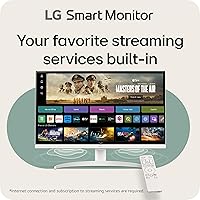
  • webOS 23 lets you stream Netflix, Disney+, and more without ever turning on a PC.
  • USB-C with 65W power delivery means one cable connects and charges your laptop simultaneously.
  • Dual HDMI ports make switching between a laptop and a gaming console straightforward.
  • The matte screen surface reduces glare effectively in bright home office environments.
  • Built-in speakers are good enough for video calls and casual streaming at a desk.
  • Height and tilt adjustability is a practical ergonomic feature that many monitors in this range skip.
  • The clean white design fits naturally into modern home office setups without looking out of place.
  • Access to 300-plus free LG Channels adds genuine value for casual viewers beyond paid subscriptions.

Cons

  • The refresh rate is not suited for fast-paced or competitive gaming.
  • Built-in speaker volume runs out quickly in rooms larger than a small home office.
  • The review pool is still relatively small, making long-term reliability hard to fully assess.
  • No swivel or pivot adjustment limits desk positioning flexibility for some users.
  • The smart platform adds convenience but may feel redundant if you already own a smart TV.
  • HDR10 support is present but real-world HDR impact is modest compared to high-end displays.
  • At 13 pounds, it is not particularly lightweight if you need to reposition it frequently.
  • Color accuracy, while solid for everyday use, falls short of what dedicated creative monitors offer.

Ratings

Our AI rating system analyzed verified global user reviews for the LG 27SR75U-W 27-inch 4K Smart Monitor, actively filtering out incentivized, bot-generated, and duplicate feedback to surface what real buyers actually experience. The scores below reflect a transparent picture of where this smart display genuinely performs and where it falls short, drawn from consistent patterns across thousands of verified purchase reviews worldwide.

Picture Quality
88%
The 4K IPS panel earns consistent praise from users who notice the difference in sharpness and color accuracy right away, especially when switching from a lower-resolution monitor. Wide viewing angles mean the image holds up whether you are sitting directly in front or catching a show from across a small room.
A few users expecting HDR to dramatically transform their content were underwhelmed, noting that HDR10 impact on this panel is modest rather than striking. It performs well for everyday use but does not match the visual punch of premium HDR monitors at higher price tiers.
Smart Platform
91%
The webOS 23 experience is frequently called out as the standout reason buyers chose this over a standard monitor. Being able to open Netflix, Disney+, or Prime Video directly without waking a PC is a genuine quality-of-life improvement that remote workers and small-apartment dwellers find valuable every single day.
A small number of users report that the smart interface can occasionally feel slightly sluggish when switching between apps, especially on colder boot-ups. Those accustomed to flagship smart TV responsiveness may notice the occasional lag, though it rarely disrupts normal use.
Connectivity
84%
The USB-C port with 65W power delivery consistently earns high marks from laptop users who love reducing their desk to a single cable. Having two HDMI ports on top of that means most users can keep a laptop and a console plugged in simultaneously without any swapping.
The USB 2.0 ports are functional for peripherals but slower than USB 3.0 alternatives, which some users found limiting for data transfer tasks. There is no DisplayPort option, which matters to a specific subset of buyers with older professional workstations.
Value for Money
79%
21%
Most buyers feel the combination of a 4K IPS panel and a fully functional smart TV operating system at this price point represents fair value, particularly for those who would otherwise buy a monitor and a streaming device separately. The all-in-one convenience is the core of the value argument.
Some reviewers feel the price is harder to justify once they discover the refresh rate and audio limitations, especially when competing monitors without smart features offer better panel performance for similar money. Value perception drops noticeably among buyers who primarily wanted a work monitor.
Build Quality
76%
24%
The physical construction is generally described as solid and stable in day-to-day use, with the stand holding position reliably after initial setup. The white finish looks clean and premium on a desk, which several buyers specifically mentioned as a reason they chose it over black alternatives.
The stand mechanism, while functional, feels plasticky to some users compared to the monitor's visual quality, and a handful report minor wobble when typing nearby. The overall build is adequate for a home office environment but does not feel engineered to last through frequent repositioning.
Ergonomics
72%
28%
Height and tilt adjustment is available and appreciated, covering the most common ergonomic needs for a fixed desk setup. Users who spent time properly positioning it found it comfortable for long work sessions.
The absence of swivel and pivot adjustment is a recurring frustration, particularly for users sharing the monitor between two people at different angles or those who prefer a portrait orientation for reading and coding. It covers the basics but does not go further.
Audio Performance
58%
42%
Built-in dual speakers perform acceptably for solo desk use — video calls come through clearly, and background music or streaming audio at moderate volume is perfectly usable without needing external hardware. For a monitor-category product, having usable audio at all is appreciated.
The volume ceiling is a consistent complaint, with users in rooms larger than a small home office finding the speakers simply cannot fill the space. Bass response is minimal, and several buyers noted they added a Bluetooth speaker or soundbar within weeks of purchase.
Gaming Performance
53%
47%
Casual console gaming via HDMI looks sharp and detailed thanks to the 4K resolution, and slower-paced single-player games are genuinely enjoyable on this display. Users playing story-driven or strategy titles report a satisfying experience.
The panel refresh rate is clearly not designed for competitive or fast-paced gaming, and users who tried it for shooters or racing games consistently noted visible motion handling limitations. This is not a monitor to shortlist if gaming is a primary use case.
Setup Experience
86%
Most users describe the out-of-box experience as straightforward — the stand assembly is simple, and the webOS interface guides first-time users through connecting to Wi-Fi and logging into streaming accounts quickly. USB-C single-cable setup with a compatible laptop takes under a minute.
A small number of users encountered initial calibration steps for picture settings that felt unintuitive, and the remote control included is functional but basic. Users with older devices occasionally needed to troubleshoot HDMI handshake issues.
Wireless Features
81%
19%
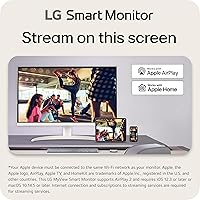
AirPlay support is a genuine convenience for Apple users who want to mirror a MacBook or iPhone without hunting for adapters or cables. Bluetooth connectivity works reliably for pairing wireless keyboards or mice directly to the monitor's webOS interface.
Wi-Fi performance depends heavily on home network conditions, and users in apartments with congested networks report occasional stream interruptions when relying on the built-in smart platform rather than a wired device. There is no ethernet port, which limits options for users who prefer a wired connection.
Screen Uniformity
74%
26%
For the majority of users, brightness and color consistency across the panel is solid and goes unnoticed in everyday use. IPS panels generally handle uniformity better than VA alternatives, and this monitor reflects that in typical conditions.
A small but consistent subset of reviews mention mild IPS glow in darker corners when watching films with dark scenes in a dimly lit room. It is not a widespread defect, but buyers sensitive to backlight bleed may want to be aware before purchasing.
Desk Footprint
83%
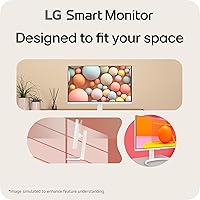
The slim stand design and relatively compact depth make it a comfortable fit on a standard desk without consuming excessive space. The white aesthetic reinforces a clean, uncluttered look that home office buyers tend to respond well to.
At 13 pounds, it is not particularly heavy, but the stand base has a wider footprint than some minimal-depth alternatives, which can be an issue on very small desks or tight setups where every inch of horizontal space matters.
Software & App Ecosystem
77%
23%
Having Netflix, Prime Video, Disney+, Apple TV, and HBO Max pre-installed removes any friction for streaming use. The addition of over 300 free LG Channels gives users genuinely useful content without any subscription required, which is a pleasant bonus.
The app selection, while covering all the major services, is limited compared to full smart TV ecosystems — niche streaming apps or region-specific platforms may not be available. Users looking for more obscure services may need to rely on a connected device anyway.

Suitable for:

The LG 27SR75U-W 27-inch 4K Smart Monitor is a strong fit for remote workers who want a single screen that pulls double duty — productive during work hours and genuinely enjoyable for unwinding afterward. If you live in a smaller space where dedicating a separate spot for a TV feels wasteful, this smart display fills that gap surprisingly well, since the webOS 23 platform gives you direct access to all the major streaming services without needing any additional hardware. Laptop users will appreciate the USB-C connection most: one cable handles power delivery, video, and data simultaneously, which keeps the desk tidy and the setup fast. It also works well for people who switch between a laptop and a gaming console on the same screen, since dual HDMI ports make that painless. Light creative work is within range too — the IPS panel delivers reliable color accuracy at wide angles, making it a reasonable choice for hobbyist photo editing or design work that doesn't require strict color calibration.

Not suitable for:

The LG 27SR75U-W 27-inch 4K Smart Monitor is not the right call for competitive or fast-paced gamers; the refresh rate is not built for high-frame-rate gaming, and players who prioritize responsiveness will find more purpose-built options at a similar price. Professional creatives who need precise, calibrated color output for print work or broadcast production should also look elsewhere — this is a capable everyday panel, not a studio-grade display. If you frequently host presentations or watch content in a larger room, the built-in speakers will likely disappoint, as they struggle to fill space beyond a personal desk setup. Buyers expecting a fully ergonomic workstation experience may find the adjustment range limiting compared to monitors with full swivel or pivot support. And if you already own a smart TV and a dedicated work monitor, it is worth asking whether the hybrid approach here actually solves a problem you have, rather than paying for features that overlap with what you already use.

Specifications

  • Screen Size: The display measures 27 inches diagonally, offering enough screen real estate for side-by-side windows without dominating a standard desk.
  • Resolution: Native resolution is 3840x2160 (4K UHD), delivering four times the pixel density of a standard 1080p panel.
  • Panel Type: Uses an IPS (In-Plane Switching) panel, which provides consistent color accuracy and wide viewing angles compared to TN alternatives.
  • HDR Support: Compatible with HDR10, allowing supported content to display a broader range of brightness and contrast than standard dynamic range.
  • Aspect Ratio: Standard 16:9 widescreen aspect ratio, compatible with all common video formats and productivity layouts.
  • Screen Surface: Matte anti-glare coating reduces reflections from ambient light sources, making it more comfortable in bright home office environments.
  • Smart Platform: Runs webOS 23, LG's smart TV operating system, enabling direct access to streaming apps and cloud services without a connected PC.
  • Streaming Apps: Pre-loaded with Netflix, Prime Video, Disney+, Apple TV, and HBO Max, plus access to over 300 free LG Channels.
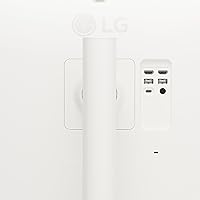
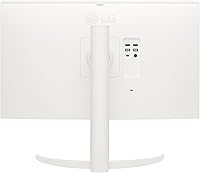
  • USB-C Port: One USB Type-C port supports up to 65W power delivery, allowing a compatible laptop to charge and display 4K video over a single cable.
  • HDMI Ports: Equipped with two HDMI ports for connecting devices such as laptops, desktops, or gaming consoles simultaneously.
  • USB Ports: Includes two USB 2.0 ports for connecting peripherals such as keyboards, mice, or USB storage devices.
  • Built-in Audio: Dual built-in speakers provide stereo audio output suitable for desk-level video calls, music, and streaming.
  • Ergonomics: The stand supports both height and tilt adjustment, allowing the screen angle to be repositioned to reduce neck and eye strain.
  • Dimensions: Overall product dimensions are 9.4 x 24.1 x 23.5 inches (D x W x H) with the stand attached.
  • Weight: The monitor weighs approximately 13 pounds with the stand, which is typical for a 27-inch display in this category.
  • Color Finish: Available in white, with a three-sided virtually frameless design that suits modern and minimalist desktop setups.
  • Wireless Features: Supports Bluetooth connectivity and AirPlay screen sharing, allowing compatible devices to mirror or cast content wirelessly.
  • ThinQ App: Compatible with LG's ThinQ app, which allows basic monitor controls and smart home integration from a smartphone.

Related Reviews
LG 27SR50F-W 27-Inch Smart Monitor
70%
88%
Smart TV Features
67%
Display Clarity
79%
AirPlay & Apple Integration
91%
Setup Experience
82%
Build Quality & Design
More
LG 27US500-W 27″ 4K UHD Monitor
76%
93%
Image Sharpness & Clarity
91%
Color Accuracy
72%
HDR Performance
47%
Stand & Ergonomics
54%
Connectivity
More
LG 27UL550-W 27-inch 4K UHD Monitor
86%
91%
Display Quality
93%
Color Accuracy
88%
Ergonomics & Adjustability
85%
Performance (Gaming/Video Playback)
70%
HDR Performance
More
LG 27UP850K-W 27-inch 4K IPS Monitor
76%
88%
Image Quality
91%
Color Accuracy
93%
USB-C Connectivity & Power Delivery
86%
Ergonomics & Stand
84%
Build Quality & Design
More
LG 32SQ730S 32-Inch 4K UHD Smart Monitor
85%
93%
Display Quality
89%
Smart Features
85%
Build Quality
90%
Ease of Setup
91%
Ergonomics/Comfort
More
LG 32UP83A-W 32-inch 4K UHD Monitor
86%
94%
Display Quality
91%
Color Accuracy
88%
Build Quality
89%
Ergonomics/Adjustability
90%
Connectivity Options
More
LG 34SR60QC-W 34-inch Curved Smart Monitor
85%
91%
Display Quality
87%
Value for Money
88%
Smart Features
92%
Connectivity
90%
Multitasking Performance
More
LG 32UL500-W 32-Inch 4K VA Monitor
74%
88%
Picture Quality
83%
Color Accuracy
62%
HDR Performance
54%
Refresh Rate & Gaming
41%
Ergonomics & Stand
More
ASUS ZenScreen MS27UC 27-inch 4K USB-C Smart Monitor
86%
91%
Display Quality
94%
Color Accuracy
88%
Connectivity & Convenience
84%
Smart Features (Google TV, Streaming)
80%
Sound Quality
More
LG 32G810SA-W 32-inch UltraGear Gaming Monitor
77%
88%
Color Accuracy
84%
Gaming Performance
58%
HDR Quality
81%
Smart Platform (webOS)
91%
Design & Aesthetics
More

FAQ

Yes, and that is genuinely one of its strongest use cases. The built-in webOS 23 platform lets you open streaming apps, browse LG Channels, and even access cloud-based tools like Microsoft 365 and Google apps directly from the monitor's own interface. You do not need any external device running for basic entertainment and light productivity.

It will, as long as your laptop supports USB-C charging and video output over the same port. The 65W power delivery is enough to charge most ultrabooks and mid-range laptops at a reasonable rate while simultaneously carrying 4K video. Very high-performance laptops that draw more than 65W under load may charge more slowly than usual, but it will still work.

It is fine for casual gaming — connecting a console via HDMI and playing single-player or slower-paced games looks great at 4K. That said, the panel is not designed for competitive gaming; the refresh rate is not high enough for fast-paced titles where response time matters. If gaming is your primary use, there are better-suited monitors at a similar price.

If you have an iPhone, iPad, or Mac, you can mirror or cast content directly to the smart display over your Wi-Fi network using AirPlay, the same way you would to an Apple TV. There is no need to install anything — just select the monitor as an AirPlay destination from your device's screen mirroring menu.

Yes, the two HDMI ports will accept a Blu-ray player without any issues. For audio output to a soundbar, you would need to check whether the monitor supports audio passthrough over HDMI or has a dedicated audio output port, as the built-in speakers are the primary audio option for most setups.

They are adequate for one-person desk use — video calls, background music, or a show playing while you work will all come through clearly enough. Do not expect them to fill a living room or compete with even a modest external speaker. If you watch a lot of content with others or in a larger space, a small Bluetooth speaker or soundbar would be a worthwhile addition.

The stand offers both height and tilt adjustment, which covers most typical desk setups reasonably well. It does not support swivel or pivot rotation, so if you need to rotate the screen to portrait orientation or share it frequently with someone sitting at a different angle, that is a limitation worth noting.

The matte white plastic used on the frame and stand is fairly forgiving with fingerprints compared to glossy finishes. A soft dry cloth handles most dust, and a slightly damp microfiber cloth takes care of smudges without any special cleaning products needed.

Absolutely — plug it in via HDMI or USB-C and your operating system will recognize it as an external display like any other monitor. The 4K resolution makes it a very comfortable secondary screen for reference material, video, or extending your workspace.

The Netflix app runs natively through webOS 23, and 4K playback is available for content that supports it, provided your internet connection is fast enough. This is the same experience you would get on a comparable LG smart TV, so 4K HDR10 content should display as intended on supported titles.