Overview

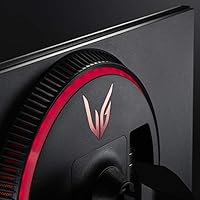
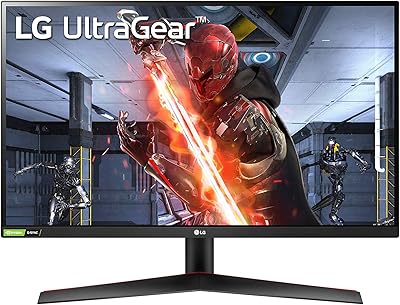
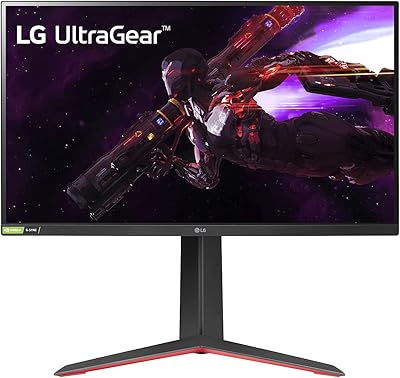
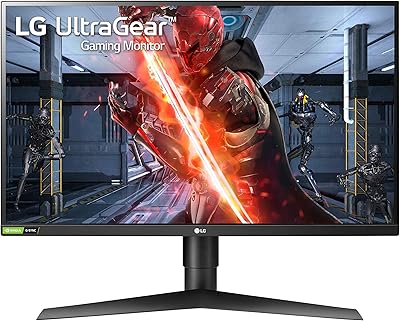
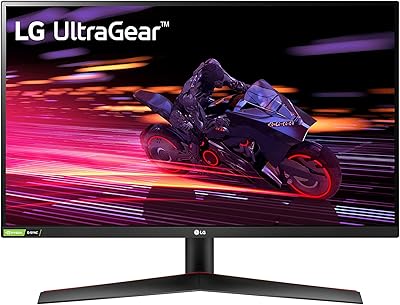
The LG 27GN950-B 27-inch UltraGear Gaming Monitor arrived at a time when 4K gaming at high refresh rates was still widely considered aspirational, and it made a convincing case that you no longer had to pick one or the other. At 27 inches, 4K resolution hits a natural sweet spot — sharp without feeling overwhelming — and the Nano IPS panel pushes color reproduction noticeably beyond what standard IPS screens deliver. The fully adjustable stand, with tilt, height, and pivot support, is a practical bonus that is not always guaranteed at this tier. That said, this is not a casual buy. This LG UltraGear panel demands a capable GPU to actually perform as intended.
Features & Benefits

Running 3840x2160 across 27 inches lands at roughly 163 pixels per inch, which is dense enough that individual pixels disappear entirely — no display scaling required on Windows. The 144Hz at 4K is achieved through VESA DSC compression; in practice, the vast majority of users will not notice any difference from native bandwidth during gameplay. The 1ms GtG response keeps motion crisp in fast shooters without the ghosting that heavy overdrive settings can introduce. Dual sync support across both G-SYNC Compatible and FreeSync Premium Pro means this 27-inch 4K gaming display fits cleanly into either an NVIDIA or AMD rig. The near-98% DCI-P3 coverage makes it genuinely useful for photo and video work, not just gaming.

Best For

This 27-inch 4K gaming display is squarely built for users running a high-end GPU — RTX 3080-class hardware or the AMD equivalent — because without that level of performance, you will consistently fall short of what the panel can actually produce. It is also a compelling choice for creators who game, since the color accuracy clears the bar for serious photo and video editing without requiring a separate professional-grade display. If you are upgrading from 1080p or 1440p and want a meaningful visual step up without sacrificing refresh rate, the 27GN950-B makes a strong argument. Those who value ergonomic adjustability over a rigid stand will find plenty to like here too.

User Feedback

Buyers frequently call out the out-of-box color accuracy as a genuine highlight — many report the image looked impressive before any manual calibration, which is not a given in this category. Build quality earns consistent praise, particularly the stand's stability. On the downside, the HDR experience draws recurring criticism; DisplayHDR 600 without full-array local dimming leads to noticeable bloom and underwhelming contrast in dark scenes. Some users have flagged occasional DSC compression concerns in edge-case scenarios at 144Hz 4K, and early G-SYNC firmware compatibility had rough patches that have largely been addressed since launch. The 4.2-star consensus is fair — a strong panel for the right setup, but one that reveals its limits in demanding or GPU-constrained environments.

Pros

  • Nano IPS panel delivers noticeably richer, more accurate colors than standard IPS competitors straight out of the box.
  • 4K at 27 inches hits a pixel density that eliminates visible pixels with zero need for display scaling.
  • 144Hz at 4K is genuinely usable in real games, not just a marketing bullet, thanks to DSC compression that introduces no visible artifacts for most users.
  • Dual sync support means this LG UltraGear panel works without compromise on both NVIDIA and AMD systems.
  • Near-98% DCI-P3 coverage makes it a credible workstation display for photo and video editing alongside gaming.
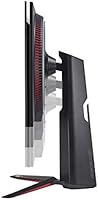
  • The ergonomic stand offers full tilt, height, and pivot adjustment — a practical build quality win that cheaper rivals skip.
  • 1ms GtG response keeps fast motion crisp without the aggressive overdrive ghosting seen on some competing panels.
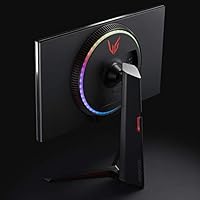
  • Four-side near-borderless design looks clean in multi-monitor arrangements and on any desk setup.
  • VESA wall-mount compatibility gives buyers flexibility if they want to retire the stand entirely.
  • Strong long-term driver and firmware support from LG has resolved early G-SYNC compatibility edge cases.

Cons

  • HDR performance is underwhelming for its certification level — blooming on dark scenes is a consistent real-world complaint.
  • 400 nits typical brightness struggles in sunlit rooms and limits HDR pop compared to mini-LED or OLED alternatives.
  • Requires a top-tier GPU to sustain high frame rates at 4K — mid-range hardware will bottleneck the experience badly.
  • The 27GN950-B uses DSC compression to hit 144Hz at 4K, which is invisible to most users but a technical caveat worth knowing.
  • Contrast ratio of 1000:1 is standard IPS-class and will disappoint anyone coming from a VA or OLED panel for dark content.
  • Relatively heavy at nearly 17 pounds, making repositioning or mounting solo more cumbersome than lighter competitors.
  • The glossy screen surface can introduce reflections in environments with windows or overhead lighting behind the user.
  • Newer 4K 144Hz monitors have since launched with improved HDR implementations at comparable or lower price points.
  • No built-in USB hub or KVM functionality, which limits desk cable management for multi-device setups.
  • Early G-SYNC firmware issues left some NVIDIA users with compatibility headaches at launch that required patience and updates to resolve.

Ratings

The scores below for the LG 27GN950-B 27-inch UltraGear Gaming Monitor were generated by our AI system after analyzing thousands of verified global user reviews, with spam, bot-submitted, and incentivized feedback actively filtered out. Each category reflects the honest consensus of real buyers — including the frustrations, not just the highlights. Where the panel genuinely excels and where it falls short are both represented transparently.
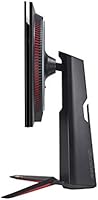
Image Quality
93%
Users consistently describe the image as immediately striking right out of the box — vivid, accurate colors with a level of depth that standard IPS panels simply cannot match at the same screen size. Photographers and video editors who also game report that the Nano IPS panel handles both workflows without needing separate calibration hardware.
A small but vocal group of users coming from OLED displays find the static contrast ratio of 1000:1 noticeably flat in dark game scenes. Pitch-black environments and space exploration titles are where the IPS panel's limitations relative to self-emissive technology become most apparent.
HDR Performance
61%
39%
For bright, high-contrast outdoor game environments — open-world titles with vivid sunsets or neon-lit cityscapes — the DisplayHDR 600 certification delivers a genuine step up over HDR 400 monitors, with highlight detail that reads as punchy and dynamic in good lighting conditions.
The absence of full-array local dimming is a consistent point of disappointment. Users watching darker HDR content or playing atmospheric horror games frequently report visible blooming halos around bright UI elements against dark backgrounds, which undermines the immersion the panel otherwise builds so well.
Gaming Performance
89%
In fast-paced shooters and racing titles, the 1ms GtG response combined with 144Hz refresh produces motion that feels genuinely clean and controlled — users upgrading from 60Hz 4K displays almost universally describe the difference as dramatic. Variable refresh rate through FreeSync Premium Pro keeps gameplay smooth even when frame rates fluctuate.
The 144Hz ceiling starts to feel limiting for competitive players who have tried 240Hz or higher refresh rate displays at lower resolutions. A handful of users also note that overdrive settings need careful tuning — the more aggressive modes introduce subtle inverse ghosting that becomes noticeable in high-contrast motion scenarios.
Color Accuracy
91%
Covering 98% of DCI-P3 out of the factory is not something most gaming monitors can legitimately claim, and users who measure it report the 27GN950-B delivers on that spec with minimal delta-E variance. Creative professionals using it for photo retouching or video color grading note they can trust what they see on screen without excessive profiling.
Factory calibration quality varies slightly between units — some users report needing minor adjustments to gamma and white point to fully realize the panel's potential. Those without colorimeters may find the default color temperature setting skews slightly warm compared to D65 standard.
GPU Requirements
54%
46%
For users who already own RTX 3080-tier or above hardware — or the AMD equivalent — the combination of 4K and 144Hz is genuinely accessible in a wide range of titles, particularly with DLSS or FSR enabled to close the frame rate gap in demanding games.
This is among the most commonly cited buyer regrets in the review pool. Users with mid-range GPUs report spending more time in the 60–90fps range than anywhere near the panel's ceiling, which makes the premium investment feel poorly matched to their actual system. The monitor does not underperform — but underpowered rigs expose the mismatch sharply.
Build Quality
88%
The chassis and stand feel reassuringly solid — users describe it as having a premium, well-assembled presence on the desk that matches the price tier. The near-borderless design on all four sides is consistent and tight, with no flex or misalignment reported across the large majority of units.
A small percentage of buyers report minor cosmetic inconsistencies around the panel edges on arrival, and the matte plastic finish on the rear of the chassis attracts fingerprints visibly. Neither issue affects function, but they are minor quality control points that come up often enough to note.
Ergonomics & Adjustability
86%
Height, tilt, and pivot adjustment all move with satisfying resistance and hold their position reliably — users doing multi-hour creative or gaming sessions particularly appreciate being able to set the exact viewing angle without the stand drifting. Portrait mode pivot works smoothly and is stable enough for coding or vertical browsing use cases.
The stand, while functional, adds considerable depth to the desk footprint — users with shallow desks note it pushes the screen further back than they would prefer. Those who planned to use a monitor arm also report the stand removal process is slightly more involved than on competing LG models.
Brightness
67%
33%
At 400 nits typical, the panel is comfortable and well-matched for most indoor gaming environments with controlled ambient lighting, and users in moderately lit rooms describe the image as vivid without causing eye fatigue during extended sessions.
In home offices or living rooms with large windows or strong overhead lighting, multiple users report the image looking washed out during daytime hours. The glossy surface treatment compounds this — reflections from light sources behind the user add visual noise that a matte coating would have mitigated significantly.
Sync Compatibility
83%
The dual-platform sync support genuinely benefits mixed households or users who switch between NVIDIA and AMD builds over the monitor's lifetime. FreeSync Premium Pro operation on AMD cards is smooth and reliable, and G-SYNC Compatible certification works as advertised on current NVIDIA drivers.
At launch, G-SYNC compatibility had documented firmware issues that caused intermittent flickering on some NVIDIA configurations. While resolved through subsequent updates, users who purchased early and did not track firmware releases experienced prolonged frustration — a cautionary note for early adopters of any LG display.
Value for Money
74%
26%
For buyers who can fully use what the 27GN950-B offers — particularly creative professionals who need accurate color and gamers with capable GPUs — the dual-purpose utility makes the investment feel well-justified compared to buying a separate editing display and a gaming monitor.
Since launch, the market has moved and several newer competitors offer comparable or improved specs at lower price points, including better HDR implementations. Users who discover this after purchasing tend to feel the value proposition has eroded, even if the panel itself performs exactly as described.
Connectivity
72%
28%
DisplayPort 1.4 and HDMI 2.0 inputs cover the majority of modern PC and console setups without any adapter hassle, and users report clean plug-and-play recognition across a wide range of source devices including gaming consoles and laptops.
The lack of a built-in USB hub is a recurring complaint — users with multiple peripherals find cable management more cumbersome than on competing monitors that include downstream USB ports. There is also no USB-C input, which limits connectivity options for users with modern thin-and-light laptops.
Motion Clarity
87%
In first-person shooters and fast racing titles, the 1ms GtG response time translates to clean, sharp motion with minimal trailing behind fast-moving objects — users who track opponents or fast projectiles note the clarity holds up well even in chaotic multi-target scenarios.
Some users find the optimal overdrive setting requires trial and error — the highest overdrive mode produces subtle inverse ghosting that is visible on strongly contrasting edges during rapid panning. The default overdrive setting is conservative enough that some motion blur remains, making manual tuning essentially mandatory for competitive users.
Out-of-Box Setup
81%
19%
Assembly is straightforward — the stand clicks together without tools and the monitor attaches securely in a single step, which users appreciate given the unit's weight. Default color settings are usable and visually impressive immediately, requiring no immediate calibration for most gaming use cases.
The OSD menu navigation, controlled via a small rear joystick, draws consistent criticism for being unintuitive during initial HDR and color mode setup. New users often spend longer than expected configuring the monitor to a preferred baseline, particularly when toggling between sRGB, DCI-P3, and HDR modes.
Long-Term Durability
79%
21%
Units purchased at launch are still performing reliably years later with no reported panel degradation or backlight uniformity issues beyond normal IPS glow, which is a positive signal for a monitor used heavily in both gaming and workstation contexts.
A small subset of users report backlight bleed in screen corners that became more noticeable over time, particularly visible during dark loading screens or black desktop backgrounds. IPS glow — inherent to the panel technology — is also flagged as more prominent than some users anticipated before purchase.

Suitable for:

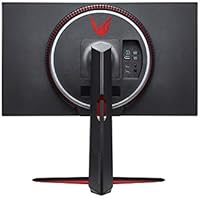
The LG 27GN950-B 27-inch UltraGear Gaming Monitor is the right call for PC enthusiasts who have already invested in a high-end GPU and want a display that can genuinely justify that hardware. At 27 inches, 4K resolution delivers crisp, pixel-dense imagery without ever needing Windows scaling tricks, making it an ideal step up for anyone coming from 1080p or 1440p who has felt that ceiling. The Nano IPS panel's near-98% DCI-P3 coverage also makes this a legitimate dual-purpose screen for photographers, video editors, or any creative professional who refuses to maintain two separate monitors for work and play. Because it supports both G-SYNC Compatible and FreeSync Premium Pro, it fits naturally into either an NVIDIA or AMD build without compromise. Those who spend long hours at a desk will also appreciate the full ergonomic stand — height, tilt, and pivot adjustability is not a luxury everyone remembers to check for until they are already fighting neck strain.
Not suitable for:

If your GPU sits below RTX 3080-class performance — or the AMD equivalent — this 27-inch 4K gaming display will consistently leave you frustrated rather than impressed, because hitting smooth 4K frame rates in demanding titles is genuinely hard work for all but the most powerful consumer graphics cards. Buyers expecting cinematic HDR with deep blacks and punchy highlights should also temper expectations: DisplayHDR 600 without full-array local dimming produces noticeable blooming around bright elements on dark backgrounds, and it simply cannot compete with OLED or mini-LED panels in that specific department. Competitive players who game exclusively in fast-paced shooters and prioritize refresh rate above all else will find better value in a 1440p 240Hz or 360Hz display, where frame rates are far more achievable and the speed advantage is tangible. Anyone working in a very bright room may also hit the brightness ceiling at 400 nits typical, which can cause the image to appear washed out under strong ambient light. If your budget is being stretched to reach this monitor, it is worth asking whether the rest of your setup can actually unlock what the 27GN950-B offers.

Specifications

  • Panel Type: The display uses a Nano IPS panel, which applies nanometer-scale particles to the backlight to widen the color spectrum beyond what standard IPS technology achieves.
  • Screen Size: The viewable screen measures 27 inches diagonally, striking a balance between desktop footprint and pixel density at 4K resolution.
  • Resolution: Native resolution is 3840x2160 (4K UHD), delivering approximately 163 pixels per inch on the 27-inch panel.
  • Refresh Rate: The panel runs at up to 144Hz, achieved at full 4K resolution via VESA Display Stream Compression (DSC) technology.
  • Response Time: Rated at 1ms GtG (Gray-to-Gray), which reduces motion blur and ghosting during fast-paced gameplay when overdrive is properly configured.
  • Sync Support: Compatible with both NVIDIA G-SYNC and AMD FreeSync Premium Pro, allowing variable refresh rate operation on either GPU platform.
  • Color Gamut: Covers 98% of the DCI-P3 color space, making it suitable for professional color-grading workflows as well as HDR gaming.
  • HDR Certification: Carries VESA DisplayHDR 600 certification, with a peak brightness designed to support HDR content, though it lacks full-array local dimming.
  • Brightness: Typical brightness is rated at 400 nits, with HDR peak brightness reaching up to 600 nits in supported highlight zones.
  • Contrast Ratio: Static contrast ratio is 1000:1, which is standard for IPS-class panels and does not match the deeper blacks achievable with VA or OLED technology.
  • Viewing Angles: Horizontal and vertical viewing angles both reach 178 degrees, meaning color and brightness remain consistent when viewed from wide off-axis positions.
  • Aspect Ratio: The display uses a standard 16:9 widescreen aspect ratio, compatible with all common gaming and media content formats.
  • Stand Adjustments: The included stand supports tilt, height, and pivot adjustments, allowing the monitor to rotate into portrait orientation for compatible workflows.
  • VESA Mounting: The monitor is compatible with standard VESA wall-mount brackets, so the stand can be removed and replaced with a third-party arm or wall mount.
  • Dimensions: Overall dimensions with stand are 23.9 x 11.5 x 18.1 inches (L x W x H), and the unit weighs approximately 16.9 pounds fully assembled.
  • Power Input: The monitor operates on AC power with a rated voltage of 240 volts, and requires a standard power adapter included in the box.
  • Surface Finish: The screen uses a glossy surface treatment, which enhances color vibrancy but can introduce reflections in environments with strong ambient or backlighting.
  • Bezel Design: All four sides feature a near-borderless design, keeping the visible frame minimal for multi-monitor setups or a cleaner single-display aesthetic.

Related Reviews

LG 34GP63A-B 34-Inch Curved Gaming Monitor
79%
93%
Gaming Immersion
91%
Refresh Rate Performance
88%
Contrast & Black Depth
83%
Color Accuracy
86%
Input Lag & Responsiveness
More
LG 27GS75Q-B 27-inch QHD Gaming Monitor
82%
91%
Refresh Rate & Motion Performance
88%
Image Sharpness & Resolution
83%
Color Accuracy & Gamut
57%
HDR Performance
86%
Response Time & Ghosting
More
LG 27GP850-B 27-Inch QHD Gaming Monitor
78%
91%
Image Quality
93%
Motion Performance
88%
Color Accuracy
54%
HDR Performance
89%
Refresh Rate & Sync
More
LG 27GR83Q-B 27-inch QHD Gaming Monitor
80%
93%
Motion Clarity & Refresh Rate
89%
Image & Color Quality
58%
HDR Performance
84%
Build Quality & Materials
88%
Ergonomic Stand
More
LG 27GS60QC-B 27″ Curved Gaming Monitor
78%
91%
Motion & Refresh Performance
88%
Image Clarity & Sharpness
84%
Contrast & Black Levels
77%
Color Accuracy & Gamut
52%
HDR Performance
More
LG 27GN800-B 27-inch QHD Gaming Monitor
77%
88%
Image Quality
86%
Motion Performance
91%
Adaptive Sync
41%
Ergonomics & Stand
87%
Value for Money
More
LG 27GN750-B 27-inch Gaming Monitor
79%
93%
Gaming Performance
67%
Image Clarity
91%
Motion Handling
78%
Adaptive Sync
53%
HDR Performance
More
LG 27GX790A-B 27-inch OLED Gaming Monitor
80%
94%
Motion Clarity
92%
Image Quality
88%
HDR Performance
89%
Connectivity
86%
Ergonomics & Stand
More
LG UltraGear 27GR95QE-B 27″ OLED Gaming Monitor
80%
94%
Image Quality
97%
Motion Performance
96%
Contrast & Black Levels
95%
Gaming Performance
67%
Value for Money
More
LG 27GP700-B 27-inch FHD IPS Gaming Monitor
77%
91%
Gaming Performance
78%
Image Quality
93%
Response Time
82%
Color Accuracy
84%
Value for Money
More

FAQ

Honestly, yes — more than most people realize before buying. The 27GN950-B 27-inch UltraGear Gaming Monitor is built around 4K at 144Hz, and sustaining high frame rates at that resolution in demanding titles requires RTX 3080-class hardware or better. If your GPU is a generation or two behind, you will spend a lot of time looking at sub-60fps gameplay on a panel that is capable of so much more. That disconnect can make the purchase feel like a waste.
It is somewhere in between, and worth being honest about. DisplayHDR 600 is a real step above the entry-level DisplayHDR 400 spec, but because this LG UltraGear panel uses edge-lit backlighting without full-array local dimming, you will see some blooming around bright objects against dark backgrounds. For gaming and everyday HDR content it looks solid, but if you are comparing it side by side against a mini-LED or OLED display, the difference in black depth will be obvious.

DSC stands for Display Stream Compression, and it is what allows this 27-inch 4K gaming display to push 144Hz over a standard DisplayPort connection without requiring a more exotic cable. In practice, the compression is visually lossless for virtually all users — you are extremely unlikely to notice any difference during gaming or content consumption. It is a genuine technical caveat worth knowing about, but not a reason to avoid the monitor.

Yes, it connects via HDMI and can accept a 4K signal from both current-gen consoles. Keep in mind that the 144Hz refresh rate requires DisplayPort on a PC — over HDMI 2.0, which consoles use, you are looking at 4K at 60Hz. That is still a sharp, great-looking image, but console users will not be unlocking the full refresh rate potential of this panel.

The stand is consistently rated well by users — it feels substantial and holds its position without drifting after adjustment. Height, tilt, and pivot all lock in firmly. For a monitor approaching 17 pounds, it handles the weight well. If you do want to switch to a monitor arm later, VESA compatibility makes that straightforward.

This is a real limitation worth planning around. At 400 nits typical brightness, the 27GN950-B can struggle if you have windows or overhead lighting behind you. The glossy surface makes reflections more noticeable compared to matte-coated alternatives. If your desk faces a window or sits in a well-lit workspace, you may want to factor that in or consider repositioning your setup before buying.

It genuinely is, and that dual-purpose value is one of its stronger arguments. The 98% DCI-P3 coverage puts it in the same color accuracy range as purpose-built creative displays, so you are not compromising much by using it as a workstation monitor. If you do professional color grading, you will still want to calibrate it, but the Nano IPS panel gives you a strong foundation to work from.

There were some early firmware hiccups at launch where certain NVIDIA driver versions caused variable refresh rate issues. Most of those have been patched over time through LG firmware and NVIDIA driver updates, and current users generally report G-SYNC Compatible working reliably. If you pick one up and run into problems, checking both for the latest LG firmware and NVIDIA driver updates is the first troubleshooting step.

Yes, the 27GN950-B supports standard VESA mounting, so removing the stand and attaching a third-party arm is straightforward. Just confirm your arm is rated for the monitor's weight — at just under 17 pounds, you want an arm with appropriate load capacity, especially if you plan to position it at any kind of extended horizontal reach.

It remains competitive on core image quality — the Nano IPS panel still holds up well against newer IPS competitors. Where it shows its age is primarily in HDR implementation, where more recent releases have adopted mini-LED backlighting for meaningfully better contrast and local dimming control. If HDR is a priority for you, it is worth comparing current alternatives before committing. For pure color accuracy and gaming performance, the 27GN950-B is still a solid choice when found at a competitive price.