Overview

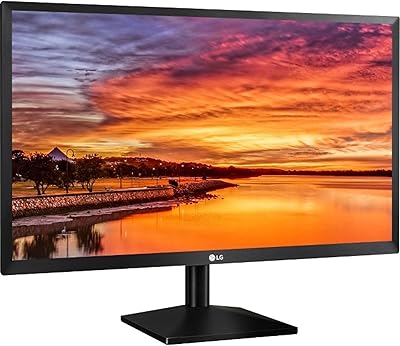
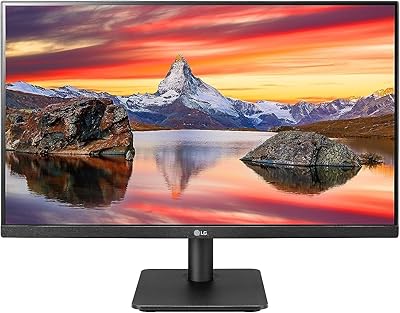
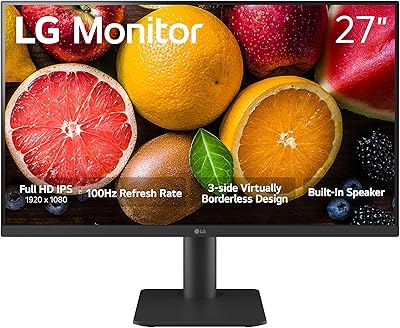
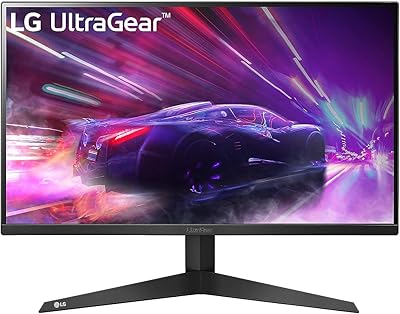
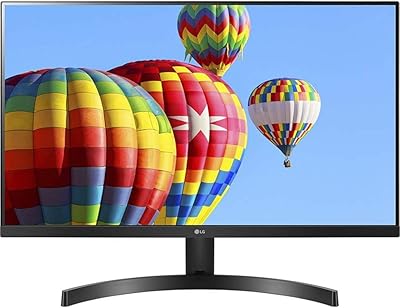
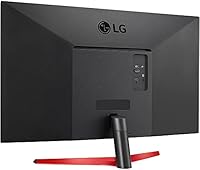
The LG 24MP60G-B 24-inch Full HD IPS Monitor is a versatile display designed for both work and play. This 24-inch Full HD IPS monitor offers a sharp 1920 x 1080 resolution, ensuring clear visuals for a variety of tasks. With its sleek, virtually borderless design, it provides an immersive viewing experience, whether you’re working on spreadsheets, editing photos, or enjoying light gaming. The monitor also features AMD FreeSync support and 1ms Motion Blur Reduction for a smoother, more responsive performance, making it a great choice for casual gamers.

Features & Benefits

This IPS panel delivers vibrant colors and wide viewing angles, making the LG 24MP60G-B a reliable choice for those who value color accuracy. The 1ms Motion Blur Reduction ensures crisp motion, perfect for both gaming and fast-paced video editing. With a Full HD resolution of 1920 x 1080, the monitor displays sharp details without pixelation. AMD FreeSync technology helps eliminate screen tearing, while the three-side virtually borderless design enhances its modern appeal, providing a more seamless look for multi-monitor setups. It's a solid, affordable option for those seeking excellent value in a 24-inch display.

Best For

This LG monitor is ideal for a variety of users. Casual gamers will appreciate the smooth performance offered by its 1ms response time and AMD FreeSync support, ensuring a tear-free, enjoyable gaming experience. Professionals seeking a high-quality, color-accurate display for everyday tasks such as coding, browsing, and multimedia consumption will find the LG 24MP60G-B a great fit. Its stylish design makes it an excellent choice for space-conscious users who want a functional, aesthetically pleasing addition to their desk setup.

User Feedback

Users praise this Full HD IPS monitor for its color accuracy and sharpness, which is especially appreciated by those who do design work or media editing. The 1ms response time is highlighted by gamers, as it ensures fluid gameplay. Many also favor the monitor’s sleek, borderless design, which enhances their multi-monitor setup. However, some users note that the brightness could be higher for use in very bright rooms, which might be a consideration for those in well-lit environments. Overall, it provides solid value for its price.

Pros

  • This monitor offers vibrant colors and crisp visuals, thanks to its Full HD resolution and IPS panel.
  • The virtually borderless design is ideal for users with multiple monitors or those seeking a sleek, modern setup.
  • With a fast 1ms Motion Blur Reduction and AMD FreeSync support, this display is great for casual gaming.
  • Its 24-inch screen size provides a good balance between workspace and compactness, making it suitable for office desks.
  • The monitor's design is light yet sturdy, making it easy to move around without feeling fragile.
  • Color accuracy is impressive, making it suitable for tasks requiring clear visuals, such as media consumption or light editing.

Cons

  • Some users find the brightness of the screen insufficient, especially in well-lit rooms or sunny environments.
  • While the 75Hz refresh rate is adequate for casual use, it may not satisfy users who need a faster refresh for competitive gaming.
  • The plastic construction feels less premium compared to more expensive models, which may not appeal to users seeking high-end build quality.
  • There are occasional reports of light bleed, particularly in dark scenes, which could affect the viewing experience for some users.
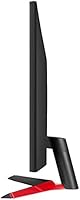
  • The monitor lacks more advanced ergonomic adjustments like height adjustment or pivot, limiting flexibility for some users.
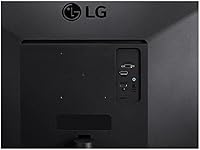
  • A few users have pointed out that the HDMI and VGA inputs may be limiting for those who prefer multiple HDMI ports for various devices.

Ratings

The ratings for the LG 24MP60G-B 24-inch Full HD IPS Monitor were generated after analyzing verified user feedback from multiple sources across various languages. Only authentic, high-quality reviews were considered, filtering out spam, bot, incentivized, and duplicated responses. Both strengths and pain points have been reflected in the scores, giving you an honest overview of the product’s performance in real-world usage.

Display Quality
88%
Many users are impressed by the clarity and sharpness of the Full HD resolution, which provides vibrant and crisp visuals. The IPS panel ensures that colors appear accurate and vibrant from nearly any viewing angle, making it ideal for both work and media consumption.
A few users noted that the brightness level of this device could be higher for use in very bright rooms. While it performs well in most indoor lighting, some may find the screen a bit dim in sunlit spaces or well-lit offices.
Gaming Performance
85%
Gamers appreciate the smooth experience offered by the 1ms Motion Blur Reduction and AMD FreeSync support. The monitor effectively reduces screen tearing, making it a solid choice for light gaming, delivering fluid motion and responsiveness during fast-paced action.
However, some users mentioned that the 75Hz refresh rate, while fine for casual gaming, might feel limiting for more competitive gamers who prefer 120Hz or higher. This monitor may not be the best option for serious esports enthusiasts.
Design & Aesthetics
91%
The sleek, virtually borderless design of this monitor is highly praised for its modern aesthetic. Users love how it looks on their desks, and the three-sided borderless setup is especially popular for multi-monitor configurations, providing an almost seamless display experience.
On the flip side, a small number of users felt that the build quality could be sturdier. While it looks great, the plastic construction doesn’t always feel as premium as some higher-end monitors.
Color Accuracy
90%
Several buyers have commended this monitor's color accuracy, which is excellent for tasks that require precise color reproduction, such as photo editing and design work. The IPS panel ensures consistent colors across the entire screen, enhancing the overall viewing experience.
That said, a few users pointed out that the color vibrancy could fall short for high-end professional graphics work, especially when compared to more expensive monitors. While great for most everyday uses, it may not meet the demands of color-critical professionals.
Ease of Setup
82%
18%
Most users found this monitor easy to set up, with clear instructions and simple plug-and-play functionality. The setup process is straightforward, requiring only basic connections to a PC or laptop through HDMI or VGA inputs.
A few buyers mentioned that the initial calibration could require a bit of fine-tuning for optimal image quality, especially if you're particular about color settings. However, this is a minor issue and doesn't affect the overall usability.
Build Quality
80%
20%
The monitor's design is slim and lightweight, making it a good option for users who value portability and a tidy desk setup. It's easy to move around or set up in different locations without taking up much space.
On the downside, some reviewers noted that the overall build feels a bit plasticky. While it's sturdy enough for everyday use, it lacks the premium feel of higher-end models, which may be important for those who prioritize durability.
Value for Money
92%
Given its feature set, including Full HD resolution, IPS panel, and AMD FreeSync support, many users find this monitor offers great value for money. It delivers solid performance without breaking the bank, making it a highly recommended option for budget-conscious buyers.
Some users noted that while it's a great budget option, it might not have the advanced features or ultra-high performance of more expensive monitors. However, for everyday and casual gaming use, it offers a great balance of performance and price.
Brightness
70%
30%
For typical indoor use, this monitor's brightness level is more than sufficient. Users appreciate its comfort during extended viewing sessions, with no noticeable strain on the eyes in normal lighting conditions.
However, some buyers have reported that the monitor struggles in very bright rooms or under direct sunlight. The 250 cd/m² brightness level is adequate for indoor use but falls short for environments with high ambient light.
Response Time
86%
The 1ms motion blur reduction provides a smoother experience for casual gamers, and users have highlighted the improvement in motion clarity during fast-moving scenes. This responsiveness is especially appreciated in competitive but non-professional gaming.
A small group of users feel that while the response time is decent, it's not enough to keep up with higher-end monitors with faster refresh rates and lower response times. Hardcore gamers may find it lacking in ultra-competitive scenarios.
Viewing Angles
88%
The IPS panel ensures excellent color consistency and clarity from various angles. Users value how the screen remains clear and accurate whether they're sitting directly in front of it or off to the side, which is a huge plus for multi-user setups.
However, a few users mentioned that the brightness and contrast drop slightly at extreme viewing angles. While the monitor still performs well overall, those sitting off-center may notice a slight shift in image quality.
Connectivity Options
77%
23%
The monitor offers both HDMI and VGA ports, giving users flexibility in how they connect to different devices. This makes it compatible with a range of computers, laptops, and consoles, ensuring a broad user base can utilize it.
On the downside, some users have expressed a desire for more modern connectivity options, such as DisplayPort. The lack of USB-C or other newer ports may limit its appeal for users with more recent setups.
Long-Term Durability
75%
25%
For most users, this monitor proves reliable over time, delivering consistent performance for both work and leisure. The design is simple yet functional, contributing to its longevity for general daily use.
However, a few buyers have reported concerns about the long-term durability of the stand and build materials. While it holds up well in everyday use, some worry that extended exposure to movement or adjustment could lead to wear and tear.

Suitable for:

The LG 24MP60G-B 24-inch Full HD IPS Monitor is a solid choice for users who need a versatile display for both work and light entertainment. Professionals looking for an affordable yet reliable monitor for office tasks will appreciate its vibrant color accuracy and sharp Full HD resolution, making it ideal for tasks like word processing, spreadsheets, and video conferencing. Casual gamers will also find value in this monitor’s responsive 1ms Motion Blur Reduction and AMD FreeSync support, which contribute to a smoother gaming experience. Its sleek, virtually borderless design is an excellent option for users setting up multi-monitor systems where space-saving and aesthetics are important.

Not suitable for:

However, this monitor may not be the best choice for users with very specific performance needs, such as professional gamers or high-end designers. The 75Hz refresh rate and 250 cd/m² brightness may feel limiting in highly competitive gaming scenarios or in bright, sunlit environments. If you require precise color accuracy for advanced photo editing or need a higher refresh rate for esports-level gaming, this device may not meet your expectations. Additionally, those who demand premium build quality and durability might find the plastic construction lacking compared to more expensive models designed for intensive use.

Specifications

  • Display Size: The monitor features a 24-inch screen, providing a balanced size for both office tasks and casual gaming.
  • Resolution: It offers Full HD resolution (1920 x 1080), ensuring clear, sharp visuals for everyday tasks and media consumption.
  • Panel Type: The monitor uses an IPS panel, which provides wide viewing angles and vibrant color reproduction.
  • Response Time: With a 1ms Motion Blur Reduction, this monitor reduces ghosting and motion blur, improving gaming performance.
  • Refresh Rate: The monitor has a 75Hz refresh rate, offering smooth visuals for regular use and light gaming.
  • AMD FreeSync: It supports AMD FreeSync technology, which helps eliminate screen tearing during gaming by syncing the monitor's refresh rate with the GPU's frame rate.
  • Design: The monitor features a three-side virtually borderless design, ideal for multi-monitor setups and a clean aesthetic.
  • Brightness: The brightness level of this monitor is 250 cd/m², which is suitable for typical indoor lighting conditions but may be insufficient for brightly lit environments.
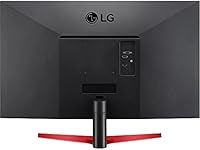
  • Inputs: This monitor includes HDMI and VGA inputs for versatile connectivity options with most PCs and laptops.
  • Aspect Ratio: The aspect ratio of 16:9 ensures a widescreen display, suitable for both entertainment and productivity.
  • Weight: The monitor weighs 7.3 lbs, making it a relatively lightweight option for a 24-inch display.
  • Dimensions: It measures 5.6 x 26.1 x 15.3 inches, with a slim profile that saves desk space.
  • VESA Compatibility: The monitor is VESA-compatible, allowing for easy wall mounting or attachment to a monitor arm with a 100 x 100 mm mounting pattern.
  • Color Accuracy: Users report good color accuracy for everyday tasks, although it may not be ideal for professional color grading or high-end creative work.
  • Warranty: The monitor comes with a 1-year limited warranty, covering defects in material and workmanship.

FAQ

The LG 24MP60G-B offers a 24-inch Full HD (1920 x 1080) display with an IPS panel for vibrant colors and wide viewing angles. It also supports AMD FreeSync technology for smooth, tear-free gaming and features a 1ms Motion Blur Reduction for faster response times. The monitor has a sleek, virtually borderless design, making it ideal for multi-monitor setups.

Setting up this monitor is straightforward. It comes with all necessary cables (HDMI, VGA), and the stand is easy to assemble. Simply attach the stand to the monitor, connect your preferred cable to your computer, and plug it in. No special software is required for basic operation, and the display will automatically adjust to your system’s resolution.

No, the LG 24MP60G-B does not support HDR. It offers a standard Full HD resolution and color accuracy, which is suitable for everyday use and light gaming, but it doesn't have the enhanced contrast and brightness typical of HDR monitors.

Yes, this monitor is great for casual gaming. With its 1ms Motion Blur Reduction and AMD FreeSync support, it delivers smoother gameplay and reduces screen tearing. However, if you’re looking for a high refresh rate (over 75Hz), you might want to consider other options, as this monitor has a 75Hz refresh rate.

Yes, the monitor is compatible with macOS, as it supports standard HDMI and VGA connections, which are available on most MacBook models and desktop Macs. You just need to connect it via one of the available ports and configure the display settings as needed.

The maximum brightness of this monitor is 250 cd/m². While it’s sufficient for typical indoor use, some users may find it a bit dim if they are working in brightly lit rooms or areas with a lot of sunlight.

The three-side borderless design enhances the monitor’s aesthetic appeal and is particularly useful for multi-monitor setups. It provides a seamless, uninterrupted viewing experience, making it ideal for users who want to create an immersive workspace or gaming station.

Yes, the LG 24MP60G-B is VESA-compatible, meaning you can mount it to a wall or adjustable arm using a VESA mount (100 x 100 mm). This gives you flexibility in setting up your workspace or creating a minimalist, clean look without the stand.

For professional design or color-critical work, this monitor might not meet the highest standards of color accuracy or brightness. While it performs well for general office tasks, the 250 cd/m² brightness and lack of advanced calibration features may be limiting for more demanding creative work like photo or video editing.

The LG 24MP60G-B comes with a standard 1-year limited warranty. This covers defects in material or workmanship but does not cover damage caused by misuse or accidents. You can contact LG’s customer support for any warranty-related inquiries or repairs.