
Overview
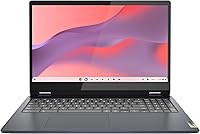
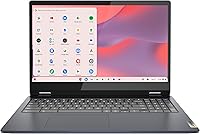
The Lenovo IdeaPad Flex 3i Chromebook 15″ is a budget-friendly convertible built for students and everyday home users who want a capable, no-fuss machine without overspending. The Abyss Blue chassis is slim and light enough to slip into a backpack without complaint. Chrome OS keeps things fast and simple — boot times are quick, updates happen quietly in the background, and everything ties neatly into your Google account. This is not a powerhouse built for video editing or heavy software; it runs best when your day revolves around a browser, Google Docs, and the occasional streaming session. Set honest expectations and this Chromebook delivers solid daily value.
Features & Benefits
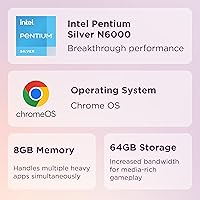
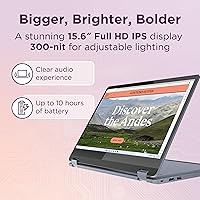
The 15.6-inch FHD touchscreen is a genuine highlight at this price — sharp enough for crisp text and video, and bright enough for comfortable indoor use. The Intel Pentium N6000 handles browsing and Google Workspace tasks without trouble, though it starts to show strain once you push past a dozen or so open tabs. 8GB of RAM keeps multitasking feeling comfortable in realistic use, and the 128GB SSD means the Flex 3i wakes up fast without that familiar spinning-wheel wait. Wi-Fi 6 support is a thoughtful inclusion, and the 2-in-1 hinge opens up tent and tablet modes that genuinely come in handy for presentations or casual reading.
Best For
This 15-inch Chromebook makes the most sense for students who spend their day inside Google Docs, Slides, and Chrome tabs. It suits remote workers in Google Workspace equally well — the larger screen adds real comfort without a premium price tag. Parents looking for a dependable secondary device for kids to handle homework or video calls will find it easy to set up and manage. If you are already comfortable with Chrome OS or willing to leave old Windows habits behind, the simplicity pays off fast. Anyone wanting a large-screen laptop on a tight budget who does not rely on locally installed software will find this Chromebook genuinely useful.
User Feedback
Owners tend to appreciate the comfortable keyboard and generous screen size, both of which feel like upgrades relative to the asking price. Battery life earns consistent praise too, typically landing in the seven-to-eight hour range in real-world use — respectable, if a step below the advertised figure. On the critical side, users running many simultaneous tabs notice the Pentium processor showing its limits, with occasional lag during heavier sessions. Some buyers mention the plastic chassis feels budget-grade up close, and the hinge, while functional, does not inspire premium confidence. A handful of reviewers coming from Windows also flag an adjustment period with Chrome OS, particularly around file management and offline app availability.
Pros
- The 15.6-inch FHD touchscreen delivers sharp, comfortable visuals that feel generous for the price.
- Chrome OS boots in seconds and requires virtually no ongoing maintenance or manual updates.
- 8GB of RAM keeps everyday multitasking smooth across typical student and home-user workloads.
- Wi-Fi 6 support provides noticeably faster and more stable wireless connections on modern routers.
- The 2-in-1 hinge adds real flexibility for tent mode presentations and casual reading sessions.
- A full-sized keyboard with comfortable key spacing makes extended typing sessions genuinely pleasant.
- The 128GB SSD keeps app launches and file access fast without the lag of older eMMC storage.
- Real-world battery life comfortably covers a full school day under moderate use.
- At under 3.5 pounds, this Chromebook is manageable enough to carry daily without fatigue.
- Setup takes minutes — sign in with a Google account and you are ready to work immediately.
Cons
- The Pentium N6000 shows clear strain once tab counts climb past 10 to 12 active windows.
- Plastic construction feels noticeably budget-grade, with some chassis flex under light pressure.
- Advertised 10-hour battery life overstates what most users will realistically see day to day.
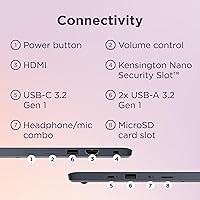
- No SD card slot makes file transfers from cameras or microSD cards unnecessarily inconvenient.
- Display brightness is limited enough to make outdoor or bright-room use a genuine inconvenience.
- Built-in webcam image quality degrades quickly in anything less than good lighting conditions.
- Speaker audio is thin and lacks bass depth, making it poor for immersive media consumption.
- Chrome OS offline functionality is limited enough to frustrate users in low-connectivity environments.
- Users switching from Windows face a real adjustment period around file management and app availability.
- No HDMI output means connecting to an external display requires carrying a separate adapter.
Ratings
Our scores for the Lenovo IdeaPad Flex 3i Chromebook 15″ are generated by AI after analyzing thousands of verified global user reviews, with spam, bot activity, and incentivized feedback actively filtered out. The ratings reflect a balanced picture — what real buyers consistently praised, where they ran into friction, and how the Flex 3i holds up against expectations at its price tier. Both the genuine strengths and the recurring pain points are represented transparently across each category below.
Value for Money
Performance
Display Quality
Touchscreen Responsiveness
Build Quality
Keyboard & Trackpad
Battery Life
2-in-1 Versatility
Portability
Chrome OS Experience
Connectivity & Ports
Audio Quality
Setup & Ease of Use
Webcam Quality
Suitable for:
The Lenovo IdeaPad Flex 3i Chromebook 15″ is genuinely well-matched for students who spend the bulk of their day inside Google Classroom, Docs, and Chrome — it handles that workflow without complaint and the large screen makes reading and writing more comfortable than smaller budget alternatives. Remote workers whose entire professional life runs through Google Workspace will feel right at home, since the Flex 3i boots fast, stays connected reliably with Wi-Fi 6, and handles video calls without drama. Families looking for a dedicated homework and browsing device for kids will appreciate how easy Chrome OS is to manage — no antivirus subscriptions, no unexpected Windows updates, just a clean and low-maintenance experience. Anyone who has been tolerating a slow, aging laptop primarily for casual browsing and streaming will find this 15-inch Chromebook a meaningful upgrade at a price that does not require serious deliberation. The convertible hinge adds genuine utility for users who like switching between a traditional laptop and a tent or display mode for media consumption.
Not suitable for:
The Lenovo IdeaPad Flex 3i Chromebook 15″ is the wrong purchase for anyone who depends on Windows-only software — Adobe Premiere, full Microsoft Office desktop apps, specialized industry tools, or locally installed games simply do not run on Chrome OS, and no amount of workarounds fully bridges that gap. Power users who routinely juggle heavy workloads — think 20-plus browser tabs, video editing, or software development environments — will find the Pentium N6000 a constant bottleneck rather than a reliable engine. Users who need robust offline capability will run into Chrome OS limitations quickly, since many of its best features assume an active internet connection. Creative professionals expecting color-accurate display work will also be disappointed — the screen is decent for everyday tasks but lacks the brightness and color fidelity that photo or video work demands. If durability is a top priority, the plastic build and moderately sturdy hinge may not inspire confidence for heavy daily travel or rough handling over a multi-year ownership period.
Specifications
- Display: 15.6-inch FHD IPS touchscreen with a 1920x1080 pixel resolution and a standard 60Hz refresh rate for smooth everyday browsing and video.
- Processor: Intel Pentium N6000 quad-core processor clocked at 1.1GHz base frequency, designed for efficient everyday computing rather than heavy workloads.
- RAM: 8GB LPDDR4X memory running at 5500MHz, soldered to the motherboard and not user-upgradeable.
- Storage: 128GB SSD internal storage providing fast read and write speeds compared to eMMC alternatives common at this price tier.
- Graphics: Intel UHD Graphics integrated into the Pentium N6000 processor, suitable for video streaming and light image viewing but not gaming or creative work.
- Operating System: Chrome OS, Lenovo's supported build, with automatic background updates and native integration with Google Workspace and Android apps via the Play Store.
- Wireless: Wi-Fi 6 (802.11ax) with dual-band support provides faster and more reliable wireless connectivity compared to previous Wi-Fi generations.
- Ports: Device includes USB-A, USB-C, and a 3.5mm combo audio jack; no dedicated HDMI port or SD card reader is present.
- Battery: Built-in 42Wh lithium polymer battery with a manufacturer-rated life of up to 10 hours under light use conditions.
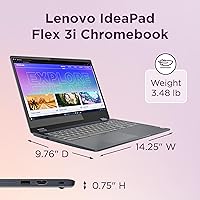
- Weight: Device weighs 3.48 pounds (approximately 1.58kg), making it manageable for daily transport in a standard backpack.
- Dimensions: Physical footprint measures 14.25 x 9.76 x 0.75 inches, keeping the chassis slim despite the 15.6-inch screen size.
- Form Factor: 2-in-1 convertible design with a 360-degree hinge supporting laptop, tent, stand, and tablet usage modes.
- Color: Available in Abyss Blue, a muted navy-toned finish applied to the plastic lid and base of the chassis.
- Bluetooth: Bluetooth 5.1 is included for wireless connection to peripherals such as mice, keyboards, and headphones.
- Webcam: 720p HD webcam with a privacy shutter is located above the display for standard video conferencing use.
- Audio: Stereo speakers with Dolby Audio processing are built into the chassis, paired with a 3.5mm audio jack for wired headphones.
- Keyboard: Full-sized backlit keyboard with a numeric keypad takes advantage of the wider 15-inch chassis layout.
- Warranty: Comes with a standard one-year Lenovo limited warranty covering manufacturing defects under normal use conditions.
Related Reviews
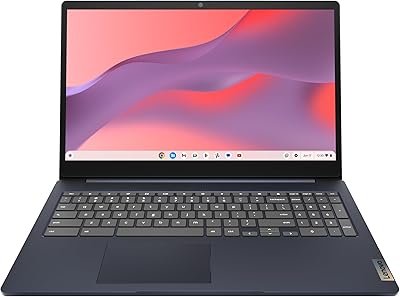
Lenovo IdeaPad 3i Chromebook 15.6″ (8GB RAM, 64GB eMMC)
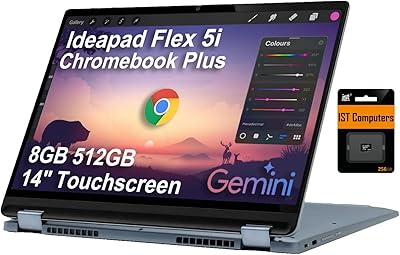
Lenovo IdeaPad Flex 5i Chromebook Plus Laptop
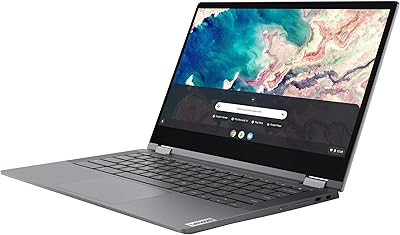
Lenovo Chromebook Flex 5 13″ i3 64GB
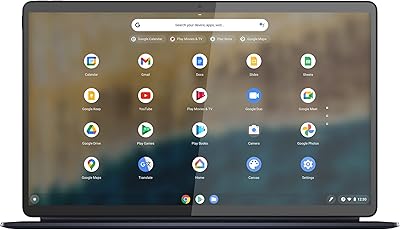
Lenovo IdeaPad Duet 5 Chromebook
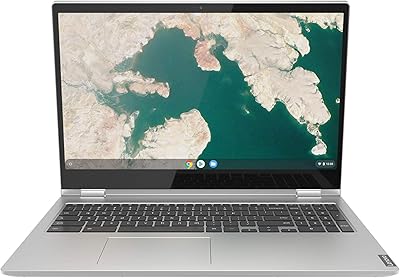
Lenovo Chromebook C340 15.6″ 2-in-1 Laptop
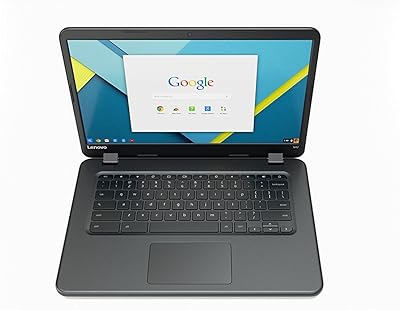
Lenovo IdeaPad N42-20 14″ Chromebook
Lenovo IdeaPad Slim 3 15 Laptop
Lenovo Flex 5i 13 Chromebook, Intel Core i3, 8GB RAM, 64GB Storage
Lenovo Chromebook C340 15.6″ 2-in-1 Laptop
