Overview
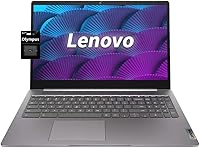
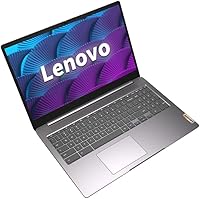
The Lenovo 15.6-inch N4120 Chromebook is a no-nonsense laptop built for students and home users who want reliability without a high price tag. It boots in seconds, updates itself automatically, and plugs neatly into the Google ecosystem — Docs, Drive, and Meet work right out of the box. One detail worth clarifying early: the 320GB storage figure combines 64GB built-in eMMC with a bundled 256GB SD card. The SD card is slower and removable, so it is not the same as having a large internal drive. For light daily use, this Lenovo budget laptop delivers solid value with a spacious display and minimal upkeep.
Features & Benefits
The 15.6-inch FHD display is one of this Chromebook's strongest selling points — at this price, a full 1920x1080 panel with genuine screen space for multitasking is a real advantage. The Intel Celeron N4120 quad-core processor handles web browsing, Google Docs, and video calls without issue, though it was never designed for demanding workloads. Wi-Fi 6 support is a welcome inclusion at this tier, delivering faster and more stable connections on compatible routers. A physical camera shutter and the Titan C2 security chip give remote learners tangible peace of mind. Battery life regularly hits the claimed 10 hours, making a full school or work day entirely achievable on a single charge.
Best For
This Lenovo budget laptop is built squarely for students and remote learners who need a dependable machine for assignments, research, and video calls — not for running demanding software. Families looking for a shared home device for browsing, streaming, and light productivity will find it a practical choice as well. The generous screen size and Wi-Fi 6 make it comfortable for Zoom or Google Meet sessions without the frustration of a cramped display. Anyone already living inside Google's suite — Docs, Sheets, Gmail — will feel right at home. If battery life and security matter more to you than raw processing speed, the N4120 Chromebook makes a strong case for itself.
User Feedback
Buyers consistently point to the large screen size as the standout feature, with many noting it makes this Chromebook feel more capable than its price tier would suggest. The keyboard earns positive marks for daily typing comfort, and the trackpad is generally described as accurate and easy to use. Where sentiment gets more divided is around multitasking — users who routinely open many Chrome tabs report noticeable slowdowns, a real consequence of the 4GB RAM ceiling. A handful of buyers were also caught off guard by the storage split, having expected the 256GB portion to be internal rather than a removable SD card. Most users land on the satisfied side, particularly those who go in with practical expectations.
Pros
- The 15.6-inch FHD display offers more screen space than most Chromebooks in this price range.
- Chrome OS boots in seconds and handles automatic updates without interrupting your work.
- Wi-Fi 6 support ensures stable, fast wireless connections on compatible routers.
- The physical camera shutter provides real, hardware-level privacy during video calls.
- Battery life comfortably lasts a full school or work day on a single charge.
- The Titan C2 security chip keeps the system protected without any extra setup from the user.
- Keyboard and trackpad receive consistently positive marks for comfort during extended use.
- A bundled 256GB SD card means extra storage is available right out of the box.
- The N4120 Chromebook handles everyday tasks like video calls, browsing, and document editing reliably.
- At its price point, the combination of screen size, Wi-Fi 6, and build quality is hard to match.
Cons
- Only 64GB of built-in eMMC storage is available — the rest relies on a removable, slower SD card.
- 4GB of RAM becomes a bottleneck when multiple tabs or apps are running simultaneously.
- The bundled SD card storage can be accidentally removed or lost, creating confusion about available space.
- At 5.59 lbs, this Chromebook is noticeably heavier than more portable 13-inch alternatives.
- Chrome OS limits access to Windows or Mac software, which may frustrate users switching platforms.
- The Celeron N4120 processor shows strain when tasks go beyond basic browsing or document work.
- No touchscreen option is available, which some buyers in this category now expect as standard.
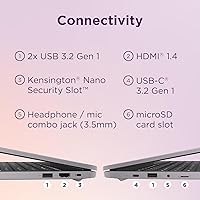
- HDMI 1.4 rather than a newer standard may limit display output quality on modern external monitors.
Ratings
Our AI rating system analyzed thousands of verified global buyer reviews for the Lenovo 15.6-inch N4120 Chromebook, actively filtering out incentivized, duplicate, and bot-generated submissions to reflect only genuine user experiences. The scores below cover every dimension that real buyers care about, from daily performance to long-term reliability, and they honestly reflect both where this Chromebook earns its keep and where it falls short.
Value for Money
Display Quality
Battery Life
Performance
Storage Practicality
Build Quality
Keyboard & Trackpad
Wi-Fi Performance
Security Features
Software Ecosystem
Setup & Ease of Use
Portability
Audio Quality
Webcam Quality
Suitable for:
The Lenovo 15.6-inch N4120 Chromebook was clearly designed with students and everyday home users in mind, and it delivers best when used in exactly those scenarios. K-12 and college students who spend their days in Google Classroom, writing papers in Docs, or attending virtual classes via Zoom will find this Chromebook more than capable. The large FHD display is a genuine comfort advantage over smaller budget laptops, making it easier to follow along with lectures or work on split-screen tasks without squinting. Families who want a shared household device for browsing, streaming, and light productivity will also appreciate how low-maintenance Chrome OS is — no antivirus subscriptions, no lengthy update reboots, and no complicated settings to manage. If your daily workflow lives inside Google's ecosystem, this Lenovo budget laptop fits in naturally from day one.
Not suitable for:
The Lenovo 15.6-inch N4120 Chromebook is not the right tool for users who need serious computing power or who work outside the Google ecosystem. Creative professionals, developers, or anyone running desktop applications like Adobe Photoshop, video editing software, or Windows-only programs will hit a hard wall almost immediately — Chrome OS simply does not support that kind of workload. The 4GB RAM is a real constraint for multitaskers who habitually keep a dozen browser tabs open alongside streaming and productivity apps; performance will degrade noticeably under that kind of load. The 64GB of built-in storage is also tight for anyone who stores large files locally rather than relying on cloud services. And if you are considering this for gaming beyond casual Android titles, the integrated Intel UHD graphics are not up to the task.
Specifications
- Display: 15.6-inch FHD IPS panel with a 1920x1080 resolution for clear, detailed visuals during browsing, streaming, and document work.
- Processor: Intel Celeron N4120 quad-core CPU clocked up to 2.8GHz, designed for efficient handling of everyday computing tasks.
- RAM: 4GB DDR4 system memory, adequate for typical Chrome OS workloads but a practical limit for heavy multitasking.
- Internal Storage: 64GB eMMC built-in storage handles the operating system, apps, and core files with room for moderate local data.
- Bundled Storage: A 256GB SD card is included in the package, bringing the total advertised storage to 320GB combined.
- Operating System: Chrome OS provides a fast, secure, and low-maintenance environment with automatic updates and Google ecosystem integration.
- Wireless: Wi-Fi 6 (802.11ax) support delivers faster throughput and improved performance on congested networks compared to older Wi-Fi standards.
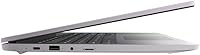
- Ports: Connectivity includes 2x USB-A 3.2, 1x USB-C 3.2, and HDMI 1.4 for external display and peripheral support.
- Battery Life: Rated for up to 10 hours of use on a single charge, suitable for a full school day or standard workday.
- Security: The Titan C2 security chip works alongside Chrome OS built-in protections to guard against firmware and software threats.
- Camera Privacy: A physical camera shutter lets users manually block the webcam lens for hardware-level privacy during and between calls.
- Graphics: Intel UHD Graphics integrated into the Celeron N4120 handles HD video playback and light visual tasks without a discrete GPU.
- Weight: This Chromebook weighs 5.59 lbs, which is on the heavier side for portable laptops but typical for 15.6-inch budget models.
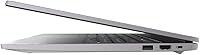
- Dimensions: The chassis measures 14.25 x 9.57 x 0.75 inches, making it a full-sized laptop footprint suited for desk use or a large bag.
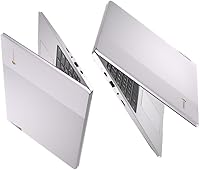
- Color: Available in Arctic Grey, a neutral tone that resists visible smudging and suits both home and academic environments.
- Bluetooth: Bluetooth is included for connecting wireless peripherals such as headphones, mice, and keyboards without using a USB port.
- Audio: HD audio output is supported, providing cleaner sound quality for video calls, streaming, and online learning sessions.
- Memory Type: DDR4 SDRAM is used for system memory, offering reliable performance and energy efficiency relative to older DDR3 modules.
Related Reviews
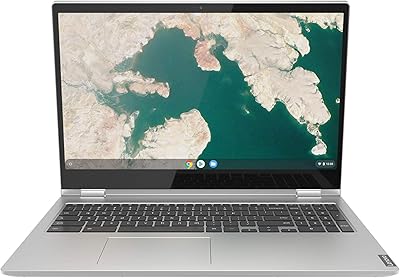
Lenovo Chromebook C340 15.6″ 2-in-1 Laptop
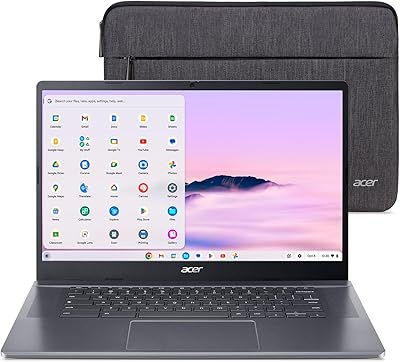
Acer Chromebook Plus 515 15.6-inch
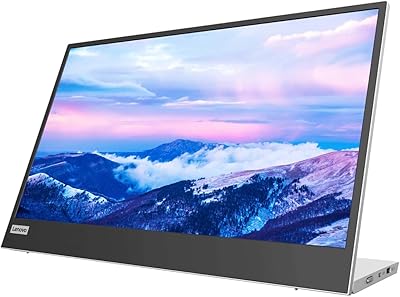
Lenovo L15 15.6-inch Portable Monitor
Lenovo Chromebook C340 15.6″ 2-in-1 Laptop
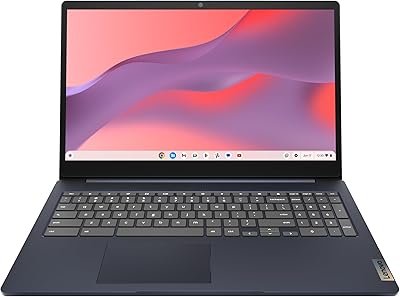
Lenovo IdeaPad 3i Chromebook 15.6″ (8GB RAM, 64GB eMMC)
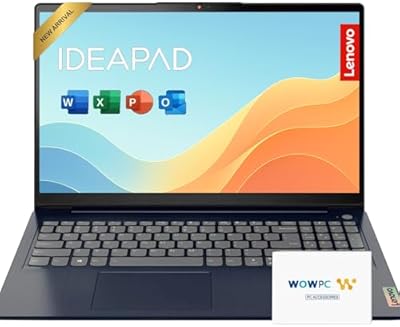
Lenovo IdeaPad 15.6-inch Laptop, 12GB RAM, 512GB SSD, Intel Celeron N4500
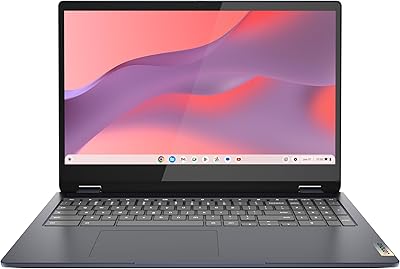
Lenovo IdeaPad Flex 3i Chromebook 15″
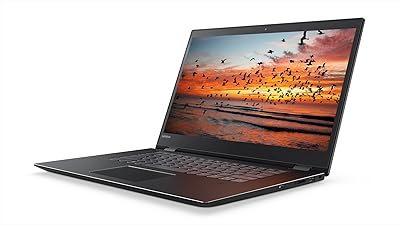
Lenovo Flex 5 15.6-inch 2-in-1 Laptop

Topmonitor P15.6/2.5K 15.6-inch Portable Monitor
