




Overview
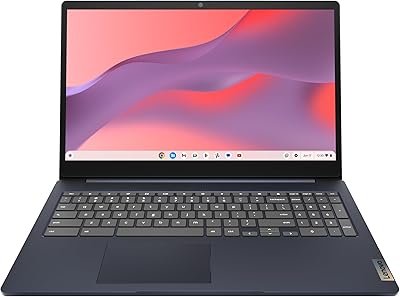
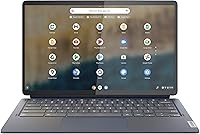
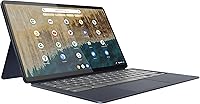
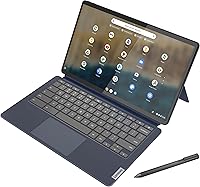
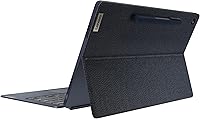
The Lenovo IdeaPad Duet 5 Chromebook is one of those devices that's hard to categorize neatly, and that's sort of the point. It's built as a 2-in-1, meaning this Chromebook can function as a flat tablet for reading or video, then click into a keyboard base when you need to actually get work done. The standout here is the screen: a 13.3-inch Samsung OLED panel that looks noticeably sharper and more vibrant than the LCD displays you'll find on most laptops in this price range. Lenovo clearly prioritized portability and visual quality over horsepower, packing everything into a slim, ultra-light chassis. It lands in a comfortable middle ground, costing more than entry-level Chromebooks but well under what you'd pay for a premium convertible.
Features & Benefits
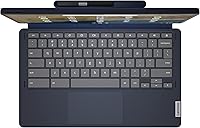
Spend a few minutes with this Chromebook and the screen is what grabs you first—rated at 400 nits with full DCI-P3 color coverage, it makes photos and streaming video look genuinely punchy rather than washed out. The detachable fabric keyboard and included stylus turn this 2-in-1 device into something closer to a notebook for sketching or marking up PDFs, not just a typing accessory. Under the hood, the ARM-based Snapdragon chip runs without a fan, stays cool, and sips power efficiently, which is part of why Lenovo rates the battery at up to 15 hours per charge. Audio holds up well too, with four speakers and a smart amplifier giving calls and shows more presence than typical laptop speakers, while the dual cameras handle quick photos and video chats without complaint.
Best For
This Lenovo tablet-laptop makes the most sense for students juggling lecture notes, reading assignments, and the occasional video call, especially if a stylus for annotating PDFs sounds useful. Casual users who mostly live in a browser—streaming shows, checking email, working through Google Docs and Sheets—will find it more than capable, and the screen makes those everyday tasks genuinely pleasant to look at. It's also a smart pick for frequent travelers who care about shaving ounces off their bag and not hunting for an outlet every few hours. Where it stumbles is anything demanding: gaming, heavy multitasking with a dozen tabs and apps open, or storing large media libraries locally. If your work involves video editing, large spreadsheets, or running several memory-hungry programs at once, this isn't the right tool for that job.
User Feedback
Owner reviews consistently single out the display as the best part of the experience, with many buyers surprised that an OLED screen shows up on a Chromebook at this level. The fabric keyboard gets more mixed feedback—some people adapt quickly and like the soft typing feel, while others miss the firmer, more tactile keys found on traditional laptop keyboards. A recurring complaint involves the 4GB of RAM and 64GB of storage, which feel comfortable at first but start to show their limits once you're juggling multiple tabs, extensions, and downloaded files over months of use. On the upside, nearly everyone mentions how easy it is to carry around all day without noticing the weight. A smaller group of reviewers also note that Chrome OS occasionally feels restrictive compared to Windows, particularly for niche software or offline-heavy workflows.
Pros
- OLED display delivers noticeably richer color and contrast than typical Chromebook screens
- Detachable keyboard and stylus give real flexibility between tablet and laptop use
- Fanless Snapdragon chip stays quiet and cool during everyday tasks
- Battery comfortably lasts through a full day of mixed use
- Four-speaker setup with smart amplifier noticeably improves calls and media playback
- Genuinely lightweight, making it easy to carry around without a second thought
- Front and rear cameras handle video calls and quick photos without issue
- The Lenovo IdeaPad Duet 5 Chromebook offers strong value for its mid-range price point
Cons
- 4GB of RAM starts to feel tight once multiple tabs and apps are running
- 64GB of storage fills up faster than expected with downloads and offline files
- Fabric keyboard's soft typing feel won't suit everyone coming from traditional laptops
- Chrome OS lacks certain software some users rely on for specialized work
- ARM-based processor isn't suited to heavy multitasking or demanding applications
- No option to expand RAM, so performance ceiling is fixed from day one
- Some buyers report the keyboard attachment feels less sturdy on the lap
- Limited local storage makes offline media libraries impractical for heavy users
Ratings
These scores for the Lenovo IdeaPad Duet 5 Chromebook were generated by AI after analyzing thousands of verified buyer reviews from marketplaces worldwide, with spam, bot activity, and incentivized reviews filtered out before scoring. Categories reflect both the strengths people genuinely love and the friction points that show up once daily use sets in, so you can weigh trade-offs honestly before buying.
Display Quality
Build & Portability
Keyboard & Typing Experience
Battery Life
Performance & Multitasking
Storage Capacity
Audio Quality
Camera Quality
Stylus & Touch Experience
Software Experience
Connectivity
Value for Money
Versatility & 2-in-1 Design
Suitable for:
The Lenovo IdeaPad Duet 5 Chromebook makes the most sense for students who spend their day moving between lecture notes, reading, and quick video calls, since the detachable keyboard and stylus cover both typing and annotating without adding bulk. It's also a strong fit for casual home users who mainly stream video, browse, and work inside Google Docs or Sheets, where the OLED screen makes everyday viewing noticeably more enjoyable. Frequent travelers and commuters will appreciate how little it weighs and how long it lasts between charges, often stretching across a full day of mixed use. Anyone who values screen quality more than raw processing power, like someone editing photos casually or watching a lot of streaming content, will likely come away satisfied. It also suits buyers who want a secondary, grab-and-go device rather than a primary workstation.
Not suitable for:
Anyone planning heavy multitasking, like running several demanding apps or dozens of browser tabs simultaneously, should look elsewhere, since the Lenovo IdeaPad Duet 5 Chromebook isn't built for that kind of load. Gamers and creative professionals who need real GPU power or fast local storage will find the ARM-based chipset and limited capacity restrictive fairly quickly. The 4GB of RAM and 64GB of storage are workable for light use but become a genuine bottleneck for buyers who hoard files locally or install storage-heavy apps. Users tied to specific Windows or macOS software for work will run into Chrome OS's app limitations sooner than expected. If a firm, traditional keyboard feel matters to you, the fabric-folio design may also take some getting used to or simply not satisfy. Anyone shopping primarily on raw specs rather than screen quality and portability should consider a traditional laptop instead.
Specifications
- Display: The screen is a 13.3″ Samsung OLED touchscreen with 1920 x 1080 FHD resolution, 400 nits brightness, and 100% DCI-P3 color coverage.
- Processor: It runs on a Qualcomm Snapdragon SC7180 (7c) ARM-based chipset clocked at 2.55 GHz.
- Graphics: Graphics are handled by the integrated Qualcomm Adreno GPU built into the Snapdragon platform.
- Memory: The device includes 4GB of LPDDR4X RAM.
- Storage: Internal storage is 64GB of flash memory.
- Operating System: It ships running Chrome OS, with access to the Google Play Store for Android apps.
- Keyboard: A detachable fabric folio keyboard attaches magnetically to convert the device between tablet and laptop modes.
- Stylus: Stylus support is built in, allowing for note-taking and on-screen drawing.
- Battery Life: Lenovo rates the battery for up to 15 hours of typical use per charge.
- Audio: Audio comes from 4 speakers with smart amplifier technology paired with 2 built-in microphones.
- Cameras: It includes an 8MP rear-facing camera and a 5MP front-facing camera, both supporting 1080p video.
- Wireless: Wireless connectivity is provided through 802.11ac Wi-Fi.
- Weight: The device weighs 4.03 pounds.
- Dimensions: Physical dimensions are 12.05 x 7.32 x 0.27 inches.
Related Reviews
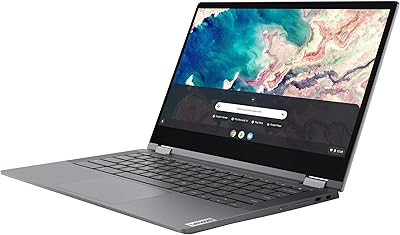
Lenovo Chromebook Flex 5 13″ i3 64GB
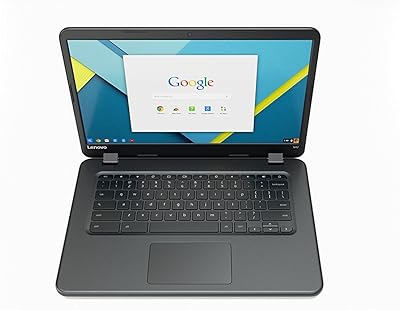
Lenovo IdeaPad N42-20 14″ Chromebook
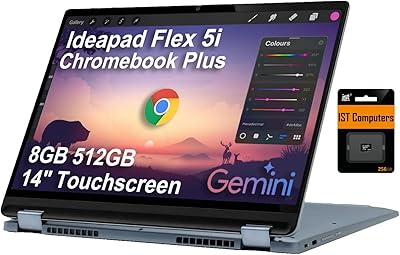
Lenovo IdeaPad Flex 5i Chromebook Plus Laptop
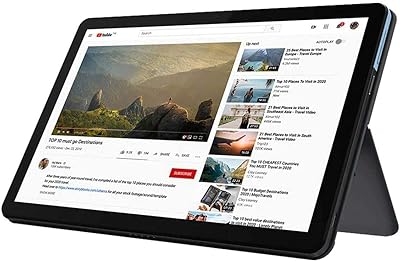
Lenovo Chromebook Duet 10.1″ 2-in-1 Tablet
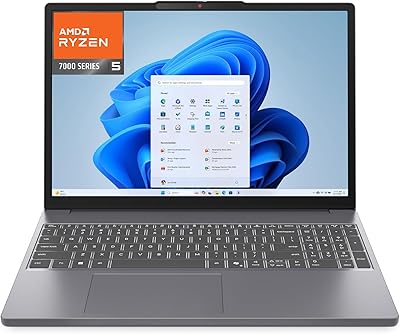
Lenovo IdeaPad Slim 3 15 Laptop
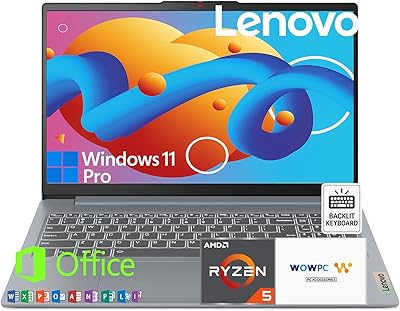
Lenovo IdeaPad Slim 3 15.6-inch 256GB Laptop
Lenovo IdeaPad Slim 3 15.6″ Ryzen 5 5625U 16GB 512GB
Lenovo IdeaPad Slim 3 Business Laptop, Ryzen 5 5625U, 16GB RAM, 1TB SSD
Lenovo IdeaPad 3 14-inch Laptop