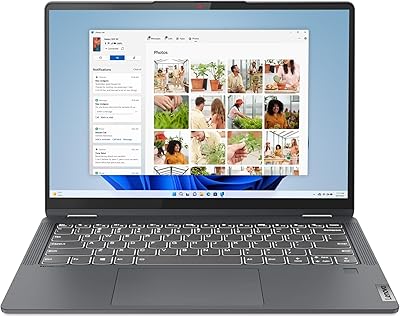
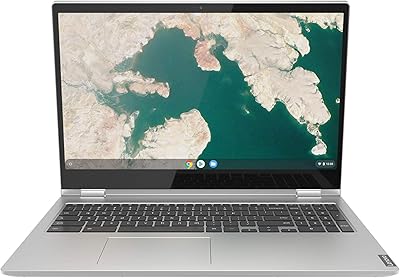
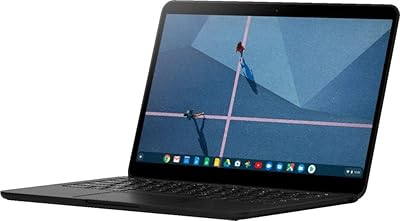
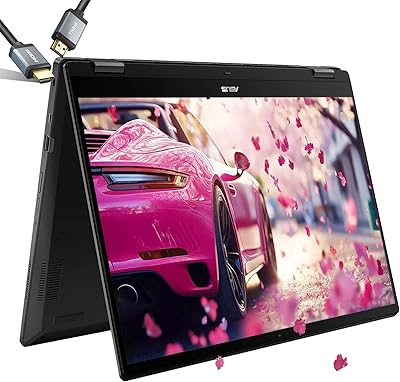
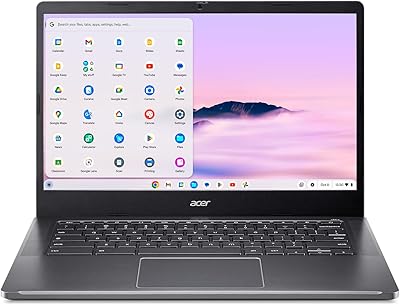
Lenovo Flex 5i 13 Chromebook, Intel Core i3, 8GB RAM, 64GB Storage

Lenovo Flex 5i 13 Chromebook, Intel Core i3, 8GB RAM, 64GB Storage — image 1
Lenovo Flex 5i 13 Chromebook, Intel Core i3, 8GB RAM, 64GB Storage — image 2
Lenovo Flex 5i 13 Chromebook, Intel Core i3, 8GB RAM, 64GB Storage — image 3
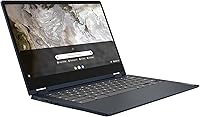
Lenovo Flex 5i 13 Chromebook, Intel Core i3, 8GB RAM, 64GB Storage — image 4
Lenovo Flex 5i 13 Chromebook, Intel Core i3, 8GB RAM, 64GB Storage — image 5
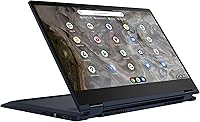
Lenovo Flex 5i 13 Chromebook, Intel Core i3, 8GB RAM, 64GB Storage — image 6
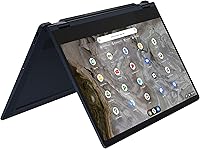
Lenovo Flex 5i 13 Chromebook, Intel Core i3, 8GB RAM, 64GB Storage — image 7
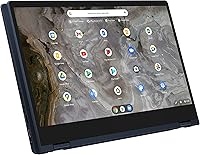
Lenovo Flex 5i 13 Chromebook, Intel Core i3, 8GB RAM, 64GB Storage — image 8
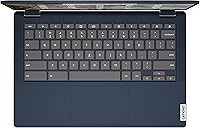
Lenovo Flex 5i 13 Chromebook, Intel Core i3, 8GB RAM, 64GB Storage — image 9
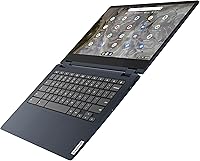
Lenovo Flex 5i 13 Chromebook, Intel Core i3, 8GB RAM, 64GB Storage — image 10
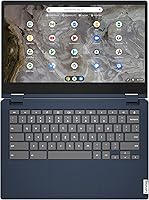
Lenovo Flex 5i 13 Chromebook, Intel Core i3, 8GB RAM, 64GB Storage — image 11
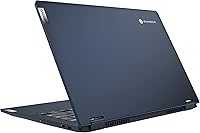
Lenovo Flex 5i 13 Chromebook, Intel Core i3, 8GB RAM, 64GB Storage — image 12

Lenovo Flex 5i 13 Chromebook, Intel Core i3, 8GB RAM, 64GB Storage — image 13
Lenovo Flex 5i 13 Chromebook, Intel Core i3, 8GB RAM, 64GB Storage — image 14
Lenovo Flex 5i 13 Chromebook, Intel Core i3, 8GB RAM, 64GB Storage — image 15
83%

Overview

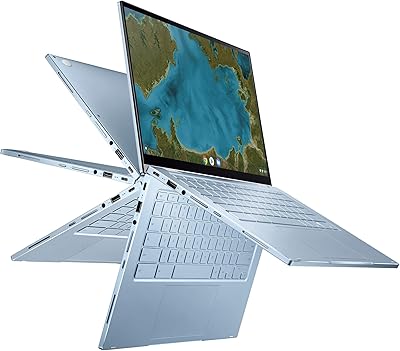
The Lenovo Flex 5i 13 Chromebook, Intel Core i3, 8GB RAM, 64GB Storage is a compact, versatile laptop designed for those who need a lightweight device for everyday tasks. With its 360° convertible design, this Chromebook easily transitions between laptop, tablet, tent, and stand modes, offering flexibility for different scenarios. Powered by an Intel Core i3 processor and equipped with 8GB of RAM, it’s ideal for handling basic computing tasks such as browsing, streaming, and working with productivity apps. Weighing just under 3 pounds, this budget-friendly laptop is easy to carry and perfect for on-the-go use.

Features & Benefits

The Lenovo Flex 5i offers a range of features aimed at providing a smooth, all-day experience. The 13.3-inch Full HD touchscreen boasts narrow bezels for an immersive display, making it great for media consumption and light gaming. With up to 10 hours of battery life, you can work or stream without needing to plug in. The Intel UHD Graphics deliver smooth visuals, while the built-in stereo speakers, enhanced with Waves Audio, provide decent sound quality for videos and music. It’s a well-rounded Chromebook that combines power, portability, and entertainment in one device.

Best For

This Lenovo Chromebook is best for students, professionals, and casual users looking for a portable device that excels at web browsing, video streaming, and using Google apps. If you need a budget-friendly laptop for everyday tasks like checking emails, editing documents, or watching shows, the Lenovo Flex 5i is a great choice. It’s perfect for those who prioritize a lightweight, long-lasting laptop with solid performance and a versatile design. The 360° hinge adds extra value for anyone needing both laptop and tablet functionality in a single device.

User Feedback

Overall, users find the Lenovo Flex 5i to be a solid, reliable Chromebook, particularly appreciating its easy-to-use interface, especially for those already familiar with Chrome OS. The touchscreen responsiveness and smooth performance for everyday tasks like browsing and streaming receive positive reviews. However, some users note the limited storage of 64GB, which may feel restrictive for those with larger file needs. While the battery life and design are often praised, a few mention that external storage solutions are necessary for managing larger files or apps.

Pros

  • This 2-in-1 Chromebook's 360° convertible design provides excellent versatility for both work and entertainment.
  • The 13.3-inch Full HD touchscreen is responsive and offers crisp visuals for everyday tasks.
  • Weighing just 2.97 lbs, this device is lightweight and perfect for students and commuters.
  • With up to 10 hours of battery life, it’s ideal for long days at school or work without needing to recharge.
  • Chrome OS is user-friendly, especially for those familiar with Google apps and services.
  • The Intel Core i3 processor and 8GB of RAM handle web browsing, video streaming, and productivity apps smoothly.

Cons

  • The 64GB storage can feel limiting, requiring external solutions for users with larger file storage needs.
  • Some users report the speakers could be louder, especially in noisy environments.
  • While the 13-inch screen is portable, it may be too small for those who prefer a larger display for multitasking or media consumption.
  • Performance might not be suitable for heavy software applications or multitasking beyond basic tasks.
  • Though the build quality is solid, it may not be durable enough for users who need a rugged laptop for daily travel.
  • The absence of a backlit keyboard can make it difficult to use in low-light environments.

Ratings

After analyzing verified user reviews from various platforms and languages, the scores for the Lenovo Flex 5i 13 Chromebook, Intel Core i3, 8GB RAM, 64GB Storage reflect authentic feedback on its strengths and limitations. Spam, bot-driven, and incentivized reviews were filtered out, ensuring that only high-quality, genuine opinions contributed to the results. The scores provide an honest look at this device's overall performance, usability, and value, considering both positive aspects and common pain points mentioned by users worldwide.

Performance
82%
18%
Users find the performance of this 2-in-1 Chromebook impressive for everyday tasks. The Intel Core i3 processor and 8GB RAM work smoothly for web browsing, video streaming, and running productivity apps. Several buyers mention that it performs better than expected for its price range, handling basic workloads without any noticeable lag.
Some users note that while performance is good for basic tasks, it can slow down with more demanding applications. A few also mention occasional stuttering when running multiple tabs or using heavier software, which may be a drawback for those expecting higher power for multitasking.
Battery Life
88%
Battery life is one of the standout features of this device. Users love that it lasts up to 10 hours on a single charge, which is perfect for all-day use without needing to search for an outlet. Many find this especially useful for long working hours or when traveling, making it ideal for on-the-go use.
However, some users have reported that battery life can be slightly less than advertised when running resource-heavy tasks, such as video conferencing or gaming. While still decent, this could be a consideration for those who need extended usage for more demanding workflows.
Portability
91%
This laptop's lightweight design, weighing just 2.97 lbs, makes it incredibly portable and easy to carry around. The compact size is a major advantage for students, commuters, and frequent travelers who appreciate a device that doesn’t weigh them down. Many buyers mention it’s easy to toss into a bag and take anywhere.
Despite being lightweight, a few users feel that the 13-inch screen can feel cramped for those who need a larger display for multitasking or media consumption. This may limit the comfort of those who prefer bigger screens for extended work or entertainment sessions.
Display Quality
85%
The 13.3-inch Full HD touchscreen display offers sharp visuals and vibrant colors, making it a great choice for media consumption and browsing. Buyers also appreciate the narrow bezels, which provide a more immersive viewing experience. The touchscreen functionality is responsive, which makes navigating through apps and webpages easy.
Some users mention that the display could be brighter, especially under direct sunlight or in very bright environments. Although the anti-glare coating helps, a few reviewers find the screen less vibrant compared to other higher-end Chromebooks.
Build Quality
80%
20%
The build quality is solid for a budget 2-in-1 device, with a sturdy design that withstands daily use. The 360° convertible hinge is also well-engineered, allowing the device to switch smoothly between laptop and tablet modes. Many users find the overall construction reliable and easy to handle.
On the downside, a few buyers report that the materials feel a bit plasticky, especially around the keyboard area. Some also mentioned minor creaking noises when adjusting the screen, which might detract from the premium feel they expected at this price point.
Value for Money
90%
For the price, this Chromebook offers excellent value. Many users find it to be a solid, budget-friendly option for those who need a portable device for everyday use, web browsing, and streaming. The combination of performance, battery life, and versatility at this price point is a big draw for many buyers.
However, a few users feel that the storage capacity is a limiting factor, especially with only 64GB available. Some mention the need for external storage solutions, as the internal space can fill up quickly with apps and media files, which might be inconvenient for users with larger storage needs.
Ease of Use
89%
Many buyers find this device particularly easy to use, especially those familiar with Chrome OS. The operating system is simple, intuitive, and quick to set up. Users also appreciate the integration with Google services and Play Store apps, which enhance its overall functionality and usability for day-to-day tasks.
Some users who are used to Windows or macOS may find the learning curve of Chrome OS slightly steep at first. While it is an efficient OS, a few buyers mention missing the familiarity and flexibility of more traditional operating systems, especially for certain software applications.
Touchscreen Responsiveness
84%
The touchscreen is highly responsive, providing a smooth and accurate experience when tapping or swiping through apps. Many users find it especially useful for tasks like sketching or browsing. The touch functionality is fast and accurate, adding to the overall ease of use of this laptop.
On the downside, some users report that the touchscreen can sometimes become unresponsive or inaccurate after prolonged use. A few buyers have mentioned that the touch sensitivity is inconsistent, particularly in tablet mode when the screen is used in more active scenarios.
Storage Capacity
68%
32%
The 64GB storage is sufficient for basic tasks and cloud-based applications, with many users opting to store files on Google Drive or external storage. The inclusion of cloud support makes it a good option for those who primarily use web-based apps and services.
However, a common complaint is the limited storage capacity. Users with larger media libraries or those who need to install several apps may find the 64GB restrictive. Several buyers suggest using external drives or cloud storage solutions to compensate for this shortcoming.
Connectivity
75%
25%
The Chromebook includes essential connectivity options like USB 3.0 and Bluetooth, making it easy to connect to peripherals like mice, keyboards, and external storage devices. Users also appreciate the wireless options for easy internet access without the need for additional adapters.
However, some users wish for more modern ports like USB-C or additional connectivity options for external displays and accessories. A few have also mentioned that the single USB 3.0 port can feel limiting if multiple devices need to be connected simultaneously.
Software/Chrome OS Experience
92%
The Chrome OS offers a seamless and fast experience for users who are primarily focused on web-based tasks. The operating system integrates well with Google apps and services, making it ideal for productivity and entertainment. Users love the simplicity and ease of use for both work and leisure.
On the flip side, some users who require specific software that is only available on Windows or macOS may find Chrome OS limiting. While Android apps are supported, a few buyers mention that certain professional software or tools are not yet available or work less efficiently in the Chrome environment.
Customer Support
77%
23%
Lenovo's customer support receives mixed but generally positive feedback for providing helpful and timely assistance when issues arise. Many users appreciate the troubleshooting guides and support documentation available online, which can quickly resolve most common problems.
However, a few buyers express frustration with slow response times and the lack of personalized support. Some users mention that the support experience could be improved, with a longer wait for live chat or phone support when dealing with more complex issues.

Suitable for:

The Lenovo Flex 5i 13 Chromebook, Intel Core i3, 8GB RAM, 64GB Storage, is an excellent choice for students, professionals, or anyone who needs a lightweight, budget-friendly device for everyday use. Its compact, portable design makes it ideal for frequent travelers, commuters, or students who need a versatile laptop for web browsing, streaming, and productivity apps. The long battery life is another strong point, providing up to 10 hours of use, which is perfect for all-day work or study sessions. Additionally, those familiar with Chrome OS will find the device easy to use and navigate, thanks to its simplicity and seamless integration with Google apps and the Play Store.

Not suitable for:

However, this Chromebook may not be the best option for power users or those who require more robust performance. The limited 64GB storage can be restrictive, especially for users who need to store large files or install multiple applications, potentially leading to reliance on external storage solutions. Those expecting to run resource-heavy software or multitask with demanding apps might find the performance lacking. Furthermore, the 13-inch display, while functional, may feel too small for users who prefer a larger screen for media consumption or multitasking, which could be a limitation for professionals in creative fields or gamers.

Specifications

  • Display: 13.3-inch Full HD touchscreen display with narrow bezels for a high-quality viewing experience.
  • Processor: Intel Core i3-1115G4 processor, offering efficient performance for everyday computing tasks.
  • Memory: 8GB LPDDR4X RAM for smooth multitasking and responsive performance.
  • Storage: 64GB eMMC storage, suitable for light file storage and cloud-based workflows.
  • Graphics: Intel UHD Graphics provide decent visuals for basic video streaming and casual tasks.
  • Operating System: Chrome OS with access to Google Play apps, ideal for web-based tasks and Android app usage.
  • Battery Life: Up to 10 hours of battery life for extended use without frequent charging.
  • Weight: Weighs just 2.97 lbs, making it highly portable and easy to carry.
  • Dimensions: Measures 13.3 x 11 x 0.6 inches, providing a compact form factor for on-the-go use.
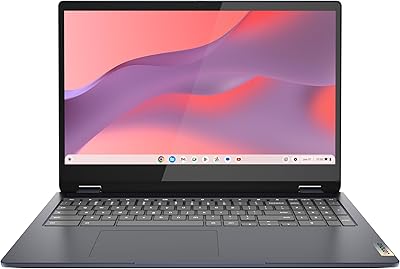
  • Convertible Design: 360° convertible design allows you to easily switch between laptop and tablet modes.
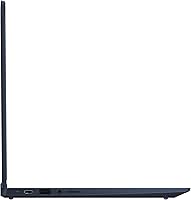
  • Ports: Includes 1 USB 3.0 port and Bluetooth connectivity for essential peripheral connections.
  • Audio: Built-in stereo speakers with Waves Audio for improved sound quality and enhanced audio clarity.
  • Connectivity: Supports Wi-Fi and Bluetooth for wireless internet and device connections.
  • Build Quality: Compact and durable construction, designed for portability and daily use.
  • Touchscreen: Responsive Full HD touchscreen for seamless interaction with Chrome OS and apps.
  • External Storage: Supports external storage expansion for additional space, ideal for large file storage.
  • Compatibility: Compatible with a wide range of Android apps available on Google Play.
  • Special Features: Anti-glare display ensures comfortable viewing even under bright lighting conditions.

FAQ

The 360° convertible design allows you to switch between laptop and tablet modes easily, providing versatility for various tasks such as typing, watching videos, or drawing. This feature is particularly useful for students and professionals who need flexibility on the go.

With up to 10 hours of battery life, this laptop is designed to last through a full work or school day, making it a great choice for those who need a reliable, all-day device without frequent recharging.

While the 64GB storage is suitable for light use like web browsing and productivity apps, some users find it limited for storing large files or media. You may need to use cloud storage or external drives for additional space.

Yes, the device runs on Chrome OS, which gives you access to Google Play apps, allowing you to download and use popular Android apps for productivity, entertainment, and more.

The Intel UHD Graphics and Full HD touchscreen make this laptop suitable for smooth video streaming and light gaming. It's ideal for streaming services like Netflix or YouTube and playing casual games, but it may struggle with more demanding games or video editing tasks.

The Intel Core i3 processor, paired with 8GB of RAM, delivers smooth performance for everyday tasks such as browsing the web, using office apps, and watching videos. It's not built for heavy-duty applications but should handle basic work efficiently.

Yes, the Lenovo Flex 5i 13 Chromebook is a great option for students due to its portability, long battery life, and affordable price. It's perfect for online learning, taking notes, and browsing, but the limited storage might require using cloud services for larger files.

Chrome OS is known for its simplicity, and many users find it easy to adapt to, especially those familiar with Google apps. The intuitive interface makes it easy to navigate, and the integration with Google services is seamless, making setup quick and straightforward.

Yes, this laptop can handle business tasks such as word processing, spreadsheets, and email. However, it may not be suitable for resource-heavy business applications like video editing or software development due to its limited processing power.

If you find yourself running low on storage, consider using cloud storage options like Google Drive or an external storage device to offload larger files. Additionally, you can manage storage by regularly cleaning up unused apps and files.