Overview

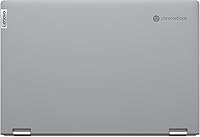
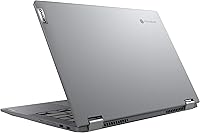
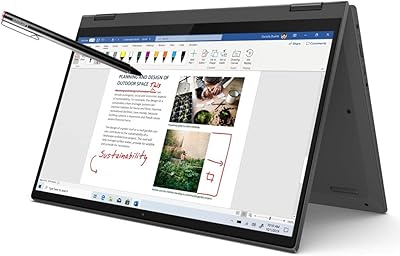
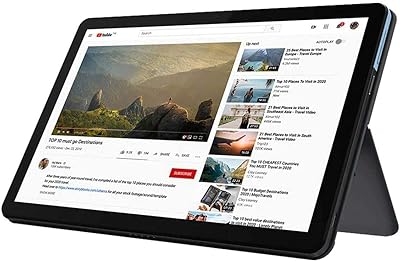
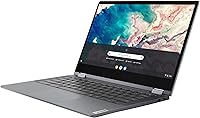
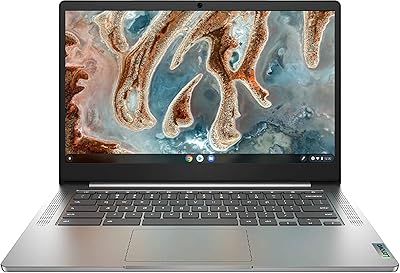
The Lenovo Chromebook Flex 5 13″ i3 64GB sits squarely in the mid-range Chromebook space, designed for students and work-from-home users who want capable daily performance without overspending. The 360-degree convertible hinge is the headline feature here — it genuinely changes how you interact with the machine, letting you flip between laptop, tent, stand, and tablet modes depending on what you need. Chrome OS keeps things fast and low-maintenance: boot times are nearly instant, updates happen quietly in the background, and everything ties neatly into your Google account. That said, this is not a powerhouse. Think of it as a well-built, reliable everyday machine — not a replacement for heavy creative or technical work.
Features & Benefits

The 13.3-inch FHD touchscreen with its anti-glare coating is genuinely comfortable to use for long stretches — colors are crisp, text is sharp, and you won't constantly battle reflections in a bright room. The Intel Core i3-10110U with 4GB of RAM handles browsing, Google Docs, video calls, and streaming without complaint. Don't stack 15 tabs simultaneously and expect zero slowdown, but for normal daily use it holds up well. Storage is where some buyers pause: 64GB sounds tight, but Chrome OS is built around cloud storage, so local space matters far less than you'd expect. Wi-Fi 6 support and Bluetooth 5.0 round out a practical, future-ready feature set.

Best For

This Chromebook is an especially strong pick for students — it's light enough to carry all day, the battery genuinely lasts through long class schedules, and Google Classroom integration feels completely natural. Remote workers who spend most of their time in Gmail, Docs, Sheets, or Meet will feel right at home. It also works well as a secondary household device for browsing, streaming, or video calls when you don't need your main computer. If you're moving up from an older Chromebook or a budget Windows laptop, the build quality and display will feel like a real step up. The touchscreen makes it appealing for anyone wanting flexibility without a steep price.

User Feedback

Buyers consistently praise the build quality and display — the chassis feels solid for the price, and the screen draws repeated compliments for clarity and brightness. Battery life earns strong marks too, with many users confirming it gets genuinely close to that 10-hour estimate. The recurring concern is memory: 4GB of RAM can feel sluggish with a dozen tabs open, and users coming from Windows often find the Chrome OS adjustment takes a week or two to feel natural. A handful of long-term owners note the hinge stays firm over time, which is reassuring. Overall, long-term reliability feedback skews positive, particularly for users who embrace the cloud-first workflow Chrome OS is built around.

Pros

  • All-day battery life holds up well in real school and work-from-home conditions.
  • The FHD anti-glare display is sharp, comfortable, and genuinely good for extended use.
  • 360-degree hinge enables practical multi-mode flexibility beyond a typical clamshell laptop.
  • Chrome OS boots in seconds and stays fast without manual maintenance or antivirus headaches.
  • Wi-Fi 6 support ensures fast, stable connections on modern routers — more future-proof than competitors at this price.
  • Build quality feels sturdy and road-tested for students carrying it daily in a backpack.
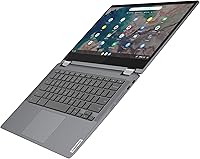
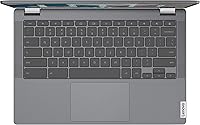
  • The keyboard is comfortable for long writing sessions, which students and remote workers will appreciate.
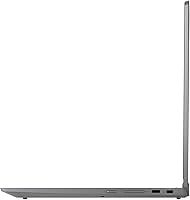
  • Two USB-C ports plus a USB-A port cover most everyday connectivity needs without an adapter.
  • Weighing under 3 pounds, the Lenovo Chromebook Flex 5 13″ i3 64GB is easy to carry without strain.
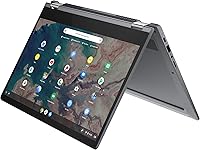
  • Touchscreen and optional stylus support add versatility for note-taking and casual annotation.

Cons

  • 4GB of RAM creates noticeable slowdowns when too many tabs or apps are running simultaneously.
  • Webcam performance is weak in low-light conditions, making evening video calls look grainy.
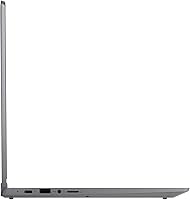
  • No SD card slot limits options for users who work with external media or photography.
  • Speaker volume tops out too low, and audio distorts at maximum output.
  • Connecting to an external monitor requires a USB-C adapter — no native HDMI port included.
  • The bottom panel develops slight flex under pressure over extended use.
  • Tablet mode is uncomfortable to hold for more than a few minutes due to the weight.
  • Users switching from Windows face a real adjustment period with Chrome OS app limitations.
  • Battery life degrades noticeably under heavy workloads like sustained video calling.
  • 64GB local storage feels restrictive for users without a reliable high-speed internet connection.

Ratings

The scores below for the Lenovo Chromebook Flex 5 13″ i3 64GB were generated by AI after analyzing thousands of verified buyer reviews across multiple global markets, with spam, bot-submitted, and incentivized feedback actively filtered out. Every category reflects what real users experienced day-to-day — the genuine strengths and the frustrations that kept coming up. Nothing has been softened or inflated to make the product look better than it actually is.
Build Quality
83%
Users consistently describe the chassis as feeling more premium than the price suggests — the Graphite Grey finish resists minor scuffs, and the hinge feels solid through repeated folding. For a device that students toss in backpacks daily, that durability feedback is notably consistent.
A few owners report that the plastic bottom panel develops slight flex under pressure over time, and the lid picks up fingerprints more than expected. It's not a dealbreaker, but it does require regular wiping to keep it looking clean.
Display Quality
81%
19%
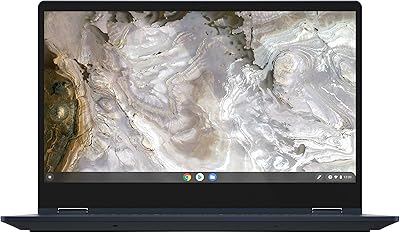
The 1920x1080 IPS panel draws repeated praise for sharpness and color accuracy at this price tier. The anti-glare coating earns particular appreciation from users who work near windows or in brightly lit classrooms — it genuinely reduces eye strain during long sessions.
Brightness tops out at a level that's fine indoors but can feel limiting in direct sunlight. Some users also note that the bezels, while narrow, make the display feel slightly washed out at wider viewing angles compared to pricier IPS panels.
Performance & Speed
67%
33%
For the core use cases this machine is built around — Google Docs, video calls, YouTube, and light multitasking — the i3-10110U keeps things moving without noticeable lag. Boot times are nearly instant thanks to Chrome OS, which makes a real difference in daily usability.
Push it harder with 10 or more active tabs, a video call running, and a few progressive web apps open simultaneously, and the 4GB RAM ceiling becomes obvious. Users coming from more powerful machines will notice the hesitation, especially when switching between multiple demanding tabs.
RAM & Multitasking
61%
39%
Light users — those who keep three or four tabs open, check email, and stream video — report smooth performance with no real complaints. For a student writing an essay while referencing a few web pages, it genuinely holds its own.
4GB of RAM is the most polarizing spec on this machine. Power users and anyone who relies on multiple Google Meet windows, Slack, and several tabs simultaneously will hit the wall regularly. This limitation comes up in a disproportionate share of critical reviews.
Storage & Cloud Integration
72%
28%
Users who embraced the cloud-first Chrome OS philosophy rarely complain about the 64GB SSD. Google Drive integration is tight, and for anyone already living in Google Workspace, the local storage limitation rarely becomes a practical problem.
Buyers expecting traditional local storage will be frustrated. Downloading large files, storing media offline, or working in areas with unreliable internet exposes the real constraints of 64GB. A handful of users specifically mention regretting not researching this before purchasing.
Battery Life
86%
Battery performance is one of the most praised aspects across user reviews. Many report comfortably getting through a full school day or work-from-home shift on a single charge, with the 10-hour estimate holding up reasonably well under moderate real-world usage.
Heavy users running video calls for hours alongside other tasks see the battery drain faster, sometimes hitting 60% by early afternoon. It's still strong for the category, but pushing the machine hard will compress that advertised runtime noticeably.
Keyboard & Typing Experience
78%
22%
The keyboard gets consistent praise for its key travel and layout, which is notably comfortable for extended writing sessions. Students who spend hours typing papers or taking notes tend to call it one of the better Chromebook keyboards in this price range.
The trackpad, while functional, receives mixed feedback — some users find it slightly less responsive at the edges, and a few note inconsistent palm rejection during active typing. Not a serious flaw, but worth noting for users who rely heavily on the trackpad.
Touchscreen Responsiveness
74%
26%
The capacitive touchscreen handles everyday touch interactions well — scrolling, tapping links, and using Android apps in tablet mode all feel natural and accurate. Users who sketch or annotate with the optional digital pen report decent responsiveness for casual use.
Compared to dedicated tablet touchscreens, the response can feel slightly laggy in fast swipe gestures or precise stylus work. It's not a precision tool for artists or heavy note-takers, and some users were underwhelmed after expecting tablet-grade touch performance.
360° Convertible Versatility
79%
21%
The ability to flip between laptop, tent, stand, and tablet modes is genuinely useful in practice. Students propping it up for video lectures or travelers using tent mode on a tray table find this flexibility one of the most underrated aspects of the design.
Tablet mode works better for media consumption than for productivity — at nearly 3 pounds, holding it like a tablet for extended periods gets uncomfortable. The keyboard also remains exposed in tablet mode, which some users find awkward or accidentally triggering.
Port Selection & Connectivity
77%
23%
Having two USB-C ports alongside a USB-A port means users rarely need an adapter for common peripherals. Wi-Fi 6 support stands out as a genuinely future-proof spec at this price, and users with compatible routers note noticeably stable and fast connections.
There is no SD card slot, which frustrates photographers and users who rely on external media. The absence of HDMI also means connecting to external monitors requires a USB-C adapter — a small but recurring complaint in user feedback.
Audio Quality
58%
42%
The dual front-facing stereo speakers are positioned well, and at moderate volumes they produce clear enough audio for video calls and casual streaming. For a thin Chromebook, the placement is smarter than most competing devices at this tier.
Volume ceiling is the main complaint — at maximum output the speakers distort slightly, and bass is essentially nonexistent. Users who watch a lot of movies or listen to music without headphones generally find the audio disappointing compared to the otherwise solid display.
Webcam Quality
55%
45%
The built-in webcam handles standard video calls on Google Meet or Zoom adequately in well-lit environments. For routine check-ins and virtual classes, it does the job without requiring an external camera.
Low-light performance is noticeably weak — grainy, noisy images make evening video calls look unprofessional. Users working in home offices with inconsistent lighting frequently mention the webcam as the one hardware element they wish Lenovo had invested more in.
Chrome OS Experience
76%
24%
Users already embedded in the Google ecosystem find Chrome OS intuitive, fast, and refreshingly low-maintenance. Automatic updates, strong security defaults, and near-instant wake from sleep make the day-to-day experience feel polished and friction-free.
The learning curve for Windows converts is real. Missing desktop software, limited offline capability for some workflows, and restricted gaming options frustrate users who underestimated how different the Chrome OS environment is from what they were used to.
Value for Money
82%
18%
At its price point, the combination of a quality display, solid build, Wi-Fi 6, and genuine all-day battery is difficult to match. Buyers who understood what they were getting before purchase consistently rate the value as strong relative to the competition.
Users who expected Windows-class performance or app flexibility feel the value proposition weakens quickly once they hit Chrome OS limitations. The 4GB RAM ceiling in particular makes some buyers question whether a slightly higher spend on a better-spec model would have been worth it.
Long-Term Reliability
71%
29%
A meaningful number of long-term owners — those using the Flex 5 for two or more years — report that the hinge, display, and keyboard all hold up without serious degradation. Chrome OS automatic updates also keep the software experience fresh well beyond the initial purchase.
A smaller but notable subset of users report trackpad sensitivity degrading over time and occasional Chrome OS updates introducing minor performance regressions. Battery capacity naturally diminishes after heavy daily use, which is expected but worth factoring into long-term ownership planning.

Suitable for:

The Lenovo Chromebook Flex 5 13″ i3 64GB is built for people whose digital lives revolve around a browser and a Google account — and for that audience, it genuinely delivers. Students from middle school through college will find it a natural fit: it's light enough to carry between classes, the battery holds through a full day, and Google Classroom, Docs, and Meet work without any friction. Remote workers who spend their days in Gmail, Google Sheets, or video calls will feel equally at home, especially since the fast boot times and automatic updates mean zero time lost to maintenance. Households looking for a reliable shared device for browsing, streaming, and light productivity will also get strong value here. The 360-degree hinge adds real flexibility for anyone who shifts between typing, reading, and presenting throughout the day — modes that a rigid laptop simply can't offer.
Not suitable for:

Buyers expecting a capable Windows replacement will run into a wall fairly quickly with this 2-in-1 Chromebook. If your workflow depends on Adobe Creative Suite, local software installations, robust offline capabilities, or Windows-specific applications, Chrome OS is not the right environment regardless of the hardware underneath it. The 4GB of RAM, while workable for light use, becomes a genuine constraint for professionals juggling multiple demanding web apps, large spreadsheets, or persistent video conferencing alongside other tasks. Gamers, video editors, and power users of any kind should look elsewhere — the integrated graphics and memory ceiling are simply not equipped for those demands. Anyone sensitive about local storage should also be cautious: 64GB is fine if you embrace cloud storage, but if you regularly work offline or store large files locally, this machine will frustrate you quickly. In short, the Flex 5 rewards users who understand its ecosystem and punishes those who don't.

Specifications

  • Display: 13.3″ FHD IPS touchscreen with a 1920x1080 pixel resolution and anti-glare coating for comfortable use in bright environments.
  • Processor: Intel Core i3-10110U running at 2.1 GHz, a 10th-generation dual-core chip built for efficient everyday computing.
  • RAM: 4GB DDR4 SDRAM clocked at 2400 MHz, soldered to the motherboard and not user-upgradeable.
  • Storage: 64GB SSD providing fast local read and write speeds, designed to work alongside Google Drive cloud storage.
  • Operating System: Chrome OS, Google's cloud-first platform with automatic background updates, built-in security, and native Google Workspace integration.
  • Form Factor: 360-degree convertible 2-in-1 design enabling laptop, tent, stand, and tablet modes via a full-rotation hinge.
  • Dimensions: The device measures 12.2 x 8.43 x 0.67 inches, making it compact enough to fit in most standard laptop sleeves and bags.
  • Weight: The unit weighs 2.97 pounds, which is light enough for comfortable daily carrying between classes or meetings.
  • Battery Life: Rated for up to 10 hours of typical use on a single charge, powered by an integrated Lithium Polymer battery.
  • Wireless: Wi-Fi 6 (802.11ax) and Bluetooth 5.0 provide fast, low-latency wireless connectivity on compatible routers and peripherals.
  • Ports: Connectivity includes 2x USB-C, 1x USB-A, and 1x 3.5mm audio jack; no native HDMI or SD card slot is included.
  • Graphics: Intel Integrated Graphics handles display output and light media tasks; no dedicated GPU is present.
  • Webcam: Built-in front-facing webcam supports standard-definition video calls for Google Meet, Zoom, and similar conferencing platforms.
  • Audio: Dual user-facing stereo speakers are positioned for direct sound projection during media playback and calls.
  • Aspect Ratio: The display uses a 16:9 widescreen aspect ratio suited for HD video content and standard web browsing layouts.
  • Color: Available in Graphite Grey, a muted dark finish that resists minor surface scuffs better than lighter colorways.
  • Stylus Support: The touchscreen is compatible with the Lenovo Digital Pen, which is sold separately and not included in the box.
  • Power Input: Charges via USB-C at 5 volts, meaning any compatible USB-C charger or power bank can top up the battery in a pinch.

Related Reviews
Lenovo Flex 5i 13 Chromebook, Intel Core i3, 8GB RAM, 64GB Storage
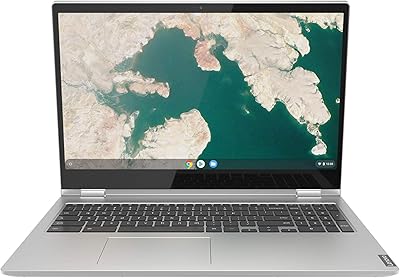
83%
82%
Performance
88%
Battery Life
91%
Portability
85%
Display Quality
80%
Build Quality
More
Lenovo Chromebook C340 15.6″, Intel Core i3, 4GB RAM, 64GB SSD
82%
91%
Battery Life
88%
Portability/Weight
85%
Display Quality
75%
Performance
63%
Storage Capacity
More
Lenovo IdeaPad Flex 5 14″ i3-1115G4 4GB 128GB
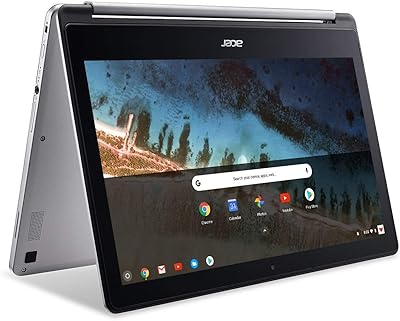
68%
78%
Value for Money
59%
Performance
44%
RAM Adequacy
52%
Storage
83%
Touchscreen Quality
More
Acer Chromebook R 13 Convertible CB5-312T-K40U, 13.3-inch, 64GB eMMC, 4GB RAM
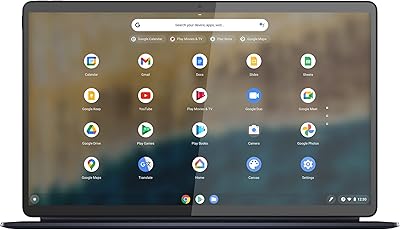
80%
91%
Portability & Weight
89%
Battery Life
88%
Display Quality
80%
Performance for Basic Tasks
60%
Storage Capacity
More
Lenovo IdeaPad Duet 5 Chromebook
82%
94%
Display Quality
91%
Battery Life
88%
Portability
86%
Build Quality
80%
Keyboard & Usability
More
Lenovo IdeaPad Flex 5i Chromebook Plus 14″
84%
87%
Performance
90%
Battery Life
84%
Display Quality
81%
Build Quality
88%
Portability
More
Lenovo Chromebook Duet 10.1-inch, 64GB
84%
91%
Value for Money
93%
Portability & Weight
88%
Battery Life
85%
Display Quality
83%
Performance (General Use)
More
NexFoto 13.5″ Digital Picture Frame 64GB
86%
91%
Display Quality
88%
Ease of Setup
85%
WiFi & Cloud Integration
82%
App Experience
87%
Slideshow & Customization
More
Lenovo Chromebook 14 (Kompanio 520, 4GB, 64GB)
82%
91%
Display Clarity
94%
Battery Longevity
88%
Portability & Weight
86%
Touchscreen Responsiveness
74%
Processor Efficiency
More
Lenovo Chromebook 3 14″ FHD Touchscreen, MediaTek MT8183, 4GB RAM, 64GB eMMC
82%
90%
Value for Money
85%
Display Quality
87%
Battery Life
93%
Portability
88%
Performance for Basic Tasks
More

FAQ

For light to moderate use — browsing, Google Docs, video calls, and streaming — 4GB handles things well. Where it starts to struggle is when you stack many tabs simultaneously or run multiple progressive web apps at once. If your workflow tends to stay focused, you'll rarely notice the ceiling. If you're a heavy multitasker, it's worth being realistic about that before buying.

No. The Flex 5 runs Chrome OS exclusively, and this particular model is not designed to support Windows installation. If you need a Windows environment, this is the wrong device — Chrome OS is a fundamentally different platform, not just a different skin on a Windows machine.

It depends entirely on how you work. Chrome OS is built around storing files in Google Drive rather than locally, so if you're connected to the internet most of the time, 64GB is more than sufficient for system files, offline docs, and a few downloaded apps. If you regularly work offline or need to store large video or photo files locally, it will feel tight quickly.

Yes, it supports Android apps through the Google Play Store, which significantly expands what Chrome OS can do beyond just web apps. That said, not every Android app is optimized for a laptop-style interface, so the experience varies depending on the specific app.

Long-term owners generally report that the hinge stays firm and doesn't develop wobble after regular daily use. It's one of the more positively reviewed aspects of the build. That said, like any mechanical component, treating it roughly will shorten its lifespan — it's built for normal daily rotation, not heavy abuse.

Yes, but you'll need a USB-C to HDMI adapter since there's no native HDMI port. The USB-C ports support DisplayPort output, so a quality adapter or hub will work fine. Just factor in the cost of that adapter if you plan to use it at a desk setup regularly.

Video calls are more demanding than basic browsing, so expect battery drain to be faster during extended Google Meet or Zoom sessions. In practice, users report getting around 6 to 7 hours of mixed use that includes video calling — still solid, but noticeably less than the 10-hour estimate you'd get from lighter tasks.

It's genuinely one of the stronger options at this price for students deeply embedded in Google's ecosystem. It handles schoolwork, research, video calls, and note-taking well, the battery lasts through a school day, and it's light enough to carry comfortably. Just make sure the student isn't relying on Windows-specific software for any of their courses.

You can access Microsoft Office through the web-based Microsoft 365 versions in the browser, which cover most common tasks like Word, Excel, and PowerPoint. The Android apps for Office are also available through the Play Store. However, if you need the full desktop versions of Office with all their advanced features, Chrome OS won't provide that experience.

Google commits to a defined auto-update expiration date for each Chromebook model, after which it no longer receives Chrome OS updates. It's worth checking Google's official support page for the Flex 5's specific expiration date before purchasing, especially if you plan to use the device for four or more years. After that date the machine still works, but security updates stop, which is a real consideration for long-term buyers.