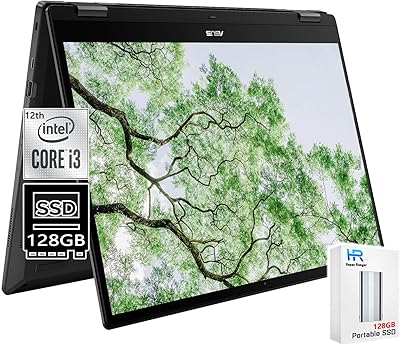
Lenovo Chromebook C340 15.6″ 2-in-1 Laptop
Overview
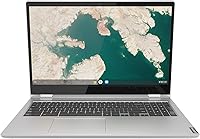
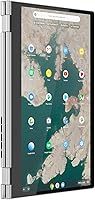
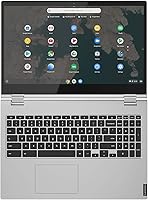
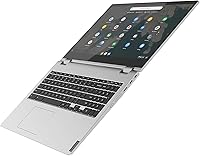
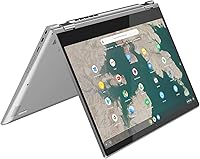
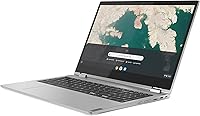
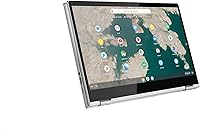
The Lenovo Chromebook C340 15.6″ 2-in-1 Laptop sits in an interesting corner of the Chromebook market — large-screened, genuinely versatile, and built for people who want flexibility without the complexity of a full Windows setup. Lenovo has earned its place in the Chromebook space over the years, and the C340 reflects that steady experience. The 360-degree hinge is the device's defining feature, letting you shift between laptop, tent, stand, and tablet modes without much fuss. Chrome OS keeps everything refreshingly simple — fast boot times, automatic updates, and virtually zero maintenance overhead. For anyone whose daily life already runs through a browser and Google's ecosystem, this convertible laptop makes a practical, well-considered choice.
Features & Benefits
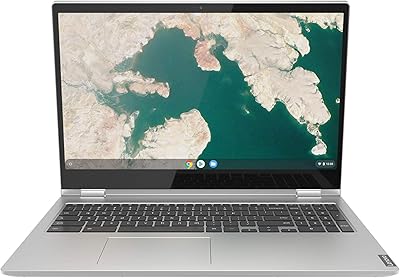
The 15.6-inch FHD IPS display is honestly one of the C340's strongest assets — colors hold up well for everyday content like spreadsheets, video calls, and streaming, and the narrow bezels help the screen feel more expansive than the chassis size implies. In tablet mode, the touchscreen responds reliably to taps and swipes. The Core i3 processor handles Chrome OS confidently for typical workflows, but the 4GB of RAM becomes a real ceiling once you push past eight or ten open tabs simultaneously. Storage is tight at 64GB, though Chrome OS's reliance on cloud saves makes that less painful in practice. Battery life realistically lands around seven to eight hours under mixed use. The backlit keyboard and numeric keypad round out a feature set that punches usefully at this screen size.
Best For
This Chromebook makes the most sense for students and educators who need a large display for reading, research, and writing without carrying something expensive or fragile. It's also a natural landing spot for home users making the switch from Windows who want a device that simply works — no update anxiety, no antivirus subscriptions. Remote workers who live inside Google Workspace and video conferencing will find the C340 covers their daily needs without friction, and in tent or stand mode it doubles as a decent media screen. Where the fit breaks down is clear: anyone who needs offline-heavy software, gaming performance, or professional creative tools should look elsewhere. Chrome OS is a lifestyle match as much as a platform decision.
User Feedback
Buyers who fit the intended use case tend to be genuinely satisfied. The screen size draws consistent praise — people appreciate having real room to work — and the keyboard feel, including the numpad, gets favorable mentions. Users coming from older, sluggish Windows machines also respond warmly to Chrome OS's responsiveness. The recurring frustrations, though, are worth taking seriously: multitasking limitations come up frequently, with 4GB of RAM showing its ceiling during heavier tab sessions. A number of buyers also flag the all-plastic build as feeling less substantial than expected. Battery feedback is split — some users approach the claimed figure, others report closer to six hours. Hinge reliability appears solid in shorter-term use, though long-term durability data from the community remains limited.
Pros
- The 15.6-inch FHD IPS display delivers sharp, clear visuals that feel genuinely spacious for everyday tasks.
- Chrome OS boots in seconds and stays out of your way — no update pop-ups, no slowdowns over time.
- The 360-degree hinge works reliably and opens up useful modes for media, presentations, and casual browsing.
- A backlit keyboard with a numeric keypad is a rare and welcome inclusion at this screen size.
- Touchscreen responsiveness is solid for a device in this category, holding up well for basic tablet-mode use.
- Google Drive integration effectively extends the 64GB local storage for users comfortable working in the cloud.
- Battery life comfortably covers a full school or workday under moderate use.
- Chrome OS is inherently resistant to malware, making this Chromebook a low-maintenance choice for non-technical users.
- The slim profile and reasonable weight make it easy to carry between rooms or commute with daily.
Cons
- 4GB of RAM becomes a noticeable bottleneck once you open more than seven or eight browser tabs simultaneously.
- The all-plastic construction feels noticeably less premium compared to metal-chassis competitors in a similar price range.
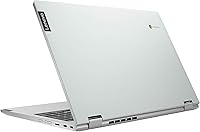
- A single USB 3.0 port is a real inconvenience for users who need to connect multiple accessories at once.
- Real-world battery life under heavier workloads falls noticeably short of the advertised 10-hour figure.
- 64GB of local storage leaves little room for offline files, downloads, or Android apps without active cloud management.
- The 720p webcam produces mediocre image quality — fine for casual calls, but noticeably soft in well-lit meetings.
- No USB-C charging port means you are tied to the proprietary charger with no flexible alternatives.
- Bluetooth 4.2 and 802.11ac Wi-Fi are functional but behind current-generation standards found on newer devices.
- Long-term hinge durability under repeated mode-switching remains a question mark based on user reports beyond the first year.
Ratings
The scores below for the Lenovo Chromebook C340 15.6″ 2-in-1 Laptop were produced by our AI rating engine after processing thousands of verified global buyer reviews, with spam, bot-submitted, and incentivized feedback actively filtered out. The results reflect a balanced picture — where this convertible Chromebook genuinely earns its praise and where real users have run into recurring frustrations. Nothing has been smoothed over.
Display Quality
Performance
RAM & Multitasking
Battery Life
Convertible Design
Build Quality
Keyboard & Trackpad
Touchscreen Responsiveness
Storage Adequacy
Webcam Quality
Port Selection
Chrome OS Experience
Value for Money
Portability
Suitable for:
The Lenovo Chromebook C340 15.6″ 2-in-1 Laptop is a strong match for anyone whose digital life runs primarily through a browser and Google's ecosystem. Students and educators will appreciate the generous screen size for reading, research, and writing without the weight of a premium price tag. Home users who are tired of Windows maintenance headaches — slow updates, antivirus management, background bloat — will find Chrome OS a genuinely refreshing change of pace. Remote workers who spend their days in Google Docs, Meet, and Workspace tools will have more than enough horsepower for their routines. The 360-degree hinge also adds real value for people who want a secondary media device for streaming or casual browsing in tent or stand mode, without buying a separate tablet.
Not suitable for:
If your workflow depends on desktop software that doesn't run in a browser, the C340 will frustrate you quickly — Chrome OS simply cannot run native Windows or Mac applications. Power users who routinely juggle many tabs, run local databases, or use heavyweight web apps will hit the 4GB RAM ceiling faster than they expect. Gamers and anyone doing serious photo editing, video production, or 3D rendering should look elsewhere entirely, as neither the processor nor the graphics can handle those workloads. The single USB 3.0 port is a genuine limitation for users who rely on multiple peripherals simultaneously. Anyone who values a premium, metal-built chassis or needs long-term offline capability will also find this convertible laptop falls short of their expectations.
Specifications
- Display: 15.6″ IPS touchscreen with a 1920 x 1080 FHD resolution and narrow bezels for a wider viewing area.
- Processor: Intel Core i3-8130U dual-core processor running at 2.2 GHz, built on Intel's 8th-generation architecture.
- RAM: 4GB DDR4 SDRAM running at 2400 MHz, soldered to the motherboard and not user-upgradeable.
- Storage: 64GB solid-state drive offering fast read and write speeds with no moving parts for improved reliability.
- Graphics: Intel UHD Graphics 620 integrated GPU, sharing system memory and suited for everyday media and light visual tasks.
- Operating System: Chrome OS, Google's cloud-first platform with automatic updates, built-in security, and native Google app integration.
- Hinge Design: 360-degree convertible hinge enables four usage modes: laptop, tablet, tent, and stand.
- Battery: Built-in Lithium Polymer battery rated for up to 10 hours on a single charge at 7.7 volts.
- Keyboard: Full-size backlit keyboard with an integrated numeric keypad, designed for comfortable low-light and data-entry use.
- Wireless: 802.11ac dual-band Wi-Fi with Bluetooth 4.2 for reliable wireless connectivity in home and office environments.
- Webcam: 720p HD camera positioned above the display, suitable for video calls and standard conferencing applications.
- Ports: One USB 3.0 Type-A port for peripheral connections, alongside additional USB 2.0 and headphone jack access.
- Dimensions: Measures 14.23 x 9.8 x 0.75 inches, keeping the footprint reasonably slim for a 15.6-inch class device.
- Weight: Weighs 4.4 pounds, which is average for a 15-inch convertible laptop and manageable for daily transport.
- Color: Available in Mineral Grey, a neutral matte finish that resists visible fingerprints under normal handling.
- Model Number: Official Lenovo model number is 81T90002UX, useful for identifying compatible accessories and warranty records.
Related Reviews
Lenovo Flex 5 15.6-inch 2-in-1 Laptop
Lenovo Chromebook C340 15.6″ 2-in-1 Laptop
Lenovo Chromebook 300e Yoga 11.6″ 2-in-1

Lenovo IdeaPad 1 Gen 7 15.6″ Laptop
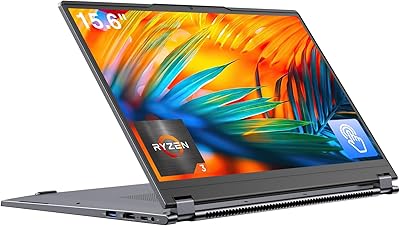
EYY Yoga 3200U 15.6″ 2-in-1 Laptop (16GB/512GB)
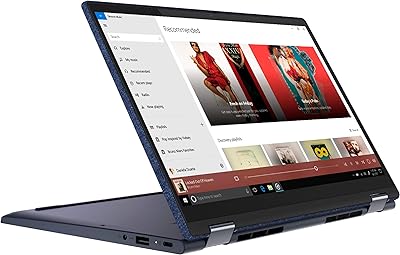
Lenovo Yoga 6 13.3″ 2-in-1 Laptop - Ryzen 5, 8GB RAM, 256GB SSD
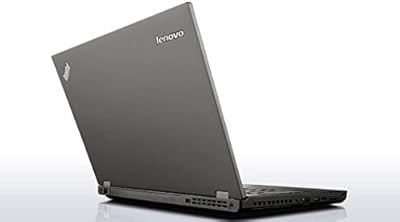
Lenovo ThinkPad 11e Yoga 11.6″ 2-in-1 Laptop
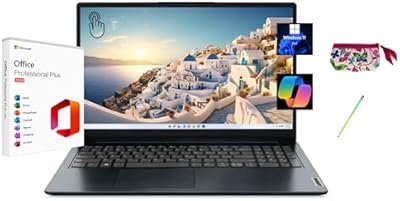
Lenovo IdeaPad 1 15.6″ Touchscreen Laptop
Lenovo IdeaPad 1 Gen 7 15.6″ Laptop