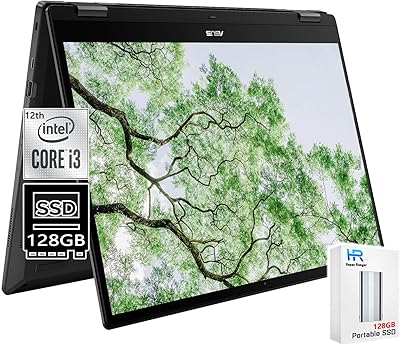
Lenovo Chromebook C340 15.6″ 2-in-1 Laptop
Overview
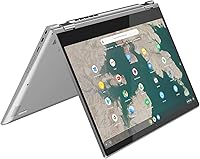
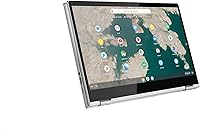
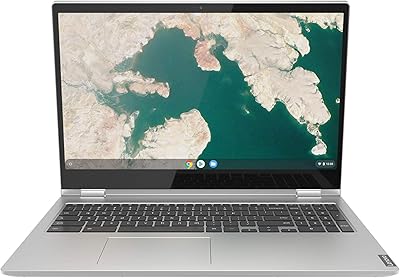
The Lenovo Chromebook C340 15.6″ 2-in-1 Laptop sits in a comfortable middle ground — large enough to feel like a real workstation, portable enough to carry without complaint. What separates the C340 from standard Chromebooks is its 360-degree hinge, letting you flip the screen into tent, stand, or full tablet mode depending on the moment. Chrome OS keeps things fast and low-maintenance, but it comes with real trade-offs — if you depend on specific Windows software, you will hit a wall. For everyone else, especially students and casual home users, the larger screen size alone makes this Chromebook worth a serious look.
Features & Benefits
The FHD IPS touchscreen is genuinely one of the C340's strongest arguments — colors look accurate and text stays sharp, which matters when you are on a video call or streaming video after a long day. Under the hood, the Intel Pentium Gold processor and 4GB of DDR4 RAM handle browser tabs, Google Docs, and light streaming without much trouble, though you will feel the ceiling if you push beyond that. Storage is the honest sticking point: 32GB fills up fast, so leaning on Google Drive from day one is essential, not optional. Two USB-C ports and one USB-A cover most peripheral needs. Battery life in typical use tends to land around seven to eight hours — solid, though not quite the advertised 10-hour claim.
Best For
This convertible laptop finds its natural home with students and home users who live inside the Google ecosystem. If your workflow runs through Google Workspace — Docs, Sheets, Meet — Chrome OS feels intuitive rather than limiting. Families looking for a reliable second computer for browsing, streaming, and video calls will appreciate both the generous screen size and the flexibility of the rotating display. Light office workers handling web-based tools and spreadsheets will find it holds up well for daily tasks. Android app integration through the Play Store adds another layer of usefulness. Where it genuinely falls short is for anyone needing native desktop software, heavy local storage, or serious multitasking capability.
User Feedback
Buyers consistently highlight display quality as a standout feature — a sharp, full-size screen at this tier is not something people take for granted, and the reviews reflect that clearly. The hinge gets occasional praise for feeling solid, and the keyboard is comfortable enough for extended sessions given the roomier chassis. That said, the 32GB of local storage draws consistent criticism, with many users noting they had to shift habits and rely heavily on cloud storage. Some also flag that Chrome OS's inability to run traditional desktop apps caught them off guard. Day-to-day performance mostly satisfies buyers handling basic tasks, but a handful mention sluggishness when juggling multiple tabs or heavier applications. The overall tone is positive for users with realistic expectations.
Pros
- The 15.6-inch FHD IPS display offers sharp, color-accurate visuals that feel punchy for media consumption and daily productivity.
- The 360-degree hinge gives this convertible laptop genuine versatility across tent, stand, and tablet modes.
- Chrome OS boots fast, stays updated automatically, and requires almost no ongoing maintenance from the user.
- The keyboard is comfortable for extended typing sessions, with the added bonus of a numeric keypad on a Chromebook.
- Two USB-C ports alongside a USB-A port cover most peripheral and charging needs without requiring an adapter.
- Battery life holds up reliably through a full school or work day under normal usage.
- Android app support through the Google Play Store meaningfully expands what you can do beyond just the browser.
- The larger chassis makes this one of the roomier, more comfortable Chromebooks to type on for extended periods.
- Build quality on the hinge feels solid, with users reporting it holds its position without wobbling after repeated use.
Cons
- 32GB of local storage fills up quickly and forces a heavy reliance on Google Drive from day one.
- The Pentium Gold processor and 4GB of RAM struggle noticeably when too many browser tabs are open simultaneously.
- Chrome OS remains incompatible with most professional desktop software, which catches some buyers off guard post-purchase.
- At 4.4 pounds, this Chromebook is on the heavier side for a machine marketed partly as a portable tablet.
- Real-world battery life tends to fall short of the manufacturer claim under heavier screen brightness or streaming use.
- No offline versatility: many Chrome OS apps degrade significantly when internet access is unavailable.
- The trackpad has drawn mixed feedback, with some users finding it less precise than expected on a laptop at this tier.
Ratings
The scores below for the Lenovo Chromebook C340 15.6″ 2-in-1 Laptop were generated by our AI rating engine after analyzing thousands of verified global buyer reviews, with spam, bot-generated, and incentivized submissions actively filtered out before any scoring took place. Each category reflects the honest distribution of real user sentiment — strengths are recognized where earned, and recurring pain points are scored without being softened. The result is a transparent, data-grounded picture of where this convertible laptop genuinely delivers and where it falls short.
Display Quality
Build Quality
Hinge & Convertible Design
Performance
Storage & File Management
Battery Life
Keyboard & Typing Experience
Trackpad Accuracy
Touchscreen Responsiveness
Audio Quality
Portability
Chrome OS Experience
Connectivity & Ports
Value for Money
Suitable for:
The Lenovo Chromebook C340 15.6″ 2-in-1 Laptop is a strong fit for students who spend most of their day inside Google Workspace — Docs, Slides, Meet, and Classroom all run without friction on Chrome OS. If you are a parent looking for a reliable, low-maintenance computer for a high schooler or college student, this convertible laptop removes a lot of the headaches that come with Windows machines: no antivirus juggling, fast boot times, and automatic updates that actually stay out of the way. Families who want a shared browsing and streaming machine for the living room will also find the large 15.6-inch display a genuine advantage over smaller Chromebooks. The 360-degree hinge adds real flexibility — propping it in tent mode for a recipe or flipping into tablet mode for casual reading feels natural rather than gimmicky. Light office workers who rely on web-based tools and cloud documents will find the C340 keeps pace with daily demands without complaint.
Not suitable for:
Buyers expecting a Windows replacement will likely walk away frustrated — the Lenovo Chromebook C340 15.6″ 2-in-1 Laptop runs Chrome OS exclusively, which means no native Adobe software, no Microsoft Office desktop apps, and no traditional .exe installations. If your work depends on specialized desktop applications, this is a hard stop, not a minor inconvenience. The 32GB of onboard storage is also genuinely tight for anyone who works with local files, large downloads, or offline media libraries — cloud dependency here is not optional, it is the entire strategy. Power users or anyone who regularly juggles a dozen browser tabs alongside video editing or coding will hit the performance ceiling of the Pentium Gold processor and 4GB of RAM faster than expected. Gamers and creative professionals should look elsewhere entirely, as neither the hardware nor the operating system is built for those workloads.
Specifications
- Display: 15.6-inch FHD IPS touchscreen with a 1920x1080 resolution, offering good color accuracy and sharp detail for everyday media and productivity use.
- Processor: Intel Pentium Gold 4417U dual-core processor running at 2.3 GHz, designed for efficient cloud-based workloads and standard browsing tasks.
- RAM: 4GB DDR4 SDRAM at 2133 MHz, sufficient for light multitasking within Chrome OS but limiting for heavy concurrent workloads.
- Storage: 32GB onboard SSD provides fast local access for core system files and a limited number of downloaded apps, with Google Drive recommended for expanded capacity.
- Graphics: Intel HD Graphics 610 integrated GPU handles everyday video playback, video calls, and light visual tasks without dedicated graphics overhead.
- Operating System: Comes pre-installed with Chrome OS, offering automatic updates, built-in security, and native access to Google Workspace and Android apps via the Play Store.
- Hinge Design: 360-degree convertible hinge supports laptop, tent, stand, and tablet modes for flexible use across different environments.
- Ports: Includes two USB-C 3.1 Gen 1 ports and one USB-A 3.1 Gen 1 port, covering charging, data transfer, and peripheral connectivity needs.
- Wireless: 802.11ac Wi-Fi with Bluetooth 4.2 provides reliable wireless networking and connection to accessories and mobile devices.
- Battery Life: Manufacturer-rated at up to 10 hours; real-world usage under moderate brightness and active streaming typically yields 7 to 8 hours.
- Weight: This convertible laptop weighs 4.4 pounds, which is on the heavier end for a Chromebook but reasonable for a 15.6-inch chassis.
- Dimensions: The unit measures 14.23 x 9.8 x 0.75 inches, giving it a slim profile despite the larger footprint of the 15.6-inch form factor.
- Audio: Dual stereo speakers are built into the chassis, delivering adequate sound quality for casual streaming and video calls.
- Keyboard: Full-size keyboard includes a numeric keypad, a relatively uncommon feature in this category and useful for data entry tasks.
- Color: Available in Mineral Grey, a neutral matte finish that resists visible fingerprints better than glossy alternatives.
- Chipset: Intel-based chipset supports the platform with DDR4 memory architecture and integrated graphics under a single thermal design.
- Drive Interface: The 32GB storage uses a solid-state interface for faster boot times and quicker app launch speeds compared to traditional hard drives.
- Battery Type: Powered by a built-in Lithium Metal battery pack that is included and pre-installed at the time of purchase.
Related Reviews
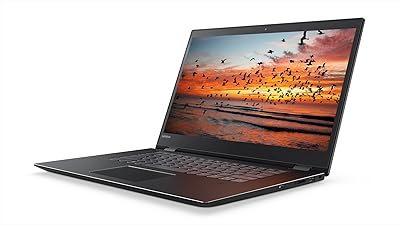
Lenovo Flex 5 15.6-inch 2-in-1 Laptop
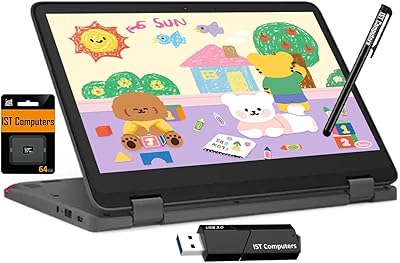
Lenovo Chromebook 300e Yoga 11.6″ 2-in-1

Lenovo IdeaPad 1 Gen 7 15.6″ Laptop
Lenovo Chromebook C340 15.6″ 2-in-1 Laptop
EYY Yoga 3200U 15.6″ 2-in-1 Laptop (16GB/512GB)
Lenovo Yoga 6 13.3″ 2-in-1 Laptop - Ryzen 5, 8GB RAM, 256GB SSD
Lenovo ThinkPad 11e Yoga 11.6″ 2-in-1 Laptop
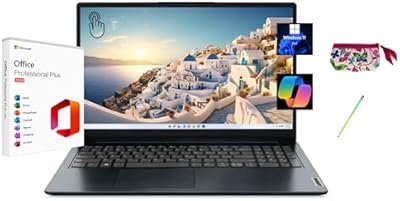
Lenovo IdeaPad 1 15.6″ Touchscreen Laptop
Lenovo IdeaPad 1 Gen 7 15.6″ Laptop