

Overview
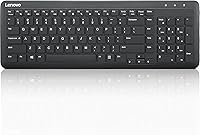
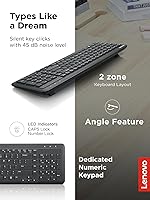
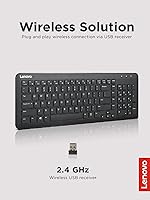
The Lenovo 300 Wireless Keyboard sits squarely in the budget-friendly tier, and that's not a criticism — it's the whole point. Lenovo designed this compact office keyboard for people who want a dependable, no-fuss input device without spending much. Worth noting upfront: it's built for Windows only, so Mac and ChromeOS users should look elsewhere. Plug in the USB nano-receiver and you're typing within seconds — no software installs, no pairing rituals. The quiet key actuation, rated at just 45 dB, is a genuine practical advantage in open offices or shared home workspaces. Don't expect a premium typing feel; do expect a solid daily workhorse.
Features & Benefits
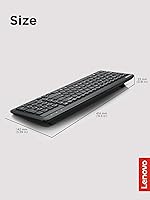
The Lenovo 300 packs more into its layout than you might expect at this price. There's a full numeric keypad — uncommon in truly compact wireless keyboards — which makes it genuinely useful for anyone entering figures regularly. Eleven function shortcut keys handle media playback, volume, and quick app navigation without needing extra software. The keyboard runs on a single AA battery, and most users report it lasting months before needing a swap. At roughly 16 by 5.6 inches and under a pound, it slides into a bag or desk drawer without fuss. The low-profile keys keep noise down and are comfortable enough for extended typing sessions.
Best For
This wireless keyboard makes the most sense for Windows users who move between workspaces — hot-desking, packing a bag, switching between a home setup and an office. The plug-and-play receiver means zero setup time each day, which adds up. Students doing data-heavy coursework or anyone processing spreadsheets regularly will appreciate having a dedicated number pad that's faster and more accurate than a laptop keyboard. It also works well as a quiet backup in shared homes where someone nearby is on a call or sleeping. If you're after a lightweight upgrade from a built-in laptop keyboard, this compact office keyboard fits the role well.
User Feedback
Among the 445 ratings on Amazon, the Lenovo 300 earns a 4.4 out of 5 — solid for a keyboard at this price point. Buyers consistently highlight easy setup, well-spaced keys, and impressively quiet typing. Battery life comes up repeatedly as a pleasant surprise, with many reporting months of use on the included AA. On the critical side, a handful of buyers feel the overall build feels light, raising questions about how it holds up over years of daily use. The USB nano-receiver is small enough to misplace easily — worth keeping track of. Mac and ChromeOS users should note this keyboard is strictly Windows-compatible.
Pros
- Plug-and-play setup via USB nano-receiver means you are typing within seconds, no software needed.
- The full numeric keypad is a real advantage for data entry work on a keyboard this compact.
- At 45 dB, the key noise is low enough to type comfortably beside someone on a call.
- Battery life on a single AA regularly lasts several months, keeping ongoing costs minimal.
- Eleven function shortcut keys handle everyday tasks like volume and media without extra tools.
- Lightweight at under a pound, this compact office keyboard travels and stores without hassle.
- Lenovo's brand backing offers reasonable confidence in driver support and product consistency.
- The included AA battery means you can start using it straight out of the box.
Cons
- Windows-only compatibility is a hard dealbreaker for Mac and ChromeOS users.
- The plastic build feels light in hand, and long-term durability has been questioned by some buyers.
- No Bluetooth support means you cannot switch between devices without moving the USB receiver.
- The nano-receiver is small enough to misplace easily, and losing it effectively disables the keyboard.
- Key travel is shallow, which may feel unsatisfying for anyone accustomed to a more tactile typing experience.
- No backlighting makes this a poor choice for anyone working in low-light conditions.
- A single color option limits suitability for setups where aesthetics or matching matter.
- No wrist rest or ergonomic angle adjustment, which could matter for longer typing sessions.
Ratings
Our AI rating system analyzed verified buyer feedback for the Lenovo 300 Wireless Keyboard from global sources, actively filtering out incentivized reviews, bot submissions, and outlier spam to surface what real users consistently experienced. The scores below reflect an honest picture of where this compact office keyboard genuinely delivers and where it falls short — no padding, no spin.
Ease of Setup
Typing Noise
Value for Money
Build Quality
Battery Life
Wireless Reliability
Key Spacing & Layout
Portability
Shortcut Key Functionality
Compatibility
Aesthetics & Design
Receiver Management
Ergonomics
Suitable for:
The Lenovo 300 Wireless Keyboard is a practical fit for Windows users who want a dependable, low-maintenance input device without overthinking the purchase. It works particularly well for hybrid or remote workers who carry their setup between locations — plug in the nano-receiver and you're ready to go in seconds, every time. Home office users sharing a room with others will find the quiet key actuation genuinely considerate rather than just a marketing claim. Students doing data-heavy assignments and anyone who spends serious time in spreadsheets will appreciate having a full numeric keypad that their laptop simply can't offer. It also makes a sensible secondary or backup keyboard for a desktop PC setup where reliability matters more than typing luxury.
Not suitable for:
If you work on a Mac or ChromeOS device, stop here — the Lenovo 300 Wireless Keyboard is built for Windows and won't play nicely with other operating systems. Enthusiast typists who care about key feel, actuation depth, or mechanical feedback will likely find this keyboard underwhelming; it's designed for quiet practicality, not a satisfying typing experience. Anyone who needs Bluetooth connectivity to switch between multiple devices is also out of luck, since this keyboard relies solely on a USB nano-receiver. If long-term build quality is a priority — say, for a demanding daily environment where the keyboard takes real punishment — the lightweight construction may not inspire confidence over time. And if you frequently travel or move the receiver between machines, its small size is a genuine risk for loss.
Specifications
- Brand: Manufactured by Lenovo, a globally recognized PC and peripherals brand.
- Model: 300 Wireless Keyboard, first made available in February 2022.
- Connectivity: Uses a 2.4 GHz wireless connection via a plug-and-play USB nano-receiver.
- Layout: Full-size layout including a dedicated numeric keypad on the right side.
- Shortcut Keys: Features 11 Fn shortcut keys covering media controls, volume adjustment, and app navigation.
- Noise Level: Key actuation noise is rated at approximately 45 dB, suitable for quiet shared environments.
- Dimensions: Measures 16.29 x 5.59 x 0.91 inches (length x width x height).
- Weight: Weighs 15.8 ounces, making it lightweight enough for daily transport.
- Power Source: Powered by a single AA battery, which is included in the box.
- Compatible OS: Designed exclusively for Windows operating systems; not compatible with macOS or ChromeOS.
- Compatible Devices: Works with Windows-based laptops and desktop PCs.
- Setup: Requires no driver installation; simply plug the USB receiver into an available port to begin use.
- Key Profile: Low-profile keys with short travel distance for quiet, efficient everyday typing.
- Color: Available in black only.
- ASIN: Amazon Standard Identification Number for this product is B09S1FYRLZ.
Related Reviews
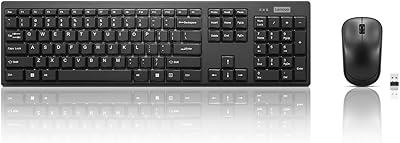
Lenovo 100 Wireless Keyboard and Mouse Combo

Lenovo Multi-Device Wireless Keyboard ZG38C05810
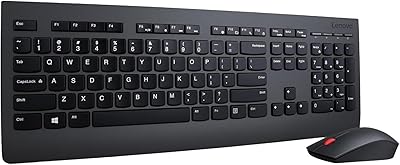
Lenovo Professional Wireless Keyboard and Mouse Combo
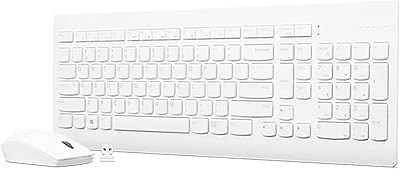
Lenovo 510 Wireless Keyboard and Mouse Combo

Arteck HW192 Wireless Keyboard and Mouse Combo
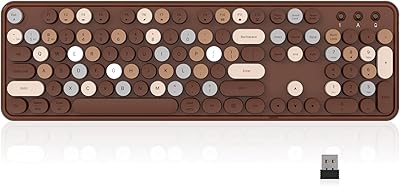
Links9+ Retro Typewriter Wireless Keyboard
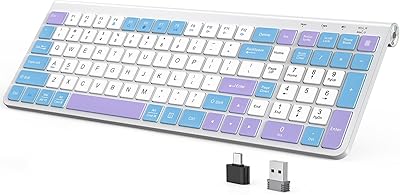
JOYACCESS JKB888BP Wireless Ergonomic Keyboard
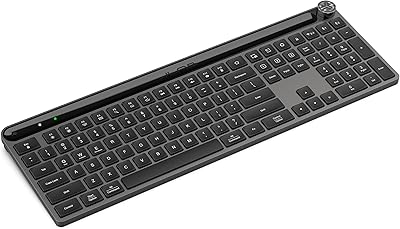
JLab Epic Wireless Keyboard
Arteck HW305 Wireless Keyboard