Lenovo Professional Wireless Keyboard and Mouse Combo




Overview
The Lenovo Professional Wireless Keyboard and Mouse Combo is Lenovo's answer to the growing demand for clutter-free office desks without the complexity of Bluetooth pairing or multi-device juggling. This Lenovo combo has been on the market since 2016 and remains actively sold, which says something about its staying power in a crowded category. It connects via a single USB nano-receiver that handles both the keyboard and mouse simultaneously, keeping your port usage to a minimum. The keyboard itself is full-size with a low-profile build, meaning you get a numpad and a complete function row without the bulk. It's a straightforward daily driver built for Windows environments.
Features & Benefits
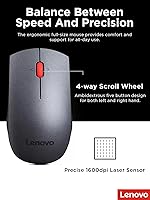
The wireless set runs on a 2.4 GHz connection that holds up well across a standard office environment, with very little noticeable lag during typing or cursor movement. One receiver, two devices — that single nano-receiver is genuinely useful when you're already short on USB ports. Lenovo claims up to 24 months of battery life, which is the manufacturer's best-case figure; real-world results will depend on usage patterns, but most users report going a long time between changes. The keyboard covers all the bases with a full numpad, dedicated navigation cluster, and function row. The mouse is ambidextrous, and LED status indicators on the keyboard keep you informed about battery level and lock states without guesswork.
Best For
This keyboard-and-mouse bundle is an easy recommendation for office workers and home-office setups where simplicity matters more than precision gaming or advanced customization. Plug it in once and forget about it — that's the entire pitch, and it works. IT teams setting up multiple identical workstations will appreciate that there's nothing to configure and no software to install. It's equally useful for people who rotate between a laptop and desktop, since the receiver is small enough to leave plugged into a hub. Compatibility runs from Windows 7 through 11, so it covers legacy machines without complaint. If you need a no-drama wireless combo for everyday productivity, this fits the bill neatly.
User Feedback
Among the several hundred buyers who've rated this Lenovo combo, the most consistent praise centers on how little attention it demands once set up. People mention the key travel feels comfortable during long work sessions, and the keyboard's quiet-enough action doesn't disturb open-plan offices. On the critical side, the mouse draws the most mixed reactions. Ambidextrous shapes tend to be a compromise, and some users — particularly those with larger hands — find it feels generic rather than ergonomic. A few reviewers also note the scroll wheel lacks tactile feedback. Overall, build quality is considered reasonable for the price tier, and most buyers feel they got fair value.
Pros
- Plug-and-play setup works immediately with no drivers or software required.
- A single nano-receiver connects both keyboard and mouse, saving a USB port.
- Full-size layout with numpad and function row suits data entry and office work well.
- The 2.4 GHz connection holds steady in typical office and home environments.
- LED indicators keep you informed about battery and lock states at a glance.
- Battery life is genuinely long by everyday standards, even if the 24-month ceiling is optimistic.
- Compatible with Windows 7 through 11, making it viable for legacy and modern systems alike.
- Left-handed users can actually use the ambidextrous mouse without awkward adaptation.
- The low-profile keyboard feels comfortable during extended typing sessions.
- Quiet enough for shared office spaces without drawing complaints from nearby colleagues.
Cons
- The mouse scroll wheel feels cheap and tends to loosen noticeably after months of use.
- Ambidextrous mouse shape is a design compromise that fits neither hand particularly well.
- Users with larger hands will likely find the mouse too compact for comfortable all-day use.
- The nano-receiver is tiny enough to lose easily, and replacement units are hard to source separately.
- Battery life falls well short of the 24-month manufacturer claim under heavy daily use.
- macOS and Linux users will encounter unmapped keys and inconsistent function row behavior.
- The mouse build quality feels noticeably lighter and hollower than the keyboard chassis.
- In congested wireless environments, occasional cursor stutters have been reported.
- Function keys default to media controls, which catches some users off guard initially.
- The wireless set offers no customization software, so advanced key remapping is not an option.
Ratings
The scores below were generated by our AI engine after analyzing verified buyer reviews for the Lenovo Professional Wireless Keyboard and Mouse Combo from multiple global sources, with spam, bot-submitted, and incentivized feedback actively filtered out. Each category reflects the full range of real user experiences — not just the highlights — so both the strengths and the friction points are represented honestly. If a category scores lower than you'd expect from a brand-name product, that's intentional: it reflects where real buyers consistently ran into trouble.
Ease of Setup
Keyboard Typing Feel
Mouse Comfort & Ergonomics
Wireless Reliability
Battery Life
Build Quality & Durability
Key Layout & Completeness
Scroll Wheel Quality
Value for Money
Noise Level
USB Port Efficiency
Left-Handed Usability
Compatibility & OS Support
LED Indicators
Suitable for:
The Lenovo Professional Wireless Keyboard and Mouse Combo is a practical fit for office workers and home-office users who want a clean, wire-free desk without spending time on configuration. If your day revolves around emails, spreadsheets, and document work on a Windows PC or laptop, this keyboard-and-mouse bundle handles all of it without asking much in return. IT managers and small business owners who need to equip multiple workstations quickly will especially appreciate the plug-and-play nature — there's no software to install, no pairing sequence to walk employees through, and the broad Windows compatibility (7 through 11) means it works across mixed-age hardware fleets without friction. People who rotate between a laptop at a docking station and a desktop will find the tiny nano-receiver easy to move around, and the full-size layout with a dedicated numpad makes it a natural choice for anyone doing regular data entry or accounting work. Left-handed users looking for a wireless combo that doesn't immediately exclude them will also find the ambidextrous mouse a more considerate option than most bundles at this tier.
Not suitable for:
The Lenovo Professional Wireless Keyboard and Mouse Combo is not the right call for buyers who care as much about the mouse as they do about the keyboard. The ambidextrous mouse is a compromise by design — it fits neither hand exceptionally well, and users with larger hands or those accustomed to ergonomic or contoured shapes will likely find it uncomfortable during long sessions. Power users, designers, or anyone who needs precise cursor control for detailed work should look elsewhere, as the scroll wheel in particular draws consistent criticism for its loose feel and lack of tactile feedback over time. The set is also strictly Windows-oriented, so Mac and Linux users should not expect a smooth experience — basic input may work, but key mappings and function row behavior will likely require workarounds. If you're a heavy daily user expecting to match the manufacturer's 24-month battery claim, temper expectations: real-world usage under demanding conditions brings that number down considerably. Finally, anyone in a Mac-centric household or creative studio environment will find the wireless set underpowered for their workflow needs.
Specifications
- Brand & Series: Manufactured by Lenovo under the Professional series, model number 4X30H56796.
- Wireless Protocol: Uses a 2.4 GHz wireless connection for stable, low-latency communication between both devices and the receiver.
- Receiver: A single USB nano-receiver connects both the keyboard and mouse simultaneously, requiring only one USB port.
- Keyboard Layout: Full-size, low-profile three-zone layout including a dedicated numpad, function row, and navigation cluster.
- Mouse Design: Ambidextrous form factor suitable for both left-handed and right-handed users without hardware modification.
- Battery Life: Manufacturer-rated battery life of up to 24 months, though real-world duration varies depending on daily usage intensity.
- LED Indicators: On-board LED indicators display caps lock, num lock, and battery status directly on the keyboard chassis.
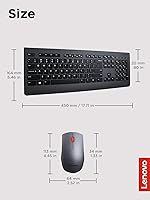
- Dimensions: The keyboard measures 17.72″ x 6.46″ x 0.79″, providing a standard desktop footprint suitable for most workstations.
- Weight: The combined product weight is 1.9 pounds, making the set light enough for occasional relocation between workspaces.
- Power Source: Both devices are battery-powered, with the required batteries included in the box at purchase.
- OS Compatibility: Officially compatible with Windows 7, Windows 8, Windows 8.1, Windows 10, and Windows 11 operating systems.
- Device Compatibility: Designed for use with laptops and desktop PCs; not officially supported on macOS or Linux systems.
- Connectivity Type: Strictly wireless via the included USB nano-receiver; no Bluetooth pairing or wired fallback mode is available.
- Color: Available in black only, with a matte finish across both the keyboard deck and mouse body.
- Market Position: Ranked #441 in the Computer Keyboard and Mouse Combos category on Amazon, with a 4.4 out of 5 average rating from 479 verified ratings.
- Release Date: First made available in August 2016 and confirmed as not discontinued by the manufacturer as of current listings.
- Software Required: No proprietary software or driver installation is required; the set operates as plug-and-play on all supported Windows versions.
Related Reviews
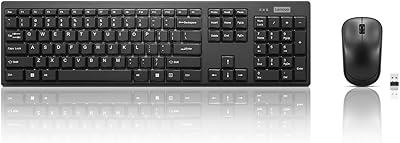
Lenovo 100 Wireless Keyboard and Mouse Combo
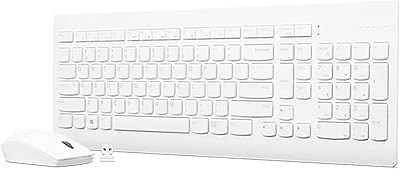
Lenovo 510 Wireless Keyboard and Mouse Combo

Arteck HW192 Wireless Keyboard and Mouse Combo
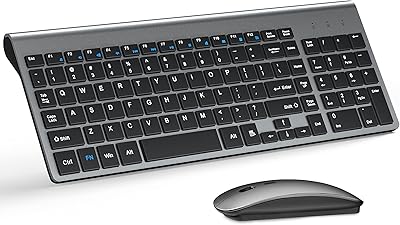
TopMate Wireless Keyboard and Mouse Combo

HP 18H24AA Wireless Keyboard and Mouse Combo

QUASIO Wireless Keyboard and Mouse Combo
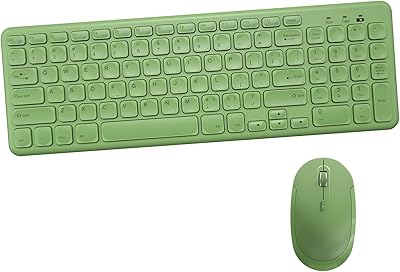
Arcwares Wireless Keyboard and Mouse Combo
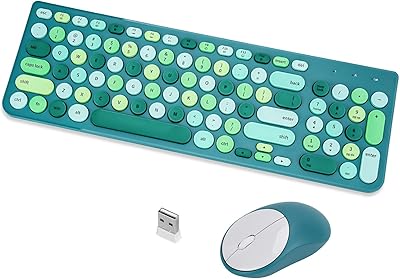
GUKJOB iK6630 Wireless Keyboard and Mouse Combo

Vssoplor Wireless Keyboard and Mouse Combo