Overview

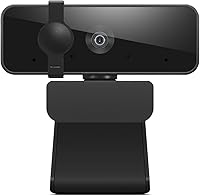
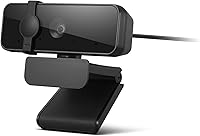
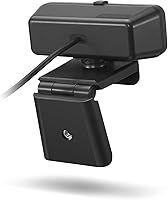
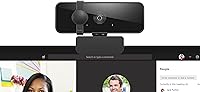
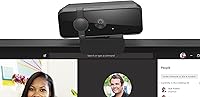
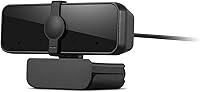
The Lenovo 300 FHD Webcam is a no-fuss, budget-friendly option aimed squarely at remote workers, students, and anyone tired of squinting through a grainy built-in laptop camera. It clips onto your monitor, plugs in via USB, and just works — no drivers, no setup headaches. The privacy shutter is a genuinely useful touch; it is a physical cover you can slide shut, which feels more reassuring than relying on software alone. Compact and light enough to toss in a bag, this webcam positions itself as a practical entry point into HD video calling without asking you to spend much.

Features & Benefits

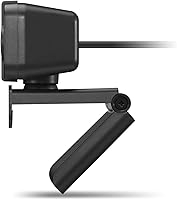
The headline spec is full HD 1080p video at 30 frames per second, which delivers noticeably sharper image quality than the average built-in camera. The 95-degree wide-angle lens is one of the more practical inclusions here — it captures a broader frame without needing to scoot your chair back. Mounting flexibility is solid too: the pan-and-tilt design rotates a full 360 degrees, so finding the right angle rarely takes more than a few seconds. The dual stereo microphones handle everyday calls reasonably well, and UVC support means it works straight out of the box with Zoom, Teams, and Google Meet alike.

Best For

This budget webcam makes the most sense for people who need a dependable daily-driver without overcomplicating the purchase. Remote workers still relying on a laptop's built-in camera will notice an immediate improvement in clarity. Students joining online classes benefit from the wide-angle framing, which helps when the camera needs to capture a whiteboard or a broader workspace. It also suits casual streamers or content creators who do not yet require 4K output. If your priority is quick, hassle-free setup and consistent HD performance during calls, this webcam delivers exactly that without demanding much from your budget or your patience.

User Feedback

Across a large pool of ratings, this webcam holds a strong 4.2-out-of-5 score, and the feedback reflects what you would expect from a well-priced peripheral. The plug-and-play experience gets mentioned constantly — buyers appreciate that it simply works the moment it is connected. Image clarity earns consistent praise relative to the price point. That said, the built-in microphones are serviceable but will not satisfy anyone needing broadcast-quality audio; dedicated mic users will likely keep their existing setup. A few reviewers also flag slight edge distortion from the wide-angle lens at its fullest width, and the 30fps cap can look a touch choppy in fast-moving situations.

Pros

  • Plug-and-play setup works instantly on both Windows and Mac with no drivers needed.
  • Full HD video is a noticeable step up from most built-in laptop cameras.
  • The 95-degree wide-angle lens fits more into the frame without repositioning.
  • Physical privacy shutter offers genuine peace of mind, not just a software toggle.
  • 360-degree pan and tilt make it easy to dial in the right angle for any desk.
  • UVC compatibility means it works out of the box with every major conferencing app.
  • Lightweight and compact enough to pack up and move between workspaces easily.
  • At its price point, the feature set is hard to beat for everyday call use.
  • The dual microphones handle quiet home office environments without any extra gear.
  • A 4.2-out-of-5 rating across a large buyer pool signals consistently solid satisfaction.

Cons

  • Low-light performance degrades noticeably without a ring light or supplementary lighting.
  • Built-in microphones struggle with background noise in open or shared spaces.
  • No dedicated software for adjusting exposure, white balance, or digital zoom.
  • Edge distortion from the wide-angle lens is visible when framing documents or workspaces.
  • The fixed USB cable length can be restrictive on certain desk or monitor configurations.
  • 30fps cap becomes a visible limitation during fast-motion demos or live streaming.
  • Plastic build feels cost-optimized and would not survive being dropped or frequently packed.
  • No active noise cancellation means keyboard and ambient sounds pass through to listeners.

Ratings

The Lenovo 300 FHD Webcam has been scored by our AI system after analyzing thousands of verified global buyer reviews, with spam, bot activity, and incentivized feedback actively filtered out. The ratings below reflect a genuine cross-section of real-world experiences — from daily remote work calls to student online classes — capturing both where this budget webcam punches above its weight and where it falls short. Strengths and frustrations are weighted equally so you get an honest picture before buying.

Image Quality
78%
22%
For buyers stepping up from a built-in laptop camera, the full HD output is a meaningful upgrade. Faces appear sharp and well-defined in good lighting, and most video conferencing platforms display the feed cleanly without noticeable compression artifacts.
In lower light the 2.1MP CMOS sensor struggles — colors wash out and noise creeps in. The 30fps cap is also visible in fast-motion scenarios, which matters less for talking-head calls but becomes apparent during screen-sharing walk-throughs or live demos.
Audio Performance
62%
38%
The dual stereo microphones handle standard voice pickup well enough for a daily Zoom or Teams call. Voices come through clearly in quiet home office environments, and most teammates report no trouble hearing the speaker without asking for repeats.
Background noise reduction is minimal, so open-plan spaces or households with ambient sound quickly expose the mic's limitations. Power users or anyone doing frequent recorded content will find the audio noticeably thin compared to even an entry-level standalone microphone.
Ease of Setup
94%
Plug it in and it works — no driver disc, no installer, no account creation. Buyers consistently report the webcam being recognized by Windows and Mac within seconds, and UVC compatibility means it shows up automatically in Zoom, Teams, and Google Meet without any manual configuration.
There is virtually nothing to criticize here for the average user. The only minor friction reported is that the USB cable length is fixed, which can be limiting on certain desk configurations where the port is farther away.
Value for Money
91%
At its price point this webcam is difficult to fault. Buyers repeatedly note that the combination of 1080p video, wide-angle lens, privacy shutter, and built-in mics would cost considerably more from a premium brand, making it an easy recommendation for budget-conscious shoppers.
The value proposition holds up well only if expectations are calibrated to the price tier. Buyers who compare it directly to mid-range webcams priced two or three times higher will notice the gap in low-light performance and audio quality fairly quickly.
Wide-Angle Lens
74%
26%
The 95-degree field of view is genuinely useful for calls where you want to show a whiteboard, include a second person in the frame, or simply avoid feeling cramped on screen. Students and teachers especially appreciate how much more of the room it captures without repositioning the camera.
A handful of buyers flag noticeable barrel distortion toward the outer edges of the frame, which can make background elements look slightly warped. For straight-on face calls it is a non-issue, but anyone displaying physical documents or a workspace may find the edge distortion distracting.
Build Quality
66%
34%
The housing feels reasonably solid for a budget accessory, and the clip mount grips most monitor bezels and laptop screens without wobbling during a call. The physical privacy shutter slides smoothly and feels like it will hold up through daily use.
The overall plastic construction is clearly cost-optimized — it does not feel premium in hand, and a few buyers mention the cable feels thin at the connector point. It is unlikely to survive a hard drop, so desk placement rather than frequent travel is the safer use case.
Pan & Tilt Flexibility
81%
19%
The 360-degree rotation combined with vertical tilt adjustment makes it easy to dial in framing for almost any desk setup. Buyers working at standing desks or non-standard monitor heights particularly appreciate being able to reposition quickly between sitting and standing positions.
The adjustments work well but are entirely manual with no locking mechanism, meaning the angle can drift slightly on vibration-prone desks. There is no motorized or app-controlled panning, so live streamers hoping to remotely reframe during a broadcast will need to do it by hand.
Privacy Shutter
88%
Having a physical lens cover is one of those small features that earns real appreciation once you use it. Buyers working in sensitive environments — legal, healthcare, finance — mention the shutter as a genuine reason they chose this over competing models without one.
The shutter is a simple slide mechanism with no indicator light or status feedback on screen. A few users note it is easy to accidentally nudge open when repositioning the camera, which defeats the purpose if you are not actively checking before calls.
Software Compatibility
89%
UVC encoding means this webcam is recognized natively by virtually every major conferencing and streaming platform. Buyers report clean integration with Zoom, Microsoft Teams, Google Meet, OBS Studio, and even older browser-based video tools without any workarounds needed.
There is no dedicated Lenovo software bundle for tuning exposure, white balance, or zoom level, which limits fine-grained control. Users who want to manually adjust brightness or saturation need to rely on third-party apps like OBS or their OS camera settings.
Low-Light Performance
53%
47%
In well-lit rooms with natural light or a ring light, the camera performs solidly and the image holds its quality. Buyers using it in properly lit home offices report no issues and are generally satisfied with daytime call quality.
Without supplementary lighting the image degrades noticeably — faces take on a grainy, yellowish quality in lamp-lit rooms and the auto-exposure compensates in ways that flatten skin tones. There is no built-in light correction or night mode, so dim environments are a genuine weak spot.
Portability & Size
83%
At under 10 ounces and small enough to fit in a jacket pocket, this webcam is easy to pack for workers who hot-desk or move between locations. The clip mount detaches in seconds, making the whole setup portable without carrying any extra accessories.
The fixed USB cable means there is no wireless option and no cable management solution built in. For a permanently docked home office setup this is a non-issue, but users who frequently pack and unpack the camera find the cable tangles more than a braided or coiled alternative would.
Frame Rate Consistency
67%
33%
For standard video calls where the subject is mostly stationary, 30fps is perfectly adequate and the stream appears smooth to most participants. Buyers using this exclusively for talking-head meetings rarely mention any choppiness in their reviews.
The 30fps ceiling becomes a limitation for anyone doing live demonstrations, fast-paced product reviews, or gaming streams where motion clarity matters. There is no option to push higher frame rates, and in some lighting conditions the actual delivered frame rate dips below the stated cap.
Microphone Noise Isolation
57%
43%
In a controlled, quiet room the dual mics pick up voice clearly and with reasonable presence. Short online classes or one-on-one calls in a home office setting are where the audio holds up best, and buyers in those conditions rarely complain.
The microphones offer no active noise cancellation, so keyboard clatter, HVAC hum, and household sounds pass through easily. Remote workers in open or shared spaces consistently flag this as the camera's biggest practical limitation, often pairing it with a separate USB microphone.
Monitor Compatibility
77%
23%
The adjustable clip works reliably on a wide range of monitor thicknesses, from thin ultrawide panels to thicker bezel desktop monitors. Most buyers report a secure fit without any adhesive or secondary mounting hardware needed.
Very thin frameless monitors or unconventional display stands can make the clip feel less stable than expected. A small number of buyers with curved monitors note the flat clip does not sit flush, causing a slight forward tilt that requires manual correction each session.

Suitable for:

The Lenovo 300 FHD Webcam is a strong pick for remote workers and students who need a reliable, no-fuss upgrade from a built-in laptop camera without spending much. If your day revolves around video calls on Zoom, Teams, or Google Meet, this webcam handles that workload confidently — plug it in and you are ready in seconds, which genuinely matters when you are five minutes from a morning standup. The wide-angle lens is particularly useful for students who need to frame a desk workspace or show a physical notebook during a class session, and the physical privacy shutter is a real practical benefit for anyone sharing a home with others or working in environments where being visually present off-camera matters. Home office users who prioritize simplicity over fine-tuned control will find this webcam slots into a setup without demanding anything extra from them. Casual content creators who are just getting started and do not yet need cinematic video quality will also find it a comfortable entry point.

Not suitable for:

The Lenovo 300 FHD Webcam is not the right tool for buyers whose work demands more than adequate video and audio performance. If you regularly record content in dimly lit rooms, host high-production streams, or need your camera to hold up in a busy open-plan office with constant background noise, the limitations here will surface quickly and persistently. The 30fps cap and entry-level sensor are honest constraints — they are not defects, but they do mean this webcam is outclassed by mid-range alternatives the moment your use case moves beyond standard video calls. Anyone hoping to replace a dedicated microphone entirely will likely be disappointed; the built-in mics are passable for quick calls but fall apart in noisy environments. Similarly, professional streamers, video producers, or anyone shooting product content where visual precision matters should look at a higher-tier option with better low-light capability and software control.

Specifications

  • Brand & Model: Manufactured by Lenovo under model number GXC1Q45625, sold as the 300 FHD Webcam.
  • Resolution: Captures video at full HD 1080p using a 2.1-megapixel CMOS image sensor.
  • Frame Rate: Records and streams at up to 30 frames per second under standard conditions.
  • Lens Angle: Equipped with a 95-degree wide-angle lens for broader field-of-view coverage.
  • Pan & Tilt: Supports 360-degree horizontal rotation and manual vertical tilt for flexible framing.
  • Microphones: Integrated dual stereo microphones are built directly into the camera housing.
  • Connectivity: Connects via a USB 2.0 cable with plug-and-play support requiring no driver installation.
  • Compatibility: Works natively with Windows and Mac operating systems via UVC standard encoding.
  • Privacy Shutter: Includes a physical sliding shutter that mechanically covers the lens when not in use.
  • Dimensions: Measures 3.54 x 1.81 x 2.44 inches, making it compact enough for most monitor setups.
  • Weight: Weighs 9.9 ounces including the clip mount and attached USB cable.
  • Color: Available in Black as the standard colorway for this model.
  • Video Format: Records video output in AVI format for local capture applications.
  • Audio Formats: Supports AAC, MP3, PCM, and FLAC audio formats depending on the recording application used.
  • Mounting: Ships with an integrated clip mount designed to attach to standard monitor bezels and laptop screens.
  • Platform Support: Compatible with major conferencing platforms including Zoom, Microsoft Teams, and Google Meet via UVC.
  • First Available: This model was first listed for sale on August 19, 2024.

Related Reviews
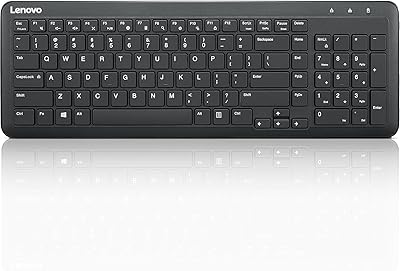
Lenovo 300 Wireless Keyboard
86%
89%
Quiet Key Operation
85%
Build Quality
92%
Ease of Setup
80%
Ergonomics & Comfort
91%
Compact Design
More
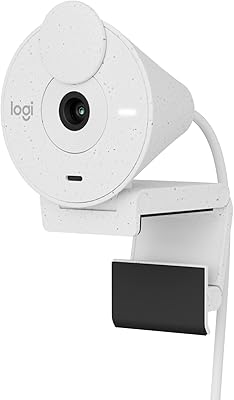
Logitech Brio 300 Webcam
84%
88%
Video Quality
93%
Ease of Setup
85%
Audio Quality
84%
Build Quality
71%
Field of View
More
HP 430 FHD Webcam
HP 430 FHD Webcam
88%
91%
Video Quality
95%
Ease of Use
78%
Audio Quality
84%
Build Quality
92%
Compatibility
More
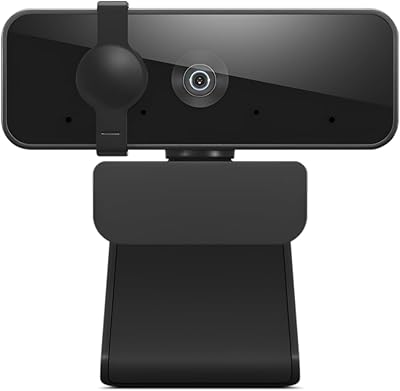
Lenovo Essential FHD Webcam
77%
74%
Video Quality
93%
Ease of Setup
61%
Audio Performance
66%
Build Quality
86%
Field of View
More
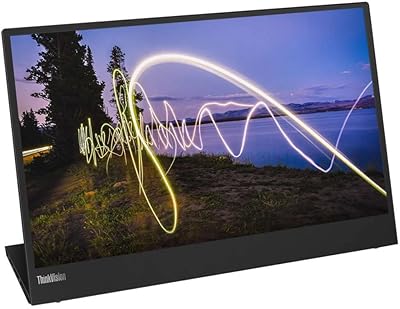
Lenovo ThinkVision M15 15″ FHD Mobile Monitor
87%
94%
Portability
88%
Display Quality
85%
Ergonomics (Adjustability)
90%
Setup and Connectivity
87%
Compatibility
More
Lenovo L15 Portable Monitor 15.6-inch FHD
86%
89%
Display Quality
92%
Portability/Size
85%
Ergonomics/Comfort
94%
Ease of Setup
91%
Connectivity (USB-C)
More
Lenovo D22e-20 21.5-inch FHD Monitor
84%
89%
Display Quality
91%
Value for Money
87%
Ergonomics
74%
Brightness
93%
Setup and Installation
More
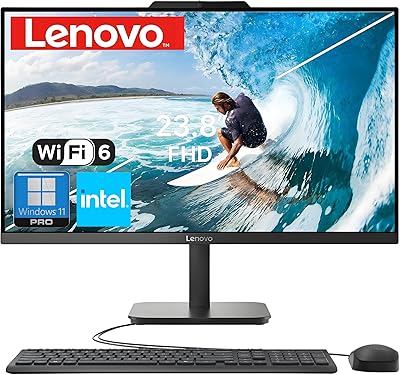
Lenovo 24″ FHD All-in-One Desktop Computer, Intel N100, 16GB RAM, 512GB SSD
87%
94%
Display Quality
88%
Performance & Speed
91%
Design & Build Quality
96%
Ease of Setup
89%
Connectivity (Wi-Fi, Bluetooth)
More
Lenovo 15.6″ FHD Chromebook Intel Celeron N4120 4GB RAM 320GB Storage
84%
91%
Battery Life
88%
Display Quality
90%
Value for Money
85%
Build Quality
87%
Performance for Basic Tasks
More
Lenovo Chromebook 3 14″ FHD Touchscreen, MediaTek MT8183, 4GB RAM, 64GB eMMC
82%
90%
Value for Money
85%
Display Quality
87%
Battery Life
93%
Portability
88%
Performance for Basic Tasks
More

FAQ

No, you do not. The Lenovo 300 FHD Webcam uses UVC encoding, which means both Windows and Mac recognize it automatically the moment you plug it in. There is no disc, no installer, and no account required — it just shows up as a camera input in whatever app you open.

Yes, it works with all three and most other video conferencing tools as well. Because it follows the UVC standard, virtually any app that can access a webcam will detect it without any extra configuration on your end.

For most people it is a pleasant upgrade — you get more room in the frame, which means you can sit at a natural distance without feeling cramped on screen. The one thing worth knowing is that the edges of the frame can show a slight barrel distortion at the full width, so if you are framing documents or a whiteboard closely, it may look a touch warped around the outer edges.

For quiet home office environments and one-on-one calls, the dual mics perform well enough that most people will not feel the need to add anything. That said, if you are in a noisier space or doing any kind of recorded content, a dedicated microphone will sound noticeably better — the built-in mics have no active noise cancellation.

It is a real physical cover, not a software indicator. Sliding it closed puts a solid barrier directly over the lens, so there is no way for the camera to capture anything while it is shut. It is one of the more practical features on this webcam, especially if you share your space with others.

The clip works on most standard monitor bezels and the top edge of laptop screens without any tools or adhesive. Very thin frameless monitors or unconventional display stands can occasionally be a tighter fit, and buyers with curved monitors report the flat clip sometimes needs a small manual adjustment to sit at the right angle.

It should, since Chromebooks support UVC-compliant cameras natively through the Chrome OS camera system. That said, Lenovo officially lists Windows and Mac compatibility, so if you are using a Chromebook, it is worth checking user reports for your specific device before committing.

Yes, and it handles casual streaming reasonably well for a budget camera. The 30fps cap is the main thing to be aware of — fast-motion content can look slightly choppy compared to webcams that support 60fps. For a talking-head stream or low-motion setup it is perfectly usable, but dedicated streamers often outgrow it fairly quickly.

This is probably the biggest honest limitation of this budget webcam. Without a ring light or reasonable ambient lighting, the image quality drops off and faces can look grainy or discolored. There is no built-in light correction or low-light mode, so if your workspace is not well lit, adding a small desk light makes a noticeable difference.

The cable is fixed and non-detachable, which is standard for webcams in this price range. The cable length is set, so if your USB port is further away from your monitor than usual, you may need a USB extension cable. It is worth measuring your desk setup before ordering if port distance could be an issue.