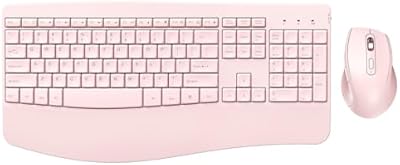
JOYACCESS JKB888BP Wireless Ergonomic Keyboard

Overview
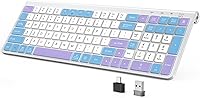
The JOYACCESS JKB888BP Wireless Ergonomic Keyboard is a budget-friendly option that punches above its weight with a striking purple-blue colorway and a surprisingly practical feature set. What stands out immediately is the silent scissor-switch mechanism — not something you typically expect at this price. The layout is compact yet still includes a numeric pad, which is genuinely rare in this size category. Plug in either the USB-A or USB-C receiver and it just works, no software required. That said, keep expectations grounded: this is a value-tier board, not a premium typing experience.
Features & Benefits
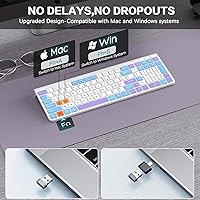
The scissor-switch keys are genuinely quiet — the kind of quiet where you can type in a shared office without drawing any attention. A foldable tilt stand lets you adjust the typing angle to reduce wrist strain over long sessions, though this is not a split or true ergonomic design. The 33-foot wireless range means the receiver can stay tucked behind a monitor without signal issues. One thing worth flagging: the USB-C receiver is not standalone and must be paired with the USB-A dongle. The Fn+Q/W shortcut handles Mac and Windows switching, and the included dustproof film is a practical touch that boards in this category rarely offer.
Best For
This wireless keyboard is a solid pick for anyone who types in a space where silence actually matters — think open-plan offices, shared apartments, or late-night work sessions. Students who need both a Mac-friendly layout and Windows compatibility in one board will appreciate how easily it switches between the two. The JOYACCESS compact board also suits desk minimalists well: you get a full layout including a numeric pad, but the footprint stays modest. If you crave tactile feedback or heavy key travel, look elsewhere. But for everyday tasks where quiet and comfort take priority, it covers the basics without complaint.
User Feedback
Buyers consistently praise the near-silent keystrokes and the eye-catching color scheme, with several noting that the purple-blue aesthetic genuinely stands out among a sea of gray office peripherals. On the less positive side, some users flag that key travel feels shallower than expected — a common trade-off with low-profile scissor switches. Build quality is generally considered acceptable for the price, though the plastic chassis flexes slightly under firm pressure. A few Mac users have noted minor quirks with function key behavior, and it is worth remembering that batteries are not included. Overall, buyer sentiment trends positive for the value this silent keyboard delivers in everyday use.
Pros
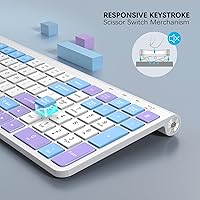
- Scissor-switch keys are remarkably quiet — genuinely usable in libraries or shared office spaces without disturbing others.
- A numeric pad is included despite the compact footprint, which is a real rarity at this price point.
- Plug-and-play wireless setup requires zero driver installation on both Mac and Windows.
- The Fn+Q/W shortcut makes switching between Mac and Windows layouts fast and intuitive.
- A 33-foot wireless range keeps the desk clean without any noticeable input lag during everyday typing.
- Dual USB receivers (USB-A and USB-C) give flexibility across older desktops and modern laptops.
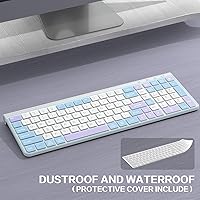
- The included dustproof protective film is a thoughtful addition that most budget keyboards skip entirely.
- The purple-blue colorway stands out and appeals to buyers who care about how their desk looks.
- At its price, the overall feature-to-cost ratio is hard to argue with for light to moderate daily use.
Cons
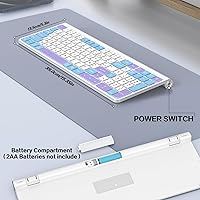
- Batteries are not included, so you will need to source two AA cells before the keyboard is ready to use.
- The USB-C receiver cannot function independently — it requires the USB-A dongle to be connected simultaneously, which limits flexibility.
- The plastic chassis has noticeable flex under firm pressure, which feels less reassuring during extended heavy typing.
- Key travel depth is shallower than many buyers expect, making it a poor substitute for anyone used to mechanical switches.
- Mac function key behavior can be inconsistent in real-world use, requiring some manual adjustment depending on the application.
- No backlighting is available, making low-light or night-time typing dependent on knowing the layout by memory.
- There is no Bluetooth option, so wireless connectivity is entirely tied to the USB dongle being present and accessible.
- Long-term battery life is unpredictable, and since the drain depends heavily on usage, it is hard to anticipate replacement frequency.
Ratings
The scores below reflect AI-synthesized analysis of verified global user reviews for the JOYACCESS JKB888BP Wireless Ergonomic Keyboard, with spam, bot-generated, and incentivized feedback actively filtered out to preserve accuracy. Each category is scored based on aggregated real-world buyer experiences, and both the strengths and the recurring frustrations are represented without bias. Where this silent keyboard genuinely delivers, the scores reflect that — and where it falls short, those gaps are captured just as honestly.
Typing Noise Level
Value for Money
Wireless Reliability
Key Feel & Travel
Build Quality
Mac Compatibility
Design & Aesthetics
Ergonomic Comfort
Setup & Ease of Use
Compact Layout Utility
Battery Life
Protective Film Quality
Portability
Suitable for:
The JOYACCESS JKB888BP Wireless Ergonomic Keyboard is genuinely well-matched for anyone who spends long hours typing in environments where noise is a real concern — open-plan offices, shared dorm rooms, or late-night home desk sessions where a clacking keyboard would disturb others. Students who need to move between a Mac and a Windows machine without buying two separate keyboards will find the built-in layout-switching shortcut a practical time-saver. The numeric pad is a legitimate bonus for anyone doing spreadsheet work or data entry on a compact desk setup, since most keyboards in this size and price range drop the numpad entirely. Casual everyday typists who prioritize a comfortable, low-fatigue typing experience over tactile punch will feel right at home here. The distinctive purple-blue color scheme also makes it a natural fit for anyone building a more personalized or aesthetic-focused desk setup on a tight budget.
Not suitable for:
The JOYACCESS JKB888BP Wireless Ergonomic Keyboard is not the right choice for typists who rely on strong tactile feedback or deep key travel — the low-profile scissor switches feel more like a laptop keyboard than a desktop board, and that will frustrate anyone accustomed to mechanical keys. The ergonomic label in the name should be taken with some skepticism: the adjustable tilt stand helps with wrist angle, but this is a flat, traditional layout, not a split or contoured ergonomic design. Power users or coders who depend on highly customizable function key behavior on macOS may run into quirks that require manual workarounds. The USB-C receiver is not a standalone option and must be used alongside the USB-A dongle, which could be a problem for users with limited or fully occupied USB ports. Anyone needing Bluetooth connectivity, rechargeable power, or backlit keys will also need to look elsewhere, as this board covers none of those bases.
Specifications
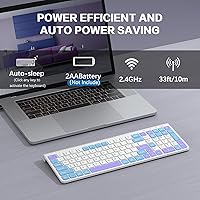
- Connectivity: The keyboard uses 2.4GHz wireless technology with a plug-and-play USB receiver, requiring no driver installation on compatible devices.
- Receivers: Two USB receivers are included — one USB-A and one USB-C — though the USB-C receiver is not standalone and must be used alongside the USB-A dongle simultaneously.
- Wireless Range: The keyboard maintains a stable wireless connection within a 33-foot radius under typical indoor conditions.
- Key Switch Type: Low-profile scissor-switch keys are used throughout, designed to reduce typing noise by up to 95% compared to standard membrane keyboards.
- Layout: The keyboard features a compact full-size layout that retains a numeric pad, 12 function keys, and media shortcut keys.
- Tilt Adjustment: A built-in foldable stand on the underside allows the typing angle to be raised for a more natural wrist position during extended sessions.
- OS Compatibility: The keyboard is compatible with both Windows and macOS, with Fn+Q and Fn+W shortcuts enabling quick layout switching between the two systems.
- Power Source: The keyboard is powered by two AA batteries, which are not included in the box and must be purchased separately.
- Dimensions: The keyboard measures 15.91 inches long, 5.55 inches wide, and 1.54 inches tall in its packaged form.
- Weight: The keyboard weighs 1.39 pounds, making it light enough to move between workspaces without difficulty.
- Material: The keyboard body and keycaps are constructed from plastic, consistent with other peripherals in this value tier.
- Color Scheme: Keycaps feature a tri-color contrast design combining purple, blue, and white across the keyboard surface.
- Included Accessories: The box contains the wireless keyboard, two USB receivers (USB-A and USB-C), a dustproof and waterproof protective film, and a user manual.
- Device Compatibility: The keyboard is designed to work with laptops, desktop PCs, MacBooks, Chromebooks, and smart TVs that have a compatible USB port.
- Noise Reduction: The scissor-switch mechanism and internal noise-dampening structure are rated to cut typing sound by up to 95% versus a standard keyboard.
- Protective Film: A dustproof and waterproof silicone-style protective film is included to help shield the keycaps from spills and debris during use.
Related Reviews
JOYACCESS Ergonomic Wireless Keyboard and Mouse Combo
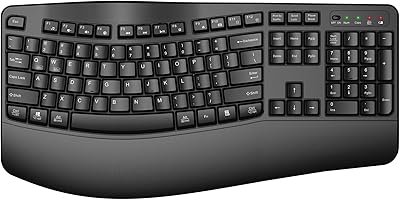
QUASIO Wave Keys Ergonomic Wireless Keyboard with Wrist Rest

TECKNET TK-EKB01040BS01 Wireless Keyboard
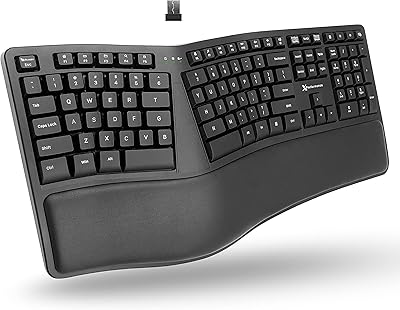
X9 Performance Wireless Ergonomic Split Keyboard

JOYACCESS Wireless Keyboard and Mouse Combo
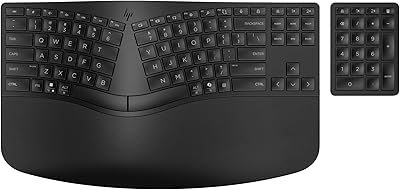
HP 960 Ergonomic Wireless Keyboard
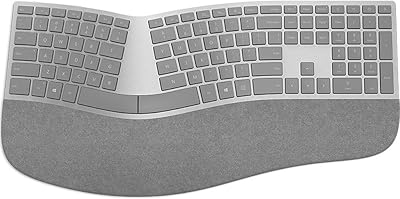
Microsoft Surface Ergonomic Wireless Keyboard
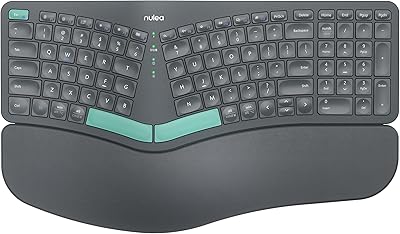
Nulea HD315 Wireless Ergonomic Split Keyboard
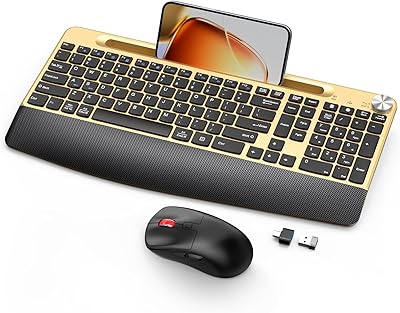
GAMCATZ Ergonomic Wireless Keyboard and Mouse Combo