Overview

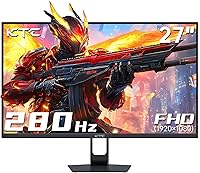
The KTC H27E22P 27-inch 280Hz Gaming Monitor is one of the more surprising budget displays to land on Amazon in late 2024, coming from a Chinese brand that most Western gamers haven't encountered yet — but one that's been climbing the charts faster than many established names. This KTC monitor occupies an interesting middle ground: its Fast VA panel delivers richer contrast and deeper blacks than a typical IPS at this price point, without completely surrendering responsiveness. It targets competitive and casual gamers alike who want genuinely high refresh rates and don't feel like overpaying to get there.
Features & Benefits

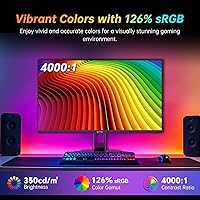
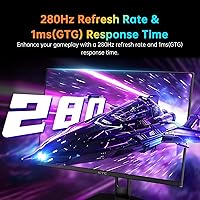
The headline spec here is 280Hz, but that ceiling only applies when you're running a DisplayPort cable — connect via HDMI and you're capped at 240Hz, which is still excellent but worth knowing upfront. The H27E22P's 1ms GTG response is impressive on paper for a VA panel, though in practice some ghosting can creep into very dark, fast-moving scenes — that's a known VA trade-off, not a defect. Where this 280Hz VA panel genuinely earns its keep is contrast: a 4,000:1 ratio and 126% sRGB coverage produce noticeably richer colors than most budget IPS rivals. FreeSync and G-Sync compatibility covers both major GPU camps, and the dual HDMI plus one DisplayPort input handles multi-device setups without fuss.

Best For

This KTC monitor makes the most sense for competitive FPS or RTS players who push high frame rates and value smoothness over resolution — at 1080p on a 27-inch screen, you're trading some pixel density for speed, which is a fair deal if frames are your priority. It's also a strong fit for anyone jumping from 60Hz or 144Hz for the first time; the step up to 240 or 280Hz feels immediately dramatic, and the VA contrast makes games look vivid right out of the box. Console gamers looking for a secondary high-refresh display will appreciate the dual HDMI inputs, though those sensitive to screen sharpness at close range may prefer a 1440p alternative.

User Feedback

Buyers have responded well overall, with the 4.5-star rating backed by genuine enthusiasm around color vibrancy and contrast — many specifically note that out-of-box colors look noticeably better than similarly priced IPS panels they've moved from. The most predictable criticism involves dark-scene ghosting: several reviewers flag trailing in shadowy, fast-moving sequences, which is a real VA limitation rather than a product flaw. A few buyers were also caught off-guard by the 280Hz cap being DP-only, so that's worth clarifying before buying. Stand rigidity has drawn mixed comments — it works, but it won't impress anyone used to mid-range build quality. With KTC still establishing itself in Western markets, long-term durability data remains limited, which is a reasonable concern to carry into the purchase decision.

Pros

  • 280Hz refresh rate via DisplayPort delivers genuinely ultra-smooth motion for competitive gaming at a budget price.
  • The Fast VA panel produces 4,000:1 contrast, making dark game environments look far richer than typical IPS rivals at this size.
  • 126% sRGB color coverage means vibrant, punchy visuals out of the box without manual calibration for most users.
  • FreeSync and G-Sync compatibility covers both AMD and Nvidia GPU owners with no extra hoops to jump through.
  • Dual HDMI 2.0 inputs make switching between a PC and console quick and practical.
  • The 5-way OSD joystick makes navigating monitor settings straightforward compared to the button clusters found on many budget displays.
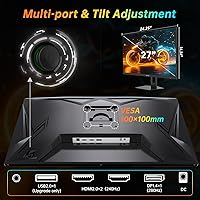
  • VESA 100×100mm mount support gives users the flexibility to pair it with any standard monitor arm.
  • At this price tier, landing 240Hz even over HDMI is a strong fallback if DisplayPort is unavailable.
  • Adaptive sync virtually eliminates screen tearing across a wide frame rate range, keeping gameplay smooth during dips.
  • Relatively low power draw of under 48W makes it an efficient choice for long gaming sessions.

Cons

  • 1080p on a 27-inch screen means noticeably soft text and UI elements for users who sit close to their display.
  • VA panel ghosting in fast, dark scenes is a real issue — motion trailing can distract during high-speed gameplay in shadowy environments.
  • HDR support exists on paper, but the brightness ceiling is too low to deliver a meaningful HDR experience in practice.
  • 280Hz is only achievable via DisplayPort; HDMI users are capped at 240Hz, which catches some buyers off guard.
  • Stand build quality has drawn mixed reactions, with some users finding it less sturdy than expected for desktop use.
  • KTC is a relatively unknown brand in Western markets, making long-term reliability and warranty support harder to assess with confidence.
  • No built-in speakers means additional cost or clutter if you need audio output directly from the monitor.
  • The single USB 2.0 port is labeled for firmware upgrades only, so it offers no practical hub functionality for peripherals.

Ratings

The KTC H27E22P 27-inch 280Hz Gaming Monitor has been evaluated by our AI rating system after analyzing verified global buyer reviews, with spam, bot-generated, and incentivized submissions actively filtered out to ensure the scores reflect genuine ownership experience. What emerges is a nuanced picture: this 280Hz VA panel earns real enthusiasm in several key areas while carrying trade-offs that budget-tier buyers deserve to understand before committing. Both the standout strengths and the honest pain points are reflected transparently in every scorecard below.
Refresh Rate Performance
91%
Buyers upgrading from 144Hz panels consistently describe the jump to 240 or 280Hz as immediately noticeable in fast-paced shooters — enemy movement feels sharper and tracking becomes more forgiving. For competitive FPS players, this is the aspect of the H27E22P that generates the most outright satisfaction in reviews.
The 280Hz ceiling is only accessible via DisplayPort, and a meaningful number of buyers discovered this limitation after setup when connecting via HDMI. Those without a DP-capable GPU are permanently capped at 240Hz, which, while still excellent, creates a gap between the marketed spec and real-world experience for some users.
Contrast & Black Depth
88%
The 4000:1 native contrast ratio is one of the most praised aspects of this monitor, particularly among buyers who previously owned budget IPS panels. Dark scenes in games and cinematic cutscenes look substantially more immersive, with blacks that feel genuinely dark rather than the grey-black wash common on lower-contrast displays.
VA panels are not perfectly uniform, and some users have noted slightly brighter corners or mild backlight inconsistency when displaying full dark screens. It is not a widespread complaint, but buyers doing desktop work with lots of dark-mode interfaces are more likely to notice it than pure gamers.
Color Accuracy & Vibrancy
84%
Out-of-box color reproduction earns consistent praise, with the wide 126% sRGB coverage producing vivid, saturated visuals that feel noticeably richer than similarly priced IPS alternatives. Gamers playing open-world titles or visually dense RPGs frequently comment on how alive the image looks without any manual calibration.
While the colors pop, this is not a factory-calibrated panel and minor color temperature inconsistencies have been noted by more discerning buyers. It is perfectly fine for gaming and casual media consumption, but anyone expecting professional-grade color fidelity will find it falls short of that bar.
Motion Clarity & Response
71%
29%
In brightly lit, fast-moving scenes, the Fast VA panel performs well and the 1ms GTG rating translates to a responsive feel that competitive gamers appreciate during rapid flick shots and tracking. The overdrive implementation does a reasonable job keeping up with high frame rate content in standard gaming scenarios.
Dark-scene ghosting is the most consistently reported complaint across buyer reviews — fast-moving objects in shadowy environments leave a visible trail that IPS panels at this price do not exhibit to the same degree. It is an inherent VA limitation rather than a manufacturing defect, but it is real enough that players of stealth or horror games will notice it regularly.
HDR Experience
53%
47%
HDR mode is present and does add a subtle boost to contrast and color saturation when watching HDR-enabled content or playing compatible titles. Buyers who have never used a dedicated HDR monitor may find the effect pleasant, particularly given the strong native contrast of the VA panel working in its favor.
At a typical brightness of around 350 cd/m², the HDR implementation is far too dim to deliver the specular highlights and expanded shadow detail that HDR is actually designed to produce. Experienced buyers who own or have used proper HDR400 or HDR600 certified displays will find this mode underwhelming and likely leave it disabled.
Value for Money
89%
Across hundreds of reviews, the recurring theme is genuine surprise at how much display performance this KTC monitor delivers relative to its asking price. Getting a Fast VA panel, 280Hz capability, adaptive sync compatibility, and strong contrast in a single affordable package is a combination that would have cost significantly more from established brands just a few years ago.
The value equation depends heavily on your expectations — buyers who assumed budget pricing meant no trade-offs occasionally express disappointment about ghosting or stand quality. Setting realistic expectations going in is important, because the H27E22P is excellent for its price tier, not excellent in an absolute sense.
Adaptive Sync & Tear-Free Gaming
86%
FreeSync and G-Sync compatibility working across both AMD and Nvidia ecosystems is a meaningful strength, and buyers report that variable refresh rate eliminates tearing effectively across a wide frame rate window. Reviewers running mid-range GPUs that can't always sustain 200-plus frames particularly appreciate that the monitor handles fluctuating output gracefully.
A small number of users have reported occasional sync flickering at very low frame rates near the bottom of the VRR range, which can occur in more demanding titles on older hardware. This is not unique to this monitor and affects most budget adaptive sync panels, but it is worth noting for buyers with aging GPU setups.
Build Quality & Stand
62%
38%
The panel itself feels solid and the bezels are reasonably slim for the price, giving it a cleaner look than some competitors at this tier. Most buyers report the monitor arriving without dead pixels and surviving typical desk use without issue during the review period.
The stand is the most common structural complaint — it provides basic tilt adjustment but no height or pivot options, and several buyers describe it as feeling lightweight and slightly wobbly under heavy typing nearby. For a brand trying to establish credibility in Western markets, the stand is the most obvious area where corners were visibly cut.
Connectivity Options
81%
19%
Having two HDMI 2.0 ports alongside a DisplayPort 1.4 input gives real flexibility for multi-device households — switching between a PC and a console without unplugging cables is genuinely convenient. The 5-way OSD joystick makes input switching and menu navigation fast compared to the button-mashing required on many budget monitors.
The single USB 2.0 port is reserved for firmware upgrades and offers no practical hub functionality, which is a missed opportunity for a desk peripheral connection point. Buyers expecting a USB hub for mice, keyboards, or headsets will need to look elsewhere or invest in a separate hub.
Setup & Ease of Use
83%
Assembly is tool-free and takes most buyers under ten minutes, which reviewers consistently appreciate. The OSD menu is laid out logically and the joystick control makes finding game presets, brightness adjustments, and input switching intuitive even for first-time monitor buyers.
Documentation is basic and some buyers found the instructions for enabling 280Hz mode over DisplayPort unclear, requiring them to dig into online forums to confirm the cable and settings requirements. A clearer quick-start guide addressing refresh rate setup would meaningfully reduce post-purchase confusion.
Gaming Preset Modes
76%
24%
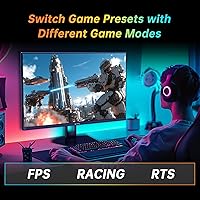
The dedicated FPS and RTS preset modes make a tangible difference for competitive gaming — FPS mode in particular sharpens visibility in darker areas of maps, which several buyers call out as genuinely useful rather than a gimmick. Switching between modes via the joystick is fast enough to do mid-session.
The presets alter color temperature and contrast aggressively, and some buyers find the default FPS mode too cool or oversaturated for their taste. The lack of fine-grained per-preset customization means users who want a tweaked version of a preset have to build their own profile from scratch in the general settings.
Pixel Density & Sharpness
63%
37%
For gaming at a normal desk distance of around two feet or more, 1080p on a 27-inch screen looks perfectly acceptable and the fast refresh rate compensates for any softness by keeping motion clean. Buyers primarily playing action games report that the lower pixel density rarely registers as a problem during actual gameplay sessions.
Buyers who use their monitor for both gaming and productivity work — reading documents, browsing, or image editing — more frequently flag the softness of 1080p at this screen size. Sitting closer than typical or coming from a 1440p display makes the pixel density gap feel more pronounced than the gaming-only specs suggest.
Brightness & Glare Control
74%
26%
The matte anti-glare surface is a practical strength for users in rooms with windows or overhead lighting, preventing the mirror-like reflections that plague glossy panels. At 350 cd/m² typical brightness, the display is comfortable for standard indoor gaming environments and well-lit rooms without direct sunlight.
Maximum brightness is not high enough for use in very bright rooms or near windows during daytime, and HDR performance is particularly limited by this ceiling. Buyers in sun-lit setups or who game near large windows may find themselves pushing the brightness slider to its limit and still wanting more.
Long-Term Reliability
61%
39%
Within the review period covered by current buyer feedback, the majority of units have performed without reported panel failures or significant degradation. The monitor arriving well-packaged with no dead pixels is a recurring positive note across early ownership reviews, suggesting quality control is at least acceptable at launch.
KTC's limited Western market history means there is simply not enough long-term ownership data to assess how the panel and electronics hold up beyond the first year of heavy use. Buyers prioritizing peace of mind from brands with documented durability records and robust warranty support infrastructure will find this an unresolved question.

Suitable for:

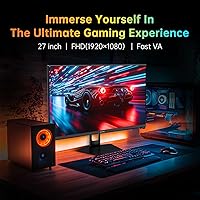
The KTC H27E22P 27-inch 280Hz Gaming Monitor is a natural fit for competitive gamers who want maximum refresh rate performance without paying flagship prices — specifically those grinding FPS titles like Valorant, CS2, or Apex Legends where every frame genuinely matters. If you're currently running a 60Hz or 144Hz panel and wondering what a substantial upgrade feels like, this is the kind of monitor that makes the difference immediately obvious. The Fast VA panel also appeals to gamers who've grown tired of the washed-out contrast on budget IPS screens; the 4,000:1 contrast ratio produces deep blacks that make dark environments in games actually look dramatic rather than muddy grey. Console users who want a dedicated high-refresh secondary PC display will appreciate the dual HDMI inputs, which allow quick switching between devices. Dorm rooms, compact desks, and first-time PC gaming setups are all scenarios where this KTC monitor punches well above its price bracket.
Not suitable for:

The KTC H27E22P 27-inch 280Hz Gaming Monitor is harder to recommend if image sharpness is a priority for you — running 1080p across a 27-inch panel produces a noticeably lower pixel density than a 27-inch 1440p display, and if you sit close to your screen, that softness is visible during everyday use, not just gaming. Creative professionals, photo editors, or anyone doing color-critical work should also look elsewhere; while 126% sRGB coverage sounds strong, this is not a color-accurate, factory-calibrated panel, and VA panels carry their own uniformity quirks. The H27E22P's HDR implementation deserves an honest mention too — at a maximum typical brightness of around 350 cd/m², HDR here is more of a checkbox feature than a meaningful visual upgrade. Buyers prioritizing build quality and long-term reliability from an established brand may feel uncertain about KTC, which has limited Western market history and no widely documented track record for durability. Finally, this 280Hz VA panel has no built-in speakers, which is a small but real inconvenience for users who prefer an all-in-one desktop setup.
Specifications

  • Panel Type: This monitor uses a Fast VA (Vertical Alignment) panel, which offers deeper blacks and higher contrast than IPS while maintaining faster pixel response than traditional VA displays.
  • Screen Size: The display measures 27 inches diagonally, with a 16:9 aspect ratio and a matte anti-glare surface finish to reduce reflections in lit environments.
  • Resolution: Native resolution is 1920×1080 (Full HD), delivering standard 1080p image quality across the 27-inch panel.
  • Refresh Rate: The panel runs at up to 280Hz when connected via DisplayPort 1.4, and up to 240Hz when connected through either HDMI 2.0 port.
  • Response Time: Rated at 1ms GTG (gray-to-gray), which represents the fastest transition speed under optimal overdrive conditions for this panel type.
  • Contrast Ratio: The native contrast ratio is 4000:1, which is significantly higher than the typical 1000:1 found on most IPS monitors in this price range.
  • Color Gamut: Covers 126% of the sRGB color space, with a 1.07 billion color output achieved through 8-bit color depth combined with FRC (Frame Rate Control) dithering.
  • Brightness: Minimum brightness is rated at 300 cd/m² and typical brightness is 350 cd/m², which is adequate for indoor use but limiting for effective HDR performance.
  • HDR Support: The monitor supports HDR (High Dynamic Range) content, though the brightness ceiling limits the practical impact compared to certified HDR400 or HDR600 displays.
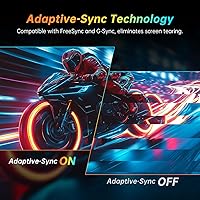
  • Adaptive Sync: Compatible with both AMD FreeSync and Nvidia G-Sync, dynamically matching the display's refresh rate to the GPU output to reduce screen tearing and stuttering.
  • Connectivity: Input options include two HDMI 2.0 ports (240Hz max each), one DisplayPort 1.4 (280Hz max), and one USB 2.0 port designated for firmware upgrades only.
  • OSD Control: On-screen display settings are navigated using a 5-way joystick, which allows faster and more intuitive menu navigation compared to traditional button arrays.
  • VESA Mount: The monitor is VESA 100×100mm compatible, making it straightforward to mount on most standard third-party monitor arms or wall brackets.
  • Power Draw: Maximum power consumption under load is 48W, with a DC 12V/4A power input — relatively efficient for a display at this refresh rate and size.
  • Dimensions: The overall footprint with the stand is 27×18 inches (width × height) with a depth of 6 inches, suiting most standard and compact desk setups.
  • Weight: The monitor weighs 15.57 pounds including the stand, which is typical for a 27-inch display and manageable for single-person setup.
  • Speakers: There are no built-in speakers; users will need external speakers or headphones for audio output.
  • Gaming Presets: The OSD includes dedicated FPS and RTS game mode presets designed to optimize contrast and response settings for those specific genres.

Related Reviews
KTC H27E6 27-inch Gaming Monitor
78%
88%
Image Sharpness & Clarity
86%
Refresh Rate Performance
73%
Color Accuracy
61%
Build Quality & Stand
84%
Value for Money
More
KTC M27T6 27-inch Mini LED Gaming Monitor

76%
84%
HDR Performance
88%
Contrast & Black Levels
86%
Peak Brightness
57%
Color Accuracy
71%
Motion Handling
More
Skytech Gaming Moonshadow 27-inch Curved Gaming Monitor

83%
88%
Image Quality
91%
Refresh Rate Performance
86%
Adaptive-Sync
83%
VA Panel Contrast
84%
Stand & Ergonomics
More
Raywego Z270B13 27-inch Gaming Monitor
70%
88%
Value for Money
83%
Picture Quality
84%
Refresh Rate Performance
62%
Build Quality
81%
Eye Comfort
More
KTC H27T13 27-inch QHD IPS Monitor
75%
88%
Image Clarity & Sharpness
83%
Color Accuracy & Vibrancy
91%
Value for Money
79%
Eye Comfort & Anti-Blue Light
74%
Refresh Rate & Smoothness
More
KOORUI G2721E 27-inch Gaming Monitor
78%
93%
Refresh Rate Performance
88%
Image Clarity & Resolution
84%
Color Accuracy
81%
Motion Handling
52%
HDR Quality
More
Sealan 27-inch Curved Gaming Monitor
82%
85%
Display Quality
90%
Ease of Setup
91%
Value for Money
87%
Performance in Gaming
83%
Color Accuracy
More
Dell G2725D 27-inch Gaming Monitor
78%
91%
Image Sharpness
88%
Refresh Rate Performance
83%
Motion Clarity
79%
Color Accuracy
86%
AMD FreeSync
More
FYHXele 27-inch 380Hz Gaming Monitor
87%
91%
Display Quality
94%
Gaming Performance
88%
Build Quality
85%
Ergonomics & Adjustability
90%
Ease of Setup
More
FYHXele 27-inch 4K 120Hz Gaming Monitor
72%
83%
Value for Money
88%
Image Sharpness
79%
Panel Response & Motion
76%
Color Accuracy
47%
HDR Performance
More

FAQ

You do need DisplayPort to reach 280Hz — HDMI 2.0 on this monitor tops out at 240Hz. Both cables are fast by any practical standard, but if hitting the maximum rated refresh rate matters to you, make sure your PC has a DisplayPort output and use that connection from day one. Some buyers have been caught off guard by this, so it is worth double-checking your GPU's outputs before ordering.

It depends on what you play. In well-lit, fast-moving scenes, the Fast VA panel holds up well and the difference from IPS is minimal. Where VA panels tend to show their weakness is in very dark scenes with rapid motion — think a character sprinting through a shadowy environment — where you may notice slight trailing behind moving objects. It is a real trade-off rather than a defect, and many competitive players find it acceptable, but if you are extremely sensitive to motion clarity, IPS panels remain cleaner in dark transitions.

Honestly, HDR on this KTC monitor is more of a supported feature than a transformative experience. The brightness ceiling of around 350 cd/m² is well below what dedicated HDR monitors deliver, so you won't see the dramatic highlights and shadow detail that HDR is capable of on premium displays. That said, enabling HDR mode can still add a bit of extra punch to compatible content, and the high native contrast of the VA panel does give it an edge over low-contrast IPS panels even without HDR engaged.

Yes, both consoles connect via HDMI 2.0, which this monitor supports on two of its ports. You will be running at 240Hz maximum in that configuration, but neither console currently outputs above 120Hz in supported games anyway, so the connection works well. Keep in mind that 1080p at 27 inches is a fairly typical console gaming setup, and the strong contrast from the VA panel makes games look vivid on it.

It is lower pixel density than a 27-inch 1440p panel, and if you sit very close to your display — say, less than two feet away — you may notice that text and fine UI elements look a little soft compared to higher-resolution monitors. For gaming, especially at the kinds of frame rates this panel supports, most people find it perfectly acceptable. It is primarily a concern for productivity tasks like reading documents or fine image editing, less so for gaming at a normal viewing distance.

Absolutely, that is one of the more practical use cases for the H27E22P. Its dual HDMI inputs mean you can keep two devices connected simultaneously, and its compact footprint does not overwhelm a desk. For everyday work tasks — browsing, email, video calls — 1080p is completely functional as a secondary screen, and the strong contrast makes it comfortable to look at for extended periods.

KTC typically includes a basic cable set with the monitor, though it is worth checking the current box contents before assuming. Even if a cable is included, quality can vary with budget brands, and some buyers prefer to use their own higher-quality cables to ensure a stable connection at maximum refresh rates.

Setup is generally straightforward and does not require tools for basic assembly. The stand allows tilt adjustment, which handles most comfort needs. However, the stand does not support height adjustment or pivot on this model, so if you need precise ergonomic positioning, pairing it with a VESA-compatible monitor arm is a good call — and the 100×100mm mounting pattern makes that easy.

KTC is a growing brand but does not yet have the established Western support infrastructure of companies like LG, ASUS, or Samsung. The monitor is sold through Amazon, which provides some purchase protection, but long-term warranty support and direct customer service responsiveness are harder to predict with confidence. For a budget buy, the risk is relatively low given the price, but it is a fair consideration if you prefer buying from brands with proven after-sales track records.

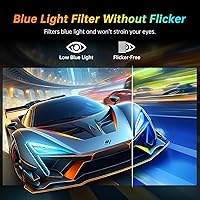
The OSD includes settings commonly found on gaming monitors at this tier, including adjustable blue light reduction modes useful for late-night sessions. VA panels with DC dimming also tend to handle lower brightness levels with less flicker than PWM-based displays, making extended use more comfortable for light-sensitive users, though you should verify the specific dimming method in the product documentation if this is a primary concern for you.

Where to Buy