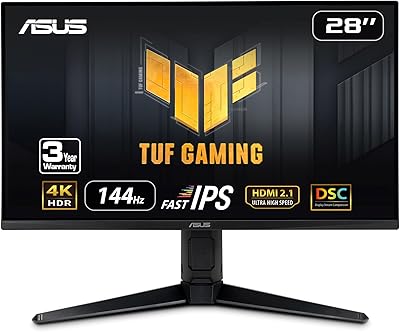
Overview

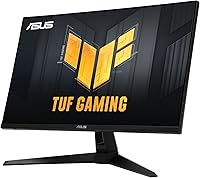
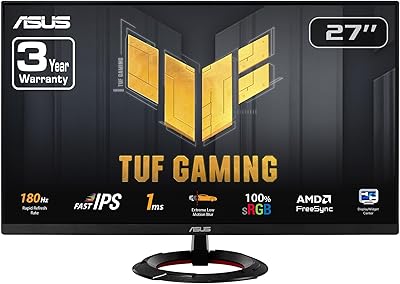
The ASUS VG27UQ1A 27-inch 4K Gaming Monitor arrived in late 2024 as a compelling mid-to-upper-range option in an increasingly crowded segment. It isn't trying to compete with flagship panels, but it offers enough across gaming performance and color accuracy to appeal to two distinct buyers: competitive gamers who refuse to trade resolution for speed, and hobbyist creators who need reliable color without a dedicated studio display. ASUS also throws in a 3-year warranty and a 3-month Adobe Creative Cloud subscription — small extras that add genuine value. Just temper your expectations on HDR: this is entry-level HDR, not the punchy high-brightness experience you'd find on a premium OLED or mini-LED panel.
Features & Benefits

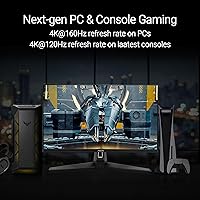
Running 4K at 160Hz simultaneously is something very few monitors pull off without compromise, and the VG27UQ1A does it reliably. That matters because most competing panels at this resolution top out at 144Hz — the extra headroom is noticeable in fast-paced titles. ELMB Sync is a genuinely useful addition: it lets motion blur reduction and variable refresh rate work at the same time, which most implementations force you to choose between. The 95% DCI-P3 coverage delivers rich, accurate color that holds up well in games with detailed environments and is solid enough for photo editing side work. Variable Overdrive quietly adjusts pixel response based on your current frame rate, keeping ghosting in check without manual tinkering. The matte panel coating is a practical plus in any room that isn't pitch dark.

Best For

This 27-inch 4K display hits a sweet spot for PC gamers who've been holding off on 4K because high refresh rates were too hard to achieve at that resolution. If you're running a modern GPU, this is a genuinely compelling upgrade from a 1080p or 1440p setup — the jump in image clarity at 27 inches is substantial. Dual-purpose setups benefit too: the color accuracy is strong enough for editing personal photos or reviewing design work, even if it won't replace a true wide-gamut studio monitor. AMD and NVIDIA users alike get adaptive sync support without paying extra for a proprietary G-SYNC module. It also works well as a home office display where you want a single screen handling productivity, media, and gaming.

User Feedback

With over 9,000 ratings averaging 4.5 stars, the consensus on this ASUS TUF gaming monitor is clearly positive, and it doesn't take long to see why buyers are satisfied. Most praise centers on out-of-box color accuracy, the sharpness of 4K at 27 inches, and the overall build quality, which feels solid without being overbuilt. That said, a recurring thread of complaints worth noting: the OSD menu is clunky to navigate, and the stand has limited adjustability compared to some rivals at a similar price. HDR is also mentioned as underwhelming by more demanding users — which tracks given the panel's brightness ceiling. A notable number of buyers compare it favorably to LG and MSI alternatives, citing better value for refresh rate at this resolution.

Pros

  • Native 4K at 160Hz is a rare and genuinely useful combination — you get resolution and speed without compromise.
  • ELMB Sync allows motion blur reduction and variable refresh rate to run simultaneously, which competing monitors typically don't support.
  • Dual G-SYNC Compatible and FreeSync Premium certification means both AMD and NVIDIA GPU owners get tear-free gaming.
  • Out-of-box color accuracy earns consistent praise from buyers, with vibrant, well-balanced output that needs little adjustment.
  • The matte anti-glare coating makes this 27-inch 4K display practical in bright rooms where glossy panels become mirrors.
  • Variable Overdrive automatically adjusts pixel response to your frame rate, reducing ghosting without requiring manual tuning.
  • Build quality is frequently highlighted in user reviews as sturdy and well-finished for its price tier.
  • The included three-year warranty and three-month Adobe Creative Cloud subscription add meaningful long-term value.
  • 4K sharpness at 27 inches produces a noticeably clean, dense image that holds up well for both gaming and productivity work.

Cons

  • HDR performance is entry-level at best — brightness ceiling is low enough that HDR mode offers little visible benefit over SDR.
  • The OSD menu is consistently described by buyers as clunky and unintuitive compared to rivals from LG or Samsung.
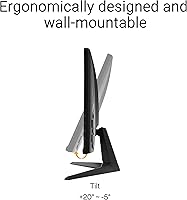
  • Stand adjustability is limited, with restricted height and swivel range that may frustrate users with specific ergonomic needs.
  • Driving 4K at 160Hz demands a high-end GPU — mid-range graphics cards will struggle to fully utilize the refresh rate.
  • No USB hub functionality is included, which competing monitors at a similar price often provide as a convenience feature.
  • The VG27UQ1A ships without an HDMI 2.1 cable, which could be an issue for buyers who rely on HDMI over DisplayPort.
  • At 10.6 pounds, the monitor is not particularly lightweight, and the base footprint takes up a noticeable amount of desk space.
  • Some users report that ELMB Sync's real-world impact is subtler than the spec sheet implies in everyday gaming sessions.

Ratings

The scores for the ASUS VG27UQ1A 27-inch 4K Gaming Monitor were generated by our AI rating engine after analyzing thousands of verified global user reviews, with spam, incentivized feedback, and bot activity actively filtered out. Across more than 9,000 confirmed ratings, we identified consistent patterns in both what buyers genuinely praise and where the monitor reliably falls short. This scorecard reflects the real ownership experience — the strengths are real, and so are the trade-offs.
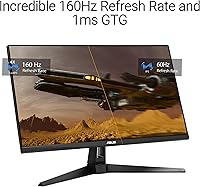
Image Clarity & Sharpness
93%
At 27 inches, 4K resolution produces a pixel density that makes a tangible real-world difference — game textures hold fine detail at distance, text is noticeably crisper than on 1440p panels, and UI elements look razor-sharp without scaling tricks. Buyers upgrading from lower resolutions consistently describe the clarity jump as immediately obvious and difficult to give up.
Without a powerful GPU, native 4K in demanding titles often requires dialing back graphical settings, which partially offsets the sharpness advantage. A minority of users also find that at close desktop distances, the perceptual gains over a high-quality 1440p panel are less dramatic than the resolution difference on paper implies.
Gaming Performance
88%
Running 4K at 160Hz is a combination very few monitors in this price range offer, and buyers who can consistently push those frame rates describe the result as noticeably smoother than 144Hz alternatives. ELMB Sync adds genuine utility in fast-paced competitive titles by allowing motion blur reduction and adaptive sync to operate simultaneously rather than forcing a choice.
The 160Hz ceiling is only achievable via DisplayPort with a high-end GPU, which narrows the practical audience considerably. Some users also report that ELMB Sync's improvement over standard adaptive sync alone is subtle enough in everyday gameplay that it does not feel like a decisive differentiator in non-competitive titles.
Color Accuracy
84%
The 95% DCI-P3 coverage translates to noticeably rich, well-saturated output that performs well for gaming and casual creative work alike. Buyers frequently highlight that the panel looks excellent straight out of the box with minimal manual calibration needed — a practical advantage over panels that ship with overly warm or washed-out defaults.
While the color is strong for general use, it does not meet the standard required for professional color-grading or broadcast workflows. Users doing serious creative work with color-managed output will find the panel lacks the factory certification and extended verification that dedicated studio monitors provide.
HDR Performance
51%
49%
HDR mode does offer a modest improvement in perceived contrast and color depth for compatible content, and in darker gaming scenes the difference is occasionally visible. For buyers who have never used a high-brightness HDR display, the feature adds some incremental visual interest in supported titles without feeling completely inert.
The panel's brightness ceiling means it cannot produce the punchy highlights that make HDR genuinely impactful — this is entry-level HDR in every meaningful sense. Buyers accustomed to HDR on a modern television are frequently disappointed, and many simply leave the mode disabled after a few sessions because SDR output looks more consistent overall.
Adaptive Sync
91%
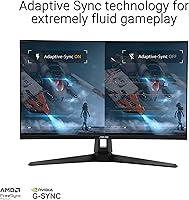
Dual certification for both G-SYNC Compatible and FreeSync Premium means this display works cleanly with AMD and NVIDIA GPUs alike, eliminating screen tearing across a wide frame rate range without the cost of a proprietary hardware module. Buyers on both GPU platforms consistently report smooth, tear-free gameplay with no notable compatibility quirks during extended sessions.
A small number of users report occasional sync dropouts at very low frame rates, which is a known limitation of the FreeSync Premium standard rather than a flaw unique to this panel. Those operating well above 60Hz get the most consistent results, while users with older mid-range GPUs may experience the lower boundary of the sync range more frequently.
Motion Handling
81%
19%
The 1ms response time combined with Variable Overdrive keeps ghosting well controlled across a range of frame rates, and the automatic adjustment of pixel response means most users never need to manually tune overdrive settings to maintain a clean image in motion-heavy scenes.
At lower frame rates, some buyers report residual smearing in very fast scenes that is more persistent than expected for a 1ms-rated panel. Variable Overdrive, while broadly effective, can introduce mild inverse ghosting at certain refresh rate thresholds that attentive users will notice during careful back-to-back testing.
Build Quality
83%
The physical construction earns consistently positive feedback — the chassis feels solid, the panel has minimal flex under pressure, and the overall finish is clean without the budget-grade plastics visible on some competing monitors at this price point. Most buyers describe the build as a step above what they anticipated.
The rear panel design is functional rather than premium, and cable management on the stand is basic at best. A handful of users mention minor cosmetic inconsistencies on the bezel edges, though these appear isolated rather than indicative of a systemic quality control problem across the production run.
Stand & Ergonomics
57%
43%
The stock stand is stable enough that there is no noticeable wobble during normal desk use, and basic tilt adjustment allows for a comfortable initial viewing angle without tools or complex setup. For users whose desk and chair height happen to align naturally with the fixed stand position, it works fine day-to-day.
Height adjustment range is limited and swivel is minimal, which is a recurring frustration for buyers who share desks, work in multi-monitor configurations, or need to shift the screen throughout a session. Many users report purchasing a separate VESA arm shortly after setup, which adds meaningfully to the real-world cost of ownership.
OSD & Controls
62%
38%
All key settings — refresh rate, overdrive level, color mode, and brightness — are accessible through the on-screen display without requiring third-party software. Once users memorize the button layout after a few sessions, routine adjustments become faster and the overall structure feels logical.
OSD navigation is one of the most consistently criticized aspects in buyer feedback — button placement is awkward, the menu hierarchy takes genuine effort to learn, and toggling between modes is noticeably slower than what LG and Samsung competitors offer at similar prices. First-time ASUS monitor owners in particular report a frustrating initial setup experience.
Connectivity & Ports
66%
34%
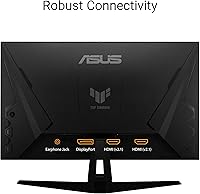
DisplayPort connectivity is covered with a cable included in the box, handling the primary high-bandwidth connection needed for 4K at full refresh rate. The port selection covers the basics for a straightforward single-PC gaming setup without significant gaps for most buyers in that use case.
The absence of a USB hub is a noticeable omission at this price tier, as several competing monitors include USB-A pass-through for peripherals as standard. No HDMI cable is included, and HDMI bandwidth limitations mean secondary device users and console owners need to research their connection options carefully before purchasing.
Brightness & Contrast
73%
27%
In SDR mode, the panel delivers adequate brightness for typical indoor gaming and productivity use, and the matte anti-glare coating helps the image hold up under moderate ambient light without pushing the backlight to uncomfortable levels. Most buyers find the default brightness range workable across different times of day.
Peak brightness falls clearly short of what HDR content demands and can feel underpowered in very brightly lit rooms compared to high-nit glossy alternatives. Contrast ratio is unremarkable for the panel type and is not a competitive strength against VA panels or OLED alternatives that buyers in this segment also consider.
Out-of-Box Setup
78%
22%
Stand assembly is quick and requires only the included L-shaped screwdriver, and the bundled DisplayPort cable means most buyers can get up and running without sourcing extra accessories. Default color output in the standard preset is accurate enough that the majority of users do not feel the need to run a calibration immediately.
The DisplayWidget software installation feels unnecessary for users who just want to plug in and play, and the initial driver prompts can confuse less experienced buyers. Several users also note that the display does not automatically default to 160Hz on first connection, requiring a manual change through Windows display settings before the full refresh rate is active.
Value for Money
87%
For a display delivering native 4K at 160Hz, dual adaptive sync certification, strong out-of-box color, and a 3-year warranty, the price-to-feature ratio is genuinely competitive in this segment. The included Adobe Creative Cloud access is a legitimate bonus for creative users rather than a throwaway bundle with no practical value.
Buyers who end up purchasing a VESA arm to work around the stand limitations, or who find the HDR mode too underwhelming to use, may feel the effective value is lower than it first appears. In a segment with capable competition from LG and MSI, the value case is strongest for buyers who have the GPU to fully leverage the 160Hz ceiling.
Noise & Thermals
86%
Passive cooling means the monitor operates in complete silence — no fan noise whatsoever — which matters in quiet home office setups or late-night sessions where ambient sound is noticeable. Buyers report no perceptible heat buildup on the chassis even after extended multi-hour gaming or work sessions.
A portion of buyers report faint backlight bleed in one or more corners when displaying dark content in a dim room, which is a panel characteristic rather than a manufacturing defect but worth noting for those who game primarily in low-light environments. The consistency of bleed intensity varies between individual units.
Warranty & Support
79%
21%
A 3-year manufacturer warranty is a meaningful commitment at this price tier and provides genuine long-term confidence, particularly against panel defects and backlight degradation. The coverage duration is longer than most competitors at this price point offer, which buyers in the mid-range segment consistently cite as a purchase-tipping factor.
Warranty claim experiences vary noticeably by region — buyers in some markets report slower response times and less straightforward replacement processes than the 3-year headline implies. Customer support quality appears inconsistent enough that a meaningful share of users describe the claims process as more effortful and time-consuming than they expected from a brand at this level.

Suitable for:

The ASUS VG27UQ1A 27-inch 4K Gaming Monitor is a strong match for PC gamers who want sharp, high-resolution visuals without giving up the smooth frame rates that make competitive play feel responsive. If you're coming from a 1080p or 1440p setup, the clarity jump at 27 inches is immediately obvious and hard to go back from. It also works well for anyone running a dual-purpose desk — the 95% DCI-P3 color coverage is genuinely useful for hobbyist photographers or designers who edit casually and don't need a calibrated professional display. Both AMD and NVIDIA GPU owners benefit from the dual adaptive sync certification, so you're not locked into one hardware ecosystem. The three-year warranty and included Adobe Creative Cloud access add practical value that's easy to overlook but worth factoring into the overall equation.
Not suitable for:

Buyers chasing a true HDR experience should look elsewhere — the ASUS VG27UQ1A 27-inch 4K Gaming Monitor delivers entry-level HDR that won't satisfy anyone accustomed to the punchy brightness and deep contrast of OLED or mini-LED panels. If ergonomics are a priority, the stand's limited adjustability has been a consistent sticking point in user feedback, and those who need extensive height or swivel range may find themselves reaching for an aftermarket arm sooner than expected. Professional colorists and video editors working to broadcast or cinema standards should also pass: 95% DCI-P3 is solid for general use but not a substitute for a dedicated wide-gamut or factory-calibrated display. Console gamers on PlayStation or Xbox are unlikely to extract full value from the 160Hz refresh rate, which requires a capable PC GPU to utilize. Finally, if you find OSD-heavy menus frustrating, be aware that navigation on this panel has drawn repeated criticism for being cumbersome.
Specifications

  • Screen Size: The panel measures 27 inches diagonally, a size that pairs well with 4K resolution for sharp pixel density at typical desktop viewing distances.
  • Resolution: Native resolution is 3840 x 2160 (4K UHD), delivering noticeably finer detail and text clarity than 1440p panels at the same screen size.
  • Refresh Rate: Supports a maximum refresh rate of 160Hz at native 4K resolution, which is an uncommon combination at this price tier.
  • Response Time: Rated at 1ms response time, reducing pixel transition lag and helping to keep fast motion looking clean during gaming.
  • HDR Support: Includes entry-level HDR support that modestly extends contrast and color range, but does not reach the brightness output of premium OLED or mini-LED HDR implementations.
  • Color Gamut: Covers 95% of the DCI-P3 color space, producing rich and well-saturated color suitable for gaming and casual photo or video work.
  • Adaptive Sync: Certified as both NVIDIA G-SYNC Compatible and AMD FreeSync Premium, enabling tear-free variable refresh rate gameplay on either GPU platform without a premium module cost.
  • Motion Blur Tech: ASUS ELMB Sync allows motion blur reduction and variable refresh rate to run simultaneously, a capability most competing monitors in this class require you to choose between.
  • Screen Surface: Finished with a matte anti-glare coating that diffuses ambient light, making the display more practical in rooms with windows or overhead lighting than a glossy alternative.
  • Aspect Ratio: Standard 16:9 widescreen format, compatible with all mainstream gaming, streaming, and productivity content without letterboxing or pillarboxing.
  • Connectivity: Ships with a DisplayPort cable included; DisplayPort is required to achieve the full 4K resolution at 160Hz refresh rate.
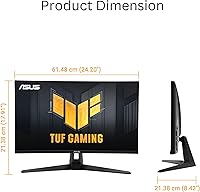
  • Dimensions: With the stand attached, the monitor measures 8.4 x 24.2 x 17.9 inches, requiring a desk depth of at least 9 inches for stable placement.
  • Weight: Complete unit with stand weighs 10.6 pounds, consistent with typical builds in the 27-inch gaming monitor category.
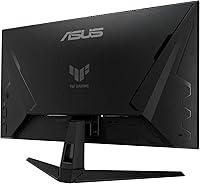
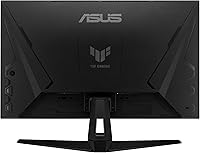
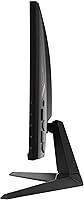
  • Stand Ergonomics: The included stand offers limited range of height and swivel adjustment, which has been a recurring point of criticism in buyer feedback.
  • VESA Compatibility: Supports standard 100 x 100mm VESA mounting, allowing the stock stand to be replaced with a third-party monitor arm if greater ergonomic flexibility is needed.
  • Warranty: Covered by a 3-year manufacturer warranty from ASUS, protecting against defects in materials and workmanship from the date of purchase.
  • Release Date: First available in December 2024, making it one of the more recent releases in the mid-range 4K gaming monitor segment.
  • Brand Series: Part of the ASUS TUF Gaming lineup, a range positioned around performance value and build durability rather than flagship-tier pricing.

Related Reviews

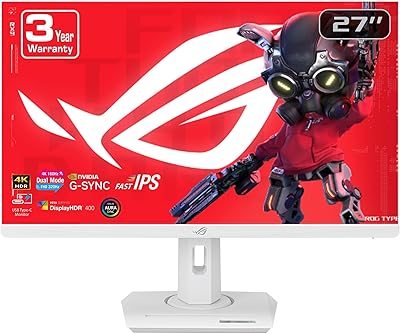
ASUS ROG Strix XG27UCG-W 27-inch Gaming Monitor
79%
91%
Display Clarity
88%
Dual Mode Versatility
89%
Response Time & Motion
87%
Color Accuracy
61%
HDR Performance
More
ASUS ROG Swift PG27UCDM 27-inch Gaming Monitor
82%
96%
Image Quality
97%
Black Levels & Contrast
93%
Gaming Performance
91%
Color Accuracy
88%
Text Clarity
More
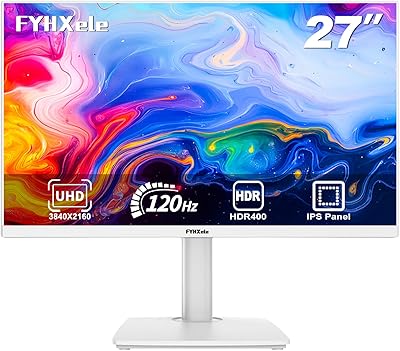
FYHXele 27-inch 4K 120Hz Gaming Monitor
72%
83%
Value for Money
88%
Image Sharpness
79%
Panel Response & Motion
76%
Color Accuracy
47%
HDR Performance
More
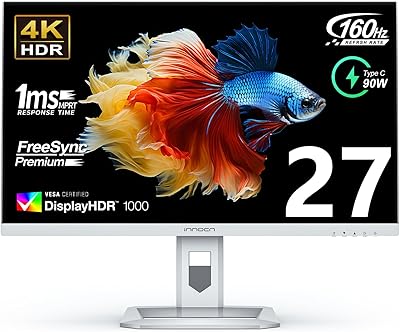
INNOCN 27M2V 27″ 4K Gaming Monitor
76%
91%
Color Accuracy
74%
HDR Performance
87%
Gaming Performance
82%
Value for Money
89%
Connectivity
More
ASUS VZ279QG1R 27-inch Gaming Monitor
75%
83%
Color Accuracy
71%
Motion Performance
62%
Resolution & Sharpness
88%
Value for Money
79%
Build Quality
More
ASUS TUF Gaming VG28UQL1A 28-inch Gaming Monitor
78%
91%
Image Clarity
88%
Motion Performance
93%
Console Compatibility
83%
Color Accuracy
58%
HDR Performance
More
ASUS TUF Gaming VG32UQA1A 32-inch Gaming Monitor
74%
88%
Image Clarity
83%
Refresh Rate Performance
91%
Console Compatibility
54%
HDR Quality
84%
Motion Handling
More
ASUS VG27VH1B 27-inch Curved Gaming Monitor
78%
93%
Refresh Rate Performance
88%
Motion Clarity & Response Time
91%
Adaptive Sync & Tear-Free Output
67%
Image Sharpness & Resolution
62%
Color Accuracy & Calibration
More
ASUS TUF Gaming VG277Q1A 27″ Gaming Monitor
78%
93%
Refresh Rate Performance
88%
Motion Clarity & Response Time
91%
Adaptive Sync & Tear-Free Gaming
74%
Out-of-Box Color Quality
82%
Shadow Boost & Dark Scene Visibility
More
ASUS VG27AQ3A 27-inch QHD Gaming Monitor
76%
91%
Image Sharpness & Clarity
88%
Refresh Rate Performance
86%
Motion Clarity & ELMB Sync
83%
Color Accuracy & Coverage
54%
HDR Performance
More

FAQ

Yes, realistically you do. Pushing demanding games at native 4K and 160Hz requires a top-tier card — something in the RTX 4080 or RX 7900 XTX class. A mid-range GPU like an RTX 4070 can get close in less intensive titles or with reduced settings. The good news is that adaptive sync means the monitor handles variable frame rates smoothly, so you get a clean experience even when you're not maxing out the refresh rate.

For most users, SDR will actually look better. The HDR implementation here is entry-level — the panel's peak brightness isn't high enough to make HDR content pop the way it does on a good TV or an OLED monitor. If you're used to HDR on a high-end display, this will feel underwhelming. Leaving it in SDR gives you more consistent, predictable image quality for both gaming and desktop use.

It will work as a display, but you won't get the most out of it. Both consoles output up to 4K at 120Hz over HDMI 2.1, and reaching 160Hz requires DisplayPort connected to a PC. Most console games also run at 60Hz in 4K, so the monitor's key strengths are largely wasted in that scenario. This display is purpose-built for PC gaming setups.

Yes, it's certified for both. G-SYNC Compatible covers NVIDIA cards and FreeSync Premium covers AMD, so you get tear-free variable refresh rate gaming regardless of which GPU you own. There's no need to pay extra for a hardware G-SYNC module, and you're free to switch GPU brands in the future without losing sync support.

Absolutely, and many users recommend it. The VG27UQ1A supports the standard 100 x 100mm VESA pattern, so any compatible third-party arm will fit. Given that the stock stand receives consistent criticism for limited height and tilt range, swapping it for an arm is a practical upgrade if ergonomics matter to your setup.

It holds up well for hobbyist and enthusiast-level editing. The 95% DCI-P3 coverage means colors are rich and relatively true-to-life right out of the box without much manual calibration. That said, this is not a professional-grade display — if your work targets print, broadcast, or cinema delivery, you'd want a factory-calibrated panel with verified color accuracy. For personal projects, YouTube content, or casual retouching, it is more than adequate.

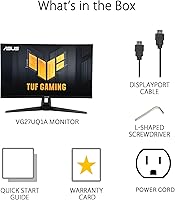
The box includes a DisplayPort cable, a power cord, an L-shaped screwdriver for stand assembly, a quick start guide, and a warranty card. Notably, an HDMI cable is not included, so if you plan to connect via HDMI, you will need to supply your own. Keep in mind that HDMI connections may also limit the maximum refresh rate you can achieve.

It is a genuine feature, though its impact is most visible in specific situations. In fast-paced competitive games with high frame rates, running both motion blur reduction and adaptive sync simultaneously produces cleaner motion than either technology alone. In slower or cinematic games, the difference is harder to notice. It is a meaningful addition compared to monitors that force you to choose one or the other, but it is not the primary reason to buy this display.

27 inches is widely considered the sweet spot for 4K at a typical desktop viewing distance of around two to three feet. The pixel density is high enough that everything looks genuinely sharp and text is crisp without needing aggressive display scaling. Going larger, such as 32 inches, gives more screen real estate but slightly lower pixels-per-inch. For desk use, 27-inch 4K hits a strong balance between sharpness and usable size.

The ASUS VG27UQ1A 27-inch 4K Gaming Monitor comes with a 3-year warranty covering defects in materials and workmanship from the original purchase date. ASUS generally handles warranty claims through their regional support portals, and registering the product on their website after purchase makes the process faster and more straightforward. Response times for service can vary by region, but ASUS's warranty track record in this product category is considered solid by most buyers.
Where to Buy