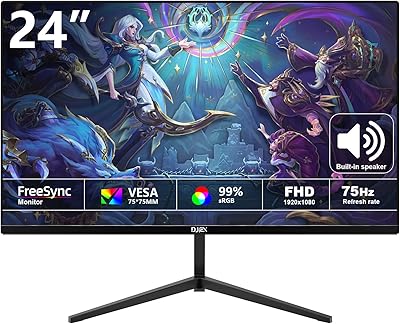
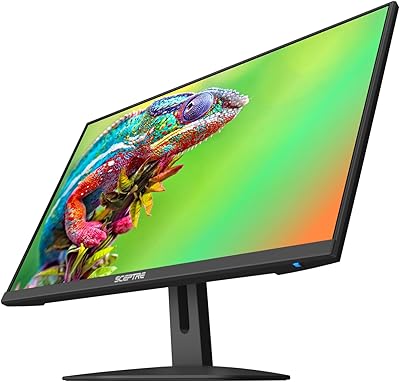
Overview

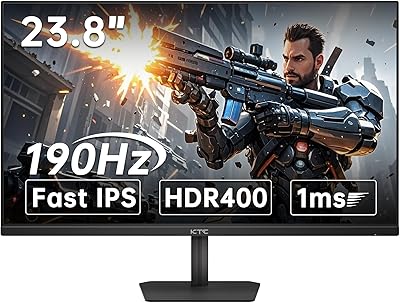
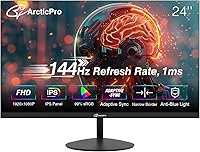
The ArcticPro AD24EF2 24-inch Gaming Monitor is the kind of monitor that makes you do a double-take at the price tag. Manufactured by Hangzhou Yulian Technology — a company with little name recognition in the Western market — this ArcticPro monitor arrived on Amazon in early 2025 and climbed quickly into the top 100 computer monitors. That kind of traction is worth paying attention to. The specs look solid for the price tier: IPS panel, 144Hz, 1ms response time. But strong specs on paper don't always translate to real-world quality, so it's worth looking closely before committing.
Features & Benefits

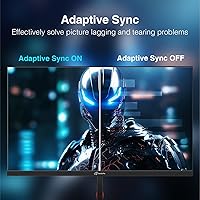
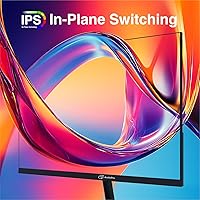
The AD24EF2 packs a surprising amount of capability into a slim chassis. The 144Hz IPS panel handles fast-paced gaming without the washed-out colors typical of cheaper TN screens — you actually get decent color fidelity alongside the smooth motion. Adaptive Sync works with both AMD and NVIDIA setups, keeping screen tearing in check without locking you into a specific GPU ecosystem. The 3-sided frameless design is genuinely clean, making it a natural fit for dual-monitor arrangements. Connectivity is practical: one HDMI 2.0 and one DisplayPort 1.4. One notable absence — there are no built-in speakers, so factor that into your setup budget. VESA mounting (75x75mm) is supported if you want to free up desk space.

Best For

This 24-inch IPS panel hits a particular sweet spot for a few types of buyers. If you're a student or a remote worker who also games casually on evenings and weekends, the dual-purpose nature here is genuinely useful — you're not sacrificing color quality for refresh rate. It's also a strong option as a secondary monitor in a multi-screen setup, where the thin bezels and consistent color gamut matter more than raw brightness. First-time desk builders on a tight budget will appreciate the frameless look without the flagship price. Just note that at 1080p 144Hz, this isn't aimed at competitive esports players demanding every frame-rate advantage.

User Feedback

Early buyer response for the ArcticPro monitor has been encouraging, with a 4.4-star aggregate rating. Reviewers frequently mention image clarity and the slim profile as immediate standouts, and most report that setup is straightforward out of the box. Where things get more nuanced: some buyers note that the stand feels lightweight — adequate, but not confidence-inspiring — and a handful mention that colors need minor calibration adjustments to look their best. Confirmation of the 144Hz and Adaptive Sync performance in actual use is generally positive, though this is still a young listing. The brand is an unknown quantity for many, and post-purchase support remains an open question worth monitoring.

Pros

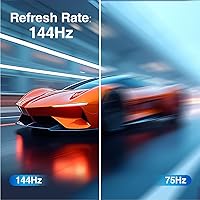
  • The 144Hz refresh rate delivers noticeably smoother motion compared to standard 60Hz panels at this price point.
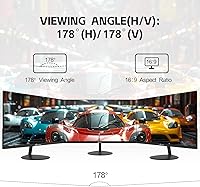
  • An IPS panel means wide viewing angles and decent color — not just fast response times.
  • Adaptive Sync works with both AMD and NVIDIA GPUs, so you are not locked into one ecosystem.
  • The 3-sided frameless design looks genuinely clean, especially in dual-monitor arrangements.
  • VESA 75x75mm support lets you ditch the stock stand and wall-mount for a tidier setup.
  • Both HDMI 2.0 and DisplayPort 1.4 inputs are included, giving you flexibility for different devices.
  • At just over 7 pounds, it is lightweight and easy to reposition or move between spaces.
  • The matte anti-glare surface handles ambient light well in typical home or office environments.
  • Anti-blue light filtering is a practical addition for anyone logging long hours in front of a screen.
  • Early buyer ratings are strong for a monitor this new to market, suggesting quality control is reasonably consistent.

Cons

  • The stock stand feels lightweight and lacks the sturdiness that heavier daily use demands.
  • Colors may need manual calibration out of the box to look their best — it is not plug-and-play perfect.
  • No built-in speakers means extra cost and clutter if you do not already own external audio.
  • ArcticPro has little brand history in Western markets, making long-term support reliability hard to predict.
  • The review pool is still small given the March 2025 launch, so long-term durability data is limited.
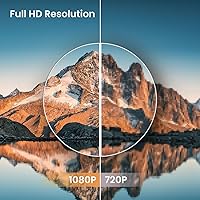
  • At 1080p, the pixel density on a 24-inch screen is adequate but not sharp enough for those accustomed to higher-resolution displays.
  • No height or pivot adjustment on the stock stand limits ergonomic flexibility for taller or seated users.
  • Warranty and return support from the manufacturer is an open question without a proven customer service track record.

Ratings

The ArcticPro AD24EF2 24-inch Gaming Monitor scores below are generated by AI after analyzing verified user reviews from around the world, with spam, bot-submitted, and incentivized feedback actively filtered out. This monitor punches above its weight in several areas, but real buyers have flagged genuine trade-offs that are just as important to understand. The ratings transparently reflect both the strengths that earned this display a strong early reception and the limitations that prospective buyers should factor into their decision.
Value for Money
88%
For buyers comparing monitors in the budget tier, the AD24EF2 delivers an IPS panel, 144Hz refresh rate, and Adaptive Sync at a price point where most competitors offer only one or two of those features. Users consistently describe it as a smart spend that outperforms its price tag on paper specs alone.
The value equation softens slightly when you factor in the cost of accessories not included — particularly a DisplayPort cable for full 144Hz performance and external speakers to compensate for the absent built-in audio. For some buyers, those additions chip away at the headline price advantage.
Image Quality
82%
18%
The IPS panel and 110% sRGB coverage translate to noticeably richer, more accurate colors than TN-based alternatives in the same range. Users watching movies, editing photos casually, or just browsing find the image punchy and detailed for an entry-level display.
Out-of-the-box color calibration is inconsistent for some units — a few buyers report colors running slightly cool or oversaturated until manually adjusted through the OSD. It is a fixable issue, but it should not require tinkering on a monitor fresh out of the box.
Gaming Performance
79%
21%
At 144Hz with Adaptive Sync, the AD24EF2 handles fast-paced gaming noticeably better than 60Hz alternatives — action games and shooters feel more fluid, and screen tearing is largely eliminated during typical gameplay sessions. Buyers confirm the refresh rate performs as advertised in real-world use.
This is firmly a budget gaming monitor, and at 1080p it lacks the resolution headroom that higher-end panels offer. Competitive or esports-level players who require consistent frame-rate precision and sub-millisecond panel accuracy may notice the ceiling of what this display can deliver under demanding conditions.
Build Quality
63%
37%
The screen chassis itself feels adequately constructed for the price — thin bezels are clean, and the slim profile holds up well on a stable desk surface. Users assembling it for the first time generally report no issues with the panel or the physical display unit.
The stock stand is the most criticized physical element by a clear margin. Multiple reviewers describe it as lightweight and lacking the firmness expected even at this price point. It wobbles under minor desk vibration and offers no height or pivot adjustment, which limits ergonomic flexibility.
Connectivity
84%
Having both HDMI 2.0 and DisplayPort 1.4 inputs on a monitor at this price tier is a genuine practical advantage. It allows simultaneous connection of a PC and a console without requiring a switch, and the audio output port adds further versatility to the setup.
There is only one of each input, so users with more than two source devices will need an external switch. The included cable is HDMI 1.4, which does not support the full 144Hz bandwidth — a detail easy to miss and one that frustrates buyers expecting plug-and-play performance straight from the box.
Color Accuracy
74%
26%
The 110% sRGB gamut coverage is broader than most monitors in this category, which gives creative users — photo hobbyists, light designers, students in visual disciplines — a more color-rich canvas than they would get from a cheaper TN panel at a similar price.
Without factory calibration, the panel's color accuracy varies enough between units that some buyers get a display that needs meaningful manual adjustment. It is not a color-critical professional monitor, and anyone needing verified DeltaE accuracy for serious design work should look at purpose-built options.
Eye Comfort
81%
19%
The combination of a matte anti-glare coating and a hardware anti-blue light filter makes long work sessions meaningfully more comfortable than glossy or blue-light-heavy alternatives. Office users and students logging six-to-eight-hour stretches report less visible eye strain over time.
The anti-blue light filter does shift color temperature slightly toward warmer tones, which can affect how accurate colors appear during the day. Users doing color-sensitive work may need to toggle between modes depending on the task, which adds a small but real layer of friction.
Setup & Installation
87%
Assembly is straightforward — the stand attaches without tools, the OSD controls are intuitive, and the display is recognized immediately by most systems. Buyers with no prior monitor setup experience report having the unit running within minutes of unboxing it.
Getting to the full 144Hz requires a manual step in the operating system display settings, since most systems default to 60Hz on first connection. The included documentation does not make this clear, which leaves some users unknowingly running the monitor below its rated performance.
Design & Aesthetics
83%
The 3-sided frameless design is clean and modern-looking at a price where bulky bezels are still common. Users building multi-monitor setups specifically mention that the thin border makes the transition between screens far less distracting than thicker-framed alternatives.
The back panel finish and base material read as budget-grade up close — there is a slight plasticky quality to the construction that becomes apparent next to mid-range branded monitors. It looks fine from the front but is less impressive when you see it from behind on a desk.
Stand Ergonomics
44%
56%
The stand does hold the monitor stable under normal stationary desk use, and for users who plan to immediately switch to a VESA arm or wall mount, its limitations become irrelevant. VESA 75x75mm compatibility makes that upgrade path accessible and affordable.
There is no height adjustment, tilt range is minimal, and the base takes up more desk footprint than the slim panel would suggest. Users who spend long hours at a desk and need to fine-tune monitor position for neck or back comfort will find the stock stand genuinely inadequate.
Audio Experience
31%
69%
The audio output port does allow you to plug in a headset or external speakers directly through the monitor, which is a minor convenience for cable management. At minimum, the option to route audio through the display is present even if amplification is not.
There are no built-in speakers whatsoever — a fact easy to miss in the product listing and a genuine surprise for buyers who discover it after unboxing. Anyone expecting to get audio from this monitor without a separate device will need to immediately purchase an external solution.
Brightness & Contrast
71%
29%
Under typical indoor lighting conditions, the display reaches adequate brightness for comfortable daily use — spreadsheets, web browsing, and video content all look reasonably vivid. The matte coating reduces reflections enough that performance near windows is acceptable.
In brighter rooms or near direct sunlight, the panel can feel underpowered compared to higher-nit alternatives. The contrast ratio, while acceptable for an IPS at this price, does not produce deep blacks — something noticeable when watching dark movie scenes or playing atmospheric games in a dim room.
Refresh Rate Consistency
77%
23%
The 144Hz refresh rate is consistently confirmed by users who have tested it with hardware monitoring tools, and the Adaptive Sync implementation reduces tearing reliably across a range of frame rates. For casual and mid-level gaming, the smoothness improvement over 60Hz is immediate and tangible.
Budget IPS panels at this refresh rate can exhibit mild overshoot artifacts at the fastest response time settings — some users sensitive to this may prefer to dial back to a mid-level response setting in the OSD for cleaner visuals, which marginally softens the rated 1ms figure in practice.

Suitable for:

The ArcticPro AD24EF2 24-inch Gaming Monitor is a genuinely practical choice for buyers who want capable specs without paying flagship prices. Students running a mix of spreadsheets, video calls, and evening gaming sessions will find the IPS panel handles both tasks without feeling like a compromise in either direction. Casual gamers — the kind who play a few hours on weekends rather than grinding ranked matches — will appreciate the 144Hz smoothness without needing to spend significantly more to get it. It also makes strong sense as a secondary or tertiary display in a multi-monitor desk setup, where the thin bezels and consistent color output matter more than raw performance headroom. First-time PC builders on a tight budget, remote workers who occasionally game, and anyone upgrading from an older 60Hz panel will all likely find this a meaningful step up.
Not suitable for:

Buyers with higher expectations around brand accountability and long-term support should think carefully before committing to the ArcticPro AD24EF2 24-inch Gaming Monitor, since ArcticPro has minimal track record in Western markets. Serious or competitive gamers who rely on every technical advantage — precise color accuracy for content creation, or tournament-grade panel consistency — will find this monitor falls short of what established brands offer at similar or slightly higher price points. The stand is reportedly on the flimsy side, which matters if you frequently reposition your display or prefer a solid, sturdy physical setup. There are no built-in speakers, so buyers expecting an all-in-one audio-visual solution will need to budget separately for external speakers or a headset. Anyone prioritizing long-term warranty coverage or responsive manufacturer support should factor in that post-purchase service from lesser-known brands can be unpredictable.

Specifications

  • Screen Size: The display measures 24 inches diagonally, offering a comfortable viewing area suited to both desk work and gaming at typical sitting distances.
  • Resolution: Native resolution is 1920x1080 pixels (Full HD), delivering clear and sharp imagery for everyday computing and casual gaming.
  • Panel Type: An IPS panel is used, providing wider viewing angles and more consistent color reproduction compared to TN-based alternatives at this price tier.
  • Refresh Rate: The display runs at a maximum refresh rate of 144Hz, producing noticeably smoother motion than standard 60Hz monitors during fast-moving content.
  • Response Time: Rated at 1ms response time, which helps reduce motion blur and ghosting during quick on-screen movements.
  • Color Gamut: The panel covers 110% sRGB and 72% NTSC, offering a wider color range than many budget monitors in its class.
  • Sync Technology: Adaptive Sync is supported, reducing screen tearing and stuttering across both AMD and NVIDIA graphics card setups without additional cost.
  • Inputs: Connectivity includes one HDMI 2.0 port and one DisplayPort 1.4 port, allowing connection to a range of PCs, laptops, and gaming consoles.
  • Audio Output: A dedicated audio output port is present, enabling connection of external headphones or speakers directly through the monitor.
  • Built-in Speakers: No built-in speakers are included; users requiring audio output will need external speakers or a headset.
  • Surface Finish: The screen uses a matte anti-glare coating, which reduces reflections under bright ambient lighting conditions.
  • VESA Compatibility: The monitor supports VESA wall mounting using a standard 75x75mm pattern, compatible with most third-party monitor arms and wall mounts.
  • Dimensions: Physical dimensions are 21.23 x 1.63 x 12.61 inches, making it a slim and space-efficient option for compact desk setups.
  • Weight: The unit weighs 7.68 pounds, light enough to reposition easily or mount without requiring heavy-duty wall anchoring.
  • Power Use: Standard operating power consumption is rated at 30W, with standby consumption dropping to 0.5W for energy efficiency.
  • Anti-Blue Light: A hardware-level anti-blue light filter is built into the display to help reduce eye strain during extended use sessions.
  • Design: The monitor features a 3-sided frameless, ultra-slim bezel design that suits multi-monitor configurations and keeps the desk aesthetic clean.
  • Aspect Ratio: The screen uses a standard 16:9 widescreen aspect ratio, compatible with virtually all modern video, gaming, and productivity content.

Related Reviews

Raywego Q24B16 24-inch Curved Gaming Monitor
73%
88%
Refresh Rate Performance
84%
Contrast & Black Levels
91%
Value for Money
76%
Image Sharpness
47%
HDR Quality
More
STGAubron 24-Inch Gaming Monitor LCD2401
83%
92%
Value for Money
89%
Display Quality
85%
Ergonomics/Comfort
91%
Color Accuracy
88%
Connectivity Options
More
Sceptre E248W-FW100T 24-inch Gaming Monitor
76%
91%
Value for Money
74%
Image Quality
78%
Gaming Performance
82%
Refresh Rate & Sync
67%
Response Time & Motion
More
ViewSonic XG2431 24-Inch Gaming Monitor
86%
92%
Gaming Performance
88%
Display Quality
93%
Response Time
85%
Ergonomics and Comfort
89%
Visual Clarity
More
DJiEX Z24B12 24-inch Gaming Monitor
84%
92%
Value for Money
87%
Display Quality
85%
Ergonomics and Comfort
89%
Color Accuracy
80%
Connectivity Options
More
Sealan 24-Inch Curved Gaming Monitor
86%
92%
Gaming Performance
88%
Visual Quality
91%
Refresh Rate Smoothness
85%
Design & Build
87%
Eye Care Features
More
INFIEVO 24-inch 165Hz FHD Gaming Monitor
72%
88%
Value for Money
84%
Gaming Performance
82%
Response Time
71%
Color Accuracy
41%
HDR Quality
More
CRUA CR245ZB 24.5″ Gaming Monitor
78%
83%
Gaming Performance
86%
Refresh Rate & Smoothness
74%
Color Accuracy & Vibrancy
91%
Ergonomics & Adjustability
68%
Build Quality & Materials
More
AOC G2490VXS 24″ Gaming Monitor
80%
88%
Gaming Performance
83%
Color Quality
86%
Contrast & Black Levels
91%
Refresh Rate & Smoothness
74%
Build Quality
More
AOC 24G4 24-inch Gaming Monitor

76%
93%
Refresh Rate Performance
78%
IPS Color Quality
84%
Motion Clarity
91%
Value for Money
87%
Adaptive-Sync Implementation
More

FAQ

Buyers who have specifically tested the refresh rate report that it does run at 144Hz in practice. You will need to make sure your GPU output and cable support the full rate — use DisplayPort 1.4 or HDMI 2.0 and confirm the setting in your display adapter properties, since some systems default to 60Hz on first connection.

Yes, Adaptive Sync on this monitor is compatible with NVIDIA graphics cards through FreeSync support on NVIDIA drivers, as well as AMD GPUs. Just enable G-Sync Compatible mode in the NVIDIA control panel if you are on an NVIDIA setup.

It is worth spending a few minutes adjusting the color and brightness settings after unboxing. A handful of buyers note that the default calibration is a little cool or off — nothing dramatic, but a quick trip into the OSD menu to nudge contrast and color temperature will get it looking its best.

It ships with an HDMI 1.4 cable and an adapter, so you are covered for a basic connection out of the box. If you want to run at the full 144Hz, you will get better results with a DisplayPort 1.4 cable, which you may need to purchase separately.

Honestly, it is functional but not the most solid stand you will encounter. It holds the monitor fine for normal use, but it does not feel as robust as stands on pricier monitors. If stability or ergonomic adjustability matters a lot to you, picking up a third-party monitor arm is a worthwhile upgrade — it supports VESA 75x75mm mounting.

At 110% sRGB coverage, this 24-inch IPS panel covers more of the color range than many budget monitors, which makes it a reasonable option for light photo editing or graphic work. That said, it is not a professional-grade color-accurate display, so if critical color precision is your primary need, a factory-calibrated panel from a specialist brand would be a safer choice.

It works with consoles via HDMI, and the 1080p resolution is fully compatible. Keep in mind that consoles typically cap HDMI output in ways that may not take full advantage of 144Hz depending on the title and console settings, but for 1080p console gaming it is a solid display.

The anti-blue light filter and matte screen surface both help in this regard. Extended use fatigue is always partly personal, but the combination of IPS color rendering and the blue light reduction means this is a more eye-friendly choice than many cheaper TN panels. Taking regular screen breaks is still the most effective habit regardless of monitor type.

The back of the monitor includes a standard 75x75mm VESA pattern, so any compatible wall mount or monitor arm with that spacing will work. Just make sure to check the arm or mount's weight rating — the monitor comes in under 8 pounds, so most standard arms will handle it without issue.

That is a fair question to ask. ArcticPro is made by Hangzhou Yulian Technology, a manufacturer without a long public track record in Western markets. Early user feedback has been positive, but if long-term brand support or an established warranty process is important to you, that is a real consideration. Buying through Amazon does give you some buyer protection, which helps offset the uncertainty around direct manufacturer support.