Overview

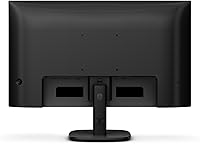
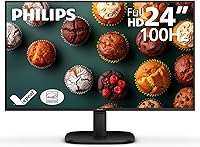
The Philips 24B2N2100 24-inch Full HD Monitor landed in late 2024 as a no-frills workhorse built for home office users and everyday computing needs. It doesn't try to overreach — no high refresh rates, no HDR aspirations, just a clean panel that does its job quietly. The textured black chassis is unassuming and slots into most desk setups without friction. What does turn heads is the buyer response: over 4,300 ratings and a 4.5-star average represent a level of market confidence that's hard to ignore. That said, context matters. This Philips monitor earns its reputation in the budget productivity category, not in creative studios or gaming rigs.
Features & Benefits

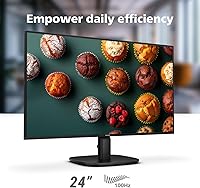
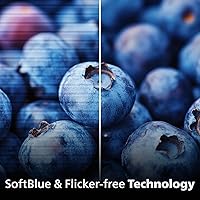
At 23.8 inches with a full HD resolution, this entry-level display renders text crisply and handles web browsing, spreadsheets, and video calls without any visible softness. The WLED backlight keeps brightness fairly consistent across the panel — not perfectly uniform by strict standards, but solid for everyday office work. Adaptive Sync smooths out occasional frame stuttering during video playback and won't hurt in casual gaming, though don't expect it to replace a purpose-built gaming monitor. The flicker-free technology is arguably the most underrated feature here — for anyone spending six or eight hours staring at a screen, reduced eye strain genuinely adds up. The glossy surface, however, deserves honest mention: colors pop indoors, but near a window it reflects like a mirror.

Best For

This Philips monitor is well-suited for remote workers, students, and anyone stepping up from a cramped laptop screen who wants more visual breathing room without overcomplicating their setup. If your daily workload involves documents, emails, browser tabs, or streaming, the 24B2N2100 handles all of that comfortably. It also works well as a secondary display in a dual-monitor arrangement, given its compact footprint and low weight. Where it falls short: designers and photographers who need accurate color reproduction will find it limiting. Competitive gamers will quickly outgrow its refresh rate. Anyone hunting for USB-C connectivity or a fully adjustable stand should look elsewhere. It knows what it is, and it serves that audience well.

User Feedback

With over 4,300 ratings averaging 4.5 stars, this Philips monitor has clearly landed well with its target buyers. Recurring praise focuses on easy setup, a comfortable and clear image for daily work, and a price-to-performance ratio that's hard to argue with at this size. Less enthusiastic feedback tends to target the stand — tilt is available, but there's no height or pivot adjustment, which is a genuine ergonomic limitation. The glossy panel splits opinion predictably: loved in dim rooms, frustrating in bright ones. A recurring thread in reviews mentions this as a first external monitor purchase, suggesting it attracts first-time upgraders as much as budget-conscious veterans. Notably, widespread complaints about backlight bleed appear absent, which is reassuring at this entry-level price point.

Pros

  • Flicker-free technology meaningfully reduces eye strain during long work sessions — a genuine daily quality-of-life benefit.
  • Full HD resolution on a 23.8-inch screen hits a pixel density sweet spot for sharp, readable text.
  • Adaptive Sync keeps video playback smooth without requiring any special hardware on your end.
  • The WLED backlight delivers consistent brightness across the panel with no distracting hotspots.
  • Setup is quick and hassle-free — most users report being up and running within minutes of unboxing.
  • Compact and lightweight enough to fit comfortably on small desks or alongside a second monitor.
  • Over 4,300 buyer ratings with a 4.5-star average signals genuinely widespread satisfaction, not a fluke.
  • The textured black finish looks tidy and professional without attracting dust or fingerprints the way glossy bezels do.
  • Excellent value for a home office primary display or a secondary screen in a multi-monitor arrangement.

Cons

  • The stand offers tilt only — no height adjustment, swivel, or portrait pivot, which limits ergonomic flexibility.
  • The glossy screen surface creates noticeable reflections in rooms with windows or overhead lighting directly ahead.
  • Port selection is basic, with no USB-C input for users wanting single-cable laptop connectivity.
  • Color accuracy is average at best, making it unsuitable for any work where on-screen color needs to be trusted.
  • The refresh rate is a ceiling for anyone who later wants to expand into faster-paced gaming.
  • No built-in speakers means you'll need external audio for anything beyond silent work tasks.
  • Brightness ceiling may feel limiting in very bright environments, especially combined with the reflective panel surface.
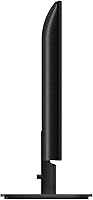
  • The base design takes up a fair amount of desk depth, which can feel intrusive on smaller workspaces.

Ratings

The scores below for the Philips 24B2N2100 24-inch Full HD Monitor were generated by our AI engine after analyzing thousands of verified global buyer reviews, with spam, bot-submitted, and incentivized feedback actively filtered out before scoring. Each category reflects the honest balance of what real users praised and where they ran into friction — nothing is glossed over in favor of a cleaner scorecard.
Value for Money
93%
At its price point, this Philips monitor consistently surprises buyers who expected to compromise more. Reviewers repeatedly describe it as punching above its weight for everyday home office use, and many note they would buy it again without hesitation if they needed a second unit.
A handful of buyers who compared it directly against slightly pricier competitors felt the gap in build and feature quality was noticeable enough to warrant spending a bit more. Value perception drops quickly for users who later discover they need height adjustment or better connectivity.
Image Clarity
86%
For document work, web browsing, and streaming, the full HD panel looks clean and sharp — text in particular renders crisply at normal viewing distances, which daily office users appreciate during long reading sessions. Color presentation is vibrant enough for casual media without any obvious dullness.
Users with experience on higher-resolution panels occasionally note the image feels soft when pixel-peeping or displaying fine graphic detail. It is not a weakness that affects everyday productivity, but those coming from a high-DPI display may take time to adjust.
Eye Comfort
88%
The flicker-free technology is one of the most consistently praised aspects across long-term user reviews, with many remote workers specifically mentioning reduced headaches and less eye fatigue after full workdays. For anyone who spends six or more hours in front of a screen, this is a practical and noticeable benefit.
The glossy panel surface can work against eye comfort in bright environments, where reflections force users to strain or reposition themselves. A few users in naturally lit home offices noted that glare undone some of the comfort gains from the flicker-free backlight.
Glare & Reflections
57%
43%
In a controlled, dimly lit room or office without direct light sources facing the screen, the glossy surface actually enhances the viewing experience by making colors appear richer and blacks look deeper. Users in basement offices or evening setups rarely flag this as a concern.
In any workspace with a window behind the user or overhead fluorescent lighting, reflections on the glossy panel are a persistent and frustrating issue. This is one of the most polarizing aspects of the 24B2N2100, and it is the single most common reason buyers leave a mixed rather than positive review.
Stand & Ergonomics
51%
49%
The stand is stable and keeps the monitor firmly in place once positioned, with no wobble during normal desk use. For users who park the monitor in a fixed spot and never adjust it, the tilt function is adequate for finding a comfortable baseline viewing angle.
The complete absence of height, swivel, and pivot adjustment is a genuine ergonomic limitation that frustrates a meaningful portion of buyers, particularly those setting up shared workstations or pairing the monitor with a standing desk. Many users end up purchasing a separate VESA arm to compensate, which adds cost and effort.
Setup Experience
94%
Out-of-box setup is almost universally praised — the stand clicks together without tools, cable connection is intuitive, and the display auto-configures itself on first boot. First-time monitor buyers in particular appreciate how little friction is involved in getting from box to working display.
A small number of users reported needing to manually adjust brightness and contrast settings out of the box, as the factory defaults leaned slightly cool or dim for their environment. Nothing technically difficult, but worth a few minutes of calibration time.
Build Quality
74%
26%
The textured black chassis feels sturdy enough for daily desktop use, and the plastic finish resists minor scuffs and fingerprints reasonably well. For an entry-level display, the overall construction does not feel flimsy or cheap in hand.
At this price tier, the plastics are noticeably lightweight, and the bezels flex slightly under direct pressure. Users who have owned mid-range or premium monitors will immediately notice the material step-down, even if it does not affect day-to-day reliability.
Port Selection
61%
39%
The available inputs cover the basics that most home office and student setups require, allowing straightforward connection to desktop PCs and most laptops with standard outputs. For users who only need one display connection, the port situation is entirely adequate.
The absence of USB-C is a recurring frustration for buyers using modern thin-and-light laptops, many of which rely on USB-C as their primary video output. Users who need multiple simultaneous inputs or a hub-style setup will find the connectivity options limiting.
Brightness & Backlight
79%
21%
The WLED backlight delivers consistent illumination without obvious hotspots or uneven patches during normal use, which is a real plus for a display at this price point. Users who work in moderately lit rooms report the brightness level feels comfortable throughout the day.
In very bright rooms or sun-drenched environments, some users find the maximum brightness insufficient to compete with ambient light, especially combined with the reflective glossy surface. The backlight is well-suited to indoor dim conditions but not to challenging lighting scenarios.
Color Accuracy
62%
38%
For general purpose use — web content, video streaming, casual photo viewing — colors look pleasant and reasonably balanced. Casual users with no color-critical workflow rarely mention color as a concern, and the panel produces an enjoyable picture for everyday content.
Users with a background in photo editing or graphic design consistently flag the color accuracy as insufficient for professional work. Gamut coverage and factory calibration do not meet the bar that creative professionals need, and this monitor is not a practical option for anyone whose output depends on color fidelity.
Motion Handling
68%
32%
Adaptive Sync does a solid job of smoothing out frame tearing during video playback and light gaming, and casual gamers running non-competitive titles generally find the experience acceptable. For the average user watching streamed content, motion is clean and undistracting.
The panel's refresh rate puts a hard ceiling on gaming performance that Adaptive Sync cannot overcome. Users who shifted from a higher refresh rate monitor to this entry-level display for gaming purposes frequently note that the difference in motion fluidity is immediately apparent.
Viewing Angles
71%
29%
Head-on and slightly off-center viewing is comfortable for solo use, and brightness stays fairly consistent across a reasonable horizontal range. For a single-user desk setup, the viewing angles are adequate for normal working postures.
Moving further off-axis reveals noticeable color shift and brightness loss, which becomes relevant when sharing the screen with someone seated beside you or when the monitor is not positioned directly in front of the viewer. It is a characteristic limitation of the panel type at this price level.
Desk Footprint
83%
At just over five pounds and with a relatively slim profile, this entry-level display is easy to fit into tight desk setups or position as a secondary screen without surrendering too much surface area. Students and home office workers with limited desk space appreciate how unobtrusive it is.
The stand base does extend a few inches forward, which can feel intrusive on very small desks. Users who hoped to push the monitor flat against a wall may find the base depth prevents that, though the VESA mount option resolves this for those willing to use an arm.
Long-Term Reliability
81%
19%
Given its relatively recent launch, long-term user reports are still accumulating, but early indications from buyers several months into daily use suggest consistent performance without dead pixels, backlight failures, or display degradation. Philips has a generally solid reputation for monitor longevity at this tier.
The sample size for multi-year reliability data is still limited given the late 2024 launch date. A small number of early buyers flagged minor backlight uniformity concerns that developed over time, though these reports represent a minority of the overall review pool.

Suitable for:

The Philips 24B2N2100 24-inch Full HD Monitor is a strong fit for anyone who needs a dependable, easy-to-use display without paying a premium for features they'll never use. Remote workers and students will find it particularly well-matched to the demands of daily computing — documents stay sharp, video calls look clean, and long sessions are easier on the eyes thanks to the flicker-free panel. It's also a natural choice for someone making the jump from a laptop screen to a proper external monitor for the first time, since the setup is straightforward and the learning curve is essentially nonexistent. Those building a dual-monitor workstation on a budget will appreciate its compact footprint and light weight, which makes positioning it alongside another display simple. For casual media consumption — streaming shows, browsing, or catching up on YouTube — this entry-level display performs well above what its price suggests.
Not suitable for:

The Philips 24B2N2100 24-inch Full HD Monitor is not the right tool for buyers who need precise, calibrated color output. Graphic designers, photo editors, and video colorists will quickly find its color accuracy insufficient for professional work where what you see on screen needs to match a printed or published result. Competitive gamers chasing high frame rates will also hit a wall, as the panel's refresh rate is not built for fast-paced titles where every millisecond counts — Adaptive Sync is a nice-to-have here, not a performance feature. The stand is another practical limitation: without height or pivot adjustment, users with specific ergonomic setups or who prefer a portrait orientation will need to factor in the cost of a third-party monitor arm. Anyone expecting modern connectivity options like USB-C passthrough or a robust port array may also be disappointed by what the 24B2N2100 offers in that department.

Specifications

  • Screen Size: The viewable display area measures 23.8 inches diagonally, providing ample workspace for multitasking without dominating a standard desk.
  • Resolution: Native resolution is 1920x1080 Full HD, delivering sharp, clear visuals suited to everyday productivity and media consumption.
  • Aspect Ratio: The panel uses a 16:9 widescreen format, which is the standard layout for modern content, applications, and video.
  • Backlight: WLED backlighting provides consistent illumination across the panel with controlled brightness and contrast.
  • Screen Surface: The glossy panel surface enhances color vibrancy and contrast but may produce reflections in brightly lit environments.
  • Sync Technology: Adaptive Sync support reduces frame tearing during video playback and casual gaming by synchronizing the display with the source frame rate.
  • Flicker-Free: The panel incorporates flicker-free technology to reduce eye fatigue during extended viewing sessions.
  • Dimensions: The monitor measures 7.12 x 21.33 x 16.25 inches with the stand attached, fitting comfortably on most standard desks.
  • Weight: Total weight with stand is 5.45 pounds, making it easy to reposition or transport between workspaces.
  • Color Finish: The chassis is finished in a textured black coating that resists fingerprints and integrates unobtrusively into most desk setups.
  • Model Number: The official model designation is 24B2N2100, part of the Philips 2000 series of entry-level displays.
  • Stand Adjustment: The included stand supports tilt adjustment only, with no height, swivel, or pivot functionality provided out of the box.
  • VESA Compatibility: The monitor supports VESA mounting, allowing users to attach a third-party monitor arm for improved ergonomic positioning.
  • Availability: This model became available in December 2024 and quickly reached the top-selling position in the Computer Monitors category on Amazon.
  • Buyer Rating: The 24B2N2100 holds a 4.5 out of 5 star rating based on over 4,300 verified customer ratings at time of writing.
  • Brand: Manufactured by Philips Electronics, a longstanding global brand with an established presence in the consumer display market.
  • Panel Type: The display uses an LED panel with WLED backlighting, prioritizing power efficiency and reliable long-term performance over wide color gamut coverage.
  • Input Compatibility: Designed to work with standard PC and laptop video outputs; does not include USB-C connectivity for single-cable setups.

Related Reviews
Philips 241V8LB 24-inch Full HD Monitor
78%
93%
Value for Money
86%
Image Clarity & Sharpness
88%
Contrast & Panel Performance
79%
Refresh Rate & Motion Smoothness
84%
Eye Comfort & Fatigue Reduction
More
Dell S2421HS 24-Inch FHD IPS Monitor
82%
88%
Color Accuracy
91%
Viewing Angles
86%
Ergonomics & Stand
78%
Refresh Rate & Smoothness
83%
Value for Money
More
Dell D2421H 24-inch Full HD IPS Monitor
72%
82%
Image Quality
88%
Viewing Angles
41%
Refresh Rate & Gaming
38%
Ergonomics & Stand
74%
Build Quality
More
Philips 221V8LB3 22-Inch Full HD Monitor
82%
88%
Performance
92%
Display Quality
87%
Value for Money
81%
Ease of Setup
85%
Gaming Performance
More
Dell SE2425HM 24-inch IPS Monitor
78%
88%
Image Clarity
91%
Eye Comfort
79%
Refresh Rate Performance
74%
Color Accuracy
52%
Connectivity
More
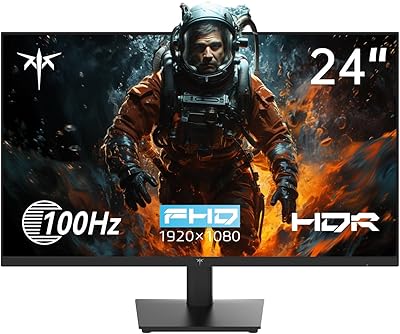
KTC H24V13 24-Inch FHD Gaming Monitor
74%
83%
Image Clarity
89%
Contrast & Black Levels
76%
Color Accuracy
74%
Gaming Performance
51%
HDR Experience
More
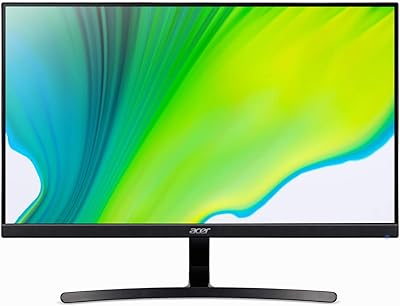
Acer K243Y 24-inch Full HD IPS Monitor
84%
91%
Value for Money
88%
Display Quality
80%
Performance for Gaming
86%
Color Accuracy
84%
Build Quality
More
ViewSonic VA2409M 24-inch IPS Monitor
80%
88%
Image Quality
93%
Value for Money
91%
Eye Comfort
79%
Refresh Rate & Smoothness
48%
Stand & Ergonomics
More
ViewSonic VA2447-MHU 24 Inch Full HD Monitor
85%
88%
Display Quality
91%
Eye Care Features
82%
Build Quality
90%
Connectivity Options
87%
Value for Money
More
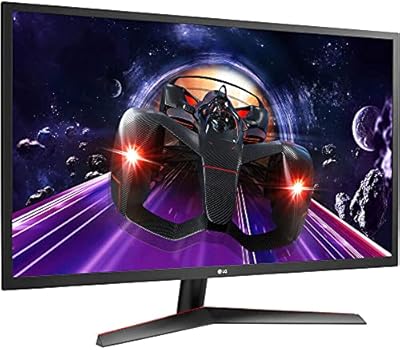
LG 24MP60G-B 24-inch Full HD IPS Monitor
84%
88%
Display Quality
85%
Gaming Performance
91%
Design & Aesthetics
90%
Color Accuracy
82%
Ease of Setup
More

FAQ

Yes, setup is straightforward. The stand attaches without tools in most cases, and once you connect a video cable to your computer, the display configures itself automatically. Most users report being fully up and running within ten minutes of opening the box.

It can, depending on your room setup. If you have a window or overhead light directly in front of or behind you, you will notice reflections on the glossy surface. Positioning the monitor at an angle away from direct light sources helps significantly. If your workspace is consistently bright, a matte-surface monitor might be a better fit.

Yes, as long as your laptop has a compatible video output — typically HDMI or DisplayPort. Keep in mind that this Philips monitor does not have a USB-C input, so if your laptop only has USB-C ports, you will need an adapter or a dock to connect it.

It handles casual gaming reasonably well, and the Adaptive Sync feature does help reduce screen tearing. That said, this is not a monitor built with gaming as a priority — the refresh rate is standard, not high-performance. If you play fast-paced competitive titles, you will likely want a display with a higher refresh rate.

Unfortunately, no. The included stand only tilts forward and back. There is no height adjustment, swivel, or portrait rotation. If you need more ergonomic flexibility, the monitor is VESA-compatible, so you can swap in a third-party monitor arm without too much hassle.

Very well for those purposes. Text is crisp, colors are pleasant without being oversaturated, and the full HD resolution is more than sufficient for video conferencing, document editing, and browser-based work. It is genuinely comfortable to use for long stretches during the day.

No, the 24B2N2100 does not include built-in speakers. If you need audio, you will need to connect external speakers or a headset through your computer or a separate audio device.

For most people working long hours, yes. Flicker-free backlighting reduces the invisible rapid cycling that can cause headaches or eye fatigue over time. It is not something you consciously see, but many users notice they feel less drained after a full workday compared to older monitors without this feature.

Absolutely — it is a popular choice for exactly that use case. Its relatively compact footprint and light weight make it easy to fit on a desk next to another monitor, and it pairs well with almost any computer that has a spare video output available.

For general media consumption — streaming services, casual photo browsing, YouTube — the display looks vibrant and enjoyable. The glossy surface actually helps colors appear richer in normal indoor lighting. Where it falls short is precise color accuracy, so professional photo editing or color grading work is outside what this entry-level display is built for.