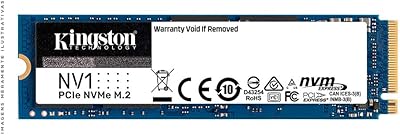
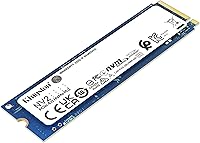
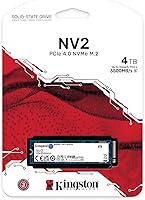
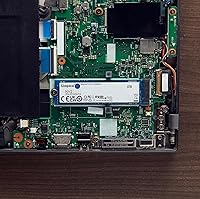
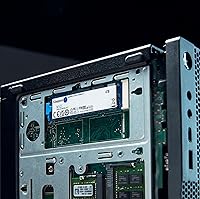
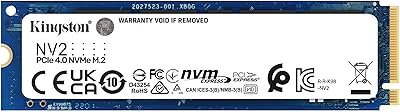
Overview

The Kingston NV2 4TB M.2 NVMe SSD sits in a crowded but important segment: high-capacity, value-oriented NVMe storage that doesn't ask you to pay flagship prices. Kingston built the NV-series specifically for mainstream buyers, and the 4TB variant is where this drive really distinguishes itself — most competitors top out at 2TB at this price tier, making 4TB in a single M.2 stick a genuine differentiator. Running on a PCIe Gen 4 interface, it delivers noticeably snappier responses than older SATA drives or Gen 3 NVMe options, though it's worth being upfront: this is not a prosumer performance drive. Laptop upgraders, small form factor PC builders, and home content creators are the core audience here.

Features & Benefits

At the core of what makes the NV2 4TB appealing is its read speed ceiling of 3,500 MB/s, which translates to noticeably faster game load screens, quicker transfers of large video files, and a much more responsive system compared to any SATA drive you might be replacing. The M.2 2280 form factor and single-sided PCB keep it compatible with slim laptops that have tight board clearance. If your motherboard is PCIe Gen 3, the drive will still work — just at reduced speeds, so don't expect full Gen 4 throughput unless your system supports it. One honest caveat: there is no DRAM cache onboard. The drive uses Host Memory Buffer instead, which works fine for typical daily use but can slow down under heavy, sustained write loads.

Best For

This Kingston NVMe drive makes the most sense for anyone looking to do a meaningful laptop storage upgrade — especially if you are coming from a smaller 500GB or 1TB drive and constantly managing what to keep versus delete. It is also a natural fit for single-slot SFF builds where you simply cannot add a second drive. If you run a large Steam library, store a lot of RAW photos, or keep video project files locally, the 4TB headroom will make a real, practical difference. That said, if your primary goal is raw sequential performance for professional workloads or heavy video encoding, a DRAM-cached drive would serve you better. For everyone else, the capacity-to-price ratio is hard to argue with.

User Feedback

Across more than 32,000 ratings, the NV2 4TB holds a 4.7-star average — a score that reflects broad buyer satisfaction rather than enthusiast-level testing. Most people praise the painless installation and how much of a difference the upgrade made coming from an old HDD or SATA SSD. Compatibility complaints are rare; the drive works across a wide range of modern laptops and desktops without drama. Where you do see criticism is in sustained write scenarios — users moving hundreds of gigabytes at once report occasional dips in speed as the HMB-based caching gets overwhelmed. Long-term reliability reports look encouraging so far, with no widespread failure patterns emerging. It is a mainstream drive with a mainstream crowd, and that crowd is clearly satisfied.

Pros

  • 4TB of internal storage on a single M.2 stick eliminates the need for external drives in almost any consumer workflow.
  • PCIe Gen 4 interface delivers noticeably faster load times and file transfers compared to SATA or older Gen 3 NVMe drives.
  • Single-sided PCB design fits slim and thin-and-light laptops that reject double-sided modules.
  • Backward compatible with PCIe Gen 3 slots, so it works in a wide range of older and newer systems.
  • Low power draw helps preserve battery life in laptops during typical daily use.
  • Installation is straightforward — most users report a smooth plug-and-play experience with no compatibility surprises.
  • Kingston is a well-established storage brand with a long track record, which adds confidence for long-term reliability.
  • Over 32,000 buyer ratings with a 4.7-star average reflects genuine, widespread satisfaction across diverse use cases.
  • No reported mass failure patterns from early adopters, suggesting solid build consistency.

Cons

  • No onboard DRAM cache means sustained write speeds can drop significantly during large, continuous transfers.
  • No heatsink is included, which can lead to thermal throttling under heavy or prolonged workloads.
  • Buyers with PCIe Gen 3 systems will not see full Gen 4 speeds, reducing the performance advantage over cheaper alternatives.
  • The NV2 4TB trails DRAM-equipped drives on sequential write benchmarks, which matters for professional workloads.
  • No official TBW endurance rating is prominently published, making long-term wear estimation harder for power users.
  • At 4TB, the drive is overkill for light users, and smaller capacities offer better value per gigabyte for modest needs.
  • HMB caching performance depends partly on system RAM availability, so results may vary across different host configurations.
  • The lack of a heatsink may require buyers to source a third-party thermal solution for desktop use in warm cases.

Ratings

The scores below reflect an AI-driven analysis of verified global buyer reviews for the Kingston NV2 4TB M.2 NVMe SSD, with spam, bot activity, and incentivized feedback actively filtered out before scoring. Ratings are calibrated across thousands of real-world experiences, capturing both the genuine strengths that make this drive a top seller and the specific trade-offs that frustrated a meaningful portion of buyers. Nothing is smoothed over — where the drive underdelivers, the scores and commentary reflect it.

Value for Money
93%
Buyers consistently point to this as one of the best ways to get 4TB of internal NVMe storage without spending flagship money. Users upgrading from cramped 512GB drives report feeling like they finally have breathing room, and the price-per-gigabyte math is difficult to beat in this segment.
A small segment of reviewers noted that if your system is limited to PCIe Gen 3, the speed advantage over cheaper Gen 3 options narrows enough to make the value case less clear-cut. In those scenarios, the premium over budget Gen 3 drives is harder to justify on performance grounds alone.
Read Performance
82%
18%
For everyday tasks — booting Windows, launching applications, loading game levels, or pulling large video files off the drive — users report a snappy, responsive feel that is a clear step up from SATA SSDs. The Gen 4 interface gives it headroom that casual users can genuinely notice.
Enthusiasts who ran independent benchmarks noted that real-world sequential read results occasionally land a few hundred MB/s below the rated ceiling, which is typical for HMB-based drives under varied queue conditions. For prosumer workloads, this gap matters more than it does for everyday users.
Sustained Write Speed
61%
39%
For typical consumer write scenarios — saving documents, downloading games, importing a batch of photos — the drive performs without complaint, and most buyers in light-to-moderate use brackets never encounter any slowdown worth noting.
This is where the absence of dedicated DRAM cache becomes tangible. Users moving large, continuous data sets — multi-hundred-gigabyte backups, raw video file dumps, or bulk library migrations — report speed dropping noticeably once the HMB cache saturates. It is the drive's most consistently cited real-world limitation.
Installation Ease
96%
An overwhelming majority of buyers, including first-time upgraders, described the physical installation as painless. The standard M.2 2280 dimensions mean it slots into nearly every compatible system without modification, and most people had the drive seated and a fresh OS installed within 30 minutes.
A handful of users with older laptop models encountered BIOS recognition issues that required a firmware update before the drive appeared. This is not unique to this drive, but it is a step that inexperienced upgraders may not anticipate and can cause unnecessary anxiety during setup.
Compatibility
89%
The NV2 4TB works across a wide ecosystem of modern laptops, desktops, and SFF systems, and its backward compatibility with Gen 3 slots extends its reach even further. Buyers report successful installations in everything from budget gaming laptops to workstation-class desktops.
A recurring point of confusion involves PS5 users who purchase the drive expecting to use it as a console storage upgrade, only to discover it falls short of Sony's minimum speed requirement. The listing could be clearer on this limitation, and it generates a disproportionate share of negative reviews from that subset of buyers.
Thermal Management
58%
42%
In laptop environments, where the chassis provides passive cooling and workloads are rarely sustained at maximum intensity, thermal behavior is generally acceptable. Users running the drive in well-ventilated laptop setups report no perceptible throttling during normal daily use.
Desktop users running the drive without a heatsink in warm cases report measurable thermal throttling under sustained loads, with some benchmark tests showing speed degradation after extended write sessions. The lack of an included heatsink is a genuine omission for this use case, and sourcing a compatible one is an extra step buyers should budget for.
Build & Reliability
87%
Kingston's manufacturing consistency is reflected in the feedback — early adopters who have been running this drive for over a year report stable operation with no degradation in day-to-day performance. The brand's long track record in storage hardware gives buyers reasonable confidence in long-term durability.
There is no prominently published TBW endurance rating for this drive, which leaves power users without a concrete metric to evaluate long-term wear. Some technically inclined buyers find this transparency gap frustrating when comparing against competitors who publish clear endurance figures.
Laptop Battery Impact
84%
Multiple laptop users noted that replacing a power-hungry HDD or older SSD with the NV2 4TB resulted in a modest but real improvement in battery endurance during light tasks. The drive's low idle power draw makes it genuinely suited to portable use cases.
The power efficiency advantage is harder to measure in practice, and some users on older laptops with degraded batteries found the improvement too marginal to notice in real sessions. It is a legitimate benefit, but not a deciding factor on its own.
Capacity Satisfaction
97%
This is the dimension where buyer satisfaction is most universal. Users coming from 1TB or smaller drives describe the 4TB ceiling as liberating — finally being able to store their full game library, raw photo archive, and video project backups on a single internal drive without managing what to delete.
A small number of buyers found 4TB to be more than they realistically needed and felt smaller capacities offered better value per gigabyte for their actual workload. It is a premium capacity tier, and paying for headroom you will not use is a trade-off some buyers reflect on post-purchase.
Form Factor Fit
91%
The single-sided PCB design is specifically praised by thin-laptop owners who have dealt with double-sided drives being rejected by their slot's clearance tolerance. Users with slim ultrabooks and compact SFF builds report a perfect physical fit without any chassis modification.
A small subset of buyers with very niche or proprietary laptop configurations — particularly older OEM systems with non-standard M.2 mounting positions — encountered fit issues not related to the drive itself but to the host system's unusual slot angle or screw placement.
Software & Ecosystem Support
72%
28%
Kingston offers a migration tool and access to its SSD Manager software for monitoring drive health and firmware updates, which more tech-savvy buyers appreciate having available. The broader Kingston brand ecosystem is well-documented with online resources.
Casual users report that the software experience is not polished enough to be truly beginner-friendly, and a portion of buyers were unaware the tools existed at all. Unlike some competitors who provide a more guided out-of-box software experience, Kingston's tooling feels secondary.
Packaging & Unboxing
76%
24%
The drive arrives in practical, minimal packaging that protects it adequately during shipping. Most buyers appreciate that Kingston does not inflate perceived value with unnecessary box design at the cost of the drive's own price.
There is no included accessory — no heatsink, no mounting screw, and no migration guide — which leaves newer upgraders who expected a more complete kit feeling slightly shortchanged. A single M.2 retaining screw included in the box would go a long way for first-time installers.
Brand Trustworthiness
88%
Kingston's three-decade history in memory and storage manufacturing gives buyers a level of brand confidence that newer or house-brand NVMe drives simply cannot replicate. Many reviewers explicitly cite Kingston's reputation as a primary reason they chose this drive over lesser-known alternatives at similar price points.
Some technically sophisticated buyers note that Kingston does not always disclose the specific NAND flash supplier or controller used across production batches, which can lead to minor inconsistencies between early and later units. It is a concern primarily among enthusiasts who track hardware revisions closely.

Suitable for:

The Kingston NV2 4TB M.2 NVMe SSD was built for a very specific kind of buyer, and if you fall into that group, it delivers real value. Anyone upgrading a laptop that shipped with a 256GB or 512GB drive will immediately feel the difference — not just in speed, but in the freedom of never rationing storage again. It is equally well-suited to small form factor PC builders who have a single M.2 slot and need to make that one slot count. Home users with large game libraries, local photo archives, or accumulated video project files will find 4TB covers virtually every consumer storage scenario without requiring an external drive. The single-sided PCB also makes it a safe choice for slim laptops with tight clearance tolerances, where a double-sided drive simply would not fit.

Not suitable for:

The Kingston NV2 4TB M.2 NVMe SSD is not the right tool if raw, sustained write performance is your priority. Content creators who regularly move hundreds of gigabytes in a single session — think 4K video ingest, large database transfers, or backup workloads — will eventually run into the limitations of an HMB-assisted drive without a dedicated DRAM cache, which can cause noticeable speed dips once the cache fills. Enthusiasts chasing peak NVMe benchmarks should also look elsewhere; this drive was never designed to compete with DRAM-equipped drives like Kingston's own Renegade line. If your system only has a PCIe Gen 3 slot, you will not see Gen 4 speeds, which narrows the performance advantage over cheaper Gen 3 alternatives. And if you are building a workstation that requires two or more drives for RAID or tiered storage, a single high-capacity mainstream drive is not the architecture you want.

Specifications

  • Capacity: This drive is available in a 4TB configuration, providing ample space for large game libraries, media collections, and creative project archives on a single internal module.
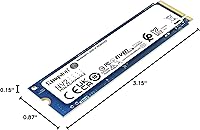
  • Form Factor: The M.2 2280 form factor measures 3.15 x 0.87 x 0.15 inches, a standard size compatible with the vast majority of modern laptops, desktops, and small form factor PCs.
  • Interface: It uses a PCIe 4.0 Gen 4x4 NVMe interface, which supports the full bandwidth needed to reach its rated peak speeds on compatible host systems.
  • Sequential Read: Sequential read speeds reach up to 3,500 MB/s under optimal conditions, making large file transfers and application load times noticeably faster than SATA-based drives.
  • PCB Design: The single-sided PCB layout keeps components on one face of the board, allowing installation in thin laptops and compact systems with restricted M.2 slot clearance.
  • Cache Type: Rather than dedicated DRAM, the drive relies on Host Memory Buffer technology, borrowing a portion of the system's RAM to manage caching operations during typical workloads.
  • Backward Compat.: The NV2 4TB is backward compatible with PCIe Gen 3 M.2 slots, though maximum throughput will be limited to Gen 3 speeds on those systems.
  • Heatsink: No heatsink is included in the package; users running sustained workloads in warm desktop environments may want to source a compatible third-party thermal solution.
  • Weight: The drive weighs just 0.247 ounces, adding virtually no meaningful mass to a laptop or compact build.
  • Color: The module ships in black, with a standard appearance consistent with other M.2 drives and no external branding label that would obstruct thermal contact.
  • Model Number: The specific model identifier for this 4TB variant is SNV2S/4000G, part of Kingston's SNV2 product series.
  • Installation: Installation is internal, requiring a compatible M.2 slot and a small Phillips-head screwdriver to secure the drive with the slot's retaining screw.
  • Compatible Devices: The drive is compatible with laptops, desktop PCs, and small form factor systems that feature an M.2 slot supporting NVMe protocol over PCIe Gen 3 or Gen 4.
  • Power Draw: The NV2 4TB is designed for low power consumption, making it suitable for battery-powered laptops where minimizing energy draw is a practical priority.
  • Manufacturer: This drive is manufactured by Kingston Digital, Inc., the storage division of Kingston Technology, a company with over three decades of experience in memory and storage products.
  • Release Date: This product was first made available in April 2023, positioning it as a relatively recent entry in the value NVMe category.
  • Market Rank: The drive holds a top-100 ranking in the Internal Solid State Drives category on Amazon, reflecting strong and consistent sales volume since launch.

Related Reviews
Kingston NV2 1TB NVMe SSD
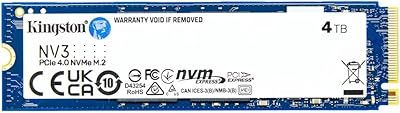
83%
93%
Value for Money
86%
Read Performance
61%
Sustained Write Performance
74%
Thermal Management
91%
Compatibility
More
Kingston NV3 4TB NVMe SSD
80%
91%
Sequential Read Speed
63%
Sustained Write Performance
94%
Storage Capacity
88%
Value for Money
93%
Installation Ease
More
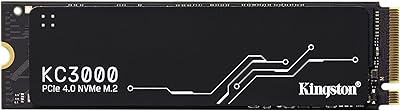
Kingston KC3000 4TB NVMe M.2 SSD
84%
93%
Read & Write Speed
88%
Thermal Management
96%
Storage Capacity
67%
Value for Money
91%
Installation Ease
More
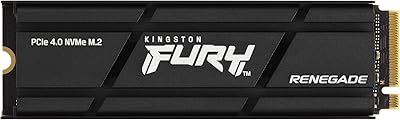
Kingston Fury Renegade 4TB NVMe SSD
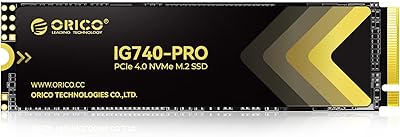
84%
94%
Read Speed Performance
88%
Write Speed Performance
81%
Thermal Management
92%
Build Quality
76%
PS5 Compatibility
More
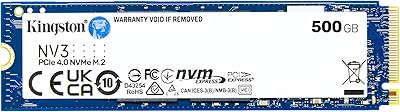
Kingston NV3 500GB NVMe SSD
81%
91%
Read Performance
78%
Write Performance
94%
Value for Money
63%
Thermal Management
93%
Installation Ease
More
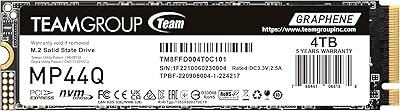
TEAMGROUP MP44Q 4TB NVMe SSD

80%
92%
Sequential Read Speed
78%
Sequential Write Speed
91%
Value for Money
74%
Thermal Management
81%
Compatibility
More
ORICO TCM2 M.2 NVMe SSD Enclosure
78%
83%
Transfer Speed
61%
Thermal Management
74%
Build Quality
91%
Ease of Installation
86%
Cable Bundle Quality
More
fanxiang S660 4TB NVMe M.2 SSD
88%
92%
Performance
89%
Cooling Efficiency
91%
Ease of Installation
96%
Compatibility with PS5
87%
Build Quality
More
Kingston NV1 250GB NVMe SSD
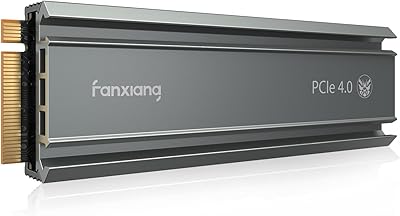
79%
88%
Value for Money
83%
Read Speed Performance
71%
Write Speed Performance
93%
Installation Ease
81%
Compatibility
More
fanxiang S770 4TB NVMe M.2 SSD
84%
88%
Read Speed Performance
82%
Write Speed Consistency
93%
PS5 Compatibility
86%
Thermal Management
84%
Value for Money
More

FAQ

Yes, the Kingston NV2 4TB M.2 NVMe SSD is backward compatible with PCIe Gen 3 slots. You will not hit the full 3,500 MB/s read speed — Gen 3 bandwidth caps that — but it will still perform significantly faster than any SATA SSD, and the 4TB capacity will work without any issues.

In most cases, all you need is a small Phillips-head screwdriver to remove the retaining screw on your M.2 slot. The drive slides in at a shallow angle and locks down flat. Most people complete the physical installation in under five minutes.

Instead of dedicated onboard DRAM, this drive uses Host Memory Buffer, which borrows a small slice of your system RAM to handle caching. For everyday tasks — browsing, gaming, streaming, general file access — you will not notice any difference. Where it can fall short is during very large, continuous writes, like moving hundreds of gigabytes in a single transfer, where speeds may dip more than a DRAM-equipped drive would allow.

Absolutely. The NV2 4TB works perfectly as a primary OS drive for Windows 10, Windows 11, and most Linux distributions. For macOS, compatibility depends on whether your Mac has a standard M.2 NVMe slot, which most Intel-era Macs and some third-party enclosures support — but Apple Silicon Macs use proprietary storage that cannot be swapped.

The PS5 requires an M.2 NVMe SSD with a minimum sequential read speed of 5,500 MB/s. The NV2 4TB tops out at 3,500 MB/s, which falls well below that requirement, so it is not a compatible choice for PS5 storage expansion. You would need a Gen 4 drive rated for higher throughput for that use case.

Under light to moderate use, heat is not a concern. In a laptop, the chassis itself typically provides adequate passive cooling. In a desktop without airflow over the M.2 slot, sustained heavy workloads can cause thermal throttling since there is no heatsink included. Adding an inexpensive M.2 heatsink is a reasonable precaution if you plan to run continuous large transfers in a warm case.

The NV3 is the newer iteration in the value-tier lineup and uses PCIe Gen 3 by default, while the NV2 runs on Gen 4 — which is a bit counterintuitive. The Renegade is Kingston's flagship, featuring DRAM cache and significantly higher sequential speeds, but at a premium price. If you need top-tier performance, the Renegade is worth the extra cost. For everyday storage at a high capacity, the NV2 4TB hits a sweet spot the Renegade does not target.

Most mini-ITX and SFF motherboards include at least one M.2 2280 slot, and this drive is specifically built for that form factor. The single-sided PCB also helps in cases where the M.2 slot is positioned close to other components. Check your motherboard manual to confirm it has an M.2 slot with NVMe support, and you should be good to go.

Kingston covers this drive with a three-year limited warranty. For any defects or failures within that window, Kingston's support process is generally well-regarded for a storage manufacturer. Keep your proof of purchase handy, as it is typically required for warranty claims.

The difference will be dramatic — not subtle. A traditional spinning hard drive typically delivers 80 to 150 MB/s sequentially, and even simple file access has noticeable lag. Switching to this M.2 SSD will make your OS boot in seconds, applications open almost instantly, and large file moves that used to take minutes finish in a fraction of the time. It is one of the most impactful hardware upgrades you can make on an older machine.

Where to Buy