Overview

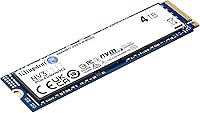
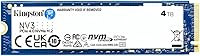
The Kingston NV3 4TB NVMe SSD is Kingston's answer to a real gap in the market: fast, high-capacity storage that doesn't demand a premium price tag. Sitting in the M.2 2280 form factor with a PCIe 4.0 Gen 4x4 interface, this Gen 4 drive occupies a sensible middle ground between budget SATA options and top-tier enthusiast drives. Released in late 2024, it climbed quickly to a top-25 ranking in internal SSDs — not a trivial feat for a new entrant. Kingston has decades of credibility in memory and storage, which lends quiet confidence here. That said, expectations should stay calibrated: this is a value-oriented drive built for everyday performance, not pushing boundaries.
Features & Benefits

The NV3 4TB's headline number is its sequential read speed of up to 6000 MB/s — fast enough that large game installs finish noticeably quicker than on any SATA drive, and scrubbing through 4K footage in an editing timeline feels far more responsive. Having 4TB on a single M.2 stick is genuinely useful; it keeps builds tidy and leaves other slots open for expansion. The drive is also remarkably light and fits standard 2280 slots on virtually any modern motherboard. One honest caveat: the NV3 4TB is a DRAMless design, meaning sustained heavy writes — think copying hundreds of gigabytes at once — can see speeds drop as the drive works through its cache buffer.

Best For

This Gen 4 drive is a strong pick for desktop builders who want to consolidate storage onto one fast drive rather than juggling a mix of options. Gamers especially benefit — 4TB comfortably holds dozens of modern titles, and load times are a clear step up from anything SATA-based. Content creators working with large photo archives or multi-gigabyte video projects will appreciate the combination of speed and capacity at this price tier. Where it's less suited is write-intensive professional scenarios: database work, continuous large-file encoding, or any task hammering the drive with sustained writes for extended periods would expose the limitations of its DRAMless architecture.

User Feedback

With a 4.8 out of 5 rating across more than 9,400 buyers, this Kingston NV3 has earned unusually strong early reception for a drive only on the market since late 2024. Most praise centers on straightforward installation, consistent real-world read performance, and solid value per terabyte compared to competing Gen 4 options. The more measured responses flag occasional write speed dips under heavy sustained loads — a predictable trait of DRAMless drives. Compared to Kingston's own Renegade line, the NV3 4TB sits firmly in the accessible tier, not the performance one. Given how recently it launched, long-term reliability data simply doesn't exist yet, which is worth keeping in mind before committing.

Pros

  • Gen 4 PCIe speeds reach up to 6000 MB/s, a massive leap over SATA drives in real-world file transfers.
  • 4TB on a single M.2 stick keeps desktop builds clean and leaves other slots free for future expansion.
  • Fits any standard M.2 2280 slot, so compatibility with modern motherboards is rarely a concern.
  • Kingston's reputation in storage hardware gives reasonable confidence in build quality and consistency.
  • Extremely light and compact — installation takes minutes with no extra hardware required.
  • Shock-resistant design offers useful peace of mind for a drive that stays installed long-term.
  • Low power draw makes it a good fit for builds where heat management is already a priority.
  • Strong early buyer satisfaction with a 4.8-star rating across more than 9,400 verified purchases.
  • Cost per terabyte is competitive against most Gen 4 rivals at this capacity tier.
  • No heatsink required for typical workloads, reducing build complexity for first-time builders.

Cons

  • DRAMless design means sustained write speeds can dip significantly during large, prolonged transfers.
  • No long-term endurance data available yet given the drive only launched in late 2024.
  • Write speed throttling under heavy workloads makes it a poor match for video encoding or database use.
  • The NV3 4TB lacks the write performance consistency that DRAM-equipped drives in this price range can offer.
  • No heatsink included, which could be a drawback in cases with poor airflow during extended heavy use.
  • Not suitable for laptop upgrades despite the standard M.2 form factor — desktop-only design.
  • Buyers coming from premium Gen 4 drives may notice the performance ceiling during write-intensive tasks.
  • Sequential write speeds are not publicly detailed in the listing, which makes direct comparison harder.
  • For users who regularly move very large folders or disk images, cache exhaustion is a realistic concern.
  • Limited availability of independent long-term stress tests means buyers are largely relying on early user reports.

Ratings

Our AI rating engine analyzed thousands of verified global purchases of the Kingston NV3 4TB NVMe SSD, actively filtering out incentivized and bot-generated reviews to surface what real buyers actually experience. The scores below reflect a balanced synthesis of both the genuine strengths and the recurring frustrations that show up across desktop builders, gamers, and everyday power users. Nothing is smoothed over — where the drive earns praise, the score reflects it, and where real trade-offs exist, those are surfaced too.

Sequential Read Speed
91%
Buyers consistently report that Gen 4 read speeds make a tangible difference when loading large open-world games or importing sizeable photo and video libraries. The jump from SATA to this Gen 4 drive feels immediate and obvious in day-to-day desktop use, not just in benchmark tools.
A handful of more technical users note that peak speeds are only sustained in ideal thermal conditions. In poorly ventilated cases without an M.2 heatsink, real-world read performance can fall somewhat short of the rated ceiling during extended sessions.
Sustained Write Performance
63%
37%
For typical desktop writes — saving project files, installing games, downloading software — the NV3 4TB handles the load without issue. Short bursts of write activity feel snappy and consistent, which covers the majority of everyday use cases comfortably.
The DRAMless architecture becomes a real limitation when copying several hundred gigabytes at once or encoding lengthy video files directly to the drive. Once the SLC write cache is exhausted, speeds can drop sharply, and buyers who run these kinds of workloads regularly will notice the inconsistency.
Storage Capacity
94%
Having 4TB on a single M.2 stick is a genuine quality-of-life improvement for anyone tired of managing multiple drives. Gamers especially appreciate being able to keep a full library installed, and creative professionals find the bulk capacity genuinely useful for raw footage and asset storage.
The only practical limitation here is that 4TB, while generous, fills up faster than expected for users archiving 4K video or large RAW photo shoots. There is no higher capacity option in this series, so heavy users may eventually hit the ceiling.
Value for Money
88%
Reviewers consistently point to the cost-per-terabyte ratio as one of the strongest arguments for this Gen 4 drive. Compared to similarly priced Gen 4 options at this capacity, buyers feel they are getting a fair deal from a reputable brand without overpaying for features they do not need.
Some buyers who later discovered the DRAMless design felt the value proposition weakened slightly compared to DRAM-equipped alternatives available at a modest premium. For write-intensive users, the extra investment in a cached drive would likely deliver better long-term satisfaction.
Installation Ease
93%
First-time builders and veterans alike report that the drive drops into a standard M.2 2280 slot without any complications. No drivers, no proprietary tools — just install, format in Disk Management, and the drive is ready within minutes of powering on.
A small number of users on older platforms with PCIe 3.0-only M.2 slots were surprised to find reduced speeds after installation. Clearer communication around backward compatibility expectations would prevent some of this confusion for less experienced builders.
Motherboard Compatibility
89%
The standard M.2 2280 footprint fits practically every desktop motherboard with an M.2 slot released in the last five years, making this a low-risk purchase for most system configurations. Users across AMD and Intel platforms both report consistent recognition and operation.
Compatibility with older Gen 3 boards is functional but speed-limited, and a few buyers with niche small-form-factor boards encountered physical slot clearance issues with adjacent components. These are edge cases, but worth checking before purchasing.
Thermal Management
71%
29%
Under typical workloads — gaming sessions, general computing, moderate file transfers — the drive operates at perfectly manageable temperatures without any heatsink. Buyers with well-ventilated mid-tower cases report no thermal throttling concerns during normal daily use.
In compact or poorly ventilated cases, sustained high-read or high-write workloads push temperatures up noticeably, occasionally triggering throttling. The lack of an included heatsink is a minor but real omission for users building in tight enclosures.
Build Quality & Durability
78%
22%
The shock-resistant design gives buyers reasonable confidence that the drive will hold up to the occasional vibration or minor physical stress during installation or transport. The construction feels solid for a value-tier M.2 drive, and early reports of defects or failures are minimal.
Given the drive only became available in late 2024, there is no meaningful long-term field data on endurance or failure rates yet. Buyers prioritizing proven multi-year reliability will need to wait for independent stress testing or a longer usage track record before drawing firm conclusions.
Gaming Performance
90%
Gamers report noticeably faster boot times into game worlds and quicker level transitions compared to SATA drives. The combination of Gen 4 read speeds and 4TB capacity makes this one of the more practical single-drive gaming storage solutions in the mid-range category.
In competitive gaming contexts where shader compilation or asset streaming pushes sustained write loads, the occasional cache exhaustion dip is detectable if not always impactful. Most casual and even serious gamers will not encounter this, but it is worth noting for the most demanding titles.
Power Efficiency
83%
The drive's low power draw is a quiet but appreciated feature, particularly for users building systems where power delivery and heat generation are already managed carefully. It operates within normal M.2 NVMe power envelopes without demanding anything unusual from the motherboard slot.
Power efficiency data published for this drive is limited, making direct comparisons with competing drives difficult for buyers who want to optimize their system's total power budget. Users looking for verified TDP figures will need to seek out third-party testing.
Software & Ecosystem
74%
26%
Kingston offers optional SSD management software that handles health monitoring and firmware updates, which experienced users appreciate for keeping the drive in good shape over time. The plug-and-play nature of the drive means no software is required just to get started.
Kingston's desktop software is functional but not particularly polished compared to tools offered by some competing brands. Users who want deep diagnostic insight or granular performance monitoring may find the ecosystem a step behind what is available elsewhere in this segment.
Packaging & Accessories
66%
34%
The packaging is clean and protective, and the drive arrives safely for the vast majority of buyers. For a component that ships without moving parts, the basic retail presentation is adequate and does not add unnecessary waste.
No heatsink, no mounting screw, and no installation guide are included in the box. For first-time builders, the assumption that these components will be sourced separately or come with the motherboard can cause minor friction during the first build experience.
Brand Reliability Perception
85%
Kingston has decades of credibility in memory and storage, and buyers consistently cite the brand name as a confidence factor when choosing between similarly priced alternatives. The strong early sales rank and high review volume for a new product reflect genuine market trust.
Some buyers compare this NV3 unfavorably to Kingston's own Renegade line, noting that the NV3 sits clearly below Kingston's performance tier. This is expected by design, but buyers who do not research the lineup differences may feel the performance gap is larger than anticipated.
Long-Term Endurance Confidence
61%
39%
Early buyers report no unexpected failures or performance degradation in the months since launch, and Kingston's general reputation for producing durable storage products extends some confidence to this model. The shock-resistant design also adds a degree of physical resilience assurance.
With the drive only having entered the market in late 2024, independently verified TBW endurance data and multi-year failure rate statistics simply do not exist yet. Buyers who prioritize long-term endurance data before committing should treat this as a factor that remains unresolved.

Suitable for:

The Kingston NV3 4TB NVMe SSD is a natural fit for desktop PC builders who want to simplify their storage setup without stretching their budget toward premium enthusiast drives. Gamers with large and growing libraries will find the 4TB capacity genuinely useful — enough space to keep dozens of modern titles installed simultaneously, paired with Gen 4 read speeds that meaningfully cut load times compared to any SATA-based drive. Photographers and video editors working with large raw files or multi-hour footage archives will also get solid value here, since the drive handles bulk reads and moderate write tasks at a comfortable pace. It is equally well suited to users upgrading from an older SATA SSD who want a real performance step up without paying flagship prices. Anyone building or refreshing a desktop rig on a practical budget, who values storage consolidation over absolute peak throughput, is in the right target audience for this Gen 4 drive.
Not suitable for:

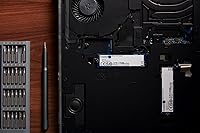
The Kingston NV3 4TB NVMe SSD is not the right tool for workloads that lean heavily on sustained, continuous writes over long periods. Because it uses a DRAMless architecture, write speeds can drop noticeably once the drive works through its SLC cache buffer — something that shows up in real-world tasks like copying several hundred gigabytes at once, running virtual machines off the drive, or encoding video directly to it in long sessions. Professional content creators doing heavy simultaneous read-write operations would be better served by a DRAM-equipped drive like Kingston's own Renegade line. Server applications, NAS configurations, and any always-on workload are clearly outside this drive's intended design scope. Laptop users should also look elsewhere, since the NV3 4TB is specified and optimized for desktop installation. Finally, buyers wanting long-term reliability data before committing should be aware the drive has only been on the market since late 2024, so multi-year endurance track records simply do not exist yet.
Specifications

  • Brand: Manufactured by Kingston Digital, Inc., a well-established name in consumer and commercial memory and storage products.
  • Model Number: The official model identifier is SNV3S/4000G, which denotes the NV3 series in the 4TB capacity variant.
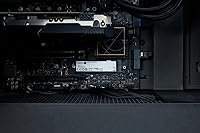
  • Form Factor: Uses the standard M.2 2280 form factor, measuring 3.15 x 0.89 x 0.15 inches and compatible with the vast majority of modern desktop motherboards.
  • Interface: Connects via PCIe 4.0 Gen 4x4, the current mainstream high-speed NVMe interface found on most mid-range and higher motherboards from the last few years.
  • Capacity: Offers 4TB of usable storage on a single M.2 stick, reducing the need for secondary drives in most desktop configurations.
  • Sequential Read: Rated for sequential read speeds of up to 6000 MB/s under ideal conditions, placing it firmly in Gen 4 NVMe territory.
  • DRAM Cache: This drive uses a DRAMless design, relying on host memory buffer (HMB) instead of onboard DRAM, which can affect sustained write consistency under heavy loads.
  • Drive Type: Internal NVMe solid-state drive intended exclusively for desktop installation; not rated or designed for laptop use.
  • Weight: Weighs approximately 0.233 ounces, making it one of the lightest high-capacity storage options available in this form factor.
  • Shock Resistance: The drive includes a shock-resistant design, offering a degree of protection against vibration and physical impact during normal installed operation.
  • Power Draw: Operates at a low power consumption profile, making it a practical choice for builds where thermal and electrical headroom are limited.
  • Installation Type: Designed for internal desktop installation, sliding directly into an M.2 slot and secured with a standard motherboard standoff screw.
  • Availability Date: First became available in September 2024, making it a relatively recent addition to Kingston's NV-series lineup.
  • Ratings: Holds a 4.8 out of 5 star rating based on more than 9,421 verified purchaser ratings as of early 2025.
  • Sales Rank: Ranked #24 in the Internal Solid State Drives category and #125 in Computer Internal Components on Amazon.
  • Voltage: Operates at a rated voltage of 3.3V, standard for M.2 NVMe drives powered directly through the motherboard slot.
  • Warranty: Kingston typically backs NV-series drives with a limited 3-year warranty; buyers should confirm current terms with the retailer at time of purchase.

Related Reviews
Kingston NV3 500GB NVMe SSD
81%
91%
Read Performance
78%
Write Performance
94%
Value for Money
63%
Thermal Management
93%
Installation Ease
More
Kingston NV2 4TB M.2 NVMe SSD
83%
93%
Value for Money
82%
Read Performance
61%
Sustained Write Speed
96%
Installation Ease
89%
Compatibility
More
Kingston NV3 1TB NVMe SSD
87%
93%
Value for Money
88%
Boot and Load Times
94%
Ease of Installation
91%
Physical Compatibility
86%
Power Efficiency
More
Kingston NV3 2TB NVMe SSD
82%
88%
Read Speed Performance
71%
Write Speed Consistency
63%
Thermal Management
86%
Value for Money
94%
Installation Ease
More
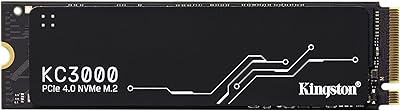
Kingston KC3000 4TB NVMe M.2 SSD
84%
93%
Read & Write Speed
88%
Thermal Management
96%
Storage Capacity
67%
Value for Money
91%
Installation Ease
More
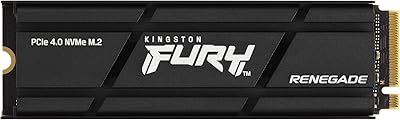
Kingston Fury Renegade 4TB NVMe SSD
84%
94%
Read Speed Performance
88%
Write Speed Performance
81%
Thermal Management
92%
Build Quality
76%
PS5 Compatibility
More
PHIXERO PM7450 4TB NVMe SSD
81%
93%
Sequential Read Performance
87%
Sequential Write Performance
61%
QLC Endurance & Longevity
88%
Thermal Management
84%
Burst Write Speed
More
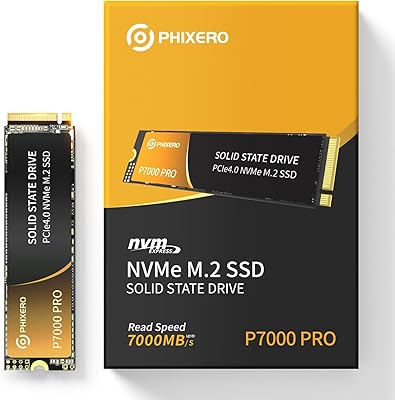
PHIXERO P7000PRO 4TB NVMe SSD
80%
88%
Sequential Read Speed
82%
Sequential Write Speed
76%
Thermal Management
84%
Value for Money
91%
Installation Experience
More
WD_BLACK 4TB SN7100 NVMe SSD
87%
94%
Performance (Speed)
92%
Storage Capacity
85%
Power Efficiency
89%
Installation & Setup
91%
Durability & Reliability
More
fanxiang S690Q 4TB NVMe M.2 SSD
77%
91%
Value for Money
83%
Read Speed Performance
58%
Sustained Write Performance
88%
PS5 Compatibility
62%
Thermal Management
More

FAQ

If your motherboard has an M.2 2280 slot with PCIe 4.0 support, you are all set. That covers most mid-range and higher boards released since 2020. If your board only has PCIe 3.0 M.2 slots, the drive will still work — it will just run at Gen 3 speeds, which is still faster than any SATA SSD.

Yes, it is a strong pick for gaming. The Gen 4 read speeds mean game assets load quickly, and 4TB gives you room to keep a large library installed without constantly uninstalling titles to free up space. For most gaming workloads, the DRAMless design will not be noticeable at all.

DRAMless means the drive does not have dedicated onboard cache memory. Instead, it borrows a small portion of your system RAM to help manage data. For everyday tasks like gaming, browsing, and general file access, this makes no practical difference. Where it can show up is during very large, continuous file transfers — speeds may dip once the drive cycles through its SLC write buffer. For most home users, this is rarely a real-world issue.

For typical desktop use — gaming, general computing, moderate file transfers — you likely do not need a separate heatsink. If your motherboard includes an M.2 heatsink cover, using it is always a good idea. In cases with poor airflow or if you plan extended write-heavy sessions, adding a low-profile heatsink would be a sensible precaution.

The Renegade is Kingston's higher-performance line, featuring DRAM cache and higher sustained write speeds — it costs more and is aimed at users who genuinely need consistent peak performance. The NV3 4TB trades some of that write consistency for a lower cost per terabyte. For gaming and general desktop use, most users would not feel the gap between the two in day-to-day tasks.

Technically it will fit any M.2 2280 slot, but Kingston has specified and designed this drive for desktop use. Power delivery and thermal conditions differ in laptops, and the drive is not validated for that environment. If you need a laptop upgrade, look for drives explicitly listed as laptop-compatible.

At current game sizes, 4TB is substantial. Most modern AAA titles run between 50GB and 150GB, so you are looking at 30 to 70 large games installed simultaneously before running out of room. Even for users who own large libraries and dislike uninstalling titles, 4TB should provide a comfortable buffer for several years of gaming.

No. The drive is recognized by Windows, macOS-compatible systems with the right slot, and Linux distributions without any additional driver installation. Kingston does offer optional SSD management software, but it is not required for the drive to function normally.

That is a fair question to ask. Kingston is a long-standing brand with a solid track record in storage, and the early user reception has been strong. That said, independent long-term endurance data simply does not exist yet. If you are extremely risk-averse or need proven multi-year reliability data before buying, waiting another year for more field reports would be reasonable. For most buyers, the brand history and early feedback are sufficient reassurance.

Once installed and recognized in your BIOS, you will need to initialize and format the drive in Windows Disk Management or your operating system's disk utility before it shows up as usable storage. For a secondary drive, this takes just a few clicks. If you are installing Windows onto it fresh, your OS installer will handle the formatting step during setup.