Overview

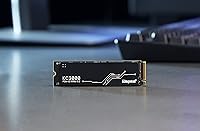
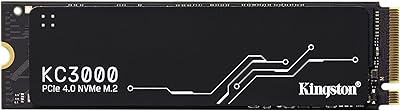
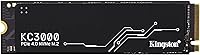
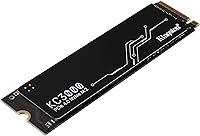
The Kingston KC3000 4TB NVMe M.2 SSD is Kingston's most capable consumer drive, built for users who have genuinely run out of room on conventional storage and need both speed and serious capacity in a single slot. Four terabytes is still uncommon in the M.2 format, making this high-capacity NVMe drive a practical rather than extravagant choice for professionals juggling large project files. It uses the standard M.2 2280 form factor, fitting most modern motherboards without additional hardware. The graphene aluminum heat spreader keeps thermals in check during heavy, sustained workloads. This is a purpose-built drive for power users — not a general-purpose budget upgrade, and it doesn't pretend to be.
Features & Benefits

Switching from a SATA SSD or an older PCIe 3.0 drive to the KC3000 4TB means a real, noticeable difference in how quickly large files move. The PCIe 4.0 interface pushes sequential speeds that previous-generation drives simply cannot match, cutting render exports and bulk transfers down considerably. Having four terabytes in a single M.2 slot means no secondary drives cluttering your build. The low-profile heat spreader isn't decorative — it helps the drive maintain consistent speeds during long, heavy sessions rather than throttling under thermal pressure. Kingston backs this with a solid warranty, which matters when you're trusting a single drive with years of irreplaceable project files.

Best For

This Kingston flagship SSD makes the most sense for users with genuinely demanding, storage-hungry workflows. Video editors cutting 4K or 8K footage, 3D artists managing large scene caches, and photographers archiving thousands of RAW files will find four terabytes useful rather than excessive. Single-drive PC builders benefit too — consolidating everything onto one fast NVMe drive keeps a system clean and responsive. It's also a strong fit for professionals running multiple virtual machines or large local databases. One practical note: to reach full speed, your motherboard needs a PCIe 4.0 slot. Older platforms will still recognize the drive, but won't unlock its peak potential.

User Feedback

With over 3,500 ratings averaging 4.7 out of 5, the reception for this high-capacity NVMe drive has been consistently strong since it launched in late 2021. Buyers most often highlight real-world transfer speeds that match expectations, straightforward installation, and surprisingly cool operation under sustained load. The most common criticism isn't a hardware defect — it's that some buyers weren't aware their system needed a PCIe 4.0 motherboard to hit peak speeds. A few flag the price as a barrier, which is fair. But those who genuinely need capacity and speed together rarely regret the investment. Long-term reliability feedback holds up well, which is reassuring for anyone committing serious data to a single drive.

Pros

  • Four terabytes in a single M.2 slot eliminates the need for multiple drives in demanding workflows.
  • Real-world transfer speeds consistently impress users upgrading from SATA or PCIe 3.0 drives.
  • The graphene aluminum heat spreader keeps the drive cool during prolonged, intensive read and write sessions.
  • Installation is straightforward — the standard M.2 2280 form factor fits most modern motherboards without adapters.
  • Kingston's warranty and brand reputation offer genuine long-term peace of mind for a high-stakes storage investment.
  • Nearly 3,600 ratings averaging 4.7 out of 5 reflects a broad and sustained track record of buyer satisfaction.
  • Random read and write latency is noticeably lower than SATA SSDs, benefiting multitasking and database-heavy workloads.
  • Buyers report the drive runs cooler than expected even under sustained heavy load.

Cons

  • Reaching peak speeds requires a PCIe 4.0 motherboard — older platforms leave significant performance on the table.
  • The price per gigabyte is high compared to SATA SSDs or smaller-capacity NVMe alternatives.
  • Not a practical choice for users with modest storage needs who won't justify the cost difference.
  • Some buyers report initial confusion around compatibility requirements before purchasing.
  • At this price tier, a single-drive failure represents a significant data risk — backups are non-negotiable.
  • Overkill for casual PC users, students, or light home office setups with typical storage demands.
  • Availability of compatible high-end motherboards adds an indirect cost for users who need to upgrade their platform to unlock full speed.

Ratings

The scores below reflect an AI-driven analysis of verified global buyer reviews for the Kingston KC3000 4TB NVMe M.2 SSD, with spam, bot-generated, and incentivized feedback actively filtered out before scoring. Each category is evaluated on aggregated real-world experience — not marketing claims — so both the strengths and the genuine frustrations are represented honestly. Where this high-capacity NVMe drive excels, the scores show it; where buyers consistently ran into friction, that's reflected too.

Read & Write Speed
93%
Buyers consistently report that real-world transfer speeds align closely with rated performance, particularly when moving large video or archive files. Editors and power users upgrading from PCIe 3.0 drives note the difference is immediately tangible during daily work, not just in benchmarks.
A meaningful subset of buyers didn't realize their older motherboards cap throughput well below the drive's ceiling, which led to disappointed speed comparisons. On PCIe 3.0 hosts, the advantage over mid-range NVMe drives narrows considerably.
Thermal Management
88%
The graphene aluminum heat spreader earns consistent praise from users running sustained workloads like large file transfers or long rendering sessions. Most report the drive stays noticeably cooler than bare NVMe drives, with no mid-task throttling under typical desktop conditions.
In very compact cases with limited airflow, a handful of users noted temperatures still crept higher than expected during extreme sustained writes. A few also found the heat spreader added just enough height to conflict with their motherboard's own M.2 cover.
Storage Capacity
96%
Four terabytes in a single M.2 slot is genuinely rare, and buyers treating this as a single-drive solution for creative work speak very highly of finally having room to breathe. Video professionals in particular highlight how much workflow friction disappears when project files, exports, and archives coexist on one fast drive.
The only real complaint tied to capacity is the price per gigabyte, which is significantly higher than smaller NVMe options. Users with more modest storage needs find the jump from 2TB to 4TB hard to justify in terms of straight cost.
Value for Money
67%
33%
Users who genuinely needed 4TB of fast local storage — and who had a PCIe 4.0 system ready to go — broadly consider the KC3000 4TB worth the premium. The combination of Kingston's reliability reputation and the drive's performance track record makes the price easier to accept for professional workflows.
Casual buyers and those without a specific need for this much capacity frequently flag the cost as excessive compared to smaller or slower alternatives. The price-per-gigabyte gap versus 1TB or 2TB NVMe drives is substantial, and budget-focused users consistently call this out.
Installation Ease
91%
Nearly every reviewer describes the physical installation as simple and unremarkable — which is exactly what you want. The standard M.2 2280 size slides into place on virtually any compatible motherboard without tools beyond a single small screw, and the OS detects it without additional drivers.
The process hits a snag for users who need to remove their motherboard's factory heatsink cover first, which isn't always obvious. A small number of buyers also ran into BIOS configuration steps before the drive appeared as bootable.
Compatibility
74%
26%
The M.2 2280 form factor ensures physical compatibility with a wide range of modern desktops and high-end laptops. Most buyers slot it in without any issues, and the drive behaves reliably across AMD and Intel platforms running current-generation chipsets.
PCIe 4.0 dependency is the most cited source of frustration in critical reviews — users on PCIe 3.0 boards get reduced speeds without always understanding why. This isn't a drive defect, but it creates a recurring disconnect between buyer expectations and actual delivered performance.
Long-term Reliability
89%
Given this drive has been on the market since late 2021, there's now a meaningful body of multi-year user feedback to draw from, and the picture is largely positive. Users running it heavily for video production, archiving, or as a primary OS drive report stable performance without degradation or unexpected failures.
A small number of users have reported drive detection issues after firmware or system updates, though these cases appear isolated rather than systemic. As with any single high-capacity drive, the stakes of a failure are high — buyers who didn't back up their data felt this acutely.
Build Quality
86%
The low-profile graphene aluminum heat spreader gives the drive a solid, professional feel without adding unnecessary bulk. Buyers frequently note it looks and feels more premium than bare-board NVMe drives, which matters to builders who care about aesthetics as well as performance.
The heat spreader, while functional, is not user-replaceable if damaged, and a few buyers noted minor cosmetic scuffing out of the box. It's a minor point, but at this price tier, some expect packaging and presentation to be more careful.
Sequential Read Speed
92%
Benchmarks and real-world transfers both reflect strong sequential read performance that holds up well under sustained workloads. Users pulling large media files from the drive during editing or playback sessions report smooth, uninterrupted throughput.
As with overall speed, users on non-PCIe 4.0 systems see sequential read numbers fall significantly short of expectations. This is a platform limitation rather than a drive flaw, but it shows up frequently enough in reviews to affect perception.
Sequential Write Speed
87%
Write speeds hold up well for large batch transfers, which matters most to content creators dumping footage from a camera card or backup system. Users copying hundreds of gigabytes in a single session report consistent performance without the speed drops common in cheaper drives.
At very high sustained write loads — the kind that push total bytes transferred into the hundreds of gigabytes in one session — some users report a gradual tapering in write speeds as the drive's cache fills. It recovers quickly, but it's noticeable in extreme workloads.
Software & Ecosystem
61%
39%
The drive works out of the box with standard OS tools, and third-party NVMe monitoring utilities like CrystalDiskInfo provide full SMART data access. Users comfortable with standard disk management workflows won't feel any gaps.
Kingston doesn't bundle dedicated drive management software, which is a gap compared to some competitors who offer health monitoring, secure erase, and firmware update tools in a polished package. Users who want a first-party dashboard for drive health tracking have to look elsewhere.
Noise & Vibration
97%
As a solid-state drive with no moving parts, the KC3000 4TB operates in complete silence under all conditions. Users specifically switching from mechanical drives or hybrid storage setups note how much quieter their systems become after the upgrade.
There is no meaningful noise concern with this drive, though chassis resonance from other components can sometimes be mistakenly attributed to storage in user reviews. This is essentially a non-issue for the product itself.
Form Factor Versatility
79%
21%
The M.2 2280 standard is widely supported, and the drive slots cleanly into most current desktop motherboards and compatible laptops. For builders consolidating storage into a single compact module, the form factor is a practical advantage over 2.5-inch SATA solutions.
Not every laptop accommodates the 2280 length or a PCIe 4.0 slot, limiting portability of use cases. Buyers who assumed all M.2 slots are equivalent sometimes discovered their specific system couldn't support this drive at full capacity or at all.
Packaging & Presentation
72%
28%
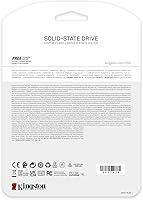
The drive arrives well-protected and clearly labeled, with the model and capacity easy to verify before installation. For a storage device, the unboxing experience is clean and functional without unnecessary waste.
At the premium price point, some buyers expected more in the box — a screwdriver, mounting screw, or even basic documentation. The no-frills packaging feels slightly out of step with what competitors offer at a comparable tier.

Suitable for:

The Kingston KC3000 4TB NVMe M.2 SSD was built for a specific kind of user — one who has genuinely maxed out smaller drives and needs both raw speed and substantial capacity without resorting to multiple storage devices. Video editors working with 4K or 8K timelines, 3D artists managing heavy scene files, and photographers sitting on terabytes of RAW archives will find four terabytes genuinely useful rather than speculative. Gamers building a high-performance single-drive rig get fast load times and room for an enormous library without compromise. Professionals running local virtual machines, large databases, or complex development environments also benefit from the combination of low-latency NVMe access and ample breathing room. If your work involves moving large files constantly and drive speed is a real bottleneck in your day, this high-capacity NVMe drive is a serious, well-supported solution worth the investment.
Not suitable for:

The Kingston KC3000 4TB NVMe M.2 SSD is a poor fit for buyers who don't have a pressing, practical need for four terabytes of fast local storage. If your current drive still has room to spare, or if your workload consists mostly of documents, web browsing, and light media consumption, the price premium here buys you capacity and speed you will rarely use. Equally important: this drive operates on PCIe 4.0, and users with older motherboards that only support PCIe 3.0 will not get anywhere near the drive's peak performance — the drive will still work, but the value proposition weakens considerably. Budget-focused builders comparing cost-per-gigabyte will find more economical options at lower capacities or with PCIe 3.0 interfaces. Anyone primarily using a laptop should also verify M.2 slot availability and PCIe generation before purchasing, as compatibility is not universal across portable systems.
Specifications

  • Brand: Manufactured by Kingston Digital, Inc., a well-established name in consumer and professional storage hardware.
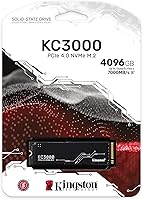
  • Model: The drive carries the model designation SKC3000D/4096G, identifying it as the 4TB variant in the KC3000 series.
  • Capacity: Offers 4096GB (4TB) of usable storage, one of the highest capacities available in the M.2 NVMe format.
  • Interface: Uses a PCIe 4.0 x4 NVMe interface, which requires a compatible PCIe 4.0 slot to reach its maximum rated speeds.
  • Form Factor: Built to the M.2 2280 standard, measuring 80mm in length, which fits the vast majority of desktop and laptop M.2 slots.
  • Heat Spreader: Includes a low-profile graphene aluminum heat spreader designed to dissipate heat during sustained read and write operations.
  • Installation: Designed for internal installation; no external enclosure or adapter is required for standard M.2-equipped motherboards.
  • Weight: The drive weighs 0.32 ounces, making it negligible in terms of system weight impact.
  • Dimensions: Physical dimensions measure 0.87″ x 3.15″ x 3.15″, consistent with the compact M.2 2280 form factor standard.
  • Color: Ships in black, with the graphene aluminum heat spreader maintaining a low-profile, tool-friendly appearance.
  • Platform: Primarily designed for PC desktop platforms, though compatible with laptops and workstations that include a PCIe 4.0 M.2 slot.
  • Protocol: Uses the NVMe protocol, which offers substantially lower command latency than legacy AHCI-based SATA drives.
  • Available Since: This drive has been commercially available since October 2021, giving it a meaningful track record among real-world users.
  • BSR Ranking: Ranks #226 in the Internal Solid State Drives category on Amazon, reflecting strong and sustained sales performance.
  • User Rating: Holds a 4.7 out of 5 star average across approximately 3,579 verified ratings as of the time of this review.

Related Reviews
Kingston NV2 4TB M.2 NVMe SSD
83%
93%
Value for Money
82%
Read Performance
61%
Sustained Write Speed
96%
Installation Ease
89%
Compatibility
More
Kingston NV3 4TB NVMe SSD
80%
91%
Sequential Read Speed
63%
Sustained Write Performance
94%
Storage Capacity
88%
Value for Money
93%
Installation Ease
More
Kingston 512GB KC3000 PCIe 4.0 NVMe M.2 SSD
88%
94%
Performance
88%
Ease of Installation
91%
Durability
85%
Thermal Management
93%
Gaming Performance
More
Kingston KC3000 1TB NVMe SSD
82%
91%
Sequential Read Speed
88%
Sequential Write Speed
74%
Random I/O Performance
86%
Thermal Management
89%
Value for Money
More
Kingston Fury Renegade 4TB NVMe SSD

84%
94%
Read Speed Performance
88%
Write Speed Performance
81%
Thermal Management
92%
Build Quality
76%
PS5 Compatibility
More
ORICO IG740PRO 4TB M.2 NVMe SSD
79%
91%
Sequential Read Performance
88%
Endurance & Longevity
84%
Thermal Management
79%
Value for Money
74%
PS5 Compatibility
More
fanxiang S660 4TB NVMe M.2 SSD
88%
92%
Performance
89%
Cooling Efficiency
91%
Ease of Installation
96%
Compatibility with PS5
87%
Build Quality
More
ORICO TCM2 M.2 NVMe SSD Enclosure
78%
83%
Transfer Speed
61%
Thermal Management
74%
Build Quality
91%
Ease of Installation
86%
Cable Bundle Quality
More
Kingston NV1 250GB NVMe SSD
79%
88%
Value for Money
83%
Read Speed Performance
71%
Write Speed Performance
93%
Installation Ease
81%
Compatibility
More
fanxiang S770 4TB NVMe M.2 SSD
84%
88%
Read Speed Performance
82%
Write Speed Consistency
93%
PS5 Compatibility
86%
Thermal Management
84%
Value for Money
More

FAQ

The drive will physically fit any motherboard with an M.2 2280 slot, but to get full speed you need a PCIe 4.0-compatible slot. If your board only supports PCIe 3.0, the drive will still function — it just won't reach its peak rated speeds. Check your motherboard specs before buying if maximum performance is the goal.

The PS5 does support M.2 NVMe drives, and this drive meets Sony's general requirements. That said, you should verify the latest compatibility list from Sony, since the heat spreader dimensions and firmware behavior can affect whether a specific drive works smoothly in a console environment.

No special drivers are needed. Modern versions of Windows 10 and 11 recognize NVMe drives natively. You may need to initialize and format the drive through Disk Management if it's being used as a secondary drive rather than a boot drive.

It can in some cases. If your motherboard has its own M.2 heatsink cover, you may need to remove it to accommodate the drive's built-in graphene aluminum spreader. Most boards give you the option to use one or the other — just check your motherboard manual beforehand.

For most users, a single 4TB NVMe drive is simpler, more reliable in practice, and easier to manage than a RAID setup. RAID 0 adds complexity and doubles the risk of data loss from a single drive failure. Unless you have very specific performance or redundancy needs, consolidating onto one high-capacity drive is the cleaner approach.

Yes, this is one of the more capable options available for that use case. PCIe 4.0 NVMe speeds handle 4K and even 8K footage well when used as a working or scratch drive. The heat spreader also helps it sustain those speeds during long editing sessions rather than throttling under thermal load.

You need to check two things: whether your laptop has an M.2 slot, and whether it supports the 2280 length (80mm). Some thin laptops only accept shorter 2242 drives. Also confirm your laptop supports PCIe 4.0 if top-end speed matters — many laptops still run PCIe 3.0 slots even on recent models.

Kingston offers a warranty on this drive, but data recovery is not typically included in standard warranty coverage. If the drive fails, you would need to pursue third-party data recovery services, which can be expensive. This is why having a reliable backup routine — ideally to a separate physical drive or cloud storage — is especially important when all your data lives on a single high-capacity drive.

Kingston does not bundle proprietary drive management software with most of its NVMe drives. However, you can use free third-party tools like CrystalDiskInfo or Samsung Magician alternatives to monitor drive health, temperature, and SMART data. These tools work well with NVMe drives from any manufacturer.

User feedback going back to the drive's 2021 launch is generally positive on long-term reliability. Buyers who use it heavily for creative work report stable performance without significant degradation. That said, all SSDs have a finite write endurance rating, so users with extremely high daily write volumes should check the TBW (terabytes written) spec to confirm it suits their workload.