
Overview

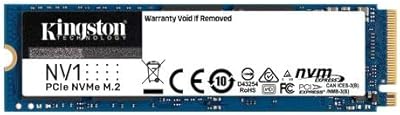
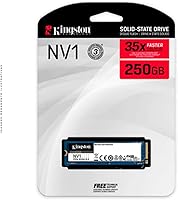
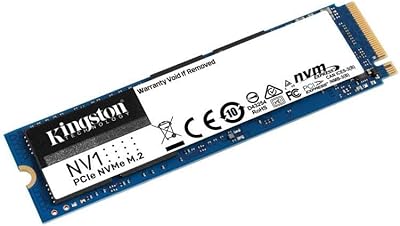
The Kingston NV1 250GB NVMe SSD is a practical, affordable storage upgrade built for everyday users who simply want their PC to feel faster. It slots into the standard M.2 2280 bay found in most laptops and small form factor desktops, running on PCIe Gen 3 — a connection type that nearly all modern machines support. Kingston has long been a familiar, dependable brand in consumer storage, and the NV1 continues that tradition. At 250GB, it holds a full operating system plus a healthy collection of apps and files. Honest expectations matter here though — this drive is designed for light daily workloads, not creative production pipelines or demanding gaming rigs.

Features & Benefits

Speed is where this budget NVMe drive earns its keep. Sequential reads top out at 2,100 MB/s and writes reach 1,100 MB/s — numbers that translate to noticeably snappier boot times, faster app launches, and quicker everyday file transfers compared to any SATA drive. The M.2 2280 size is practically universal, so fitting it into a laptop or compact PC rarely involves surprises. One caveat worth understanding: no onboard DRAM means performance can soften during large, sustained data transfers — think moving several gigabytes at once rather than opening a document. For typical daily use, most people will never notice. The NV1 family also scales up to 2TB, so there is room to grow.

Best For

The NV1 250GB is a natural fit for anyone upgrading an older laptop still running a mechanical hard drive — the difference in daily responsiveness is substantial and immediately obvious. It also works well as a primary OS drive in a budget desktop build, or as secondary storage in a compact PC. Students, remote workers, and home users handling documents, email, and web browsing will find 250GB more than adequate. First-time builders who want NVMe speed without overextending a tight budget will appreciate it too. That said, sustained heavy write tasks like video editing or frequent large game installs are genuinely better matched to a pricier, DRAM-equipped alternative.

User Feedback

Across thousands of reviews, this Kingston drive holds a strong rating, and the buyer praise is consistent: installation is straightforward, and anyone coming from a mechanical hard drive tends to be genuinely surprised by how much more responsive their machine feels. That real-world speed boost is the core win. On the flip side, more technically inclined buyers have flagged the performance dip under heavy sequential writes — a predictable consequence of the DRAM-less design. A smaller number noted compatibility hiccups with specific older systems, and a few found 250GB tighter than expected. Everyday users are overwhelmingly satisfied; those with heavier storage demands or technical workloads should consider stepping up.

Pros

  • Delivers a dramatic real-world speed boost for anyone upgrading from a mechanical hard drive.
  • The M.2 2280 form factor fits the vast majority of consumer laptops and desktops without adapter hassles.
  • NVMe interface is noticeably faster in everyday use than older SATA-based SSDs.
  • Installation is straightforward — most users report having it up and running within minutes.
  • Kingston is a well-established brand with broad availability and consistent product quality.
  • Extremely lightweight at under a quarter ounce, adding no meaningful bulk to portable builds.
  • The NV1 family scales up to 2TB if you ever need to upgrade capacity within the same product line.
  • Strong user rating across thousands of verified buyers signals reliable real-world satisfaction.
  • A practical, no-frills option for replacing a failed drive quickly and affordably.

Cons

  • No onboard DRAM cache means sustained write speeds drop noticeably during large file transfers.
  • 250GB fills up faster than expected once the OS, apps, and media start accumulating.
  • Not competitive with mid-range or Gen 4 NVMe drives for users who need consistent peak performance.
  • A small but recurring number of buyers reported compatibility issues with specific older motherboards.
  • Write speeds of up to 1,100 MB/s lag behind pricier drives in the same interface category.
  • No included mounting hardware or thermal pad, which can be an issue on some bare-bones builds.
  • Long-term endurance ratings are not prominently disclosed, which may concern buyers planning heavy daily use.

Ratings

The Kingston NV1 250GB NVMe SSD has been evaluated by our AI rating system after processing thousands of verified global buyer reviews, with spam, bot-submitted, and incentivized feedback actively filtered out. The scores below reflect where this budget NVMe drive genuinely delivers for everyday users — and where real-world limitations become apparent. Both strengths and friction points are represented transparently, so you can make an informed call based on your actual needs.

Value for Money
88%
Among everyday users on a tight budget, this Kingston drive consistently earns praise for delivering real NVMe speed at a price point that does not require compromise elsewhere in a build. Buyers upgrading from old hard drives report feeling like they got far more than they paid for, particularly in daily responsiveness.
Enthusiasts comparing price-per-gigabyte or performance-per-dollar against competing DRAM-equipped drives at similar price points find the value proposition less compelling. If you stretch the budget slightly, faster and more capable options become available.
Read Speed Performance
83%
Sequential reads that approach 2,100 MB/s make booting Windows and launching everyday applications feel noticeably quick. Users coming from SATA SSDs report a tangible improvement in snappiness, and the real-world difference during file opens and OS loading is consistent across reviews.
The headline read speed is achieved under ideal, sequential conditions. Random read performance — the kind that matters most during multitasking — is more modest, and a subset of technically informed buyers noted the gap between advertised and real-world mixed workload speeds.
Write Speed Performance
71%
29%
For light daily tasks — saving documents, downloading files, installing small applications — write speeds are perfectly adequate and users rarely notice any bottleneck. The drive handles typical home and office workloads without complaint, and most everyday buyers report zero frustration in normal use.
The absence of a DRAM cache is where write performance reveals its ceiling. During sustained large transfers, such as moving multi-gigabyte folders or writing several games at once, speeds drop noticeably. This is the single most cited technical complaint among more informed reviewers.
Installation Ease
93%
Installation is one of the most consistently praised aspects across buyer feedback. The standard M.2 2280 form factor slots in without adapters or special tools, and first-time builders frequently mention completing the swap in under ten minutes with just a small screwdriver.
A small number of buyers ran into compatibility issues with specific older systems that have M.2 slots which only support SATA, not NVMe — a pre-purchase check that is easy to overlook. The packaging also does not include a mounting screw, which occasionally catches new builders off guard.
Compatibility
81%
19%
The M.2 2280 size covers the overwhelming majority of consumer laptops and desktops produced in the last several years, making this an accessible upgrade for a wide range of machines. Buyers rarely report fitment problems in mainstream systems from major manufacturers.
Compatibility issues, while not widespread, do cluster around two scenarios: older systems with SATA-only M.2 slots, and a handful of niche or budget motherboards with non-standard slot configurations. Users who did not verify their slot type before purchasing represent the majority of negative compatibility feedback.
Build Quality
76%
24%
The drive feels solid and well-constructed for its price tier, with a compact form factor that inspires reasonable confidence during handling and installation. Kingston's manufacturing consistency is generally reliable, and defect-on-arrival reports are rare relative to total sales volume.
It is a bare PCB design with no heatspreader or thermal pad included, which is typical for budget NVMe drives but leaves some buyers wanting more protection in tight chassis. Long-term durability data is limited given the drive's relatively recent market entry.
Thermal Performance
69%
31%
During everyday light workloads — web browsing, document work, media playback — the drive runs at comfortably low temperatures and thermal throttling is essentially a non-issue. Most laptop and desktop chassis provide sufficient passive airflow to keep it stable.
Under sustained heavy write loads, temperatures rise more quickly than on DRAM-equipped alternatives, and a few buyers in thermally constrained compact builds reported occasional throttling. The absence of a built-in heatsink means the surrounding environment plays a bigger role in temperature management.
Capacity Practicality
67%
33%
For users who primarily run an operating system and a core suite of productivity tools, 250GB is workable and leaves reasonable headroom. Buyers who use cloud storage for media or keep their local footprint lean report no space-related frustrations over extended periods.
Capacity is the most commonly cited disappointment among buyers who did not plan storage usage carefully upfront. A Windows installation plus updates, a few applications, and a modest media library can consume well over half the drive faster than expected, leaving less breathing room than anticipated.
Boot and Load Times
86%
One of the clearest wins across user feedback is the dramatic improvement in boot times for anyone upgrading from a mechanical hard drive. Buyers frequently describe going from minute-long startups to under fifteen seconds — a change that genuinely transforms daily machine usability.
For users already running a mid-range NVMe drive, the improvement in boot and load times will be minimal or imperceptible. The gains are most pronounced when the comparison point is a hard disk or an older, slower SATA SSD rather than modern NVMe competition.
Brand Reliability
84%
Kingston has decades of presence in consumer storage and a broadly positive reputation for producing dependable, consistent hardware. Buyers tend to feel reassured by the brand name, and the drive's strong sales rank reflects sustained market trust over time.
Kingston is not considered a premium or performance brand among enthusiasts, and some buyers feel the NV1 series sits at the lower end of Kingston's own quality tier. Those seeking enthusiast-level endurance ratings or a longer warranty may find the three-year coverage underwhelming.
Everyday Productivity
89%
For the core use cases this drive is designed for — office applications, web browsing, email, light photo viewing — it handles everything without friction. Remote workers and students consistently rate daily usability highly, noting that routine tasks feel responsive and unencumbered.
The moment workloads shift toward anything storage-intensive — bulk file management, software compilation, or frequent large downloads — the drive's limitations become more apparent. It is optimized for breadth of everyday use rather than depth of performance.
Gaming Suitability
54%
46%
For casual gaming with older or smaller-file titles, the drive performs adequately and load times are acceptable. Users running lightweight indie games or older titles report no meaningful frustration and see a clear improvement over a hard disk.
Modern AAA games routinely exceed 50–100GB each, making 250GB impractical for a dedicated gaming drive. Sustained read performance under back-to-back loading scenarios also reveals the DRAM-less architecture more clearly, and serious gamers consistently recommend stepping up to a higher-spec alternative.
Upgrade Experience
91%
The overall upgrade experience — from unboxing to a fully operational drive — is among the smoothest in its class. Users migrating from an old hard disk describe the process as transformative, and Kingston's optional cloning software simplifies moving an existing OS without a fresh installation.
Users who skip verifying system compatibility beforehand account for most of the negative upgrade experiences. Without confirming NVMe slot support ahead of time, a handful of buyers received a drive that their system could not recognize, leading to returns that were entirely avoidable.

Suitable for:

The Kingston NV1 250GB NVMe SSD is a strong match for everyday users who want a meaningful speed upgrade without a steep investment. If your laptop or desktop is still running a mechanical hard drive, swapping it out for this drive will produce one of the most noticeable performance improvements you can make to an older machine. Students, remote workers, and home users who primarily browse the web, manage documents, and run standard productivity software will find it comfortably handles everything they throw at it. It also makes solid sense as a boot drive in a first-time budget PC build, where keeping component costs low matters more than chasing peak benchmark numbers. Anyone who needs a fast, dependable replacement for a failed drive — and wants it shipped and installed the same week — will find this Kingston drive a reliable, low-stress choice.

Not suitable for:

The Kingston NV1 250GB NVMe SSD is not the right tool for buyers who push their storage hard on a regular basis. Content creators working with large video files, photographers batch-processing raw images, and anyone running frequent multi-gigabyte file transfers will likely run into the drive's sustained write limitations — a direct consequence of its DRAM-less design, which causes speeds to drop under prolonged heavy loads. Competitive gamers or users installing large modern game libraries will also find 250GB tight and may notice load-time inconsistencies under sustained use. Power users who already own a mid-range or high-performance NVMe drive have nothing to gain from stepping down to this budget NVMe drive. And if your system requires PCIe Gen 4 speeds, this drive simply will not satisfy those demands.

Specifications

  • Brand: Manufactured by Kingston Technology Company, Inc., a long-established name in consumer and enterprise storage.
  • Series: Part of the NV1 product family, Kingston's entry-level NVMe lineup designed for everyday computing tasks.
  • Model Number: The specific model identifier for this drive is SNVS/250G.
  • Capacity: This drive offers 250GB of usable storage, suitable for an operating system, core applications, and everyday files.
  • Form Factor: Uses the M.2 2280 form factor, meaning it is 22mm wide and 80mm long — the most common M.2 size in consumer devices.
  • Interface: Connects via NVMe over PCIe Gen 3, offering significantly higher throughput than legacy SATA-based solid state drives.
  • Read Speed: Sequential read performance reaches up to 2,100 MB/s under optimal conditions.
  • Write Speed: Sequential write performance reaches up to 1,100 MB/s, adequate for routine file operations and OS workloads.
  • DRAM Cache: This drive does not include a dedicated DRAM cache, which can affect sustained write performance during large transfers.
  • Installation: Designed for internal installation, fitting directly into any M.2 slot that supports PCIe NVMe Gen 3 on compatible desktops and laptops.
  • Weight: The drive weighs just 0.212 ounces, making it essentially weightless in any portable build.
  • Dimensions: Physical dimensions measure 3.15 x 0.87 x 0.14 inches, consistent with the standard M.2 2280 specification.
  • Compatibility: Works with desktops and laptops equipped with a PCIe NVMe Gen 3 M.2 slot; not compatible with SATA-only M.2 slots.
  • Available Capacities: The NV1 family is available in multiple capacities ranging from entry-level options up to 2TB.
  • BSR Ranking: Ranked #691 in the Internal Solid State Drives category on Amazon at time of review, reflecting consistent sales volume.

Related Reviews
Kingston NV1 500GB M.2 2280 NVMe SSD
85%
88%
Performance
92%
Value for Money
90%
Installation Ease
80%
Speed Consistency
85%
Durability
More
Kingston NV1 2TB NVMe SSD
81%
88%
Value for Money
82%
Read/Write Performance
93%
Installation Ease
61%
Thermal Management
71%
Long-Term Reliability
More
Kingston NV2 4TB M.2 NVMe SSD
83%
93%
Value for Money
82%
Read Performance
61%
Sustained Write Speed
96%
Installation Ease
89%
Compatibility
More
Kingston NV3 500GB NVMe SSD

81%
91%
Read Performance
78%
Write Performance
94%
Value for Money
63%
Thermal Management
93%
Installation Ease
More
LinkMore XE400 250GB PCIe Gen4 NVMe SSD
85%
91%
Performance
94%
Value for Money
88%
Durability
90%
Speed (Read)
85%
Compatibility
More
Kingston NV2 1TB NVMe SSD
83%
93%
Value for Money
86%
Read Performance
61%
Sustained Write Performance
74%
Thermal Management
91%
Compatibility
More
Kingston NV3 2TB NVMe SSD
82%
88%
Read Speed Performance
71%
Write Speed Consistency
63%
Thermal Management
86%
Value for Money
94%
Installation Ease
More
Kingston NV3 4TB NVMe SSD
80%
91%
Sequential Read Speed
63%
Sustained Write Performance
94%
Storage Capacity
88%
Value for Money
93%
Installation Ease
More
Kingston NV3 1TB NVMe SSD
87%
93%
Value for Money
88%
Boot and Load Times
94%
Ease of Installation
91%
Physical Compatibility
86%
Power Efficiency
More
Samsung 960 EVO 250GB M.2 NVMe SSD
82%
93%
Read Performance
86%
Write Performance
88%
Real-World Speed
91%
Long-Term Reliability
67%
Thermal Management
More

FAQ

It will work in any laptop that has an M.2 2280 slot supporting PCIe NVMe Gen 3. The key thing to check is that your slot is NVMe-compatible — some older laptops have M.2 slots that only support SATA, and this drive will not function in those. A quick search of your laptop model number plus M.2 slot type should confirm it.

It is fine for light or older gaming titles, but not ideal if you are building a dedicated gaming rig or playing modern AAA games with large install sizes. The 250GB capacity fills up quickly with a few large games installed, and the lack of a DRAM cache means load times under heavy sustained reads can lag behind pricier drives. Casual gamers on a tight budget may find it acceptable, but serious gamers should look at a higher-capacity, DRAM-equipped option.

DRAM is a small pool of fast memory that some SSDs use to keep track of where data is stored on the drive, speeding up read and write operations. Without it, the drive relies on slower NAND flash for that same task. For most everyday use — booting up, opening apps, browsing — you will not notice any difference. Where it can show up is during large, sustained file transfers, like copying dozens of gigabytes at once, where speeds may dip more than a DRAM-equipped drive would.

You can comfortably fit a Windows installation, a suite of productivity apps, and still have room for several thousand documents, photos, or a modest music library. What eats through space quickly is games, video files, or large software like Adobe Creative Suite. If your workload is primarily office tasks and web browsing, 250GB is plenty. If you store a lot of media locally, you might find yourself wanting more room within a year.

Not at all. It slots directly into the M.2 port on your motherboard or laptop, secured by a single small screw. Most people who have never installed a drive before complete the process in under ten minutes. You will need a small Phillips-head screwdriver and, for a new build, installation media to load your operating system onto it.

Yes, absolutely. If your system has a spare M.2 slot, you can add this budget NVMe drive alongside an existing drive for extra storage. It works well as a secondary drive for documents, downloads, or applications you want to load faster than they would from a hard disk.

The NV1 250GB connects via NVMe, which uses a faster data pathway than SATA. In practical terms, boot times and application launches are noticeably quicker with NVMe. For sequential read tasks specifically, the difference is substantial on paper. That said, for everyday productivity tasks, most users will find the real-world gap smaller than benchmarks suggest — both feel fast compared to a spinning hard drive.

Kingston does offer a free download of Acronis True Image for Kingston, which can be used to clone an existing drive to this one — useful if you are upgrading rather than starting fresh. It is not included in the box but is available through Kingston's website.

Kingston backs the NV1 series with a three-year limited warranty. That is fairly standard for budget-tier NVMe drives and provides reasonable peace of mind for everyday use. Keep your purchase receipt in case you ever need to make a claim.

Under light to moderate workloads it stays cool enough that thermal throttling is not a common complaint. During sustained heavy writes it can warm up, as is typical for DRAM-less drives. Most laptops and desktops provide adequate airflow for normal use cases, and the drive's compact size means it does not generate a great deal of heat compared to larger, higher-performance options.