Overview

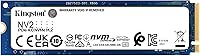
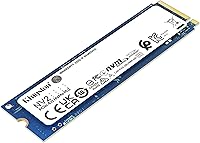
The Kingston NV2 1TB NVMe SSD is the kind of no-fuss upgrade that makes a real difference for everyday users without demanding a premium price. Kingston has been a trusted name in storage for decades, and the NV2 carries that reliability into the more accessible end of the PCIe 4.0 market. The M.2 2280 form factor fits practically every modern laptop and desktop, and 1TB hits the sweet spot where you get ample space for an OS, applications, and a healthy media library without overpaying. Just set expectations accordingly — this drive is built for practical daily performance, not chasing benchmark scores.

Features & Benefits

Running on a PCIe 4.0 Gen 4x4 interface, this Kingston NVMe drive delivers sequential reads fast enough to make booting up and launching apps noticeably snappier than any SATA drive. It runs cool and draws minimal power — a genuine advantage in slim laptops or compact builds where thermal headroom is tight. It also works in PCIe 3.0 slots, so older systems are not locked out. That said, the NV2 1TB uses an HMB-based cache rather than dedicated DRAM, which means sustained write speeds can dip under heavy, consecutive transfers. For daily tasks — files, browsers, productivity apps — that trade-off simply will not register.

Best For

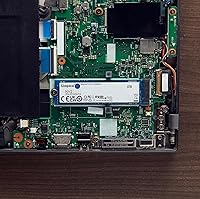
This budget PCIe 4.0 SSD makes the most sense for anyone swapping out a sluggish hard drive or an aging SATA SSD in a laptop — the improvement feels immediate and installation is straightforward. Students, remote workers, and light content creators who live in browsers, office tools, and streaming apps will find it more than capable. It also works well as a secondary storage drive in a desktop, offloading files without much expense. Where it falls short is punishing workloads: video editors moving large raw footage or anyone who needs consistent write throughput would be better served by a DRAM-equipped drive further up the product stack.

User Feedback

With over 32,000 ratings and a 4.7-star average, the pattern here is difficult to dismiss. Most buyers highlight a smooth install experience and a satisfying speed jump over whatever they replaced, especially laptop users coming from spinning hard drives. The five-year limited warranty is a reassuring inclusion for a drive in this class. On the critical side, a subset of power users report throttling under sustained heavy workloads — a known characteristic of cache-less designs rather than a product flaw. Long-term endurance data remains relatively thin given the drive's age, so keeping that warranty documentation handy is a sensible precaution for anyone buying with longevity in mind.

Pros

  • Immediate, noticeable speed improvement over any hard drive or old SATA SSD.
  • Standard M.2 2280 form factor fits nearly every modern laptop and desktop without adapters.
  • Low power draw is a real advantage for laptop users watching battery life carefully.
  • The five-year limited warranty provides meaningful coverage for a budget-tier drive.
  • Backward compatibility with PCIe 3.0 slots makes it a viable upgrade for older systems.
  • Installation is straightforward enough for first-time builders and casual upgraders alike.
  • 1TB offers a practical balance of capacity and cost for everyday storage needs.
  • Runs cool and quietly under typical daily workloads with no active cooling required.
  • Kingston's brand track record adds a layer of confidence that newer, lesser-known brands cannot match.
  • Works well as a secondary drive for games or media, keeping primary SSD storage uncluttered.

Cons

  • Sustained write speeds drop significantly once the SLC cache fills during large sequential transfers.
  • No DRAM cache means the drive leans on system RAM for caching, which can reduce available memory.
  • Thermal throttling has been reported under heavy, prolonged workloads in tight chassis.
  • Long-term write endurance data is still limited, given the drive is relatively young in the market.
  • PCIe 3.0 users will not see the full performance the interface is capable of delivering.
  • No heatspreader included, which matters for desktop users running sustained intensive tasks.
  • Warranty claims process has drawn some criticism for being slower than ideal.
  • Higher-capacity variants offer weaker value compared to DRAM-equipped rivals in the same tier.
  • Write performance consistency is harder to predict under mixed, real-world workloads versus clean benchmarks.
  • Some older motherboards require a BIOS update before the drive is correctly detected at boot.

Ratings

The Kingston NV2 1TB NVMe SSD has been scored below using an AI-driven analysis of thousands of verified global buyer reviews, with spam, bot activity, and incentivized feedback actively filtered out. The result is a transparent, balanced picture of where this budget PCIe 4.0 SSD genuinely delivers and where it falls short for certain users. Both consistent praise and recurring pain points are reflected directly in the scores.

Value for Money
93%
Buyers consistently describe this as one of the most cost-effective ways to step into PCIe 4.0 storage, especially when upgrading an older laptop on a tight budget. Getting a full terabyte of NVMe performance at this price tier is hard to argue with for everyday use cases.
A small number of buyers feel the savings come at a cost when comparing sustained write benchmarks to pricier DRAM-equipped alternatives. For workstation-level users, the value equation shifts depending on workload demands.
Read Performance
86%
Day-to-day read speeds are a genuine highlight — boot times tighten noticeably, and launching multiple applications in sequence feels fluid in a way that SATA drives simply cannot replicate. Users upgrading from hard drives report the difference as dramatic.
On PCIe 3.0 systems, the performance ceiling is capped by the older interface, so buyers with aging motherboards may see less dramatic gains than the spec sheet implies. The headline read speed is best achieved on a properly paired PCIe 4.0 slot.
Sustained Write Performance
61%
39%
For typical daily workloads — saving documents, installing apps, downloading files — write performance feels responsive and adequate. Most home and student users will never push the drive hard enough to notice any degradation.
The lack of dedicated DRAM cache is where this drive shows its limits under pressure. Users moving large video libraries or running intensive backup jobs report noticeable speed dips once the SLC cache is exhausted, which is an honest trade-off at this price point.
Thermal Management
74%
26%
Under light to moderate workloads, the NV2 1TB runs cool enough that most laptop users will never encounter a thermal issue. Its low power draw makes it a practical fit for thin-and-light notebooks where heat dissipation is limited.
A recurring pattern in reviews from power users points to thermal throttling under sustained heavy loads — prolonged large file transfers or extended gaming sessions in poorly ventilated chassis being the most common triggers. It is not a flaw unique to this drive, but worth knowing before buying.
Compatibility
91%
The standard M.2 2280 footprint slots into virtually every modern laptop, mini-PC, and desktop motherboard without any fuss. Backward compatibility with PCIe 3.0 slots also means buyers are not locked out if their system predates PCIe 4.0.
A handful of users with older or budget motherboards reported needing a BIOS update before the drive was correctly recognized. This is rare, but worth double-checking system requirements before purchasing for a very old platform.
Installation Experience
94%
Installation feedback is overwhelmingly positive across a wide range of technical skill levels. First-time builders and laptop upgraders alike describe the physical install as straightforward, with the drive recognized immediately after boot in most cases.
A few users noted that cloning software compatibility required some trial and error when migrating from an existing drive, which is less a hardware issue and more a software ecosystem frustration that affects many M.2 drives.
Build Quality
78%
22%
The bare PCB design is standard for this category and keeps weight negligible — under five grams — which matters for ultrabook users sensitive to any added mass. The components feel solid and well-mounted for routine handling during installation.
Without a heatspreader or thermal pad included, buyers putting this in a desktop may want to add their own thermal solution for peace of mind under heavier workloads. The minimalist build is a cost-conscious choice, not necessarily a quality concern.
Reliability & Longevity
76%
24%
Kingston backs the NV2 1TB with a five-year limited warranty, which is a meaningful commitment at this price and suggests confidence in the drive surviving normal daily use for the medium term. Brand history also adds a layer of reassurance.
Long-term endurance data is still limited given the drive launched in late 2022. Some buyers have flagged concerns about write endurance ratings relative to DRAM-based competitors, making it a consideration for anyone planning heavy write-intensive use over many years.
Power Efficiency
88%
The low power consumption is a tangible benefit for laptop users who care about battery life during travel or long work sessions. Several reviewers specifically noted that swapping out a power-hungry HDD for this drive contributed to a measurable improvement in runtime.
Desktop users running the drive as a primary OS disk are unlikely to notice any power-related benefit, so this advantage is mostly relevant to the mobile use case where it genuinely counts.
Capacity Options
83%
The availability of the NV2 family across a wide capacity range — from entry-level sizes up to 4TB — makes it easy for buyers to right-size their purchase depending on budget and storage needs without switching brands mid-build.
Pricing on higher-capacity variants narrows the value gap compared to competing drives with better cache configurations, so the sweet spot really is at the 1TB level where this budget PCIe 4.0 SSD is most competitive.
Sequential Read Real-World Impact
82%
18%
Buyers upgrading from SATA SSDs or HDDs consistently report faster Windows boot times, snappier application launches, and reduced game loading screens. These are tangible, everyday improvements rather than synthetic benchmark wins.
Users already on a fast PCIe 3.0 NVMe drive may find the real-world difference less dramatic than anticipated, since many daily tasks are not bottlenecked by sequential read speed alone.
Noise & Vibration
97%
As a solid-state drive with no moving parts, the NV2 1TB operates in complete silence under all conditions. For buyers migrating from a mechanical hard drive, the absence of clicking and spinning noise is a quality-of-life upgrade in its own right.
There is essentially nothing negative to report in this category — silent operation is a baseline expectation for any NVMe SSD, and this drive meets it without issue.
Warranty & Support
79%
21%
A five-year limited warranty is competitive for a drive in this class and gives buyers reasonable confidence in the manufacturer standing behind the product. Kingston has an established support infrastructure that long-time storage buyers tend to trust.
Some buyers have found the warranty claims process slower than ideal, and the coverage terms do not protect against data loss — only hardware replacement. Users storing irreplaceable data should maintain independent backups regardless of warranty length.

Suitable for:

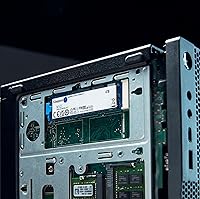
The Kingston NV2 1TB NVMe SSD is a smart pick for anyone whose primary goal is breathing new life into an older laptop or building a capable small form factor PC without overspending on storage. Students carrying their machine through long days of browser tabs, cloud apps, and document editing will find it handles those demands without complaint. It is equally well-matched for home office workers who want faster boot times and snappier application loading but have no need to regularly move massive files around. Secondary desktop storage is another natural fit — drop it in as a second drive for game installs or a media library and it performs that role reliably. If your existing machine runs a PCIe 3.0 slot, this drive still works and still outpaces any SATA option, just without fully unlocking the PCIe 4.0 ceiling. For the budget-conscious upgrader, the 1TB capacity hits a practical sweet spot that avoids the compromises of smaller sizes while keeping the total cost reasonable.

Not suitable for:

The Kingston NV2 1TB NVMe SSD is not the right tool for professionals or enthusiasts who routinely push storage hardware hard. Video editors working with large raw footage files, photographers batch-processing high-resolution RAW images, or developers running virtual machines with heavy disk I/O will eventually run into the limitations of a cache-less design — specifically, write speeds that taper off noticeably once the initial buffer is exhausted. Content creators who need to move tens or hundreds of gigabytes in a single session should look at DRAM-equipped drives that maintain consistent throughput under sustained load. Workstation builders prioritizing long-term write endurance at high utilization rates will also find better-suited options at a modest price premium. Buyers running thermally constrained chassis under heavy sustained workloads — prolonged gaming sessions in a tight mini-ITX case, for example — should factor in the possibility of throttling, especially without a heatsink. If peak storage performance is a genuine priority rather than a nice-to-have, this budget PCIe 4.0 SSD simply was not designed to compete at that level.

Specifications

  • Capacity: This drive is available in a 1TB configuration, with the full product family spanning from smaller entry-level sizes up to 4TB.
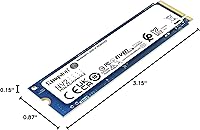
  • Form Factor: Uses the M.2 2280 format, meaning it is 22mm wide and 80mm long — the most common M.2 size found in modern laptops and desktop motherboards.
  • Interface: Connects via NVMe over a PCIe 4.0 Gen 4x4 bus, and is backward compatible with PCIe 3.0 slots on older systems.
  • Sequential Read: Rated for sequential read speeds of up to 3500 MB/s under optimal PCIe 4.0 conditions.
  • Cache Type: Uses Host Memory Buffer (HMB) technology rather than dedicated onboard DRAM, relying on a portion of system RAM for caching operations.
  • Dimensions: Measures 3.15 x 0.87 x 0.15 inches, consistent with the standard M.2 2280 single-sided PCB layout.
  • Weight: Weighs approximately 0.247 ounces, making it one of the lightest storage upgrades available for ultrabooks and compact builds.
  • Power Draw: Designed for low power consumption relative to its performance class, which supports better battery efficiency in portable systems.
  • Compatibility: Compatible with laptops, standard desktops, and small form factor PCs that include an M.2 slot supporting NVMe protocol.
  • Operating Temp: Rated for operation between 0°C and 70°C, suitable for typical consumer computing environments.
  • Warranty: Backed by a five-year limited warranty provided directly by Kingston Digital, Inc.
  • Manufacturer: Designed and sold by Kingston Digital, Inc., a division of Kingston Technology with decades of experience in consumer and enterprise storage.
  • Release Date: First made available in September 2022, positioning it as part of Kingston's second-generation value NVMe lineup.
  • Installation Type: Internal drive requiring physical installation into an M.2 slot; no external enclosure or cable is needed.
  • Color: The PCB is blue, which is typical for Kingston consumer drives and visible only during installation.
  • Market Rank: Holds a ranking of number 62 in the Internal Solid State Drives category on Amazon, reflecting strong and sustained sales volume.
  • User Rating: Carries a 4.7-star average across more than 32,000 ratings, indicating broad satisfaction among a large and diverse buyer base.

Related Reviews
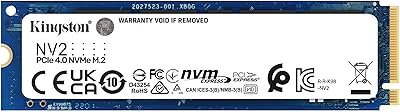
Kingston NV2 4TB M.2 NVMe SSD
90%
94%
Read Performance
88%
Write Performance
91%
Reliability
95%
Installation Ease
89%
Compatibility
More
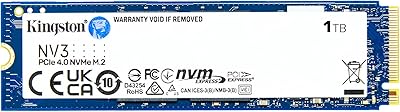
Kingston NV3 1TB NVMe SSD
87%
93%
Value for Money
88%
Boot and Load Times
94%
Ease of Installation
91%
Physical Compatibility
86%
Power Efficiency
More
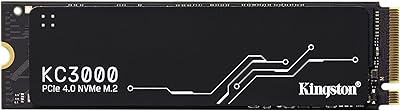
Kingston KC3000 PCIe 4.0 NVMe M.2 1TB SSD
88%
94%
Performance
92%
Value for Money
93%
Speed (Read/Write)
88%
Heat Management
78%
Ease of Installation
More
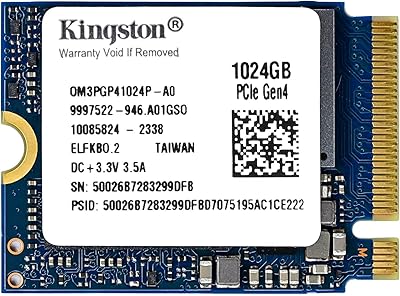
Kingston 1TB M.2 2230 PCIe Gen 4.0x4 NVMe SSD
86%
92%
Performance
90%
Read Speed
88%
Write Speed
85%
Installation Ease
91%
Compatibility with Mini PCs
More
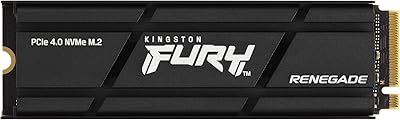
Kingston Fury Renegade 1TB PCIe Gen 4.0 NVMe M.2 SSD
89%
92%
Performance
88%
Value for Money
87%
Thermals & Cooling
90%
Setup & Installation
93%
Compatibility
More
RONGSHU 1TB NVMe SSD
87%
91%
Performance
94%
Read Speed
89%
Write Speed
88%
Installation Ease
75%
Thermal Management
More
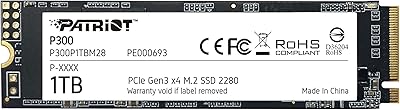
Patriot P300 1TB NVMe SSD
83%
88%
Performance
92%
Value for Money
85%
Read Speed
83%
Write Speed
86%
Durability
More
WD_BLACK 1TB SN7100 NVMe SSD
89%
94%
Read Speed Performance
89%
Write Speed Performance
92%
Power Efficiency
91%
Endurance and Longevity
87%
Value for Money
More
Ridata E801 1TB NVMe SSD
89%
93%
Sequential Read Speed
89%
Sequential Write Speed
88%
Random Read Performance
85%
Random Write Performance
92%
Reliability
More
KingSpec XG7000 1TB NVMe SSD
88%
93%
Performance in Gaming
90%
Ease of Installation
94%
Read Speed
88%
Write Speed
85%
Thermal Management
More

FAQ

Yes, the NV2 1TB is backward compatible with PCIe 3.0 slots. You will not hit the full PCIe 4.0 speed ceiling, but you will still get solid NVMe performance that comfortably beats any SATA SSD or hard drive. For most everyday tasks, the real-world difference between PCIe 3.0 and 4.0 speeds is less dramatic than the spec sheet makes it sound.

Kingston does not bundle cloning software directly in the box, but they do provide access to Acronis True Image for Kingston through their website, which handles drive-to-drive cloning well. Alternatively, free tools like Macrium Reflect work reliably with this drive if you prefer a third-party option.

A DRAM cache is a small, fast memory chip on the drive that helps manage where data is written. Without it, this Kingston NV2 1TB NVMe SSD uses a portion of your system RAM instead, which works fine for typical daily tasks. Where you may notice a difference is during very large, sustained file transfers — think moving hundreds of gigabytes in one go — where speeds can dip once the initial write buffer fills up. For browsing, productivity, gaming, or general OS use, the lack of DRAM cache is largely a non-issue.

For laptop use, no heatsink is needed and most laptops would not have space for one anyway. In a desktop, adding a heatsink is optional but worth considering if you plan to run sustained heavy workloads in a warm case. For typical office or gaming use, the drive manages heat adequately on its own.

The easiest way is to check your laptop model's specifications page or its service manual — both are usually available from the manufacturer's support site. You are looking for an M.2 slot that specifies NVMe or PCIe support; an M.2 slot that is SATA-only will not work with this drive. If you are unsure, a free tool like CPU-Z or HWiNFO can also detect your current storage interface.

For most students and everyday users, yes — 1TB handles a full Windows or macOS installation, a solid software library, and a reasonable media collection with room to spare. If you edit large video files or work with huge datasets locally, you might want more. But for web, productivity, and casual gaming use, 1TB remains a very practical and comfortable size.

Kingston offers a five-year limited warranty covering defects in materials and workmanship. To make a claim, you would go through Kingston's official support portal and initiate an RMA request. Some users have noted the process can take a little longer than ideal, so keeping your purchase receipt and packaging details handy from the start is a good idea.

Positively, in most cases. This budget PCIe 4.0 SSD is designed with low power consumption in mind, and replacing a mechanical hard drive with it often results in a noticeable improvement in battery runtime. The difference when upgrading from another NVMe drive is less dramatic, but you are unlikely to see battery life get worse.

Absolutely — it works great as a primary OS drive and handles a mixed workload of system files and general storage without any special configuration. If your desktop has two M.2 slots, you could also run it purely as a secondary drive alongside a higher-performance primary SSD, which is a cost-effective way to expand storage.

The NV2 1TB sits in a competitive segment where several decent drives exist, but it stands out through Kingston's brand reliability, the five-year warranty, and a consistently strong track record in user reviews. Some competing drives at a similar price offer faster peak write speeds with DRAM cache, while others undercut it on price but with weaker brand support. For buyers who prioritize peace of mind and a trusted name over chasing benchmark wins, this Kingston NVMe drive is a dependable choice.

Where to Buy

DriveSolutions.com
In stock $165.00