


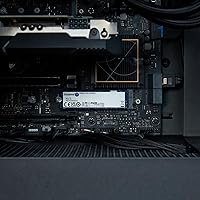

Overview

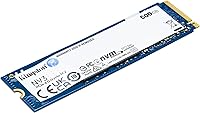
The Kingston NV3 500GB NVMe SSD sits in a sweet spot that most storage buyers are actually looking for: real Gen 4 performance without the premium price tag that typically comes with it. Kingston positions this drive between their budget-oriented A400 and the enthusiast-grade Renegade, making it a sensible middle ground for anyone who wants a meaningful upgrade without overthinking the decision. The M.2 2280 form factor means it fits virtually any modern motherboard or laptop without compatibility headaches. At 500GB, it comfortably handles a full OS install plus a solid library of applications — and for most users, that hits the mark.

Features & Benefits

Running on PCIe 4.0 Gen 4x4, this Kingston NVMe drive reaches sequential reads up to 5,000 MB/s — roughly triple what a standard SATA drive can manage, and a clear improvement over Gen 3 NVMe as well. In practice, that means faster boot times, quicker application launches, and shorter waits during large file transfers. The NVMe protocol keeps latency noticeably low, which matters more than peak throughput numbers for tasks like loading complex project files or running virtual machines. Power draw stays in a sensible range for the performance tier, making this Gen 4 SSD a viable option even for thinner laptops where heat and efficiency both matter.

Best For

The NV3 500GB makes the most sense for budget-conscious PC builders on an AMD Ryzen 5000-series or Intel 12th Gen platform who actually want to use their PCIe 4.0 bandwidth. It is also a strong pick for laptop owners replacing a sluggish HDD or aging SATA SSD — the responsiveness difference in everyday tasks is hard to ignore. Students and home office users get a dependable system drive without needing to spend hours researching options. Gamers or creative professionals moving large files on a secondary storage drive will find the speed-to-price ratio easy to justify as well.

User Feedback

With nearly 10,000 ratings and a 4.8-star average, the NV3 500GB carries a level of community trust that is hard to dismiss. Buyers consistently highlight easy installation and a noticeable jump in system responsiveness compared to older drives, and Kingston's long-standing reputation for reliability clearly factors into purchasing decisions. On the flip side, some users flag that the drive runs warm under sustained workloads — not a dealbreaker in most builds, but worth considering in compact systems that lack a motherboard-integrated heatsink cover. The drive also ships without a heatsink, so users in tight enclosures may want to plan for that separately.

Pros

  • Gen 4 sequential reads up to 5,000 MB/s deliver a genuine, noticeable speed jump over SATA and Gen 3 NVMe drives.
  • The M.2 2280 form factor fits the vast majority of modern desktops and laptops without any adapter needed.
  • Installation is straightforward enough that first-time builders report no issues getting it up and running quickly.
  • Low power draw for the performance tier makes this Gen 4 SSD a practical choice in battery-sensitive laptop builds.
  • Shock-resistant design adds a layer of durability that matters for drives living inside portable machines.
  • Kingston's brand reliability track record gives buyers long-term confidence that most no-name alternatives cannot match.
  • Nearly 10,000 user ratings at 4.8 stars reflects consistent real-world satisfaction, not just a handful of early reviews.
  • Available in capacities up to 4TB, so buyers can grow into a larger version of the same drive family if needed.

Cons

  • No heatsink is included, which can be a problem in compact builds that lack a motherboard-integrated heatsink solution.
  • The drive runs noticeably warm under sustained workloads, requiring adequate airflow or a third-party heatsink in tight enclosures.
  • 500GB fills up faster than expected once a few modern games or large creative project folders are added.
  • Users on PCIe 3.0 or older platforms will not see any benefit from the Gen 4 spec and would be overpaying for unused bandwidth.
  • There is no hardware encryption support listed, which matters for business or compliance-sensitive use cases.
  • Sustained write speeds can trail behind pricier NVMe alternatives once the drive cache is exhausted during large transfers.
  • The drive ships with no software bundle or cloning utility, meaning migration from an old drive requires a separate tool.

Ratings

The Kingston NV3 500GB NVMe SSD has been scored below by our AI system after analyzing thousands of verified global buyer reviews, with spam, bot activity, and incentivized feedback actively filtered out. Ratings reflect how real users experience this Gen 4 SSD across everyday and demanding scenarios — both the strengths and the genuine frustrations are captured here without bias.

Read Performance
91%
Users upgrading from SATA or Gen 3 NVMe drives consistently report a striking difference in boot times and application launch speeds, with sequential reads reaching up to 5,000 MB/s. The responsiveness during OS tasks and large file loads earns high marks in real-world feedback across both desktop and laptop users.
A small segment of reviewers on PCIe 3.0 platforms note that the advertised peak speeds are not achievable on their systems, which can create mismatched expectations if buyers do not verify platform compatibility beforehand.
Write Performance
78%
22%
For typical workloads — saving project files, installing software, moving photo libraries — write speeds feel plenty fast and users rarely encounter bottlenecks in day-to-day operation. Moderate sequential write performance is more than adequate for the target audience of this value-tier drive.
Under sustained heavy writes, such as transferring large video archives or cloning drives, several users note a noticeable speed dip once the SLC cache is exhausted, which is a common limitation in this price bracket and worth knowing before purchase.
Value for Money
94%
This is the category where the NV3 500GB earns its strongest praise — buyers repeatedly describe it as the most performance they have ever gotten for the price, especially those coming from HDDs or aging SATA SSDs. Reviewers frequently note they compared multiple options and chose this drive specifically for its Gen 4 specs at a non-Gen-4 price.
A handful of buyers feel the value equation weakens slightly when comparing it to occasional sale pricing on competing drives from WD or Samsung, suggesting the sweet spot depends on timing and current market pricing rather than a permanent advantage.
Thermal Management
63%
37%
In well-ventilated mid-tower cases and laptops with M.2 heatsink covers, most users report temperatures staying within a comfortable operating range even during moderately intensive tasks. Buyers in standard builds with good airflow rarely flag heat as a problem.
Users in mini-ITX builds, slim laptops, or systems without a motherboard M.2 heatsink cover flag noticeably higher temperatures under sustained load, and a few report thermal throttling during prolonged large transfers. No heatsink is included, which amplifies this concern for compact system builders.
Installation Ease
93%
Across hundreds of reviews from first-time builders to experienced users, installation is described as fast and trouble-free — the standard M.2 2280 form factor slots in without adapters on virtually any modern platform. Many buyers mention the drive was recognized by their system immediately after seating and securing the screw.
The only friction point mentioned by a small number of users is the absence of any bundled cloning software, meaning OS migration from an old drive requires sourcing a third-party tool, which adds a small but real extra step for upgraders rather than fresh installers.
Compatibility
89%
The M.2 2280 form factor and NVMe PCIe interface cover the overwhelming majority of modern desktops and laptops, and buyers upgrading recent-generation systems rarely encounter any compatibility issues at all. The drive is confirmed working across a wide variety of AMD and Intel platforms.
Compatibility drops sharply for users on older systems with only SATA M.2 slots or PCIe 2.0 infrastructure, and the drive will not physically fit shorter M.2 slots like the 2230 used in devices such as the Steam Deck, which catches some buyers off guard.
Build Quality
82%
18%
The shock-resistant design gives laptop users added confidence for mobile use, and the drive feels solid and well-constructed for its weight class. Kingston's manufacturing consistency is frequently referenced positively by buyers who have owned multiple Kingston products over the years.
There is no heatsink or thermal pad included, and the bare PCB design means the drive is entirely dependent on the host system for thermal management — an area where some budget competitors have started including basic thermal solutions even at this price point.
Long-Term Reliability
86%
Kingston's established brand reputation plays a meaningful role in buyer confidence here, and longer-term owners report the drive continuing to perform consistently after months of regular use. The trust built through Kingston's decades in the storage market is a real differentiator at this price level.
The NV3 is still relatively new to market as of late 2024, so multi-year longevity data from a large sample of users is not yet available in the way it is for more established models, leaving some cautious buyers hesitant about very long-term endurance claims.
Noise & Vibration
97%
As a solid-state drive with no moving parts, the NV3 500GB operates in complete silence under all workloads — something users coming from HDDs highlight as an immediate and welcome quality-of-life improvement in their systems. Zero mechanical noise is a universal positive across all feedback.
There is genuinely nothing to criticize here for any real-world user — the absence of moving parts means this is not a meaningful differentiator compared to other SSDs, though it remains a significant advantage over any HDD it replaces.
Software & Extras
44%
56%
The drive itself performs exactly as advertised out of the box, and users who did their research know what they are purchasing — a bare drive with no bundled extras expected at this price point. Kingston does offer an online support portal and documentation for those who need it.
There is no included cloning software, migration utility, or warranty registration tool in the package, which frustrates upgraders who expected at least a basic software bundle. Competing drives from Samsung and Seagate at similar price points often include migration software, making this omission stand out.
Packaging & Presentation
71%
29%
The drive arrives well-protected and in compact retail packaging that keeps the product secure during shipping. Buyers report no damage-on-arrival issues in the overwhelming majority of feedback, suggesting the packaging does its job effectively.
The packaging is minimal and purely functional — there are no included accessories, mounting screws, or documentation beyond basic safety info, which some buyers feel could be improved especially for first-time builders who might benefit from a simple quick-start guide.
Power Efficiency
83%
Laptop users specifically call out battery life impact as a non-issue after installing this Gen 4 SSD, noting that idle and light-load power draw stays low enough to avoid any meaningful drain on battery runtime compared to their previous drives. Efficiency for the performance class is genuinely competitive.
Under peak sustained workloads, power draw increases and can contribute to the thermal issues noted in compact builds, creating a scenario where the drive's thermal and power behavior are linked concerns rather than independent ones for users in small form factor systems.

Suitable for:

The Kingston NV3 500GB NVMe SSD is a strong pick for anyone upgrading from a spinning hard drive or an older SATA SSD who wants a genuine, day-to-day performance difference without paying enthusiast prices. PC builders working with AMD Ryzen 5000-series or Intel 12th Gen and newer platforms will actually get to use the PCIe 4.0 bandwidth, making this a smart pairing for a mid-range build. Laptop owners with an open M.2 2280 slot — and there are a lot of them — will find the installation straightforward and the responsiveness improvement immediately obvious. Students and home office users who just need a fast, reliable system drive will be well served here; the 500GB capacity handles a clean OS install plus productivity software without compromise. Gamers loading a secondary drive with titles or creative professionals handling moderately large files will also find the speed-to-price ratio easy to justify.

Not suitable for:

The Kingston NV3 500GB NVMe SSD is not the right call for users on older platforms with only PCIe 3.0 or SATA M.2 slots, since the drive's core advantage — Gen 4 bandwidth — simply will not be accessible, and cheaper alternatives would serve them better. Power users doing sustained, heavy workloads like continuous 4K video encoding or large database operations may find the drive runs warmer than ideal, particularly in compact or poorly ventilated enclosures that lack a motherboard heatsink cover. Professional workstation users who need maximum sustained write performance or enterprise-grade endurance ratings should look higher up the product stack, toward options like the Kingston Renegade or comparable prosumer drives. Anyone needing more than 500GB as a single system partition — such as users with large game libraries or raw media archives — should either step up to a higher capacity variant or budget for a secondary drive from the start.

Specifications

  • Capacity: This drive offers 500GB of usable flash storage, suitable for a primary OS installation alongside a full suite of productivity or creative applications.
  • Interface: It uses a PCIe 4.0 Gen 4x4 NVMe interface, which provides substantially higher bandwidth than both SATA and PCIe 3.0 NVMe connections.
  • Form Factor: The M.2 2280 form factor measures 3.15 x 0.89 x 0.15 inches, fitting the most widely used M.2 slot size found in modern motherboards and laptops.
  • Sequential Read: Sequential read speeds reach up to 5,000 MB/s, enabling fast large-file transfers, quick OS boots, and responsive application loading.
  • Weight: The drive weighs just 0.232 ounces, adding virtually no meaningful mass to a laptop or desktop build.
  • Compatibility: It is designed for internal installation in both desktop PCs and laptops equipped with an M.2 PCIe slot.
  • Durability: The drive is built with shock resistance, helping protect stored data against the incidental bumps and drops common in portable use.
  • Power Draw: Power consumption is kept low relative to the Gen 4 performance tier, making it a practical choice for battery-powered laptop systems.
  • Manufacturer: Kingston NV3 500GB NVMe SSD is produced by Kingston Digital, Inc., a brand with a long-established track record in consumer and enterprise storage.
  • Model Number: The official model number is SNV3S/500G, which can be used to verify compatibility with specific system configurators or support databases.
  • Available Capacities: The NV3 family extends up to 4TB, giving buyers the option to scale to larger storage without switching drive families.
  • Installation Type: This is an internal drive only and requires an available M.2 2280 slot on the host motherboard or laptop.
  • Heatsink: No heatsink is included in the package; users in thermally constrained builds should plan to use a motherboard cover or a separately purchased heatsink.
  • User Rating: The drive holds a 4.8-out-of-5-star average across nearly 10,000 verified ratings, reflecting broad and consistent buyer satisfaction.
  • Sales Rank: It ranks number 21 in Internal Solid State Drives on Amazon, indicating high purchase volume relative to competing drives in the category.
  • Release Date: The drive first became available in August 2024, placing it among the more recently released value-tier Gen 4 NVMe options on the market.
  • Protocol: NVMe (Non-Volatile Memory Express) protocol delivers lower access latency compared to the older AHCI protocol used by SATA drives.
  • Dimensions: Physical dimensions are 3.15 inches in length, 0.89 inches in width, and 0.15 inches in height, conforming to the standard 2280 M.2 specification.

Related Reviews
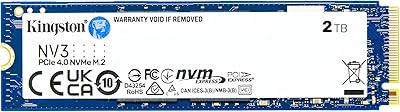
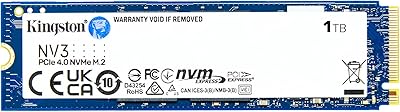
Kingston NV3 1TB NVMe SSD
87%
93%
Value for Money
88%
Boot and Load Times
94%
Ease of Installation
91%
Physical Compatibility
86%
Power Efficiency
More
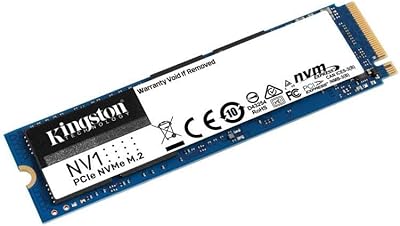
Kingston NV1 500GB M.2 2280 NVMe SSD
85%
88%
Performance
92%
Value for Money
90%
Installation Ease
80%
Speed Consistency
85%
Durability
More
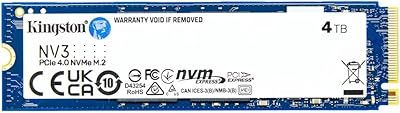
Kingston NV3 4TB M.2 2280 NVMe SSD
87%
93%
Performance
95%
Speed (Read/Write)
64%
Heat Management
88%
Installation Ease
90%
Build Quality
More
Kingston NV3 2TB M.2 2280 NVMe SSD
87%
92%
Performance
96%
Speed and Read Transfer Rate
88%
Build Quality and Durability
90%
Installation Ease
85%
Compatibility with Systems
More
Kingston XS2000 500GB Portable SSD
76%
88%
Transfer Speed
91%
Build Quality
96%
Portability & Form Factor
67%
Thermal Performance
83%
Value for Money
More
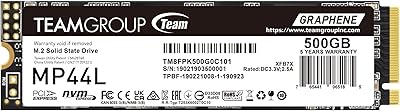
TEAMGROUP MP44L 500GB Gen4 NVMe SSD
78%
88%
Sequential Read Speed
61%
Sustained Write Performance
79%
Thermal Management
91%
Installation & Compatibility
93%
Value for Money
More
WD_BLACK SN770M 500GB NVMe SSD
89%
93%
Performance
95%
Compatibility with Gaming Consoles
91%
Speed (Read/Write)
88%
Installation Ease
87%
Durability
More
WD_BLACK SN7100 500GB NVMe SSD
84%
91%
Performance
93%
Read/Write Speed
88%
Ease of Installation
90%
Compatibility
87%
Energy Efficiency
More
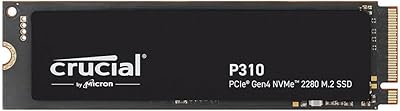
Crucial P310 500GB NVMe SSD
87%
93%
Read & Write Speed
91%
Value for Money
88%
Thermal Management
94%
Compatibility
92%
Installation Ease
More
Crucial P3 500GB NVMe M.2 SSD
82%
88%
Read Speed Performance
71%
Write Speed Performance
93%
Value for Money
94%
Ease of Installation
86%
Reliability & Longevity
More

FAQ

It depends on what type of M.2 slot your laptop has. If the slot supports PCIe NVMe (which most laptops from 2019 onward do), you are good to go. If your laptop only supports SATA over M.2, this drive will not work — check your laptop's spec sheet or motherboard manual to confirm before buying.

You do need a PCIe 4.0-capable slot to get the full 5,000 MB/s read speeds — that means AMD Ryzen 5000 series or Intel 12th Gen platforms and newer. That said, the drive will physically work in a PCIe 3.0 slot too, just at reduced speeds closer to 3,500 MB/s. It is still faster than SATA, but you would not be unlocking its full potential.

It is enough for a clean Windows install and a handful of modern games, but it fills up faster than you might expect once you factor in system files, updates, and even two or three large titles. If gaming is your primary use, consider pairing this with a larger secondary drive, or step up to the 1TB or 2TB variant of the same family.

No cloning or migration software is included in the box. You will need a third-party tool like Macrium Reflect Free or the disk cloning utility offered by your PC manufacturer to transfer your existing OS and data over to the new drive.

Under typical workloads like browsing, office tasks, and even light gaming, temperatures stay in a very manageable range. Where it runs warmer is during sustained large file transfers or heavy sequential writes over an extended period. In a case with decent airflow or on a motherboard with a built-in M.2 heatsink cover, this is rarely an issue in practice.

Yes, you can use it in an M.2 NVMe USB enclosure and it will function as external storage. Just make sure the enclosure specifically supports NVMe drives rather than SATA-only M.2 enclosures, which are a different standard and will not recognize this drive.

The A400 is a SATA SSD, which maxes out around 500 MB/s. This Gen 4 NVMe drive can reach up to 5,000 MB/s sequential read — roughly ten times faster in peak transfers. The real-world difference is most obvious during boot times, large file moves, and loading asset-heavy applications or game levels.

Kingston typically backs the NV3 series with a three-year limited warranty, though it is always worth confirming the warranty terms through Kingston's official support page for your specific region, as coverage details can vary.

The Steam Deck uses a custom 2230 M.2 slot, which is shorter than the 2280 form factor of this drive — so it will not fit the Steam Deck without a physical modification. For other handhelds, check the exact M.2 slot size supported before purchasing.

If you are installing a fresh OS onto it, the installer will handle formatting during setup. If you are adding it as a secondary drive to an existing system, you will need to initialize and format it through Windows Disk Management or a Linux equivalent before it appears as usable storage — a quick and straightforward process for most users.

Where to Buy

Newegg.com
In stock $129.99
B&H Photo-Video-Audio
In stock $137.99
SHI International
In stock $137.00
Grooves-Inc.com
In stock $107.68
Rackfinity.com
In stock $115.13
AVADirect Custom Computers
In stock $119.79