



Overview
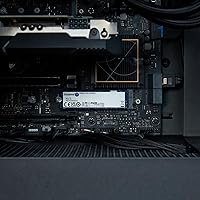
The Kingston NV3 1TB NVMe SSD represents a strategic move for a brand known for balancing reliability with accessibility. While top-tier drives often push price tags into the stratosphere, this Kingston Gen4 drive targets the sweet spot of the market by offering Gen4 speeds without the premium tax. It utilizes the familiar M.2 2280 form factor on a slim blue PCB, making it easy to slot into almost any modern motherboard. By transitioning from older Gen3 technology to PCIe 4.0 architecture, it provides a noticeable jump in throughput for those moving off mechanical disks or early solid-state tech. It feels like a mature product designed for consistent daily use, focusing on steady throughput rather than just flashy benchmark numbers that most users never actually feel during a normal workday.
Features & Benefits
At the heart of this M.2 storage unit is a performance ceiling of 6000 MB/s, which drastically cuts down the time you spend staring at loading bars. In practical terms, this means your operating system feels more responsive and complex applications open with far less friction. Beyond raw speed, the single-sided design is a major plus for thin-and-light notebooks where internal clearance is tight. It also features efficient power management that helps prevent your laptop from draining too quickly during heavy data tasks. While you need a Gen4 compatible board to hit the highest marks, it remains backward compatible with PCIe 3.0 slots, offering a flexible path for those planning a gradual system overhaul. The shock-resistant build adds a layer of physical security for those frequently on the move.
Best For
This 1TB NVMe stick is a standout choice for gamers who are tired of bloated install sizes slowing down their library access. It offers enough headroom to handle modern titles while keeping the total build cost manageable. Students and office professionals will also find it to be a reliable primary drive that makes multitasking feel fluid and effortless. Even for casual creatives working on 1080p video projects or organizing massive photo libraries, the throughput is plenty sufficient to keep the workflow moving without a hitch. It is specifically tailored for those who want modern performance standards without paying for professional-grade features they might not actually utilize in their typical day-to-day computing or casual hobbyist gaming sessions.
User Feedback
Buyers consistently point to the straightforward installation as a highlight, noting that the drive is recognized instantly by most BIOS versions without needing complex firmware tweaks. There is a strong sense of satisfaction regarding the value-to-performance ratio, as it often outpaces older drives at a similar price point. While it lacks a built-in heatsink, users report that thermal performance remains stable under normal workloads, though some recommend adding a simple thermal pad for long, sustained transfers. A few notes mention that while it isn't the fastest Gen4 drive on the market, the Kingston brand reliability provides peace of mind that no-name alternatives simply cannot match. It is generally viewed as a no-nonsense upgrade that does exactly what it says on the box.
Pros
- Delivers impressive PCIe 4.0 speeds that make boot-ups and game loading feel nearly instantaneous.
- The single-sided 2280 form factor ensures it fits into even the most cramped laptop motherboard slots.
- Excellent value for money for those wanting Gen4 technology without the high-end price tag.
- Shock-resistant construction provides much-needed physical durability for portable devices and frequent travelers.
- Backward compatibility with PCIe 3.0 allows for a versatile upgrade path on older hardware.
- Efficient power management helps maintain better battery life when used as a laptop storage upgrade.
- Reliable performance from the Kingston NV3 1TB NVMe SSD backed by a reputable and established brand name.
- Straightforward installation process that is typically recognized instantly by modern BIOS versions.
Cons
- Lacks an included heatsink, which may be necessary for users who perform heavy, sustained data transfers.
- Sustained write speeds can dip significantly once the internal cache is exhausted during massive file moves.
- Does not include a mounting screw in the packaging, which can be a nuisance if your motherboard lacks one.
- Performance is noticeably lower when used in older PCIe 3.0 slots, limiting its immediate speed potential.
- The blue PCB design might not match the aesthetic of high-end, color-coordinated PC builds.
- Missing a dedicated DRAM cache, which can impact performance in extremely heavy multitasking or workstation-level scenarios.
- The bare-bones retail packaging offers very little in the way of documentation or physical protection.
- Retail availability for the specific 1TB capacity can fluctuate compared to more common smaller sizes.
Ratings
Our analysis of the Kingston NV3 1TB NVMe SSD combines global performance data with thousands of verified buyer experiences to provide a clear, unbiased look at its real-world utility. These scores are meticulously generated by filtering out incentivized reviews and bot noise, ensuring that both the high-speed successes and the minor hardware trade-offs are transparently presented for your next build.
Value for Money
Boot and Load Times
Ease of Installation
Physical Compatibility
Power Efficiency
Sustained Transfer Consistency
Durability and Build Quality
Gaming Performance
Legacy System Upgrading
General System Responsiveness
Creative Workflow Support
Suitable for:
The Kingston NV3 1TB NVMe SSD is a fantastic choice for everyday users and budget-conscious gamers who want to modernize their system without paying a premium for enthusiast features. It excels in thin-and-light laptops thanks to its slim, single-sided design, and provides a noticeable boost in snappiness for students or remote professionals dealing with large documents and frequent multitasking. If you are upgrading from an older SATA drive or a slower Gen3 model, this Kingston Gen4 drive offers a highly tangible improvement in boot times and application responsiveness. It also serves as a reliable primary drive for casual content creators who primarily work with high-resolution photos or 1080p video projects.
Not suitable for:
Professional video editors and heavy data users who frequently move hundreds of gigabytes at once should likely look beyond the Kingston NV3 1TB NVMe SSD for a drive with higher sustained write speeds. Because it lacks a dedicated DRAM cache and a built-in heatsink, it is not ideal for high-end workstation environments where the drive is under constant, grueling stress for hours at a time. Hardcore PC enthusiasts who demand the absolute maximum theoretical limit of the PCIe 4.0 interface for competitive edge may find the 6000 MB/s read speed a bit modest compared to top-tier flagship models. Additionally, if your motherboard is restricted to older PCIe 2.0 standards, you will not be able to leverage the speed that makes this M.2 storage unit worth the investment.
Specifications
- Storage Capacity: This internal drive provides a total digital storage capacity of 1000 GB.
- Interface Type: The drive utilizes a high-speed PCIe 4.0 Gen 4x4 NVMe interface for data transfer.
- Form Factor: This unit adheres to the industry-standard M.2 2280 dimensions for broad compatibility.
- Sequential Read: Maximum sequential read performance is rated at up to 6000 MB/s.
- Product Dimensions: The physical footprint of the drive measures 3.15 x 0.15 x 0.89 inches.
- Item Weight: The drive is exceptionally lightweight, weighing in at approximately 0.232 oz.
- Physical Build: This M.2 storage unit features a single-sided PCB design and a blue color finish.
- Operating Voltage: The hardware operates at a standard internal voltage of 28 Volts.
- System Compatibility: The drive is designed for use in both modern desktop PCs and compact laptop systems.
- Durability Feature: The internal components are shock resistant to protect data during physical movement.
- Model Number: The specific manufacturer part identification for this 1TB variant is SNV3S/1000G.
- Installation Type: This is an internal hardware component requiring an M.2 slot on the motherboard.
- Controller Tech: The drive uses Gen 4x4 NVMe technology to maximize bandwidth for file operations.
- Backward Compatibility: This hardware will function in older PCIe 3.0 slots at reduced transfer speeds.
Related Reviews
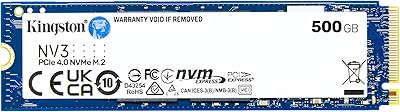
Kingston NV3 500GB NVMe SSD
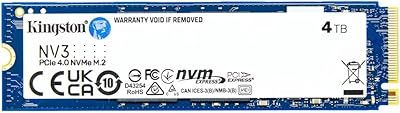
Kingston NV3 4TB NVMe SSD
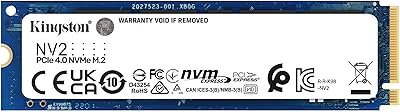
Kingston NV2 1TB NVMe SSD
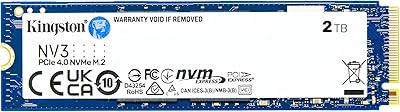
Kingston NV3 2TB NVMe SSD
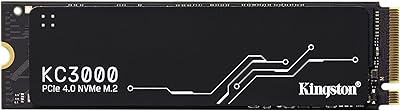
Kingston KC3000 1TB NVMe SSD
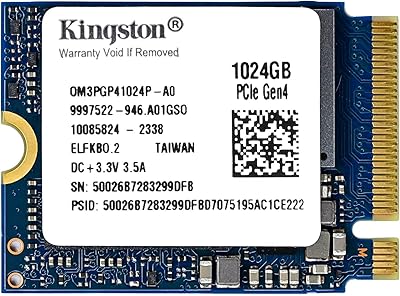
Kingston OM3PGP41024P-A0 1TB M.2 2230 SSD
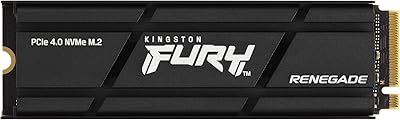
Kingston Fury Renegade 1TB NVMe M.2 SSD

RONGSHU RS001 1TB NVMe SSD
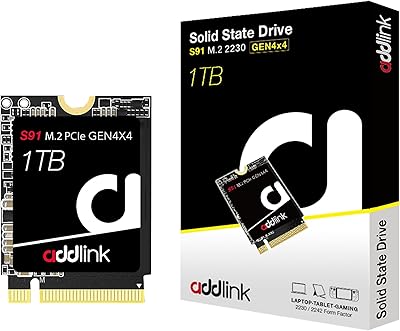
Addlink S91 1TB M.2 2230 NVMe SSD