Overview

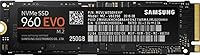
The Samsung 960 EVO 250GB M.2 NVMe SSD sits comfortably in the middle of Samsung's 960 lineup — fast enough for demanding everyday users, yet priced well below the flagship 960 Pro. It pairs the compact M.2 2280 form factor with a PCIe 3.0 x4 interface, placing it in a completely different performance league from any SATA-based drive. For builders who found the 960 Pro excessive, this NVMe drive strikes a genuinely appealing balance. It launched in 2016 yet remains a trusted upgrade path today, supported by over 4,000 ratings averaging 4.7 stars — the kind of track record that earns credibility on its own.

Features & Benefits

The numbers behind this M.2 SSD are hard to ignore: sequential reads reach 3200MB/s and writes hit 1900MB/s, which in practice means Windows boots in seconds and large video files move across storage in a fraction of the time any SATA drive would manage. Samsung's V-NAND flash contributes to consistent endurance and cleaner power efficiency compared to older planar NAND designs. The drive slots into any M.2 2280-compatible board, from full-size ATX desktops to compact mini-ITX builds. Samsung Magician adds real utility with health monitoring and firmware updates, while the modest power draw makes it a sensible fit inside laptops where battery life still matters.

Best For

The 960 EVO is a natural fit for budget-conscious PC builders stepping up from a spinning hard drive or an aging SATA SSD — the responsiveness improvement is immediate and obvious, not something you have to convince yourself you feel. Game load screens shrink noticeably, applications snap open faster, and large file transfers stop feeling like a chore. Content creators working through high-resolution video timelines will appreciate the sustained read throughput. It also slots cleanly into compact NUC and mini-ITX systems where the M.2 interface is the primary storage path. Students and professionals running demanding software on a careful budget will find it covers the essentials without unnecessary compromise.

User Feedback

The pattern across thousands of verified purchases is consistent: buyers who switched from SATA storage describe the difference as immediately felt rather than subtle. Long-term owners report that the drive holds its performance reliably after years of daily use, which reflects well on the underlying V-NAND construction. That said, a minority of users ran into snags on older motherboards — some required a BIOS update before the drive would even register, so checking compatibility beforehand is worth a few minutes. Thermal output under extended heavy workloads drew occasional mentions, with a few reviewers recommending adequate case airflow as a precaution. Installation, by contrast, is consistently described as easy even by first-time builders.

Pros

  • Sequential read speeds up to 3200MB/s translate to dramatically faster boot times and file transfers compared to any SATA drive.
  • Samsung V-NAND delivers reliable endurance, with long-term owners reporting no meaningful performance drop over years of use.
  • The M.2 2280 form factor fits a wide range of systems, from full-size desktops to compact mini-ITX and NUC builds.
  • Samsung Magician software makes drive health monitoring and firmware updates straightforward, even for less technical users.
  • Power draw is low enough that laptop users gain serious speed without a significant hit to battery life.
  • Installation is widely praised as easy, including by first-time builders unfamiliar with M.2 drives.
  • Backed by over 4,000 ratings averaging 4.7 stars, the 960 EVO has a proven track record across a wide user base.
  • The NVMe protocol reduces latency noticeably compared to AHCI, benefiting workloads like video editing and game loading.
  • Priced below Samsung's own Pro tier, this M.2 SSD offers strong value for the performance it delivers.

Cons

  • 250GB fills up quickly as a sole system drive, especially for gamers or anyone with a large media library.
  • Some older motherboards require a BIOS update or manual NVMe configuration before the drive is detected.
  • Not all M.2 slots support NVMe — buyers must verify their motherboard specifications before purchasing.
  • Under extended heavy workloads, the drive runs noticeably warm, requiring adequate case airflow to stay comfortable.
  • No included heatsink or thermal pad, which may be a gap in very compact or thermally constrained builds.
  • The 960 series is aging relative to newer PCIe 4.0 NVMe options, which offer significantly higher peak throughput.
  • 250GB capacity leaves little headroom for growth, meaning a secondary storage drive is often a practical necessity.
  • Write speeds, while strong, can dip during sustained large writes once the SLC cache is exhausted.
  • Buyers expecting plug-and-play simplicity on older platforms may encounter unexpected setup steps.
  • No official support documentation for Linux out of the box, which matters for non-Windows users.

Ratings

Our AI rating system analyzed thousands of verified global purchases of the Samsung 960 EVO 250GB M.2 NVMe SSD, actively filtering out incentivized, duplicate, and bot-generated feedback to surface what real buyers actually experience. The scores below reflect an honest synthesis of both the strengths that earned this drive its loyal following and the friction points that kept it from a perfect result. Nothing has been smoothed over — the highs and the frustrations are both accounted for.

Read Performance
93%
Owners upgrading from SATA drives consistently describe the 3200MB/s sequential read speed as transformative — Windows boots in under ten seconds, and large project files open almost instantly. For daily productivity tasks and application launches, this is where the 960 EVO earns its reputation most convincingly.
Peak read speeds are achieved under ideal, sustained conditions that do not always reflect mixed real-world workloads. Users running heavily fragmented or randomized read patterns may see noticeably lower figures than the headline number suggests.
Write Performance
86%
Sequential writes at up to 1900MB/s handle large file transfers — video exports, game installs, bulk photo imports — at a pace that SATA drives simply cannot match. Content creators working with multi-gigabyte project files report that save and export times feel substantially reduced.
Sustained write performance can dip once the drive's SLC write cache is exhausted, which shows up most during very large continuous writes like full drive-to-drive copies. Users doing repeated large backups may notice the slowdown more than typical everyday users would.
Real-World Speed
88%
Beyond benchmark numbers, the 960 EVO delivers a responsiveness that users describe as immediately noticeable — not a marginal improvement but a qualitative shift in how fluid the system feels. Gamers report shorter load screens, and office users find multi-application switching feels snappier.
The real-world gap between the 960 EVO and newer PCIe 4.0 drives has widened over time, and users coming from a recently purchased NVMe drive may not feel as dramatic a difference as those upgrading from mechanical or SATA storage.
Long-Term Reliability
91%
A meaningful portion of verified buyers have owned this M.2 SSD for three or more years and report zero performance degradation under normal consumer workloads. The V-NAND construction appears to hold up well over time, which gives it credibility as a long-term system component.
A small but consistent group of reviewers report early failures, though these tend to cluster around units from specific production batches rather than representing a systemic issue. Warranty support experience varies depending on region and point of purchase.
Thermal Management
67%
33%
Under light to moderate workloads — web browsing, document editing, standard gaming sessions — the drive maintains comfortable temperatures without any active cooling. Most desktop users with reasonable case airflow report no thermal throttling in day-to-day use.
During sustained heavy writes, the drive runs noticeably warm and thermal throttling can kick in without a heatsink or adequate airflow. Users in compact or passively cooled builds have flagged this as a real concern, and no thermal pad or heatsink is included in the package.
Compatibility
72%
28%
The M.2 2280 form factor fits a broad range of modern motherboards, laptops, and compact builds, making physical installation straightforward for the majority of buyers. Most systems from 2016 onward with an M.2 slot will accept this NVMe drive without issue.
A recurring complaint involves older boards that have M.2 slots but only support SATA protocol — buyers who did not verify compatibility before purchasing were caught off guard. Some platforms also required a BIOS update before the drive was recognized as a bootable device, adding an unexpected setup step.
Installation Ease
89%
First-time builders frequently highlight how straightforward the physical installation is — one screw, one slot, no cables, no power connectors. Reviewers who had never installed storage before describe it as one of the least intimidating parts of their entire build.
The hardware side is easy, but software setup has tripped up some users — particularly around enabling NVMe in BIOS or initializing the drive correctly in Windows Disk Management. These are not difficult steps, but they are not obvious for complete beginners either.
Samsung Magician Software
78%
22%
Magician provides genuine utility beyond a basic dashboard — health monitoring, performance benchmarking, and firmware update management are all present and functional. For users who want visibility into their drive's condition over time, it adds meaningful peace of mind.
The software has drawn criticism for feeling bloated relative to its actual feature set, and some users report compatibility hiccups on certain Windows builds. It is a useful companion app rather than an essential one, and some owners simply skip it after the initial firmware check.
Value for Money
84%
Positioned below the 960 Pro but well above budget SATA drives, the 960 EVO hits a price-to-performance point that most buyers find difficult to argue with. For the performance delivered, the cost feels justified across a wide range of buyer budgets.
At 250GB the cost-per-gigabyte is less competitive than it would be at higher capacities, and buyers on a tight budget who need more storage may find that stepping up to 500GB offers better overall value even if it stretches the budget slightly.
Capacity Adequacy
61%
39%
For a focused Windows installation with a curated set of applications, 250GB is sufficient and keeps the build lean. Users who pair this M.2 SSD with a secondary storage drive for bulk files find the capacity perfectly acceptable as a dedicated system and applications drive.
On its own, 250GB feels tight for most modern use cases — a fresh Windows install, a few AAA games, and a creative application suite can push the drive close to its limit surprisingly quickly. Many buyers admit they wished they had purchased the 500GB variant instead.
Boot & Wake Speed
92%
Cold boot times consistently land under ten seconds for users with clean Windows installations, and wake from sleep is effectively instant. This is one of the most immediately felt benefits reported by buyers switching from any form of spinning disk storage.
Boot speed is heavily influenced by the host system — BIOS POST times, startup application load, and RAM speed all play a role. Users with heavily loaded startup sequences may not see the same snappy results as those with clean, optimized installations.
Power Efficiency
81%
19%
Laptop users in particular note that the drive does not noticeably impact battery life compared to older or lower-quality NVMe options. The V-NAND architecture is efficient at idle, which is relevant for systems that spend significant time in light workloads.
Under sustained load, power draw increases and contributes to warmth in thermally constrained laptops. Ultrabook users in passively cooled chassis have noted occasional throttling during extended file operations, which is a consideration worth factoring in before buying.
Build & Form Factor
87%
The compact M.2 2280 stick format is genuinely convenient — no cables, no bracket mounting, and a negligible weight addition of under half an ounce. It fits neatly into space-constrained builds where a 2.5-inch drive would create routing complications.
The bare PCB design with no heatspreader means the drive is entirely dependent on the host system for thermal management. While this keeps the profile minimal, buyers in demanding environments may need to purchase an aftermarket M.2 heatsink separately.
Driver & OS Support
83%
On Windows 10 and 11, the drive is recognized automatically with no additional drivers needed — plug it in, boot up, and the OS handles the rest. This plug-and-play experience is consistently praised by buyers who expected a more complicated setup process.
Linux support works well at the kernel level but Samsung Magician is not available on that platform, removing the health monitoring and firmware update functionality for non-Windows users. macOS compatibility is limited and depends entirely on the host hardware rather than any Samsung support.

Suitable for:

The Samsung 960 EVO 250GB M.2 NVMe SSD is a strong match for PC builders and upgraders who want a genuine, felt performance improvement without stepping into enthusiast-tier pricing. If you are currently running a hard drive or an older SATA SSD, the jump to this NVMe drive will reshape how your entire system feels — boot times, application launches, and file transfers all respond noticeably faster. Gamers on a mid-range build will appreciate shorter load screens without needing to budget for a premium flagship drive. Content creators handling HD video projects or large asset libraries will benefit from the high sequential throughput during imports and exports. It is also a practical choice for compact builds — mini-ITX systems, NUC-style PCs, and slim laptops — where the M.2 form factor is the only storage option available, and every bit of speed matters.

Not suitable for:

The Samsung 960 EVO 250GB M.2 NVMe SSD is not the right call for every buyer, and it is worth being clear about where it falls short. At 250GB, the capacity is tight for anyone building a primary drive that needs to hold a large game library, a media collection, or a working archive of creative projects — you will hit the ceiling faster than expected. Users running workstation-class workloads — think 4K video rendering pipelines, large database servers, or sustained write-heavy operations — would be better served by a higher-endurance drive like the 960 Pro or a newer generation NVMe option. Buyers with older motherboards should also pause: not every M.2 slot supports NVMe, and some BIOS configurations require manual adjustments before the drive is recognized at all. Finally, if your system lacks adequate airflow, the drive can run warm under sustained loads, which is a consideration in passively cooled or very compact enclosures.

Specifications

  • Form Factor: The drive uses the M.2 2280 format, measuring 0.87 x 3.15 x 0.9 inches — a compact stick that slots directly into compatible motherboard or laptop M.2 slots.
  • Interface: It connects via PCIe 3.0 x4, delivering significantly more bandwidth than the SATA III interface used by conventional SSDs.
  • Protocol: The drive runs on NVMe (NVM Express), which reduces command overhead and latency compared to the older AHCI protocol common on SATA drives.
  • Capacity: Total usable storage is 250GB, formatted capacity will be slightly lower than the labeled figure due to standard drive formatting.
  • Sequential Read: Peak sequential read throughput reaches up to 3200MB/s under optimal conditions, suitable for fast OS loading and large file access.
  • Sequential Write: Sequential write speeds reach up to 1900MB/s, handling large file transfers and application installs at a pace well ahead of SATA-based alternatives.
  • NAND Technology: Samsung's proprietary V-NAND flash stacks memory cells vertically, improving endurance and energy efficiency compared to traditional planar NAND designs.
  • Weight: The drive weighs just 0.32 ounces, making it a negligible addition to any laptop or desktop build.
  • Voltage: Operating voltage is 5V, consistent with standard M.2 slot power delivery on compatible motherboards and laptops.
  • Compatible OS: The drive is officially supported on Windows; Linux and macOS compatibility depends on the host system's NVMe driver support.
  • Compatible Devices: Designed for use in desktop PCs and laptops that include an M.2 slot with NVMe support — not compatible with M.2 SATA-only slots.
  • Management Software: Samsung Magician is the companion application, providing firmware updates, real-time drive health monitoring, and optional performance benchmarking.
  • Color: The drive has a black PCB finish, which is standard for the 960 series and largely irrelevant once installed inside a system.
  • Installation Type: Internal installation only — the drive is not an external or portable device and requires an available M.2 slot inside the host machine.
  • Sales Rank: Ranked #495 in Internal Solid State Drives on Amazon, supported by over 4,000 customer ratings averaging 4.7 out of 5 stars.

Related Reviews
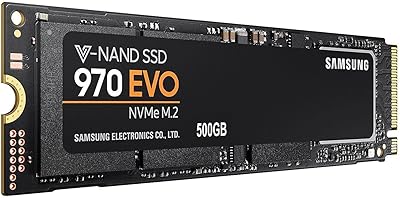
Samsung 970 EVO 500GB NVMe M.2 SSD
86%
94%
Read Speed
89%
Write Speed
91%
Reliability
78%
Ease of Installation
83%
Thermal Performance
More
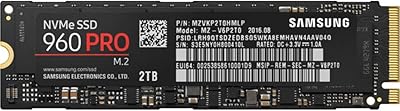
Samsung 960 PRO 2TB NVMe M.2 SSD
81%
91%
Raw Read Performance
83%
Write Performance
93%
Long-Term Reliability
58%
Value for Money
62%
Thermal Management
More
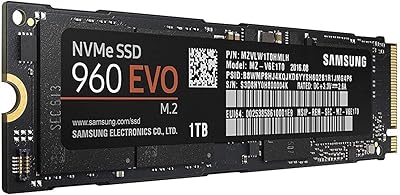
Samsung 960 EVO 1TB NVMe SSD
88%
94%
Performance
91%
Speed for Gaming
88%
Ease of Installation
93%
Reliability
85%
Software Experience (Samsung Magician)
More
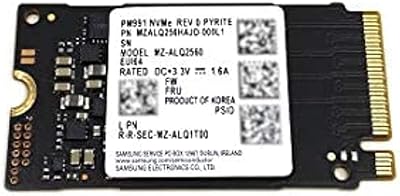
Samsung PM991 256GB M.2 2242 NVMe SSD
78%
94%
Form Factor Fit
78%
Read/Write Performance
88%
Build Reliability
83%
Value for Money
91%
Installation Ease
More
Kingston NV1 250GB NVMe SSD
79%
88%
Value for Money
83%
Read Speed Performance
71%
Write Speed Performance
93%
Installation Ease
81%
Compatibility
More
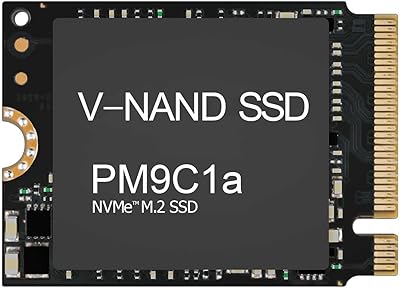
Samsung PM9C1A 512GB M.2 NVMe SSD
78%
93%
Read Performance
76%
Write Performance
91%
Compatibility
88%
Installation Experience
84%
Value for Money
More
Samsung PM9B1 256GB M.2 NVMe SSD
77%
91%
Value for Money
84%
Read Speed Performance
67%
Write Speed & Sustained Performance
88%
Authenticity & Build Quality
82%
Compatibility
More
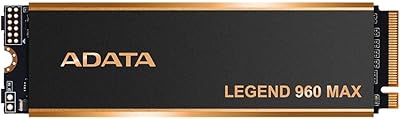
ADATA Legend 960 Max 2TB PCIe Gen4x4 NVMe M.2 SSD
88%
93%
Performance
94%
Speed (Read/Write)
88%
Thermals & Cooling
89%
Installation & Setup
91%
PS5 Compatibility
More
Samsung PM991a 1TB M.2 2230 NVMe SSD
73%
94%
Form Factor Compatibility
88%
Read Performance
74%
Write Performance
91%
Storage Capacity
87%
Build & Component Quality
More
Samsung PM991a 512GB M.2 2230 NVMe SSD
84%
88%
Read Performance
79%
Write Performance
96%
Form Factor Fit
93%
Installation Ease
71%
Thermal Management
More

FAQ

It depends on whether your laptop has an M.2 slot that supports NVMe. Many modern laptops do, but some older or budget models only support M.2 SATA, which is a different standard. Check your laptop's service manual or manufacturer specs before buying — look specifically for M.2 PCIe NVMe support, not just M.2.

Possibly, yes. On some older motherboards, the M.2 slot exists but NVMe boot support was added later through a BIOS update. It is worth flashing your BIOS to the latest version before installation, especially if your board is from 2015 or earlier. This is usually a straightforward process through your motherboard manufacturer's website.

It depends entirely on how you use your PC. For a clean Windows installation plus a handful of applications, 250GB is workable — but if you plan to install several large games or keep a media library on the same drive, you will feel the squeeze fairly quickly. Many users pair this M.2 SSD with a larger secondary drive for bulk storage.

The difference is real and noticeable in daily use. A typical SATA SSD tops out around 550MB/s read, while the 960 EVO reaches up to 3200MB/s. That gap shows up in faster boot times, snappier application launches, and quicker large file transfers. For general use the gap feels less dramatic than the numbers suggest, but for content work or game loading it is meaningful.

The drive does not include dedicated cloning software in the box, but Samsung Magician — the free companion app — supports data migration features that can help you transfer your existing system to the new drive. Third-party tools like Macrium Reflect Free are also commonly used for this purpose.

Under normal everyday workloads it stays at reasonable temperatures, but during sustained heavy writes — large file copies, extended game installs — it can run warm. If your case has decent airflow you will not have a problem. In very compact or passively cooled enclosures, an aftermarket M.2 heatsink is a sensible precaution.

No, this is strictly an internal drive. It does not have any external connectivity and requires an M.2 slot inside a PC or laptop. If you want NVMe-level speeds externally, you would need a separate M.2-to-USB enclosure, though that introduces its own limitations.

Based on owner reports and Samsung's endurance ratings for the 960 series, the drive holds up well under typical consumer workloads over several years. Users who bought early units consistently report stable performance without degradation. As with any SSD, it is worth keeping an eye on drive health through Samsung Magician periodically.

On Windows 10 and Windows 11, the NVMe driver is built in and the drive should be recognized automatically after installation. Older Windows versions may need a manual NVMe driver. For Linux, kernel support is broad and most modern distributions handle it without any extra steps.

Yes, it is a solid choice for gaming on a mid-range budget. Load times drop noticeably compared to SATA storage, and the drive handles the read-heavy nature of game assets well. At 250GB you may need to manage your game library carefully or use a secondary drive, but as a boot and primary game drive it performs reliably.