



Overview

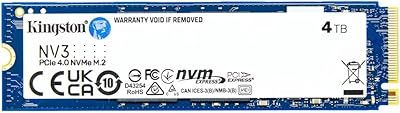
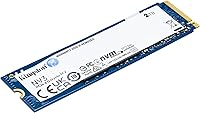
The Kingston NV3 2TB NVMe SSD landed in mid-2024 as a direct answer to a practical question: how do you get Gen 4 NVMe speed without spending serious money? Kingston has been a trusted name in storage for decades, and this drive fits that mold. It uses the M.2 2280 form factor, so it drops into virtually any modern desktop or laptop without compatibility headaches. At 2TB, it hits a capacity sweet spot — enough room for your OS, a full game library, and a healthy chunk of working files all on one drive. A solid, unpretentious mid-range option.

Features & Benefits

The NV3 2TB runs on a PCIe 4.0 Gen 4x4 connection, pushing sequential reads up to 6000 MB/s. In real use, that means noticeably faster boot times, quicker game loads, and snappier large file transfers — though for everyday browsing and light app work, you won't feel that ceiling directly. The 2TB capacity means most users genuinely won't need a second drive. One honest caveat worth flagging: there is no heatsink included. For typical workloads this is rarely a problem, but under prolonged heavy writes, thermal throttling can surface on systems without built-in M.2 cooling. Plan accordingly if your workload is unusually write-intensive.

Best For

This Gen 4 SSD makes the most sense for people stepping up from a SATA drive or an older PCIe 3.0 NVMe — the speed difference is real and immediately felt. Gamers with large libraries will appreciate fitting everything on one fast drive without juggling installs. Moderate video editors and photographers benefit from the read performance when scrubbing large media files. Laptop users replacing a slow OEM drive will find the form factor fits most systems cleanly. One important note: if your board only supports PCIe 3.0, you will still get a solid upgrade — just not the full Gen 4 throughput.

User Feedback

Across nearly ten thousand ratings, the NV3 2TB holds a 4.8 out of 5 average — meaningful at that volume. Most buyers highlight how straightforward installation is and how immediately the speed improvement showed compared to their previous storage. The drive sits inside the top 20 in its category, reflecting consistent satisfaction rather than early buzz. That said, some users on passively cooled systems report that sustained write speeds dip under heavy sequential workloads. Occasional compatibility notes exist but appear uncommon. The overall picture is clear: reliable everyday performance, honest capacity, and a reputation that holds up across a genuinely large and varied user base.

Pros

  • Gen 4 PCIe speeds deliver noticeably faster boot times and application loads compared to older SATA or Gen 3 drives.
  • 2TB capacity is large enough for most users to consolidate OS, apps, and media onto a single drive.
  • The M.2 2280 form factor fits the vast majority of modern desktops and laptops without adapters.
  • Kingston's long track record in storage hardware inspires confidence in reliability over time.
  • Shock-resistant construction offers basic peace of mind for users installing this in portable machines.
  • Backwards compatibility with PCIe 3.0 slots means the NV3 2TB works across a wider range of existing systems.
  • Installation is plug-and-play straightforward — no special software or configuration steps required.
  • Holds a 4.8-star average across nearly ten thousand verified buyers, reflecting consistent real-world satisfaction.
  • Low power consumption makes it a sensible choice for thin-and-light laptops where thermal headroom is limited.
  • Ranks in the top 20 of its category, signaling strong market validation beyond just early adopter buzz.

Cons

  • No heatsink is included, which can lead to thermal throttling under sustained heavy write workloads.
  • Sustained sequential write speeds drop noticeably on passively cooled systems during extended transfers.
  • PCIe 3.0 users will be bandwidth-limited and won't see the headline 6000 MB/s read figures in practice.
  • The drive lacks DRAM cache, which can affect random read/write consistency under mixed workloads.
  • No bundled cloning software makes migration slightly more involved for less technical users.
  • For professional or prosumer video workflows, sustained performance under pressure is a real limitation.
  • Competing drives at similar price points sometimes offer better write speed consistency or thermal management.
  • The absence of an official endurance or TBW rating published prominently makes long-term wear estimates harder to plan around.

Ratings

Our AI rating engine analyzed thousands of verified global purchases of the Kingston NV3 2TB NVMe SSD, actively filtering out incentivized, duplicate, and bot-generated feedback to surface what real buyers actually experienced. The scores below reflect an honest cross-section of sentiment — strong points and genuine frustrations alike — so you can make a confident, informed decision rather than relying on cherry-picked praise.

Read Speed Performance
88%
Users upgrading from SATA SSDs or older Gen 3 drives consistently reported a dramatic improvement in boot times and application load speeds. For gaming and everyday desktop use, the Gen 4 sequential read performance translates into a noticeably snappier system feel that buyers found immediately rewarding.
A meaningful portion of buyers running PCIe 3.0 motherboards never see the headline speeds, which caused some disappointment when benchmarks came in well below expectations. The gap between advertised peak figures and real-world mixed workload numbers is also wider than some users anticipated.
Write Speed Consistency
71%
29%
For typical write tasks — installing games, saving project files, copying moderate-sized folders — the NV3 2TB handles itself without complaint. Most casual users will never push it hard enough to notice any inconsistency, and initial write bursts feel fast and responsive.
Under sustained sequential write loads, such as moving large video archives or running extended file transfers, several users noted speed drops that pointed to thermal throttling. Without a heatsink and with no onboard DRAM cache, the drive relies heavily on SLC buffering that eventually runs dry during heavy sessions.
Thermal Management
63%
37%
In light to moderate workloads — web browsing, gaming sessions, regular OS tasks — the drive stays cool enough that the absence of a heatsink simply does not matter. Laptop users in particular reported no thermal issues during everyday use, which covers the vast majority of real-world scenarios.
The lack of an included heatsink becomes a tangible issue for users doing sustained heavy writes on systems without built-in M.2 cooling zones. Several buyers on tight airflow platforms reported throttling that was only resolved after adding a third-party heatsink, which adds cost and a step that should not be necessary at this tier.
Value for Money
86%
Buyers repeatedly pointed out that getting genuine Gen 4 NVMe performance at this capacity and price point feels like a strong deal. For users coming from SATA or early NVMe generations, the perceived value of the upgrade relative to its cost was consistently rated as one of the drive's best qualities.
A minority of buyers felt that similarly priced alternatives offered better sustained write performance or came bundled with software and heatsinks that justified the comparison. Those who needed more than entry-to-mid workloads felt the value proposition weakened as demands increased.
Installation Ease
94%
This was one of the most praised aspects across the review base. First-time builders and laptop upgraders alike found the process straightforward — slot in, screw down, done. No driver hunting, no proprietary setup tools, and no compatibility surprises for the large majority of users.
A small number of users on specific laptop models ran into physical clearance issues with the M.2 slot cover or encountered BIOS recognition delays that required a firmware update to resolve. These cases were uncommon but frustrating when they occurred.
Compatibility
83%
The M.2 2280 form factor and broad NVMe support meant this drive worked across a wide range of desktops, laptops, and even gaming consoles like the PS5 without requiring adapters or special configuration. Buyers appreciated how little friction there was getting it recognized and running.
PCIe 3.0 users are a real compatibility concern that the marketing does not highlight strongly enough — those buyers get a functional but bandwidth-limited experience. A handful of older platform users also reported needing to update BIOS firmware before the drive was detected at all.
Capacity Satisfaction
91%
The 2TB size hit a genuine sweet spot for most reviewers. Gamers reported comfortably fitting their full active library plus OS and apps without any juggling, while everyday users found it effectively eliminated the storage anxiety that came with smaller drives.
Power users managing large RAW photo archives or multi-track video project files found 2TB tighter than expected over time. A small segment of buyers regretted not going to 4TB given how quickly modern game installs and creative project files accumulate.
Build & Durability
79%
21%
The shock-resistant design gave laptop users and mobile workstation buyers confidence that the drive could handle the bumps of daily commuting without worrying about data integrity. Kingston's general reputation for reliability also contributed to buyer peace of mind during the purchase decision.
There is no published TBW (terabytes written) endurance rating prominently available, which made some technically minded buyers uneasy about long-term wear planning. The drive's durability claims feel adequate but not exceptional compared to enterprise-adjacent alternatives at nearby price points.
Random Read/Write Performance
74%
26%
For typical desktop tasks — launching apps, switching between browser tabs with many open, loading game levels — the random performance felt responsive and adequate. Most users did not notice any lag during mixed workload scenarios that represent normal daily computing.
The HMB (Host Memory Buffer) architecture, in place of a dedicated DRAM cache, does show its limits under heavy random I/O workloads. Power users running virtual machines, database operations, or simultaneous heavy multitasking reported occasional sluggishness that a DRAM-equipped drive handles more cleanly.
Noise & Vibration
97%
Being a solid-state drive with no moving parts, the NV3 2TB operates in complete silence under all workloads. Buyers transitioning from traditional hard drives cited the absence of noise and vibration as a genuinely appreciated quality-of-life improvement.
There is essentially nothing negative to report here — this is one area where flash storage categorically outperforms mechanical alternatives and the NV3 2TB is no exception. The score reflects the ceiling of what is realistically achievable in this category.
Power Efficiency
85%
Laptop users specifically called out the low power draw as a genuine benefit, noting that replacing a spinning hard drive or older SSD with this Gen 4 drive did not measurably hurt battery life. The drive's power profile is well-suited for thin-and-light notebooks where thermal and energy budgets are tight.
While efficient by Gen 4 NVMe standards, the drive does consume more power than older Gen 3 or SATA alternatives during peak activity. On thermally constrained ultrabooks, some users noticed slightly warmer palm rest temperatures during extended write sessions.
Brand Trust & Support
82%
18%
Kingston's decades-long presence in the storage and memory market carried real weight with buyers who had used their products before. Many reviewers explicitly cited brand familiarity as a deciding factor, and experiences with Kingston's customer support were generally described as prompt and professional.
Some buyers noted that Kingston's warranty documentation and TBW specifications for the NV3 line are less prominently published than competitors, making it harder to benchmark long-term value. A small number of international buyers reported slower support response times depending on their region.
Packaging & Unboxing
76%
24%
The packaging is clean and appropriately minimal — the drive arrives well-protected without excessive plastic waste, which a number of eco-conscious buyers noted positively. The drive itself looks professional and the labeling is clear with model information easy to verify on arrival.
The box includes no accessories beyond the drive itself — no heatsink, no mounting screw, and no cloning software voucher. For first-time builders who expected a more complete kit, this felt like an oversight, especially at a price point where some competitors do include at least a basic heatsink.

Suitable for:

The Kingston NV3 2TB NVMe SSD is a strong fit for everyday PC builders and upgraders who want a meaningful performance jump without chasing bleeding-edge specs. Gamers with growing libraries will particularly benefit — 2TB is enough to keep a solid rotation of modern titles installed and ready without constant management. Laptop users swapping out a sluggish factory drive will find the M.2 2280 form factor compatible with most consumer notebooks, and the low power draw makes it a practical choice for battery-conscious machines. Moderate content creators — photographers culling large RAW batches or video editors working with 1080p and light 4K footage — will notice faster file handling in their daily workflows. For anyone currently running a SATA SSD or an older PCIe 3.0 NVMe drive, this Gen 4 upgrade delivers a real, tangible difference in boot times and load speeds.

Not suitable for:

The Kingston NV3 2TB NVMe SSD is not the right tool for users with demanding, sustained write workloads — think large video renders, continuous 4K capture, or bulk data ingestion — as thermal throttling can appear on systems without active M.2 cooling. Professional video editors working with heavy RAW formats or broadcasters who write gigabytes continuously will likely find the sustained write performance falls short of more thermally robust alternatives. Buyers on older platforms with only PCIe 3.0 support will not see the full speed ceiling this drive is capable of, and may find better value in a drive priced specifically for Gen 3 performance. Those chasing the absolute fastest NVMe speeds — for competitive benchmarking or high-end workstation tasks — should look toward premium flagship drives that pair faster controllers with dedicated heatsinks. If your use case sits anywhere near those extremes, the NV3 2TB is genuinely outclassed.

Specifications

  • Capacity: This drive offers 2TB of usable flash storage, suitable for operating systems, large game libraries, and creative project files.
  • Interface: It connects via NVMe over PCIe 4.0 Gen 4x4, enabling high-bandwidth communication between the drive and the host system.
  • Form Factor: The M.2 2280 format measures 3.15 x 0.89 inches in footprint, fitting the most common M.2 slot found in modern desktops and laptops.
  • Sequential Read: Peak sequential read speed reaches up to 6000 MB/s under optimal conditions using a PCIe 4.0-capable host.
  • Dimensions: The physical dimensions are 3.15 x 0.15 x 0.89 inches, keeping the drive extremely slim and lightweight at just 0.232 ounces.
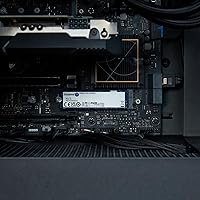
  • Installation: Designed for internal installation, the drive slots directly into an M.2 socket and is secured with a single motherboard screw — no tools beyond a screwdriver are needed.
  • Compatibility: Compatible with desktop PCs and laptops that feature an M.2 slot supporting NVMe; also backwards compatible with PCIe 3.0 systems at reduced peak speeds.
  • Heatsink: No heatsink is included in the box; users with thermally constrained systems or heavy write workloads may want to add a third-party M.2 heatsink.
  • Durability: The drive carries a shock-resistant rating, offering baseline protection against vibration and minor physical impact during transport or mobile use.
  • Power Draw: Operating voltage is 3.3V with low overall power consumption, making it practical for battery-powered laptops where thermal and energy efficiency matter.
  • Model Number: The official Kingston model designation for this 2TB variant is SNV3S/2000G, useful when checking compatibility or registering the product.
  • Manufacturer: Kingston Digital, Inc. — a subsidiary of Kingston Technology — manufactures and warranties this drive.
  • User Rating: The drive holds a 4.8 out of 5 star average across approximately 9,568 verified customer ratings as of its available listing data.
  • Sales Rank: It ranks among the top 20 Internal Solid State Drives on Amazon, placing it in the top tier of the mid-range NVMe category by unit volume.
  • Release Date: The SNV3S/2000G variant became available for purchase in August 2024, positioning it as a recent entry in the Gen 4 NVMe mainstream segment.
  • Cache Type: The NV3 series uses a HMB (Host Memory Buffer) architecture rather than dedicated DRAM, which is typical for drives in this price tier.
  • Max Capacity: The NV3 product line supports capacities up to 4TB, with the 2TB variant representing the most popular balance of cost and storage space.
  • Compatible OS: Works with Windows 10 and 11, Linux distributions, and macOS systems that support NVMe M.2 storage natively — no additional drivers required in most cases.

Related Reviews
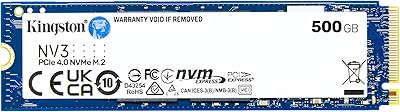
Kingston NV3 500GB NVMe SSD
81%
91%
Read Performance
78%
Write Performance
94%
Value for Money
63%
Thermal Management
93%
Installation Ease
More
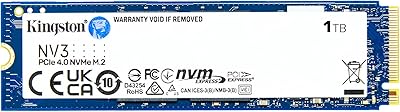
Kingston NV3 1TB NVMe SSD
87%
93%
Value for Money
88%
Boot and Load Times
94%
Ease of Installation
91%
Physical Compatibility
86%
Power Efficiency
More
Kingston NV3 4TB NVMe SSD
80%
91%
Sequential Read Speed
63%
Sustained Write Performance
94%
Storage Capacity
88%
Value for Money
93%
Installation Ease
More
Kingston NV1 2TB NVMe SSD
81%
88%
Value for Money
82%
Read/Write Performance
93%
Installation Ease
61%
Thermal Management
71%
Long-Term Reliability
More
Kingston FURY Renegade 2TB NVMe SSD

84%
94%
Read & Write Performance
88%
Sustained Throughput Consistency
71%
Thermal Management
92%
Installation & Compatibility
74%
Value for Money
More
SanDisk 2TB SSD Plus M.2 NVMe SSD
86%
89%
Performance
92%
Ease of Installation
88%
Reliability
91%
Value for Money
90%
Capacity
More
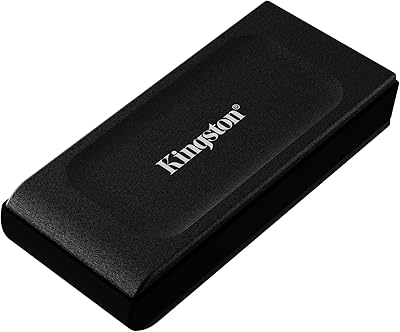
Kingston XS1000 2TB SSD
88%
94%
Performance
90%
Portability
93%
Speed (Read/Write)
88%
Build Quality
91%
Ease of Use (Plug & Play)
More
GiGimundo G7400 2TB NVMe SSD
76%
88%
Read Speed Performance
54%
Sustained Write Speed
91%
Gaming Load Times
83%
Value for Money
67%
Thermal Management
More
TEAMGROUP MP33 2TB NVMe M.2 SSD
78%
93%
Value for Money
86%
Read Performance
67%
Write Performance
94%
Installation Ease
91%
Compatibility
More
Fikwot FX550 2TB NVMe M.2 SSD
80%
88%
Sequential Read Speed
61%
Sustained Write Performance
86%
Value for Money
92%
Compatibility & Fit
77%
Thermal Management
More

FAQ

Yes, the NV3 2TB is backwards compatible with PCIe 3.0 slots. You just won't hit the Gen 4 speed ceiling — your read speeds will cap at around the PCIe 3.0 bandwidth limit, roughly 3500 MB/s. That's still a solid improvement over most SATA SSDs, so the upgrade is worthwhile even on older hardware.

In most cases, no. Modern versions of Windows, Linux, and macOS recognize NVMe drives natively, so the drive should appear as soon as it's seated and your system boots. If you're using it as a primary drive, you'll need to install your OS fresh or clone your existing one — Kingston doesn't include cloning software in the box, so plan for that step.

For everyday use — browsing, gaming, general file work — it handles thermals just fine without a heatsink on most systems. Where it can become a factor is during prolonged, heavy sequential writes, like moving hundreds of gigabytes at once or encoding large video files continuously. If that describes your workflow, adding an inexpensive third-party M.2 heatsink is a smart precaution.

The Samsung 990 Evo targets a similar price range but uses a hybrid PCIe 4.0 x4 and PCIe 5.0 x2 interface, which gives it slightly different performance characteristics depending on the host. The NV3 2TB generally delivers comparable real-world speeds for typical users, while Samsung's drive may edge ahead in sustained write consistency. If raw peak benchmarks matter to you, it's worth comparing both on your specific platform.

Honestly, for most tasks — web browsing, office apps, streaming — you probably won't notice. The gains show up clearly in things like OS boot time, launching large games or applications, and transferring big files. If you're coming from a SATA SSD, the jump feels more meaningful than moving from Gen 3 NVMe to Gen 4.

For most users, 2TB comfortably holds a full Windows installation, a rotation of 10 to 15 modern games, and a solid library of documents and media. If you work with large video projects or RAW photo archives regularly, you might fill it faster than expected. The NV3 line goes up to 4TB if you want headroom, but the 2TB variant hits the best balance of cost and capacity for everyday use.

Absolutely — as long as your motherboard or laptop has a second M.2 slot available, you can run it alongside another drive without any issues. It's a popular setup for people who want a fast primary drive for the OS and a high-capacity secondary for games or media storage.

Kingston backs the NV3 series with a limited warranty, though the specific term can vary by region — it's worth confirming the warranty period directly on Kingston's website for your country. Kingston also has a generally positive track record for handling warranty claims, which is part of why long-time builders tend to trust the brand.

The PS5 accepts M.2 NVMe drives in the 2280 form factor, and this Gen 4 SSD meets Sony's minimum speed recommendation for expandable storage. You will need to supply your own heatsink, since none is included — Sony actually requires one for the PS5 bay. Beyond that, installation is straightforward following Sony's official instructions.

It's one of the more beginner-friendly hardware upgrades you can do. You locate the M.2 slot on your motherboard or laptop, slide the drive in at a slight angle, press it flat, and secure it with a single small screw. The main challenge is usually physical access — removing a laptop panel or locating the slot on a crowded motherboard — rather than anything about the drive itself. Plenty of model-specific tutorials are available online if you want a walkthrough.

Where to Buy

Newegg.com
In stock $423.50
Hard Disk Direct
In stock $345.00
MemoryC.com
In stock $504.48