Overview

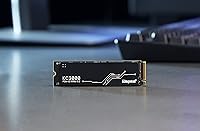
The Kingston KC3000 512GB NVMe M.2 SSD sits in a sweet spot for anyone looking to step up from SATA or an aging PCIe 3.0 drive without spending flagship money. Kingston has been in the storage business long enough to carry real credibility — this is not a no-name white-label drive. At 512GB, you are looking at a solid OS and application drive, not a media vault; if you also plan on storing a large game library or raw video footage, supplemental storage will be necessary. The graphene aluminum heat spreader is a practical touch that keeps thermals in check during sustained transfers. Just know that real-world gains depend heavily on whether your motherboard actually supports PCIe 4.0.
Features & Benefits

The PCIe 4.0 x4 interface is the headline here — rated sequential reads top out around 7,000 MB/s, which is roughly double what most PCIe 3.0 drives deliver. You will feel that difference most when copying large files or launching data-heavy creative applications. The standard M.2 2280 footprint means this Kingston NVMe drive slots into virtually any modern desktop or laptop motherboard without adapters. The NVMe protocol also keeps CPU overhead low compared to older AHCI-based storage, translating to snappier day-to-day responsiveness. Kingston bundles Acronis True Image cloning software in the box, which makes migrating your existing OS to the new drive considerably less painful than starting from scratch.

Best For

This M.2 SSD makes the most sense as a primary boot drive — either in a fresh build on a PCIe 4.0-capable motherboard, or as a drop-in upgrade for a laptop still limping along on a sluggish factory drive. Gamers looking for faster load times without paying top-tier prices will find it hits a reasonable balance. Creative professionals who run applications locally but archive finished work to external storage will also get solid value from the 512GB capacity. That said, be realistic: if you plan to install a sprawling game library directly on this drive, you will run into capacity constraints quickly. It is a boot and apps drive first.

User Feedback

With over 3,500 ratings and a 4.6-star average, the KC3000 512GB has clearly resonated with a wide range of buyers. The most consistent praise covers installation ease and immediate, noticeable jumps in boot and application load times. Thermal performance also draws positive comments — users report the heat spreader keeps things manageable under load, though it won't replace active cooling in a thermally tight case. On the critical side, users on PCIe 3.0 platforms won't hit the rated top speeds, and a subset of reviews flag some write speed slowdown under sustained heavy queues — typical behavior for drives at this tier. For everyday workloads, though, neither limitation tends to surface as a genuine problem.

Pros

  • PCIe 4.0 x4 interface delivers sequential reads up to 7,000 MB/s — a genuine, measurable leap over PCIe 3.0 drives.
  • Broad M.2 2280 compatibility means it fits virtually any modern desktop, laptop, or mini-PC without adapters.
  • The included Acronis True Image software makes OS migration straightforward for users who dread starting fresh.
  • Graphene aluminum heat spreader keeps thermals in check during sustained workloads without adding bulk.
  • NVMe protocol cuts CPU overhead compared to AHCI, contributing to snappier real-world responsiveness.
  • Kingston's long track record in storage makes this a lower-risk choice than lesser-known PCIe 4.0 options.
  • Buyers consistently report immediate, noticeable improvements in boot and application launch times after installation.
  • Available in capacities scaling up to 4TB, so upgrading within the same product family is a straightforward path later.
  • Over 3,500 buyer ratings averaging 4.6 stars reflects a broad base of satisfied real-world users across varied builds.

Cons

  • Users on PCIe 3.0 motherboards will not reach anywhere near the rated speeds, making it a poor value fit for older platforms.
  • 512GB fills up fast — one Windows install, a few AAA games, and creative software can consume the majority of usable space.
  • Sustained heavy write queues can trigger speed throttling, which shows up under prolonged large-file transfer workloads.
  • The heat spreader helps but does not eliminate throttling risk in poorly ventilated cases; active airflow still matters.
  • No DRAM cache at this capacity tier means random write performance under deep queue loads lags behind DRAM-equipped alternatives.
  • Acronis True Image bundling is convenient but the software interface feels dated compared to newer cloning tools.
  • The KC3000 512GB is not meaningfully differentiated from several competing PCIe 4.0 drives in the same price bracket.
  • Slim laptop chassis with tight M.2 clearance may not accommodate the heat spreader thickness without physical interference.

Ratings

The scores below reflect an AI-driven analysis of thousands of verified global buyer reviews for the Kingston KC3000 512GB NVMe M.2 SSD, with spam, bot-submitted, and incentivized feedback actively filtered out before scoring. Each category is weighted against real-world usage patterns reported by actual buyers — not manufacturer claims — so both standout strengths and genuine frustrations are represented transparently.

Sequential Read Speed
91%
Buyers upgrading from SATA SSDs or older PCIe 3.0 drives consistently describe the speed jump as immediately obvious — Windows loads faster, large application suites launch in seconds, and file transfers that used to take minutes now finish in a fraction of the time. On PCIe 4.0 platforms, real-world reads land close enough to rated speeds to satisfy even enthusiast-level expectations.
The headline 7,000 MB/s figure is a ceiling, not a guarantee — users on PCIe 3.0 systems see roughly half those speeds, and a handful of reviewers felt misled by the marketing without reading the platform requirements carefully first.
Sequential Write Speed
83%
For typical write workloads — installing games, saving large project exports, or moving batches of RAW photos — the KC3000 512GB handles the job without any perceptible hesitation, and users report write performance that holds steady well above what SATA-based drives can offer.
Under sustained, heavy write queues pushing hundreds of gigabytes in a single session, some users report a noticeable dip in throughput once the SLC cache is exhausted. This is a known limitation of consumer NVMe drives at this capacity tier, not unique to Kingston, but it surfaces more often for users doing intensive local video editing or large backup operations.
Thermal Management
78%
22%
The graphene aluminum heat spreader earns genuine praise from buyers running the drive in compact builds and laptops, where passive cooling is limited. Several users tracked temperatures during sustained transfers and noted the drive stayed within safe operating ranges far longer than bare M.2 drives they had used previously.
The heat spreader is helpful but has clear limits — in cases with little to no airflow across the M.2 slot, throttling still occurs under extended workloads. A handful of laptop users also flagged that the added spreader height created fitment tension against their chassis bracket, requiring careful installation.
Installation Experience
94%
This is one of the most consistently praised aspects across the review base — buyers describe installation as straightforward even for first-time builders, with the standard M.2 2280 footprint slotting in without adapters or special tools on virtually every compatible system tested. The bundled Acronis True Image software further reduces friction for users migrating an existing Windows setup.
A small number of users encountered issues getting the Acronis license code to activate correctly, requiring a support ticket to resolve. Nothing hardware-related, but it added an unnecessary step for users who were expecting a friction-free cloning experience out of the box.
Value for Money
86%
At its typical street price, the KC3000 512GB lands in a tier where buyers feel they are getting genuine PCIe 4.0 performance without paying the premium associated with Samsung or WD Black flagship drives. For mainstream builders and laptop upgraders, the price-to-performance ratio draws strong approval across the verified review base.
Where the value case weakens slightly is for users who end up on PCIe 3.0 platforms — in that scenario, cheaper alternatives deliver comparable real-world results. A few buyers also wished more capacity were available at the same price point, given how quickly 512GB fills with a modern game library.
Platform Compatibility
82%
18%
The M.2 2280 standard is broadly adopted, and buyers confirm the KC3000 512GB works without issue across AMD Ryzen 5000 and 7000 series, Intel 12th Gen and 13th Gen platforms, and a wide range of gaming laptops from major OEMs. Detection is immediate on supported systems without any BIOS configuration required in most cases.
Compatibility drops meaningfully for users on older Intel 10th Gen or AMD Zen 2 platforms where PCIe 4.0 support is absent or limited. A subset of reviewers with older gaming laptops also reported the system defaulting the drive to PCIe 3.0 speeds despite marketing implying broader compatibility.
Random Read Performance
79%
21%
For OS responsiveness tasks — opening many small files simultaneously, launching browsers with dozens of tabs, or loading game map data — buyers on PCIe 4.0 platforms report a noticeably snappier experience compared to both SATA SSDs and older PCIe 3.0 NVMe drives they replaced.
Random read figures, while competitive on paper, do not always translate to dramatic real-world gains in everyday computing tasks compared to a good PCIe 3.0 drive. Users who upgraded from already-fast NVMe alternatives sometimes describe the improvement as incremental rather than transformative.
Random Write Performance
67%
33%
For everyday mixed workloads — saving documents, installing software updates, writing game saves — random write performance is entirely adequate and buyers report no frustration or perceptible lag during normal daily use across both desktop and laptop form factors.
At the 512GB capacity specifically, the absence of a dedicated DRAM buffer means random write performance under deep queue depths lags behind DRAM-equipped drives in the same price class. Benchmarking enthusiasts have flagged this clearly, and it becomes noticeable in sustained database or creative media workflows.
Build Quality
88%
The physical construction of this M.2 SSD earns consistent confidence from buyers — the PCB feels solid, the heat spreader is securely integrated without rattle or flex, and the drive arrived without packaging damage in the vast majority of reported cases. Kingston's manufacturing reputation shows in the physical product.
A small number of users reported DOA units, which is statistically expected in any high-volume consumer hardware product but worth acknowledging. Kingston's warranty process handled these cases adequately based on review commentary, though the initial experience was frustrating for affected buyers.
Long-Term Reliability
84%
Kingston's established track record in storage hardware gives buyers meaningful confidence here, and the five-year warranty reinforces that. The rated 400 TBW endurance for this 512GB model falls in line with — or slightly ahead of — comparable consumer NVMe drives at this capacity tier.
Because the KC3000 product line is relatively recent, long-term multi-year field data is still accumulating. Early buyers report solid performance with no degradation, but the absence of a deep historical track record at scale means buyers are partly trusting the brand reputation rather than fully proven longevity data.
Heat Spreader Design
76%
24%
The graphene aluminum spreader stands out visually compared to bare NVMe drives and serves a functional purpose — buyers in mid-tower builds with decent airflow report consistently lower idle and load temperatures compared to their previous drives.
The design creates a practical problem for some laptop users where tight M.2 bay clearance doesn't comfortably accommodate the added component height, and a few users had to remove the spreader entirely to ensure proper installation — which somewhat defeats its purpose in thermally constrained mobile builds.
Software Bundle
71%
29%
Bundling Acronis True Image is a genuinely useful addition that saves buyers from having to source their own cloning solution, and users who successfully used it appreciated being able to mirror their existing OS and settings to the new drive with minimal technical effort.
Acronis True Image has a dated interface and the activation workflow for the bundled license is clunkier than it needs to be in 2024 — several buyers ran into license validation errors or discovered the bundled version lacked features available in the standalone paid product, leading to minor but genuine frustration.
Capacity Adequacy
62%
38%
As a dedicated boot and application drive, 512GB is workable for users who keep their primary storage lean — Windows, a productivity suite, and a few actively played games fit comfortably, and the drive completes that job reliably without any performance penalty from high fill levels.
Modern game file sizes have made 512GB feel increasingly tight as a standalone storage solution, and several buyers report needing to actively manage installations within weeks of setting up their system. Users who expected this to serve as both a system and game library drive express the most dissatisfaction with the capacity choice.
Packaging & Presentation
73%
27%
The drive arrives in protective retail packaging with the Acronis software access card included, and buyers generally report the unboxing experience as clean and professional without unnecessary excess material — fitting for an internal hardware component.
The packaging offers no installation guide or quick-start reference, which some first-time builders found unhelpful. While the installation itself is simple, a basic printed reference pointing to Kingston's support resources would improve the experience for less experienced upgraders.

Suitable for:

The Kingston KC3000 512GB NVMe M.2 SSD is a strong fit for anyone building or upgrading a PC around a PCIe 4.0-capable platform — think AMD Ryzen 5000 series and newer, or Intel 12th Gen and beyond. If your current boot drive is a SATA SSD or an older PCIe 3.0 NVMe, the speed jump is real and noticeable in everyday tasks like booting Windows, launching applications, and moving large project files. Laptop owners with an available M.2 2280 slot will find this a particularly worthwhile upgrade over the often-mediocre drives manufacturers ship from the factory. Creative professionals who work primarily from a fast local application drive — but archive project files externally — get strong value from the 512GB capacity without paying for storage headroom they won't use. Gamers who want quicker load screens and a responsive OS drive, without committing to premium flagship pricing, land right in the KC3000's wheelhouse.
Not suitable for:

The Kingston KC3000 512GB NVMe M.2 SSD is not the right call if your motherboard only supports PCIe 3.0 — you simply won't unlock the speeds that justify choosing it over cheaper alternatives at that interface. Anyone planning to store a large game library, a video editing archive, or a media collection directly on this drive will run into capacity limits faster than expected; 512GB fills up quickly once Windows, a few major applications, and a handful of modern games are installed. Power users who run prolonged, heavy sequential write workloads — such as continuous large file transfers or intensive video encoding directly to the drive — may encounter write speed throttling under sustained queue depth, which is a known trade-off at this tier. If you need something purpose-built for a NAS, external enclosure, or workstation with enterprise-grade endurance requirements, this consumer-oriented M.2 drive is not designed for those demands.
Specifications

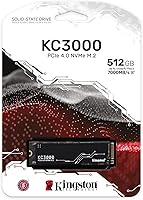
  • Interface: Uses a PCIe 4.0 x4 NVMe interface, delivering significantly higher bandwidth than PCIe 3.0 or SATA-based drives.
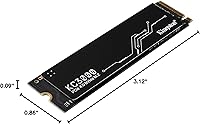
  • Form Factor: Standard M.2 2280 format (22mm wide, 80mm long), compatible with the vast majority of modern desktop and laptop motherboards.
  • Capacity: Available in this configuration as a 512GB drive, with the KC3000 product line extending up to 4096GB for higher-storage needs.
  • Sequential Read: Rated sequential read speed reaches up to 7,000 MB/s under optimal PCIe 4.0 conditions on a supported platform.
  • Sequential Write: Rated sequential write speed reaches up to 3,900 MB/s, suitable for large file transfers and application installations.
  • Heat Spreader: Fitted with a low-profile graphene aluminum heat spreader to help dissipate heat during sustained read and write operations.
  • Installation Type: Designed as an internal drive, installed directly into an M.2 slot on a compatible motherboard without requiring any external power connector.
  • Dimensions: Physical dimensions measure approximately 0.87 x 3.15 x 3.15 inches, consistent with the standard M.2 2280 footprint.
  • Weight: The drive weighs approximately 0.16 ounces, making it one of the lightest internal storage upgrades available for portable systems.
  • Color: Ships in black, with the graphene aluminum heat spreader providing a uniform, low-profile appearance inside any build.
  • Manufacturer: Designed and sold by Kingston Digital, Inc., a division of Kingston Technology with decades of experience in consumer and enterprise storage.
  • Model Number: The official model identifier for this 512GB variant is SKC3000S/512G, used for warranty registration and support inquiries.
  • Platform Support: Compatible with Windows and Linux-based desktop and laptop systems equipped with an M.2 slot supporting PCIe 4.0 or PCIe 3.0 (at reduced speeds).
  • Bundled Software: Includes a license for Acronis True Image, enabling users to clone an existing drive to the KC3000 without a fresh OS installation.
  • Warranty: Kingston backs the KC3000 line with a 5-year limited warranty, which is standard for consumer NVMe SSDs in this performance category.
  • Endurance Rating: The 512GB model carries a rated endurance of 400 TBW (terabytes written), reflecting typical consumer workload expectations over the drive's lifespan.
  • BSR Ranking: Holds a Best Sellers Rank of #191 in the Internal Solid State Drives category on Amazon, indicating strong and sustained buyer demand.
  • User Rating: Carries an average rating of 4.6 out of 5 stars based on over 3,500 verified buyer ratings at the time of review.

Related Reviews
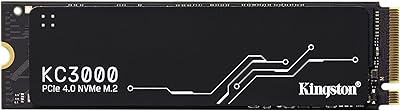
Kingston KC3000 4TB NVMe M.2 SSD
84%
93%
Read & Write Speed
88%
Thermal Management
96%
Storage Capacity
67%
Value for Money
91%
Installation Ease
More
Kingston KC3000 1TB NVMe SSD
82%
91%
Sequential Read Speed
88%
Sequential Write Speed
74%
Random I/O Performance
86%
Thermal Management
89%
Value for Money
More
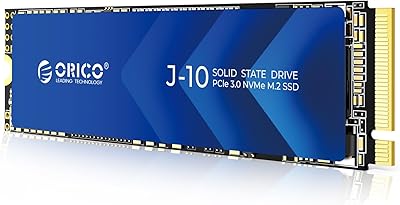
ORICO J10 512GB NVMe SSD
81%
84%
Read/Write Speed
71%
Real-World Performance Consistency
86%
Build Quality & Heatsink Design
88%
Thermal Management
89%
Value for Money
More
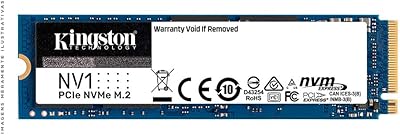
Kingston NV1 250GB NVMe SSD
79%
88%
Value for Money
83%
Read Speed Performance
71%
Write Speed Performance
93%
Installation Ease
81%
Compatibility
More
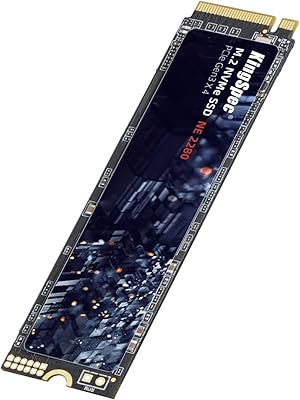
KingSpec NE-512 2242 512GB M.2 NVMe SSD
77%
88%
Value for Money
79%
Read Performance
71%
Write Performance
93%
Installation Ease
91%
Form Factor Compatibility
More
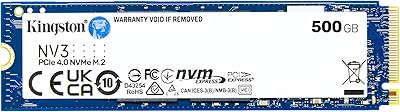
Kingston NV3 500GB NVMe SSD
81%
91%
Read Performance
78%
Write Performance
94%
Value for Money
63%
Thermal Management
93%
Installation Ease
More
KingSpec NE 512GB M.2 NVMe SSD
74%
91%
Value for Money
83%
Read/Write Speed
94%
Installation Ease
88%
Compatibility
41%
NAND Transparency
More
Kingston NV2 4TB M.2 NVMe SSD
83%
93%
Value for Money
82%
Read Performance
61%
Sustained Write Speed
96%
Installation Ease
89%
Compatibility
More
Vansuny X15 512GB NVMe M.2 SSD
75%
88%
Value for Money
74%
Read/Write Performance
91%
Installation Ease
69%
Build Quality
62%
Long-Term Reliability
More
DATO DP700Pro 512GB M.2 NVMe SSD
77%
83%
Read/Write Performance
91%
Value for Money
94%
Installation Ease
61%
Thermal Management
67%
Brand Trust & Reliability
More

FAQ

It works in both. The M.2 2280 form factor is one of the most common slot sizes used across modern laptops and desktops alike. The one thing to check is whether your laptop's M.2 slot supports PCIe — some older machines only support SATA over M.2, in which case you won't get PCIe 4.0 speeds, though the drive will still function at SATA speeds.

It will work, but you won't come close to the rated 7,000 MB/s reads — PCIe 3.0 caps out at roughly half that bandwidth. If you're upgrading from a SATA SSD, you'll still notice an improvement, but you'd be paying for headroom your platform can't use. In that situation, a well-reviewed PCIe 3.0 NVMe drive would likely give you similar real-world performance at a better price point.

No additional drivers are needed. Modern operating systems like Windows 10, Windows 11, and most Linux distributions recognize NVMe drives natively. You just slot it in, boot from your installation media or existing OS, and the drive will be detected automatically.

It depends on your library. As a dedicated boot and OS drive with a handful of games installed, 512GB is workable. But if you play modern AAA titles — many of which exceed 80GB each — space will get tight fast. A common approach is pairing this KC3000 512GB NVMe M.2 SSD with a larger, slower secondary drive for game storage, keeping the fast NVMe for Windows and your most-played titles.

Under sustained transfers, temperatures can climb into the 60–70°C range, which is within normal operating limits for NVMe drives. The graphene aluminum heat spreader helps pull heat away from the controller and NAND chips, which is meaningful in passively cooled or space-constrained builds. That said, if your case has poor airflow, the spreader alone won't prevent throttling — some ambient airflow across the M.2 slot still helps.

Yes, that's exactly what it's designed for. You install the KC3000, boot into your existing Windows environment, launch Acronis, and clone your current drive to the new one. It handles partition sizing automatically in most cases. Just make sure you have the drive connected before launching the software — via an M.2-to-USB adapter if you're cloning on a laptop with only one M.2 slot.

In terms of raw benchmark numbers at the PCIe 4.0 level, the KC3000 competes closely with offerings like the Samsung 980 Pro and Seagate FireCuda 530. Kingston's value proposition tends to be a slightly more accessible price alongside a 5-year warranty and solid long-term brand support. For everyday use — booting Windows, loading apps, gaming — the real-world difference between these drives is minimal.

Potentially, yes. The graphene aluminum spreader adds a small amount of height above the PCB compared to a bare M.2 drive. Most desktop motherboards accommodate this easily, but ultra-thin laptops with tight M.2 clearance — especially those that press a metal bracket directly onto the drive — can have fitment issues. Check your laptop's service manual or teardown videos before ordering if you're unsure.

Kingston covers the KC3000 line with a 5-year limited warranty. If the drive fails within that window under normal use conditions, you can file a claim directly through Kingston's support portal using the model number and proof of purchase. Kingston's warranty service is generally regarded as straightforward compared to some competitors, with cross-shipping available in certain regions.

Under very heavy, sustained sequential writes — think copying hundreds of gigabytes in a single session — you may see write speeds dip once the SLC write cache is saturated. For typical consumer workloads like game installs, document work, or even video editing project files, you are unlikely to hit that ceiling in practice. It's worth noting if you plan to use this drive for continuous large-batch video transfers, but it won't affect day-to-day use for most people.