Overview

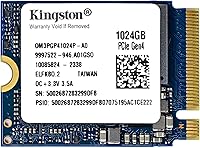
The Kingston OM3PGP41024P-A0 1TB M.2 2230 SSD is one of those drives you won't find shouting for attention on a store shelf, and that's kind of the point. It was built as an OEM component, meant to slot into machines where space is the real constraint rather than raw bragging rights. The 2230 length is unusually short for a drive this capacious, which is exactly why it shows up in handhelds and tiny mini PCs rather than full-size desktops. Under the hood, it runs on a PCIe Gen 4x4 interface paired with TLC NAND, giving it sustained performance that holds up over long sessions instead of just looking good on paper. It's also backward compatible with Gen 3 boards, so it doesn't lock you into one ecosystem.
Features & Benefits

On paper, this 2230 SSD is rated for read and write speeds up to 4,540 and 4,230 MB/s, and while you won't always hit those numbers in everyday use, the difference shows up in shorter load screens and quicker file transfers. What stands out more, honestly, is the size. A standard 2280 drive simply won't fit in a lot of handheld gaming PCs, so the shorter footprint here matters as much as the speed rating does. The TLC NAND keeps things balanced too, favoring reliability over flashy peak numbers. At under an ounce, it adds essentially no weight, which is a small but appreciated detail if you're carrying the device around all day.

Best For

If you own a Steam Deck and you're tired of juggling microSD cards or hunting for an adapter that fits, this Kingston drive solves that problem directly without forcing any creative workarounds. The same goes for ROG Ally and Surface handheld owners who need a same-size swap rather than a drive that barely squeezes in. Mini PC builders facing genuinely tight internal layouts will find it just as useful, since there's often no room for anything longer. It's not aimed at people chasing 2TB or 4TB capacities or bragging rights on a benchmark chart. Instead, it's a focused, practical pick for anyone whose main problem is running out of space in a small device.

User Feedback

Most owners describe installation as refreshingly painless, with this handheld storage upgrade dropping into place without the fiddly adapters some 2230 alternatives seem to require. That said, feedback isn't universally glowing. A handful of users mention that real-world speeds depend heavily on what the host device can actually push, so don't expect Gen 4 ceiling numbers inside every handheld. Heat is another recurring note; under sustained heavy loads, some report the drive running warmer than expected in cramped enclosures with limited airflow. Even with those caveats, the overall sentiment leans toward it being a dependable, no-drama alternative to pricier 2230 options, especially for buyers who just want it to work.

Pros

  • Fits handhelds like the Steam Deck and ROG Ally where standard-length drives simply won't go
  • PCIe Gen 4x4 interface delivers genuinely fast read and write speeds for the size
  • TLC NAND offers a dependable balance between endurance and everyday performance
  • Installation is consistently described as quick and hassle-free, even for first-timers
  • Backward compatible with Gen 3 systems, so it works across more devices
  • Adds almost no extra weight, ideal for portable gaming setups
  • 1TB capacity solves storage anxiety without overpaying for space you won't use
  • Seen by many as a reliable, no-drama alternative to pricier 2230 competitors

Cons

  • Real-world speeds often fall short of the rated benchmarks depending on the host device
  • Some users report noticeably higher temperatures under sustained heavy workloads
  • Capacity tops out at 1TB, which won't satisfy buyers with huge game libraries
  • Tight 2230 enclosures can limit airflow, making heat management trickier than larger drives
  • OEM-style packaging means fewer extras compared to flashier retail SSDs
  • Not ideal for desktop builders chasing maximum sustained transfer rates
  • Performance ceiling is ultimately dictated by the device it's installed in, not the drive itself

Ratings

These scores for the Kingston OM3PGP41024P-A0 1TB M.2 2230 SSD were generated by AI after analyzing verified buyer reviews from across the globe, with spam, bot activity, and incentivized feedback actively filtered out. What's left is a transparent picture that reflects both the genuine strengths and the real pain points owners have run into during day-to-day use.

Real-World Speed
82%
18%
Owners regularly notice quicker game launches and faster level loads compared to stock drives, especially when paired with a Steam Deck or ROG Ally during long gaming sessions. The PCIe Gen 4 bandwidth genuinely helps reduce loading bottlenecks in practice, not just on paper.
A fair number of users point out that they never see the full 4,540 MB/s figure, since most handhelds bottleneck the drive well before it hits that ceiling. Benchmark numbers can feel a bit misleading if you're expecting desktop-level performance.
Form Factor Fit
94%
This 2230 SSD slides directly into tight handheld enclosures where a standard 2280 drive simply has no chance of fitting, which is exactly why so many Steam Deck and Surface owners reach for it. No bulky adapters, no creative workarounds needed.
The compact size does come with trade-offs in available capacity tiers, since 2230 drives rarely go beyond 1TB or 2TB. Buyers hoping for a single small drive with massive storage will be limited by physics here, not Kingston's design choices.
Installation Ease
89%
Most reviewers describe the swap as refreshingly painless, even for people doing their first internal handheld upgrade. Removing the back panel, popping in this Kingston drive, and reassembling typically takes well under an hour for most users.
A small number of first-timers mention initial nervousness around disconnecting the battery or handling tiny screws inside compact devices like the Steam Deck. The process itself isn't hard, but it does require careful hands and good lighting.
Thermal Behavior
67%
33%
During typical browsing, light gaming, or casual use, most owners report no noticeable heat issues at all, even in compact enclosures. The drive generally stays within comfortable operating ranges for everyday tasks.
Under sustained heavy loads, like extended gaming marathons or large file transfers, several users report the drive running warmer than expected, particularly in enclosures with limited airflow. This can occasionally lead to minor throttling in worst-case scenarios.
Value for Money
85%
Given its niche size and capability, this handheld storage upgrade is frequently described as a smart middle ground between overpriced flagship 2230 drives and unreliable budget options. Buyers feel they're getting dependable performance without overpaying for size constraints.
Those comparing strictly by price-per-gigabyte against larger-format drives might feel the premium for the compact 2230 form factor is a bit steep. Smaller drives in this category just don't compete with 2280 pricing efficiency.
Build Reliability
88%
The TLC NAND construction earns consistent praise for feeling sturdy and dependable over months of regular use, with very few reports of premature failure or data corruption. Many describe it as a no-drama drive that just works.
A handful of users mention wanting clearer long-term endurance data, since TLC NAND inherently has lower write endurance than pricier alternatives. It's not a dealbreaker for most, but heavy write workloads could shorten lifespan faster than premium options.
Compatibility Range
91%
Backward compatibility with PCIe Gen 3 systems means this Kingston drive works across a wider range of devices than Gen 4-exclusive alternatives, giving buyers flexibility if they upgrade hardware down the line. ROG Ally and Surface owners particularly appreciate the same-size swap.
A few users note that exact slot dimensions can vary slightly between handheld models, so it's worth double-checking specs before assuming a guaranteed fit. Compatibility is broad, but not universally guaranteed without verification.
Portability & Weight
93%
At well under an ounce, this drive adds essentially zero noticeable weight to portable devices, which matters for anyone carrying a handheld gaming PC around daily. It genuinely disappears into the device once installed.
There's little to criticize here functionally, though some buyers wish the lightweight design came with more visible cooling reinforcement, since thinner drives have less surface area to dissipate heat naturally.
Setup Documentation
61%
39%
Users who've done internal upgrades before find the process intuitive enough without needing extensive guides, since the drive behaves predictably once recognized by the host device's firmware.
First-time upgraders frequently mention wishing Kingston included clearer device-specific instructions, since general SSD installation guides don't always address handheld-specific quirks like battery disconnection steps or firmware updates needed beforehand.
Brand Trust
86%
Kingston's reputation in the storage space gives buyers confidence going into the purchase, and most reviewers report that experience holding up post-purchase with consistent, predictable performance over time.
Being part of Kingston's OEM-focused Design-In Series means it lacks some of the retail polish, bundled software, or marketing extras that flagship consumer lines typically include, which occasionally surprises buyers expecting a more retail-oriented package.
Capacity Suitability
79%
21%
For most handheld gaming libraries and everyday app usage, 1TB strikes a comfortable balance that avoids constant uninstalling while still keeping the drive small and lightweight for portable use.
Buyers with sprawling game libraries or large media collections report hitting capacity limits faster than expected, especially as modern game install sizes continue to grow year over year.

Suitable for:

The Kingston OM3PGP41024P-A0 1TB M.2 2230 SSD makes the most sense for Steam Deck owners who have outgrown their stock storage and don't want to mess with bulky microSD cards or third-party adapters. It's also a smart pick for ROG Ally and Surface handheld users who need a drive short enough to actually fit the slot, since most retail SSDs are built for full-size desktops instead. Mini PC builders working in genuinely tight enclosures will appreciate having a 1TB option that doesn't require redesigning the internal layout around a longer drive. Budget-conscious upgraders who just want more breathing room, rather than maxing out at 2TB or 4TB, get exactly what they need here without paying for capacity they won't use. Anyone prioritizing a simple, predictable installation over chasing benchmark records should feel right at home with this drive.

Not suitable for:

Power users building a high-end desktop rig should look elsewhere, since the Kingston OM3PGP41024P-A0 1TB M.2 2230 SSD is designed around compact handhelds, not maximum sustained throughput for heavy workstation tasks. Anyone expecting to consistently hit the rated 4,540 MB/s read speeds in real-world handheld use may be disappointed, since the host device's own bandwidth limits often cap actual performance well below that number. If you need 2TB or more for a massive game library or large media collection, this drive's capacity will fall short fairly quickly. Buyers sensitive to heat in cramped enclosures with poor airflow should also be cautious, as some users report the drive running warmer under sustained heavy loads. Finally, anyone hoping for flashy retail packaging or extensive bundled software will find this OEM-style drive a bit too no-frills for their taste.

Specifications

  • Capacity: This drive offers 1TB of usable storage space for games, apps, and files.
  • Form Factor: It uses the compact M.2 2230 size, which is shorter than the more common 2280 length.
  • Interface: It connects via PCIe Gen 4.0x4, allowing for high-bandwidth data transfer.
  • NAND Type: It uses TLC NAND flash memory, which balances endurance with cost-effective performance.
  • Read Speed: Sequential read speeds are rated at up to 4,540 MB/s under ideal conditions.
  • Write Speed: Sequential write speeds are rated at up to 4,230 MB/s under ideal conditions.
  • Model Number: The official model number for this drive is OM3PGP41024P-A0.
  • Weight: The drive weighs approximately 0.634 ounces, making it extremely lightweight.
  • Dimensions: Physical dimensions measure 1.18 by 0.87 by 0.04 inches.
  • Color: The drive has a black-colored printed circuit board and chip casing.
  • Backward Compatibility: It is backward compatible with PCIe Gen 3 motherboards and systems.
  • Compatible Devices: It is designed to work with the Steam Deck, ROG Ally, Surface devices, and various mini PCs.
  • Installation Type: It installs internally as a direct M.2 slot replacement, requiring no external enclosure.
  • Series: This drive belongs to Kingston's Design-In Series, intended primarily for OEM integration.
  • Brand: The drive is manufactured by Kingston, a established name in storage solutions.

Related Reviews
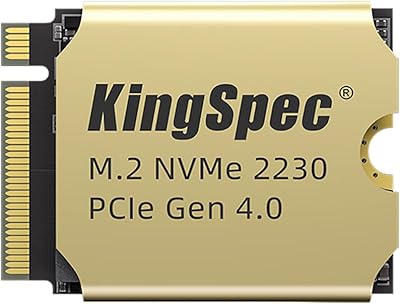
KingSpec XF-2230 1TB M.2 2230 SSD
77%
88%
Read/Write Performance
81%
Thermal Management
84%
Installation Experience
79%
Value for Money
63%
Brand Trust & Reputation
More
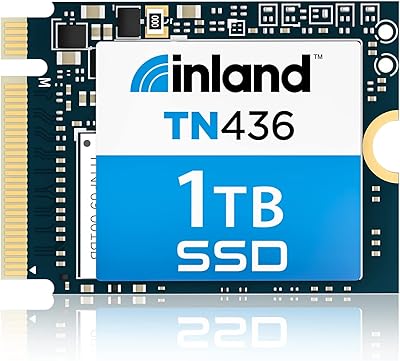
Inland TN436 1TB M.2 2230 NVMe SSD
84%
96%
Form Factor Fit
88%
Read/Write Performance
67%
Thermal Management
93%
Installation Experience
84%
Value for Money
More
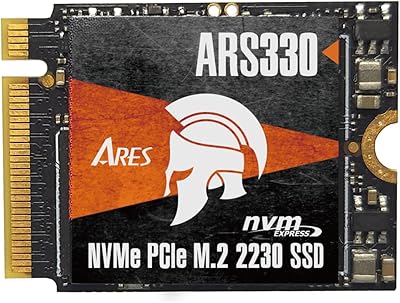
DATO ARS330 1TB M.2 2230 NVMe SSD
81%
83%
Sequential Read Speed
71%
Sustained Write Performance
88%
Thermal Management
91%
Form Factor Compatibility
86%
Value for Money
More
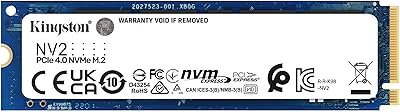
Kingston NV2 1TB NVMe SSD
83%
93%
Value for Money
86%
Read Performance
61%
Sustained Write Performance
74%
Thermal Management
91%
Compatibility
More
Kingston NV3 1TB NVMe SSD
87%
93%
Value for Money
88%
Boot and Load Times
94%
Ease of Installation
91%
Physical Compatibility
86%
Power Efficiency
More
fanxiang S630 1TB M.2 2230 NVMe SSD
80%
88%
Read Speed Performance
74%
Write Speed Performance
81%
Device Compatibility
79%
Thermal Management
93%
Installation Experience
More
KingSpec NX 1TB M.2 2230 NVMe SSD
74%
88%
Read Performance
63%
Write Performance
94%
Form Factor Fit
86%
Installation Experience
89%
Value for Money
More
MMOMENT MX44 1TB M.2 2230 NVMe SSD
78%
88%
Real-World Read Performance
82%
Write Speed & Responsiveness
93%
Form Factor Compatibility
91%
Installation Experience
67%
Thermal Management
More
Timetec 1TB M.2 2230 NVMe SSD
78%
93%
Device Compatibility
88%
Installation Experience
84%
Read Performance
79%
Write Performance
62%
Thermal Management
More
Kingston KC3000 1TB NVMe SSD
82%
91%
Sequential Read Speed
88%
Sequential Write Speed
74%
Random I/O Performance
86%
Thermal Management
89%
Value for Money
More

FAQ

Yes, the M.2 2230 size is exactly what the Steam Deck uses internally, so it should slot in directly without any adapter. Just make sure you're comfortable opening the device, since installation does involve removing the back cover and disconnecting the battery as a safety step.

In most cases, yes, since many handhelds ship with slower or smaller drives by default. That said, the real-world speed boost depends heavily on what your specific device's controller can actually push, so don't expect to hit the rated 4,540 MB/s figure in everyday gaming.

Some users have noted it can warm up under sustained heavy loads, particularly in enclosures with limited airflow. It's not an extreme issue for typical use, but if you're doing prolonged intensive tasks, you may notice more warmth than with a larger, better-cooled drive.

It will technically work if your motherboard has an M.2 slot supporting the 2230 size, but most desktop boards are built for the longer 2280 length, so you'd likely need an adapter. This drive is really optimized for handhelds and compact mini PCs rather than full towers.

Most owners describe it as straightforward, typically just removing a back panel, unscrewing the old drive, and swapping it in. You'll also need to clone your existing data or do a fresh OS install afterward, depending on your preference.

For most users, yes, 1TB comfortably covers a solid rotation of games plus your operating system and essential apps. If you have an enormous library you never uninstall, you might eventually want more, but for typical use this capacity holds up well.

Yes, the Kingston OM3PGP41024P-A0 1TB M.2 2230 SSD is specifically sized to fit the ROG Ally, Surface devices, and similar compact systems that use the 2230 standard. Just double-check your exact model's slot size before purchasing, since variations do exist.

Swapping drives does involve either cloning your existing data to the new drive beforehand or doing a clean install afterward. If you skip backing up first, anything on your old drive that isn't transferred will be lost, so it's worth taking that precaution.

Many buyers see this Kingston drive as a reliable, no-frills alternative that delivers solid everyday performance without the premium price tag of some competitors. It won't necessarily outperform top-tier flagship drives in every benchmark, but for practical handheld use, it holds its own.

Kingston typically backs its SSD lineup with a limited warranty, though exact terms can vary by region and retailer, so it's worth checking the specific listing or Kingston's official support page for your purchase. Keeping your original receipt is generally a good idea just in case.