Overview

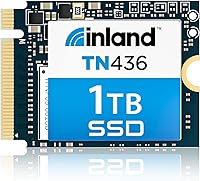
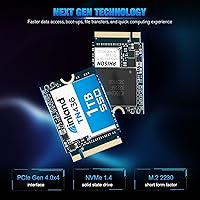
The Inland TN436 1TB M.2 2230 NVMe SSD exists for one specific reason: to bring Gen 4 speed to devices that physically cannot fit a standard-length drive. Most SSDs ship in the longer 2280 format, which rules them out entirely for Steam Decks, Surface laptops, and compact mini PCs. Inland, the house brand behind Micro Center's storage lineup, has built a quiet reputation for capable hardware at honest prices. This compact NVMe drive occupies a practical mid-range position among 2230 Gen 4 options — fast enough to feel like a genuine upgrade, without the cost of chasing flagship-tier specs.
Features & Benefits

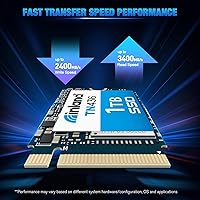
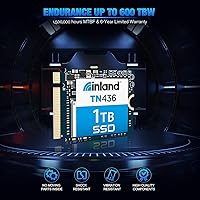
Running on a PCIe Gen 4x4 interface, this 1TB upgrade drive hits sequential reads up to 3,400 MB/s and writes up to 2,400 MB/s — which in practice translates to near-instant game load times compared to a stock eMMC or Gen 3 drive. The 3D TLC NAND handles everyday workloads capably, backed by wear leveling, TRIM, and SMART monitoring to maintain drive health over time. Endurance is rated at a solid 600 TBW for this class. The six-year warranty may be the most underrated spec here — most competitors stop at three or five years, making it a meaningful differentiator. Power management via APST and L1.2 support keeps thermals in check during lighter workloads.

Best For

This compact NVMe drive makes the most sense when the 2230 size is mandatory, not just convenient. Steam Deck owners are the primary audience — swapping the stock drive is a well-documented process, and jumping to 1TB is a substantial capacity gain. Surface Pro and Surface Laptop users needing an internal replacement will find it fits directly. Mini PC and HTPC builders who cannot physically accommodate a longer drive round out the main use cases. It is less compelling for anyone with standard desktop or laptop slots, where faster 2280 alternatives exist at lower prices. Upgrading from eMMC or aging Gen 3 storage will deliver a noticeable real-world difference without requiring a Gen 5 budget.

User Feedback

The Inland 2230 SSD holds a 4.7-star rating across roughly 230 reviews, which is a strong result for a niche storage product. The most consistent praise focuses on straightforward installation — Steam Deck users in particular report that the drive is detected immediately, with no firmware workarounds needed. Buyers also note that real-world speeds track closely with advertised figures, which is not guaranteed in this segment. On the downside, some users flag thermal throttling during extended large-file transfers, so it is worth knowing if heavy sustained writes are part of your typical workload. A small number of reviewers mention needing a BIOS update before certain motherboards recognized the drive. Minor issues overall, but worth knowing before buying.

Pros

  • Gen 4 speeds deliver noticeably faster game loads and boot times compared to stock eMMC or Gen 3 drives.
  • The 2230 form factor makes it one of the few viable internal upgrade options for Steam Deck and Surface devices.
  • A six-year limited warranty is genuinely rare at this price tier and adds meaningful long-term peace of mind.
  • 600 TBW endurance is strong for a compact drive in this class.
  • Real-world speeds reported by buyers track closely with the advertised sequential read and write figures.
  • Steam Deck installation is plug-and-play for most users, with no firmware workarounds required.
  • Single-sided PCB keeps heat output low during typical everyday workloads.
  • PCIe 3.0 backward compatibility makes it usable across a wider range of older host devices.
  • At 0.63 ounces, it adds virtually no weight — important for handheld and portable builds.
  • SMART and TRIM support allow ongoing drive health monitoring with standard tools.

Cons

  • Sustained large-file transfers can trigger thermal throttling, so heavy write workloads are not its strong suit.
  • Some users report needing a BIOS update before certain motherboards will recognize the drive.
  • Primarily available through Micro Center channels, which can limit accessibility for buyers outside the US.
  • No included heatsink or thermal pad, which may matter in tightly enclosed mini PC enclosures.
  • 3D TLC NAND, while reliable, performs below 3D SLC or MLC options under intensive write-heavy conditions.
  • Not a competitive choice for standard 2280 slots where faster options exist at comparable or lower prices.
  • Sequential write speed of 2,400 MB/s trails some competing 2230 Gen 4 drives in the same price range.
  • Random read IOPS at 320K is modest and may feel limiting in high-queue-depth workloads.

Ratings

The Inland TN436 1TB M.2 2230 NVMe SSD scores below are generated by AI after analyzing verified buyer reviews from multiple global sources, with spam, incentivized, and bot-flagged feedback actively filtered out. This compact NVMe drive earned strong overall sentiment, and these ratings reflect both what buyers genuinely loved and the real frustrations that surfaced across hundreds of hands-on experiences. Nothing is glossed over — the scores represent an honest cross-section of who this drive works well for and where it falls short.
Form Factor Fit
96%
For buyers in the 2230 market, this is the core reason to purchase, and it delivers without compromise. Steam Deck owners and Surface users consistently report that the drive slots in cleanly with no fitment issues, single-sided PCB and all. Finding a Gen 4 drive in this length that actually works reliably is not as easy as it sounds.
The niche form factor is by design, but it does create a narrow audience. Buyers who did not confirm their device requires 2230 ahead of purchase occasionally find themselves with a drive they cannot use, which skews a handful of otherwise avoidable negative reviews.
Read/Write Performance
88%
Real-world performance tracks closely with the advertised 3,400 MB/s sequential read, which buyers notice most during large game installs and OS boots. Steam Deck users upgrading from eMMC report the difference as immediately obvious — load screens that felt sluggish become noticeably crisper in day-to-day gaming sessions.
Sequential write speed, while solid at up to 2,400 MB/s, trails a few competing 2230 Gen 4 drives at this price point. Random read IOPS at 320K is also on the modest side, and users running workloads with high queue depth — such as database access or heavy multitasking — may notice the ceiling more than typical gamers will.
Thermal Management
67%
33%
For everyday gaming, browsing, and light file transfers, the single-sided PCB and L1.2 power management keep thermals in a comfortable range inside compact enclosures. Steam Deck users running standard gaming sessions report no heat-related issues over extended play periods.
Sustained large-file writes are where thermal throttling shows up, and multiple reviewers flag it clearly. Copying dozens of gigabytes in a single session — such as migrating a full game library — can cause speed to dip noticeably until the drive cools. It is not a dealbreaker for most use cases, but it is a real limitation worth knowing upfront.
Installation Experience
93%
The installation process earns high marks across the board, particularly from Steam Deck owners who are often first-time SSD upgraders. The drive is detected immediately by SteamOS in the vast majority of cases, and users report that following Valve's official recovery image process is straightforward even without prior hardware experience.
A small but consistent group of users — mostly on desktop motherboards rather than handheld devices — needed a BIOS update before the drive was recognized. This is not unique to this drive, but it adds an unexpected step for buyers who assumed it would work out of the box on any system.
Value for Money
84%
In the 2230 Gen 4 segment, options are limited and pricing tends to reflect that scarcity. This 1TB upgrade drive sits at a competitive mid-range price point and delivers Gen 4 throughput and a six-year warranty — a combination that most buyers feel is fair given what comparable drives cost from bigger-name brands.
Buyers comparing it against 2280 alternatives on pure price-per-gigabyte will find better deals elsewhere. The form factor premium is real, and users who do not strictly need 2230 may feel they are paying for a constraint rather than a feature.
Warranty Coverage
94%
Six years of limited parts and labor coverage is genuinely uncommon in this segment and gives buyers meaningful confidence in the long-term investment. Reviewers who were aware of it called it out as a deciding factor, especially when comparing against three- or five-year alternatives from competing brands.
Warranty claims require going through Inland directly, which is a Micro Center house brand without the same global support infrastructure as larger manufacturers. International buyers or those outside the US may find the claims process less convenient than dealing with a brand that has wider regional service coverage.
Endurance & Longevity
89%
A 600 TBW endurance rating is strong for a compact drive in this class, and the 1,500,000-hour MTBF figure adds to the picture of a drive built for sustained use rather than just initial performance. For gaming and general consumer workloads, most buyers will never come close to the rated write ceiling.
Heavy content creation workloads — video editing scratch disks, continuous large RAW file ingestion — will wear on TLC NAND faster than on more expensive MLC-based alternatives. Users with genuinely write-intensive workflows should factor in the NAND type before committing.
Compatibility Range
82%
18%
PCIe 3.0 backward compatibility means this drive is not locked to next-gen hardware, and SteamOS plus full Windows support covers the two main operating environments its buyers actually use. Mini PC builders with Gen 3 M.2 slots report it works reliably even without hitting full Gen 4 speeds.
NVMe-only connectivity means older SATA-based M.2 slots are not supported at all, which catches some less experienced buyers off guard. The product listing is clear about this, but it still generates occasional complaints from users who assumed M.2 meant universal compatibility.
Reliability Reports
87%
Across a sample of several hundred reviews, reports of early drive failure or data loss are rare. The 4.7-star overall rating reflects a product that simply works as expected for the vast majority of buyers, which in the storage hardware category is more meaningful than any benchmark number.
A handful of reviewers report drives that were dead on arrival or failed within the first few months, which is not statistically unusual at this scale but is worth acknowledging. Inland's warranty process covers these cases, though turnaround time for replacements drew some criticism.
Power Efficiency
86%
APST and ASPM support translates to real battery savings on handheld devices, and Steam Deck users who track battery life report that the drive does not contribute meaningfully to drain under normal use. The low idle power draw is a practical benefit that compounds over long gaming sessions away from a charger.
The efficiency gains are most pronounced on devices with proper power state support — some older mini PC platforms do not fully implement L1.2, which limits the real-world benefit for that subset of buyers. It is a minor point, but one that matters if power draw is a priority in your specific build.
Build & Physical Quality
88%
The drive feels solid for its size and weight, and the single-sided PCB design is not just a form factor requirement — it contributes to the overall compactness and keeps component exposure minimal. Buyers handling it during installation consistently note it feels more premium than its category price might suggest.
There is no heatsink or thermal pad included, which means users installing it in particularly cramped or poorly ventilated mini PC enclosures are on their own for thermal management. This is standard practice in the 2230 segment, but it is still a gap that some users notice.
Software & Firmware
71%
29%
TRIM and SMART support mean the drive works with standard health monitoring tools right out of the box, and Inland does offer firmware update support for future improvements. For buyers who want basic visibility into drive health, the essentials are covered without needing proprietary software.
Inland does not offer a dedicated SSD management utility comparable to what Samsung, WD, or Seagate provide. Users who want detailed performance analytics, scheduled health reports, or one-click secure erase functionality will need to rely on third-party tools, which adds a small but real friction point.
Documentation & Packaging
63%
37%
The drive arrives well-protected, and the product listing provides enough technical detail for experienced buyers to confirm compatibility before purchasing. For straightforward installations on supported devices, the included information is sufficient.
There are no printed setup instructions, no bundled cloning software, and no mounting screw included — a minor but frustrating omission for first-time upgraders who may not realize they need a separate screw for certain M.2 slots. First-time Steam Deck upgraders in particular often discover this gap only after the drive has arrived.

Suitable for:

The Inland TN436 1TB M.2 2230 NVMe SSD was built for a specific type of buyer: someone whose device physically requires the shorter 2230 form factor and who wants a meaningful performance upgrade without paying a premium for it. Steam Deck owners are the most obvious fit — the stock drive fills up fast, and swapping in a 1TB Gen 4 option makes a real difference for anyone building a serious game library. Microsoft Surface Pro and Surface Laptop users in need of an internal drive replacement will find this a straightforward, compatible choice. Mini PC and HTPC builders who are locked out of longer 2280 drives also land squarely in the target audience. Anyone currently running on slower eMMC storage or an older Gen 3 SSD will feel the speed jump in everyday use — faster boots, quicker file access, and snappier game loads across the board.
Not suitable for:

If your device uses a standard 2280 slot, the Inland TN436 1TB M.2 2230 NVMe SSD simply is not the right tool — you would be paying a small form-factor premium for a size advantage you do not need, and faster or cheaper 2280 alternatives exist at every price point. Enthusiasts chasing the absolute top-tier storage performance should also look elsewhere, as this is a practical mid-range drive rather than a benchmark-focused option. Users who regularly move very large files — think video editors transferring multi-gigabyte project folders — should be aware that sustained write workloads can trigger thermal throttling, which is a real-world limitation worth factoring in. Buyers who need NVMe drives for high-end desktop builds with Gen 5 motherboards will find more capable options at competitive prices. Finally, if you are purchasing for a system that requires enterprise-grade write endurance or advanced caching architectures, this drive is not designed for that workload.
Specifications

  • Form Factor: This drive uses the M.2 2230 form factor, measuring 1.18 x 0.87 x 0.08 inches — significantly shorter than the common 2280 drives found in most laptops and desktops.
  • Interface: It connects via PCIe Gen 4.0x4 NVMe, and is also backward compatible with PCIe 3.0 slots for use in older host devices.
  • Capacity: The drive offers 1TB of usable storage, formatted and ready for installation in compatible M.2 2230 M Key slots.
  • Sequential Read: Rated sequential read speed reaches up to 3,400 MB/s under optimal conditions with a Gen 4 host controller.
  • Sequential Write: Rated sequential write speed reaches up to 2,400 MB/s, suitable for fast file transfers and application loading.
  • Random Read: Random read performance is rated at up to 320K IOPS, covering typical mixed-workload access patterns.
  • Random Write: Random write performance is rated at up to 500K IOPS, supporting responsive multitasking and application launches.
  • NAND Type: Storage is built on 3D TLC NAND flash, with hardware-level support for static and dynamic wear leveling, bad block management, and over-provisioning.
  • Endurance: The drive carries a 600 TBW (terabytes written) endurance rating, indicating the total data volume it is designed to handle over its lifespan.
  • MTBF: Mean time between failures is rated at 1,500,000 hours, reflecting the manufacturer's reliability target for this drive under normal operating conditions.
  • Warranty: Inland covers this drive with a six-year limited parts and labor warranty, which is notably longer than the three- to five-year terms offered by most competitors in this segment.
  • Shock Resistance: The drive is rated to withstand shock loads of 1500G at 0.5ms, making it appropriate for portable and handheld device use.
  • Power Management: Supported power management protocols include APST, ASPM, and L1.2, which help reduce idle power draw and heat output in compact, battery-powered devices.
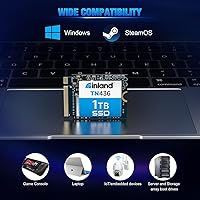
  • OS Support: Compatible operating systems include Windows 8, Windows 10, Windows 11, and SteamOS, covering both PC and Steam Deck environments.
  • PCB Design: The drive uses a single-sided PCB layout, which is required by certain devices such as the Steam Deck and some Surface models that cannot accommodate double-sided M.2 modules.
  • Weight: The drive weighs 0.63 ounces, adding negligible mass to any portable or handheld device during installation.
  • NVMe Compliance: The drive is compliant with NVMe 1.3 and NVMe 1.4 specifications, ensuring broad compatibility with modern and near-modern host controllers.
  • Health Monitoring: TRIM, SMART, and upgradeable firmware are supported, allowing users to track drive health and apply future performance or stability improvements.

Related Reviews
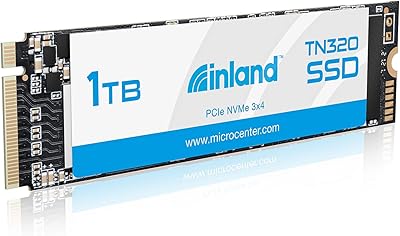
INLAND TN320 1TB NVMe M.2 SSD
87%
92%
Value for Money
88%
Performance Speed
94%
Ease of Installation
85%
Durability and Endurance
90%
Compatibility
More
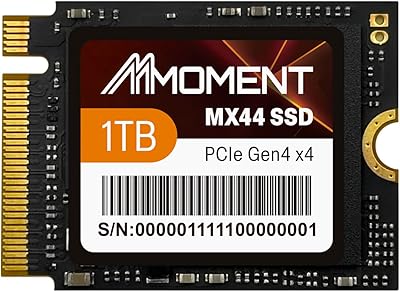
MMOMENT MX44 1TB M.2 2230 NVMe SSD
86%
92%
Performance
89%
Value for Money
95%
Ease of Installation
85%
Build Quality
87%
Durability (Dust/Water/Shock Resistance)
More
fanxiang S630 1TB M.2 2230 NVMe SSD
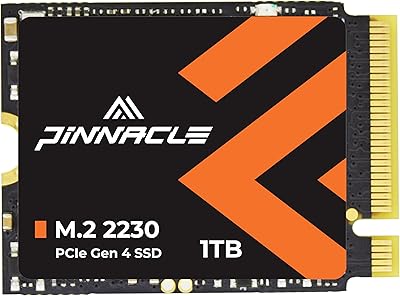
80%
88%
Read Speed Performance
74%
Write Speed Performance
81%
Device Compatibility
79%
Thermal Management
93%
Installation Experience
More
KingSpec 1TB M.2 2230 SSD NVMe Gen3x4
87%
94%
Performance
92%
Read Speed
88%
Compatibility with Small Devices
65%
Ease of Installation
89%
Durability (Shock Resistance)
More
Timetec 1TB M.2 2230 NVMe PCIe Gen4x4 SSD
88%
92%
Performance (Speed)
89%
Value for Money
84%
Ease of Installation
90%
Compatibility with Steam Deck
88%
Compatibility with Surface Pro
More
Dogfish M.2 2230 NVMe PCIe 4.0 1TB SSD
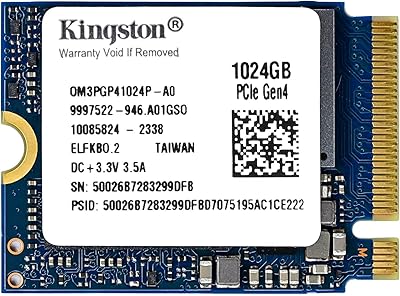
87%
94%
Performance
93%
Read Speed
91%
Write Speed
89%
Compatibility
88%
Ease of Installation
More
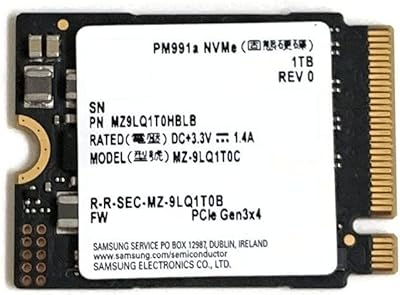
Samsung PM991a 1TB M.2 2230 NVMe SSD
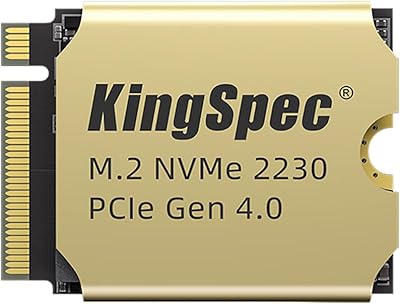
73%
94%
Form Factor Compatibility
88%
Read Performance
74%
Write Performance
91%
Storage Capacity
87%
Build & Component Quality
More
Kingston 1TB M.2 2230 PCIe Gen 4.0x4 NVMe SSD
86%
92%
Performance
90%
Read Speed
88%
Write Speed
85%
Installation Ease
91%
Compatibility with Mini PCs
More
KingSpec XF-2230 1TB M.2 2230 SSD PCIe 4.0
88%
91%
Performance
85%
Thermal Management
89%
Ease of Installation
92%
Value for Money
87%
Compatibility
More
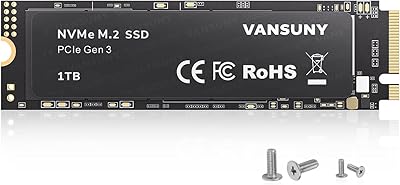
Vansuny 1TB NVMe M.2 SSD
87%
94%
Performance (Speed)
88%
Reliability
72%
Compatibility
91%
Value for Money
85%
Build Quality
More

FAQ

For most users, yes — you slot it in, boot from a USB installer, and the drive is recognized immediately. A small number of early buyers mentioned needing a firmware update on their host device, but the vast majority report a straightforward experience. Just make sure you have a SteamOS recovery image ready before you start the swap.

It uses the same M.2 connector, but the physical length is different. Standard M.2 SSDs are usually 2280 — 80mm long. The 2230 is only 30mm long, which is why it fits in devices like the Steam Deck, certain Surface models, and small form-factor PCs where a full-length drive simply would not fit physically.

Under normal gaming and browsing use, thermal behavior is fine. Where some users notice throttling is during prolonged, sustained large file transfers — think moving dozens of gigabytes at once. For everyday gaming and general use, heat is not a practical concern in the Steam Deck's enclosure.

Technically yes, if the slot supports the 2230 length — but most desktop and laptop M.2 slots are designed for 2280 drives. The drive will not physically reach the mounting screw on a 2280-only slot. Check your motherboard or laptop manual before purchasing if you are unsure.

Inland handles warranty claims directly. If the drive fails within the coverage period under normal use, you submit a claim for a replacement or repair. Six years is a long coverage window for storage hardware — most brands cap out at three or five years — so it reflects a reasonable level of confidence in the drive's longevity.

It is backward compatible with PCIe 3.0, so it will work — you just will not hit the full Gen 4 speed ceiling. On a Gen 3 slot, expect sequential reads closer to 3,000 MB/s or below depending on the host controller. Still a solid upgrade over slower drives, just not running at peak rated performance.

TBW stands for terabytes written — the total amount of data the drive is rated to handle before NAND wear becomes a concern. At 600 TBW, if you wrote 50GB of data per day every single day, the drive would theoretically last over 30 years before hitting that threshold. For gaming and general use, it is essentially a non-issue.

You will need a small Phillips or Torx screwdriver depending on your Surface model, plus a spudger or opening tool to safely remove the back panel. The drive itself does not need an adapter — it is an M Key M.2 2230, which is the correct connector type for Surface Pro models that use an upgradeable SSD. Check your specific Surface generation to confirm it has a removable drive.

No — this compact NVMe drive ships bare, with no cables, adapters, cloning software, or screws included. You will need to handle OS reinstallation or cloning separately. For Steam Deck users, Valve's official recovery image process is the standard approach and works well.

The base and mid-tier Steam Deck models ship with eMMC storage, which is noticeably slower than NVMe. Even the NVMe-equipped higher-end models use Gen 3 drives. Upgrading to a Gen 4 option like this one delivers faster game installs, quicker load times, and more breathing room for a larger library — the 1TB capacity alone is a major practical improvement over 64GB or 256GB base configurations.

Where to Buy