Overview

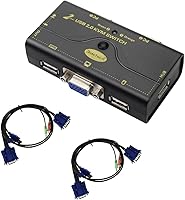
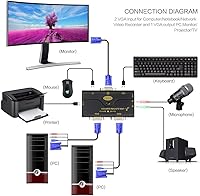
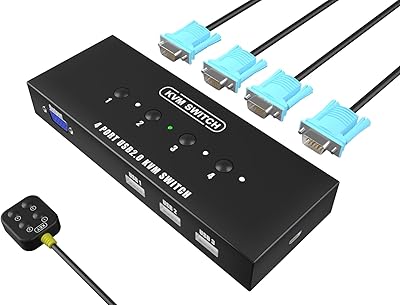
The JideTech JD-21UA 2-Port VGA KVM Switch is a no-frills, affordable way to control two computers from a single monitor, keyboard, and mouse — without cluttering your desk with duplicate peripherals. Setup is genuinely straightforward: plug in the two included 1.2m combo cables, connect your shared devices, and you're running. No driver installation, no adapter hunting. The unit itself is compact enough to sit beside a keyboard without getting in the way. For anyone building out a dual-PC workspace on a budget, this desktop sharing device covers the basics cleanly and gets out of your way.

Features & Benefits

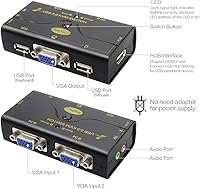
One thing that stands out about this KVM switch is the resolution ceiling: it tops out at 2048x1536, which is more than enough for most VGA monitors in use today. Beyond video, it handles audio and microphone switching, so you can share a single set of speakers or a headset between both machines — a handy inclusion that saves you from juggling cables. A built-in USB hub port lets you connect a shared printer or external drive without unplugging anything. DDC support means the display gets recognized automatically, skipping the manual setup dance. Broad OS compatibility across Windows versions, Linux, and Mac rounds out a surprisingly capable feature set for the price tier.

Best For

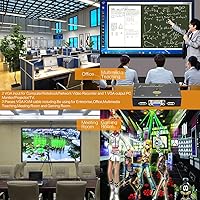
This desktop sharing device is a solid pick for home office users who split their time between a work PC and a personal machine, sharing the same monitor and peripherals without the clutter. It also suits IT professionals or hobbyists maintaining older systems where VGA is still the standard connection. If you want to consolidate your audio setup — one headset for two computers — the built-in mic and speaker switching earns its keep. That said, if your monitor uses HDMI or DisplayPort, or you need USB 3.0 speeds for a shared drive, this switcher is not the right fit. It shines in legacy and budget setups, not modern high-speed ones.

User Feedback

Buyers consistently praise the easy plug-and-play setup and reliable machine switching, calling it a low-effort solution that just works. Long-term owners report the hardware holds up reasonably well with daily use. The criticisms, though, are worth knowing: audio switching can be hit-or-miss depending on your speakers, with some users noting a noticeable lag or no audio transfer at all. The included cables work fine in compact setups but become a constraint if your two PCs sit more than a foot apart. A few reviewers also flagged that the shared USB port moves data at USB 2.0 speeds only, which slows large file transfers noticeably. Buyers who align their expectations with its budget positioning tend to walk away satisfied.

Pros

  • Truly plug-and-play — no drivers, no software, just cables and it works.
  • Two combo KVM cables are included in the box, so setup requires zero extra purchases.
  • Max resolution of 2048x1536 is well beyond what most VGA monitors can actually display.
  • Built-in audio and mic switching means one headset covers both computers without extra hardware.
  • The shared USB hub port lets you connect a printer or drive accessible from either machine.
  • DDC support handles display detection automatically, skipping manual configuration entirely.
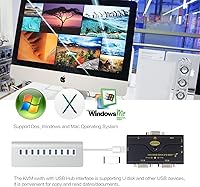
  • Compatible with Windows, Linux, and Mac, which covers most mixed-OS home setups.
  • Compact enough to sit on a desk without taking up meaningful space.
  • Reliable day-to-day switching that long-term owners say holds up well over time.
  • Offers real KVM functionality at a price point where most alternatives cut more corners.

Cons

  • VGA-only output immediately rules it out for any modern monitor without a legacy port.
  • Audio switching performance is inconsistent — some users report it simply does not transfer reliably.
  • The 1.2-meter cables are short; desks with any distance between the two PCs will need replacements.
  • The shared USB hub is capped at USB 2.0 speeds, making large file transfers painfully slow.
  • OS compatibility list stops at Windows Vista, leaving Windows 10 and 11 users in uncertain territory.
  • No hotkey switching option reported by users; the button-only workflow can feel clunky mid-task.
  • Only one USB hub port is available for sharing, limiting how many peripherals can be consolidated.
  • The JideTech switcher supports just two computers — anyone needing a third port has no upgrade path here.
  • Build quality feels functional but basic; the casing does not inspire confidence for heavy daily use.
  • No power adapter included, and bus-powered performance may vary depending on USB port output.

Ratings

The scores below reflect an AI-driven analysis of verified global user reviews for the JideTech JD-21UA 2-Port VGA KVM Switch, with spam, bot activity, and incentivized feedback actively filtered out before scoring. Each category captures both what real buyers praised and where frustrations surfaced, giving you an honest picture of what this desktop sharing device actually delivers in day-to-day use. Nothing here has been softened to flatter the product — the numbers reflect the full range of experiences, positive and negative alike.

Ease of Setup
91%
This is consistently the most praised aspect across user reviews. Buyers report connecting everything in under five minutes with zero driver installation — just plug in the cables, connect the peripherals, and the switch is live. Non-technical users in home office environments specifically call this out as a major relief.
A small number of users found the cable labeling on the unit unclear, leading to confusion about which port connects to which computer during initial setup. The user manual included is minimal and does not cover edge cases like mixed OS configurations.
Switching Reliability
83%
For the vast majority of users doing straightforward desktop-to-desktop switching, the button press triggers a clean handoff with keyboard and mouse responding almost immediately on the new machine. Long-term owners running this through daily switching routines over many months report consistent behavior without degradation.
A recurring complaint involves occasional input lag right after switching, particularly with mice that use polling rates above 125Hz. A handful of users also report the switch becoming unresponsive after extended use, requiring an unplug-and-replug cycle to recover.
Video Output Quality
78%
22%
The resolution ceiling of 2048x1536 is genuinely higher than what most VGA monitors can accept, meaning the switch itself is never the bottleneck for image clarity. Users with older 4:3 CRT or LCD monitors running at 1280x1024 or 1600x1200 report sharp, stable images with no visible interference or color distortion.
VGA is an analog signal, and some users notice subtle ghosting or soft edges at higher resolutions, which is a limitation of the interface itself rather than a flaw unique to this KVM switch. Anyone expecting the crisp digital output of HDMI or DisplayPort will be disappointed by the inherent ceiling of VGA.
Audio Switching
58%
42%
When it works, the audio switching feature saves users from manually swapping speaker cables or headset plugs between two computers. For users with basic 3.5mm analog speakers on a Windows setup, the audio handoff is generally clean and requires no additional configuration.
This is the weakest area in the user feedback pool. A significant share of buyers report that audio either fails to transfer at all, drops out intermittently, or requires manually replugging the speaker jack to restore sound after switching. Microphone switching in particular shows higher failure rates across mixed OS environments.
USB Hub Functionality
63%
37%
The shared USB port works well for low-bandwidth peripherals like printers and basic scanners, which is the most common use case buyers describe. Users who connect a shared label printer or document scanner praise how it eliminates the need for a second device.
USB 2.0 bandwidth caps cause real friction for anyone who tries to use the hub with an external hard drive or flash drive for transferring large files. Multiple users explicitly flagged transfer speeds as a dealbreaker for their workflow, particularly those moving large media or backup files between systems.
Build Quality
61%
39%
The unit is compact and light, which makes it unobtrusive on a desk and easy to reposition. For a fixed installation that does not get moved or handled frequently, the construction holds up adequately across daily use.
The plastic casing feels noticeably lightweight, and some users describe it as feeling fragile compared to slightly pricier alternatives. The button on the front has a shallow, soft click that a few buyers found underwhelming and raises questions about its longevity under thousands of presses over time.
Cable Quality & Length
56%
44%
Including two combo USB-VGA cables in the box is a genuine convenience — most competing products in this price range ship without cables, requiring a separate purchase. For compact desk setups where both PCs sit within close reach, the included cables are entirely sufficient.
At 1.2 meters each, the cables are simply too short for any desk configuration where the two computers are not sitting directly beside each other. The cables themselves are also reported as somewhat stiff and prone to pulling the lightweight switch unit off the desk if not positioned carefully.
OS Compatibility
69%
31%
The broad official support across Windows legacy versions, Linux, and Mac OS makes this KVM switch useful in mixed-environment setups, particularly for IT staff maintaining older hardware alongside a newer Mac workstation. Linux users in particular appreciate that it is recognized without any manual configuration.
The official compatibility list ends at Windows Vista, which is a transparency issue for the many buyers running Windows 10 or 11. While some users report it working on modern Windows versions, others experience intermittent input freezes that appear OS-version-dependent and are not addressed by any available firmware update.
Value for Money
82%
18%
At its price point, this KVM switch delivers a feature set — audio switching, a USB hub port, DDC support, and included cables — that would cost meaningfully more if sourced separately or bought from a branded competitor. For budget-conscious buyers with VGA monitors and basic needs, the value proposition is strong.
The value calculation shifts if you factor in a likely need to buy longer cables shortly after purchase, or if the audio switching fails and requires a workaround. Buyers who encounter reliability issues feel the savings were not worth the troubleshooting time.
Hotkey Support
44%
56%
The physical button switching works without requiring the user to memorize any key sequences, which some buyers in less technical settings prefer for its simplicity and visibility.
The absence of hotkey switching is a recurring frustration for power users who want to toggle between PCs without moving their hand to the physical unit. Competitors at a similar price point often include keyboard shortcut switching, making this omission feel like a genuine gap rather than a deliberate design choice.
Long-Term Durability
67%
33%
A segment of long-term buyers report using this desktop sharing device for a year or more without hardware failure, suggesting the internals hold up adequately when the unit is kept in a stable desktop setup and not subjected to physical stress.
There is a visible split in long-term feedback: some units seem to fail within six months, with switching becoming erratic or one port losing signal stability entirely. Without a clearly communicated warranty policy, buyers who hit failures after a few months have limited recourse.
Compatibility with Modern OS
52%
48%
A portion of Windows 10 users report the KVM switch functioning reliably for standard keyboard, mouse, and display switching without any additional steps, treating it as a standard HID device recognized natively.
Windows 11 compatibility is genuinely uncertain — user reports are mixed, with some experiencing input dropout after resume from sleep and others noting that the USB hub port becomes unresponsive after OS updates. There is no official statement or firmware update from the manufacturer addressing modern OS support.
Peripheral Sharing
71%
29%
Sharing a keyboard, mouse, and a single USB peripheral across two computers from one compact device covers the core need that most buyers have, and it does so without requiring any software on either machine. Users running shared printers in small offices find this particularly practical.
The single USB hub port is a real constraint for anyone wanting to share more than one peripheral. There is no way to expand this without adding an external USB hub, which then reintroduces cable clutter the KVM switch was meant to eliminate.

Suitable for:

The JideTech JD-21UA 2-Port VGA KVM Switch is built for a specific kind of buyer, and it genuinely delivers for them. If you work from home and juggle a personal desktop alongside a company-issued machine, this KVM switch lets you run both from one monitor, keyboard, and mouse without the constant unplugging and reconnecting. IT support staff managing older office hardware will appreciate that it just works with legacy VGA setups — no compatibility gymnastics required. Hobbyists who maintain retro builds or test environments on older operating systems will find the broad OS support genuinely useful. The included audio switching is a practical bonus for anyone who wants a single headset or speaker pair to serve both machines without spending extra. Anyone working within a tight budget who needs a functional, low-maintenance dual-PC setup will find this desktop sharing device punches above its price point.

Not suitable for:

The JideTech JD-21UA 2-Port VGA KVM Switch has clear limits that make it the wrong choice for a growing number of users. If your monitor connects via HDMI, DisplayPort, or USB-C, this switcher is simply incompatible — VGA is its only video interface, and that is not a workaround situation. Power users who rely on fast external drives or high-speed USB peripherals will hit a wall with the USB 2.0 hub, which makes large file transfers noticeably slow. Anyone expecting rock-solid audio switching should know upfront that real-world results vary; some users report the audio handoff works inconsistently depending on their speakers or OS. The included cables measure just 1.2 meters, so if your two computers are more than an arm's reach apart, you will need longer replacements immediately. Buyers who need more than two computers managed, or who want modern features like 4K output or USB 3.0 passthrough, should look at a higher-tier alternative.

Specifications

  • Model Number: This unit is manufactured by JideTech under the model designation JD-21UA.
  • KVM Ports: Supports exactly two computers connected simultaneously, with one shared set of peripherals controlled across both.
  • Video Interface: Uses VGA exclusively for video output; no HDMI, DisplayPort, or DVI connectivity is available.
  • Max Resolution: Handles video output up to 2048x1536 pixels, which exceeds the native capability of most VGA monitors in use today.
  • USB Standard: All USB connectivity, including the hub port and peripheral inputs, operates on USB 2.0 protocol.
  • Audio Support: Includes dedicated 3.5mm audio and microphone ports that switch in tandem with the active computer selection.
  • USB Hub Port: One shared USB 2.0 hub port is available for connecting a peripheral such as a printer, scanner, or external drive to both computers.
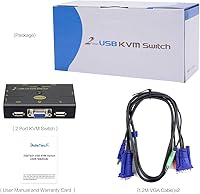
  • Included Cables: Two 1.2-meter combo USB-VGA KVM cables are included in the package, one for each connected computer.
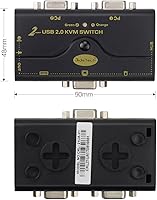
  • Dimensions: The unit measures 1.96 x 3.15 x 3.15 inches, making it compact enough to sit on a desk or tuck beside a monitor stand.
  • Weight: The device weighs 9.6 ounces, light enough to stay in place without requiring mounting hardware.
  • Operating Voltage: Powered via USB bus at 5 Volts, drawing up to 0.98 Amps; no external power adapter is required or included.
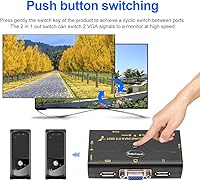
  • Switching Mode: Switching between computers is triggered automatically upon pressing the front button; no hotkey sequence is required.
  • DDC Support: Built-in Display Data Channel support allows the monitor to identify itself to each connected computer automatically.
  • OS Compatibility: Officially compatible with Windows 98SE, ME, 2000, XP, 2003 Server, and Vista, as well as Linux distributions and Mac OS.
  • Driver Requirement: No driver installation is necessary; the device is recognized natively by supported operating systems upon connection.
  • Chipset: Uses an updated chipset design intended to reduce instability issues such as input device freezing or unexpected system crashes.
  • Mounting Type: Designed as a plug-in desktop unit with no rack-mount or under-desk mounting option included.
  • Package Contents: The box includes one KVM switch unit, two 1.2m USB-VGA combo cables, and one printed user manual.

Related Reviews
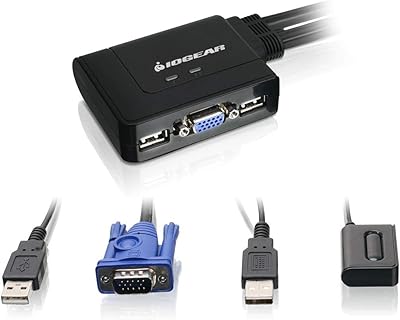
IOGEAR 2-Port USB VGA KVM Switch
85%
89%
Ease of Use
72%
Video Quality
85%
Build Quality
92%
Value for Money
95%
Setup/Installation
More
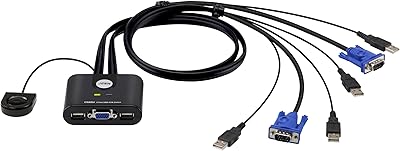
ATEN CS22U 2-Port VGA KVM Switch
77%
93%
Ease of Setup
88%
Switching Reliability
71%
Video Quality
76%
Build Quality
67%
Cable Design & Length
More
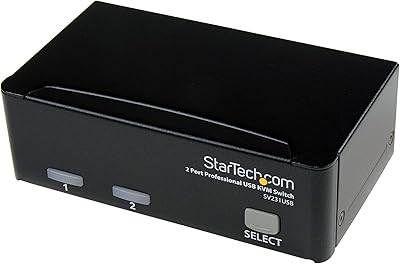
StarTech SV231USB 2-Port VGA USB KVM Switch
81%
88%
Switching Reliability
91%
Setup & Out-of-Box Experience
79%
Video Quality
67%
Compatibility
74%
Value for Money
More
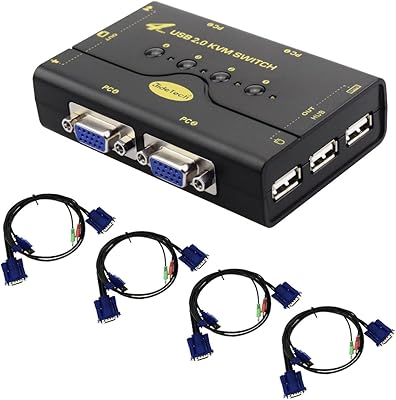
JideTech JD-41UA 4-Port VGA KVM Switch
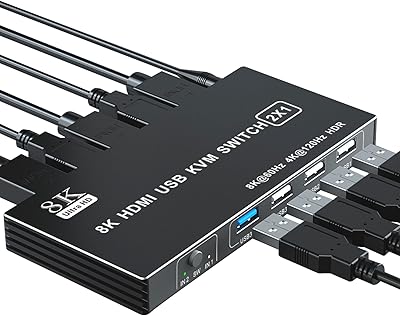
71%
83%
Value for Money
88%
Ease of Setup
71%
Switching Reliability
67%
Audio Switching
79%
Video Quality
More
BolAAzuL 2-Port HDMI 2.1 KVM Switch
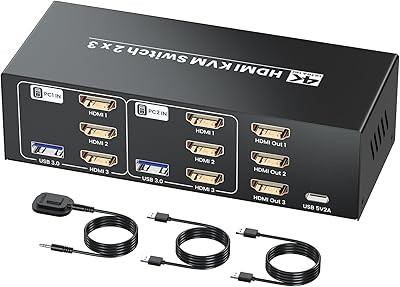
84%
91%
Value for Money
94%
Video Quality
88%
Ease of Setup
85%
Build Quality
80%
Usability and Controls
More
Seiryruc 2-in-3-Out 4K HDMI KVM Switch
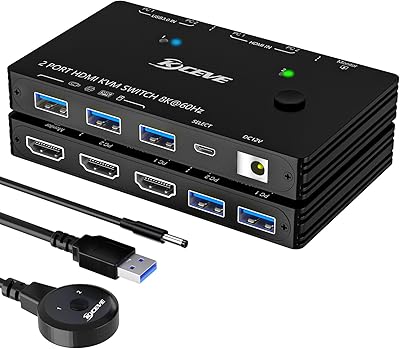
71%
88%
Setup & Installation
83%
Video Signal Quality
57%
Switching Method & Speed
81%
USB Peripheral Sharing
76%
Display Mode Flexibility
More
ANXQQ ANQ-A8201 HDMI KVM Switch
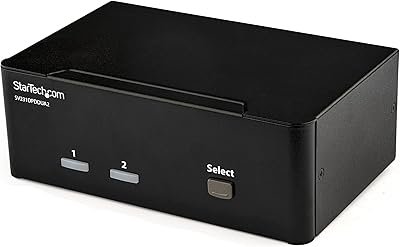
80%
89%
Setup & Installation
88%
Resolution & Display Quality
85%
USB Peripheral Sharing
71%
Switching Convenience
79%
Build Quality
More
StarTech SV231DPDDUA2 Dual-Monitor DisplayPort KVM Switch
68%
83%
Video Output Quality
78%
Dual-Monitor Switching
54%
Compatibility
58%
Hotkey Switching Reliability
74%
USB Hub Performance
More
KAGO 4-Port VGA KVM Switch

84%
92%
Value for Money
96%
Ease of Setup
85%
Performance
78%
Build Quality
87%
Display Quality
More
ienRon 6-Port 2.5Gb PoE Switch with 2-Port 10Gb SFP+
85%
86%
Performance
91%
Ease of Setup
88%
PoE Power Delivery
84%
Build Quality
93%
Fanless Operation
More

FAQ

No, you do not. The JideTech JD-21UA 2-Port VGA KVM Switch is fully plug-and-play. Just connect the included cables to each computer and your shared peripherals, and the switch is ready to use without touching any driver or settings menu.

Unfortunately, no. This KVM switch uses VGA exclusively for video output. If your monitor only has HDMI, DisplayPort, or USB-C inputs, this switcher is not compatible unless your monitor also has a VGA input available.

There is a physical button on the front of the unit. Press it once to toggle to the other computer. Switching is nearly instant for keyboard and mouse; the monitor signal may take a second or two to relock depending on your display.

The hub port handles standard USB peripherals like drives and printers, but for audio sharing, this KVM switch uses separate 3.5mm audio and microphone jacks rather than USB audio. You would need analog speakers or a 3.5mm headset to take advantage of the audio switching feature.

The included cables are fine for a compact desk where both towers sit within reach, but if your machines are spread further apart, you will need to source longer VGA-USB combo cables separately. Standard replacements are widely available online.

It works for most setups, but it is worth being honest here: audio switching performance is one of the more variable aspects of this KVM switch based on real user experiences. Some users report it transfers without issue, while others notice audio does not carry over consistently depending on the speaker brand or OS. If reliable audio handoff is critical for your setup, test it early after purchase.

The official compatibility list stops at Windows Vista. That said, many users have reported it functioning correctly on Windows 10 since the core HID keyboard and mouse drivers are handled natively by modern Windows. Windows 11 compatibility is less documented, so if you are running a current OS, be aware that support is unofficial and results may vary.

Yes, that is exactly what the USB hub port is for. Connect your printer to the hub port on the KVM switch, and whichever computer is currently active will have access to it. Just keep in mind the hub operates at USB 2.0 speeds, which is more than sufficient for printer communication.

The DDC support built into this desktop sharing device helps each computer recognize the monitor and its capabilities automatically, so you should not need to reconfigure display settings each time you switch. That said, if one computer has custom color profiles or refresh rate settings, those are stored in the OS, not the switch, so each machine maintains its own display configuration independently.

For a budget-tier device, it holds up reasonably well. Long-term users report consistent functionality after months of daily switching. The build feels functional rather than premium — the casing is lightweight plastic — but for a fixed desk setup where it is not being moved around, that is rarely an issue in practice.