Overview
The ANXQQ ANQ-A8201 HDMI KVM Switch is a small box that solves a surprisingly common problem: too many computers, not enough monitor. If you've got a work laptop and a personal desktop fighting for the same screen, this is the kind of gadget that quietly fixes your desk setup instead of complicating it. It's built around HDMI 2.1, so it's ready for higher resolutions and refresh rates without choking on older signals either. Out of the box you get everything needed to start switching right away, including the cables and a wired remote, which matters more than it sounds once you're actually setting things up. It's clearly aimed at home offices and small businesses juggling two machines daily, not big multi-PC server racks.
Features & Benefits
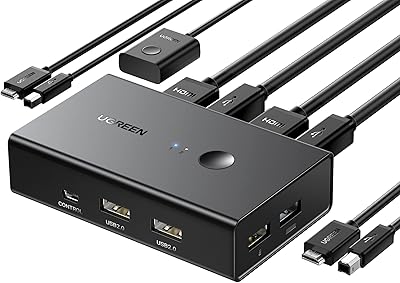
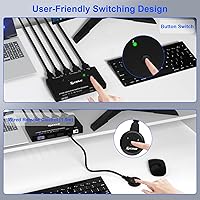
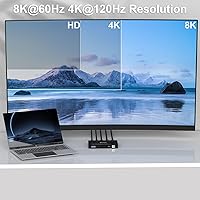
Once it's running, this KVM switch handles the daily back-and-forth better than the simple button-based switches I've used before. It supports resolutions up to 8K@60Hz, with smooth backward compatibility down through 4K and standard 1080p, so older monitors aren't left out. A single keyboard, mouse, and other USB 3.0 peripherals get shared between both computers, which means no more unplugging a mouse every time you switch tasks. The wired remote control sits within reach on the desk, so you're not crawling behind your tower to swap inputs. An LED indicator shows which machine is active at a glance, and setup is genuinely plug-and-play across Windows, Mac, Linux, and Chrome OS, no drivers required.
Best For
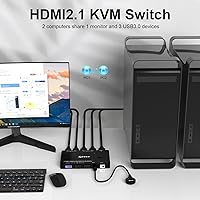
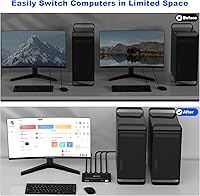
This switcher makes the most sense for remote workers who split time between a personal laptop and a work-issued desktop and don't want two monitors cluttering the desk. It's equally useful in small offices or server rooms where a technician needs to manage two machines from one screen without buying a second display. Gamers and creators benefit too, especially anyone running a high-end gaming PC alongside a work computer who wants a single high-resolution monitor doing double duty. Basically, if you're the type who's been unplugging an HDMI cable every time you switch between machines, or shuffling a keyboard back and forth, this desktop sharing device removes that daily annoyance and just lets you press a button instead.
User Feedback
Feedback on this KVM switch tends to be pretty consistent. Most buyers appreciate how little fuss is involved in getting it running, since everything needed comes in the box and there's no software to fight with. People with newer high-resolution monitors generally come away happy with the image quality, noticing no lag or flicker when switching sources. On the downside, a few users wish it supported hotkey switching instead of relying solely on the physical button or remote, which can feel like an extra step if you're used to keyboard shortcuts. There are also occasional mentions of desk clutter, since the included cables and the unit itself need a bit of dedicated space, especially on already crowded setups.
Pros
- Genuinely plug-and-play, with no drivers or software needed across major operating systems
- Wired remote lets you switch sources without reaching behind the desk or tower
- Shares keyboard, mouse, and other USB 3.0 peripherals between both computers seamlessly
- LED indicator makes it instantly clear which computer is currently active
- Supports up to 8K resolution while staying backward compatible with older 1080p setups
- Comes with all necessary cables, remote, and power adapter included in the box
- The ANXQQ ANQ-A8201 HDMI KVM Switch is compact enough to tuck into most desk setups
- Backed by a full year of manufacturer support for replacements or troubleshooting
Cons
- No hotkey switching option, which frustrates users who prefer keyboard-based controls
- Limited to just two computer sources, so it won't scale for larger setups
- Extra cables and the unit itself can add clutter on already crowded desks
- Physical button or remote switching feels slower than instant keyboard shortcuts
- No wireless or app-based control for those wanting a more modern interface
- Server rooms or IT teams needing more than two ports will outgrow it quickly
- Older monitors won't take advantage of the higher resolution capabilities at all
- Wired remote adds another cable to manage rather than reducing total cable count
Ratings
Our scores for the ANXQQ ANQ-A8201 HDMI KVM Switch are generated by AI after analyzing verified user reviews from around the world, with spam, bots, and incentivized feedback filtered out before any number is calculated. The goal is to reflect what real buyers actually experience day to day, not just the marketing copy. Below you'll find both the strengths people consistently praise and the friction points that show up across genuine reviews.
Setup & Installation
Resolution & Display Quality
USB Peripheral Sharing
Switching Convenience
Build Quality
Compatibility
Power Reliability
Cable Management
Value for Money
Ease of Use for Non-Tech Users
Scalability
After-Sales Support
Suitable for:
The ANXQQ ANQ-A8201 HDMI KVM Switch makes the most sense for anyone splitting their workday between two physical computers and one monitor, like remote employees toggling between a personal laptop and a company desktop. It's a smart pick for small offices or server room setups where someone needs quick access to two machines without dedicating a second screen to each. Gamers who keep a gaming rig and a work or streaming PC side by side will appreciate having one high-resolution display do double duty. People who currently unplug and replug HDMI cables every time they switch machines are exactly who this is built for. It also suits buyers who want everything included in one box, since the cables, remote, and power adapter are already there. Anyone running newer 4K or higher-resolution monitors will get the most visible benefit from its display capabilities.
Not suitable for:
This switcher isn't a great fit for anyone managing more than two computers, since it's strictly limited to a two-source setup. Buyers who rely heavily on keyboard shortcuts to switch between systems may find the lack of hotkey support a real workflow disruption rather than a minor quirk. If desk space is already tight, the unit itself plus its cables and power adapter add a bit more clutter than some users expect from a small device. The ANXQQ ANQ-A8201 HDMI KVM Switch also won't appeal to buyers wanting wireless or app-based switching, since control here is strictly physical, via button or wired remote. Those running older monitors that can't take advantage of higher resolutions won't see much benefit from its headline display specs. IT teams managing large multi-device racks will likely need a more scalable, higher-port solution instead.
Specifications
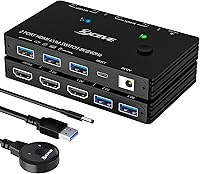
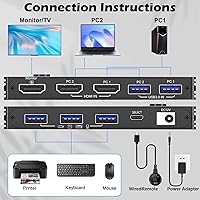
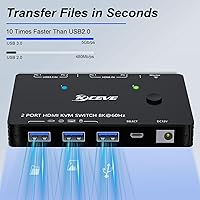
- Ports: This unit provides 2 HDMI inputs for computers and 1 HDMI output to a single monitor.
- Max Resolution: It supports resolutions up to 8K at 60Hz for compatible displays and source devices.
- Backward Compatibility: It also supports 4K at 120Hz, 4K at 60Hz, 4K at 30Hz, and standard 1080p resolutions.
- USB Sharing: It allows 3 USB 3.0 devices, such as a keyboard, mouse, or flash drive, to be shared between both computers.
- Switching Method: Switching between sources is done using a physical button on the unit or the included wired remote control.
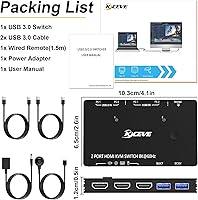
- Remote Length: The included wired remote control has a 1.5 meter cable for desktop-level access.
- Status Indicator: An LED light shows which connected computer is currently active.
- Power Requirement: The switch operates on a 12 volt DC power adapter, which is included in the package.
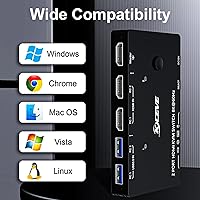
- Operating Systems: It is compatible with Windows, Mac OS, Linux, and Chrome OS without additional drivers.
- Installation: The device is plug-and-play, requiring no software installation to function.
- Dimensions: The unit measures 2.56 x 4.53 x 0.67 inches.
- Weight: The device weighs 11.99 ounces.
- Included Accessories: The package includes 2 USB 3.0 cables, 1 wired remote control, and 1 power adapter.
- Warranty: The manufacturer provides 12 months of after-sales service, including replacement and technical support.
- Model Number: The item model number is ANQ-A8201.
- Brand: The product is manufactured by ANXQQ.
Related Reviews

ANXQQ ANQ-8401B 4-Port HDMI KVM Switch
TCNEWCL KS-801 8-Port HDMI KVM Switch
MT-VIKI MT-801HK-C 8-Port HDMI KVM Switch
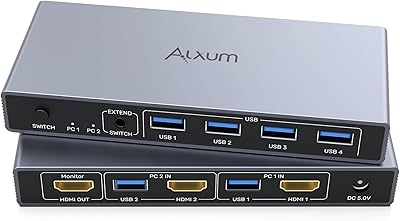
Alxum SJW-KM201B 2-Port HDMI KVM Switch

StarTech SV431HDU3A2 4-Port HDMI KVM Switch
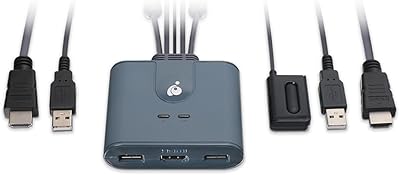
IOGEAR GCS32HU 2-Port HDMI KVM Switch

DGODRT KS604H 4-Port HDMI KVM Switch
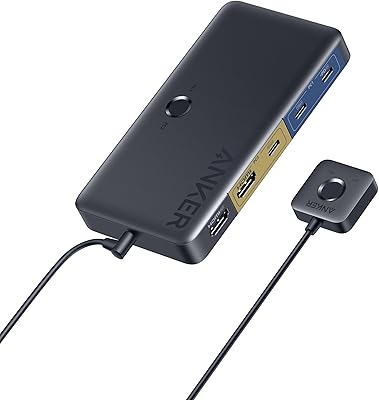
Anker A83K8 4K HDMI KVM Switch
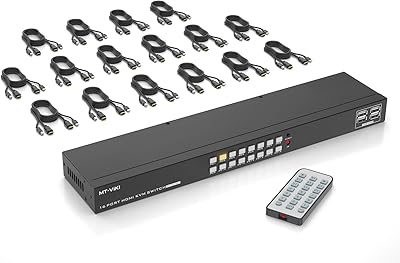
MT-VIKI MT-1601HK-C 16-Port HDMI KVM Switch