Overview
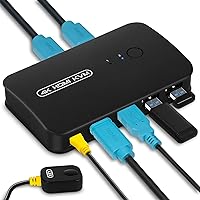
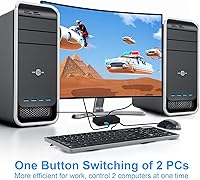
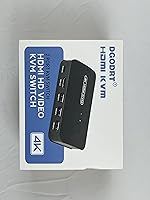
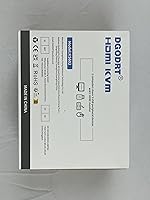
The DGODRT KS602H 2-Port HDMI KVM Switch is a no-frills, budget-conscious way to run two computers off a single monitor, keyboard, and mouse without buying duplicate peripherals. It ships with two KVM cables already in the box, so there is nothing extra to track down before setup. Plug it in, connect both machines, and it works — no driver installation, no configuration headaches. The unit itself is compact enough to tuck beside a monitor stand or slide under a desk riser without claiming much real estate. For anyone tired of physically swapping cables between a work laptop and a personal desktop, this desktop switcher offers a straightforward fix.
Features & Benefits
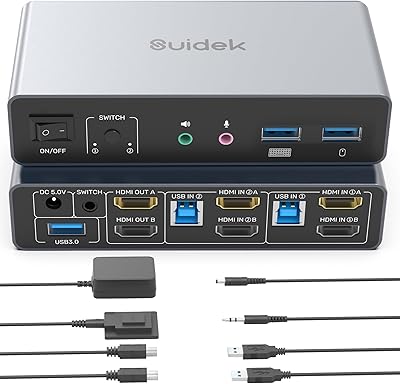
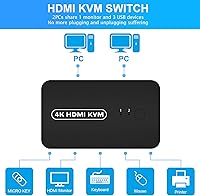
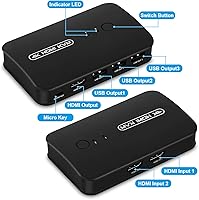
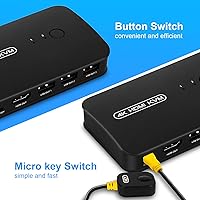
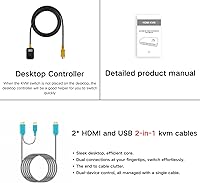
What makes this KVM switch practical for daily use comes down to a few well-thought-out details. The front panel button handles quick switches when you are sitting right at your desk, but the included wired remote controller is the more useful option — tuck it wherever it is easiest to reach without moving the main unit. The HDMI output handles up to 4K resolution at 30Hz, which is perfectly fine for spreadsheets, code editors, and general productivity. Three USB 2.0 ports mean your keyboard, mouse, and a printer or scanner can all stay connected simultaneously. The switch draws power directly from the host computer via USB, so there is no wall adapter to manage. The manufacturer backs it with a lifetime support promise, though how that plays out long-term is hard to verify independently.
Best For
The DGODRT 2-port switch makes the most sense for someone juggling a personal machine and a work-issued computer on the same desk — a situation more people found themselves in after remote work became routine. Developers hopping between a build server and a local workstation will also appreciate the simplicity; there are no hotkey sequences to memorize. It works equally well in a small office conference room where two presenters need to share one display without unplugging cables between turns. One clear boundary: if you are editing video, playing fast-paced games, or doing anything where 4K at 60Hz matters, this is not the right tool. For everything else — coding, document work, web browsing — the 30Hz refresh rate is genuinely fine.
User Feedback
Sitting at 3.9 stars across close to 1,800 reviews, this desktop switcher lands in solidly decent territory — not a standout, but well-regarded enough that most buyers end up satisfied. Easy setup and the value of getting two cables included in the box come up repeatedly in positive reviews. On the other side, a meaningful number of buyers have run into HDMI signal dropout or handshake problems with specific monitors or graphics cards — worth noting if your setup involves anything unconventional. The 4K@30Hz ceiling draws criticism mostly from buyers who needed it for video work and only realized the limitation after purchase. Durability over time is a mild concern in a subset of reviews, with some units apparently showing wear after extended daily use. The wired remote controller, though, gets consistent praise.
Pros
- Ships with two combo HDMI and USB KVM cables included, so the full setup cost is truly upfront with no surprise add-ons.
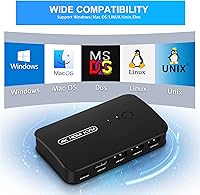
- Plug-and-play operation works across Windows, Mac OS, Unix, and DOS without installing a single driver.
- The wired remote controller lets you switch between computers from anywhere on the desk, not just by reaching the unit itself.
- Bus-powered via USB means no wall adapter is needed, keeping your power strip free for more important things.
- Compact build sits comfortably beside a monitor stand without eating into already limited desk real estate.
- Three USB 2.0 ports keep a keyboard, mouse, and one extra peripheral like a printer all connected at once.
- Nearly 1,800 buyer reviews give strong confidence that this desktop switcher performs reliably for typical home and office setups.
- Broad OS compatibility makes it a genuinely useful option for mixed Mac and Windows environments.
- Delivers crisp 4K output at 30Hz, which holds up well for document work, coding, and everyday productivity tasks.
- Sits at a budget price point that makes it a low-risk upgrade worth trying for most standard dual-computer desks.
Cons
- The 4K output is hard-capped at 30Hz, ruling it out entirely for video editing, gaming, or any motion-heavy content.
- A recurring pattern of HDMI signal dropout and handshake failures with certain GPU and monitor combinations creates real compatibility uncertainty.
- Strictly two computer inputs only — anyone needing to switch among three or more machines has to look at a different class of device.
- USB 2.0 ports limit peripheral transfer speeds, which is a noticeable drawback if any connected device benefits from USB 3.0 bandwidth.
- No audio switching support means you still need a separate solution to manage speakers or headphones when changing between computers.
- Durability concerns appear in a meaningful share of reviews, with some units reportedly showing performance degradation under sustained daily use.
- No hotkey or software switching option exists, which will frustrate users migrating from more feature-rich KVM setups.
- Lifetime support is a manufacturer-stated claim only; there is no independent track record to confirm how responsive or long-lasting that support actually is.
Ratings
The DGODRT KS602H 2-Port HDMI KVM Switch was evaluated by our AI rating engine after analyzing thousands of verified purchase reviews worldwide, with automated filtering applied to remove incentivized, spam, and bot-generated feedback. The scores below reflect honest user sentiment — including both the genuine strengths that make this KVM switch a strong fit for home and small office setups, and the real pain points that have frustrated a portion of buyers. Our goal is to give you a transparent, balanced picture so you can determine whether this desktop switcher is the right tool for your desk.
Ease of Setup
Video Quality
Value for Money
HDMI Signal Reliability
Long-term Durability
Switching Performance
USB Peripheral Support
OS Compatibility
Cable Inclusion
Power Convenience
Remote Controller
Port Flexibility
Manufacturer Support
Suitable for:
The DGODRT KS602H 2-Port HDMI KVM Switch is a practical choice for anyone who regularly operates two computers from a single desk and is tired of manually swapping cables every time they need to change machines. It fits home office workers best — particularly those managing a personal laptop alongside a company-issued desktop, where toggling between machines multiple times a day becomes a genuine productivity drain. Developers and IT professionals who keep a test environment physically separate from a production workstation will appreciate how straightforward the switching process is, with no software layer or hotkey memorization involved. Small meeting rooms and shared workstations where two users take turns presenting from one screen are another natural fit. The plug-and-play setup and included cables mean almost no barrier to getting started, making it equally approachable for non-technical buyers who just need something that works immediately out of the box.
Not suitable for:
The DGODRT KS602H 2-Port HDMI KVM Switch is not the right call for anyone whose workflow depends on high-refresh-rate output — the 4K@30Hz ceiling is a hard technical limit, and no configuration change will get you past it, which makes it a poor fit for video editors, motion graphics artists, or anyone playing fast-paced games on that shared display. Buyers running monitors that require HDMI 2.0 bandwidth for full 4K at 60Hz, or those using DisplayPort and USB-C displays, will find this switch simply does not support their hardware. If your setup involves more than two computers, or if you need features like audio port switching, hotkey macros, or DDM protocol support, this unit is too stripped back for the job. Anyone with an unusual GPU or monitor pairing should also factor in the reported HDMI handshake complaints from buyers before committing, since compatibility troubleshooting can turn a simple desk upgrade into a frustrating afternoon.
Specifications
- Brand: This switch is manufactured by DGODRT under the model designation KS602H.
- Model Number: The official model identifier is KS602H, which distinguishes it from other switches in the DGODRT lineup.
- Computer Inputs: Accepts connections from up to 2 host computers, each via a dedicated HDMI and USB combo input.
- Monitor Output: Provides a single HDMI output port designed to connect one external display.
- USB Host Ports: Equipped with 3 USB 2.0 host ports for sharing peripherals such as a keyboard, mouse, and one additional device across both computers.
- Max Resolution: Supports a maximum display resolution of 4K (3840×2160) at 30Hz over HDMI.
- Switching Method: Computers can be toggled using either the front panel push button or the included wired desktop remote controller.
- Cables Included: Ships with 2 combo KVM cables, each integrating an HDMI and a USB connection into a single cable — one per computer.
- Power Source: Runs entirely on bus power drawn from the connected host computer via USB, requiring no external power adapter.
- OS Support: Compatible with Windows, Mac OS, Unix, and DOS operating systems out of the box.
- Dimensions: The unit measures 3.7 × 5.01 × 6.22 inches (L × W × H).
- Weight: The switch weighs 4.8 oz, making it light enough to reposition or travel with if needed.
- Connection Type: Uses HDMI as the signal interface for both computer inputs and the single monitor output.
- Circuit Type: Built on a 2-way circuit design that routes signal between exactly two computer sources and one display.
- Actuator Type: The front-panel switching mechanism uses a push-button actuator for direct manual toggling.
- Contact Type: Employs a normally-open contact configuration within its internal switching circuit.
Related Reviews
BolAAzuL 2-Port HDMI 2.1 KVM Switch
Seiryruc 2-in-3-Out 4K HDMI KVM Switch
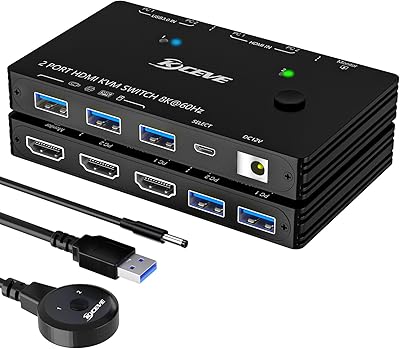
ANXQQ ANQ-A8201 HDMI KVM Switch
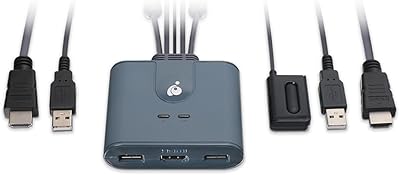
IOGEAR GCS32HU 2-Port HDMI KVM Switch

DGODRT KS604H 4-Port HDMI KVM Switch
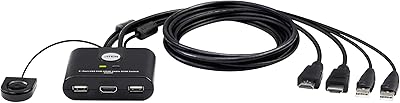
ATEN CS22HF 2-Port HDMI KVM Switch
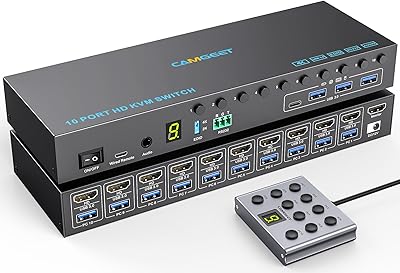
Camgeet 10-Port HDMI KVM Switch
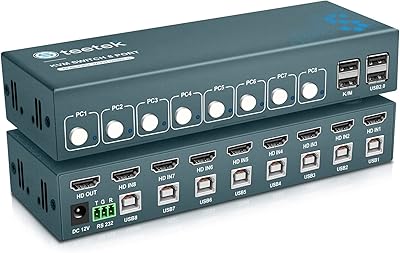
Steetek 8-Port USB 2.0 HDMI KVM Switch
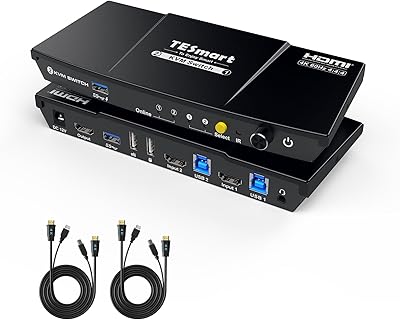
TESmart HKS201-P23 2-Port HDMI KVM Switch