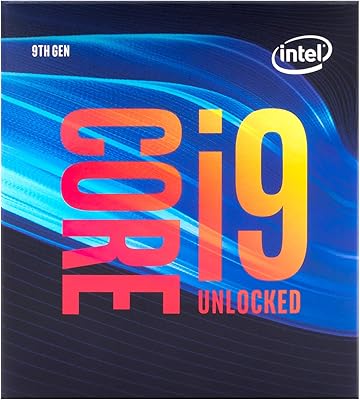
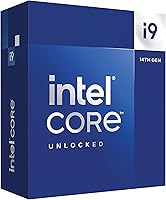
Intel Core i9-14900K


Overview
The Intel Core i9-14900K sits at the top of Intel's 14th-generation desktop lineup, arriving in October 2023 as the company's answer to anyone who refuses to compromise on raw processing power. Built on the LGA 1700 socket, it works with existing 600-series boards — often with a BIOS update — and the newer 700-series, making an upgrade from a previous-gen platform more practical than starting from scratch. The 24-core hybrid architecture pairs eight Performance-cores for demanding tasks with sixteen Efficiency-cores that handle background work, so the chip juggles heavy loads without starving foreground applications. The unlocked multiplier is the detail that separates it from Intel's locked SKUs and makes this chip genuinely compelling for enthusiasts who want headroom to push further.
Features & Benefits
The 6.0 GHz peak clock via Intel Turbo Boost Max 3.0 translates directly to snappier responsiveness in fast-paced games and any workload where a single thread is the bottleneck. The cache setup — 24 MB of L3 Smart Cache backed by 20 MB of L2 — keeps latency low enough that memory-sensitive games and large asset-streaming workloads benefit measurably. Memory flexibility is a genuine plus: this 14th-gen flagship supports both DDR5-5600 and DDR4-3200, so you're not forced to buy a new kit. The integrated UHD Graphics 770 is handy for diagnostics and display output during a build, but a discrete GPU is non-negotiable for any real gaming use. At 125W base TDP, thermal management becomes a serious consideration before attempting any meaningful overclock.
Best For
The i9-14900K makes the most sense for a specific kind of buyer. If you're running a high-refresh gaming setup — 165 Hz or higher — and need every frame the GPU can push, the peak single-core speed here is hard to beat on this platform. Content creators working in Premiere Pro, DaVinci Resolve, or Blender will find those 16 Efficiency-cores pulling real weight during background rendering and export passes. It's also a logical choice if you're already on a Z690 or Z790 board and want a meaningful CPU upgrade without changing the entire platform. Builders with DDR4 kits on hand will appreciate the dual-memory support, which removes the pressure to buy new memory on day one.
User Feedback
Across roughly 1,220 ratings, this high-end desktop CPU holds a 4.1 out of 5, and the review spread gives a fairly honest picture of who loves it and who doesn't. Gamers consistently praise the strong gaming performance and smooth overclocking experience. The criticisms are more pointed: sustained all-core loads push temperatures into territory that overwhelms anything short of a 360mm AIO or a high-end air cooler, and power draw under heavy workloads is genuinely high. A notable share of buyers flagged the Intel 13th/14th-gen instability issue; Intel released a microcode patch and most recent reviewers report stable operation after updating. Price-to-performance comparisons against AMD Ryzen 9 alternatives also appear regularly among less satisfied buyers.
Pros
- Top-tier single-threaded clock speed translates to noticeably smoother gameplay in CPU-bound titles.
- The 24-core hybrid architecture handles demanding multi-threaded workloads without starving foreground apps.
- Unlocked multiplier makes overclocking accessible even for intermediate enthusiasts.
- DDR5 and DDR4 support gives builders genuine flexibility when choosing or reusing memory kits.
- Drop-in compatibility with most Z690 and Z790 boards keeps upgrade costs reasonable for existing platform owners.
- Strong performance in video encoding, 3D rendering, and large creative project exports.
- Integrated UHD Graphics 770 is a practical convenience during builds and GPU troubleshooting.
- Post-microcode update, the i9-14900K runs stably for the vast majority of current buyers.
- 24 MB of L3 cache keeps latency low in memory-sensitive games and large asset-streaming workloads.
Cons
- Sustained all-core loads push temperatures well past 90°C without a 360mm AIO or premium air cooler.
- Real-world power draw under heavy workloads can exceed 250W, requiring a high-wattage PSU.
- No stock cooler included in the box — a hidden cost that catches unprepared first-time builders.
- The instability issues affecting early 13th and 14th-gen buyers, though largely patched, have left lingering confidence concerns.
- Value proposition weakens significantly when compared against AMD alternatives for buyers starting a new platform from scratch.
- Performance advantage over cheaper chips nearly disappears at 4K resolution where the GPU is the limiting factor.
- LGA 1700 is a dead-end socket with no further Intel CPU upgrades available beyond this generation.
- Budget Z690 boards may struggle with VRM demands under sustained all-core loads, requiring additional troubleshooting.
Ratings
The Intel Core i9-14900K earns a nuanced scorecard — not a perfect one. These ratings were generated by AI after analyzing thousands of verified global buyer reviews, with spam, bot submissions, and incentivized feedback actively filtered out. The scores reflect the full picture: where this high-end desktop CPU genuinely delivers, and where real buyers have run into friction.
Raw Processing Performance
Multi-Threaded Workload Efficiency
Thermal Management
Power Consumption
Gaming Performance
Overclocking Headroom
Platform Compatibility
Memory Flexibility
Stability & Reliability
Value for Money
Out-of-Box Setup Experience
Integrated Graphics Utility
Content Creation Throughput
Longevity & Future-Proofing
Suitable for:
The Intel Core i9-14900K is built for a specific kind of buyer who has both the budget and the technical setup to get the most out of it. If you're running a high-refresh gaming rig — 165 Hz or faster — and want the tightest possible frame times in CPU-sensitive titles, this chip delivers where it counts. Content creators who regularly export long 4K timelines, run background renders in Blender, or juggle multiple resource-heavy applications simultaneously will find the 16 Efficiency-cores genuinely useful for keeping the system responsive under load. It also makes strong sense for anyone already invested in the LGA 1700 platform — if you have a Z690 or Z790 board and a quality 360mm AIO already installed, this is a straightforward top-of-stack upgrade that avoids the cost of a full platform swap. Enthusiasts who enjoy overclocking will appreciate the unlocked multiplier, and builders with existing DDR4 kits will value the flexibility to skip a memory upgrade for now while retaining the option to move to DDR5 later.
Not suitable for:
The Intel Core i9-14900K is a harder sell if you are budget-conscious, building from scratch, or primarily working at 4K resolution where GPU limitations dominate frame rates long before the CPU becomes a bottleneck. Buyers who don't already own a premium cooler should factor in the mandatory additional cost — this chip runs hot under sustained load, and skimping on cooling either results in thermal throttling or, worse, the kind of instability that plagued some early adopters before Intel's microcode patch. If you're comparing platforms fresh without any existing LGA 1700 investment, competing AMD Ryzen 9 options offer competitive multi-threaded performance with lower power demands and cooling overhead, which makes the value equation trickier to justify. Casual users who mostly browse, stream, or run light productivity software would be massively overspending for workloads any mid-range chip handles without breaking a sweat. And if long-term socket upgrade paths matter to you, it's worth knowing that Intel has moved on to LGA 1851 for its next generation, meaning this platform has no further CPU upgrades available.
Specifications
- Architecture: Built on Intel's Raptor Lake Refresh design, the 14th-generation Raptor Cove and Gracemont hybrid core layout balances peak single-threaded speed with background task efficiency.
- Core Count: The chip carries 24 cores in total: 8 Performance-cores designed for heavy foreground workloads and 16 Efficiency-cores that handle concurrent background tasks without competing for P-core resources.
- Thread Count: With Hyper-Threading active on the P-cores, the processor exposes 32 threads to the operating system for scheduling.
- Max Boost Clock: Intel Turbo Boost Max Technology 3.0 allows the chip to reach a peak single-core frequency of 6.0 GHz under suitable thermal and power conditions.
- Base Power: The rated base power draw is 125W, though real-world all-core sustained workloads regularly push actual consumption significantly higher depending on motherboard power limit settings.
- L3 Cache: 24 MB of Intel Smart Cache provides a shared last-level cache pool that reduces main memory latency for both gaming and data-intensive creative workloads.
- L2 Cache: A total of 20 MB of L2 cache is distributed across the core complex, offering fast mid-level storage that reduces pressure on the L3 layer.
- CPU Socket: The processor uses the LGA 1700 socket, which is physically compatible with motherboards based on Intel's 600-series and 700-series chipsets.
- Motherboard Support: Full compatibility is provided for Intel 700-series boards natively; 600-series boards are supported but may require a BIOS update before the chip will post.
- Memory Support: The integrated memory controller supports both DDR5 at speeds up to 5600 MT/s and DDR4 at speeds up to 3200 MT/s, depending on the platform configuration chosen.
- PCIe Lanes: The processor provides 20 total CPU-direct PCIe lanes for connecting discrete graphics cards, NVMe storage, and other high-bandwidth peripherals.
- Integrated Graphics: Intel UHD Graphics 770 is included on-die and supports basic display output, hardware video decode, and system diagnostics — it is not intended for gaming use.
- Overclocking: The unlocked multiplier on all Performance- and Efficiency-cores allows manual frequency and voltage adjustments on compatible Z-series motherboards.
- Thermal Solution: No cooler is included in the retail box; Intel specifies that a third-party thermal solution capable of handling the chip's power output is required.
- Package Dimensions: The physical CPU package measures 7 x 2.5 x 0.04 inches and weighs approximately 3.17 oz, consistent with the standard LGA 1700 ILM footprint.
- Turbo Boost Tech: Intel Turbo Boost Max Technology 3.0 is supported, identifying and preferentially scheduling the two fastest cores on the die for the most latency-sensitive workloads.
- Launch Date: The processor was first made available for purchase in October 2023 as part of Intel's 14th-generation Core desktop family.
- Model Number: The official Intel part number for the boxed retail version is BX8071514900K.
Related Reviews

Intel Core i9-14900KF 14th Gen Desktop Processor
Intel Core i9-10900 Desktop Processor
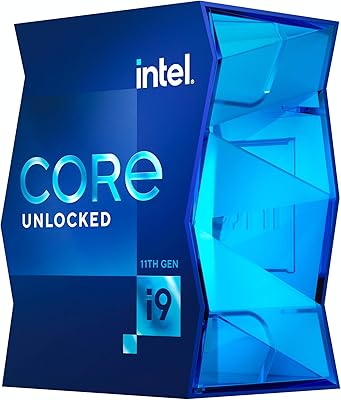
Intel Core i9-11900K Desktop Processor
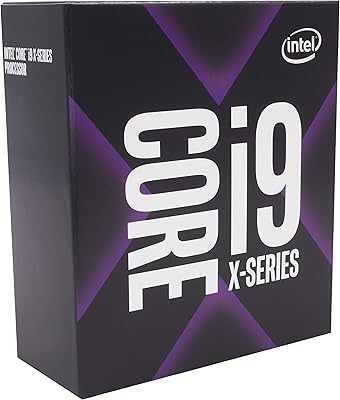
Intel Core i9-9820X Desktop Processor
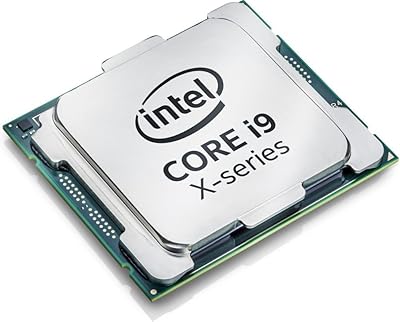
Intel Core i9-7900X Desktop Processor
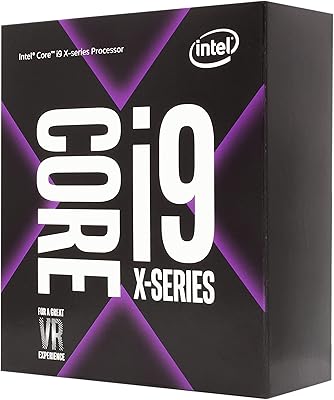
Intel Core i9-9900X Desktop Processor
Intel Core i9-11900 Desktop Processor
Intel Core i9-13900KS Desktop Processor
Intel Core i9-13900F Desktop Processor