Overview

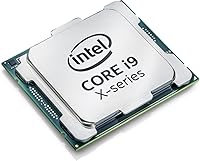
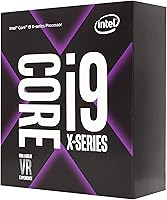
The Intel Core i9-7900X Desktop Processor arrived in mid-2017 as Intel's answer to a growing demand for high-core-count horsepower outside the server room. Built on the Skylake-X architecture, this X-series chip occupied a compelling spot in the enthusiast lineup — powerful enough to attract prosumer video editors and workstation builders, yet technically accessible to serious hobbyists. One thing to clarify upfront: it requires an LGA2066 socket and an X299 motherboard, so there's no dropping it into a standard consumer platform. Since launch, the street price has dropped considerably, which meaningfully changes the value proposition for buyers today.
Features & Benefits

Ten physical cores with Hyper-Threading enabled gives you 20 active threads — and in software like DaVinci Resolve or Blender, that difference is immediately felt. Turbo Boost Max 3.0 identifies the two best-performing cores and pushes them harder, reaching up to 4.5 GHz for tasks that benefit from raw single-core speed. What sets this HEDT processor apart from standard consumer chips is its 44 PCIe lanes, which makes it genuinely practical to run multiple NVMe drives and a discrete GPU simultaneously without bandwidth compromises. Quad-channel DDR4 support keeps memory-intensive pipelines fed. The multiplier is unlocked, so overclocking is on the table — just plan for cooling that can handle a 140W TDP.

Best For

This X-series chip makes the most sense for creative professionals whose work is genuinely thread-hungry. Video editors working in 4K or higher will notice the difference when rendering timelines or exporting large projects, and 3D artists running CPU render engines like Cycles see similar gains. Streamers who want to encode via software while gaming will also benefit from the high thread count. Planning a multi-drive NVMe array or a multi-GPU setup? The generous PCIe lane count matters more than most buyers realize before they build. Overclockers will appreciate the unlocked multiplier, and budget-conscious builders get a proven high-core-count platform without paying current-gen flagship prices.

User Feedback

Owners of the i9-7900X are broadly positive about its sustained multi-threaded output — Premiere Pro and Blender users in particular report solid render times that hold up respectably even against newer mid-range chips. Where feedback gets more cautious is around thermal management. At 140W under load, this HEDT processor runs hot, and more than a few buyers have mentioned regretting a budget cooler choice. A 240mm AIO minimum is the common recommendation, with 360mm being preferred for any overclocking. The X299 platform draws some criticism for BIOS complexity, which can catch first-time HEDT builders off guard. That said, users stacking NVMe drives alongside discrete GPUs consistently flag PCIe lane availability as a standout real-world advantage.

Pros

  • Ten cores and 20 threads deliver real, sustained performance in CPU-heavy creative applications like Blender and Premiere Pro.
  • Turbo Boost Max 3.0 pushes the two fastest cores up to 4.5 GHz, keeping single-threaded tasks snappy.
  • Forty-four PCIe lanes make multi-NVMe and multi-GPU configurations genuinely practical without bandwidth compromises.
  • Quad-channel DDR4 support provides memory bandwidth that dual-channel mainstream platforms cannot match.
  • The unlocked multiplier gives overclockers a straightforward path to pushing clocks beyond stock settings.
  • At current street pricing, this X-series chip offers a high core count at a fraction of what it cost at launch.
  • Streamers benefit directly from the thread headroom — software encoding no longer fights with the game for resources.
  • The X299 ecosystem is mature, with well-documented community guides for tuning, overclocking, and compatibility.

Cons

  • A compatible X299 motherboard plus quad-channel RAM kit adds substantial cost on top of the CPU price alone.
  • The 140W TDP requires a premium cooler — budget or low-profile solutions lead to thermal throttling under load.
  • BIOS complexity on X299 boards is a real time investment, especially for first-time HEDT builders.
  • Memory compatibility can be finicky; getting XMP profiles stable sometimes requires manual tuning.
  • Modern chips offer comparable or better multi-threaded throughput with significantly lower power consumption.
  • Pure gaming performance trails behind current-generation consumer chips optimized for high-frequency single-core work.
  • The platform is aging, meaning long-term firmware support and motherboard availability are increasingly limited.
  • High sustained power draw translates to noticeable electricity costs for users running long unattended render jobs.

Ratings

The Intel Core i9-7900X Desktop Processor earns its scores here based on AI-driven analysis of verified buyer reviews collected globally, with spam, bot submissions, and incentivized feedback actively filtered out before any scoring is applied. The result is a picture that reflects how real workstation builders, content creators, and enthusiast overclockers actually experience this X-series chip day to day. Both the standout strengths and the legitimate frustrations are weighted transparently, so the scores tell the full story.
Multi-Threaded Performance
91%
Users running CPU-intensive workloads in Premiere Pro, Blender, and DaVinci Resolve consistently report that the 10-core, 20-thread configuration handles parallelized tasks with authority. Long renders and heavy timeline scrubbing that would stall a standard consumer chip move through noticeably faster, which is exactly what creative professionals need.
Against current-generation chips with comparable or higher core counts, the performance lead narrows or disappears entirely. Buyers coming from a modern mid-range platform may find the raw throughput advantage less dramatic than the spec sheet implies.
Single-Core Responsiveness
78%
22%
Turbo Boost Max 3.0 identifies the chip's two fastest cores and prioritizes them for lightly threaded tasks, pushing clock speeds up to 4.5 GHz. Day-to-day desktop responsiveness and application launch times feel snappy as a result, even on a platform not traditionally known for single-thread dominance.
The base clock of 3.3 GHz is modest, and not all cores hit peak boost simultaneously. Users doing tasks that depend heavily on a single fast core — certain game engines or legacy audio software — may find newer architectures more satisfying.
Thermal Management
54%
46%
When paired with a capable cooling solution, the i9-7900X holds its boost clocks reliably under sustained load. Builders who invested in a quality 360mm AIO or a high-end tower cooler report stable thermals even during long render sessions or overclocked operation.
The 140W TDP is unforgiving to anyone who cuts corners on cooling. A significant portion of user complaints trace back to thermal throttling caused by inadequate coolers — 240mm AIOs are considered the bare minimum, and budget air coolers are routinely called out as a mistake in hindsight.
Overclocking Potential
82%
18%
The unlocked multiplier makes frequency adjustments straightforward for users comfortable in BIOS, and many owners report stable daily overclocks that meaningfully close the gap with newer chips. The X299 platform offers enough voltage and power delivery headroom to push the i9-7900X beyond stock settings reliably.
Overclocking amplifies the thermal demands considerably, and hitting high all-core frequencies requires premium cooling and a quality X299 board. Silicon lottery variance means not every sample overclocks equally, which some buyers find frustrating given the platform investment required.
PCIe Lane Availability
93%
Forty-four CPU-direct PCIe 3.0 lanes is where this HEDT processor genuinely separates itself from mainstream consumer chips. Users building NVMe RAID arrays, running multiple GPUs, or combining a high-bandwidth capture card with a dedicated GPU consistently cite this as a real, tangible advantage that shapes how they architect their entire workstation.
For buyers who only need a single GPU and one NVMe drive, the lane count advantage goes largely unused. It is a meaningful differentiator for specific use cases, but casual builders paying a premium for it without utilizing it will find the benefit hard to justify.
Memory Bandwidth
88%
Quad-channel DDR4 support gives the i9-7900X a bandwidth ceiling that standard dual-channel platforms simply cannot match. Memory-intensive tasks like working with large datasets in Premiere, running simulations, or handling multi-stream video editing benefit directly and consistently from this configuration.
Populating all four channels requires four matched RAM sticks, which adds cost to an already platform-heavy build. Users who start with two sticks to save money will not access the full bandwidth advantage until they upgrade, which is a consideration worth planning for upfront.
Platform Compatibility
61%
39%
The LGA2066 socket and X299 chipset offer a mature ecosystem with a range of motherboard options at various price points. For buyers already invested in the platform or sourcing used hardware, the compatibility landscape is well-documented and straightforward to navigate.
X299 is an aging platform, and first-time HEDT builders consistently flag BIOS complexity, firmware quirks, and compatibility nuances as a real learning curve. There is no cross-compatibility with consumer Intel sockets, meaning the board, CPU, and cooling investment are all platform-specific commitments.
Value for Money
83%
At current street pricing, the i9-7900X represents a meaningfully different value proposition than it did at launch. Buyers who need a high-core-count workstation processor and are willing to source a used or open-box X299 platform can assemble a capable creative rig without flagship-level spending.
The total cost of ownership extends well beyond the CPU itself — a compatible X299 motherboard, quad-channel RAM kit, and capable cooling solution all add up. Buyers comparing chip-only prices to modern alternatives without accounting for the full platform cost can end up surprised.
Power Efficiency
47%
53%
Under light workloads, the chip does throttle back meaningfully, and idle power draw is reasonable for a 10-core processor. Users who are not running sustained heavy workloads will not see maximum power consumption constantly.
At 140W TDP under full load, the i9-7900X draws considerably more power than modern equivalents with comparable or better performance. Builders in small cases or regions with high electricity costs have flagged the running costs and heat output as genuine long-term considerations.
Build & Platform Stability
76%
24%
Once properly configured, the X299 platform running the i9-7900X tends to be stable for long-term workstation use. Users who took time to configure memory profiles and update firmware report reliable day-to-day operation without unexpected instability.
Getting to that stable state can take effort. Several reviews mention memory compatibility headaches and the need to manually tune XMP profiles to avoid boot issues. It is not a plug-and-play experience in the way a mainstream consumer platform typically is.
Gaming Performance
69%
31%
Thanks to Turbo Boost Max 3.0 and relatively high peak clock speeds, the i9-7900X handles most modern titles capably. Games that scale across many threads — titles like Microsoft Flight Simulator or modded Skyrim — benefit from the core count in ways that lighter CPUs cannot replicate.
For pure gaming, mainstream consumer chips with better per-core performance often deliver higher average framerates at lower cost and with less thermal complexity. Buyers building a dedicated gaming rig would find a more purpose-fit option elsewhere without the HEDT overhead.
Cooler Compatibility
66%
34%
The LGA2066 socket is supported by the vast majority of modern high-end air and liquid coolers using standard Intel mounting hardware. Choosing a capable cooler is straightforward, and the range of compatible options is wide.
The socket physically accepts many coolers, but the 140W thermal output means only genuinely high-performance solutions keep the chip running optimally. Users who assumed any compatible cooler would be sufficient have been the most vocal in negative reviews about thermal throttling.
Content Creation Workflow
89%
For users whose primary workload involves video editing, motion graphics, or 3D rendering, the combination of 20 threads, quad-channel memory, and abundant PCIe lanes creates a workflow environment that holds up well. Render queues that would take hours on a mid-range chip complete significantly faster.
The advantage narrows when comparing against purpose-built modern workstation chips. Users doing extremely long unattended renders may find that the thermal constraints and platform age are worth reconsidering relative to a newer platform built around efficiency as well as throughput.
Documentation & Setup Experience
58%
42%
Intel's own documentation for the X299 platform is thorough, and the enthusiast community has produced extensive guides covering BIOS configuration, XMP setup, and overclocking. Help is genuinely available for those willing to seek it out.
New builders without prior HEDT experience consistently describe a steeper setup curve than expected. Between chipset firmware, memory training, and cooling configuration, the time investment before reaching a stable daily driver state is higher than comparable mainstream platform builds.

Suitable for:

The Intel Core i9-7900X Desktop Processor is built for buyers whose work genuinely demands sustained multi-threaded muscle — video editors cutting 4K or higher footage in Premiere Pro or DaVinci Resolve, 3D artists running CPU render engines like Cycles or V-Ray, and motion graphics professionals who regularly queue up long background renders. Streamers who want to run software encoding alongside an active game session will also get real mileage out of the 20-thread configuration without the frame-rate penalties that come from taxing a lighter chip. Power users planning a workstation around multiple NVMe drives or more than one GPU will find the 44 CPU-direct PCIe lanes genuinely useful — this is not a theoretical spec advantage but one that shapes how freely you can build. Overclockers who enjoy tuning a platform and want headroom to push clock speeds beyond stock will appreciate the unlocked multiplier and the X299 ecosystem's flexibility. Buyers who need a proven high-core-count foundation and are willing to invest appropriately in cooling and a compatible motherboard can put together a capable creative workstation at a price point that current-gen flagship chips simply do not offer.

Not suitable for:

Buyers expecting a straightforward, plug-and-play build experience may find this HEDT processor more demanding than anticipated — the X299 platform has a genuine learning curve, and memory configuration, BIOS tuning, and cooling decisions all require more deliberate planning than a mainstream consumer platform. Anyone primarily interested in gaming should look elsewhere; dedicated gaming chips with higher per-core performance deliver better average framerates with less thermal overhead and platform complexity. The 140W TDP is a hard constraint that rules out budget air coolers entirely, and underestimating cooling requirements is the single most common regret expressed by buyers of this chip. Users who only need one GPU and one storage drive will find the platform's bandwidth advantages sitting largely idle, making the full cost of the X299 ecosystem harder to justify. Finally, buyers comparing this chip against the absolute latest processor generations should be clear-eyed: while the i9-7900X holds its own in specific multi-threaded workloads, it is a 2017 design and newer architectures offer meaningfully better performance-per-watt, which matters for anyone doing all-day rendering or working in an energy-cost-sensitive environment.

Specifications

  • CPU Family: The i9-7900X belongs to Intel's Core i9 X-Series lineup, based on the Skylake-X microarchitecture introduced in mid-2017.
  • Core Count: It features 10 physical cores with Hyper-Threading enabled, delivering 20 logical threads for parallelized workloads.
  • Base Clock: The processor runs at a base frequency of 3.3 GHz across all cores under sustained load.
  • Max Turbo: Turbo Boost Max 3.0 technology can push the two highest-performing cores up to 4.5 GHz for lightly threaded tasks.
  • CPU Socket: The chip uses Intel's LGA2066 socket, which is exclusive to the X299 platform and incompatible with mainstream consumer Intel sockets.
  • Chipset: Full functionality requires an Intel X299 series motherboard; no other Intel chipset supports this processor.
  • TDP: The rated thermal design power is 140W, requiring a high-performance cooling solution such as a 240mm or 360mm AIO liquid cooler.
  • L3 Cache: The processor includes 13.75 MB of Intel Smart Cache shared across all 10 cores.
  • PCIe Lanes: Forty-four PCIe 3.0 lanes are available directly from the CPU, enabling multi-GPU setups and high-bandwidth NVMe storage arrays simultaneously.
  • Memory Type: The i9-7900X supports quad-channel DDR4 memory, providing significantly higher bandwidth than standard dual-channel consumer platforms.
  • Max Memory Speed: Official supported memory speed is DDR4-2666, though X299 boards commonly allow higher XMP profiles with manual configuration.
  • Overclocking: The processor ships with an unlocked multiplier, allowing straightforward frequency adjustments through compatible X299 motherboard BIOS settings.
  • Lithography: The chip is manufactured on Intel's 14nm process node, the same generation used across several Skylake-derived product families.
  • Instruction Sets: The i9-7900X supports AVX-512, SSE4.2, and other extended instruction sets relevant to scientific computing and media encoding workloads.
  • Launch Date: This processor was first made available on June 19, 2017, as part of Intel's initial X299 platform launch lineup.
  • Item Weight: The processor itself weighs 0.986 ounces, consistent with standard LGA2066 package dimensions of 3.94 x 4.33 x 1.57 inches.
  • ECC Support: The i9-7900X does not officially support ECC memory, distinguishing it from Intel's Xeon workstation line despite sharing the X299 platform.
  • Integrated Graphics: This processor has no integrated graphics; a discrete GPU is required to produce any display output.

Related Reviews
Intel Core i9-11900K Desktop Processor 8 Cores 5.3 GHz Unlocked LGA1200
84%
94%
Performance
89%
Overclocking Potential
68%
Thermal Management
91%
Gaming Performance
90%
Content Creation
More
Intel Core i9-11900 Desktop Processor
85%
89%
Performance
91%
Gaming Performance
87%
Multitasking & Productivity
84%
Power Efficiency
90%
Compatibility with Motherboards
More
Intel Core i9-9900K Desktop Processor
74%
91%
Gaming Performance
83%
Multi-Core Throughput
88%
Overclocking Headroom
61%
Thermal Management
77%
Platform Compatibility
More
Intel Core i9-13900KS Desktop Processor
75%
96%
Single-Core Performance
91%
Multi-Core & Threaded Performance
58%
Thermal Management
63%
Value for Money
78%
Overclocking Headroom
More
Intel Core i9-13900F Desktop Processor
76%
93%
Multi-Threaded Performance
88%
Gaming Performance
57%
Thermal Management
71%
Value for Money
84%
Platform Compatibility
More
Intel Core i9-12900KS Desktop Processor
75%
94%
Raw Processing Performance
92%
Gaming Performance
58%
Thermal Management
54%
Power Consumption
91%
Out-of-Box Clock Speed
More
Intel Core i9-10980XE Desktop Processor
84%
94%
Multi-core Performance
91%
Overclocking Capability
60%
Power Consumption
62%
Thermals (Heat Output)
88%
Compatibility (X299 & Optane)
More
Intel Core i9-14900KF 14th Gen Desktop Processor

70%
88%
Gaming Performance
91%
Multitasking & Productivity
54%
Thermal Management
51%
Power Consumption
78%
Overclocking Headroom
More
Intel Core i5-13400F 2.5GHz 10-Core Desktop Processor
87%
88%
Performance
92%
Value for Money
84%
Gaming Performance
89%
Multi-core Efficiency
91%
Ease of Installation
More
Intel Core i5-9500 Desktop Processor 6 Cores 3.0 GHz
82%
85%
Performance for Everyday Use
80%
Gaming Performance
82%
Multitasking Efficiency
88%
Power Efficiency (TDP)
91%
Value for Money
More

FAQ

You need an Intel X299 chipset motherboard with an LGA2066 socket — there is no other compatible option. Boards range from entry-level to enthusiast-grade, so your budget and feature needs will guide the choice. Just make sure any board you buy explicitly lists LGA2066 support, not LGA2011 or any other socket.

No, it does not include a cooler in the box. Given the 140W TDP, Intel expects buyers to source their own thermal solution, and you should budget for a quality one. A 240mm AIO is widely considered the minimum for stable operation, and a 360mm AIO or a high-end tower cooler is strongly recommended if you plan to overclock.

It can handle gaming just fine, but it is not optimized for it. Pure gaming performance is more dependent on high single-core clocks than on thread count, and newer mainstream chips tend to deliver better average framerates in most titles. If gaming is your primary use case, a more purpose-built consumer chip would serve you better and cost less overall.

It is manageable, but expect a steeper learning curve than a standard consumer platform. Memory configuration in particular — getting XMP profiles stable and ensuring all four channels are populated correctly — can take some patience. There is a large enthusiast community and extensive documentation available, so help is easy to find if you run into issues.

For multi-threaded creative workloads, it still holds up respectably, especially at current street prices. Blender renders and Premiere Pro exports benefit directly from 20 threads, and the quad-channel memory bandwidth remains a tangible advantage. That said, newer architectures offer better performance per watt, so if you are building fresh today and power efficiency matters, it is worth comparing the full platform cost against current-gen alternatives.

Four matched sticks running in quad-channel mode is the way to go — this chip is specifically designed to take advantage of that memory architecture, and using only two sticks cuts your available bandwidth noticeably. DDR4-3000 or DDR4-3200 kits are popular choices; just verify your motherboard's QVL list to avoid compatibility headaches.

Yes, and this is one of the areas where the X-series chip genuinely stands out. With 44 CPU-direct PCIe lanes, you have enough bandwidth to run a discrete GPU, multiple NVMe drives, and other high-bandwidth cards simultaneously without any of them being starved for lanes. On a mainstream consumer chip with far fewer lanes, you would be forced into compromises.

Under light loads, most 360mm AIOs run quietly with fans spinning slowly. During heavy sustained workloads like long renders, fan speeds will ramp up and you will hear them working. Whether that is acceptable depends on your workspace and fan selection — higher-quality fans on the radiator make a noticeable difference to noise levels under load.

Yes, the i9-7900X meets the processor requirements for Windows 11 and is compatible with the OS. You will need a TPM 2.0 module enabled on your X299 motherboard, which most boards support either natively or via a header module. Check your motherboard documentation to confirm TPM configuration before upgrading.

It can be, provided you factor in the full platform cost. The chip itself is durable and does not wear out under normal use, so a used sample in good condition is generally reliable. The key is ensuring you are not overpaying when you add up the cost of a compatible X299 board and a quad-channel RAM kit alongside it — the total investment should still make sense relative to what a modern mid-range platform would cost.

Where to Buy