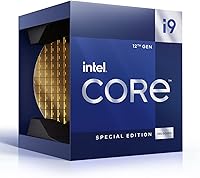
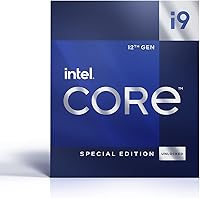
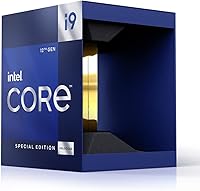
Intel Core i9-12900KS Desktop Processor



Overview
The Intel Core i9-12900KS Desktop Processor sits at the very top of Intel's 12th Gen Alder Lake stack — the KS designation meaning Intel hand-selected these dies for higher guaranteed clock speeds compared to the standard K model. It requires an LGA1700 socket, so you'll need a Z690 or Z790 motherboard to run it. This isn't a chip for casual upgraders; it's built for enthusiasts who want the most Intel can offer without touching overclocking settings. Released in mid-2022 into a fiercely competitive high-end CPU market, it ships boxed with no cooler included — which is expected at this tier, but worth knowing upfront since budget cooling simply won't keep pace with what this chip demands.
Features & Benefits
What makes this Alder Lake flagship stand out starts with its hybrid core architecture — 8 Performance cores handle demanding tasks while 8 Efficient cores manage lighter background work, totaling 16 cores and 24 threads. In practice, this means strong multi-threaded throughput without sacrificing the single-core speed that games depend on. The i9-12900KS hits a 5.5GHz Turbo Boost at stock, which was among the highest available from any consumer chip at launch. Add 30MB of Smart Cache for low-latency data access, PCIe 5.0 compatibility for future GPUs and NVMe drives, and support for both DDR4 and DDR5 memory. Just know the 125W base TDP climbs considerably under full load, so thermal planning is not optional.
Best For
This high-end desktop chip is a strong pick for competitive PC gamers who push high refresh rates and need a CPU that won't bottleneck a fast GPU. It also suits content creators running video encodes, 3D renders, or large production projects — workloads where both core count and clock speed genuinely pay off. Enthusiast builders who want top-tier out-of-the-box performance without manual overclocking will appreciate the KS's factory-tuned clocks. If you're already on an LGA1700 board and want the best Intel has to offer on that platform, this is the chip to reach for. It's a poor fit for everyday office use, where the cost premium won't translate into noticeable day-to-day gains.
User Feedback
Across roughly 80 ratings, the i9-12900KS earns a solid 4.4 out of 5, and the sentiment is fairly consistent. Buyers who built around it for gaming or heavy workstation use tend to be satisfied with the raw performance, praising smooth framerates and reliable stock behavior without any manual tuning. The recurring criticism, however, centers on heat and power draw — several users note this chip runs hot under sustained load and demands a premium cooling setup, ideally a 360mm AIO. A handful of buyers also question the value gap over the standard K variant. Compatibility notes around BIOS updates before first boot appeared more than once, so double-check your board firmware before dropping this in.
Pros
- Hits 5.5GHz Turbo Boost at stock — no overclocking required to reach top-tier clock speeds.
- Hybrid core architecture handles demanding multi-threaded workloads without sacrificing single-core snappiness.
- Exceptional for CPU-bound gaming, keeping high-refresh-rate setups consistently well-fed with frame data.
- The i9-12900KS supports both DDR4 and DDR5 memory, giving builders real flexibility when choosing a motherboard.
- 30MB of Smart Cache meaningfully reduces latency in fast-paced games and large creative production files.
- PCIe 5.0 support future-proofs the platform for next-generation GPUs and ultra-fast NVMe storage.
- Reliable, consistent performance out of the box — buyers report stable boost behavior without manual tuning.
- Handles both single-threaded and multi-threaded professional workloads with equal confidence.
- Strong platform longevity on LGA1700 with a wide selection of Z690 and Z790 board options available.
Cons
- Real-world power draw under full load far exceeds the rated 125W base TDP — budget your PSU accordingly.
- A premium cooling solution is not optional; budget air coolers lead to throttling and inconsistent performance.
- The price premium over the standard K variant is hard to justify unless you specifically need those extra guaranteed clocks.
- Some boards require a BIOS update before they will recognize the chip — a frustrating first-boot experience without a spare CPU.
- No cooler is included in the box, adding a mandatory extra cost on top of an already steep purchase price.
- In GPU-limited gaming scenarios, the real-world advantage over cheaper processors is surprisingly thin.
- Manual overclockers get less headroom here compared to the K variant, since clocks are already pushed close to the thermal ceiling.
- Older professional software that is not optimized for hybrid core architectures may underutilize the chip significantly.
- High sustained heat output makes this chip a poor choice for compact or poorly ventilated cases.
Ratings
The Intel Core i9-12900KS Desktop Processor has been evaluated using AI analysis of verified global user reviews, with spam, incentivized, and bot-generated feedback actively filtered out to ensure score integrity. Ratings reflect the real-world experiences of enthusiast builders, gamers, and content creators who have run this chip under demanding daily workloads. Both the strengths that make it a compelling high-end pick and the legitimate pain points that give some buyers pause are reflected transparently in each category below.
Raw Processing Performance
Gaming Performance
Thermal Management
Power Consumption
Out-of-Box Clock Speed
Platform Compatibility
Memory Flexibility
PCIe 5.0 Readiness
Multi-Threaded Workload Efficiency
Value for Money
Cooler Inclusion
Overclocking Headroom
Build and Installation Experience
Longevity and Platform Lifespan
Suitable for:
The Intel Core i9-12900KS Desktop Processor is purpose-built for enthusiasts and professionals who refuse to compromise on peak desktop performance. Serious PC gamers running high-refresh-rate monitors — 144Hz, 240Hz, or beyond — will find this Alder Lake flagship keeps up with even the fastest GPUs without becoming the limiting factor in CPU-bound titles. Content creators who regularly churn through video encoding, Blender renders, or large Premiere Pro timelines will genuinely feel the difference from 16 cores and fast boost clocks in their daily output. It also suits professionals running workstation-class software that benefits from both strong single-threaded responsiveness and healthy multi-threaded throughput — think architects, engineers, and data analysts with heavy local compute needs. If you are already on an LGA1700 board and want the best chip the platform supports without picking up a soldering iron or diving into manual overclocking, this is the one to reach for.
Not suitable for:
The Intel Core i9-12900KS Desktop Processor is a poor fit for anyone building or upgrading on a tight budget — and not just because of the chip itself. Buyers must factor in the cost of a premium cooling solution, since this chip runs genuinely hot under sustained load and a mid-range air cooler will not keep pace; that hidden cost catches some buyers off guard. Casual users who primarily browse the web, work in spreadsheets, or play lighter titles will see zero practical benefit over a processor costing significantly less. If your workload is light enough that you cannot feel the difference in a blind test, the investment simply does not make sense. Buyers who were hoping to justify this purchase purely on gaming grounds should also think carefully — in GPU-limited scenarios, the real-world advantage over a well-priced mid-tier chip shrinks to nearly nothing. And if you are not already on an LGA1700 platform, the total cost of a compatible Z690 or Z790 board plus DDR5 memory makes the full platform investment even harder to rationalize unless you are building a machine that needs to earn its keep.
Specifications
- CPU Socket: Requires an LGA1700 socket, compatible with Intel 600-series and 700-series motherboards.
- Architecture: Built on Intel's 12th Gen Alder Lake hybrid architecture, combining Performance and Efficient cores on a single die.
- Core Count: Features 16 total cores — 8 Performance cores for demanding tasks and 8 Efficient cores for background workloads.
- Thread Count: Supports 24 simultaneous threads, enabling strong parallel processing across multi-threaded applications.
- Base Clock: Performance cores operate at a 3.40GHz base frequency under sustained all-core load conditions.
- Boost Clock: Reaches up to 5.5GHz via Intel Turbo Boost Max Technology 3.0 on its fastest Performance cores at stock settings.
- L3 Cache: Equipped with 30MB of Intel Smart Cache, shared across all cores to reduce memory latency in fast-switching workloads.
- Base TDP: Rated at a 125W Processor Base Power, though real-world all-core power draw frequently exceeds this under sustained load.
- PCIe Support: Supports both PCIe 5.0 and PCIe 4.0 lanes, enabling compatibility with current and next-generation GPUs and NVMe storage devices.
- Memory Type: Compatible with both DDR5 and DDR4 memory, with the supported type determined by the chosen motherboard platform.
- Max Memory: Supports up to 128GB of system RAM across available memory channels on a compatible motherboard.
- Memory Channels: Operates in dual-channel memory configuration for increased memory bandwidth in bandwidth-sensitive workloads.
- Integrated Graphics: Includes Intel UHD Graphics 770 with 32 execution units, suitable for display output and light graphical tasks.
- Manufacturing Node: Fabricated on Intel's Intel 7 process node, which corresponds to an enhanced 10nm-class manufacturing process.
- Thermal Interface: Uses a soldered thermal interface material between the die and integrated heat spreader for improved heat transfer efficiency.
- Packaging: Ships in standard retail box packaging without an included CPU cooler — a compatible third-party cooler must be purchased separately.
- Model Number: Official Intel part number is BX8071512900KS for the standard retail boxed version.
- Dimensions: The physical CPU measures 7.48 x 5.91 x 0.1 inches and weighs approximately 9.5 oz including packaging.
- Release Date: First made available to consumers in June 2022 as the top-tier offering within the Alder Lake desktop lineup.
- Overclocking: Fully unlocked multiplier on compatible Z-series motherboards, allowing manual overclocking beyond factory-set clock speed limits.
Related Reviews
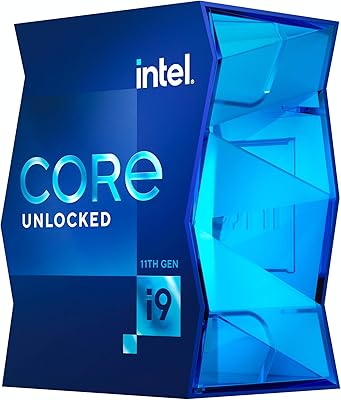
Intel Core i9-11900K Desktop Processor
Intel Core i9-13900KS Desktop Processor
Intel Core i9-13900F Desktop Processor
Intel Core i9-11900 Desktop Processor
Intel Core i9-9900K Desktop Processor
Intel Core i9-10980XE Desktop Processor
Intel Core i9-14900KF 14th Gen Desktop Processor

Intel Core i5-13400F Raptor Lake Desktop Processor

Intel Core i5-9500 Desktop Processor
