Overview

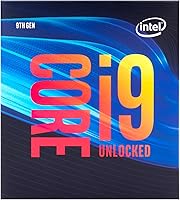
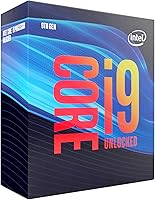
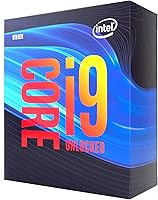
The Intel Core i9-9900K Desktop Processor arrived as Intel's 9th-gen Coffee Lake Refresh flagship, built for enthusiasts and serious builders who needed top-tier single-core speed alongside genuine multicore muscle. It runs on the LGA1151 socket, locking you into a 300-series platform — specifically Z370 or Z390 motherboards — which is a real commitment worth thinking through before buying. The unlocked multiplier signals clearly who this chip is for: people who want to push clocks well beyond stock. It is not a budget or casual office processor. Today, buyers are typically making a platform-specific or value-driven decision rather than chasing the latest silicon.
Features & Benefits

Eight cores and 16 threads give this 9th-gen Intel flagship genuine multitasking depth — the kind that keeps a 4K video timeline rendering while background tasks run without noticeable slowdown. The base clock sits at 3.6 GHz, but Turbo Boost can push a single core up to 5.0 GHz under the right conditions; don't expect that peak sustained across all cores simultaneously. Being a K-series chip, overclocking on a Z390 board is well-supported. Intel Optane Memory adds a useful cache layer for slower mechanical or SATA drives. One firm reminder: no cooler is included, and with a 95W TDP that climbs fast under load, budgeting for a capable aftermarket cooler is simply not optional.

Best For

This unlocked desktop chip suits gamers who prioritize CPU-bound frame rates — competitive shooters and open-world titles with dense AI logic respond noticeably to high single-core frequency. Content creators will appreciate the 8-core throughput for H.264 and H.265 exports, live streaming with software encoding, or heavy Blender renders. Enthusiast builders who enjoy system tuning will find the overclocking ceiling rewarding on a mature, well-documented platform backed by extensive community resources. Most practically, it fits anyone already on a Z370 or Z390 board who wants a meaningful CPU upgrade without replacing the motherboard — a genuinely cost-conscious move on an established platform.

User Feedback

Long-term owners of this i9-9900K consistently praise strong gaming frame rates and reliable overclocking, with many reporting stable daily use across three or more years. The recurring concern is heat. Even at stock clocks, thermal management demands a quality cooler, and pushing an aggressive overclock without one leads to throttling quickly. A smaller pattern in feedback involves compatibility — some buyers needed a BIOS update before the chip was recognized, so checking motherboard firmware before installing is genuinely worthwhile advice. On value, most owners seem clear-eyed about their choice: they know newer generations exist and picked this platform deliberately, not by default.

Pros

  • Exceptional single-core boost frequency drives strong frame rates in CPU-sensitive games.
  • Eight cores and 16 threads handle video editing, streaming, and rendering simultaneously without breaking a sweat.
  • The unlocked multiplier makes overclocking accessible and well-supported on Z390 boards.
  • Massive community knowledge base means tuning guides, stable OC profiles, and troubleshooting help are easy to find.
  • This unlocked desktop chip has proven long-term reliability — many owners report years of stable daily use.
  • Drop-in upgrade path for existing Z370 and Z390 system owners avoids costly full platform rebuilds.
  • Intel Optane Memory support offers a practical responsiveness boost for systems still using SATA storage.
  • Strong software encoding performance makes it a capable choice for simultaneous gaming and live streaming.

Cons

  • No thermal solution is included — a quality aftermarket cooler is a required additional expense, not a bonus.
  • LGA1151 is a dead-end socket with no future upgrade path beyond this processor generation.
  • Sustained all-core loads push temperatures high fast, especially under any overclock.
  • Power consumption under heavy workloads is noticeably higher than comparable current-generation chips.
  • Z370 boards may require a BIOS update before recognizing the chip, which can surprise unprepared builders.
  • All-core sustained performance lags behind newer 12-core and 16-core alternatives at similar price points.
  • Buying new today demands a deliberate platform rationale — raw price-to-performance comparisons favor newer silicon.
  • Thermally constrained or small-form-factor cases may struggle to manage heat output under sustained workloads.
  • The value case weakens significantly outside of existing Z390 platform upgrade scenarios.

Ratings

The Intel Core i9-9900K Desktop Processor has been assessed using AI-driven analysis of verified global user reviews, with spam, bot activity, and incentivized submissions actively filtered out before scoring. Ratings reflect the honest consensus of real buyers — from competitive gamers and video editors to long-term enthusiast builders — capturing both what this 9th-gen chip does well and where it genuinely falls short. Every score below is weighted to surface the trade-offs that actually matter to people making a purchase decision today.
Gaming Performance
91%
Users running CPU-bound titles like open-world RPGs and competitive shooters consistently report smooth, high-frame-rate experiences. The high single-core boost headroom translates to tangible in-game responsiveness that many owners say held up well against newer mid-range chips for years after purchase.
In heavily threaded modern titles that leverage 12 or more cores, this unlocked desktop chip starts to show its ceiling compared to newer architectures. A handful of users noted that pairing it with a very fast GPU occasionally revealed a CPU bottleneck in demanding scenarios.
Multi-Core Throughput
83%
Eight cores and 16 threads handle simultaneous workloads well — users doing live game streaming while recording reported noticeably fewer dropped frames compared to prior 6-core setups. Video editors compressing 4K timelines appreciated the parallel processing capacity for background rendering tasks.
Against current-generation 12-core and 16-core desktop chips at comparable price points, the all-core performance gap has widened since launch. Buyers doing sustained, long-duration rendering jobs are more likely to feel that ceiling than casual or even regular creative users.
Overclocking Headroom
88%
The K-series unlocked multiplier is genuinely accessible on Z370 and Z390 boards, and the community knowledge base around pushing this chip is vast. Many enthusiast owners reached stable all-core overclocks without exotic equipment, and the process is well-documented across major hardware forums.
Heat becomes a real constraint at aggressive clocks — users pushing beyond 5.0 GHz all-core typically needed high-end 240mm or 360mm liquid coolers to maintain stability. Without proper cooling investment, thermal throttling undercuts the overclocking payoff fairly quickly.
Thermal Management
61%
39%
Under light to moderate workloads, owners report perfectly manageable temperatures with a quality 120mm or 240mm cooler. For everyday desktop use and casual gaming sessions, the 95W TDP is not inherently problematic if the right cooling solution is selected at build time.
This is the most consistent pain point in user feedback. At stock settings under sustained load, temperatures climb fast enough that budget air coolers struggle. Overclocked, the heat output is punishing — several users reported throttling or instability before upgrading to more capable thermal solutions.
Platform Compatibility
77%
23%
For anyone already on a Z370 or Z390 board, this 9th-gen Intel flagship drops in cleanly as a high-impact upgrade without any new motherboard investment. The platform is mature, stable, and broadly supported by BIOS updates across major board manufacturers.
The LGA1151 socket is a dead-end platform — there is no upgrade path beyond this generation. New builders committing to Z390 today are locking into hardware that will not accept future Intel CPUs, which is a real long-term consideration worth weighing carefully.
Content Creation Performance
84%
Video editors working in Premiere Pro or DaVinci Resolve noted solid export speeds for H.264 and H.265 projects at 1080p and 4K. The 8-core configuration handles multi-stream workflows better than most quad-core predecessors, and Blender render times are respectable for the architecture.
Compared to newer chips with efficiency cores or larger core counts, sustained creative workloads over several hours show a performance-per-watt disadvantage. Users doing daily professional production work at scale may find the gap to current-gen hardware increasingly meaningful.
Value for Money
69%
31%
Buyers who found this chip at a meaningful discount on the secondary market generally report strong satisfaction relative to what they paid. For a platform upgrade within an existing Z390 system, the cost-to-performance improvement over older 6-core chips was cited as a clear win.
At or near its original launch price, the value proposition against current-gen alternatives is harder to justify. Several reviewers acknowledged that purchasing new today requires a deliberate platform-specific rationale, not a pure price-performance comparison against what else is on the market.
Stock Cooling Solution
31%
69%
There is little to say positively here — Intel made the decision not to include a thermal solution explicit, which at least sets honest expectations for buyers and eliminates the temptation to run the chip on an inadequate bundled cooler.
No cooler is included in the box, full stop. For a 95W processor with genuine overclocking potential, this means a meaningful additional purchase before the system is even usable. New builders occasionally overlook this and face delays or compatibility scrambles at build time.
Long-Term Reliability
89%
A strong pattern in user feedback involves multi-year ownership without incident. Buyers who installed this 9th-gen Intel flagship in 2019 and 2020 frequently returned to note it was still running daily workloads in 2023 and beyond without degradation in stability or performance.
A small subset of users reported issues tied to initial BIOS compatibility, particularly on Z370 boards that shipped before this processor launched. These cases typically resolved with a firmware update but caught a few buyers off-guard at first install.
Streaming & Multitasking
82%
18%
The 16-thread configuration handles simultaneous game streaming and recording more capably than the 6-core Coffee Lake chips it replaced. Software encoding via x264 at medium or fast presets held up well without the kind of frame pacing issues that plagued older quad-core setups under the same load.
Dedicated streamers using very high-quality software encoding presets found that all-core load under simultaneous stream and gameplay still pushed temperatures uncomfortably high. A dedicated capture card setup was the recommended workaround from experienced community members.
Intel Optane Memory Support
58%
42%
Users with older SATA SSDs or mechanical hard drives found that pairing an Optane cache module noticeably improved application launch times and file access responsiveness. For systems not yet upgraded to NVMe, it was a practical low-cost responsiveness boost.
With NVMe storage now widely affordable, the Optane use case has narrowed considerably. Most users building or upgrading today have little practical reason to rely on this feature, and several noted it felt like a legacy benefit rather than a forward-looking one.
Installation Experience
74%
26%
The physical installation process is standard for LGA1151 — nothing unusual about mounting or socket handling. Users familiar with Intel builds from the previous generation found the process straightforward, and Z390 boards generally recognized the chip without friction on recent BIOS versions.
A recurring theme in feedback involves Z370 boards requiring a BIOS update before the chip is detected — something that is easy to miss if not researched in advance. A few buyers had to borrow a compatible older chip or use a board with a built-in flash feature to complete the update.
Power Efficiency
53%
47%
Under light workloads, idle and low-utilization power draw is reasonable for a desktop processor of this class. Users running this unlocked desktop chip as a workstation for mixed light and heavy tasks found the power behavior predictable and manageable.
Under full sustained load — especially with any overclock applied — power consumption climbs steeply relative to what newer architectures deliver at the same performance level. Users mindful of electricity costs or working in thermally constrained cases flagged this as a genuine ongoing drawback.
Community & Ecosystem Support
93%
Few chips have a deeper pool of real-world tuning guides, BIOS profiles, and stability reports available online. Enthusiast builders consistently cited the wealth of community documentation as a major confidence builder when pushing this 9th-gen architecture beyond stock settings.
Active community development has naturally slowed as the platform ages and newer architectures attract more attention. New optimization guides are rare now, and some older resources reference software or BIOS versions no longer in widespread use, requiring a bit more cross-referencing.

Suitable for:

The Intel Core i9-9900K Desktop Processor is a strong fit for a specific, well-defined type of buyer — and if you fall into that group, it still delivers meaningfully. Competitive gamers who care about squeezing every frame out of CPU-bound titles will find the high single-core boost frequency genuinely useful, particularly in games where clock speed matters more than core count. Content creators working in video editing or 3D rendering on a Z370 or Z390 platform will get real, practical throughput from 8 cores and 16 threads without needing to rebuild their entire system. Enthusiast builders who enjoy overclocking on a mature, extensively documented platform are also well-served — the community knowledge base around tuning this chip is deep and accessible. Perhaps the most logical buyer today is someone already running a Z390 motherboard with a 6-core Coffee Lake chip who wants a meaningful performance bump without the cost of a full platform migration; for that specific upgrade scenario, this 9th-gen Intel flagship makes a lot of practical sense.
Not suitable for:

Buyers approaching this from a clean-slate build perspective need to think carefully before committing to the Intel Core i9-9900K Desktop Processor in today's market. The LGA1151 platform is a dead end — there is no upgrade path beyond this generation, which means any new Z390 system you build today has a fixed CPU ceiling from day one. If you are budget-conscious, the hidden costs add up fast: a quality aftermarket cooler is not optional with a 95W chip that runs hot, and that expense should be factored in upfront. Anyone prioritizing power efficiency — whether for electricity costs or a thermally constrained case — will find newer architectures deliver far better performance-per-watt. If your workloads are heavily threaded, like professional 3D animation, large-scale compilation, or multi-camera video production, current-generation chips with 12 or more cores will simply pull ahead by a margin that is hard to ignore. And if you have no existing investment in a 300-series board, there is little reason to build into this platform when newer options offer both better performance and a longer upgrade runway.

Specifications

  • Architecture: Built on Intel's Coffee Lake Refresh (9th Gen) architecture, fabricated on a 14nm++ process node.
  • Core Count: Features 8 physical cores with Hyper-Threading enabled, presenting 16 logical threads to the operating system.
  • Base Clock: Operates at a base frequency of 3.6 GHz across all cores under sustained load conditions.
  • Boost Clock: Intel Turbo Boost Technology allows peak single-core frequency to reach up to 5.0 GHz under optimal thermal and power conditions.
  • CPU Socket: Uses the LGA1151 socket, physically compatible with Intel 300 Series motherboards including Z370 and Z390 chipsets.
  • Chipset Support: Officially supported by Intel 300 Series chipset-based motherboards; Z370 boards may require a BIOS update prior to installation.
  • TDP: Rated at a thermal design power of 95W, reflecting heat output under Intel-defined maximum frequency workloads.
  • Thermal Solution: No thermal solution is included in the box; a compatible aftermarket CPU cooler must be purchased and installed separately.
  • Unlocked Multiplier: The K-series designation confirms an unlocked CPU multiplier, enabling manual overclocking on compatible Z-series motherboards.
  • Optane Support: Supports Intel Optane Memory for cache-accelerated storage performance when paired with a compatible Optane module and platform.
  • Model Number: The official Intel model number and box identifier is BX806849900K.
  • L3 Cache: Equipped with 16MB of Intel Smart Cache (L3), shared across all 8 cores to reduce memory latency in demanding workloads.
  • Memory Support: Supports dual-channel DDR4 memory up to 2666 MHz natively, with higher speeds available via XMP on compatible Z-series boards.
  • PCIe Version: Provides PCIe 3.0 lanes directly from the processor for high-bandwidth connectivity to discrete GPUs and NVMe storage devices.
  • Integrated Graphics: Includes Intel UHD Graphics 630 integrated graphics, suitable for display output and basic tasks but not intended for gaming workloads.
  • Dimensions: The processor package measures 2.91 x 4.41 x 4.61 inches and weighs approximately 2.89 ounces.
  • ECC Memory: ECC memory is not officially supported on consumer Z370 and Z390 platforms paired with this processor.
  • Virtualization: Supports Intel Virtualization Technology (VT-x) and Intel VT-d for hardware-accelerated virtual machine environments.

Related Reviews
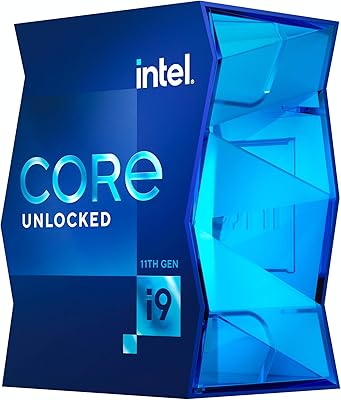
Intel Core i9-11900K Desktop Processor 8 Cores 5.3 GHz Unlocked LGA1200
84%
94%
Performance
89%
Overclocking Potential
68%
Thermal Management
91%
Gaming Performance
90%
Content Creation
More
Intel Core i9-12900KS Desktop Processor
75%
94%
Raw Processing Performance
92%
Gaming Performance
58%
Thermal Management
54%
Power Consumption
91%
Out-of-Box Clock Speed
More
Intel Core i9-11900 Desktop Processor
85%
89%
Performance
91%
Gaming Performance
87%
Multitasking & Productivity
84%
Power Efficiency
90%
Compatibility with Motherboards
More
Intel Core i9-13900KS Desktop Processor
75%
96%
Single-Core Performance
91%
Multi-Core & Threaded Performance
58%
Thermal Management
63%
Value for Money
78%
Overclocking Headroom
More
Intel Core i9-10980XE Desktop Processor
84%
94%
Multi-core Performance
91%
Overclocking Capability
60%
Power Consumption
62%
Thermals (Heat Output)
88%
Compatibility (X299 & Optane)
More
Intel Core i9-13900F Desktop Processor
76%
93%
Multi-Threaded Performance
88%
Gaming Performance
57%
Thermal Management
71%
Value for Money
84%
Platform Compatibility
More
Intel Core i9-14900KF 14th Gen Desktop Processor

70%
88%
Gaming Performance
91%
Multitasking & Productivity
54%
Thermal Management
51%
Power Consumption
78%
Overclocking Headroom
More
Intel Core i5-13400F 2.5GHz 10-Core Desktop Processor
87%
88%
Performance
92%
Value for Money
84%
Gaming Performance
89%
Multi-core Efficiency
91%
Ease of Installation
More
Intel Core i5-9500 Desktop Processor 6 Cores 3.0 GHz
82%
85%
Performance for Everyday Use
80%
Gaming Performance
82%
Multitasking Efficiency
88%
Power Efficiency (TDP)
91%
Value for Money
More
Intel Core i5-8600 Desktop Processor 6-Core 3.1 GHz (BX80684I58600)
86%
88%
Performance
92%
Value for Money
85%
Gaming Performance
87%
Multitasking Ability
91%
Energy Efficiency
More

FAQ

It works with both Z370 and Z390 boards, but Z370 motherboards often shipped before this processor launched, so many will need a BIOS update first. Check your board manufacturer's support page for the latest firmware, and confirm whether your specific board model requires an older compatible CPU to perform the update before the i9-9900K is recognized.

At stock settings, a quality 240mm all-in-one liquid cooler or a high-end tower air cooler — something like a Noctua NH-D15 class unit — is the practical minimum for comfortable thermals. If you plan to overclock at all, a 280mm or 360mm AIO is a much safer choice. Budget air coolers will struggle under sustained load and may cause thermal throttling.

It depends entirely on your situation. If you already own a Z390 board and are upgrading from a 6-core chip, it is a genuinely cost-effective performance jump. For a brand-new build from scratch, the value case is harder to make — newer platforms offer better performance per watt, a longer upgrade path, and comparable pricing when you factor in the required cooler purchase here.

No. The unlocked multiplier is only accessible on Z-series chipset motherboards. H370, B360, and H310 boards lock the CPU multiplier regardless of which processor is installed, so overclocking is simply not possible on those platforms.

Not at all. That 5.0 GHz figure is the peak single-core Turbo Boost frequency, reached briefly under ideal thermal and power conditions on one or two cores. The base clock is 3.6 GHz, and sustained all-core loads typically land somewhere in between. Expect all-core frequencies in the 4.5 to 4.7 GHz range depending on your cooling and workload.

In most gaming scenarios at 1440p and 4K, the GPU is the limiting factor and this chip will not hold back high-end graphics cards in any meaningful way. In very CPU-intensive games at 1080p with high frame rate targets, you may see some ceiling effects compared to the very latest processors, but for typical gaming use it remains a capable pairing.

Correct — nothing is in the box beyond the processor itself and documentation. K-series Intel chips have shipped without coolers for several generations on the assumption that buyers at this level are selecting their own thermal solution. It is not an oversight; it is intentional, but it does mean you need to budget for and source a compatible cooler before your system is ready to run.

It handles 4K editing workflows in Premiere Pro and DaVinci Resolve reasonably well for most independent creators and hobbyists. Export times are solid for H.264 and H.265 projects, and the 16-thread configuration keeps the timeline responsive while background renders are running. Where it starts to feel the pressure is in very long-duration exports or projects with heavy effects stacking — that is where newer higher-core-count chips pull noticeably ahead.

Standard DDR4 RAM works fine. The processor natively supports DDR4 up to 2666 MHz in dual-channel configuration. If you want to run faster kits — 3200 MHz or 3600 MHz, for example — you will need XMP support on your Z370 or Z390 motherboard and a compatible memory kit, but there is nothing exotic about the memory requirements.

It runs warmer than most buyers expect, especially compared to more recent designs. At stock settings with a good cooler, temperatures are manageable but climb fast under sustained multi-core load. The bigger concern is overclocking — pushing the all-core frequency meaningfully above stock generates heat that budget and mid-range coolers genuinely cannot handle safely. If you plan to overclock, treat a high-end cooler as part of the required build cost, not an optional upgrade.

Where to Buy