Overview

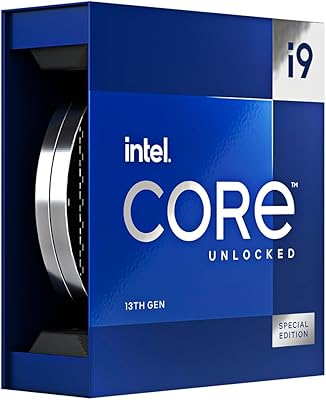
The Intel Core i9-13900F Desktop Processor is Intel's 13th-gen Raptor Lake flagship built for systems running a dedicated GPU — no integrated graphics, which is a deliberate design choice rather than a limitation. The hybrid core architecture, blending high-performance P-cores with efficient E-cores, defines how this chip distributes workloads intelligently. It sits on the LGA 1700 socket, compatible with both 600 and 700 series motherboards, which is a genuine advantage for upgraders avoiding a platform switch. Intel includes the Laminar RH1 cooler for basic out-of-box use, but anyone planning to push this chip under sustained loads should budget for a stronger thermal solution — power draw is real.
Features & Benefits

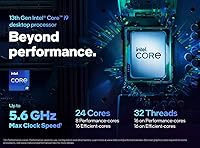
The 24-core layout — eight P-cores handling priority tasks and sixteen E-cores absorbing background threads — lets the i9-13900F juggle demanding workloads without stumbling. The 5.6 GHz boost clock via Turbo Boost Max 3.0 is a peak figure; sustained performance under extended load sits lower, though it remains highly competitive. The 36MB Smart Cache meaningfully reduces latency in gaming and code compilation. PCIe 5.0 support ensures you're not bottlenecking a current-gen GPU or fast NVMe drive, and PCIe 4.0 lanes remain available for older peripherals. Intel Optane Memory compatibility adds a useful storage acceleration option for users not ready to commit to a full SSD replacement.

Best For

This 13th-gen Intel chip is a natural fit for content creators running video encoding, 3D rendering, or multi-threaded production pipelines where core count directly translates to faster output. Gamers pairing it with a discrete GPU will appreciate the strong single-thread ceiling keeping frame rates high and latency low. Developers compiling large codebases or running virtual machines benefit from the P-core and E-core balance. Builders upgrading within the 600-series ecosystem avoid a platform overhaul entirely. Compared to the 13900K, you trade overclocking flexibility for real savings; compared to the 13700F, you gain meaningful core headroom for heavier parallel workloads.

User Feedback

Buyers using this unlocked-free i9 for production tasks — rendering, encoding, compilation — generally report it delivers on its multi-threaded promise, with some noting it outpaces expectations on core-heavy workloads. Gamers running it alongside a capable discrete GPU consistently highlight strong frame rate consistency and system responsiveness. The recurring criticism centers on the included Laminar RH1 cooler, which most users running sustained loads consider inadequate; an aftermarket cooler is practically a given. Sentiment on overall value is split — many feel it hits a smart price point below the 13900K, while others flag thermal management at stock as a frustration. Board compatibility has been largely smooth, though some 600-series users needed a BIOS update first.

Pros

  • Exceptional multi-threaded throughput cuts render and export times dramatically in real production workloads.
  • The hybrid P-core and E-core layout distributes workloads intelligently, keeping both foreground and background tasks responsive.
  • PCIe 5.0 support ensures the platform stays relevant as next-gen GPUs and NVMe drives become mainstream.
  • Strong single-core boost speeds translate to snappy gaming performance and low-latency creative tooling.
  • LGA 1700 compatibility lets 600-series board owners upgrade without touching their existing platform.
  • The 36MB Smart Cache reduces latency in compilation, gaming, and database operations in measurable ways.
  • Priced below the 13900K while delivering near-identical real-world performance for non-overclocking users.
  • Gamers pairing this chip with a capable GPU report consistent frame pacing even in CPU-demanding titles.
  • Intel Optane Memory support adds a useful storage acceleration pathway for users not yet on full NVMe setups.
  • A mature Intel software ecosystem means broad compatibility with professional creative and developer tools out of the box.

Cons

  • The included Laminar RH1 cooler is inadequate for sustained loads — budget for an aftermarket solution from day one.
  • Power consumption under all-core workloads is steep and demands a robust PSU and well-ventilated case.
  • Boost clock figures are peaks, not sustained; real-world all-core speeds drop noticeably under prolonged stress.
  • No integrated graphics means a system without a discrete GPU will not post video output at all.
  • Some 600-series motherboard users hit BIOS compatibility walls that require a firmware update before the chip is recognized.
  • Thread Director efficiency varies by OS version, leaving some workloads under-utilizing the E-cores on older software stacks.
  • The price advantage over the 13900K shrinks once cooler costs are included in the total build budget.
  • Noise levels with the stock cooler under moderate loads were flagged by multiple users as unexpectedly high.
  • For strictly GPU-limited gaming scenarios, the performance delta over a cheaper mid-range CPU is hard to justify.
  • No ECC memory support limits its appeal for data-integrity-critical professional or workstation use cases.

Ratings

The Intel Core i9-13900F Desktop Processor earns its ratings here from AI-driven analysis of verified global buyer reviews, with spam, bot activity, and incentivized submissions actively filtered out before scoring. What you see below reflects the honest spectrum of real-world experience — the genuine strengths that made buyers satisfied and the friction points that gave others pause. Scores are intentionally precise, not rounded, because that is what the aggregated sentiment actually supports.
Multi-Threaded Performance
93%
Users running video encoding, 3D rendering, and large compilation jobs consistently report that this chip handles parallel workloads with headroom to spare. The combination of P-cores and E-cores means background tasks rarely interrupt foreground performance in real production workflows.
A handful of power users note that sustained multi-threaded loads cause clock speeds to drop noticeably below peak figures, especially without premium cooling. Those expecting the advertised boost clock to hold under heavy all-core stress will need to manage expectations and invest in airflow.
Gaming Performance
88%
Paired with a capable discrete GPU, buyers report excellent frame rates and low latency across demanding titles. The strong single-threaded ceiling keeps frame pacing consistent, and several users specifically noted smoother experiences in CPU-bound scenarios compared to their previous chips.
The performance advantage over a well-configured mid-range CPU is harder to notice in GPU-limited games, which represents most modern titles. Gamers on tighter budgets occasionally questioned whether the top-tier pricing justified the real-world gaming delta over cheaper alternatives.
Thermal Management
57%
43%
Under light to moderate workloads, temperatures remain reasonable and the chip operates quietly. Users who invested in a quality aftermarket cooler or 360mm AIO report stable thermals even under extended rendering or compilation sessions.
This is the most consistently flagged pain point across buyer feedback. The included Laminar RH1 cooler struggles under sustained high-load scenarios, with several buyers reporting thermal throttling before switching to aftermarket solutions. It is widely considered an inadequate pairing for what this chip is designed to do.
Value for Money
71%
29%
Compared to the i9-13900K, buyers appreciate that this chip delivers nearly identical performance in non-overclocking use cases at a notably lower price. For builders who have no intention of manual overclocking, it represents a practical way to land flagship core counts without the flagship price tag.
Sentiment is split — some buyers feel the price-to-performance ratio is genuinely strong, while others point out that AMD alternatives at similar price points offer competitive multi-threaded output with better thermal efficiency. The additional cost of a proper cooler also narrows the perceived savings.
Platform Compatibility
84%
The LGA 1700 socket compatibility with both Intel 600 and 700 series chipsets is a real practical advantage. Builders upgrading from a 12th-gen system can drop this chip into an existing board, avoiding a costly platform overhaul — and several reviewers highlighted this as a key reason they chose it.
A portion of 600-series users encountered compatibility issues that required a BIOS update before the system would post correctly. While this is typically a minor step, it catches less experienced builders off guard and added unexpected friction to what should be a straightforward upgrade.
Single-Core Speed
89%
The P-cores hit high boost frequencies that translate directly into snappy application responsiveness, fast browser performance, and low-latency audio or MIDI processing in creative workloads. Users doing work that depends on fast single-thread execution — like certain scientific simulations or legacy software — found the chip punchy and responsive.
The boost clock is aggressive but not perfectly sustained; under prolonged single-core stress the chip occasionally steps down slightly. This is a minor issue in practice but worth noting for workloads that require a consistently high single-thread clock rather than burst performance.
Cache Efficiency
86%
The 36MB Smart Cache noticeably benefits latency-sensitive tasks. Buyers doing game development, database operations, or large code compilation reported faster iteration cycles compared to chips with smaller caches, with some specifically attributing improved compile times to reduced cache misses.
For average desktop users or those running simpler workloads, the cache advantage is largely invisible in day-to-day use. It is a meaningful differentiator for the right user profile, but casual buyers may not experience any tangible benefit over a chip with less cache at a lower price.
PCIe Bandwidth & Storage Support
87%
PCIe 5.0 support is a genuine forward-looking advantage, allowing users to fully utilize current-gen GPUs and next-generation NVMe drives without bandwidth constraints. Several early adopters of PCIe 5.0 SSDs confirmed they saw no bottlenecking at the platform level.
For users not yet running PCIe 5.0 hardware, the benefit is entirely theoretical — their existing GPUs and NVMe drives run on PCIe 4.0 or lower, making this a feature they are paying for without currently using. It is a future-proofing asset, not an immediate performance gain for most buyers today.
Out-of-Box Usability
62%
38%
Installation is standard for the LGA 1700 platform, and the included cooler at least allows basic system testing and light use immediately after build. Experienced builders appreciate the familiar mounting process and the fact that all necessary hardware ships in the box.
For a chip in this performance tier, shipping with a cooler that most users will immediately replace feels like a compromise. Multiple buyers flagged it as a minor frustration — the Laminar RH1 is adequate for the unboxing experience and little else, and a chip at this level arguably deserves better.
Power Efficiency
54%
46%
At idle and during light tasks, the E-cores take over effectively and power draw drops to reasonable levels. Users doing mixed workloads — browsing, light productivity, occasional rendering bursts — found the chip's idle behavior and power gating to work well in practice.
Under sustained load, power consumption climbs steeply, and several buyers noted it demanded a robust PSU and a well-ventilated case to remain stable. For users coming from mid-range chips, the jump in power draw under heavy workloads was a genuine surprise and required infrastructure upgrades.
Software & Ecosystem Support
82%
18%
Intel's mature driver ecosystem means broad compatibility with professional software, DAWs, video editors, and developer tools out of the box. Users in enterprise or production environments valued the stability and the depth of software optimization built around Intel's architecture over years.
Thread Director, the scheduler that routes workloads between P-cores and E-cores, relies on OS-level support that varies. A minority of users on older operating systems or non-optimized software stacks reported inconsistent core utilization, with some workloads not distributing across the E-cores as efficiently as expected.
Overclocking Headroom
61%
39%
While not the overclocking-focused sibling of the lineup, users report that memory tuning and adjusting power limits within Intel's specifications can yield meaningful real-world performance gains without full manual overclocking. Some experienced builders extracted noticeably better sustained performance through BIOS-level tuning alone.
The lack of an unlocked multiplier is a hard ceiling for enthusiast overclockers who want granular control. Buyers who specifically want to push clock speeds manually are better served by the 13900K — this chip is not designed for that use case, and a segment of buyers expressed disappointment after discovering the limitation post-purchase.
Workstation & Virtualization Suitability
81%
19%
Developers running virtual machines or containerized environments found the core count and thread count genuinely useful for maintaining responsive host performance while VMs ran in parallel. Several users building home lab setups specifically praised the i9-13900F for handling multiple simultaneous environments without grinding to a halt.
Without ECC memory support — standard for true workstation-class hardware — some professional users noted it falls short of dedicated workstation CPU territory. For mission-critical data integrity workloads, the lack of ECC is a legitimate limitation that pushes certain buyers toward Xeon or AMD alternatives.
Noise Levels
66%
34%
Paired with a quality aftermarket cooler, users report the system runs at acceptable noise levels during moderate workloads. Those with high-static-pressure fans and proper case ventilation found noise management achievable without exotic cooling configurations.
With the stock cooler under any meaningful load, fan noise climbs quickly and noticeably. Multiple buyers described the Laminar RH1 spinning audibly loud during even moderately demanding tasks, reinforcing that the chip's true acoustic potential is only unlocked with an aftermarket cooling investment.

Suitable for:

The Intel Core i9-13900F Desktop Processor is purpose-built for users who are already committed to a discrete GPU and want flagship-tier CPU performance without paying the overclocking premium of the K-series. Video editors, 3D artists, and motion graphics professionals will get the most tangible return — the high core count directly compresses render and export times in ways that feel meaningful in a daily production workflow. Developers juggling multiple virtual machines, containerized environments, or large codebases will also find the thread count genuinely useful rather than theoretical. Gamers who already own or are buying a dedicated GPU will benefit from the strong single-threaded ceiling that keeps frame pacing tight in CPU-sensitive titles. Builders on Intel 600-series platforms looking to maximize their existing motherboard investment will appreciate that this chip drops in without forcing a platform change, making it one of the more practical upgrade paths available on the LGA 1700 socket.
Not suitable for:

Buyers who need a CPU with integrated graphics — for troubleshooting, display output without a GPU, or basic desktop use on a budget build — should look elsewhere, as the i9-13900F simply has no iGPU and will not output video without a discrete card installed. Enthusiast overclockers who want granular manual control over clock multipliers will find this chip frustrating; that use case belongs to the 13900K, and no amount of BIOS tweaking will change the hardware ceiling here. Users building compact or passively cooled systems should also reconsider — this chip's power draw under load demands active, capable cooling, and pairing it with inadequate thermal infrastructure leads directly to throttling. Buyers on tight total build budgets need to factor in the near-mandatory cost of an aftermarket cooler, which meaningfully narrows the price gap versus competing options. Finally, professionals requiring ECC memory support for data-integrity-critical workloads will find the Intel Core i9-13900F falls short of true workstation-class hardware in that specific regard.

Specifications

  • Core Count: The processor features 24 cores in a hybrid layout — 8 high-performance P-cores for priority workloads and 16 efficient E-cores for background task management.
  • Thread Count: A total of 32 threads are supported, enabling highly parallel workloads such as video encoding, compilation, and multi-instance virtualization.
  • Max Boost Clock: Using Turbo Boost Max Technology 3.0, the processor reaches up to 5.6 GHz on the fastest P-cores under optimal thermal and power conditions.
  • Cache: 36MB of Intel Smart Cache is shared across cores, reducing memory latency for gaming, code compilation, and data-intensive applications.
  • Socket: The processor uses the LGA 1700 socket, physically compatible with Intel 600 and 700 series chipset-based motherboards.
  • Chipset Support: Officially supported chipsets include the Intel 600 series (Z690, B660, H670, etc.) and the full Intel 700 series (Z790, B760, etc.).
  • PCIe Support: The chip provides PCIe 5.0 lanes for primary GPU and NVMe bandwidth, with PCIe 4.0 lanes available for additional peripherals and storage devices.
  • Integrated Graphics: No integrated graphics are included; a discrete GPU is required for any display output, making this chip unsuitable for GPU-free builds.
  • Memory Support: The processor supports DDR4 and DDR5 memory, with the exact speed and channel configuration depending on the paired motherboard and chipset.
  • Included Cooler: Intel's Laminar RH1 cooler is included in the box, suitable for light-to-moderate workloads but generally considered insufficient for sustained high-performance use.
  • Optane Support: Intel Optane Memory is supported, allowing compatible systems to use Optane modules as a storage acceleration tier alongside traditional HDDs or SSDs.
  • Generation: This processor belongs to the 13th Generation Intel Core family, codenamed Raptor Lake, built on Intel's 7 process node.
  • Turbo Boost: Turbo Boost Max Technology 3.0 identifies the two fastest cores on the die and preferentially routes single-threaded workloads to them for maximum responsiveness.
  • Model Series: The retail boxed model identifier is BX8071513900F, distinguishing it from OEM tray variants that may ship without a cooler or full retail packaging.
  • Overclocking: The multiplier is locked on this SKU, meaning traditional manual overclocking is not supported; power and memory tuning within Intel specifications is permitted.
  • ECC Memory: ECC memory is not officially supported on this consumer-grade processor, making it unsuitable for workloads requiring hardware-level memory error correction.
  • TDP Class: This chip falls into Intel's high-performance desktop TDP tier; refer to Intel ARK for the precise base and maximum turbo power figures before selecting a cooler or PSU.
  • Platform Generation: As an LGA 1700 chip, it is cross-compatible across two motherboard generations, giving builders flexibility when upgrading from a 12th-gen Alder Lake system.

Related Reviews
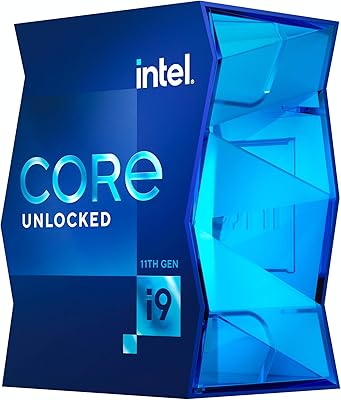
Intel Core i9-11900K Desktop Processor 8 Cores 5.3 GHz Unlocked LGA1200
84%
94%
Performance
89%
Overclocking Potential
68%
Thermal Management
91%
Gaming Performance
90%
Content Creation
More
Intel Core i9-13900KS Desktop Processor
75%
96%
Single-Core Performance
91%
Multi-Core & Threaded Performance
58%
Thermal Management
63%
Value for Money
78%
Overclocking Headroom
More
Intel Core i9-10980XE Desktop Processor
84%
94%
Multi-core Performance
91%
Overclocking Capability
60%
Power Consumption
62%
Thermals (Heat Output)
88%
Compatibility (X299 & Optane)
More
Intel Core i9-9900K Desktop Processor
74%
91%
Gaming Performance
83%
Multi-Core Throughput
88%
Overclocking Headroom
61%
Thermal Management
77%
Platform Compatibility
More
Intel Core i9-12900KS Desktop Processor
75%
94%
Raw Processing Performance
92%
Gaming Performance
58%
Thermal Management
54%
Power Consumption
91%
Out-of-Box Clock Speed
More
Intel Core i9-11900 Desktop Processor
85%
89%
Performance
91%
Gaming Performance
87%
Multitasking & Productivity
84%
Power Efficiency
90%
Compatibility with Motherboards
More
Intel Core i9-14900KF 14th Gen Desktop Processor
70%
88%
Gaming Performance
91%
Multitasking & Productivity
54%
Thermal Management
51%
Power Consumption
78%
Overclocking Headroom
More
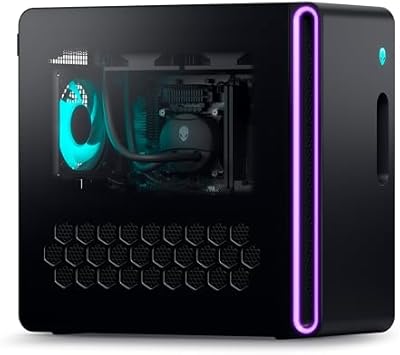
Alienware Aurora R16 Gaming Desktop - Intel Core i9-13900F, 32GB RAM, 1TB SSD + 1TB HDD, RTX 4070
87%
94%
Performance
93%
Graphics Quality
89%
Cooling Efficiency
84%
Ease of Setup
88%
Software & Customization
More
Intel Core i5-13400F 2.5GHz 10-Core Desktop Processor
87%
88%
Performance
92%
Value for Money
84%
Gaming Performance
89%
Multi-core Efficiency
91%
Ease of Installation
More
Intel Core i5-9500 Desktop Processor 6 Cores 3.0 GHz
82%
85%
Performance for Everyday Use
80%
Gaming Performance
82%
Multitasking Efficiency
88%
Power Efficiency (TDP)
91%
Value for Money
More

FAQ

Yes, without exception. The i9-13900F has no integrated graphics, so your system will not produce any video output without a discrete graphics card installed. This is a deliberate design choice — it is intended for users who are already pairing it with a dedicated GPU.

For initial setup, testing, and light workloads it is functional, but the Laminar RH1 that ships in the box is not designed for sustained heavy use. If you plan to run video renders, compilations, or gaming sessions for extended periods, budget for an aftermarket air cooler or AIO liquid cooler — most experienced builders consider this non-optional with a chip at this performance tier.

Most likely yes, but with a caveat. The processor uses the LGA 1700 socket, which is physically compatible with 600-series boards including Z690. However, you will very likely need a BIOS update before the board recognizes the chip. Check your motherboard manufacturer's CPU support page and update the firmware before installing if possible.

The most important difference is that the 13900K has an unlocked multiplier, meaning you can manually overclock it, while this chip does not. In real-world use without overclocking, performance is extremely close between the two. If you have no plans to overclock, the i9-13900F effectively gives you near-identical output at a lower cost.

Windows 11 and recent Linux kernels work with Intel's Thread Director to route high-priority tasks — like your game or render — to the fast P-cores, while background processes like antivirus scans or system updates run on the E-cores. In practice this means your active workload stays snappy even when the system is busy in the background, which is one of the more tangible real-world benefits of the design.

You can use either DDR4 or DDR5 — the choice depends entirely on your motherboard, not the processor itself. Z690 and Z790 boards come in both DDR4 and DDR5 variants, so check your specific board's memory type before buying RAM. The processor supports both standards natively.

It is excellent for gaming when paired with a strong discrete GPU, delivering high frame rates and low latency in CPU-sensitive titles. Whether it is overkill depends on your GPU and the games you play — in GPU-limited scenarios the performance gap versus a mid-range CPU narrows significantly. For competitive gaming or titles with heavy simulation workloads, the strong single-thread performance is genuinely useful.

A quality 750W PSU is generally the minimum recommended for a mid-range GPU paired with this chip, and 850W or higher gives you more comfortable headroom if you are running a high-end graphics card. Power draw under all-core load is substantial, so do not cut corners on the power supply — an undersized unit can cause instability under heavy workloads.

Both, actually. The processor provides PCIe 5.0 lanes that can be used for either a graphics card or a PCIe 5.0 NVMe drive, depending on how your motherboard routes the lanes. Check your specific motherboard layout, as some boards share PCIe 5.0 bandwidth between the primary x16 slot and the M.2 slot and may require configuration in the BIOS.

AMD's competing chips in the same price range — particularly Ryzen 9 options — offer comparable multi-threaded performance with notably better power efficiency and lower thermal output under load. Intel holds advantages in certain latency-sensitive workloads and gaming scenarios, while AMD generally wins on performance-per-watt. If thermal management and power draw are priorities for your build, it is worth comparing benchmarks for your specific workloads before deciding.