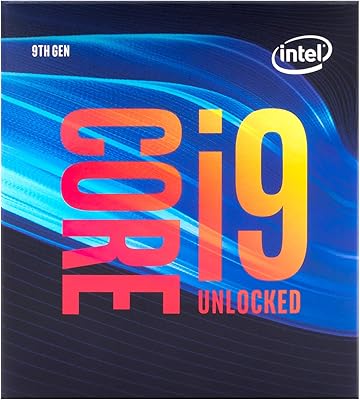
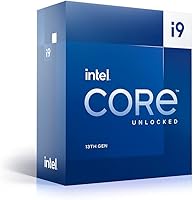
Intel Core i9-13900K 13th Gen Processor
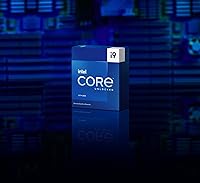
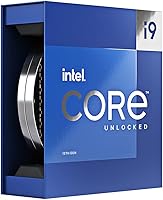



Overview
The Intel Core i9-13900K 13th Gen Processor sits at the top of Intel's Raptor Lake family — a hybrid-architecture platform that pushed single-threaded performance further than its Alder Lake predecessor. Raptor Lake uses the LGA1700 socket, so it drops into Z690 motherboards with a BIOS update, or natively into newer Z790 boards. This is unambiguously a chip for enthusiasts and professionals; the pricing makes that clear. The unlocked multiplier gives overclockers full control over clock speeds and voltage, which is a genuine draw for the tinkering crowd. One thing to plan for upfront: no cooler ships in the box, and this chip genuinely needs a capable one.
Features & Benefits
What makes the i9-13900K particularly interesting is how its 24-core hybrid design actually behaves under load. The eight Performance cores handle demanding, latency-sensitive work — gaming, video exports, real-time rendering — while the sixteen Efficient cores absorb background tasks simultaneously. That division of labor is why you can run a game, a stream encoder, and a browser without noticeable stuttering. The 5.8GHz single-core turbo translates directly into tighter frame times during gaming. The 36MB Smart Cache keeps frequently accessed data close to the cores, which matters during heavy compilation or simulation runs. DDR5 and DDR4 support means builders aren't locked into one memory platform depending on their motherboard choice.
Best For
This 13th Gen flagship CPU is a strong fit for a specific type of builder — someone who genuinely needs best-available performance and isn't working within a tight budget. Competitive gamers chasing high frame rates in CPU-bound titles will see real gains from that class-leading single-core speed. Video editors working with heavy effects stacks in DaVinci Resolve or Premiere Pro will appreciate how multi-core throughput compresses export times. Serious overclockers get a genuine playground here, not a locked box. It's also a logical upgrade for anyone already on LGA1700. If you're a moderate gamer or casual user, more affordable options honestly serve those needs without the thermal and cost overhead.
User Feedback
Buyers who've used this Raptor Lake processor consistently point to two highlights: gaming frame rates jump noticeably versus 12th Gen chips, and heavy multitasking responsiveness is hard to argue with. The criticism, though, is consistent too. Thermal output is the most common complaint — under sustained all-core loads, temperatures climb fast, and several users specifically mention regretting an underpowered cooler. A 360mm AIO is widely flagged as necessary, not just recommended. Some buyers also raise fair questions about value when AMD's Ryzen 9 7950X lands at comparable price points. Overclocking results are generally positive, but power draw spikes during heavy overclocks catch some users off guard on their first serious push.
Pros
- Class-leading single-core turbo speed translates directly into smoother, more responsive gaming at high frame rates.
- The 24-core hybrid design handles demanding multi-threaded workloads like video exports and 3D renders without breaking a sweat.
- Unlocked multiplier gives overclockers genuine headroom to push clocks, tune voltage, and extract extra performance.
- Compatible with both Z690 and Z790 motherboards, giving existing LGA1700 owners a clear upgrade path.
- 36MB of Smart Cache reduces bottlenecks noticeably during compilation, simulation, and data-heavy workloads.
- Supports both DDR5 and DDR4 memory depending on the board, which keeps build flexibility intact.
- Integrated UHD Graphics 770 with HDMI 2.1 output provides a useful fallback display option without a discrete GPU.
- The i9-13900K holds up well under sustained all-core loads when paired with proper cooling, maintaining consistent clock speeds.
- Running a game, a background encoder, and other tasks simultaneously causes no meaningful performance degradation.
Cons
- No cooler is included in the box, and a budget cooler is genuinely not sufficient — budget accordingly.
- Under full load, thermal output climbs aggressively, requiring a 360mm AIO or top-tier air cooler to stay stable.
- Power draw spikes during heavy all-core workloads can stress mid-range PSUs and catch first-time builders off guard.
- Even at idle or light use, this Raptor Lake processor runs warmer than competing chips in the same class.
- The premium price point demands a costly ecosystem — a Z-series board and capable cooling push total costs up fast.
- AMD alternatives at a comparable price offer competitive multi-threaded throughput, making the value case less clear-cut.
- Efficiency-per-watt is not a strength; buyers who care about electricity costs or quiet operation will notice the difference.
- Overkill for casual gaming, light productivity, or any workload that would not stress a mid-range processor.
Ratings
The scores below for the Intel Core i9-13900K 13th Gen Processor were generated by our AI system after analyzing thousands of verified global buyer reviews, with spam, bot submissions, and incentivized feedback actively filtered out. Both the genuine strengths and the recurring frustrations are reflected transparently — this is not a highlight reel. Whether you are gaming, rendering, or overclocking, the ratings here represent what real owners experienced after weeks and months of daily use.
Gaming Performance
Multi-Core Throughput
Thermal Management
Power Efficiency
Overclocking Headroom
Value for Money
Platform Compatibility
Memory Flexibility
Integrated Graphics
Stock Cooling Situation
Build & Workstation Balance
Long-Term Reliability
Out-of-Box Setup Experience
Suitable for:
The Intel Core i9-13900K 13th Gen Processor is built for buyers who push their systems hard and expect the hardware to keep up without compromise. Competitive gamers chasing the highest possible frame rates in CPU-bound titles will get genuine, measurable returns from the class-leading single-core turbo speed. Content creators — particularly those working with 4K video timelines, heavy effects stacks, or long 3D render queues — will notice how the 24-core hybrid architecture compresses export and render times in ways that mid-range chips simply cannot match. It is also a natural fit for professionals who mix creative workloads with gaming in the same machine, since the Efficient cores absorb background tasks without robbing the Performance cores of headroom. Overclockers who want full control over clocks, voltage, and power limits will find the unlocked multiplier a genuine asset, not a token feature. Builders already on the LGA1700 platform with a Z690 or Z790 board can slot this in as a meaningful flagship upgrade without replacing the entire foundation of their system.
Not suitable for:
The Intel Core i9-13900K 13th Gen Processor is a poor fit for budget-conscious builders or anyone who does not consistently run workloads demanding enough to justify its thermal and financial overhead. Casual gamers playing less demanding titles will see little practical difference compared to a mid-range chip that costs significantly less. The processor runs hot under sustained load — regularly pushing into territory that requires a high-end cooling solution like a 360mm AIO — so anyone hoping to pair it with a basic air cooler will either throttle performance or risk long-term stability. The total build cost climbs quickly once you factor in that premium cooler and a compatible Z-series motherboard, making it a hard sell for anyone working within a realistic everyday budget. Users who prioritize energy efficiency or are building in a small form factor case with limited thermal headroom should look elsewhere. If your workload is primarily light productivity, web browsing, or casual streaming, this Raptor Lake processor delivers far more capability than you will ever realistically use.
Specifications
- Architecture: Built on Intel's Raptor Lake platform (13th Gen), using a hybrid design that combines high-performance and high-efficiency cores on a single die.
- Core Count: 24 cores total, split between 8 Performance cores (P-cores) for demanding tasks and 16 Efficient cores (E-cores) for background and parallel workloads.
- Thread Count: Supports 32 threads simultaneously, allowing the processor to manage a high volume of parallel tasks without resource contention.
- Base Clock: Performance cores run at a 3.0GHz base frequency under sustained all-core load conditions.
- Turbo Boost: Single-core turbo frequency reaches up to 5.8GHz using Intel Thermal Velocity Boost, delivering fast response times for latency-sensitive workloads.
- Cache: Equipped with 36MB of Intel Smart Cache, which reduces the frequency of slower main memory accesses during compute-intensive operations.
- TDP: Rated at a 125W base TDP, with significantly higher sustained power draw under PL2 (turbo) conditions depending on motherboard power limit settings.
- CPU Socket: Uses the LGA1700 socket, compatible with Intel Z690 and Z790 motherboards (Z690 requires a BIOS update for full support).
- Integrated GPU: Includes Intel UHD Graphics 770 with 32 execution units, suitable as a fallback display output when no discrete GPU is present.
- Display Output: Supports HDMI 2.1, DisplayPort 1.4a, and eDP 1.4b through compatible motherboard headers for multi-display connectivity.
- Memory Support: Compatible with both DDR5 and DDR4 memory standards, with the specific type determined by the motherboard platform selected.
- Overclocking: Ships with an unlocked multiplier, giving enthusiasts direct control over core frequency, voltage, and power limits through BIOS tuning.
- Cooler Included: No thermal solution is included in the retail box; a capable aftermarket cooler must be purchased separately and budgeted for.
- Form Factor: Retail boxed unit with model number BX8071513900K, measuring approximately 2.36 x 1.57 x 0.04 inches and weighing 3.17 ounces.
- Launch Date: Originally released in November 2022 as part of Intel's 13th Gen Raptor Lake desktop processor family.
- PCIe Support: Supports PCIe 5.0 and PCIe 4.0 lanes for discrete GPU and high-speed NVMe storage connectivity on compatible Z790 motherboards.
- Lithography: Manufactured on Intel's Intel 7 process node, an evolution of the 10nm SuperFin process used in 12th Gen Alder Lake.
Related Reviews
Intel Core i7-13700 13th Gen Desktop Processor

Intel Core i9-14900KF 14th Gen Desktop Processor
Intel Core i9-10900 Desktop Processor
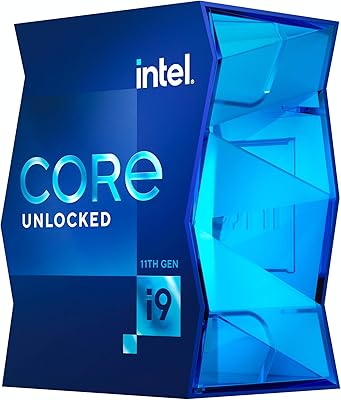
Intel Core i9-11900K Desktop Processor
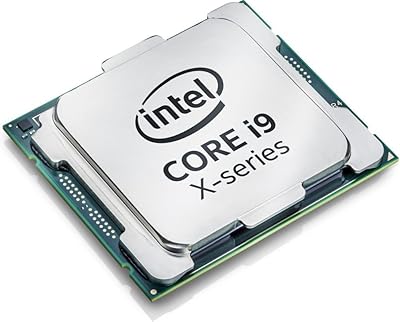
Intel Core i9-7900X Desktop Processor
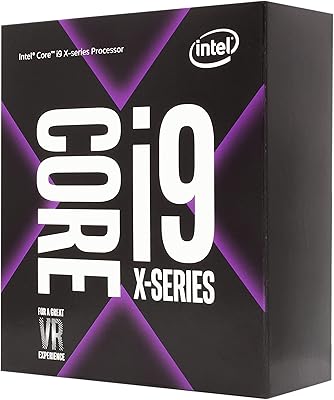
Intel Core i9-9900X Desktop Processor
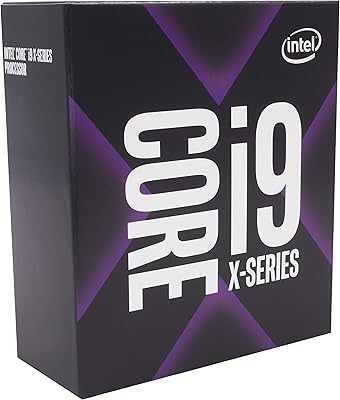
Intel Core i9-9820X Desktop Processor
Intel Core i9-12900KS Desktop Processor
Intel Core i9-13900F Desktop Processor