Intel Core i9-13900KS Desktop Processor


Overview
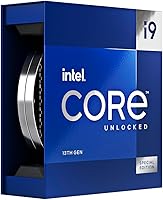
The Intel Core i9-13900KS Desktop Processor sits at the very top of Intel's 13th-gen Raptor Lake stack — the KS suffix signaling a factory-binned chip selected specifically for its ability to hit 6.0 GHz out of the box, something the standard K variant cannot claim at stock settings. That distinction matters: you are not paying a premium to unlock a feature yourself; you are paying for a chip Intel has already validated at that ceiling. This is firmly an enthusiast platform — LGA1700 socket, 600 or 700 series motherboard required — and anyone expecting quiet, efficient operation should look elsewhere. At 150W base TDP, thermal headroom is a real conversation from day one.
Features & Benefits
The hybrid core architecture here is worth understanding properly. Eight Performance cores handle the heavy lifting — gaming, single-threaded rendering, anything latency-sensitive — while 16 Efficiency cores absorb background tasks and parallelizable workloads, with Intel Thread Director keeping the OS honest about which core gets what. The 36MB L3 Smart Cache reduces costly memory fetches, which shows up noticeably in data-heavy workloads like large code compilation or simulation software. PCIe 5.0 support means a modern GPU or NVMe drive will not be bottlenecked at the bus level. Memory flexibility is a practical win too — DDR5 5600 for new builds, DDR4 3200 if you are working with an existing kit.
Best For
This Raptor Lake processor is squarely built for people who demand the absolute ceiling from a single platform. Competitive gamers running CPU-bound titles will notice what a high single-core clock does for frame pacing and 1% lows. Content creators — video editors encoding 4K or 8K timelines, 3D artists waiting on renders — can genuinely put all 24 cores to sustained use. Overclockers and benchmark enthusiasts will appreciate the unlocked multiplier and factory validation giving them a solid baseline to push beyond. That said, this chip has no business in a small form-factor build or any system without serious cooling. The 150W base TDP is not a casual consideration.
User Feedback
Buyers land around 4.3 stars on this flagship Intel chip, and the praise is consistent: raw speed at stock settings, solid day-to-day stability, and no need to fiddle with profiles to reach peak clocks. The recurring criticism — predictably — is thermal management. Multiple owners are explicit that a 240mm AIO is really the floor, with a 360mm or custom loop strongly recommended for sustained all-core loads. A fair number of reviewers also question whether the KS justifies its premium over the standard K in typical mixed workloads, where the clock delta rarely surfaces. Some early adopters flagged BIOS updates as a necessary first step, and long-term confidence in the LGA1700 platform reads as cautiously positive.
Pros
- Hits 6.0 GHz boost at stock — no overclocking required to reach the platform ceiling.
- 24-core hybrid architecture handles both deep multi-threaded workloads and snappy single-threaded tasks without manual configuration.
- Factory-binned silicon means this flagship Intel chip tends to be more consistent and stable out of the box than standard K units pushed to their limits.
- PCIe 5.0 support keeps bandwidth ready for next-gen GPUs and Gen 5 NVMe drives without a platform change.
- Works with both DDR5 and DDR4 memory, giving builders real flexibility when upgrading from an existing rig.
- 36MB L3 cache noticeably reduces bottlenecks in data-heavy workflows like simulation software and large dataset processing.
- Unlocked multiplier gives enthusiasts a well-validated starting point for overclocking beyond stock clocks.
- Compatible with both 600 and 700 series Intel motherboards, broadening upgrade options for existing platform owners.
- Integrated UHD Graphics 770 provides a useful diagnostic fallback during builds or GPU troubleshooting.
Cons
- No cooler included in the box — and the cooling requirement here is not trivial or cheap.
- Power draw under sustained all-core load demands a high-wattage PSU and generous case airflow from the start.
- The real-world performance gap over the standard K model is narrow enough that most users will struggle to feel it day to day.
- LGA1700 is a dead-end socket — there is no future upgrade path beyond this chip on the same motherboard.
- A BIOS update is often required before the chip operates correctly, which can catch less experienced builders off guard.
- Motherboard vendor performance presets frequently push beyond Intel specs, causing instability that owners sometimes misattribute to the chip itself.
- Integrated graphics cannot handle any serious graphical workload — a discrete GPU is mandatory, adding to total system cost.
- The premium paid for the KS suffix is difficult to recoup in GPU-limited scenarios at 4K, where the CPU advantage largely disappears.
- Thermal throttling under heavy all-core load is a real risk for anyone who underestimates cooling requirements before buying.
Ratings
The Intel Core i9-13900KS Desktop Processor has been put through its paces by enthusiast builders, competitive gamers, and professional creators worldwide — and our AI has analyzed thousands of verified purchase reviews, actively filtering out incentivized and bot-generated feedback to surface what real owners genuinely experience. The scores below reflect both the chip's undeniable strengths and the honest trade-offs that come with running a factory-validated 6.0 GHz processor in a real-world system. Nothing is glossed over: where buyers consistently hit friction, that friction is scored accordingly.
Single-Core Performance
Multi-Core & Threaded Performance
Thermal Management
Value for Money
Overclocking Headroom
Platform Compatibility
Memory Performance
Power Efficiency
Gaming Frame Rate Consistency
Stock Stability
Integrated Graphics
PCIe Bandwidth & Storage
Long-Term Platform Confidence
Out-of-Box Setup Experience
Suitable for:
The Intel Core i9-13900KS Desktop Processor is purpose-built for a specific kind of buyer — one who demands the absolute ceiling of what the LGA1700 platform can deliver and is prepared to build a system around that ambition. Competitive gamers running at high refresh rates in CPU-bound titles will find the factory-validated 6.0 GHz boost genuinely moves the needle on frame pacing and 1% lows in ways that matter during actual play. Content creators who spend real hours waiting on 4K video exports, large 3D renders, or heavyweight code compilation can put all 24 cores to sustained, productive use — the hybrid architecture handles both deep parallel workloads and snappy single-threaded responsiveness without manual tuning. Overclockers and platform enthusiasts who want to start from a strong, already-validated silicon baseline before pushing further will appreciate the headroom and the unlocked multiplier. If you are already invested in a Z690 or Z790 board and want to extract every last bit of performance this socket can offer, this Raptor Lake processor is the logical terminal upgrade.
Not suitable for:
The Intel Core i9-13900KS Desktop Processor is a poor fit for anyone building on a budget, working within tight space constraints, or prioritizing energy efficiency. The 150W base TDP climbs aggressively under all-core load, which means a high-end 360mm AIO or custom liquid loop is not optional — it is a prerequisite for stable performance, and that adds real cost on top of an already premium chip price. Small form-factor builders should walk away entirely; the heat output this chip generates requires case airflow that compact enclosures simply cannot provide. Everyday users whose workloads consist of web browsing, office applications, video calls, and light media consumption will never come close to using what they are paying for — a less expensive chip would serve them identically. Buyers who are comparing this against the standard K variant purely on specs should also think carefully: unless single-core clock speed at the very top end of the range materially impacts their specific workload, the performance delta rarely justifies the price gap in practice.
Specifications
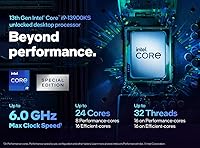
- Core Count: 24 cores total, split between 8 high-frequency Performance cores and 16 power-efficient Efficiency cores for workload prioritization.
- Thread Count: Supports 32 simultaneous threads, enabling strong parallel processing across both core types.
- Max Boost Clock: Reaches up to 6.0 GHz on Performance cores via Turbo Boost Max Technology 3.0 at stock settings.
- P-Core Base Clock: Performance cores operate at a base frequency of 3.2 GHz under sustained all-core load.
- E-Core Base Clock: Efficiency cores run at a base frequency of 2.4 GHz, handling background and lightly threaded tasks.
- L3 Cache: Equipped with 36MB of Intel Smart Cache (L3) shared across all cores to reduce memory latency in data-intensive workloads.
- L2 Cache: Features 32MB of total L2 cache distributed across core clusters for fast local data access.
- Base TDP: Rated at a 150W processor base power, with real-world peak package power significantly higher under sustained all-core boost.
- CPU Socket: Uses the LGA1700 socket, requiring a compatible Intel 600 or 700 series chipset-based motherboard.
- Memory Support: Officially supports DDR5 at up to 5600 MHz and DDR4 at up to 3200 MHz, depending on motherboard configuration.
- PCIe Support: Provides 20 total CPU PCIe lanes with support for both PCIe 5.0 and PCIe 4.0 configurations for GPUs and NVMe drives.
- Integrated Graphics: Includes Intel UHD Graphics 770 for basic display output and system diagnostics; not designed for gaming or GPU-accelerated workloads.
- Overclocking: Ships with an unlocked multiplier, allowing manual frequency and voltage tuning beyond Intel stock specifications.
- Boost Technology: Supports Turbo Boost Max Technology 3.0, which identifies and preferentially boosts the fastest cores on the chip.
- Intel Optane: Compatible with Intel Optane Memory for storage acceleration on supported platform configurations.
- Thermal Solution: No cooler is included in the box; a high-performance aftermarket cooler is required and strongly recommended before first boot.
- Launch Date: First made available in December 2022 as the top-tier SKU in Intel's 13th Generation Raptor Lake desktop lineup.
- Physical Dimensions: The processor die and IHS measure approximately 7.25 x 7 x 0.1 inches and weighs around 1 pound in retail packaging.
Related Reviews
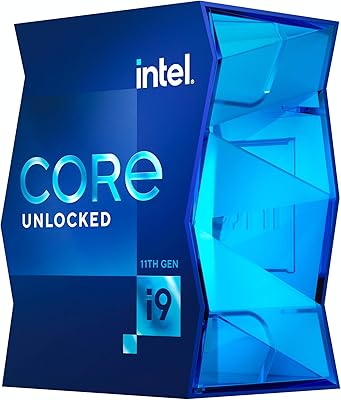
Intel Core i9-11900K Desktop Processor
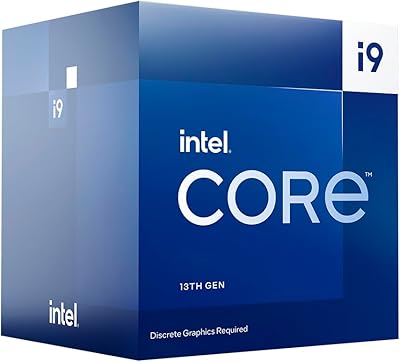
Intel Core i9-13900F Desktop Processor
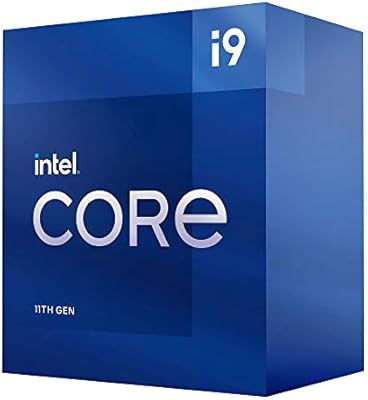
Intel Core i9-11900 Desktop Processor
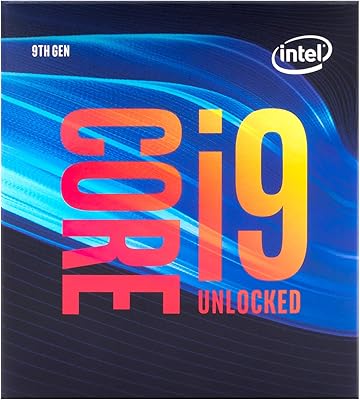
Intel Core i9-9900K Desktop Processor
Intel Core i9-10980XE Desktop Processor
Intel Core i9-12900KS Desktop Processor
Intel Core i9-14900KF 14th Gen Desktop Processor

Intel Core i5-13400F Raptor Lake Desktop Processor

Intel Core i5-9500 Desktop Processor
