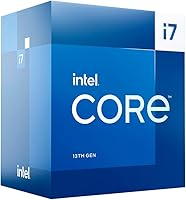
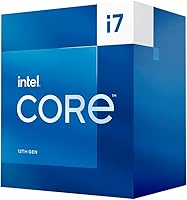
Intel Core i7-13700 13th Gen Desktop Processor


Overview
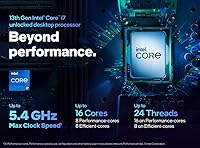
The Intel Core i7-13700 13th Gen Desktop Processor sits in a sweet spot within Intel's Raptor Lake family — powerful enough for serious work, but without the premium price tag of the K or KF variants. Unlike those unlocked siblings, this 13th-gen i7 does not support overclocking, which keeps it firmly in mainstream builder territory. What it does offer is Intel's hybrid core architecture: 8 Performance cores paired with 8 Efficiency cores across 24 threads. That combination handles demanding workloads without burning unnecessary power during lighter tasks. The 65W base TDP is modest, though sustained turbo loads can push consumption considerably higher. For anyone already on an LGA 1700 or 600-series board, it also makes a compelling drop-in upgrade.
Features & Benefits
The hybrid core layout is where this Raptor Lake chip genuinely earns its place in a build. The 8 P-cores can boost up to 5.1 GHz, which translates to quick, responsive behavior in applications that rely on single-threaded speed — think Premiere Pro timeline scrubbing or heavy spreadsheet calculations. Meanwhile, the 8 E-cores quietly handle background processes without competing for the same resources. Memory flexibility is another practical strength: builders can pair it with DDR5 for a future-ready platform or stick with DDR4 to keep costs down. The 30MB L3 cache reduces how often the processor reaches out to slower RAM, which matters in video encoding and data-intensive tasks. For professional users, ECC and vPro compatibility add a layer of reliability and remote management that most consumer chips simply skip.
Best For
This 13th-gen i7 is a natural fit for content creators who spend their days in video editing suites, 3D rendering queues, or multi-application workflows where consistent multi-threaded throughput matters more than peak clock bragging rights. It also makes strong sense for anyone building or refreshing a workstation where platform stability is the priority — no need to chase overclocking headroom that most professional workloads never actually use. If you are already running a 600-series motherboard, the LGA 1700 socket compatibility means you can drop this chip in without replacing the entire platform. Small businesses or IT administrators will appreciate the vPro and ECC support for fleet management and data integrity. It is less ideal for pure gaming builds, where single-core tuning headroom from the K variant would serve you better.
User Feedback
Buyers of this desktop processor tend to come away satisfied — the overall rating reflects genuine enthusiasm for its multi-core output in demanding productivity tasks. The most consistent praise centers on how well it handles sustained workloads without the thermal extremes some competing chips produce. That said, a few users note that under prolonged all-core turbo loads, power draw can climb substantially, so pairing it with a capable aftermarket cooler is not optional — Intel does not include one in the box, which occasionally catches first-time builders off guard. Compared to the K variant, most buyers see the value trade-off as reasonable: you lose the ability to overclock, but gain a lower power ceiling at base operation. Isolated complaints touch on BIOS compatibility with certain older 600-series boards, so a firmware check before installing is worth the two minutes it takes.
Pros
- Handles demanding multi-threaded workloads like video encoding and 3D rendering with consistent, predictable throughput.
- The hybrid 8P plus 8E core design keeps background tasks from stealing resources during heavy foreground work.
- P-core boost up to 5.1 GHz delivers noticeably quick responsiveness in productivity and lightly threaded applications.
- DDR5 and DDR4 support gives builders genuine platform flexibility rather than forcing an expensive memory upgrade.
- Integrated UHD Graphics 770 means the system can POST and run displays without a discrete GPU installed.
- Compatible with both 600-series and 700-series motherboards, making it a low-friction upgrade for existing LGA 1700 owners.
- ECC memory support and Intel vPro make this Raptor Lake chip a credible choice for small business workstations.
- A large combined cache pool helps reduce latency in data-heavy workflows that would otherwise stall on memory access.
- The 65W base TDP keeps idle and light-load power consumption reasonable for an always-on workstation scenario.
- Real-world buyer satisfaction ratings are consistently high, particularly among productivity-focused users who matched it to appropriate cooling.
Cons
- No overclocking support whatsoever — the multiplier is locked and that is not something a BIOS update will ever change.
- Intel does not include a stock cooler in the box, which is an easy budget oversight for first-time builders.
- Under sustained all-core turbo loads, power draw can climb toward 219W, requiring a quality cooler and a capable PSU.
- Some users on older 600-series boards have encountered BIOS compatibility issues that required a firmware update before the chip would POST.
- The base P-core frequency of 2.1 GHz looks modest on paper and can cause confusion for buyers who do not understand boost behavior.
- Compared to AMD alternatives at a similar price point, PCIe lane count is not class-leading for storage-heavy workstation configs.
- No bundled thermal solution means total build cost is slightly higher than the processor price alone suggests.
- Buyers who later want to overclock have no upgrade path within this chip — they would need to switch to a K-variant entirely.
Ratings
The scores below reflect an AI-driven analysis of verified global buyer reviews for the Intel Core i7-13700 13th Gen Desktop Processor, with spam, incentivized, and bot-flagged submissions actively filtered out before scoring. Each category captures both what real users praised and where they ran into friction, giving you an honest picture rather than a curated highlight reel. Strengths in multi-threaded throughput and platform flexibility score high, while practical pain points around cooling and power draw are reflected transparently.
Multi-core Performance
Single-core Responsiveness
Thermal Management
Power Efficiency
Platform Compatibility
Memory Flexibility
Integrated Graphics
Out-of-box Experience
Workstation Suitability
Value for Money
Noise Levels
BIOS and Software Support
Upgrade Path
Suitable for:
The Intel Core i7-13700 13th Gen Desktop Processor is an excellent match for content creators, video editors, and 3D artists who need reliable multi-threaded muscle without paying the premium that unlocked enthusiast chips command. If your days involve long Premiere Pro exports, Blender renders, or running a virtual machine alongside a full creative suite, the 16-core hybrid architecture handles that kind of stacked workload without breaking a sweat. It is equally well-suited to small business workstation builds where Intel vPro manageability and ECC memory reliability are genuine priorities rather than marketing checkboxes. Upgraders sitting on a 600-series motherboard get a particularly clean deal here — swapping in this chip can breathe real new life into an existing platform without touching anything else. The integrated UHD Graphics 770 also makes it a practical choice for a GPU-free secondary machine or a build where a discrete card will be added later.
Not suitable for:
Buyers who want to push clock speeds beyond Intel's factory limits will find this desktop processor a frustrating choice, since the non-K designation means overclocking is simply off the table — full stop. Dedicated gaming enthusiasts chasing maximum frame rates in CPU-sensitive titles would be better served by the i7-13700K, which trades some efficiency for tuning headroom that competitive gaming can actually exploit. This chip also demands a capable aftermarket cooler from day one, so anyone budgeting tightly for the full build needs to factor that cost in explicitly — there is nothing in the box beyond the processor itself. Users on older platforms like LGA 1200 or AM4 will need a full motherboard replacement regardless, which changes the value equation significantly. And if raw single-core performance at any cost is the only benchmark that matters to you, there are better-suited options in the current Raptor Lake lineup.
Specifications
- Socket: This processor uses the LGA 1700 socket, which is compatible with both Intel 600-series and 700-series chipset motherboards.
- Core Count: The chip features 16 total cores arranged in a hybrid layout: 8 high-performance P-cores and 8 power-efficient E-cores.
- Thread Count: With Intel's Hyper-Threading active on the P-cores, the processor exposes 24 threads to the operating system for task scheduling.
- P-core Clocks: Performance cores run at a 2.1 GHz base frequency and can boost individually up to 5.1 GHz under turbo conditions.
- E-core Clocks: Efficiency cores top out at 4.1 GHz under turbo load, handling background and parallelizable tasks without consuming P-core resources.
- L3 Cache: A 30MB Intel Smart Cache is shared across all cores, reducing the frequency of slower main memory accesses during compute-intensive work.
- L2 Cache: The processor includes 24MB of total L2 cache, distributed across the core complex to improve per-core data locality.
- Base Power: The processor base power rating is 65W, which governs sustained power delivery under most motherboard default settings.
- Turbo Power: Maximum turbo power can reach 219W when the motherboard is configured to allow unrestricted power limits during short burst workloads.
- Memory Support: The chip supports both DDR5 memory up to 5600 MT/s and DDR4 memory up to 3200 MT/s across a dual-channel configuration.
- Max Memory: The platform supports up to 128GB of total system RAM across two memory channels, suitable for memory-intensive professional workloads.
- Integrated Graphics: Intel UHD Graphics 770 is built into the processor die, providing basic display output without requiring a dedicated graphics card.
- PCIe Lanes: The processor provides 20 PCIe lanes directly from the CPU, supporting high-bandwidth connections for NVMe storage and discrete graphics.
- ECC Support: Error-Correcting Code memory is supported, allowing the platform to detect and correct single-bit memory errors for improved data integrity.
- Intel vPro: Full Intel vPro platform support is included, enabling remote management, hardware-level security features, and IT fleet administration capabilities.
- Overclocking: The processor multiplier is locked; this is a non-K variant and does not support CPU frequency overclocking through any method.
- Chipset Compat.: The chip works with Intel Z690, H670, B660, H610, and all 700-series chipset boards that carry the LGA 1700 socket.
- Generation: This processor belongs to Intel's 13th Generation Raptor Lake family, built on an enhanced version of the Intel 7 process node.
- Cooler Included: No thermal solution is included in the retail box; a compatible aftermarket cooler must be purchased and installed separately.
- Dimensions: The processor package measures 1.57 x 1.18 x 0.39 inches, conforming to the standard LGA 1700 integrated heat spreader footprint.
Related Reviews
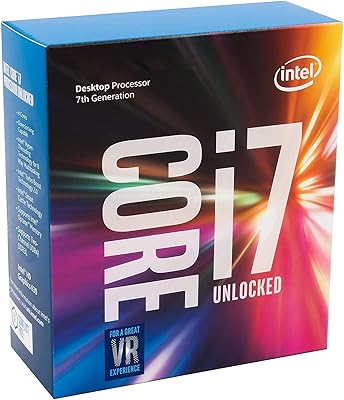
Intel Core i7-7700K Desktop Processor
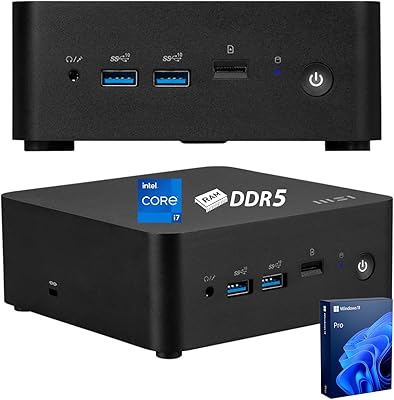
MSI Cubi NUC Business Mini Desktop, 13th Gen Intel Core i7-1365U, 32GB RAM, 1TB SSD
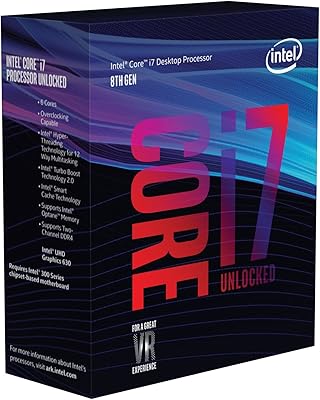
Intel Core i7-8700K Desktop Processor
Intel Core i7-9700F Desktop Processor
Intel Core i7-10700F Desktop Processor
Intel Core i7-12700 Desktop Processor
Intel Core i7-11700K Desktop Processor
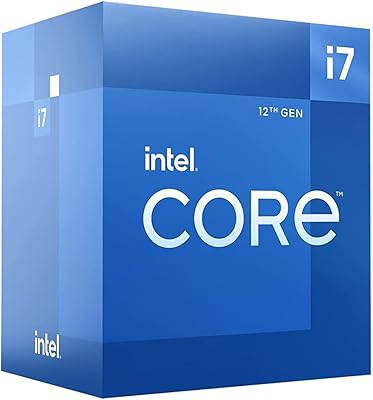
Intel Core i7-12700F 12th Gen Desktop Processor
Intel Core i7-8700 8th Gen Processor