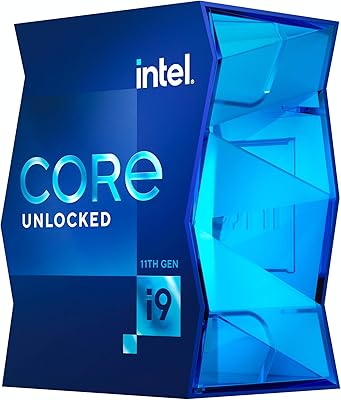
Intel Core i7-9700F Desktop Processor
Overview
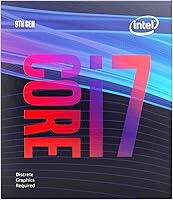
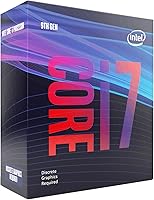
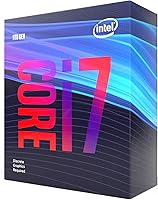
The Intel Core i7-9700F Desktop Processor is Intel's 9th-gen Coffee Lake Refresh chip aimed at builders who want strong CPU performance without paying for integrated graphics they'll never use. The F suffix is the detail that catches first-time buyers off guard — it means no iGPU onboard, so a discrete GPU is absolutely required from the moment you power on. Skip that detail and you'll have a very fast chip with no display output whatsoever. On the platform side, the i7-9700F slots into LGA1151 300-series motherboards, though older boards may need a BIOS update before the chip gets recognized. When it launched in 2019, it competed directly with AMD's Ryzen 3000 lineup — a rivalry that kept its pricing honest.
Features & Benefits
What makes the i7-9700F stand out is its core count and clock speed combination. You get 8 cores and 8 threads, with a base clock of 3.0 GHz that can push to 4.7 GHz on a single core under load — that kind of peak responsiveness translates directly into smooth frame delivery in games. The 65W TDP is refreshingly low for a chip this capable; a decent mid-range cooler handles it without drama. Memory support tops out at DDR4-2666, which is standard across most Z390 and B365 builds. There's no hyperthreading — unlike the i9-9900K — but for gaming, 8 real cores perform very competitively, and the mature 14nm++ node brings solid, predictable stability you can count on.
Best For
The i7-9700F hits its sweet spot with dedicated gaming builds — specifically those already planning to drop in a discrete GPU. If you're pairing it with something like an RTX 3060 or RX 6700 XT, the chip holds its own without creating a noticeable bottleneck. It's also a solid pick for anyone sitting on a Z370 or Z390 board from an older LGA1151 build, looking for a meaningful performance jump without swapping the whole platform. Light streamers and video editors on a tighter budget will appreciate the strong single-core boost, though heavy multi-threaded workloads like 3D rendering will eventually push it to its limits. Think of it as a platform-aware upgrade rather than a brand-new build recommendation.
User Feedback
With over 1,100 ratings averaging 4.6 stars, this 9th-gen Intel chip has earned solid real-world credibility. Buyers consistently praise the smooth gaming performance and how cool and quiet the chip runs under sustained load. Long-time Intel users describe the upgrade path as largely painless — slot it in, flash a BIOS update if needed, and carry on. The most common complaint, though, has nothing to do with performance: first-time builders who glossed over the F-suffix detail found themselves without a display until a GPU was added. A smaller group flags the BIOS flashing step as unexpectedly tricky. Compared to the Ryzen 5 3600, real-world gaming results are closely matched, with this chip edging ahead on single-threaded tasks.
Pros
- Single-core boost up to 4.7 GHz keeps in-game frame pacing sharp and responsive.
- Eight real cores handle gaming, background tasks, and light streaming simultaneously without strain.
- A 65W TDP means mainstream air coolers manage thermals comfortably — no exotic cooling needed.
- Drop-in compatible with existing Z370 and Z390 boards, making it a cost-efficient platform upgrade.
- Proven silicon stability on the mature 14nm++ process translates to reliable, long-term daily use.
- Minimal GPU bottlenecking reported by users pairing it with mid-to-high-end discrete cards.
- Very low dead-on-arrival rate — the overwhelming majority of buyers report clean first boots.
- Competitive gaming frame rates that hold up well against the Ryzen 5 3600 in most titles.
- Runs quietly under typical gaming loads when paired with a halfway decent air cooler.
Cons
- No integrated graphics whatsoever — the system is completely non-functional without a discrete GPU.
- Some older 300-series motherboards require a BIOS update before the chip is even detected, which can trap builders without a spare CPU.
- LGA1151 is a dead-end socket with no CPU upgrade path beyond this generation.
- The absence of hyperthreading puts it behind AMD's Ryzen 5 3600 in multi-threaded workloads.
- Heavy content creation tasks like Premiere Pro rendering or After Effects push the chip to its limits noticeably faster than expected.
- Real-world power draw under sustained boost exceeds the rated 65W TDP, which can surprise builders with compact or lower-wattage PSUs.
- Builders starting fresh with no existing LGA1151 hardware will find better long-term value on newer platforms.
- Memory support tops out at DDR4-2666, which feels limiting compared to what newer platforms offer.
- In-box documentation does not clearly communicate the discrete GPU requirement, increasing the risk of buyer confusion.
Ratings
The Intel Core i7-9700F Desktop Processor earns its place as one of the more consistently well-regarded LGA1151 chips on the market, backed by over 1,100 verified buyer ratings averaging 4.6 stars. Our AI has analyzed real-world user feedback from global sources, actively filtering out incentivized, bot-generated, and low-quality reviews to surface what genuine buyers actually experience. The scores below reflect both the chip's genuine strengths and the friction points that real builders have run into.
Gaming Performance
Single-Core Speed
Multi-Core / Threaded Performance
Thermal Efficiency
Platform Compatibility
Integrated Graphics
Value for Money
Streaming & Content Creation
Upgrade Path & Longevity
Installation Experience
Power Consumption
Noise Levels
Out-of-Box Reliability
Documentation & Buyer Guidance
Suitable for:
The Intel Core i7-9700F Desktop Processor is a strong match for PC gamers who already own or plan to buy a dedicated graphics card and want a capable, thermally efficient CPU without paying a premium for integrated graphics they will never use. If you are sitting on a Z370 or Z390 motherboard from a previous build and want to squeeze more life out of that platform without buying a new board, this chip is one of the most sensible upgrade options available — the performance jump from a 6th or 7th gen Intel CPU is substantial and immediately noticeable in games and everyday responsiveness. Light streamers and hobbyist video editors who spend most of their time in a single demanding application will also find the i7-9700F punches well above its weight class, particularly for tasks that depend on fast single-core speeds rather than raw thread count. Budget-conscious DIY builders who prioritize gaming performance and have a clear plan for their GPU pairing will get genuinely good results here without overcomplicating the build.
Not suitable for:
The Intel Core i7-9700F Desktop Processor is a poor fit for anyone building their very first PC without a clear understanding of what the F-suffix means — without a discrete GPU installed, the system will not output any video signal at all, which has blindsided a meaningful number of first-time builders. It is equally unsuitable for anyone who wants future upgrade flexibility, since LGA1151 is a closed platform with no path to newer Intel generations without replacing the motherboard entirely. Professionals or serious creators whose workflows lean heavily on multi-threaded performance — video encoding, 3D rendering, large compilation jobs — will find the 8-thread ceiling limiting compared to what AMD and Intel's newer platforms offer at comparable or lower prices today. If you are starting a build from scratch with no existing LGA1151 hardware to reuse, the value equation weakens considerably, and a newer platform with a longer upgrade runway deserves serious consideration. Anyone who needs a machine to function without a dedicated GPU — even temporarily — should look elsewhere.
Specifications
- Architecture: Built on Intel's 9th-generation Coffee Lake Refresh microarchitecture, manufactured on the mature 14nm++ process node.
- Cores & Threads: Features 8 physical cores and 8 threads with no hyperthreading support.
- Base Clock: Operates at a 3.0 GHz base clock frequency under standard sustained load conditions.
- Boost Clock: Reaches up to 4.7 GHz on a single core via Intel Turbo Boost Technology 2.0.
- TDP: Rated at a 65W thermal design power, making it compatible with mainstream mid-range air and liquid coolers.
- CPU Socket: Uses the LGA1151 socket, compatible exclusively with Intel 300 Series chipset-based motherboards (Z390, Z370, B365, H370, H310).
- Integrated Graphics: Contains no integrated graphics unit; a discrete PCIe graphics card is mandatory for any display output.
- Memory Support: Officially supports DDR4 memory up to 2666 MHz across a dual-channel configuration.
- Max Memory: Supports a maximum of 128GB of DDR4 RAM across available motherboard DIMM slots.
- Cache: Equipped with 12MB of Intel Smart Cache (L3) for fast data access during high-frequency tasks.
- PCIe Version: Provides PCIe 3.0 lanes for GPU and NVMe SSD connectivity through the 300 Series platform.
- Process Node: Fabricated on Intel's 14nm++ lithography, a refined version of the 14nm node optimized for higher clock speeds and stability.
- Model Number: Official Intel model identifier is BX80684I79700F, denoting the retail boxed version of this processor.
- BIOS Requirement: Certain 300 Series motherboards — particularly those launched before this chip — require a BIOS update applied prior to installation for proper recognition.
- Cooler Included: No stock cooler is included in the box; a third-party CPU cooler must be purchased separately.
- Overclocking: This chip is not an unlocked K-series processor and does not support base clock overclocking on standard 300 Series boards.
- Launch Date: First made available to consumers in May 2019 as part of Intel's 9th-generation desktop lineup.
- Dimensions: Physical die and heat spreader measure approximately 4.57 x 2.76 x 3.98 inches and weigh around 12 ounces in retail packaging.
- Warranty: Intel provides a standard 3-year limited warranty on retail boxed desktop processors purchased through authorized channels.
- User Rating: Holds an average rating of 4.6 out of 5 stars based on more than 1,100 verified ratings, ranked #247 in Computer CPU Processors on Amazon.
Related Reviews
Intel Core i7-11700K Desktop Processor
Intel Core i7-12700 Desktop Processor
Intel Core i7-8700K Desktop Processor
Intel Core i7-10700F Desktop Processor
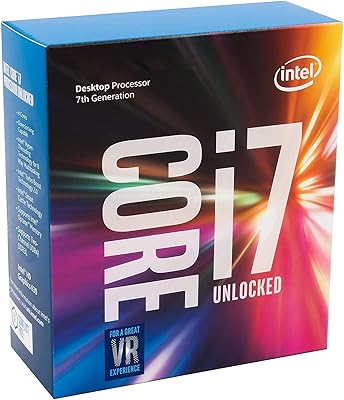
Intel Core i7-7700K Desktop Processor
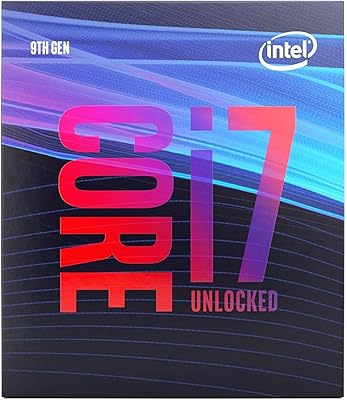
Intel Core i7-9700K Octa-Core Desktop Processor

Intel Core i5-13400F Raptor Lake Desktop Processor

Intel Core i5-9500 Desktop Processor

Intel Core i5-8600 Desktop Processor