Overview

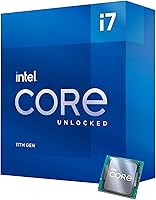
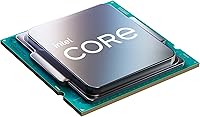
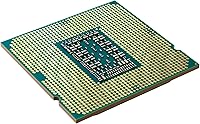
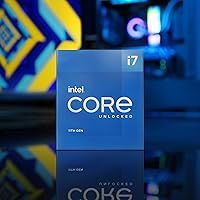
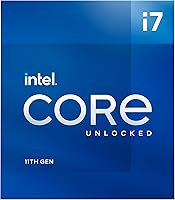
The Intel Core i7-11700K Desktop Processor sits near the top of Intel's 11th Gen Rocket Lake desktop lineup, built around an unlocked multiplier that its non-K siblings simply don't have. It drops into the LGA1200 socket and supports both 500-series boards and a solid range of 400-series motherboards, giving existing platform owners a genuine upgrade path without a full rebuild. Worth knowing upfront: at 125W TDP, it runs hot at stock settings, and Intel doesn't include a cooler in the box. AMD's Ryzen 5000 series was fierce competition at launch, so this chip has always had to justify itself on raw performance rather than reputation alone.

Features & Benefits

The i7-11700K packs 8 cores and 16 threads, with a base clock of 3.6 GHz that can reach up to 5.0 GHz via Turbo Boost Max 3.0 — and in practice, those boost clocks hold up well in gaming workloads. The 16MB Smart Cache helps keep frequently accessed data close to the cores, which shows up as better frame pacing in CPU-heavy titles. On compatible Z490 or Z590 boards, you also get PCIe 4.0 support, useful when pairing this with a fast NVMe drive or a current-gen GPU. The integrated UHD Graphics 750 won't replace a discrete card, but it's handy for display output during a build. Overclockers have room to push, though thermal headroom fills up quickly past modest voltages.

Best For

This unlocked Core i7 makes the most sense for a few specific types of builders. If you're on an older Intel platform wanting meaningful single-core speed gains without swapping out your entire rig, this chip delivers. Gamers who care about frame rate consistency will appreciate those sustained boost clocks in titles that lean on a few fast cores rather than many slower ones. It also suits people doing moderate video editing or running a stream alongside a game — workloads that need threading headroom but don't demand a full workstation processor. For anyone already invested in the LGA1200 ecosystem, this is the top-tier option without stepping up to i9-tier pricing.

User Feedback

Buyers consistently praise this Rocket Lake chip for reliable boost performance in games, with frame rates holding steady even under demanding conditions. The overclocking potential earns favorable mentions too — most users report stable all-core runs around 5.1 to 5.2 GHz without extreme voltages. That said, heat is the most common complaint. Several reviewers noted that even a mid-range cooler struggles under sustained load at stock settings, and a quality 240mm AIO or large tower cooler is essentially required. A handful of buyers flagged compatibility hiccups with certain 400-series boards. The missing cooler genuinely caught some first-time builders off guard at this price point, adding unexpected cost to an otherwise capable build.

Pros

  • Boost clocks reliably hit close to advertised speeds in real gaming workloads, not just benchmark runs.
  • The unlocked multiplier makes overclocking accessible even for enthusiasts without deep technical experience.
  • PCIe 4.0 support on Z590 boards future-proofs the platform for fast NVMe storage and current-gen GPUs.
  • Backward compatibility with select 400-series motherboards gives existing Intel users a low-friction upgrade path.
  • The 16MB Smart Cache noticeably reduces stuttering in CPU-bound games compared to previous-gen Intel chips.
  • Integrated graphics mean you can get a system posting and running without a discrete GPU on hand.
  • 8 cores and 16 threads handle gaming plus background streaming without significant performance trade-offs.
  • Strong single-core performance keeps this chip relevant in titles that don't scale well across many cores.

Cons

  • Runs very hot at stock — a budget or midrange cooler is genuinely not enough for sustained loads.
  • No thermal solution in the box means added cost that catches some buyers off guard.
  • Power consumption is high relative to AMD alternatives offering similar gaming performance.
  • The LGA1200 socket is a dead end; there is no upgrade path within this platform beyond this generation.
  • Some 400-series motherboard owners have reported compatibility hiccups requiring BIOS updates before the chip posts.
  • PCIe 4.0 bandwidth advantages are difficult to notice in everyday gaming or typical desktop use.
  • The Ryzen 7 5800X trades blows in gaming while running cooler and drawing less power from the wall.
  • Resale value has dropped noticeably as the platform ages and newer Intel generations have taken over.

Ratings

The scores below reflect an AI-powered analysis of verified global buyer reviews for the Intel Core i7-11700K Desktop Processor, with spam, bot-submitted, and incentivized feedback actively filtered out before scoring. Every category captures what real users experienced — the genuine strengths and the frustrations alike — so you get an honest picture of where this unlocked Core i7 excels and where it falls short. Nothing here has been softened to protect the product's reputation.

Gaming Performance
88%
Gamers consistently report that the i7-11700K holds its boost clocks well during extended sessions, keeping frame rates stable in CPU-sensitive titles like strategy games and open-world RPGs. The strong single-core performance is a practical advantage in games that still rely heavily on one or two fast threads.
A handful of users noted that the performance gap over mid-range Ryzen 5000 chips is narrower than expected in many titles, making the step up feel less dramatic than the price difference implies. In GPU-bottlenecked scenarios, the advantage essentially disappears.
Thermal Management
54%
46%
Users who paired this Rocket Lake chip with a quality 280mm or 360mm AIO report stable temperatures even during long gaming or rendering sessions. Those who invested in proper cooling found the chip runs predictably once heat is managed.
At stock settings, thermal output is the most common complaint across buyer reviews — many users were surprised by how hot it runs without any manual tuning. Budget cooler owners frequently report throttling, and even mid-range tower coolers struggle under sustained all-core loads at 125W and above.
Overclocking Headroom
77%
23%
Enthusiasts appreciate the unlocked multiplier, which makes dialing in a mild overclock approachable even for first-timers using Z490 or Z590 boards. Most users land a stable all-core overclock in the 5.0 to 5.2 GHz range without pushing voltages into risky territory.
Getting meaningfully past 5.2 GHz requires serious cooling investment and some silicon lottery luck, and the gains over stock boost clocks narrow considerably. Users expecting dramatic headroom beyond what Turbo Boost Max 3.0 already delivers may find the real-world OC ceiling underwhelming.
Value for Money
63%
37%
For buyers upgrading within the LGA1200 ecosystem, this unlocked Core i7 represents the highest single-socket performance available without jumping to i9 pricing, which many users found justifiable as a drop-in upgrade. The PCIe 4.0 access on Z590 boards adds a layer of forward compatibility that contributes to the perceived value.
Against Ryzen 5000 alternatives at a similar price point, many buyers feel the value proposition is hard to defend for a fresh build. The missing cooler also quietly inflates the effective cost, and that reality surfaces repeatedly in buyer feedback from those who didn't factor it into their budget.
Power Efficiency
49%
51%
Under light desktop workloads and when the chip drops back to its base clock, power consumption is reasonable. Users running mixed workloads — browsing, light productivity, occasional gaming — report acceptable idle and low-load draw.
Under sustained load, real-world power consumption frequently exceeds the rated 125W TDP, which frustrates users on tighter power supply budgets and those concerned about long-term electricity costs. Compared to AMD Ryzen 5000 chips offering similar performance, the efficiency gap is a genuine and recurring point of disappointment.
Multitasking & Productivity
79%
21%
The 8-core, 16-thread configuration handles streaming while gaming, background app loads, and moderate multitasking without visible stuttering for most users. Content creators doing light video editing alongside other active applications find it keeps up without constant bottlenecking.
Heavy multi-threaded workloads — large Blender renders, extended encoding queues, or complex Premiere timelines — expose the chip's limits faster than expected at this tier. Users who primarily run professional creative or scientific workloads noted they wished they had stepped up to a higher core-count option.
Platform Compatibility
71%
29%
Support for both 500-series and select 400-series motherboards gives existing Intel platform owners genuine flexibility, and many users appreciated being able to reuse a Z490 board they already owned. The BIOS update process, while necessary, was straightforward for most users on major brands like ASUS, MSI, and Gigabyte.
A notable portion of buyers on older or less common 400-series boards ran into compatibility friction, with some reporting failed POST attempts before locating the correct BIOS version. Users on H-series or B-series chipsets occasionally found that official support was patchier than Intel's marketing suggested.
Boost Clock Reliability
83%
In real-world use, the Turbo Boost Max 3.0 implementation reliably targets the two strongest cores for single-threaded tasks, and users report that advertised boost speeds are actually achievable rather than just theoretical ceiling numbers. This consistency is particularly appreciated by gamers who need repeatable frame timing.
All-core boost behavior can vary significantly depending on motherboard power delivery settings, and some users found that budget boards with looser power limits caused the chip to fall well short of its peak clocks under load. Without a well-tuned board, the boost behavior felt less predictable than expected.
PCIe 4.0 Utility
61%
39%
Users pairing this Rocket Lake chip with a Gen 4 NVMe SSD on a Z590 board do see real sequential transfer speed improvements for large file operations, which matters for video editors moving raw footage or developers working with large code repositories.
The majority of gaming-focused buyers reported no perceptible difference between PCIe 3.0 and 4.0 in frame rates or load times, making the feature feel more like a checkbox than a practical upgrade for the typical use case. It is useful infrastructure to have, but few buyers felt it justified any premium on its own.
Integrated Graphics
58%
42%
The UHD Graphics 750 is genuinely useful for getting a system running before a discrete GPU arrives, and users doing basic desktop tasks — document work, video calls, light media playback — found it adequate for temporary or secondary display use.
Anyone hoping to use integrated graphics for gaming will be disappointed quickly; even esports titles at low settings push the iGPU to its limits. Users making this mistake reported sluggish performance in titles they expected to be easily handled, and the iGPU is clearly not a consideration for sustained gaming use.
Cooler Inclusion
31%
69%
There is no genuine positive to draw from the absence of a cooler at this price tier — a small minority of buyers appreciated that it kept the box price lower, allowing them to choose their own cooling solution without paying for a bundled one they wouldn't use.
The missing cooler is the single most commented-on disappointment in buyer reviews, particularly among less experienced builders who didn't anticipate the added expense. At a premium price point, the expectation of at least a basic thermal solution is entirely reasonable, and Intel's omission here drew consistent criticism.
Installation Experience
82%
18%
The LGA1200 socket installation process is clean and familiar to anyone who has built a previous-generation Intel system, and users report that the chip seats and locks without any drama. First-time builders also found the process intuitive with a standard mounting guide.
The frustration mostly comes after physical installation — BIOS update requirements on 400-series boards caught some users off guard, temporarily leaving them unable to boot. Users without a previous-gen CPU on hand to perform the update faced a meaningful obstacle that required additional planning.
Memory Performance
74%
26%
Running DDR4-3200 or DDR4-3600 with XMP enabled, users report solid memory throughput that translates to smooth performance in memory-bandwidth-sensitive workloads. The chip's memory controller handles common DDR4 kits reliably at these speeds without needing manual tuning.
Pushing memory much beyond DDR4-4000 introduced instability for a meaningful share of users, and the chip does not support DDR5, which some forward-looking buyers found limiting compared to newer platform options. Tight sub-timings at high speeds required more effort than expected to stabilize.

Suitable for:

The Intel Core i7-11700K Desktop Processor is a strong fit for builders who want top-tier single-core performance without paying i9 prices. Gamers running CPU-sensitive titles will appreciate the sustained boost clocks, which keep frame rates consistent even in demanding scenarios. If you're already on an LGA1200 board — or picking one up with a Z490 or Z590 chipset — this chip slots in without forcing a platform change, which makes it an especially practical upgrade for people coming from a 10th Gen Intel setup. Content creators who split their time between gaming and moderate editing or streaming will find the 8-core, 16-thread configuration handles both reasonably well without constant bottlenecking. Enthusiasts who want to explore overclocking without committing to a flagship-tier chip will also find real headroom here, provided they pair it with a capable cooler and a Z-series board.
Not suitable for:

Buyers looking for the most power-efficient desktop CPU at this performance level should look elsewhere — the i7-11700K runs hot and draws significant power even at stock settings, and AMD's Ryzen 7 5800X generally offers comparable or better performance with notably lower thermal output. Anyone building on a tight total budget needs to account for the mandatory cooler purchase, since nothing is included in the box; a quality air or liquid cooler adds real cost that should factor into the overall build plan. This chip is also a poor choice for anyone planning to upgrade to a 12th Gen or newer Intel platform soon, since Rocket Lake is a dead-end socket with no upgrade path beyond the LGA1200 generation. Heavily threaded professional workloads — 3D rendering, large compilation tasks, complex simulations — are better served by chips with higher core counts. And if you're on an AMD board or a non-compatible 400-series Intel motherboard, the Intel Core i7-11700K Desktop Processor simply won't work without additional hardware investment.
Specifications

  • Architecture: Built on Intel's 11th Gen Rocket Lake platform using a backported 14nm process node with redesigned Cypress Cove cores.
  • Cores / Threads: Offers 8 physical cores and 16 threads, enabling true parallel processing across gaming and productivity workloads.
  • Base Clock: Operates at a base frequency of 3.6 GHz under sustained all-core loads.
  • Max Boost Clock: Reaches up to 5.0 GHz on favored cores via Intel Turbo Boost Max Technology 3.0 during lightly threaded tasks.
  • Cache: Equipped with 16MB of Intel Smart Cache shared across all cores to reduce memory latency in demanding applications.
  • TDP: Rated at 125W thermal design power, with real-world power draw often exceeding this under sustained boost conditions.
  • Socket: Uses the LGA1200 socket, compatible with Intel 500-series and select Intel 400-series chipset motherboards.
  • PCIe Support: Supports PCIe Gen 4.0 lanes when paired with a compatible Z590 motherboard, enabling higher bandwidth for NVMe SSDs and discrete GPUs.
  • Memory Support: Natively supports DDR4 memory, with official compatibility across a wide range of DDR4 speeds depending on the motherboard.
  • Integrated Graphics: Includes Intel UHD Graphics 750 with 32 execution units, suitable for display output and light GPU-free desktop use.
  • Overclocking: Ships with an unlocked multiplier, allowing clock speed adjustments on Z-series motherboards without advanced voltage manipulation.
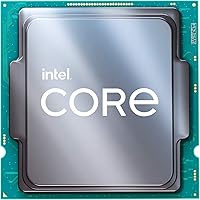
  • Thermal Solution: No cooler is included in the retail box; a third-party air or liquid cooler is required before the system can operate.
  • Boost Technology: Uses Intel Turbo Boost Max Technology 3.0, which identifies the two fastest cores and prioritizes them for single-threaded workloads.
  • Chipset Support: Fully supported on Intel Z590 and Z490 chipsets; partial support exists on H470, B460, and H410 with BIOS updates from the motherboard manufacturer.
  • Launch Date: First made available in March 2021 as part of Intel's 11th Gen desktop processor rollout.
  • Package Dimensions: The processor package measures approximately 4.57 x 1.73 x 3.98 inches and weighs around 3.06 oz including retail packaging.
  • Instruction Sets: Supports AVX-512 instructions, a notable addition over the previous 10th Gen Comet Lake lineup, useful in certain professional and scientific workloads.
  • ECC Support: Unofficially supports ECC memory on select motherboards, though Intel does not officially certify ECC compatibility for this consumer-tier chip.

Related Reviews
Intel Core i7-8700K Desktop Processor
73%
88%
Gaming Performance
87%
Single-Core Speed
91%
Overclocking Potential
83%
Value for Money
41%
Future-Proofing
More
Intel Core i7-12700 Desktop Processor
81%
92%
Multi-threaded Performance
89%
Gaming Performance
83%
Value for Money
71%
Thermal Management
68%
Platform Compatibility
More
Intel Core i7-9700F Desktop Processor
71%
88%
Gaming Performance
91%
Single-Core Speed
74%
Multi-Core / Threaded Performance
86%
Thermal Efficiency
69%
Platform Compatibility
More
Intel Core i7-10700F Desktop Processor
77%
91%
Multi-Threaded Performance
88%
Single-Core Responsiveness
84%
Value for Money
67%
Thermal Management
86%
Platform Compatibility
More
Intel Core i7-7700K Desktop Processor
70%
91%
Single-Core Performance
88%
Gaming Performance
84%
Overclocking Headroom
54%
Thermal Management
78%
Value for Money
More
Intel Core i5-13400F 2.5GHz 10-Core Desktop Processor
87%
88%
Performance
92%
Value for Money
84%
Gaming Performance
89%
Multi-core Efficiency
91%
Ease of Installation
More
Intel Core i7-9700K Octa-Core Desktop Processor

73%
91%
Gaming Performance
89%
Single-Core Speed
88%
Overclocking Potential
86%
Build Quality & Longevity
74%
Value for Money
More
Intel Core i5-9500 Desktop Processor

72%
88%
Everyday Performance
81%
Gaming Capability
91%
Thermal Management
58%
Multi-threaded Workloads
83%
Platform Compatibility
More
Intel Core i5-8600 Desktop Processor
71%
83%
Single-Core Performance
61%
Multithreaded Performance
74%
Gaming Performance
71%
Value for Money
88%
Thermal Efficiency
More
Intel Core i9-11900K Desktop Processor
70%
91%
Gaming Performance
93%
Single-Core Speed
67%
Multi-Threaded Performance
54%
Thermal Performance
84%
Overclocking Capability
More

FAQ

No, it does not. The i7-11700K is a bare processor only, so you will need to purchase a cooler separately before you can use it. Given the 125W TDP and the tendency to spike well above that under boost, a quality 240mm AIO or a high-end tower cooler like a Noctua NH-D15 is strongly recommended — a budget cooler will likely throttle the chip under sustained load.

In most cases, yes — but you will need to update your motherboard BIOS to a version that supports 11th Gen processors before installing the chip. Check your motherboard manufacturer's support page for the correct BIOS version. Some boards shipped before 11th Gen support was added, so this step is important and easy to overlook.

It is a close race, and the honest answer depends on the game. The Ryzen 7 5800X tends to win in efficiency-focused benchmarks and runs noticeably cooler while doing it. The i7-11700K can match or occasionally edge it out in single-core boost scenarios, but it pulls more power and produces more heat to do so. If you don't already own an Intel platform, the AMD option is hard to argue against purely on performance-per-watt grounds.

You can use select 400-series boards, but it depends on the specific chipset and whether your motherboard manufacturer has released 11th Gen BIOS support. Z490 boards are the most reliably supported. H410, B460, and H470 boards may work after a BIOS update, but not all of them do — always verify compatibility on your motherboard's official support page before purchasing.

It handles light-to-moderate editing tasks well — think cutting 1080p or 4K footage in Premiere or DaVinci Resolve with basic effects applied. Where it starts to strain is heavy multi-layered timelines, complex color grading with lots of nodes, or encoding long projects repeatedly. For casual content creators who also game, it is a solid dual-purpose chip, but dedicated workstation processors with higher core counts will outpace it in pure rendering scenarios.

The chip officially supports DDR4, and most users see a real-world sweet spot around DDR4-3200 or DDR4-3600 with XMP enabled. Going much higher can introduce stability issues depending on your memory controller lottery and motherboard quality. DDR4-3200 at CL16 is a safe, well-supported starting point that won't leave noticeable performance on the table.

Most users land stable all-core overclocks in the 5.0 to 5.2 GHz range without pushing into dangerously high voltages. Getting past 5.2 GHz typically requires aggressive cooling, higher voltages, and some luck with the individual chip's quality — the results vary from chip to chip. On a single or dual favored core, the chip can hit 5.0 GHz even at stock settings via Turbo Boost Max 3.0.

For most buyers today, PCIe 4.0 is more future-proofing than an immediate performance upgrade. In everyday gaming, the jump from a PCIe 3.0 NVMe to a PCIe 4.0 one is rarely noticeable in frame rates. Where it does matter is large sequential file transfers and certain professional applications that saturate storage bandwidth. If you're pairing this Rocket Lake chip with a high-end Gen 4 SSD, you'll use the bandwidth — otherwise, it's a nice option to have rather than a pressing need.

Yes, the i7-11700K includes Intel UHD Graphics 750. It is not a gaming GPU by any stretch — you won't be playing modern titles at playable frame rates on integrated graphics alone. What it is genuinely useful for is getting your system to POST and display output before a discrete GPU arrives, or as a fallback if your dedicated card ever needs to come out for troubleshooting.

It depends entirely on your situation. If you already have an LGA1200 board and are upgrading from a slower 10th Gen chip, it still makes sense as a cost-effective top-end option for that platform. As a fresh build starting point in 2024 and beyond, it is harder to recommend over newer platforms that offer better efficiency and a longer upgrade runway. The performance is still capable for gaming and everyday productivity — it just isn't the most future-proof foundation for a new system today.

Where to Buy