Overview

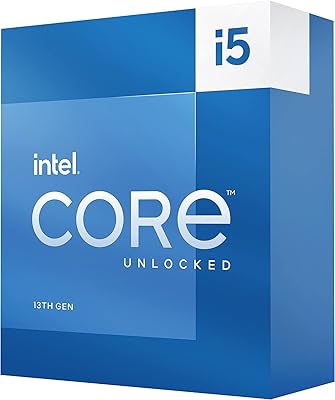
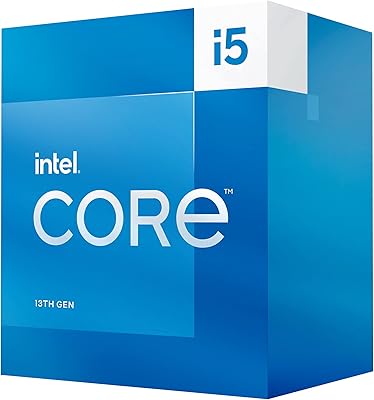
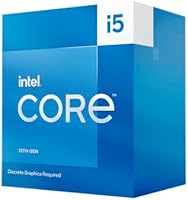
The Intel Core i5-13400F Raptor Lake Desktop Processor sits squarely in the middle of Intel's 13th-generation lineup — capable enough for demanding everyday workloads, priced well below the enthusiast tier. That 'F' in the name matters: it means no integrated graphics, so you need a dedicated GPU to get anything on screen. Compared to the previous generation, you gain two extra cores and a more refined hybrid architecture, which translates to noticeably better multitasking. This is not Intel's fastest chip, and it was never meant to be. It is a practical, well-rounded processor for builders who want solid performance without paying for headroom they will realistically never use.
Features & Benefits

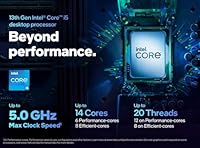
The 10-core hybrid design — six performance cores doing the heavy lifting and four efficiency cores managing background tasks — gives this i5-13400F a genuine multitasking edge that earlier six-core chips simply could not match. Boost speeds reaching 4.6GHz keep gaming and single-threaded work feeling snappy. The 20MB cache helps the processor feed data quickly without stalling on repeated operations, something you notice most during gaming or handling large files. LGA 1700 compatibility opens the door to B660, B760, Z690, and Z790 boards, and memory support covers both DDR4 and DDR5 depending on your motherboard choice. The included boxed cooler handles stock workloads adequately, though sustained heavy loads may call for an aftermarket upgrade.

Best For

The Raptor Lake i5 makes the most sense for builders who already own a discrete GPU or plan to buy one — skipping integrated graphics keeps costs down without hurting performance where it counts. It is a strong pick for 1080p and 1440p gaming, where the six performance cores handle frame rates well without requiring a more expensive chip. Light content creators doing occasional video editing, streaming, or heavy multitasking will find it more than capable for daily use. First-time builders benefit from the mature LGA 1700 ecosystem and widely available board options. Upgrading from a 10th or 11th-gen Intel system, the jump in core count and efficiency is substantial and immediately felt.

User Feedback

With over 880 ratings averaging 4.6 out of 5, buyer sentiment around this 13th-gen chip is largely positive. Most owners highlight strong gaming value, noting that frame rates in popular titles hold up well relative to what was spent. The platform compatibility story earns praise too — many users dropped it into existing B-series boards with nothing beyond a BIOS update. That said, a few recurring gripes are worth knowing. The stock cooler gets audible under sustained load, and some buyers were caught off guard by the absent integrated graphics — a real problem if the GPU fails. AMD alternatives at a comparable price are occasionally raised, though the majority of owners appear satisfied with their build.

Pros

  • Ten cores and 16 threads deliver genuine multitasking capability that older six-core i5s simply could not match.
  • Boost speeds up to 4.6GHz keep gaming and single-threaded tasks feeling quick and responsive.
  • Compatible with a wide range of LGA 1700 boards including affordable B660 and B760 options.
  • Supports both DDR4 and DDR5 memory, giving builders flexibility based on their motherboard choice.
  • The included boxed cooler is adequate for stock operation, saving budget builders an immediate extra purchase.
  • Over 880 buyer ratings averaging 4.6 out of 5 reflects a consistently positive ownership experience.
  • Many users report smooth installation on existing B-series boards after a straightforward BIOS update.
  • Strong gaming frame rates at 1080p and 1440p without needing to spend more on the processor.
  • 20MB of Intel Smart Cache noticeably reduces stuttering and load times in real-world use.
  • A well-established platform with abundant guides, compatibility lists, and community resources for new builders.

Cons

  • No integrated graphics whatsoever — a dedicated GPU is non-negotiable, not optional.
  • The stock cooler gets audibly loud under sustained heavy loads, making aftermarket cooling worth budgeting for.
  • Multiplier overclocking is locked, so performance is essentially fixed at whatever Intel ships.
  • AMD Ryzen competitors at a similar price point offer comparable or better multi-threaded throughput in some workloads.
  • DDR5 support depends entirely on the motherboard chosen, which can add unexpected cost to a build.
  • Not a strong fit for professional rendering or encoding workflows that demand sustained all-core performance.
  • Some users were surprised to find no display output without a GPU, which is an easy and costly oversight.
  • Power draw spikes significantly under turbo boost, which can stress lower-end power supplies in budget builds.
  • Socket longevity is a concern — Intel has already moved to LGA 1851 with the next generation.
  • Packaging and bundled accessories are minimal, which may feel underwhelming given the price tier.

Ratings

Our AI-generated scores for the Intel Core i5-13400F Raptor Lake Desktop Processor are derived from deep analysis of verified global buyer reviews, with spam, bot activity, and incentivized feedback actively filtered out before scoring. Each category reflects the honest consensus of real-world owners — from first-time builders to experienced upgraders — capturing both what this chip genuinely excels at and where it falls short. Strengths and frustrations are weighted equally, so the scores you see here paint an accurate picture of what to expect before you commit.
Gaming Performance
88%
Buyers consistently report smooth, high-frame-rate gaming at 1080p and competitive results at 1440p, with the 4.6GHz boost clock preventing the CPU from becoming a bottleneck in most popular titles. Gamers playing titles like Warzone, Elden Ring, and Apex Legends note stable framing without the stuttering that plagued older six-core chips.
At 1440p with a high-end GPU, some users pushing competitive frame rates notice the chip beginning to show strain in heavily CPU-bound scenarios. It is not a chip that leaves headroom for future GPU upgrades into the top tier without eventually becoming the limiting factor.
Value for Money
91%
Across hundreds of reviews, buyers repeatedly describe this chip as one of the most sensible purchases in their build — strong real-world output at a price that leaves budget for a better GPU or faster RAM. Upgraders from 10th and 11th-gen Intel systems especially appreciate how much capability they gained without breaking the bank.
A small but vocal group of buyers note that AMD Ryzen alternatives at a comparable price offer better multi-threaded throughput, making the value proposition feel slightly less clear for workloads beyond gaming. Those who later discovered they needed a discrete GPU found their effective total cost higher than initially planned.
Multitasking Capability
84%
The hybrid 10-core layout earns genuine praise from users who game while streaming, run virtual machines alongside creative apps, or keep dozens of browser tabs open without slowdown. The four Efficiency cores quietly handle background processes so the six Performance cores stay focused on whatever is most demanding.
Heavy professional workloads — sustained video encoding, large-scale compilation, or extended 3D rendering — can push this chip to its limits, with some users noting it trails dedicated workstation-class chips noticeably under those specific conditions. It is multitasking capable, not multitasking unlimited.
Platform Compatibility
86%
The LGA 1700 ecosystem is broad and well-documented, giving buyers a wide choice of B660, B760, Z690, and Z790 boards at various price points. Many users who already owned 12th-gen boards were pleasantly surprised that a BIOS update was all it took to get this chip running without replacing their entire motherboard.
A subset of buyers who attempted the drop-in upgrade on older 600-series boards hit compatibility walls before finding the right BIOS version, which created frustration for less experienced builders. The fact that this is likely Intel's last generation on LGA 1700 also tempers long-term platform confidence.
Thermal Performance
71%
29%
At stock speeds and moderate workloads, temperatures stay well within comfortable ranges, and the chip is far from a furnace compared to the flagship 13th-gen parts. Users with decent mid-tower cases and modest aftermarket coolers report idle temps that are genuinely low and sustained gaming temps that remain stable.
Under sustained all-core loads the chip's 148W turbo draw generates significant heat that the bundled cooler struggles to manage quietly. Several buyers flagged that the stock cooler ramps up to clearly audible speeds during extended gaming or encoding sessions, pushing many to replace it sooner than expected.
Stock Cooler Quality
58%
42%
The included Intel boxed cooler does serve its purpose for light daily use — browsing, office tasks, and casual gaming in a well-ventilated case. For first-time builders who are not ready to select an aftermarket solution, it at least gets the system operational from day one without any additional spend.
Buyer frustration with the stock cooler is one of the most recurring themes in the feedback pool. At heavier loads it becomes both acoustically intrusive and thermally marginal, and a meaningful portion of owners replaced it within the first few weeks. It is functional but not a long-term solution for anyone pushing this chip regularly.
Installation & Setup
89%
First-time builders consistently describe the installation process as straightforward, crediting the well-documented LGA 1700 platform and the large online community around 13th-gen Intel builds. The chip drops into compatible boards cleanly, and most users had their system posting on the first attempt.
The one friction point that surfaces repeatedly is the BIOS update requirement on some 600-series boards, which requires either a compatible older CPU or a board that supports BIOS flashback. For buyers who did not know this in advance, it caused delays and in a few cases required returning to the retailer.
Memory Performance
79%
21%
Support for both DDR4 and DDR5 gives builders flexibility, and users who invested in fast DDR5 kits report a noticeable uplift in bandwidth-sensitive games and applications. XMP profile support on compatible boards lets buyers easily unlock their RAM's rated speed without manual tuning.
The DDR4 versus DDR5 decision is entirely dictated by the motherboard, which catches some buyers off guard when they realize their chosen board only supports one type. DDR5 kits also remain pricier, so buyers on tight budgets pairing this chip with entry-level DDR4 may not extract its full memory bandwidth potential.
Power Efficiency
72%
28%
At its 65W base TDP the chip runs efficiently for everyday computing tasks, and buyers building home office machines or light gaming rigs appreciate that it does not require an oversized power supply to operate comfortably at moderate workloads.
When turbo boost kicks in, power draw jumps dramatically toward 148W, which is a sharp swing that can stress budget PSUs and contributes to the thermal issues already noted. Users who paired this chip with an 80+ Bronze 500W unit occasionally reported instability during peak load that a higher-quality PSU resolved.
Streaming & Content Creation
77%
23%
Casual streamers using NVENC or AMF GPU-side encoding found this chip handled the task well, with enough headroom to maintain stable game performance while the stream ran in the background. Light video editors working in DaVinci Resolve or Premiere at 1080p report responsive timelines and acceptable export times for non-professional projects.
Users attempting to stream and CPU-encode simultaneously in software like OBS — particularly at higher bitrates — noticed frame drops and performance degradation more quickly than they expected from a 10-core chip. Professional-grade content creation workflows consistently exposed the ceiling of what this mid-range processor can sustain.
Overclocking Headroom
43%
57%
Memory overclocking via XMP profiles is supported on compatible motherboards and does yield genuine performance gains in memory-bandwidth-sensitive scenarios, which is a meaningful option for buyers who invest in faster RAM kits.
Multiplier-based CPU overclocking is fully locked on this chip, which frustrated buyers who specifically wanted to push performance beyond stock settings. There is no pathway to extract meaningfully more CPU clock speed, making this a poor choice for anyone whose buying decision hinges on overclocking potential.
Build & Packaging Quality
74%
26%
The chip itself arrives well-protected, and buyers generally report it in perfect physical condition with no bent pins or shipping damage. Intel's retail packaging is sturdy enough that the processor survives typical courier handling without issue, which matters more than it might seem for a component this sensitive.
A few buyers noted that the overall unboxing experience feels minimal for the price — the packaging is functional but not premium, and the accessory bundle beyond the cooler is essentially non-existent. It is a minor complaint but one that surfaces often enough in the feedback to be worth acknowledging.
Longevity & Future-Proofing
66%
34%
For a mid-range build in 2024, the 10-core hybrid architecture and PCIe 5.0 support on the primary slot mean this chip will remain capable for several more years of mainstream gaming and everyday computing without feeling immediately dated.
Intel's move to the LGA 1851 socket with Arrow Lake limits future upgrade options within the same platform, making in-socket CPU upgrades a dead end after this generation. Buyers who prioritize platform longevity over near-term performance are right to weigh this against AMD's historically longer socket compatibility windows.

Suitable for:

The Intel Core i5-13400F Raptor Lake Desktop Processor is an excellent fit for builders who want a capable, modern CPU without climbing into premium price territory. Gamers running a dedicated GPU and targeting 1080p or 1440p resolutions will get strong, consistent frame rates without the chip becoming a bottleneck in most popular titles. It also suits casual content creators — people who stream on the side, cut together home videos, or juggle a browser, Discord, and a creative app simultaneously — since the 10-core hybrid layout handles that kind of multitasking with room to spare. First-time PC builders benefit from the mature LGA 1700 platform, which has a wide range of well-documented boards and plenty of community support to lean on. Those upgrading from 10th or 11th-gen Intel systems will feel a tangible improvement in day-to-day responsiveness, especially under mixed workloads.
Not suitable for:

The Intel Core i5-13400F Raptor Lake Desktop Processor is a hard pass for anyone without a discrete GPU already in hand or in the budget — the F-suffix means there is zero integrated graphics fallback, so the system simply will not display anything without a dedicated card. Professional video editors, 3D renderers, or anyone running heavily threaded workloads for hours at a time will likely hit the ceiling of what this chip can sustain and would be better served by a higher-core-count processor. Overclockers will also find this chip frustrating, as the i5-13400F does not support multiplier-based overclocking — the performance you get out of the box is largely the performance you keep. Buyers who prioritize platform longevity over near-term value may want to weigh AMD Ryzen alternatives, which have offered more consistent socket support across generations. If a quiet system under load is a firm requirement, the bundled stock cooler will likely disappoint during sustained demanding tasks.
Specifications

  • Brand: This processor is manufactured by Intel, a long-established leader in consumer and professional desktop CPU development.
  • Series: It belongs to Intel's 13th-generation Raptor Lake family, which launched in early 2023 as an architectural refinement over Alder Lake.
  • Model: The specific model designation is Core i5-13400F, where the F suffix indicates the absence of integrated graphics hardware.
  • Core Count: The chip features 10 total cores in a hybrid layout — 6 Performance cores handle demanding tasks while 4 Efficient cores manage lighter background workloads.
  • Thread Count: With Intel Hyper-Threading active on the P-cores, the processor exposes 16 logical threads to the operating system simultaneously.
  • Base Clock: The processor runs at a base frequency of 2.5GHz under sustained all-core workloads within its rated thermal limits.
  • Boost Clock: Single-core boost speeds reach up to 4.6GHz, which directly benefits gaming performance and other latency-sensitive applications.
  • Cache: A total of 20MB of Intel Smart Cache is available on-die, helping reduce memory latency during repeated or data-intensive operations.
  • CPU Socket: The chip uses the LGA 1700 socket, compatible with Intel 600-series and 700-series motherboards including B660, B760, Z690, and Z790 chipsets.
  • Memory Support: Both DDR4 and DDR5 RAM are supported, though the specific type available depends entirely on the motherboard chosen for the build.
  • Integrated Graphics: This is an F-series chip and contains no integrated graphics unit — a discrete GPU is required to produce any display output.
  • Base TDP: The processor has a rated base TDP of 65W, though under turbo boost conditions it can draw up to 148W depending on platform configuration.
  • Included Cooler: Intel includes a boxed CPU cooler in the retail package, which is adequate for use at stock clock speeds in a reasonably ventilated case.
  • Process Node: Raptor Lake P-cores are built on Intel's Intel 7 process node, an optimized refinement of the 10nm SuperFin technology used in Alder Lake.
  • Launch Date: The i5-13400F was made publicly available in January 2023 as part of Intel's wider 13th-generation desktop processor launch.
  • Dimensions: The physical CPU measures approximately 1.57 x 1.18 x 0.39 inches, consistent with standard LGA 1700 desktop processor form factor dimensions.
  • Package Weight: The retail boxed package weighs approximately 14.1 oz, which includes the processor, bundled cooler, and documentation.
  • PCIe Support: The i5-13400F supports PCIe 5.0 on the primary x16 slot and PCIe 4.0 on additional lanes, enabling compatibility with modern discrete GPUs and NVMe storage.
  • Overclocking: Multiplier-based overclocking is not supported on this chip; memory overclocking via XMP or EXPO profiles remains available on compatible motherboards.
  • BSR Ranking: At the time of evaluation, this processor holds a Best Sellers Rank of #215 in the Computer CPU Processors category on Amazon with over 880 ratings.

Related Reviews
Intel Core i5-9500 Desktop Processor
72%
88%
Everyday Performance
81%
Gaming Capability
91%
Thermal Management
58%
Multi-threaded Workloads
83%
Platform Compatibility
More
Intel Core i5-8600 Desktop Processor
71%
83%
Single-Core Performance
61%
Multithreaded Performance
74%
Gaming Performance
71%
Value for Money
88%
Thermal Efficiency
More
Intel Core i5-10600K Desktop Processor
78%
88%
Gaming Performance
91%
Overclocking Potential
89%
Single-Core Performance
61%
Thermal Management
78%
Value for Money
More
Intel Core i5-13500 Desktop Processor
87%
88%
Performance for Gaming
91%
Multi-Core Performance
85%
Power Efficiency
84%
Thermal Management
92%
Compatibility with Motherboards
More
Intel Core i5-11400F Desktop Processor
68%
91%
Value for Money
78%
Gaming Performance
82%
Multi-core Throughput
86%
Thermal Management
83%
Platform Compatibility
More
Intel Core i5-13600K Desktop Processor
79%
93%
Gaming Performance
88%
Multi-Threaded Throughput
61%
Thermal Management
91%
Value for Money
79%
Overclocking Headroom
More
Intel Core i5-9400 Desktop Processor
69%
83%
Everyday Performance
78%
Gaming Performance
81%
Value for Money
74%
Thermal Management
77%
Power Efficiency
More
Intel Core i5-10500 Desktop Processor
69%
83%
Value for Money
79%
Multithreaded Performance
72%
Gaming Performance
43%
Upgrade Path
74%
Single-core Performance
More
Intel Core i5-10400 Desktop Processor
76%
91%
Everyday Performance
88%
Multitasking Capability
93%
Value for Money
74%
Thermal Management
77%
Gaming Performance
More
Intel Core i5-9600KF Desktop Processor
69%
88%
Gaming Performance
83%
Overclocking Potential
74%
Value for Money
67%
Thermal Management
76%
Multitasking & Productivity
More

FAQ

Yes, without exception. The F-series designation means there is no integrated GPU on this chip at all. If you install it without a discrete graphics card, your system will boot but produce no image on screen. Make sure a dedicated GPU is part of your build plan before purchasing.

Any LGA 1700 socket board will physically fit this chip, including those on B660, B760, Z690, and Z790 chipsets. B760 boards are a popular pairing for budget builds since they offer solid feature sets without unnecessary cost. Just confirm the board supports 13th-gen CPUs — some 600-series boards may need a BIOS update first.

In most cases, yes. The LGA 1700 socket is shared between 12th and 13th-gen Intel CPUs. However, you will likely need to update the motherboard BIOS to the latest version before the board recognizes the newer chip. Check your board manufacturer's website to confirm compatibility before purchasing.

For everyday tasks and moderate gaming at stock speeds, the bundled Intel cooler gets the job done. Where it struggles is under sustained heavy workloads — long rendering sessions, extended gaming marathons — where it can get noticeably loud. If fan noise bothers you or you plan to push the system hard for long periods, a budget aftermarket cooler is a worthwhile addition.

The i5-13400F adds four Efficient cores over the i5-12400F, bringing the total from 6 to 10 cores. In practice that means better multitasking and improved performance in lightly threaded background tasks running alongside a game or creative app. Single-core gaming performance is also slightly improved. It is a meaningful but not dramatic upgrade — if you already own a 12400F, the jump may not justify the cost.

It depends on your motherboard, not the CPU itself. The Raptor Lake i5 is compatible with both DDR4 and DDR5, but your board is built for one or the other — they are not interchangeable on the same platform. DDR4 boards tend to be less expensive and memory is cheaper, while DDR5 offers higher bandwidth that becomes more useful in future builds.

It handles streaming reasonably well for a mid-range chip, especially if you are running a dedicated GPU that assists with encoding. Pairing it with software like OBS using NVENC or AMF offloads the encoding burden from the CPU, which keeps gaming performance stable while the stream runs. For casual to intermediate streamers, this chip is more than sufficient.

Not through traditional multiplier overclocking — the i5-13400F has its multiplier locked. What you can do is enable XMP or EXPO memory profiles on a compatible motherboard to run your RAM at its rated speed, which does provide a tangible boost in some games and applications. If overclocking the CPU itself is important to you, you would need a K-series Intel chip instead.

Still very capable. At 1080p the CPU rarely becomes a limiting factor — your GPU will hit its ceiling first in most games. At 1440p the same generally holds true for mid-range gaming. The hybrid core architecture keeps frame pacing consistent, and the 4.6GHz boost clock means it handles even demanding titles without significant stutter. It is not cutting-edge anymore, but it remains a competitive choice for the price.

The two most frequently raised concerns are the stock cooler noise under load and the lack of integrated graphics catching buyers off guard. Neither is a defect — they are design characteristics worth knowing in advance. A small number of users have also noted that pairing it with a low-wattage power supply can cause instability under heavy boost conditions, so a quality PSU with adequate headroom is recommended.