Overview

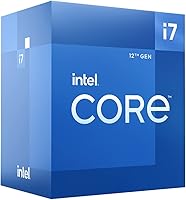
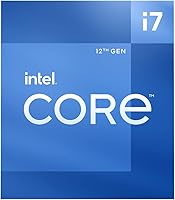
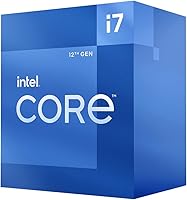
The Intel Core i7-12700 Desktop Processor sits in a sweet spot within Intel's 12th Gen Alder Lake lineup — powerful enough to satisfy demanding users, yet not priced into i9 territory. What makes this generation genuinely different is the hybrid core architecture, which pairs eight Performance cores with four Efficient cores to handle everything from heavy threaded workloads to background tasks without wasting cycles. If you're upgrading from a 10th or 11th Gen platform, the jump is substantial. Worth knowing upfront: you'll need an LGA 1700 socket motherboard — specifically a 600-series board — and Intel bundles the Laminar RM1 cooler, which handles everyday use just fine.
Features & Benefits

The i7-12700 runs twelve cores across two distinct types — eight Performance cores for heavy lifting and four Efficient cores for background work — giving it 20 threads total that make multi-tasking feel genuinely effortless. Single-threaded responsiveness is strong thanks to boost speeds approaching 4.90GHz, which matters for gaming and fast application launches. The chip supports both DDR4 and DDR5 memory, so you aren't forced into a costly platform overhaul. PCIe 5.0 support means next-gen graphics cards and fast NVMe drives will be fully accommodated. At 65W base power draw, thermals stay manageable, and the 25MB cache helps shorten access times during memory-intensive tasks.

Best For

This Alder Lake chip makes the most sense for builders who are skipping one or two generations and want a meaningful performance leap without committing to flagship pricing. Gamers chasing consistent, high frame rates in modern titles will find it hits a comfortable ceiling without overspending. Content creators — anyone doing regular video editing, 3D rendering, or live streaming — will appreciate the multi-threaded throughput. It also fits well into home office workstations where productivity and efficiency matter alongside performance. And if you already own DDR4 memory, the platform's compatibility with existing kits makes the upgrade cost considerably easier to absorb.

User Feedback

With over 400 ratings averaging 4.7 out of 5 stars, the reception for this 12th Gen processor has been broadly positive. Most buyers highlight real-world gaming responsiveness and the ability to handle demanding workloads simultaneously without obvious slowdown. The value relative to competing AMD options like the Ryzen 7 5800X comes up often, with many feeling the i7-12700 holds its own convincingly. That said, a recurring friction point involves BIOS update requirements on certain 600-series boards before the chip is detected — something first-time builders occasionally get caught off guard by. A handful of users also note that the bundled cooler, while functional, runs warmer under sustained load than they would prefer.

Pros

  • The hybrid core architecture handles simultaneous gaming, streaming, and background tasks without perceptible slowdown.
  • Boost speeds approaching 4.90GHz keep single-threaded tasks and application launches feeling sharp and immediate.
  • DDR4 compatibility lets upgraders reuse existing memory kits and avoid a costly full platform overhaul.
  • PCIe 5.0 support means the platform is ready for next-gen GPUs and fast NVMe drives without a board swap.
  • The i7-12700 competes seriously with pricier options, making it a credible value pick in its performance tier.
  • Video editing and 3D rendering times improve noticeably compared to previous-generation hex-core and quad-core builds.
  • Windows 11 thread scheduling works natively with the hybrid core layout, minimizing configuration effort for most users.
  • The LGA 1700 platform supports 13th Gen chips, giving builders a real one-generation upgrade path on the same board.
  • At its rated base power draw, thermals stay manageable in typical gaming and productivity workloads.

Cons

  • Some 600-series motherboards require a BIOS update before the chip is recognized, which can strand first-time builders.
  • The bundled Laminar RM1 cooler runs audibly warm under sustained all-core loads and may need replacing sooner than expected.
  • Real-world power consumption climbs well above the rated base figure during extended heavy workloads.
  • The performance gap over top-tier AMD Ryzen 7 alternatives narrows more than expected in some optimized multi-threaded applications.
  • Builders in compact or ITX cases need to plan carefully for realistic thermal output under peak usage.
  • Those on Windows 10 may experience occasional task-scheduling irregularities due to limited hybrid-core optimization in that OS.
  • The platform upgrade runway beyond 13th Gen is limited, which matters for buyers thinking several years ahead.
  • New builders unfamiliar with chipset tiers can find the range of compatible 600-series boards confusing to navigate.

Ratings

The Intel Core i7-12700 Desktop Processor has earned a strong global reputation across hundreds of verified purchases, and the scores below reflect an AI-driven analysis of that real-world feedback — filtered to remove incentivized, bot-generated, and outlier reviews. What emerges is an honest picture: this Alder Lake chip impresses in most areas, but a few practical friction points keep it from being a perfect recommendation for every type of builder.
Multi-threaded Performance
92%
Users consistently report that the i7-12700 chews through demanding workloads — video rendering timelines, multi-track audio sessions, and simultaneous streaming — without the slowdowns they experienced on older quad or hex-core systems. The hybrid core design keeps background tasks from stealing resources during peak usage.
A small subset of power users pushing the chip with all cores loaded for extended periods note that the performance advantage over the best AMD alternatives narrows more than the spec sheet implies, particularly in highly optimized multi-threaded applications.
Gaming Performance
89%
Gamers upgrading from 9th or 10th Gen chips describe the frame rate improvements as immediately noticeable in CPU-limited scenarios. Titles that rely heavily on fast single-core responsiveness — competitive shooters and open-world games — benefit most from the high boost clock headroom.
In GPU-bound scenarios at high resolutions, the chip's advantages become harder to distinguish from cheaper processors. A few users noted that pairing it with a mid-range graphics card occasionally left the processor underutilized, raising questions about right-sizing the platform.
Value for Money
83%
Most buyers feel the i7-12700 sits in a justifiable price band when weighed against what it delivers — it competes seriously against pricier options and doesn't require spending extra on a flagship board to unlock its performance potential. DDR4 compatibility helps keep total build costs reasonable.
Cross-shoppers comparing it against Ryzen 7 alternatives sometimes feel the pricing requires more justification, especially when AMD options occasionally undercut it on street price. Those who also need to budget for an aftermarket cooler may find the total platform cost creeping higher than expected.
Thermal Management
71%
29%
Under typical gaming loads and mixed productivity use, temperatures stay within a range that most users describe as unremarkable in the best sense — the system simply runs without thermal throttling interfering with everyday tasks, even with the stock cooler installed.
Users running the chip hard for sustained workloads — long Handbrake encodes or overnight renders — report that the included Laminar RM1 cooler runs noticeably warm and can trigger throttling on hotter days. Several builders recommend budgeting for at least a mid-range tower cooler from the start.
Platform Compatibility
68%
32%
The LGA 1700 socket and 600-series chipset requirement is well-understood among experienced builders, and those who planned their upgrade path accordingly found the installation process clean and straightforward. The broad range of compatible Z690 and B660 boards gives real flexibility at different price points.
A recurring frustration in reviews involves boards that require a BIOS update before recognizing the chip — something that can strand first-time builders without a compatible older processor to perform the update. Motherboard pairing confusion, particularly around feature differences between chipset tiers, adds friction for less experienced users.
Memory Flexibility
88%
The ability to run either DDR4 or DDR5 depending on the chosen board is genuinely appreciated by builders working with existing memory kits. Those reusing DDR4 from a previous build report no perceivable performance penalty in real-world use.
The flexibility can also create decision paralysis for new builders unsure which memory generation to invest in. DDR5 kits, while supported, were still expensive at launch and early adopters occasionally reported compatibility quirks with certain board and memory combinations.
Power Efficiency
79%
21%
At 65W base power draw, the i7-12700 is more frugal than many buyers expect for a chip in this performance tier. Home office users running it in a quiet, modest system found their electricity usage and case temperatures both stayed manageable without aggressive cooling solutions.
When the chip boosts under sustained all-core load, actual power draw climbs well above the rated base figure — a surprise for users expecting the 65W number to reflect real-world peaks. Those building in compact or ITX cases should account for higher realistic thermal output.
Single-core Responsiveness
91%
Application launch times, browser tab handling, and general desktop snappiness receive consistent praise. Users migrating from older Intel or budget AMD platforms describe the jump as one of the most perceptible improvements in day-to-day feel, even before loading into any benchmark or game.
The advantage over top-tier Ryzen 5000 chips in raw single-threaded tasks is meaningful but not dramatic. Users expecting a night-and-day difference over the competition in this specific metric may find the real-world gap smaller than synthetic benchmarks suggest.
Out-of-box Setup Experience
74%
26%
For builders on supported boards with up-to-date firmware, installation is described as clean and confidence-inspiring — the chip drops in, the system posts, and Windows recognizes the core layout correctly without manual intervention or driver headaches.
The BIOS update requirement on some boards is the single most-cited installation frustration across reviews. Without access to an older LGA 1700 processor or a board with USB BIOS Flashback support, some buyers found themselves temporarily stuck before the chip was even recognized.
Included Cooler Quality
62%
38%
The bundled Laminar RM1 is a step up from the bare-minimum Intel coolers of previous generations and is entirely adequate for stock gaming sessions and light productivity use. Budget builders who cannot stretch to an aftermarket option will find it functional rather than an immediate liability.
Enthusiasts and anyone planning to run sustained workloads view the included cooler as a placeholder rather than a long-term solution. Noise levels under moderate load are higher than competing aftermarket options in the same price bracket, and thermal headroom disappears quickly under stress.
Upgrade Path & Longevity
81%
19%
The LGA 1700 platform supports 13th Gen Raptor Lake chips, giving builders a credible upgrade path without replacing the motherboard. This flexibility is a meaningful selling point for those who plan to squeeze several years out of their current board investment.
With Intel's subsequent platform shifts introducing new sockets, the long-term upgrade runway beyond one additional CPU generation is limited. Buyers thinking five or more years ahead may view the platform ceiling as a reason to pause.
Workstation & Creative Workloads
86%
Video editors working in Premiere Pro or DaVinci Resolve, as well as 3D artists using Blender, report genuinely faster export and render times compared to their previous builds. The core count makes a tangible difference when multiple applications are open and competing for resources simultaneously.
For truly professional workstation workloads — simulation, large data processing, or heavy virtualization — users occasionally note the i7-12700 starts to show its consumer-tier limits. Those with strictly professional demands sometimes conclude that stepping up makes more sense.
PCIe & Storage Bandwidth
84%
PCIe 5.0 support means the platform is ready for the next wave of high-speed NVMe drives and graphics cards without requiring a board swap. Early adopters building forward-looking systems appreciate that this capability is present at this price tier rather than reserved for enthusiast boards only.
In practical terms, most current GPUs and NVMe drives do not yet saturate PCIe 4.0 bandwidth, so the PCIe 5.0 benefit remains largely theoretical for today's builds. The spec is valuable as future insurance, not an immediate performance differentiator.
Driver & OS Stability
87%
Windows 11 support is solid, and users report that the operating system's thread director — designed to work with hybrid core architectures — routes tasks intelligently with minimal user configuration. Stability across long uptime periods draws positive comments from home server and workstation users alike.
A small number of users on Windows 10 noted occasional scheduling hiccups, as that OS was not natively optimized for hybrid core designs. Updating to Windows 11 resolved most of these issues, but it represents an additional step some users would prefer to avoid.

Suitable for:

The Intel Core i7-12700 Desktop Processor is a strong fit for PC builders who are jumping up from a 9th, 10th, or 11th Gen Intel platform and want a genuinely meaningful performance upgrade without committing to flagship-tier spending. Gamers who play a mix of competitive and open-world titles will find the high boost clock delivers the kind of snappy, responsive feel that makes a real difference in CPU-sensitive scenarios. Content creators — particularly those doing regular video editing, streaming, or Blender rendering on the side — benefit from the multi-core headroom in ways that translate directly into shorter wait times and smoother workflows. It also suits home office and small studio builds where the machine needs to handle demanding applications during the day and still feel responsive in the evening during gaming sessions. Builders who already own a DDR4 kit will appreciate that the platform supports it natively, keeping the overall upgrade cost more manageable than switching to an entirely new memory ecosystem.
Not suitable for:

The Intel Core i7-12700 Desktop Processor is probably not the right call for buyers who are starting completely fresh without any compatible hardware, since the LGA 1700 platform requirement means a new motherboard is non-negotiable, and some boards need a BIOS update before the chip is even recognized — a genuine headache if you don't have a workaround processor on hand. Builders chasing the absolute peak in heavily threaded professional workloads — think large-scale simulation, machine learning inference, or complex virtualization stacks — may find the consumer-tier core count starts to show its limits under sustained full-load conditions. Those planning to stay on the same platform for five or more years should weigh the fact that the LGA 1700 socket supports one additional generation beyond this one, which is a shorter runway than some competing platforms offer. Anyone sensitive to system noise who plans to push the chip consistently should factor in the cost of an aftermarket cooler from the start, since the included Laminar RM1 gets audible under sustained stress. Finally, budget-focused builders who are cross-shopping aggressively will find that the AMD Ryzen 7 alternatives sometimes undercut this chip on price with competitive real-world results, so it warrants an honest side-by-side comparison before committing.
Specifications

  • Architecture: Built on Intel's 12th Gen Alder Lake platform, combining Performance and Efficient cores on a single die for intelligent workload distribution.
  • Core Configuration: Features 12 cores split across 8 Performance cores and 4 Efficient cores, delivering 20 threads total for robust multi-tasking capability.
  • Base Clock: Performance cores operate at a 2.1 GHz base frequency under sustained all-core loads, scaling dynamically based on thermal and power headroom.
  • Boost Clock: Via Intel Turbo Boost Max Technology 3.0, the chip reaches up to 4.90 GHz on its fastest Performance cores for demanding single-threaded tasks.
  • Cache: Equipped with 25MB of Intel Smart Cache, reducing memory latency for frequently accessed data during gaming and creative workloads.
  • Base TDP: Rated at 65W base power, though real-world all-core power draw climbs higher under sustained workloads depending on motherboard power limit settings.
  • CPU Socket: Requires an LGA 1700 socket motherboard, which is physically incompatible with previous Intel LGA 1200 or LGA 1151 boards.
  • Chipset Support: Compatible exclusively with Intel 600 series chipset motherboards, including the Z690, H670, B660, and H610 variants.
  • Memory Support: Supports both DDR4 and DDR5 memory standards, with the specific type determined by the chosen motherboard rather than the processor itself.
  • PCIe Support: Provides PCIe 5.0 and PCIe 4.0 lane support, accommodating current and next-generation discrete GPUs and high-speed NVMe storage devices.
  • Integrated Graphics: Does not include integrated graphics; this is the non-F variant but lacks an iGPU, so a discrete graphics card is required for display output.
  • Included Cooler: Ships with the Intel Laminar RM1 cooler, suitable for stock-speed operation under typical gaming and productivity workloads.
  • OS Compatibility: Fully supported on Windows 11, with Windows 10 compatibility available, though hybrid core scheduling performs optimally under Windows 11.
  • Model Number: Official Intel model identifier is BX8071512700, corresponding to the boxed retail version inclusive of the Laminar RM1 cooler.
  • Physical Dimensions: The processor die measures approximately 1.57 x 1.18 inches in footprint, standard for LGA 1700 socket installation.
  • Thermal Interface: Uses a factory-applied thermal interface between the die and integrated heat spreader; no additional thermal paste application is needed for the stock cooler.
  • ECC Memory: Does not support ECC (Error-Correcting Code) memory, making it unsuitable for server-grade or error-critical workstation deployments.
  • Overclocking: Core clock overclocking is not supported on non-Z series boards; memory overclocking via XMP profiles is available on Z690 platforms.

Related Reviews

Intel Core i7-11700K Desktop Processor
84%
92%
Gaming Performance
89%
Overclocking Potential
88%
Multitasking and Productivity
86%
Value for Money
74%
Thermal Management
More
Intel Core i7-9700F Desktop Processor
71%
88%
Gaming Performance
91%
Single-Core Speed
74%
Multi-Core / Threaded Performance
86%
Thermal Efficiency
69%
Platform Compatibility
More
Intel Core i7-10700F Desktop Processor
77%
91%
Multi-Threaded Performance
88%
Single-Core Responsiveness
84%
Value for Money
67%
Thermal Management
86%
Platform Compatibility
More
Intel Core i7-8700K Desktop Processor
86%
92%
Performance
90%
Overclocking Potential
93%
Gaming Performance
84%
Thermal Management
88%
Multitasking Ability
More
Intel Core i7-7700K 7th Gen Desktop Processor
83%
93%
Performance
91%
Overclocking Potential
90%
Gaming Performance
75%
Heat Management
88%
Multitasking and Productivity
More
HP Envy Desktop 12th Gen Intel Core i7-12700, 16GB RAM, 512GB SSD + 1TB HDD
83%
90%
Performance
89%
Storage Capacity
70%
Graphics Performance
93%
Ease of Setup
88%
Value for Money
More
Intel Core i7-9700K 8-Core 3.60 GHz Processor
87%
95%
Gaming Performance
91%
Overclocking Potential
88%
Multi-Core Performance
92%
Compatibility with LGA 1151 Motherboards
80%
Thermal Management
More
Intel Core i5-13400F 2.5GHz 10-Core Desktop Processor
87%
88%
Performance
92%
Value for Money
84%
Gaming Performance
89%
Multi-core Efficiency
91%
Ease of Installation
More
Intel Core i5-9500 Desktop Processor 6 Cores 3.0 GHz
82%
85%
Performance for Everyday Use
80%
Gaming Performance
82%
Multitasking Efficiency
88%
Power Efficiency (TDP)
91%
Value for Money
More
Intel Core i5-8600 Desktop Processor 6-Core 3.1 GHz (BX80684I58600)
86%
88%
Performance
92%
Value for Money
85%
Gaming Performance
87%
Multitasking Ability
91%
Energy Efficiency
More

FAQ

Yes, the Intel Core i7-12700 Desktop Processor requires an LGA 1700 socket motherboard from Intel's 600 series lineup — Z690, B660, H670, or H610. If you're coming from a previous Intel platform like LGA 1200 or older, your existing board will not be compatible, so a board upgrade is unavoidable.

You can absolutely use DDR4 memory — the platform supports both DDR4 and DDR5, and which one you use depends entirely on the motherboard you choose, not the chip itself. If you already own a DDR4 kit, simply pick a DDR4-compatible 600-series board and reuse it. There is no meaningful real-world performance reason to rush to DDR5 for most users right now.

This is one of the most common install issues with this platform. Some 600-series boards shipped with an older BIOS that predates Alder Lake support, meaning the chip simply won't post until the firmware is updated. If your board has a USB BIOS Flashback feature, you can update without a working processor installed. Otherwise, you may need to borrow a compatible older chip temporarily or contact the board manufacturer for assistance.

The bundled Laminar RM1 handles stock gaming and light productivity loads without major issues. However, if you plan to run sustained all-core workloads — long rendering sessions, heavy encoding, or anything that pins all cores for extended periods — the stock cooler will get warm and audible. An affordable mid-tower air cooler makes a noticeable difference in noise and headroom and is worth budgeting for from the start.

In gaming, both chips trade blows depending on the title and resolution. The i7-12700 tends to edge ahead in scenarios that benefit from its higher thread count, while the 5800X competes closely in pure single-threaded workloads. Platform cost often becomes the deciding factor: if you're building fresh, the pricing and board ecosystem of each platform are worth comparing as carefully as the raw CPU benchmarks.

Yes, it runs on Windows 10 without any fundamental issues. However, the hybrid core architecture was specifically designed with Windows 11's thread scheduling in mind. Under Windows 10, task distribution across Performance and Efficient cores is less optimized, and some users have noted occasional scheduling irregularities. It works, but Windows 11 is the better pairing for getting the most out of the design.

No. Despite the model name not including the F suffix that Intel typically uses to denote graphics-disabled chips, the i7-12700 does not include a functional integrated GPU. You will need a discrete graphics card installed to get any display output from the system.

CPU frequency overclocking is restricted to Z690 motherboards with this chip, and even then the i7-12700 is not a K-series chip, which means overclocking headroom is limited compared to the unlocked i7-12700K. Memory overclocking via XMP profiles is available on Z690 boards. If overclocking is a priority, the K variant and a Z690 board is the more appropriate combination.

For three to four years, absolutely — the platform handles current workloads with headroom to spare, and the LGA 1700 socket also supports 13th Gen Raptor Lake chips, giving you one credible CPU upgrade path without changing the board. Beyond that generation, Intel moved to a new socket, so the long-term runway is honest rather than exceptional. For most users, it's a solid medium-term investment.

Under typical gaming sessions, noise stays at a level that most users describe as background-level — noticeable but not intrusive. The stock Laminar RM1 fan ramps up more aggressively under heavier multi-threaded loads, at which point it becomes meaningfully audible. If you're building a quiet workstation or plan to regularly stress all cores, an aftermarket cooler with a larger heatsink and slower-spinning fan will make a real difference to the acoustics.