Overview

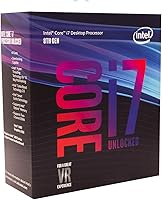
The Intel Core i7-8700K Desktop Processor launched in late 2017 as the flagship of Intel's Coffee Lake generation, and it has aged surprisingly well. What kept enthusiasts loyal wasn't just raw speed — it was the unlocked multiplier, which set this chip apart from its locked siblings right out of the gate. One important caveat: this Coffee Lake chip is strictly tied to LGA1151 300-series boards, so Z370 or Z390 is non-negotiable. On the secondhand market, it represents a genuinely compelling value proposition, though buyers should enter with eyes open — this is a mature platform with a passionate community but a finite upgrade ceiling.
Features & Benefits

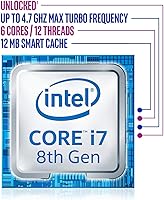
Six cores and 12 threads give the i7-8700K a meaningful edge in workloads that demand parallel processing — think browser tabs, background encoding, and game engines running simultaneously without stuttering. The 4.7 GHz single-core turbo is where it really shines for gaming, where most titles still lean heavily on fast single-threaded performance. The 12 MB Smart Cache keeps frequently accessed data close, cutting latency in ways that show up in compilation times and consistent frame pacing. Intel's unlocked 6-core processor also supports Intel Optane Memory for hybrid storage setups, and the integrated UHD Graphics 630 serves as a handy display output fallback during GPU swaps or troubleshooting.

Best For

This Coffee Lake chip is a strong fit for budget-conscious gaming builds assembled from the secondhand market, where the value-to-performance ratio remains hard to argue with. It also appeals to content creators who do moderate video editing or live streaming and want overclocking headroom without committing to an entirely new platform. If you already own a Z370 or Z390 motherboard, dropping in the i7-8700K is one of the most cost-effective upgrades available. Home power users juggling multiple demanding apps will appreciate the thread count, and anyone who enjoys dialing in manual CPU tuning will find this chip genuinely rewarding to work with.

User Feedback

Buyers consistently praise the i7-8700K for its day-to-day stability and strong gaming performance, with the enthusiast community broadly considering it one of the finest CPUs of its era. The overclocking results people report are often impressive, though many are quick to point out that aftermarket cooling is non-negotiable — the chip runs hot under sustained load and ships without a cooler. A smaller but fair segment of buyers raises the platform age question: Z370 and Z390 boards have no upgrade path beyond 8th and 9th Gen, so this is a deliberate choice rather than a future-proof one. For those who understand that trade-off, satisfaction rates are high.

Pros

  • Strong single-core performance keeps gaming frame rates competitive even against more recent processors.
  • The unlocked multiplier makes overclocking accessible with a compatible Z370 or Z390 motherboard.
  • 12 threads handle everyday multitasking and moderate content creation workloads with ease.
  • The 4.7 GHz turbo boost delivers snappy, responsive performance in lightly-threaded applications.
  • 12 MB of Smart Cache reduces latency, benefiting both gaming consistency and compile-heavy workflows.
  • Intel UHD Graphics 630 provides a useful fallback for display output when swapping or troubleshooting GPUs.
  • Secondhand pricing makes Intel's unlocked 6-core processor a genuinely strong value buy for budget-conscious builders.
  • Broad enthusiast community support means overclocking guides, BIOS tips, and troubleshooting resources are easy to find.
  • Intel Optane Memory compatibility adds a storage acceleration option for users on compatible setups.
  • Proven platform stability — owners consistently report rock-solid reliability over years of daily use.

Cons

  • No cooler is included in the box, and an aftermarket unit is effectively mandatory under any serious load.
  • The LGA1151 300-series platform is a dead end, with no CPU upgrade options beyond 9th Gen.
  • Runs hot at 95W TDP — sustained workloads without adequate cooling can trigger thermal throttling.
  • Competing modern chips at similar secondhand price points often offer better multi-threaded throughput.
  • Requires a Z370 or Z390 motherboard specifically — the chip will not work on earlier or later Intel platforms.
  • No PCIe 4.0 support limits future storage and GPU bandwidth compared to newer platforms.
  • DDR4 memory is still required, which may mean additional cost if upgrading from an older DDR3-based system.
  • Integrated graphics are basic and not suitable for any GPU-dependent workload beyond video output.

Ratings

The scores below for the Intel Core i7-8700K Desktop Processor were produced by our AI after analyzing thousands of verified global buyer reviews, with spam, incentivized submissions, and bot-generated feedback actively screened out. The results transparently reflect both the genuine strengths that have made this Coffee Lake chip a lasting enthusiast favorite and the real friction points — particularly around thermals, platform age, and out-of-box completeness — that buyers consistently flag.
Gaming Performance
88%
In real-world gaming, the i7-8700K consistently delivers smooth, responsive frame rates thanks to its 4.7 GHz single-core turbo and low-latency cache. Users report that the vast majority of modern titles run without the CPU becoming a bottleneck, especially at 1080p and 1440p paired with a capable discrete GPU.
At 4K or in CPU-bound scenarios with dense AI and simulation, some users notice frame time inconsistency compared to chips with higher core counts. Newer titles increasingly optimized for 8 or more cores will gradually erode the performance advantage this chip currently holds.
Single-Core Speed
87%
The 4.7 GHz turbo makes daily computing feel immediate — application launches, browser responsiveness, and desktop interactions all benefit noticeably. Competitive multiplayer gamers specifically praise how well this translates to low input latency, where clock speed matters far more than thread count.
Newer 12th and 13th Gen Intel chips deliver higher single-core frequencies alongside meaningful IPC improvements, so clock-for-clock the i7-8700K has fallen behind on newer architectures. For users who plan to keep their system running without upgrades for several more years, this gap will become more tangible.
Overclocking Potential
91%
The unlocked multiplier makes pushing this chip to 5.0 GHz or beyond genuinely achievable for most builders with a Z370 or Z390 board and a quality cooler. Years of community-shared BIOS profiles and voltage guides make the process well-documented and approachable even for builders attempting their first overclock.
Stable high overclocks depend heavily on the silicon lottery — two identical chips can behave very differently under the same voltage and frequency settings. Sustained overclocked operation drives temperatures up sharply, and without a capable air or AIO liquid cooler, thermal throttling will undercut any frequency gains quickly.
Value for Money
83%
On the secondhand and refurbished market, this Coffee Lake chip offers a price-to-performance ratio that is difficult to argue with for builders already on a compatible platform. The combination of solid gaming output, overclocking headroom, and proven long-term stability means buyers typically get strong returns on a modest investment.
The value case weakens significantly if a Z370 or Z390 motherboard also needs to be purchased — factoring in that combined cost, more modern platform options become genuinely competitive. Buyers starting entirely from scratch should run a full platform cost comparison before committing, as the math shifts considerably outside of existing-board upgrade scenarios.
Future-Proofing
41%
59%
For users who plan to maintain their current system mostly unchanged over the next couple of years and game at 1080p or 1440p, the i7-8700K will remain performant enough to avoid feeling immediately obsolete. A strong enthusiast community also means BIOS support and platform knowledge are well-maintained.
The LGA1151 300-series platform is definitively at end of life — no CPU upgrade path beyond 9th Gen exists, and there is no support for PCIe 4.0 or DDR5. Buyers who anticipate wanting meaningful headroom upgrades within three to five years should weigh this hard ceiling very carefully before purchasing.
Thermal Management
58%
42%
At stock settings with a quality aftermarket cooler, the i7-8700K maintains workable temperatures during everyday tasks and moderate gaming sessions. Owners who budgeted properly for cooling hardware report stable thermals even through extended streaming or software compilation runs.
At 95W TDP with no bundled cooler whatsoever, thermal management is entirely the buyer's responsibility — and an area where many users underestimate the required investment. Under sustained all-core load or any overclocking scenario, budget coolers struggle to keep up, leading to throttling and potential long-term stress on the chip.
Multi-Threaded Performance
76%
24%
Twelve threads represent a meaningful capability for simultaneous workloads — game streaming while running a background encode, light video editing alongside active browser sessions, and similar everyday multi-app scenarios all run without the system grinding or stuttering noticeably.
Modern mid-range chips from both Intel and AMD now regularly offer 12 to 16 cores at comparable secondhand prices, outpacing Intel's unlocked 6-core processor in any workload that scales proportionally with core count. Professional creators with heavy multi-threaded pipelines will hit this ceiling sooner than casual users.
Platform Compatibility
63%
37%
For anyone already running a Z370 or Z390 board, the compatibility story is clean and simple — update the BIOS, seat the chip, and the system is running with no adapter concerns, memory format changes, or storage interface surprises to navigate.
The LGA1151 300-series exclusivity has caught buyers off guard more than once — despite sharing the same socket shape with 100- and 200-series boards, the chip is electrically incompatible with those older platforms. Verifying the exact motherboard model and chipset before purchasing is non-negotiable.
Power Efficiency
61%
39%
Under light workloads and standard desktop use, power draw stays reasonable and the system does not push into excessive wattage territory. For home office and general productivity use cases, the overall energy footprint remains manageable without specialized power delivery hardware.
Built on Intel's 14nm++ node, this Coffee Lake chip cannot match the efficiency of processors built on more advanced 7nm or 10nm processes. Under sustained heavy load, system power consumption climbs noticeably — a factor that shows up in electricity costs and increased ambient heat output over long daily usage sessions.
Cache Performance
84%
The 12 MB Smart Cache keeps frequently repeated data operations fast and tight, translating to noticeably consistent frame pacing in games and quicker iteration cycles during software compilation. Enthusiasts running workloads that repeatedly access the same data sets report that this cache size meaningfully reduces micro-stutter.
On workloads that saturate the cache with large and varied datasets — such as professional simulation software or very large compilation pipelines — the chip falls back to slower DRAM more frequently. Compared to chips with larger L3 caches on newer architectures, this limitation becomes more apparent under sustained stress.
Stability & Reliability
93%
Years of real-world use across the enthusiast community confirm this chip's reputation for rock-solid daily stability. Users running at stock settings report virtually no unexpected crashes or instability, even on systems that have been running continuously for multiple years through varied workloads.
When pushed to aggressive overclocking voltages over extended periods, long-term reliability can degrade if the chip operates outside safe parameters for too long. A subset of users report instability that traces back to inadequate cooling rather than the chip itself — still a relevant consideration for builders planning sustained overclocked use.
Integrated Graphics
47%
53%
The UHD Graphics 630 is a practical asset during a GPU swap, a clean OS install, or any troubleshooting session where the discrete card is temporarily removed. It handles 4K display output and basic media playback reliably in those situations.
Beyond light tasks and display output, the integrated graphics offer very little of substance — running any modern game on the iGPU alone is not a realistic scenario. Users who expected meaningful creative or compute capability from the UHD 630 consistently report that it falls well short of those expectations.
Memory Performance
78%
22%
Running DDR4 in a dual-channel configuration unlocks the chip's full memory bandwidth, and most Z370 and Z390 boards handle XMP profiles for faster kits cleanly and without drama. In everyday gaming and productivity workloads, the memory subsystem feels well-balanced and responsive.
The official 2666 MHz memory ceiling means users with faster kits are technically running out of specification — stable most of the time, but not guaranteed by Intel. Compared to platforms with native support for higher-speed DDR4 or DDR5, the memory bandwidth ceiling becomes a real limitation for memory-hungry professional workloads.
Out-of-Box Experience
67%
33%
The chip arrives well-packaged from retail and reputable resellers, and installation into a compatible board is clean and standard — no unusual mounting requirements or setup surprises beyond the normal steps any LGA CPU installation involves.
The complete absence of a bundled cooler is a friction point that catches some buyers off guard, particularly those less familiar with K-series processor conventions. First-time builders often underestimate the additional research, cost, and installation steps required to select an appropriate cooling solution before the system can even POST.

Suitable for:

The Intel Core i7-8700K Desktop Processor is an excellent pick for savvy builders who want strong gaming and multitasking performance without paying a premium for a brand-new platform. If you already own a Z370 or Z390 motherboard, this chip is one of the most sensible upgrades you can make — you get 6 cores, 12 threads, and a 4.7 GHz turbo without touching the rest of your build. Secondhand market shoppers who prioritize raw single-core speed for gaming will find the i7-8700K competitive against chips that cost significantly more. Content creators doing moderate video editing, streaming, or light 3D work will also appreciate the thread count and the overclocking headroom that the unlocked multiplier provides. Enthusiasts and tinkerers who enjoy manually tuning their system will feel right at home here — this chip rewards patience and a decent cooler.
Not suitable for:

Buyers planning a long-term, future-proof build should think carefully before committing to the Intel Core i7-8700K Desktop Processor, because the LGA1151 300-series platform is a dead end — there is no upgrade path beyond 8th and 9th Gen processors on Z370 and Z390 boards. If your workload involves heavily multi-threaded tasks like large-scale 3D rendering, professional video production, or compiling massive codebases, newer architectures with higher core counts will outpace this Coffee Lake chip by a meaningful margin. Users who run their systems under sustained heavy loads should also be aware that the i7-8700K runs hot at 95W TDP, and without a quality aftermarket cooler — which is not included in the box — thermal throttling becomes a real risk. First-time builders who want a straightforward, no-fuss setup may find the cooling requirements and platform restrictions more homework than they bargained for.

Specifications

  • CPU Socket: This processor uses the LGA1151 socket and is exclusively compatible with Intel 300 Series chipset motherboards, specifically Z370 and Z390.
  • Core Count: The chip features 6 physical cores, enabling true parallel execution across multiple demanding tasks at once.
  • Thread Count: Intel Hyper-Threading Technology brings the logical processor count to 12 threads, improving throughput in multitasking and productivity workloads.
  • Base Clock: The processor runs at a base frequency of 3.7 GHz under sustained all-core load conditions.
  • Turbo Boost: Single-core Turbo Boost reaches up to 4.7 GHz, directly benefiting gaming and other latency-sensitive applications.
  • L3 Cache: A 12 MB Intel Smart Cache is shared across all cores, reducing memory access latency for repetitive and data-intensive workloads.
  • TDP: The processor carries a rated Thermal Design Power of 95W, which makes a quality aftermarket cooler a practical necessity rather than an option.
  • Integrated Graphics: Intel UHD Graphics 630 is embedded in the die, providing basic display output and serving as a fallback when no discrete GPU is installed.
  • Memory Type: The chip officially supports DDR4 SDRAM, with stock speeds up to 2666 MHz in standard configuration.
  • Multiplier: The unlocked K-series multiplier allows CPU frequency overclocking when paired with a Z370 or Z390 motherboard.
  • Optane Support: Intel Optane Memory is supported, enabling hybrid storage acceleration on compatible platform and drive configurations.
  • Chipset Support: This processor is officially supported only by Intel 300 Series chipsets and will not function on 100- or 200-series boards despite sharing the same socket shape.
  • Generation: This is an 8th Generation Intel Core processor based on the Coffee Lake microarchitecture, built on Intel's refined 14nm++ process node.
  • Model Number: The official Intel model identifier is BX80684I78700K, which corresponds to the boxed retail version of this processor.
  • Lithography: Manufactured on Intel's 14nm++ process, an optimized refinement of the 14nm node that prioritizes higher clock speed headroom over density.

Related Reviews

Intel Core i7-10700F Desktop Processor
77%
91%
Multi-Threaded Performance
88%
Single-Core Responsiveness
84%
Value for Money
67%
Thermal Management
86%
Platform Compatibility
More
Intel Core i7-12700 Desktop Processor
81%
92%
Multi-threaded Performance
89%
Gaming Performance
83%
Value for Money
71%
Thermal Management
68%
Platform Compatibility
More
Intel Core i7-9700F Desktop Processor
71%
88%
Gaming Performance
91%
Single-Core Speed
74%
Multi-Core / Threaded Performance
86%
Thermal Efficiency
69%
Platform Compatibility
More
Intel Core i7-11700K Desktop Processor
67%
88%
Gaming Performance
54%
Thermal Management
77%
Overclocking Headroom
63%
Value for Money
49%
Power Efficiency
More
Intel Core i7-7700K Desktop Processor
70%
91%
Single-Core Performance
88%
Gaming Performance
84%
Overclocking Headroom
54%
Thermal Management
78%
Value for Money
More
Intel Core i5-13400F 2.5GHz 10-Core Desktop Processor
87%
88%
Performance
92%
Value for Money
84%
Gaming Performance
89%
Multi-core Efficiency
91%
Ease of Installation
More
Intel Core i7-9700K Octa-Core Desktop Processor
73%
91%
Gaming Performance
89%
Single-Core Speed
88%
Overclocking Potential
86%
Build Quality & Longevity
74%
Value for Money
More
Intel Core i5-9500 Desktop Processor
72%
88%
Everyday Performance
81%
Gaming Capability
91%
Thermal Management
58%
Multi-threaded Workloads
83%
Platform Compatibility
More
Intel Core i5-8600 Desktop Processor
71%
83%
Single-Core Performance
61%
Multithreaded Performance
74%
Gaming Performance
71%
Value for Money
88%
Thermal Efficiency
More
Intel Core i9-11900K Desktop Processor
70%
91%
Gaming Performance
93%
Single-Core Speed
67%
Multi-Threaded Performance
54%
Thermal Performance
84%
Overclocking Capability
More

FAQ

Only if your board is based on an Intel 300 Series chipset — primarily Z370 or Z390. Despite sharing the same LGA1151 socket shape with 100- and 200-series boards, this processor is electrically incompatible with those older platforms. Always confirm your motherboard's chipset before buying.

No, it does not. K-series processors from Intel have never included a stock cooler, and the i7-8700K is no exception. At 95W TDP — and higher if you overclock — a decent aftermarket air or liquid cooler is essential, not a nice-to-have.

Better than you might expect for a chip this age. The 4.7 GHz single-core turbo and low-latency cache keep frame rates competitive in most titles, particularly those that favor fast single-threaded performance. Paired with a capable discrete GPU, the i7-8700K still handles modern games without being a bottleneck in the majority of scenarios.

It is one of the more approachable chips to overclock if you have a compatible Z370 or Z390 board. Many owners push it to 5.0 GHz or close to it with a solid cooler and some BIOS experimentation. Just run proper stability testing before settling on any overclock — tools like Prime95 or AIDA64 are standard practice in the enthusiast community for good reason.

Yes, for basic use. The integrated Intel UHD Graphics 630 handles display output, web browsing, and everyday tasks without issue. It is not built for gaming or GPU-accelerated workloads, but it is genuinely handy during a fresh build, a GPU upgrade swap, or any troubleshooting situation where your discrete card is out of the system.

The Intel Core i7-8700K Desktop Processor officially supports DDR4 up to 2666 MHz, but most Z370 and Z390 boards can run XMP profiles that push compatible kits to 3000–3200 MHz with minimal effort. For gaming, 16 GB of DDR4 in a dual-channel configuration is a practical sweet spot; creators or power users handling larger projects will benefit from 32 GB.

For gaming, the difference is real but often smaller than the spec sheets suggest — most modern titles do not tax all available cores heavily, so the i7-8700K keeps up reasonably well. Where newer platforms pull ahead more noticeably is in heavily multi-threaded workloads, power efficiency, and future upgrade flexibility. If you already own a compatible board, the value case is strong; starting from scratch, factor in the platform age honestly.

It is one of the better upgrade decisions you can make if you are already on that platform. Swapping in Intel's unlocked 6-core processor requires nothing more than a compatible cooler and a BIOS update in most cases, and the jump in multi-threaded performance is substantial — especially coming from a quad-core i5.

Supply from reputable sellers is still fairly healthy on platforms like eBay and local marketplaces. CPUs are generally durable components that degrade very little over time, so a well-cared-for used unit carries low risk. Look for sellers who can confirm the chip was not run under extreme voltages long-term, and test it promptly after receiving it.

Officially, no — Microsoft's Windows 11 compatibility list excludes 8th Gen Intel Core processors. In practice, many users have installed Windows 11 on the i7-8700K using workarounds, and it runs without obvious issues for most tasks. However, this remains an unsupported configuration, and you may not receive certain updates or guarantees from Microsoft going forward.