Overview

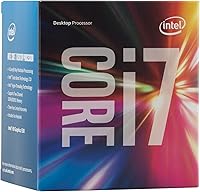
The Intel Core i7-6700 Desktop Processor arrived in late 2015 as Intel's 6th-generation Skylake quad-core, and it continues to show up in budget builds for good reason. Sitting in the LGA 1151 socket, it pairs with any Intel 100-series motherboard, which keeps compatibility straightforward for platform builders working with existing hardware. The base clock runs at 3.4 GHz with Turbo Boost headroom reaching 4.0 GHz, giving it enough ceiling for everyday workloads without breaking a sweat. Today, most buyers find this Skylake chip through the used or refurbished market, where it serves as a practical, targeted upgrade rather than a brand-new purchase.
Features & Benefits

The i7-6700 packs four cores and eight threads via Intel Hyper-Threading, which makes a real difference when you're juggling multiple browser tabs, a spreadsheet, and a background download simultaneously. Turbo Boost 2.0 nudges the clock higher automatically when demand spikes, so you gain that extra headroom without touching any settings. The 8 MB Smart Cache keeps frequently accessed data close to the processor, trimming latency on repetitive tasks. Memory flexibility is a genuine plus — it supports both DDR4 and DDR3L in dual-channel configuration. At 65W TDP, thermals stay easy to manage, and the bundled stock cooler handles routine workloads comfortably without requiring an aftermarket solution.

Best For

This 6th-gen processor makes the most sense for a specific type of buyer. If you already own an LGA 1151 board and want a meaningful CPU upgrade without replacing the entire platform, this chip is a smart, low-disruption swap. It's also a solid pick for students or hobbyists assembling a capable home or office desktop on a lean budget. Light content creators — think photo editing in Lightroom or occasional 1080p video exports — will find it handles those tasks without much complaint. Don't expect it to carry demanding modern games on integrated graphics alone, but for productivity-focused and general-purpose use, it performs cleanly.

User Feedback

Buyers who upgraded from older dual-core chips are largely positive — the jump in everyday responsiveness tends to surprise people in the best way. The stock cooler earns solid marks for keeping things quiet under normal workloads. On the flip side, some reviewers flag that overclocking is restricted without a Z170 or comparable unlocked board, which limits tuning options. A portion of users also note that at current used prices, newer-generation alternatives occasionally compete on both performance and value. Still, buyers who go in with clear expectations — a capable, mature platform chip rather than a cutting-edge one — tend to walk away satisfied with the purchase.

Pros

  • Hyper-Threading across eight threads makes everyday multitasking genuinely smooth for home and office use.
  • Turbo Boost 2.0 automatically lifts performance under brief workload spikes without any manual tuning.
  • Compatible with both DDR4 and DDR3L memory, giving platform builders useful flexibility.
  • The included stock cooler is adequate for light to moderate workloads without added cost.
  • LGA 1151 compatibility makes this a clean, low-hassle swap for existing 100-series platform owners.
  • At 65W TDP, power draw stays reasonable for an always-on home office or study setup.
  • The 8 MB Smart Cache keeps frequently accessed data close, reducing latency on repetitive tasks.
  • Installation is straightforward — most first-time builders report a clean first boot with no surprises.
  • Upgraders coming from older dual-core chips report a noticeable and satisfying jump in day-to-day responsiveness.
  • Driver and OS support on Windows 10 and 11 is stable and well-established with no compatibility headaches.

Cons

  • The platform is end-of-life, leaving buyers with little meaningful upgrade path beyond the current build.
  • Overclocking is locked out without a Z170 board, and even then the ceiling is low.
  • Integrated graphics rule out casual gaming without a dedicated GPU — a real limitation for budget all-in-one builds.
  • At current used prices, newer-generation chips occasionally match the cost with better long-term relevance.
  • Sustained heavy workloads push the stock cooler to its audible and thermal limits fairly quickly.
  • Modern CPU-intensive software increasingly favors newer architectures, widening the performance gap over time.
  • Memory speed support is modest, limiting users who want to run high-frequency DDR4 kits at full rated speeds.
  • Finding quality new LGA 1151 motherboards at fair prices is increasingly difficult as the ecosystem thins out.

Ratings

The Intel Core i7-6700 Desktop Processor has been evaluated using AI-driven analysis of verified global user reviews, with spam, bot-generated, and incentivized feedback actively filtered out before scoring. The ratings below reflect real-world buyer experiences across a wide range of use cases — from budget home office builds to light creative workstations — and honestly represent both where this Skylake chip holds up well and where it falls short by today's standards.
Raw Processing Performance
74%
26%
For a chip released in 2015, the i7-6700 still handles everyday computing tasks with genuine confidence. Multi-tab browsing, document editing, and light data work run without stutter, and the Turbo Boost ceiling at 4.0 GHz gives it a bit of extra kick when workloads spike briefly.
Against current mid-range processors, the performance gap is noticeable in anything CPU-intensive. Rendering, compiling, or running modern productivity suites with heavy plugins can push this chip to its limits faster than buyers sometimes anticipate.
Multitasking Capability
78%
22%
Hyper-Threading across four cores and eight threads is where this chip earns real praise from everyday users. Running a video call alongside spreadsheets, a browser with a dozen tabs, and background system tasks feels manageable rather than sluggish, which is a genuine quality-of-life improvement over older dual-core machines.
When multitasking tips into genuinely heavy territory — think virtual machines running alongside media encoding — thread saturation shows up. Users doing serious parallel workloads report that the chip starts dropping responsiveness in ways that newer architectures handle more gracefully.
Thermal Management
83%
At 65W TDP, this 6th-gen processor runs cool enough that the included stock cooler handles routine workloads without complaint. Users in home office environments report quiet, stable operation during standard daily use, and the chip does not push thermal limits under moderate stress.
Extended sustained loads — long video exports, prolonged compiling sessions — can push temperatures into territory where the stock cooler starts spinning audibly. Users in poorly ventilated cases or warm environments occasionally report throttling under prolonged peak workloads.
Value for Money
71%
29%
Sourced through the used or refurbished market, this Skylake chip offers a cost-effective way to breathe life into an existing LGA 1151 platform without a full system rebuild. For buyers who already own a compatible motherboard, the cost-per-performance ratio makes practical sense as a targeted upgrade.
At current used market prices, newer-generation alternatives occasionally land nearby in cost while offering meaningfully better performance and longer platform relevance. Buyers comparing options strictly on price-to-performance may find the calculus tighter than expected.
Integrated Graphics
53%
47%
The Intel HD Graphics 530 covers the basics competently — desktop use, 4K display output up to 4096x2304, and light media playback all work without needing a discrete card. For a strictly productivity-focused build with no gaming ambitions, it does the job without added expense.
Modern gaming, even at modest settings, is largely off the table with integrated graphics alone. Users who purchased this chip expecting casual gaming without a dedicated GPU found the experience disappointing, and this remains one of the more consistent complaints in user feedback.
Platform Compatibility
81%
19%
LGA 1151 compatibility with Intel 100-series motherboards means a wide range of existing hardware works without issue. Buyers upgrading within an established platform found the swap straightforward, with no unexpected compatibility headaches in the vast majority of reported cases.
The platform is aging, and finding new LGA 1151 motherboards at reasonable prices is becoming harder. Users building fresh systems from scratch may find the ecosystem limiting compared to current platforms with broader component availability.
Memory Flexibility
79%
21%
Supporting both DDR4 and DDR3L in dual-channel configuration is a practical plus for builders working with existing RAM. Users who already owned DDR3L sticks could retain them without forced upgrades, which kept total build costs lower than expected in several reported setups.
Maximum supported memory speeds are modest by current standards, and users expecting to run high-frequency DDR4 kits at full rated speed may find compatibility limitations depending on their board. Memory tuning headroom is narrow compared to more recent platforms.
Overclocking Headroom
41%
59%
For users on a Z170 board who know what they're doing, there is a narrow window to push clocks slightly beyond stock. Some enthusiasts report modest gains through BCLK adjustments on compatible boards, which is better than nothing for tinkerers already invested in the platform.
The i7-6700 is not an unlocked processor, and overclocking is effectively locked out without a Z170 or equivalent board. Even with the right motherboard, the ceiling is low. Users expecting meaningful frequency headroom will be frustrated, and this is a recurring complaint among performance-oriented buyers.
Stock Cooler Quality
72%
28%
The bundled cooler handles daily workloads comfortably without pushing noise levels into irritating territory. Several buyers in home and small office settings noted they never felt the need to swap it out for aftermarket cooling during normal use, which reduces the out-of-pocket cost of an entry build.
Under sustained heavy loads, the stock cooler reaches its limits fairly quickly. Users who run demanding applications for extended periods often end up replacing it to avoid thermal throttling — so while adequate for light use, it is not a long-term solution for power users.
Power Efficiency
69%
31%
Relative to its era, the 14nm Skylake architecture was a meaningful step forward in power efficiency. The 65W TDP keeps system power draw reasonable for an always-on home or office PC, and monthly electricity costs remain unremarkable for typical daily workloads.
Compared to current-generation chips built on more advanced process nodes, the efficiency gap is real. Users conscious of long-term power costs or running the machine in energy-constrained environments may find it draws more than they'd prefer for the performance it delivers today.
Longevity & Future-Proofing
48%
52%
For buyers with modest expectations and a defined short-to-medium-term use horizon, this chip still gets the job done. If the goal is a functional, low-fuss productivity workstation for two or three more years without further investment, it satisfies that specific brief reasonably well.
The platform is effectively at end-of-life, and software demands are only moving upward. Users planning to grow their workloads or who want a system they can upgrade incrementally over several years will find this chip leaves little runway — and that concern surfaces often in longer-term ownership reviews.
Installation & Setup
86%
Dropping the i7-6700 into a compatible LGA 1151 board is a clean, uncomplicated process that even first-time builders report handling without stress. The socket mechanism is standard, thermal paste application is minimal, and the system typically posts on the first boot without fuss.
Users migrating from a very different platform occasionally ran into BIOS update requirements before the chip was recognized properly. While not a widespread problem, it caught a handful of buyers off guard and required access to an older compatible CPU to complete the update first.
Noise Levels
75%
25%
Under light to moderate workloads, the system runs quietly enough that it disappears into the background of a home office or study environment. Users working in noise-sensitive spaces appreciated not having to manage fan curves or invest in quiet cooling solutions right away.
When the stock cooler spins up under load, it is audible enough to be noticeable in a quiet room. Users who run the chip harder than average, or who simply prefer near-silent operation, found the stock thermal solution unsatisfying and replaced it fairly quickly.
Software & Driver Support
77%
23%
Intel's driver ecosystem for Skylake is stable and mature. The HD Graphics 530 drivers are well-established, and operating system support across Windows 10 and 11 works cleanly without compatibility issues for the vast majority of users in standard configurations.
Cutting-edge software features tied to newer instruction sets or hardware-accelerated capabilities are increasingly out of reach. Some productivity applications now favor newer Intel generations for hardware offloading, and users on this chip occasionally miss out on those optimizations.

Suitable for:

The Intel Core i7-6700 Desktop Processor is the right call for a specific, well-defined type of buyer — and if you fit the profile, it delivers genuine value. It makes the most sense for anyone already sitting on a compatible LGA 1151 motherboard who wants a meaningful CPU upgrade without scrapping the entire platform. Students assembling a capable study and productivity desktop on a lean budget will find it covers their bases without unnecessary expense. Small business owners running a handful of workstations for general office tasks — email, spreadsheets, video calls, light document work — get a dependable chip that won't require hand-holding. Home office workers and hobbyists who do occasional photo editing or 1080p video exports will find this Skylake chip handles those tasks without major frustration. If your expectations are grounded and your use case is productivity-first rather than performance-chasing, the i7-6700 still earns its keep in the right context.
Not suitable for:

Buyers expecting a future-proof foundation for a system they plan to grow and upgrade over the next several years should look elsewhere — the Intel Core i7-6700 Desktop Processor sits on an aging platform with a finite shelf life and limited upgrade headroom beyond what it already offers. Anyone hoping to game even casually without a dedicated GPU will be disappointed; the integrated HD Graphics 530 is simply not equipped for modern titles at playable settings. Serious content creators working with 4K video timelines, 3D rendering, or complex audio production will run into the chip's ceiling faster than expected, and the frustration compounds when newer alternatives offer noticeably better throughput in those workflows. Power users who care about overclocking should skip it entirely unless they have a Z170 board and tempered expectations, since the unlocked headroom is narrow at best. Buyers comparing used market prices carefully may also find that newer-generation chips occasionally compete at similar price points, making the value proposition less straightforward than it first appears.

Specifications

  • CPU Socket: The processor uses the LGA 1151 socket, compatible with Intel 100-series chipset motherboards including H110, B150, H170, and Z170.
  • Core Count: The chip features 4 physical cores and 8 logical threads enabled through Intel Hyper-Threading Technology.
  • Base Clock: The processor runs at a base frequency of 3.4 GHz under sustained all-core workloads.
  • Turbo Boost: Intel Turbo Boost 2.0 dynamically raises the clock speed up to 4.0 GHz on a single core when thermal and power headroom permits.
  • Cache: An 8 MB Intel Smart Cache is shared across all cores to reduce memory access latency on frequently repeated tasks.
  • TDP: The rated thermal design power is 65W, defining the cooling solution requirements for stable sustained operation.
  • Lithography: The chip is built on Intel's 14nm Skylake manufacturing process, which was Intel's second-generation FinFET node at launch.
  • Memory Support: Dual-channel memory is supported in DDR4-1866 and DDR4-2133 speeds, as well as DDR3L at 1333 and 1600 MHz running at 1.35V.
  • Max Memory: The processor officially supports up to 64 GB of RAM across two memory channels when paired with a compatible motherboard.
  • Integrated Graphics: Intel HD Graphics 530 is integrated on-die, with 24 execution units and support for DirectX 12 and OpenCL 2.0.
  • Display Output: The integrated GPU supports display output at resolutions up to 4096x2304 at 24Hz over HDMI or higher refresh rates via DisplayPort.
  • PCIe Support: The processor provides 16 PCIe 3.0 lanes directly from the CPU, primarily used for discrete graphics card connectivity.
  • Hyper-Threading: Intel Hyper-Threading is enabled on this processor, allowing each physical core to handle two instruction threads simultaneously.
  • Launch Date: The i7-6700 was officially released in September 2015 as part of Intel's 6th-generation Skylake desktop lineup.
  • Included Cooler: A stock Intel boxed cooler is included in the retail package and is adequate for non-overclocked, moderate workload operation.
  • Instruction Sets: The processor supports SSE4.1, SSE4.2, AVX2, AES-NI, and TSX-NI instruction set extensions for accelerated software operations.
  • ECC Support: ECC memory is not officially supported on consumer 100-series chipset platforms paired with this processor.
  • Overclocking: The i7-6700 is a locked multiplier processor; overclocking is not officially supported and is limited to minor BCLK adjustments on Z170 boards.

Related Reviews
Intel Core i7-12700 Desktop Processor
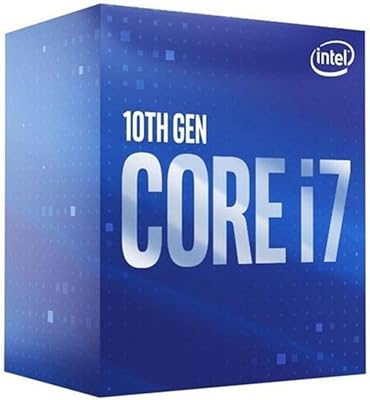
81%
92%
Multi-threaded Performance
89%
Gaming Performance
83%
Value for Money
71%
Thermal Management
68%
Platform Compatibility
More
Intel Core i7-11700K Desktop Processor
84%
92%
Gaming Performance
89%
Overclocking Potential
88%
Multitasking and Productivity
86%
Value for Money
74%
Thermal Management
More
Intel Core i7-8700K Desktop Processor
86%
92%
Performance
90%
Overclocking Potential
93%
Gaming Performance
84%
Thermal Management
88%
Multitasking Ability
More
Intel Core i7-9700F Desktop Processor
71%
88%
Gaming Performance
91%
Single-Core Speed
74%
Multi-Core / Threaded Performance
86%
Thermal Efficiency
69%
Platform Compatibility
More
Intel Core i7-10700F Desktop Processor
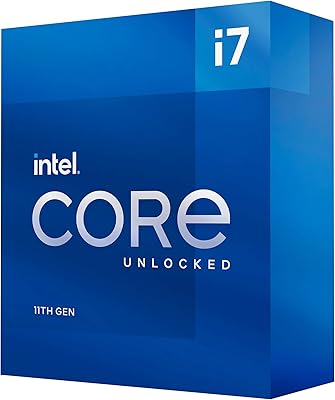
77%
91%
Multi-Threaded Performance
88%
Single-Core Responsiveness
84%
Value for Money
67%
Thermal Management
86%
Platform Compatibility
More
Intel Core i7-7700K 7th Gen Desktop Processor
83%
93%
Performance
91%
Overclocking Potential
90%
Gaming Performance
75%
Heat Management
88%
Multitasking and Productivity
More
Intel Core i5-13400F 2.5GHz 10-Core Desktop Processor
87%
88%
Performance
92%
Value for Money
84%
Gaming Performance
89%
Multi-core Efficiency
91%
Ease of Installation
More
Intel Core i7-9700K 8-Core 3.60 GHz Processor
87%
95%
Gaming Performance
91%
Overclocking Potential
88%
Multi-Core Performance
92%
Compatibility with LGA 1151 Motherboards
80%
Thermal Management
More
Intel Core i5-9500 Desktop Processor 6 Cores 3.0 GHz
82%
85%
Performance for Everyday Use
80%
Gaming Performance
82%
Multitasking Efficiency
88%
Power Efficiency (TDP)
91%
Value for Money
More
Intel Core i5-8600 Desktop Processor 6-Core 3.1 GHz (BX80684I58600)
86%
88%
Performance
92%
Value for Money
85%
Gaming Performance
87%
Multitasking Ability
91%
Energy Efficiency
More

FAQ

Yes, any LGA 1151 motherboard based on an Intel 100-series chipset — including H110, B150, H170, and Z170 — is compatible. One thing to check is whether your board requires a BIOS update to recognize the chip properly, especially if it shipped with an older firmware version before Skylake support was fully baked in.

Only in a very limited sense. The integrated HD Graphics 530 can handle older or less demanding titles, and it will run some indie games at lower settings without too much pain. For anything released in the last few years, or anything graphically intensive, you will want a discrete GPU — the integrated graphics simply are not built for modern gaming workloads.

It depends entirely on what you are using it for and what you are paying. If you already own a compatible LGA 1151 board and need a straightforward productivity upgrade, the used market price can make it a smart move. If you are starting from scratch and building a new system, it is worth comparing against newer platforms where the total cost difference might be smaller than you expect.

A stock Intel boxed cooler comes included in the retail package, and for everyday workloads — office tasks, browsing, light creative work — it handles the job without much noise or drama. If you plan to run the chip under sustained heavy loads for extended periods, an aftermarket cooler is worth considering to keep temperatures in check and reduce fan noise.

Honestly, it depends on what you are doing day to day. The jump from a dual-core i5 to this quad-core chip with Hyper-Threading is more noticeable than moving between two similarly configured quad-cores. If your current i5 is already a quad-core Skylake, the real-world difference in typical use will be smaller and harder to justify on cost alone.

Yes, the i7-6700 meets the basic CPU requirements for Windows 11, and most users report a clean installation and stable daily operation. TPM 2.0 support depends on your motherboard rather than the processor itself, so make sure your board has it enabled in the BIOS before attempting an upgrade or clean install.

The official specification supports up to 64 GB of RAM in a dual-channel configuration. In practice, most LGA 1151 consumer motherboards have two or four DIMM slots, so your actual maximum will depend on the board rather than the processor itself.

The i7-6700 has a locked multiplier, which means traditional overclocking through multiplier adjustment is not available the way it is on K-series chips. On a Z170 board, some users have achieved modest gains through base clock adjustments, but the headroom is narrow and the effort often does not translate into meaningful real-world performance differences.

Yes, it officially supports both DDR4 at 1866 and 2133 MHz, as well as DDR3L at 1333 and 1600 MHz running at 1.35V — note that standard DDR3 at 1.5V is not supported. Which type you can use depends entirely on your motherboard, as each board is designed for one type or the other, not both.

For a home office setup centered on email, productivity apps, video calls, and browser-heavy multitasking, this 6th-gen processor handles the day reliably well. Applications like Zoom, Microsoft Teams, and Google Meet run without issue, and you can have multiple windows open simultaneously without noticeable slowdown during typical workday tasks.

Where to Buy