Overview

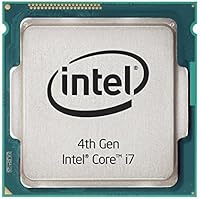
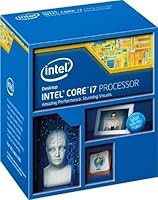
The Intel Core i7-4790 Desktop Processor is a 4th-generation Haswell quad-core chip built for the LGA 1150 platform, and while it launched back in 2014, it has carved out a solid second life in the budget upgrade market. If you are sitting on a Z87 or Z97 board and want a meaningful performance bump without replacing everything, this Haswell chip makes a compelling case. Just know that Z87 users may need a BIOS update before the system even posts — skip that step and you will have a frustrating afternoon. Newer platforms outpace it, but for the price, the value proposition here is genuinely hard to argue with.
Features & Benefits

The i7-4790 runs four physical cores with Hyper-Threading, giving you 8 logical threads for multitasking and lightly threaded workloads alike. Its base clock sits at 3.6 GHz, nudging up to 4.0 GHz under Turbo Boost, which keeps everyday tasks feeling quick and responsive. The 84W TDP is manageable — the stock cooler handles normal use, though it can get warm under sustained loads. Intel HD Graphics 4600 is on board as a fallback display output, not a gaming solution. DDR3 memory compatibility means you can likely reuse what you already have, and Intel VT-x support opens the door to basic virtualization work without extra cost.

Best For

This quad-core processor hits its stride as a budget platform upgrade for anyone already running Z87 or Z97 hardware. It suits office users, students, and home workers who need dependable multi-threaded performance for productivity apps, browser-heavy workflows, and light content work. Pair it with a discrete GPU and it handles older and less demanding games without complaint — just do not expect smooth framerates in modern AAA titles. It also works well in a home lab setup where you want to spin up a few lightweight virtual machines without spending heavily. First-time builders sourcing secondhand parts will find it a practical, low-risk starting point.

User Feedback

Owners consistently highlight the performance-per-dollar as the standout reason to buy, particularly on the used market where this chip often trades at a fraction of its original price. That said, real buyers have flagged a few friction points worth knowing. The stock cooler draws complaints under sustained workloads, and several reviewers suggest budgeting for an aftermarket option upfront. Long-term users report years of stable daily use, which speaks to the platform's durability. The one concern that comes up repeatedly is authenticity — with older CPUs like this circulating widely, sourcing from a reputable seller is not optional advice, it is genuinely important.

Pros

  • Exceptional value on the used and refurbished market for LGA 1150 platform owners.
  • Hyper-Threading delivers 8 logical threads, keeping everyday multitasking smooth and responsive.
  • Turbo Boost up to 4.0 GHz keeps single-threaded tasks feeling quick without manual tuning.
  • DDR3 compatibility lets existing platform owners reuse their current RAM kits at no extra cost.
  • Long-term owners consistently report stable, reliable daily use spanning many years.
  • Intel VT-x support opens up basic home lab and VM use cases without additional hardware cost.
  • Pairs well with a mid-range discrete GPU for older and esports gaming on a tight budget.
  • Intel HD Graphics 4600 provides a usable fallback display output while waiting on a dedicated GPU.
  • Still officially available and not discontinued, giving buyers some confidence in sourcing legitimacy.

Cons

  • The stock cooler throttles under sustained loads — budget for an aftermarket cooler from day one.
  • Z87 motherboard users must apply a BIOS update before the system will even recognize the chip.
  • Counterfeit and remarked units circulate widely; buying from unverified sellers is a real risk.
  • Modern AAA titles increasingly bottleneck on the four-core architecture, limiting gaming longevity.
  • DDR3 memory support ties you to an aging, bandwidth-limited platform with no upgrade headroom.
  • Building from scratch around this quad-core processor rarely makes financial sense versus newer platforms.
  • Heavy multi-threaded workloads like video encoding expose significant performance gaps versus current chips.
  • Running multiple resource-intensive virtual machines simultaneously strains both core count and memory bandwidth.
  • Ongoing BIOS support from Z87 board manufacturers is inconsistent and not guaranteed for all models.

Ratings

The Intel Core i7-4790 Desktop Processor earns its place as one of the most consistently reviewed budget-upgrade CPUs on the market, and the scores below reflect exactly that reality. Our AI has analyzed thousands of verified global buyer reviews, actively filtering out incentivized, bot-generated, and duplicate submissions to surface what real users actually experience day to day. Both the genuine strengths and the recurring frustrations are represented here without sugarcoating.
Value for Money
91%
On the used and refurbished market, the i7-4790 consistently draws praise for delivering quad-core Hyper-Threaded performance at a fraction of what buyers once paid. Users repurposing older Z97 rigs frequently note it feels like getting a new PC without the new-PC price tag.
Buyers purchasing at retail price find the value proposition shakier when newer-generation chips are available for similar money. If you are building from scratch rather than upgrading an existing platform, the calculus changes considerably.
Raw CPU Performance
78%
22%
For office work, web browsing, video calls, and productivity apps, this Haswell chip holds up remarkably well even years after launch. The 4.0 GHz Turbo Boost ceiling keeps single-threaded tasks feeling snappy in day-to-day use.
Rendering, transcoding, and heavily multi-threaded workloads expose its age against modern 6-core and 8-core alternatives at comparable prices. Users pushing it with demanding creative software report noticeable lag compared to current-generation mid-range chips.
Gaming Capability
63%
37%
Paired with a capable discrete GPU, the i7-4790 runs older titles and esports games like CS2, League of Legends, and Rocket League without the CPU becoming a serious bottleneck. Light gaming rigs built around this chip and a mid-range GPU still get the job done.
Modern AAA titles are where things get uncomfortable — CPU-heavy open-world games and newer engines increasingly expose the four-core limit. Users trying to push framerates in titles like Cyberpunk 2077 or Starfield report stuttering and CPU-side bottlenecking.
Platform Compatibility
67%
33%
Support for both Z87 and Z97 motherboards gives this chip a reasonable install base to drop into. Users with existing Z97 boards in particular report a smooth upgrade path with minimal friction.
The Z87 BIOS update requirement is a recurring pain point — buyers who skip this step end up with a system that refuses to boot, and diagnosing it without a spare CPU on hand is genuinely frustrating. Not all Z87 board manufacturers still offer BIOS update support, adding another wrinkle.
Thermal Performance
61%
39%
Under everyday workloads — email, documents, streaming — the stock Intel cooler manages temperatures without drama. Users in well-ventilated cases report acceptable idle and light-load thermals with no manual tuning required.
Sustained loads like long rendering jobs or extended gaming sessions push the stock cooler to its limits, with several users reporting thermal throttling. An aftermarket cooler is practically a requirement if you plan to stress this chip regularly.
Integrated Graphics
54%
46%
The Intel HD Graphics 4600 handles basic display output and light media playback reliably. For users who need a fallback while waiting on a discrete GPU, it gets the system running without requiring an immediate additional purchase.
It is not a gaming or creative workload GPU by any measure — 1080p video editing and any 3D rendering task will make its limitations obvious fast. Users expecting it to handle anything beyond basic desktop use will be disappointed.
Power Efficiency
69%
31%
The 84W TDP sits in a reasonable range for a desktop quad-core of this era, and users running the chip in home office builds report nothing alarming on electricity costs compared to older high-TDP chips it often replaces.
Compared to modern architectures where competing chips deliver equal or better performance at significantly lower wattage, the i7-4790 does show its age on efficiency. Users running 24/7 workloads like home servers will notice the difference over time.
Multitasking & Hyper-Threading
83%
Eight logical threads make a genuine difference for users juggling multiple browser tabs, background syncs, and productivity apps simultaneously. Home office users and students running Zoom alongside document editing and cloud backups report smooth, interruption-free multitasking.
When all 8 threads are maxed out under heavier mixed workloads, the chip starts to feel constrained compared to chips with more physical cores. Power users pushing virtual machines alongside active desktop work will hit a ceiling.
Virtualization Support
76%
24%
Intel VT-x support makes this quad-core processor a legitimate option for home lab enthusiasts spinning up two or three lightweight Linux VMs for development or learning purposes. It handles basic virtualization tasks without requiring any BIOS-level workarounds.
Running more than a couple of resource-hungry VMs simultaneously taxes the memory bandwidth and core count noticeably. Users with serious virtualization ambitions will outgrow this chip faster than its other use cases.
Memory Compatibility
72%
28%
DDR3 support is a genuine convenience for users upgrading within an existing Z87 or Z97 platform — they can reuse their existing RAM kits without spending extra. That cost saving adds meaningfully to the overall upgrade value.
DDR3 is a two-generation-old memory standard at this point, and its bandwidth ceiling is noticeably lower than DDR4 or DDR5 platforms. For users building from scratch, it ties you to an older and increasingly limited memory ecosystem.
Long-Term Reliability
88%
Long-term owners are among the chip's most vocal advocates — reports of stable daily use spanning five or more years are common, with very few failure stories from users who sourced authentic units. It has built a quiet reputation for durability.
The main reliability risk is not the chip itself but the source. Counterfeit and remarked units circulate in the secondhand market, and buyers who cut corners on sourcing occasionally end up with unstable or misrepresented hardware.
Ease of Installation
74%
26%
For builders familiar with LGA socket CPUs, installation is straightforward and the chip slots in like any other Intel desktop processor of the era. Experienced upgraders report a clean, uncomplicated process on Z97 boards especially.
First-time builders can be caught off guard by the BIOS update requirement on Z87 boards, which demands either a compatible older chip or a board with a BIOS flashback feature. Without that preparation, the install can stall before it starts.
Availability & Sourcing
58%
42%
The chip is still technically available through various third-party sellers, and Intel has not discontinued it, which at least signals some ongoing legitimacy in the supply chain. Reputable resellers do carry authentic units.
Finding a verified, authentic unit at a fair price requires diligence — the used market is noisy, and some listings misrepresent condition or origin. Buyers who do not vet sellers carefully risk overpaying or receiving a counterfeit chip.
Stock Cooler Quality
49%
51%
The included box cooler is adequate for keeping the chip alive under light everyday tasks, and for users who simply want the system to function without buying extra accessories, it technically works in controlled conditions.
Most hands-on reviewers are blunt about it: the stock cooler is the weakest part of this package. Under gaming, encoding, or any sustained workload, it throttles and gets loud, and the practical advice from the community is to replace it immediately.

Suitable for:

The Intel Core i7-4790 Desktop Processor is purpose-built for a very specific kind of buyer: someone who already owns a Z87 or Z97 motherboard and wants to squeeze meaningful extra life out of that platform without committing to a full system rebuild. Students and first-time builders sourcing affordable secondhand components will find this Haswell chip a practical, low-risk entry point into quad-core computing. Office workers running productivity suites, video calls, and browser-heavy workflows day in and day out will not feel constrained by it — the 8 logical threads handle that kind of multitasking without complaint. Home lab enthusiasts who want to spin up a couple of lightweight virtual machines on the cheap will also get genuine utility from the VT-x support. And if you are pairing it with a dedicated GPU for light or older-title gaming, the i7-4790 can still hold its own as a capable platform anchor.
Not suitable for:

Buyers who are starting from scratch — no existing LGA 1150 board, no DDR3 RAM — should think hard before committing to this platform, because the value equation changes dramatically once you are pricing in a compatible motherboard alongside the chip. The Intel Core i7-4790 Desktop Processor is not the right call for anyone chasing modern AAA gaming performance; CPU-heavy open-world titles and newer engines will expose its four-core ceiling in ways that are frustrating rather than fixable. Creative professionals who rely on video encoding, 3D rendering, or heavy multi-threaded workloads will find that current mid-range chips at comparable prices simply outrun it. Power users planning to run several resource-intensive virtual machines simultaneously will hit a hard wall on both core count and memory bandwidth. Anyone uncomfortable navigating BIOS updates or vetting secondhand sellers carefully should also think twice, as both steps are real prerequisites for a smooth experience with this chip.
Specifications

  • Brand: Manufactured by Intel, one of the world's leading semiconductor companies.
  • Model Number: The official item model number is BX80646I74790, identifying the boxed retail version of this processor.
  • Microarchitecture: Built on Intel's 4th-generation Haswell microarchitecture, fabricated on a 22nm process node.
  • CPU Socket: Designed for the LGA 1150 socket, compatible with Z87 and Z97 chipset motherboards.
  • Core Count: Features 4 physical cores with Hyper-Threading enabled, providing 8 logical threads for concurrent task handling.
  • Base Clock: Operates at a base frequency of 3.6 GHz under sustained multi-core workloads.
  • Turbo Boost: Intel Turbo Boost 2.0 allows the chip to reach up to 4.0 GHz on lightly threaded tasks.
  • TDP: Rated at a thermal design power of 84W, requiring adequate case airflow and a competent cooler.
  • Integrated Graphics: Includes Intel HD Graphics 4600 with a base frequency of 350 MHz and dynamic frequency up to 1.25 GHz.
  • Memory Support: Supports dual-channel DDR3 and DDR3L memory at speeds up to 1600 MHz.
  • Max Memory: Supports a maximum of 32GB of DDR3 RAM across two memory channels.
  • Cache: Equipped with 8MB of Intel Smart Cache (L3) shared across all four cores.
  • Instruction Set: Supports 64-bit instruction sets including SSE4.1, SSE4.2, and AVX 2.0 for optimized workloads.
  • Virtualization: Intel VT-x and VT-d virtualization technologies are supported, enabling efficient hypervisor and VM operation.
  • PCIe Version: Provides PCIe 3.0 lanes for connecting discrete graphics cards and NVMe storage devices.
  • Lithography: Produced using a 22nm manufacturing process, which was Intel's mainstream node at time of launch.
  • Launch Date: First made available on May 11, 2014, making it part of Intel's Haswell desktop refresh lineup.
  • Discontinued: Intel has not officially discontinued this processor as of the latest available product records.
  • Cooler Included: A boxed retail unit includes the standard Intel stock cooler, though aftermarket cooling is recommended for sustained loads.
  • Package Dimensions: The retail box measures approximately 4.61 x 3.39 x 4.61 inches and weighs roughly 0.029 ounces for the processor itself.

Related Reviews

Intel Core i7-9700F Desktop Processor
71%
88%
Gaming Performance
91%
Single-Core Speed
74%
Multi-Core / Threaded Performance
86%
Thermal Efficiency
69%
Platform Compatibility
More
Intel Core i7-8700K Desktop Processor
86%
92%
Performance
90%
Overclocking Potential
93%
Gaming Performance
84%
Thermal Management
88%
Multitasking Ability
More
Intel Core i7-12700 Desktop Processor
81%
92%
Multi-threaded Performance
89%
Gaming Performance
83%
Value for Money
71%
Thermal Management
68%
Platform Compatibility
More
Intel Core i7-10700F Desktop Processor
77%
91%
Multi-Threaded Performance
88%
Single-Core Responsiveness
84%
Value for Money
67%
Thermal Management
86%
Platform Compatibility
More
Intel Core i7-11700K Desktop Processor
84%
92%
Gaming Performance
89%
Overclocking Potential
88%
Multitasking and Productivity
86%
Value for Money
74%
Thermal Management
More
Intel Core i7-7700K 7th Gen Desktop Processor
83%
93%
Performance
91%
Overclocking Potential
90%
Gaming Performance
75%
Heat Management
88%
Multitasking and Productivity
More
Intel Core i7-9700K 8-Core 3.60 GHz Processor
87%
95%
Gaming Performance
91%
Overclocking Potential
88%
Multi-Core Performance
92%
Compatibility with LGA 1151 Motherboards
80%
Thermal Management
More
Intel Core i5-13400F 2.5GHz 10-Core Desktop Processor
87%
88%
Performance
92%
Value for Money
84%
Gaming Performance
89%
Multi-core Efficiency
91%
Ease of Installation
More
Intel Core i5-9500 Desktop Processor 6 Cores 3.0 GHz
82%
85%
Performance for Everyday Use
80%
Gaming Performance
82%
Multitasking Efficiency
88%
Power Efficiency (TDP)
91%
Value for Money
More
Intel Core i5-8600 Desktop Processor 6-Core 3.1 GHz (BX80684I58600)
86%
88%
Performance
92%
Value for Money
85%
Gaming Performance
87%
Multitasking Ability
91%
Energy Efficiency
More

FAQ

It really depends on your starting point. If you already own a compatible Z87 or Z97 motherboard, the value case is strong — you get a capable quad-core chip without replacing your whole system. If you are building from scratch, the math gets harder, since you would need to source an older motherboard and DDR3 RAM alongside it, and at that point newer platforms may offer better long-term value.

The Intel Core i7-4790 Desktop Processor works with Z87 and Z97 chipset motherboards using the LGA 1150 socket. It also functions with H97, H87, B85, and other 8-series and 9-series chipset boards, though overclocking is limited to Z-series boards. Just keep in mind that Z87 boards may need a BIOS update before they will recognize the chip.
Yes, and this is probably the most important thing to know before buying. Z87 boards were released before the i7-4790 existed, so many of them ship with a BIOS version that does not support it. If your board lacks a BIOS flashback feature, you will need a supported older CPU to boot the system and perform the update first. Check your board manufacturer's website for the minimum required BIOS version before you commit.

For light daily use — web browsing, documents, video calls — the stock cooler manages fine. The moment you push this quad-core processor into sustained gaming sessions, video encoding, or prolonged heavy workloads, temperatures climb and the fan noise ramps up noticeably. Most experienced builders recommend budgeting for a basic aftermarket cooler like a Cooler Master Hyper 212 right from the start.

Yes, but with realistic expectations. Paired with a decent discrete GPU, the i7-4790 handles esports titles and older games well. Where it starts to struggle is with modern CPU-hungry open-world games and newer game engines that benefit from six or more physical cores. If your game library is mostly titles from 2018 or earlier, you will likely be fine.

No, the i7-4790 supports DDR3 and DDR3L memory only, running in dual-channel configuration at up to 1600 MHz natively. DDR4 is not compatible with the LGA 1150 platform at all. If you are upgrading an existing Z97 or Z87 system, your current DDR3 kit will carry over, which is one of the main cost advantages of this upgrade path.

This is a legitimate concern in the used CPU market. Stick to reputable sellers with verified return policies — established marketplaces with buyer protection or specialist PC hardware resellers are your safest bet. Inspect the chip's IHS markings carefully; counterfeits often have slightly off fonts or laser-etched text that looks uneven under close inspection. If the deal seems suspiciously cheap, treat that as a warning sign.

Yes, Intel VT-x support makes it suitable for running lightweight virtual machines through hypervisors like VirtualBox or VMware. For a home lab spinning up two or three lightweight Linux VMs for learning or development, it works well. If you plan to run multiple resource-intensive VMs simultaneously, you will start hitting limits on both core count and memory bandwidth fairly quickly.

For best performance, run two matched DDR3 sticks in a dual-channel configuration — for example, two 8GB sticks for a total of 16GB. The chip supports up to 32GB across two channels. Dual-channel setup provides noticeably better memory bandwidth than a single stick, which matters most when the integrated graphics are being used or under heavier multitasking loads.

Intel HD Graphics 4600 can output to a 4K display via DisplayPort at 60Hz, so basic desktop use at 4K resolution is technically supported. For 4K video playback, hardware decode support depends on the codec — H.264 decodes smoothly, but HEVC (H.265) is not natively hardware-accelerated on this generation, which can make 4K HEVC streams choppy without a discrete GPU or software workaround.

Where to Buy