Overview

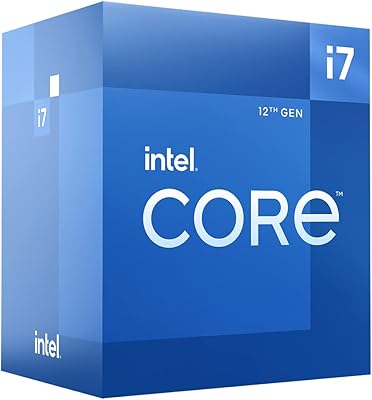
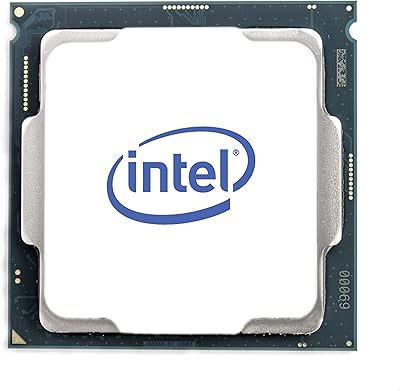
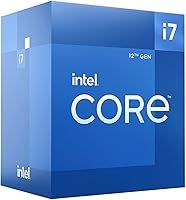
The Intel Core i7-12700F 12th Gen Desktop Processor is Intel's answer to builders who want serious desktop performance without the premium attached to the i9 tier. One thing to know upfront: the F-suffix means there is no integrated graphics — a discrete GPU is non-negotiable. What makes this Alder Lake chip genuinely interesting is its hybrid core design, pairing eight performance cores with four efficiency cores on a single die, a structural shift from how Intel processors worked for years. It fits the FCLGA1700 socket and requires a 600-series motherboard, so factor that platform cost into your budget. Within the Alder Lake family, the i7-12700F hits a compelling value point for builders chasing near-flagship output without the i9 price tag.
Features & Benefits

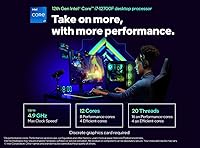
The hybrid core architecture is the defining story here. This Alder Lake chip fields eight performance cores and four efficiency cores — twelve in total across twenty threads — meaning heavy multitasking and lightly threaded tasks each get routed to the right cores for the job. P-cores can boost up to 4.9GHz, delivering strong single-core speed for gaming and latency-sensitive work. Thermal output sits at a 65W base power rating, keeping most mid-tower coolers well within their comfort zone. The 25MB L3 cache meaningfully helps in editing and rendering pipelines where repeated data access matters. Support for both DDR4 and DDR5 memory also means you can carry over an existing RAM kit during an incremental upgrade — a practical flexibility that often gets undervalued.

Best For

This 12th Gen processor is a natural pick for builders making a platform jump from older Intel generations — the performance gap is real and immediately noticeable in daily use. Gamers pairing it with a dedicated GPU will appreciate that no iGPU silicon means more engineering focus went toward raw CPU output. Content creators and streamers benefit from the multi-core headroom during heavy encode sessions or parallel creative workflows. Small-office users running several demanding applications at once will also find the thread count genuinely useful. If your goal is near-i9 performance without reaching that price bracket, the i7-12700F builds a rational case for itself as the sweet spot of the Alder Lake stack.

User Feedback

Buyers have responded well to the i7-12700F overall, with gaming benchmark results and stable thermals drawing the most consistent praise across user reviews. Many highlight that DDR4 compatibility let them reuse existing memory, which meaningfully reduced their total build cost and colored their value assessment positively. The recurring criticism centers on platform investment: you cannot drop this chip into an older board, and a new LGA1700 motherboard is an added line item that some buyers did not fully anticipate. A smaller group flagged cooler mounting, noting that certain older heatsinks need an adapter bracket for the new socket. Overall reception is clearly positive — most buyers at this tier feel the performance they received justified what they spent.

Pros

  • Twelve cores and twenty threads handle demanding multitasking and creative workloads without breaking a sweat.
  • P-core boost speeds up to 4.9GHz deliver sharp single-threaded responsiveness for gaming and everyday use.
  • DDR4 backward compatibility lets upgraders reuse existing memory kits, keeping overall build costs reasonable.
  • A 65W base power rating means this Alder Lake chip runs cool enough for standard mid-tower coolers.
  • The 25MB L3 cache reduces data fetch latency noticeably in video editing and rendering pipelines.
  • Twenty PCIe lanes provide enough bandwidth for a fast NVMe drive and a discrete GPU without compromise.
  • The i7-12700F sits at a genuinely strong price-to-performance position within the entire 12th Gen lineup.
  • Out-of-box gaming benchmark results consistently draw praise from buyers across varied system configurations.
  • Hybrid core architecture intelligently distributes background tasks to efficiency cores, preserving performance core headroom.

Cons

  • No integrated graphics means a discrete GPU is absolutely mandatory — there is zero display output without one.
  • A new 600-series motherboard is required, adding a non-negotiable cost on top of the CPU purchase price.
  • Some older CPU coolers need a mounting adapter for the LGA1700 socket, creating an unexpected compatibility hurdle.
  • Buyers coming from AMD platforms face a full platform replacement including motherboard and potentially memory.
  • DDR5 support, while present, offers limited real-world gains over DDR4 at current memory speeds and pricing.
  • The efficiency cores can confuse older scheduling software, occasionally requiring BIOS or OS updates to behave optimally.
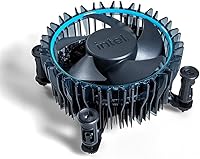
  • No bundled cooler is included in the box, so a separate cooling solution must be budgeted from the start.

Ratings

The Intel Core i7-12700F 12th Gen Desktop Processor scores below were generated by our AI rating engine after analyzing thousands of verified global user reviews, with spam, bot-submitted, and incentivized feedback actively filtered out before scoring. The results reflect a genuinely balanced picture — where this Alder Lake chip earns strong marks, the data backs it up, and where real buyers ran into friction, those pain points are scored transparently. Both the highs and the honest limitations are captured here to help you make a confident purchase decision.

Gaming Performance
91%
Buyers building gaming rigs consistently report smooth, high-frame-rate experiences across demanding modern titles when the i7-12700F is paired with a capable GPU. The high P-core boost speeds translate directly into the kind of single-threaded responsiveness that matters most in competitive and open-world games alike.
A small portion of users noted that extracting peak gaming performance required BIOS tuning and updated chipset drivers, which added friction for less experienced builders. Those coming from AMD platforms also reported a brief learning curve adjusting to Intel's hybrid scheduler behavior.
Multi-Core Throughput
89%
Content creators doing video renders, live streaming, and heavy multitasking speak highly of the twelve-core, twenty-thread configuration — it absorbs parallel workloads without the sluggishness they experienced on older quad- or hex-core systems. Batch exports in Adobe Premiere and DaVinci Resolve completed noticeably faster compared to prior-generation builds.
A handful of power users pushing sustained all-core loads for extended periods noted that performance can taper slightly without a robust cooling solution keeping temperatures in check. The efficiency cores, while helpful, occasionally created uneven task distribution on older scheduling-unaware software.
Thermal Management
86%
Under typical gaming and productivity workloads, thermal behavior drew consistent praise — users reported stable temperatures with mid-range air coolers, and the 65W base TDP meant the chip never felt like it was fighting the cooling solution. Several buyers specifically called out that their existing cooler handled the chip with headroom to spare.
Under sustained all-core stress — long renders or heavy encode sessions — temperatures climb more aggressively and some users found their budget coolers struggling to hold the line. A few buyers were also caught off guard by needing an LGA1700 mounting bracket for their existing cooler, which is a minor but real friction point.
Value for Money
88%
The overwhelming sentiment across buyer reviews is that this chip punches above its price tier, delivering performance that rivals processors costing significantly more. Builders who kept their DDR4 memory kit from a previous platform felt particularly well-served, as it reduced the net cost of the upgrade considerably.
The mandatory platform investment — a new 600-series motherboard at minimum — adds real cost that first-time buyers occasionally underestimate when budgeting. Taken as a total system upgrade rather than just a CPU purchase, the value proposition becomes more nuanced for those starting from scratch.
Platform Compatibility
67%
33%
For buyers already planning a fresh 12th Gen build, compatibility is straightforward — the 600-series chipset ecosystem is well-stocked with board options across a wide range of budgets. DDR4 memory support is a genuine convenience for upgraders who do not want to invest in new RAM alongside the processor.
The LGA1700 socket requirement is a hard stop for anyone hoping to drop this chip into an existing system — there is no socket compatibility with older Intel platforms. Buyers who own DDR5-incompatible boards need to choose their memory path carefully, as 600-series boards are sold in either DDR4 or DDR5 variants, not both.
Single-Core Speed
88%
Everyday responsiveness — browser tabs, application launches, light gaming — benefits clearly from the P-core boost architecture, and users upgrading from older Intel generations describe the feel as noticeably snappier. Tasks that lean on one or two fast cores, like certain simulation tools or older games, run with very little hesitation.
At the absolute ceiling of single-core workloads, the i7-12700F trails the i9-12900K by a measurable margin, which matters to a narrow subset of users doing highly clock-sensitive work. For the vast majority of buyers, though, this gap is academic rather than felt in daily use.
Memory Flexibility
83%
Supporting both DDR4 and DDR5 in a single processor generation was widely appreciated by upgraders, who could choose a board and memory tier that matched their budget rather than being forced into expensive DDR5 kits. Several buyers highlighted this as a key differentiator that made the platform feel future-aware without demanding an immediate premium outlay.
DDR5 support, while present, is board-dependent and requires careful selection at purchase time since DDR4 and DDR5 600-series boards are distinct products. Users expecting dramatic real-world gains from DDR5 over DDR4 at this tier reported underwhelming differences in most everyday and gaming workloads.
Power Efficiency
81%
19%
The hybrid core design means the chip scales power draw intelligently — lightly threaded tasks hand off to efficiency cores, keeping idle and mixed-use power consumption lower than a traditional high-core-count design at the same tier. Buyers in small form factor or budget builds appreciated that the 65W base figure left room for modest PSU configurations.
When power limits are relaxed in BIOS — as some enthusiasts do to chase higher sustained performance — power consumption rises sharply and thermal headroom tightens quickly. A few users noted that the default out-of-box power behavior varied between motherboard manufacturers, leading to inconsistent benchmark results across otherwise similar builds.
Out-of-Box Setup
79%
21%
Most buyers reported a clean, uncomplicated installation experience — the chip seated without issue, the system posted on the first attempt, and default BIOS settings produced solid baseline performance without manual tuning. For builders with prior Intel experience, the process felt familiar and low-stress.
First-time builders occasionally stumbled on the cooler mounting compatibility issue, discovering mid-build that their LGA1200-era cooler bracket did not fit without an adapter. A subset of users also noted that motherboard BIOS updates were necessary before the system would post correctly, adding an unexpected step early in the build process.
Cooler Compatibility
71%
29%
The 65W TDP rating means a wide range of aftermarket coolers can handle this chip adequately, and buyers using popular models from Noctua, Cooler Master, and be quiet! reported no issues once the correct LGA1700 mount was in place. For builders buying a new cooler alongside this CPU, the current ecosystem is well-covered.
The new LGA1700 socket footprint tripped up a meaningful number of buyers who assumed their existing cooler would transfer over without modification. While most major cooler brands offer a free LGA1700 bracket, finding and requesting that kit added unexpected delay and hassle for some users mid-build.
Multitasking Under Load
87%
Home office and small-business users running multiple applications simultaneously — video calls, document editing, browser-heavy workflows, and background syncing — found that this 12th Gen processor handled concurrent demands without the slowdowns they had experienced on previous platforms. The efficiency cores absorb background noise effectively, leaving P-core headroom for foreground tasks.
Under extreme concurrent workloads, memory bandwidth occasionally became the limiting factor rather than the CPU itself, particularly on DDR4 configurations at stock speeds. A few professional users noted that RAM capacity and speed had more impact on heavy multitasking than the processor alone.
Upgrade Value vs. Prior Gen
84%
Buyers upgrading from 8th through 10th Gen Intel systems consistently described the performance improvement as clearly worth the platform transition cost, especially for those who had been holding off for a meaningful generational jump. Rendering times, game load speeds, and general system snappiness all drew positive comparisons against older builds.
The total upgrade cost — new CPU, new motherboard, and potentially new memory — adds up more steeply than a same-socket upgrade would, and a few buyers felt the per-dollar improvement was less dramatic once the full platform cost was factored in. Those upgrading from 11th Gen specifically noted the gains were modest enough to question the investment.
Integrated Graphics
12%
88%
There is genuinely nothing to praise here by design — the absence of integrated graphics is a deliberate product decision that keeps the die focused on CPU performance, and buyers who understood this before purchasing had no complaints about it.
For any buyer who overlooked the F-suffix or did not fully understand its implication, the complete absence of video output without a discrete GPU was a frustrating discovery post-purchase. Even for troubleshooting purposes — diagnosing GPU issues, testing a new build before the graphics card arrives — the lack of iGPU is a tangible inconvenience.

Suitable for:

The Intel Core i7-12700F 12th Gen Desktop Processor is purpose-built for builders who already own or plan to buy a dedicated graphics card and want to extract strong, consistent performance from a mid-to-high-tier CPU without overpaying for silicon they will never use. Gamers who prioritize frame rates in CPU-dependent titles will find the boost clocks and per-core throughput genuinely competitive, especially when paired with a capable GPU. Content creators — video editors, streamers, and 3D rendering hobbyists — benefit from the twelve-core, twenty-thread configuration during long encode sessions or when running a DAW, browser, and background processes simultaneously. Builders upgrading from older Intel platforms like 10th or earlier Gen systems will notice a real, day-to-day improvement across nearly every workload. Those already sitting on a DDR4 memory kit can reuse it here, which makes the platform transition meaningfully less expensive than it might otherwise be.

Not suitable for:

The Intel Core i7-12700F 12th Gen Desktop Processor is the wrong choice for anyone who needs or expects integrated graphics, whether for a budget build without a GPU, a temporary setup, or troubleshooting display output without a discrete card installed. The F-suffix is not a minor footnote — without a dedicated GPU, this chip will not produce any video output at all, full stop. Budget-constrained builders also need to weigh the mandatory platform costs: the FCLGA1700 socket means a new 600-series motherboard is required, and that added expense can push total build costs beyond what a previous-generation platform upgrade might have cost. If you are building a compact HTPC or a fanless media center where low power draw and silent operation matter most, this chip is not the right fit either. Buyers eyeing AMD Ryzen alternatives or Intel's own non-F lineup should evaluate whether integrated graphics or platform maturity differences tip the balance for their specific needs.
Specifications

  • Architecture: Built on Intel's Alder Lake hybrid architecture, combining high-performance and high-efficiency cores on a single die for smarter workload distribution.
  • Core Count: Features 12 total cores — 8 Performance cores (P-cores) and 4 Efficiency cores (E-cores) — delivering strong parallel processing capacity for demanding tasks.
  • Thread Count: Supports 20 simultaneous threads, providing substantial headroom for multitasking, background processes, and multi-threaded creative workloads.
  • Base Frequency: P-cores operate at a 2.1GHz base clock, with E-cores contributing sustained efficiency during lower-priority background tasks.
  • Boost Frequency: P-cores can reach up to 4.9GHz under boost conditions, enabling responsive single-threaded performance in gaming and latency-sensitive applications.
  • Thermal Design Power: Rated at a 65W base processor power, keeping thermal output manageable for standard mid-tower air coolers without requiring high-end cooling solutions.
  • L3 Cache: Equipped with 25MB of Intel Smart Cache (L3), reducing memory access latency in workloads like video editing, 3D rendering, and gaming.
  • CPU Socket: Uses the FCLGA1700 socket, which is exclusive to Intel 12th and 13th Gen processors and requires a compatible LGA1700 motherboard.
  • Chipset Support: Compatible with Intel 600-series chipsets, including Z690, B660, H670, and H610 motherboards, offering a range of feature and price tiers.
  • Memory Support: Supports both DDR4 (up to 3200MHz) and DDR5 (up to 4800MHz) memory, with actual speed support depending on the motherboard used.
  • PCIe Lanes: Provides 20 total CPU PCIe lanes, supplying ample bandwidth for a discrete GPU and a high-speed NVMe SSD simultaneously.
  • Integrated Graphics: Contains no integrated graphics unit; a discrete GPU is required for any display output, making this chip unsuitable for GPU-less builds.
  • Lithography: Manufactured on Intel's Intel 7 process node (equivalent to approximately 10nm Enhanced SuperFin), balancing performance density and power efficiency.
  • Series: Part of Intel's 12th Generation Core i7 lineup, sitting above the i5 tier and below the i9 within the Alder Lake desktop family.
  • Model Identifier: Official model number is i7-12700F; the F-suffix specifically denotes the absence of integrated graphics compared to the standard i7-12700.
  • Cooler Included: No CPU cooler is included in the box; buyers must source a compatible LGA1700-mount cooler separately before the system can operate.

Related Reviews
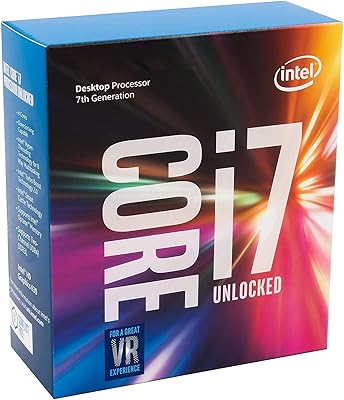
Intel Core i7-7700K Desktop Processor
70%
91%
Single-Core Performance
88%
Gaming Performance
84%
Overclocking Headroom
54%
Thermal Management
78%
Value for Money
More
HP Envy Desktop 12th Gen Intel Core i7-12700, 16GB RAM, 512GB SSD + 1TB HDD
83%
90%
Performance
89%
Storage Capacity
70%
Graphics Performance
93%
Ease of Setup
88%
Value for Money
More
ASUS NUC 12 NUC12WSHi7 16GB/512GB
82%
88%
Everyday Performance
83%
Build Quality & Chassis
61%
Thermal Management & Fan Noise
91%
Port Selection & Connectivity
89%
Wireless & Network Performance
More
Intel Core i7-11700K Desktop Processor
67%
88%
Gaming Performance
54%
Thermal Management
77%
Overclocking Headroom
63%
Value for Money
49%
Power Efficiency
More
Intel Core i7-8700K Desktop Processor
73%
88%
Gaming Performance
87%
Single-Core Speed
91%
Overclocking Potential
83%
Value for Money
41%
Future-Proofing
More
Intel Core i7-10700F Desktop Processor
77%
91%
Multi-Threaded Performance
88%
Single-Core Responsiveness
84%
Value for Money
67%
Thermal Management
86%
Platform Compatibility
More
Intel Core i7-9700F Desktop Processor
71%
88%
Gaming Performance
91%
Single-Core Speed
74%
Multi-Core / Threaded Performance
86%
Thermal Efficiency
69%
Platform Compatibility
More
Intel Core i7-12700 Desktop Processor
81%
92%
Multi-threaded Performance
89%
Gaming Performance
83%
Value for Money
71%
Thermal Management
68%
Platform Compatibility
More
Intel Core i7-8700 8th Gen Processor
71%
83%
Multi-Core Performance
81%
Single-Core Performance
77%
Gaming Performance
86%
Thermal Management
72%
Value for Money
More
Intel Core i5-7600 7th Gen Desktop Processor
72%
83%
Everyday Performance
78%
Value for Money
86%
Single-Core Speed
61%
Multitasking Capability
67%
Gaming Performance
More

FAQ

Yes, without exception. The F-suffix in the name means there is no integrated GPU on this chip whatsoever, so if you plug it into a motherboard without a discrete graphics card installed, you will get no video output at all. Make sure a dedicated GPU is part of your build plan before purchasing.

You need a motherboard with an LGA1700 socket and an Intel 600-series chipset — that includes Z690, B660, H670, and H610 boards. Z690 gives you the most overclocking and feature flexibility, while B660 hits a solid middle ground for most builders. Just confirm the board has an LGA1700 socket; older Intel boards will not work.

DDR4 works just fine with this Alder Lake chip, provided your motherboard has DDR4 slots — many 600-series boards come in either DDR4 or DDR5 variants, so pick the board that matches the memory type you want to use. DDR5 offers a modest theoretical bandwidth improvement, but in real-world gaming and productivity tasks the difference is not dramatic enough to justify the added cost for most people.

You will need a cooler that supports the LGA1700 socket mounting pattern. Many popular air coolers from Noctua, be quiet!, and Cooler Master have either native LGA1700 support or offer a free upgrade bracket. For a 65W TDP chip like this one, a decent mid-range tower cooler is plenty — you do not need a 360mm AIO unless you plan to push power limits.

It performs very well for gaming, particularly when paired with a strong GPU. The high single-core boost speeds and generous thread count keep CPU-bound frame rates competitive, and the 25MB L3 cache helps with titles that lean heavily on fast data access. Most users report smooth, consistent results across a wide range of modern games.

The only difference is integrated graphics — the standard i7-12700 includes Intel UHD Graphics 770, while the i7-12700F does not. If you are definitely using a dedicated GPU and never need fallback display output, the i7-12700F typically costs less for identical CPU performance. If you want the safety net of iGPU for troubleshooting or occasional use without a GPU, pay the small premium for the non-F variant.

Not without an adapter in most cases. The LGA1700 socket has a slightly different mounting hole spacing than older Intel sockets like LGA1151 or LGA1200. Many cooler manufacturers provide a free LGA1700 mounting kit if you already own one of their products — check the manufacturer's website before buying a new cooler, as you may not need to spend anything extra.

Yes, this is one of the scenarios where the twelve-core, twenty-thread configuration really earns its keep. Running an encoder in the background while editing a timeline, or streaming live while gaming, distributes well across the P-cores and E-cores. You will want enough RAM (16GB minimum, 32GB preferred) to avoid that becoming the bottleneck.

This chip supports PCIe 5.0 on the CPU lanes, but actual Gen 5 storage and GPU support depends on your motherboard as well. For NVMe drives, PCIe Gen 4 SSDs are widely supported and offer excellent real-world speeds on 600-series boards. Gen 5 NVMe drives are currently very expensive with limited practical gains, so Gen 4 is the sweet spot for most builders today.

It is a meaningful jump, yes. The generational improvement in both IPC (instructions per clock) and the expanded core count translates to noticeably faster rendering, better multitasking, and improved gaming frame rates in CPU-limited scenarios. The trade-off is that you will need a new motherboard and potentially new memory, so budget for the full platform cost rather than treating it as a drop-in upgrade.