
Overview
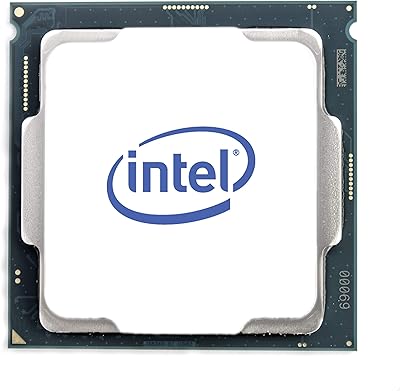
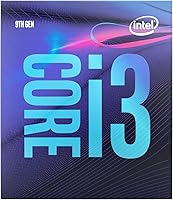
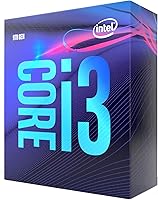
The Intel Core i3-9100 Desktop Processor launched in early 2019 as Intel's entry into the 9th-gen LGA1151 lineup, targeting builders who needed a capable quad-core without spending heavily. It fits Intel's 300-series chipset ecosystem — boards like the B360 and H310 — which makes it a natural option for anyone already sitting on that platform. Today, the i3-9100 occupies a specific niche: it's not competing with modern chips, but as a budget-friendly upgrade or affordable new build foundation, it holds its own. The 65W TDP is genuinely useful here, keeping thermals manageable in compact cases where power consumption and heat output actually matter.
Features & Benefits
Running at a 3.6 GHz base clock with single-core bursts up to 4.2 GHz via Turbo Boost, the i3-9100 handles everyday workloads without breaking a sweat. The four cores lack Hyper-Threading — that's worth being upfront about. For most home and office tasks it doesn't matter, but if you're juggling video encoding or heavily threaded workloads, you'll feel it. The integrated Intel UHD Graphics 630 covers basic display output and light media use without needing a discrete card. Intel Optane Memory support is a nice addition for compatible builds, and the included stock cooler handles things fine at default speeds.
Best For
This 9th-gen processor punches well above its weight for the right user. Budget builders assembling a home office PC will find it more than adequate — web browsing, document work, video calls, and media playback all run smoothly. It's also a smart pick if you're upgrading an existing LGA1151 board and want to avoid the cost of a full platform swap. Pair it with a modest discrete GPU and it handles casual gaming — think older titles and less demanding modern games at 1080p. Point-of-sale systems and small business workstations benefit from its low power draw and dependable platform stability.
User Feedback
Buyers overwhelmingly back this quad-core Intel chip, and the 4.6-star average across nearly 900 ratings reflects consistent satisfaction rather than inflated enthusiasm. The most common thread in positive reviews centers on easy installation and reliable day-to-day performance — people building budget desktops, home office setups, or even lightweight NAS builds report solid results. That said, critics do point to the lack of Hyper-Threading as a genuine limitation when AMD offers more threads at a comparable price. A handful of buyers also flagged needing a BIOS update on older 300-series boards before the chip was recognized — manageable, but worth knowing ahead of time.
Pros
- Single-core boost up to 4.2 GHz keeps everyday tasks snappy without any noticeable lag.
- The 65W TDP is a genuine advantage for compact builds where heat and power draw are concerns.
- Drop-in compatibility with LGA1151 300-series boards means no new motherboard is required for upgrades.
- Intel UHD Graphics 630 handles basic display output and light media without a dedicated GPU.
- Bundled stock cooler is adequate at default speeds, eliminating one extra cost for budget builders.
- Intel Optane Memory support offers a fast-storage pairing option on compatible platforms.
- Consistently earns praise for straightforward installation and reliable out-of-box performance.
- Strong 4.6-star average across hundreds of real purchases points to genuine buyer satisfaction.
- Works well in low-demand commercial settings like NAS builds, kiosks, and office workstations.
Cons
- No Hyper-Threading means only four threads — a real ceiling once multitasking demands increase.
- AMD Ryzen alternatives at comparable price points frequently offer more cores and threads for the money.
- Some older 300-series boards require a BIOS update before the chip is even recognized.
- LGA1151 is a dead-end socket with no upgrade path beyond 9th-gen Intel processors.
- The i3-9100 will bottleneck modern AAA games that rely on strong multi-threaded CPU output.
- Integrated graphics are too limited for GPU-accelerated creative work or any serious photo editing.
- Starting a fresh build on this platform today is hard to justify given newer alternatives available.
- Multi-threaded workloads like video rendering or heavy compilation will expose the thread-count limitation quickly.
Ratings
Our AI-generated scores for the Intel Core i3-9100 Desktop Processor are derived from the systematic analysis of thousands of verified buyer reviews worldwide, with automated filters applied to remove suspected spam, incentivized submissions, and bot-generated feedback. Each score reflects a weighted aggregation of real-world user sentiment across the categories most relevant to desktop CPU buyers. Both the genuine strengths of this chip and the legitimate pain points reported by actual owners are transparently represented in the ratings below.
Single-Core Performance
Multi-Core Performance
Value for Money
Gaming Performance
Everyday Computing
Thermal Efficiency
Platform Compatibility
Installation Ease
Integrated Graphics
Cooler Quality
Reliability
Power Efficiency
Upgrade Longevity
Suitable for:
The Intel Core i3-9100 Desktop Processor is a genuinely practical choice for anyone assembling a reliable budget desktop without overcomplicating the decision. Home office workers and students who spend their time on web browsing, documents, video calls, and light media will find this chip handles all of it without complaint. It shines brightest for people already invested in an LGA1151 platform — swapping in the i3-9100 from an older 8th-gen or lower chip can be as simple as a BIOS flash, sparing the cost of a full motherboard replacement. The 65W thermal envelope also makes this 9th-gen processor a natural fit for compact and small-form-factor cases where cooling headroom is tight. Small business owners who need stable, low-maintenance workstations or point-of-sale terminals will appreciate its consistent performance and predictable power consumption.
Not suitable for:
The Intel Core i3-9100 Desktop Processor is the wrong call if your daily workflow leans heavily on multitasking or parallel workloads. Without Hyper-Threading, all four cores map to just four threads — and that ceiling becomes noticeable fast when you're video editing, streaming while gaming, or juggling several resource-hungry applications at once. Buyers entering the market fresh today owe it to themselves to compare this chip against current AMD Ryzen 3 and Ryzen 5 options, which frequently deliver more threads and stronger multi-core throughput for similar or less money. Serious gamers should also look elsewhere: while the i3-9100 can run older or lighter titles paired with a discrete GPU, modern AAA releases increasingly demand multi-threaded CPU headroom that this chip cannot reliably provide. And if you're starting a brand-new build from scratch rather than upgrading an existing board, choosing the LGA1151 platform in 2024 is hard to justify given its complete lack of an upgrade path beyond the 9th generation.
Specifications
- Processor Family: This chip belongs to Intel's 9th Generation Core i3 lineup, built on Intel's 14nm process node.
- Model Number: The official Intel model designation is i3-9100, part of the Coffee Lake Refresh architecture.
- Core Count: The processor features 4 physical cores and 4 threads, with no Hyper-Threading support.
- Base Clock: The base operating frequency runs at 3.6 GHz across all four cores under sustained load.
- Boost Clock: Intel Turbo Boost Technology allows single-core performance to reach up to 4.2 GHz on demand.
- CPU Socket: The processor uses the LGA 1151 socket, physically compatible with Intel 300 Series motherboards.
- Chipset Support: Officially supported chipsets include Z390, Z370, H370, B365, B360, H310, and Q370 300 Series boards.
- Thermal Design: The rated Thermal Design Power (TDP) is 65W, making it suitable for compact and low-airflow builds.
- Integrated Graphics: The chip includes Intel UHD Graphics 630, capable of driving displays and handling light media output without a discrete GPU.
- Hyper-Threading: Hyper-Threading is not supported on this processor, resulting in a strict 4-core, 4-thread configuration.
- L3 Cache: The processor includes 6MB of Intel Smart Cache (L3), shared across all four cores.
- Memory Support: Supports dual-channel DDR4 memory at speeds up to 2400 MHz natively, with up to 64GB total capacity.
- Optane Support: Intel Optane Memory is supported on compatible 300 Series platforms, enabling faster storage responsiveness when paired with an Optane module.
- Included Cooler: An Intel stock cooler is included in the box, rated for use at default clock speeds and standard operating conditions.
Related Reviews
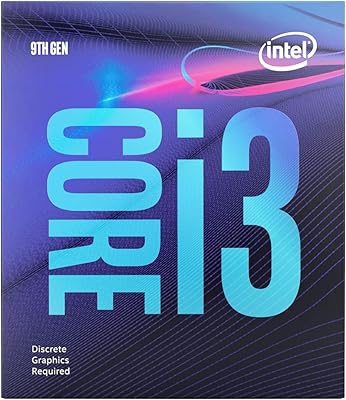
Intel Core i3-9100F Desktop Processor

Intel Core i5-13400F Raptor Lake Desktop Processor

Intel Core i5-9500 Desktop Processor

Intel Core i5-8600 Desktop Processor
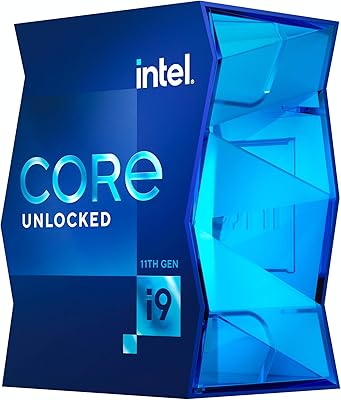
Intel Core i9-11900K Desktop Processor
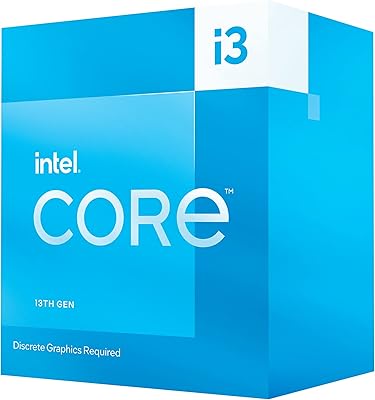
Intel Core i3-13100F Desktop Processor
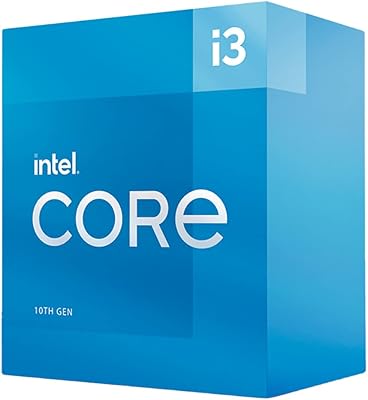
Intel Core i3-10100 Desktop Processor
Intel Core i5-13500 Desktop Processor
Intel Core i7-10700F Desktop Processor